
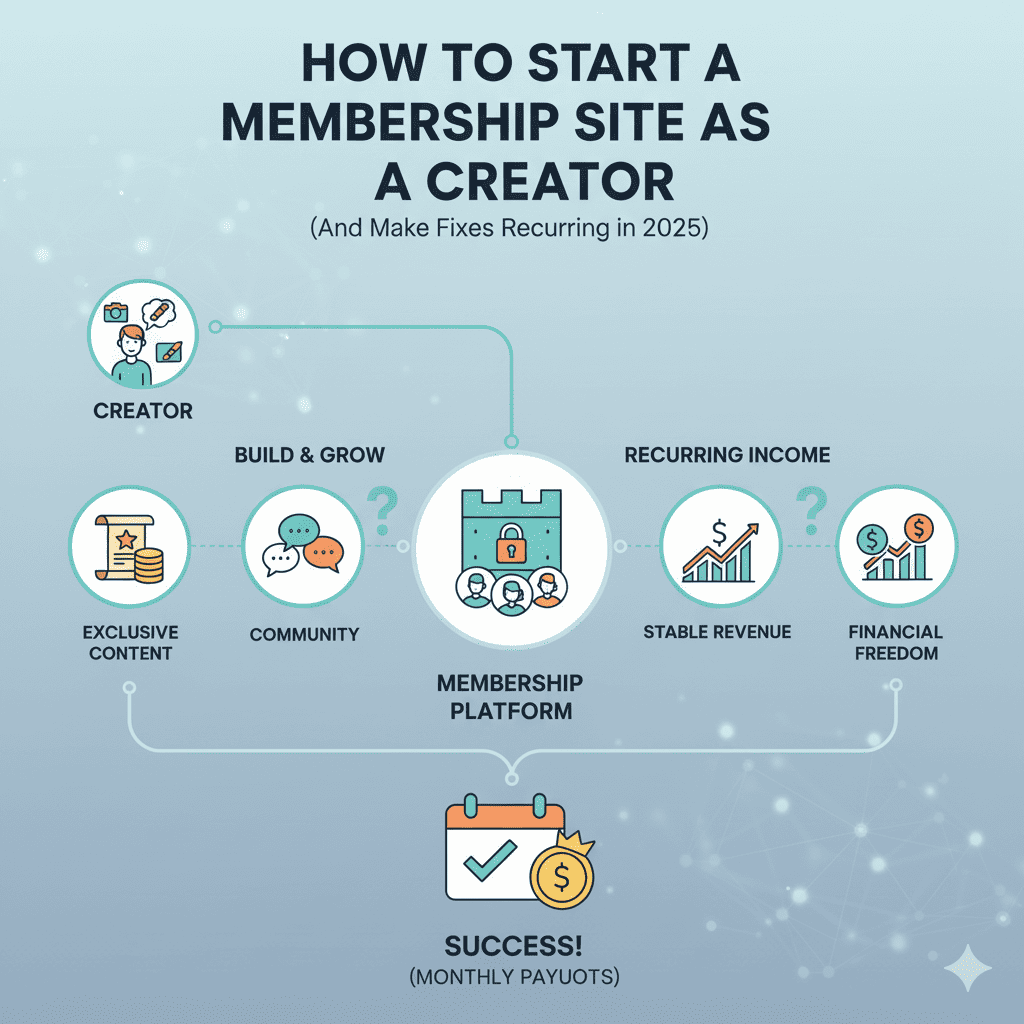
Picture this: You wake up to ₹45,000 deposited into your bank account. Not from a single product launch. Not from scrambling for freelance clients. But from 300 members paying ₹150 monthly for access to your exclusive content community. This happens every single month, whether you’re working or on vacation.
This is the power of a membership site—the holy grail of creator income. While one-time sales create income spikes, a membership site builds predictable, recurring revenue that compounds month after month. It’s the difference between being a vendor and owning a business.
The creator economy is booming. Over 50 million people worldwide now identify as creators, but only a fraction have cracked the code to sustainable income. Most chase viral moments and one-off sales. Meanwhile, smart creators are building membership sites that generate $3,000, $10,000, even $50,000 monthly in recurring revenue. The best part? Starting a membership site is more accessible than ever before.
Why a Membership Site Is the Ultimate Creator Business Model
Before we dive into the how, let’s understand why a membership site represents the pinnacle of creator monetization.
Predictable Recurring Revenue
Traditional creator income is a rollercoaster. You launch a course and make ₹2 lakhs. Great! But next month? Maybe ₹20,000. Then ₹5,000. Then scramble for another launch.
A membership site transforms this chaos into predictability. With 200 members at ₹200/month, you know you’ll collect ₹40,000 next month, the month after, and every month thereafter. This predictability allows planning, investment in growth, and actual peace of mind.
Compounding Growth
When you start your membership site with 50 members generating ₹7,500 monthly, that’s your baseline. Next month you add 20 more members (assuming 10% churn). Now you’re at 65 members and ₹9,750 monthly. Keep growing net members, and six months later you’re at 200+ members generating ₹30,000-40,000 monthly.
This compounding effect doesn’t exist with one-time products. A membership site builds wealth through accumulated subscriber base, not just current month’s sales.
Deeper Community Connections
One-time customers buy and disappear. Membership site members stick around, interact, provide feedback, and become true fans. This community becomes your greatest asset—they’ll buy everything you create, refer friends, and provide testimonials.
Higher Lifetime Value
A customer who buys your ₹1,500 course generates ₹1,500 lifetime value. A membership site member paying ₹150 monthly who stays for 18 months generates ₹2,700 lifetime value—plus potential upsells to higher tiers.
Creative Freedom
With predictable income from your membership site, you can experiment creatively without financial pressure. You’re not desperately chasing viral trends or compromising vision for sponsorship deals. You create for your community, knowing revenue flows regardless.
The 7 Proven Membership Site Models That Work
Not all membership sites are created equal. Here are the seven models successfully generating recurring revenue for creators:
Model 1: The Premium Content Library
What It Is: Members pay monthly/annual fees for access to an exclusive library of content continuously expanding.
Best For: Educators, course creators, skill-based teachers
Example: A photography educator creates a membership site with 200+ tutorial videos, 50+ presets, monthly new tutorials, and downloadable guides. Members pay ₹299/month for unlimited access.
Revenue Potential: ₹30,000-₹3,00,000+ monthly depending on niche and member count
Key Success Factors:
- Continuously add valuable content (minimum monthly additions)
- Organize content logically for easy navigation
- Offer content depth unavailable elsewhere
- Include practical, actionable resources (templates, tools, swipe files)
Real Example: Pat Flynn’s “Power-Up Podcasting” membership includes courses, templates, monthly trainings, and community access—generating over $40,000 monthly.
Model 2: The Coaching/Mastermind Community
What It Is: Members pay for ongoing access to you (group coaching), plus peer community interaction.
Best For: Coaches, consultants, business strategists, wellness experts
Example: A business coach runs a membership site with weekly group coaching calls, monthly hot seat sessions, private Slack community, and resource library. Members pay ₹999/month for transformation and accountability.
Revenue Potential: ₹50,000-₹10,00,000+ monthly (higher pricing justifiable with direct access)
Key Success Factors:
- Clear transformation promise (weight loss, business growth, skill mastery)
- Regular live interaction (weekly calls minimum)
- Cultivate engaged community where members help each other
- Success stories and case studies from existing members
- Limit size to maintain intimacy and access quality
Real Example: James Schramko’s “SuperFastBusiness” membership combines training, community, and coaching for over $2 million annually.
Model 3: The Exclusive Community/Network
What It Is: Members pay primarily for access to like-minded people, with content as secondary benefit.
Best For: Niche interest groups, professional networks, hobby communities
Example: An indie game developer creates a membership site for aspiring game creators—forum for collaboration, monthly challenges, asset sharing, and peer feedback. Members pay ₹499/month for networking and support.
Revenue Potential: ₹20,000-₹2,00,000+ monthly (scales with network effects)
Key Success Factors:
- Curate member quality (application process often helps)
- Facilitate meaningful connections (introductions, matchmaking, collaboration opportunities)
- Create exclusive events (virtual meetups, in-person gatherings for top tiers)
- Foster culture of generosity and support
- Provide tools that enable member interaction
Real Example: “Indie Hackers” (bootstrapped SaaS founders) built community membership generating substantial recurring revenue.
Model 4: The Newsletter/Research Membership
What It Is: Members pay for premium analysis, research, insights, or information not available publicly.
Best For: Analysts, researchers, industry experts, journalists
Example: A stock market analyst runs a membership site delivering weekly market analysis, daily stock picks, monthly webinars on investment strategies. Members pay ₹799/month for edge information.
Revenue Potential: ₹40,000-₹5,00,000+ monthly (information products can command premium pricing)
Key Success Factors:
- Provide genuine informational advantage
- Demonstrate expertise through free content first
- Consistent delivery schedule (weekly minimum)
- Actionable insights, not just information
- Track record of success/accuracy
Real Example: Ben Thompson’s “Stratechery” newsletter generates over $3 million annually from subscription memberships.
Model 5: The Software/Tool Membership
What It Is: Members pay for ongoing access to proprietary tools, software, templates, or resources.
Best For: Developers, designers, marketers with tool-building skills
Example: A graphic designer creates a membership site offering unlimited access to 5,000+ customizable design templates, monthly new releases, and design tools. Members pay ₹399/month instead of buying individual templates.
Revenue Potential: ₹50,000-₹10,00,000+ monthly (software scales beautifully)
Key Success Factors:
- Solve specific, recurring problem
- Continuously improve and update tools
- Make tools significantly better/easier than alternatives
- Provide excellent support
- Regular new features or resources
Real Example: “Canva Pro” membership model generates hundreds of millions in recurring revenue providing design tools and templates.
Model 6: The Done-For-You Service Membership
What It Is: Members pay monthly for you to perform specific services regularly.
Best For: Service providers, agencies, specialists
Example: A content writer offers a membership site where members get 4 blog posts monthly, SEO optimization, and content strategy calls. Businesses pay ₹8,999/month for consistent content production.
Revenue Potential: ₹1,00,000-₹20,00,000+ monthly (limited by time, but high pricing justifiable)
Key Success Factors:
- Clearly defined deliverables
- Systematize processes for efficiency
- Hire team members as you scale
- Focus on specific niche with clear ROI
- Maintain quality consistently
Real Example: “Design Pickle” offers unlimited graphic design for monthly subscription, generating millions in recurring revenue.
Model 7: The Hybrid Membership
What It Is: Combines multiple models—content library + community + coaching + tools.
Best For: Established creators with substantial audience and content
Example: A fitness creator builds a membership site with workout library, meal plans, monthly live training, private community, and progress tracking app. Members pay ₹599/month for comprehensive transformation system.
Revenue Potential: ₹50,000-₹10,00,000+ monthly (higher pricing justified by comprehensive value)
Key Success Factors:
- Ensure each component delivers standalone value
- Don’t overwhelm members—organize clearly
- Focus on complete solution for specific outcome
- Deliver consistently across all components
- Often benefits from tiered pricing (basic vs. premium)
Real Example: “Copyblogger Academy” combines training, community, tools, and coaching for comprehensive content marketing education.
Choosing Your Membership Model: The Decision Framework
Which membership site model is right for you? Use this framework:
Assess Your Strengths
Strong Teaching Skills? → Content Library or Coaching/Mastermind
Deep Expertise in Specific Domain? → Newsletter/Research or Coaching
Technical/Development Skills? → Software/Tool Membership
Service Business Background? → Done-For-You Service Membership
Established Community Already? → Exclusive Community or Hybrid
Evaluate Your Audience
What Do They Need Most?
- Learning specific skills → Content Library
- Accountability and support → Coaching/Mastermind
- Connection with peers → Exclusive Community
- Specialized information → Newsletter/Research
- Tools to work faster → Software/Tool Membership
- Done-for-them services → Service Membership
Consider Your Capacity
Limited Time? → Content Library or Software/Tool (less ongoing time per member)
Love Direct Interaction? → Coaching/Mastermind or Community
Team/Delegation Capability? → Done-For-You Service or Hybrid
Market Validation Questions
Before committing to your membership site model, validate:
- Do people already pay for similar solutions? (If nobody pays for anything similar, extreme caution)
- Can you articulate clear transformation/outcome? (Vague benefits don’t justify recurring payments)
- Will members get ongoing value? (One-time value isn’t membership-worthy)
- Can you deliver consistently long-term? (Burnout kills memberships)
The Step-by-Step Process to Launch Your Membership Site
Now let’s build your membership site from zero to launch. This process assumes you have some audience (even small—500+ engaged followers). If you’re starting completely from scratch, build audience first through free content.
Phase 1: Foundation and Strategy (Week 1-2)
Step 1: Define Your Membership Precisely
Answer these questions in detail:
Who is this membership for? (Be specific—”content creators” is too broad; “B2B SaaS founders creating content” is better)
What specific outcome will members achieve? (Vague: “get better at marketing”; Specific: “generate 10 qualified leads monthly through content”)
What’s included? (List every component—content, community, tools, coaching, etc.)
What makes this unique/better? (Why would someone choose your membership site over alternatives?)
What won’t be included? (Setting boundaries prevents scope creep and burnout)
Step 2: Validate Demand Before Building
Don’t spend months building what nobody wants. Validate first:
Survey Your Audience: Email your list or post on social media: “I’m considering creating [describe membership]. If it included [list features] for [price], would you join? What would make it irresistible?”
Pre-Sell Founding Memberships: Offer discounted founding member pricing (e.g., ₹99/month instead of ₹199) to first 50 people who commit. If you can’t get 20-30 commitments, reconsider your model.
Interview Potential Members: Talk to 10+ people in your target audience. Understand their pain points, what they’ve tried, what they’d pay for, what features matter most.
Research Competition: Are similar membership sites successful? Good—it validates demand. Can you differentiate meaningfully? Critical question.
Step 3: Choose Your Platform
Your membership site needs technology infrastructure. Here are top options:
All-in-One Platforms (Easiest):
Kajabi (₹12,000-25,000/month): Complete solution—hosting, payment processing, email marketing, community, course delivery. Best for non-technical creators wanting everything in one place.
Podia (₹2,500-6,500/month): Simpler than Kajabi, excellent for straightforward membership sites without complex needs. Great balance of features and ease.
Circle (₹3,200-8,000/month): Community-focused platform. Best if your membership site emphasizes member interaction and discussion.
Mighty Networks (₹2,700-8,000/month): Similar to Circle, strong community features, works well for mobile-first members.
WordPress + Plugins (Most Flexible, Technical):
MemberPress (₹12,000-30,000/year): Powerful WordPress membership plugin. Full control, but requires WordPress knowledge.
Restrict Content Pro (₹8,000/year): Simpler WordPress option, good for basic membership sites.
Payment + Community Combo:
Patreon (5-12% fee): Quick start option, built-in discovery, but limited customization and high fees long-term.
Buy Me a Coffee (5% fee): Similar to Patreon, simpler, growing platform.
Substack (10% fee): Excellent for newsletter-based membership sites, very easy to use, but limited features.
Choosing Advice: Start simple. If non-technical, begin with Podia or Circle. As you grow and need more features, migrate to Kajabi or WordPress. Don’t let platform paralysis delay launching your membership site.
Step 4: Set Your Pricing Strategy
Pricing your membership site requires balancing value perception, market rates, and your goals.
Pricing Research:
- Survey target audience: “Would you pay ₹X for [describe membership]?”
- Research competitor pricing for similar offerings
- Calculate your desired income (want ₹50,000/month? Need 250 members at ₹200 or 100 at ₹500)
Common Pricing Tiers:
Entry Level: ₹99-299/month
- Content library access
- Community participation
- Minimal direct interaction
- Good for large-scale memberships
Mid-Level: ₹399-999/month
- Everything in entry level
- Monthly live sessions
- More direct access
- Additional resources/tools
- Sweet spot for most creator membership sites
Premium: ₹1,499-4,999/month
- Everything in mid-level
- Significant direct access (coaching, feedback, strategy)
- Smaller, more intimate community
- Priority support and attention
- Often includes done-for-you elements
VIP/Mastermind: ₹9,999-50,000/month
- Extremely limited spots (10-50 members max)
- High-touch coaching and support
- Potentially in-person events
- Direct access to you
- Serious transformation focus
Pricing Psychology Tips:
Anchor High: If offering multiple tiers, highest tier makes middle tier seem reasonable by comparison.
Annual Discounts: Offer annual payment at 2 months free equivalent (10-month pricing for 12-month access). This increases cash flow and retention.
Founding Member Discount: Offer permanent discount to first 50-100 members. They take risk on unproven membership site, deserve reward, plus they’re best evangelists.
Value Stacking: List everything included with assigned values. Show that ₹499/month membership includes content worth ₹5,000, community worth ₹2,000, coaching worth ₹10,000, etc.—total ₹17,000 value.
Money-Back Guarantee: Offer 30-day guarantee to remove purchase risk. Confident positioning about your membership site value converts better.
Phase 2: Content and Community Creation (Week 3-5)
Step 5: Create Your Core Content
Before launching your membership site, have enough content ready so members immediately see value.
Minimum Viable Content:
For Content Library Model:
- 10-15 substantial lessons/modules
- 3-5 downloadable resources (templates, checklists, guides)
- Clear learning path showing what to complete in what order
For Coaching/Mastermind Model:
- Welcome training explaining how to maximize membership
- 3-5 foundation lessons (recorded sessions on core concepts)
- Clear process for upcoming live calls
For Community Model:
- Onboarding guide explaining community norms and how to participate
- 5-10 discussion threads to seed conversations
- Welcome video or message from you
For Newsletter/Research Model:
- 3-4 sample reports demonstrating value
- Clear explanation of delivery schedule
- Archive of recent publications
Content Creation Tips:
Batch Production: Set aside dedicated time to create multiple pieces of content at once. Easier to stay in creative flow.
Start With Highest Value: Create content solving member’s biggest, most urgent problems first. Build loyalty early.
Don’t Aim for Perfection: Your membership site will improve over time. Launch with good enough, refine based on feedback.
Involve Future Members: If you pre-sold founding memberships, survey them about what content they need most urgently.
Step 6: Set Up Your Community Space
Successful membership sites foster connection among members. Set up your community thoughtfully:
Platform Choice:
- Circle/Mighty Networks: If using community-focused membership platform
- Slack/Discord: If using Kajabi/Podia and want separate community space
- Facebook Group: Free option, but declining engagement and you don’t own the platform
- Your platform’s built-in forums: If adequate, keep everything in one place
Community Structure:
Welcome Area:
- Introduction thread for new members
- Community guidelines and expectations
- How to get maximum value guide
- FAQ section
Content Discussion:
- Threads for each course/module for questions
- Implementation sharing areas
- Wins and success stories section
Networking:
- Member directory or introduction space
- Collaboration and partnership threads
- Offer/request help area
Social/Engagement:
- Off-topic casual discussion
- Monthly challenges or accountability threads
- Member spotlight features
Engagement Strategy:
Personal Welcome: You or team member welcomes each new member personally within 24 hours.
Seed Discussions: Post questions and discussion topics daily initially. As community grows, members will organically create discussions.
Highlight Contributions: Regularly feature member wins, implementations, and insights. This encourages participation.
Weekly Themes: Create structure with weekly topics, challenges, or focuses. Gives members reason to return regularly.
Step 7: Create Your Membership Website
Your membership site needs public-facing pages converting visitors to members:
Essential Pages:
Sales/Landing Page:
- Attention-grabbing headline stating transformation/outcome
- Your story (why you created this, your credibility)
- Who this is for (and who it’s NOT for—builds exclusivity)
- What’s included (detailed list with value assigned)
- Member testimonials (get these from beta testers or pre-launch group)
- Pricing and guarantee
- FAQ section addressing common objections
- Multiple clear calls to action (Join Now buttons)
About Page:
- Your background and expertise
- Why you’re qualified to run this membership site
- Your vision for the community
- Personal connection (photo, personal story)
FAQ Page:
- Technical questions (platform, payment, cancellation)
- Content questions (what’s included, how delivered, update frequency)
- Community questions (how moderated, who else is there, time commitment)
Login Page:
- Clear member login for existing members
- Join link for new prospects who land here
Copywriting Tips:
Lead With Outcome: Don’t start with “I’m excited to announce my membership.” Start with “Imagine generating ₹50,000 monthly from your content…”
Use Specificity: Vague promises (“improve your business”) convert poorly. Specific outcomes (“generate 10 qualified leads monthly”) convert well.
Address Objections: Include FAQ or sections handling common concerns: “I don’t have time,” “I’ve tried other memberships,” “How is this different?”
Social Proof: Even without existing members, use testimonials from your free content, courses, or beta testers about your expertise.
Urgency Without Sleaze: Founding member pricing for first 100 members creates legitimate urgency. Fake countdown timers erode trust.
Phase 3: Pre-Launch and Beta Testing (Week 6-7)
Step 8: Beta Launch to Founding Members
Before public launch, run private beta with 20-50 founding members:
Founding Member Benefits:
- Permanent discount (₹99/month when public price will be ₹199)
- Special “founding member” badge/designation
- Direct input on membership site direction
- Extra access during beta period
Why Beta Launch:
- Real feedback before public launch
- Identify technical issues in safe environment
- Create testimonials for public launch
- Generate initial revenue and validation
- Refine based on actual member experience
Beta Launch Process:
Week 1: Recruit Beta Members
- Email announcement to your list
- Social media posts about founding member opportunity
- One-on-one invitations to best community members
- Goal: 20-50 founding members committed
Week 2-3: Onboarding and Initial Feedback
- Members join and access content
- You’re hyper-responsive to questions
- Weekly check-in survey: “What’s working? What’s missing?”
- Make rapid improvements based on feedback
Week 4: Refinement
- Fix technical issues identified
- Add requested features if possible
- Create additional content addressing gaps
- Document testimonials and success stories
Step 9: Gather Testimonials and Social Proof
Your membership site needs credibility for public launch:
Testimonial Collection Strategy:
Make It Easy: Send simple Google Form or email template:
- “What problem were you hoping this membership would solve?”
- “What’s been most valuable so far?”
- “What outcome or result have you experienced?”
- “Who would you recommend this to?”
Capture Different Formats:
- Written testimonials for sales page
- Video testimonials (even quick smartphone recordings)
- Social media posts you can screenshot
Incentivize Thoughtfully: Offer extended beta pricing or bonus content for detailed testimonials. Don’t pay for fake reviews—authenticity matters.
Ask Specifically: “Can you share a specific result or moment that was valuable?” gets better testimonials than “Did you like it?”
Step 10: Plan Your Launch Sequence
Your public membership site launch needs coordinated promotional push:
Launch Content Plan:
2 Weeks Before Launch:
- Tease upcoming membership on social media
- Email list about problem your membership solves (don’t mention membership yet)
- Share behind-the-scenes of creating the membership
- Post free valuable content related to membership topic
1 Week Before Launch:
- Announcement post/email: “I’m launching [membership name] next Tuesday”
- Explain what it is and who it’s for
- Build anticipation without full details
- Share founding member testimonials
Launch Day (typically Tuesday-Thursday for best results):
- Dedicated launch email to full list
- Multiple social media posts throughout day
- Go live on Instagram/Facebook/YouTube explaining membership
- Post in relevant communities and forums (where appropriate)
- Personal outreach to warm leads
3-5 Days Post-Launch:
- Follow-up email to non-openers with different subject line
- Share early member wins and testimonials
- Address common objections or questions in content
- Last chance email if using limited-time launch pricing
- Live Q&A about membership
1 Week Post-Launch:
- Thank you message to new members
- Shift to evergreen enrollment (always-open) or close cart until next launch
- Recap launch results to your audience
Phase 4: Launch and First Month Operations (Week 8-12)
Step 11: Execute Your Launch
Launch day for your membership site is exciting and stressful. Here’s your checklist:
Technical Checklist (Test Before Launch):
- Payment processing works correctly
- Members receive instant access upon payment
- Automated welcome emails send
- Member login credentials are delivered
- All content pages load properly
- Mobile experience works smoothly
- Community access grants automatically
Launch Day Schedule:
Morning (9-10 AM):
- Send launch email to full list
- Post launch announcement on all social channels
- Pin announcement post on profiles
- Personal messages to warm leads
Midday (12-1 PM):
- Go live on Instagram/YouTube for live announcement and Q&A
- Post in Facebook groups, Reddit, forums (where allowed and relevant)
- Respond to all comments and messages promptly
Evening (5-7 PM):
- Share early testimonials or founding member excitement
- Second social media push
- Personal outreach to people who showed interest but haven’t joined
Days 2-3:
- Email follow-up to people who opened but didn’t buy
- Continue social media posting (different angles—testimonials, FAQs, outcomes)
- Behind-the-scenes content about first members joining
Days 4-5:
- “Last chance” messaging if using limited-time pricing
- Live Q&A addressing questions from potential members
- Cart close announcement (if using launch model)
Step 12: Onboard New Members Excellently
First impressions determine whether members stay or leave. Exceptional onboarding is critical for your membership site:
Automated Welcome Sequence (Email):
Email 1 (Immediate): Welcome and login details
- Enthusiastic welcome message
- Login link and instructions
- What to do first
- Invitation to introduce themselves in community
Email 2 (Day 1): Quick win
- Guide to getting first result or outcome quickly
- Link to highest-value content piece
- Personal message from you
Email 3 (Day 3): Community integration
- Highlight community value
- Show them how to participate
- Introduce notable members or moderators
Email 4 (Week 1): Maximize value guide
- Complete overview of everything included
- Suggested usage patterns
- Success stories from existing members
Personal Touches:
Welcome Video: Record personal welcome video appearing on dashboard when members first log in. Makes huge emotional impact.
Community Introduction: When new members join, post welcoming them by name. Encourage existing members to welcome them.
First Week Check-In: You or team member messages each new member after 3-4 days: “How’s it going? Any questions? What are you working on?”
Step 13: Deliver Consistently (Ongoing)
Your membership site succeeds or fails on consistent delivery. Create systems ensuring reliability:
Content Delivery Schedule:
Weekly (Minimum):
- New training video or lesson
- Community discussion prompt or challenge
- Email to all members with updates
Monthly:
- Live group call or training session
- Member spotlight or success story feature
- New resource or downloadable tool
Quarterly:
- Major content addition (new module, course, feature)
- Member survey for feedback
- Virtual or in-person event for higher tiers
Content Calendar:
Create 90-day content calendar planning all deliverables. This prevents last-minute scrambling and ensures quality. Include:
- New content publication dates
- Live session schedule
- Email communication plan
- Community engagement initiatives
Batch Content Creation:
Don’t create content week-to-week. Dedicate full days to batching:
- Record 4 weeks of video content in one day
- Write month of emails in one session
- Plan quarter of community discussions together
This creates buffer preventing burnout and missed deliverables.
Step 14: Foster Engaged Community
The difference between membership sites with 90% retention and 50% retention is usually community engagement:
Daily Engagement Actions:
- Post conversation starters or questions
- Respond to every comment and post (initially—delegates as you grow)
- Share member wins and implementations
- Surface and amplify great community contributions
Weekly Engagement Actions:
- Host weekly challenge or accountability thread
- Go live in community for informal Q&A or hangout
- Feature member spotlight
- Share exclusive insight or behind-the-scenes update
Monthly Engagement Actions:
- Host structured event (training, Q&A, guest expert)
- Member-only office hours where anyone can ask anything
- Launch monthly challenge with incentive/recognition for completion
Engagement That Scales:
As your membership site grows beyond 100-200 members, you can’t personally respond to everything:
Train Power Members: Identify most engaged, helpful members. Give them “expert” or “moderator” designation. They help answer questions, welcome new members, facilitate discussions.
Create Structure: Weekly discussion themes, monthly challenges, regular events create engagement without requiring your constant presence.
Use Tools: Automated welcome bots, scheduled posts, email sequences handle routine engagement. You focus on high-value, personal interactions.
Step 15: Measure, Optimize, Improve
Your membership site should continuously improve based on data:
Key Metrics to Track:
Monthly Recurring Revenue (MRR): Total revenue from all active memberships. Primary success metric.
Member Count: Total active members. Track alongside MRR since pricing might vary.
Churn Rate: Percentage of members canceling monthly. Healthy: 5-10%. Concerning: 15%+. Excellent: Under 5%.
Formula: (Cancellations this month ÷ Total members at start of month) × 100
Customer Lifetime Value (LTV): Average revenue per member over their entire membership.
Formula: Average monthly fee ÷ Churn rate
Example: ₹300/month with 8% churn = ₹300 ÷ 0.08 = ₹3,750 LTV
Engagement Metrics:
- Percentage of members active in community weekly
- Percentage consuming content monthly
- Average time spent in membership platform
- Participation rate in live events
Monthly Reporting:
Create simple dashboard tracking these metrics. Notice trends:
- Is MRR growing consistently?
- Is churn increasing (warning sign) or decreasing (good sign)?
- Are certain member segments more engaged?
- Which content gets most attention?
Optimization Based on Data:
High Churn?
- Survey exiting members
- Improve onboarding
- Increase engagement initiatives
- Review if you’re delivering promised value
Low Engagement?
- Make content more actionable
- Create structured challenges or accountability
- Improve content organization
- Increase live interactions
Plateauing Growth?
- Launch referral program
- Run promotion or campaign
- Improve sales page and messaging
- Expand audience building efforts
Scaling Your Membership Site to $10K+ Monthly
You’ve launched, members are happy, revenue is growing. Now let’s scale:
Strategy 1: Optimize Conversion Rate
Small improvements in conversion rate dramatically increase revenue:
Split Test Sales Page Elements:
- Headlines (try benefit-focused vs. curiosity-driven)
- Pricing presentation (monthly vs. annual emphasized)
- Social proof positioning
- Call-to-action button text and color
Improve Trial or Guarantee:
- Longer money-back guarantee (60 days vs. 30)
- Free trial period (7-14 days)
- Free tier that upgrades to paid
Video Sales Letter:
- 5-10 minute video explaining membership, showing behind-the-scenes, featuring member testimonials often converts 2-3× better than text alone
Exit-Intent Offers:
- When visitor moves to leave page, popup offering consultation, FAQ, or limited-time discount
Strategy 2: Implement Tiered Pricing
Moving from single-tier to multi-tier membership site increases average revenue per member:
Example Three-Tier Structure:
Basic (₹299/month):
- Content library access
- Community participation
- Monthly newsletter
Pro (₹699/month):
- Everything in Basic
- Monthly live Q&A sessions
- Private Slack channel
- Priority support
- Bonus courses and tools
VIP (₹1,999/month):
- Everything in Pro
- Monthly 1-on-1 coaching call
- Quarterly strategy session
- VIP-only mastermind community (limited to 50 members)
- Early access to new content
Tier Strategy:
- 60-70% choose Basic (volume tier)
- 25-30% choose Pro (sweet spot tier)
- 5-10% choose VIP (high-value tier)
Result: Instead of 200 members at
Also read this:
Top 10 AI Tools That Students in India Are Using for Exam Prep in 2025: A Complete Guide
The Future of Money: Earn, Invest & Automate Your Finances With AI Tools in 2025
Content Creation Hacks: How I Scripted 30 Blog Posts in a Weekend