
The alarm goes off at 6 AM. You’ve already received three client emails overnight, two project requests, and a reminder that your proposal is due by noon. Sound familiar? Welcome to the reality of modern freelancing—a world where opportunity and overwhelm often go hand in hand.
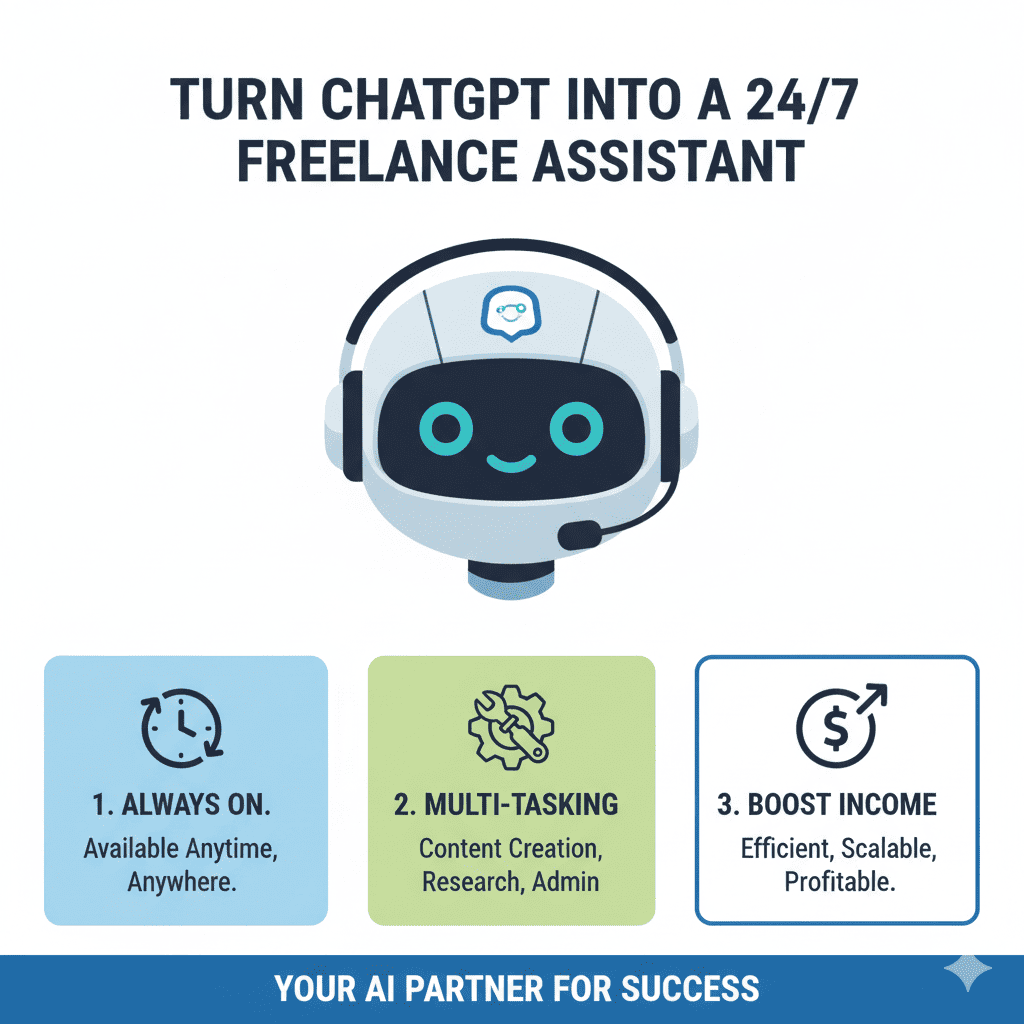
But what if I told you there’s a way to handle the workload of three people without hiring a single employee, losing sleep, or sacrificing quality? The secret lies in learning how to turn ChatGPT into a 24/7 freelance assistant that works tirelessly alongside you, transforming your one-person operation into a scalable, efficient business machine.
This isn’t about replacing your skills or expertise. It’s about amplifying them. It’s about reclaiming your time, reducing stress, and finally having the bandwidth to focus on what truly matters—delivering exceptional work and growing your business.
The Freelance Dilemma: Why You Need More Than Just Hard Work
Let’s be honest: the traditional freelance model is broken. You’re expected to be a marketing genius, a skilled practitioner, a customer service representative, an accountant, and a project manager—all while actually doing the work you were hired for.
The math simply doesn’t work. There are only 24 hours in a day, and you can only bill for a fraction of them. The rest disappears into the black hole of administrative tasks, client communication, and business development. This is where most freelancers hit a ceiling.
The core problems every freelancer faces:
- Spending 60-70% of time on non-billable tasks
- Missing opportunities due to slow response times
- Inability to scale without hiring expensive help
- Constant context-switching between different roles
- No time for business development or skill improvement
- Work-life balance becoming impossible to maintain
This is precisely why learning to turn ChatGPT into a 24/7 freelance assistant isn’t just a nice-to-have—it’s essential for survival and growth in today’s competitive landscape.
Understanding What’s Possible: The AI Assistant Revolution
Before we dive into the how, let’s talk about what’s actually possible when you turn ChatGPT into a 24/7 freelance assistant.
What your AI assistant can handle:
- Complex communication – Professional emails, proposals, negotiations, and client correspondence
- Content generation – Blog posts, social media content, reports, and marketing materials
- Project management – Task breakdowns, timelines, risk assessment, and planning
- Research and analysis – Information gathering, data synthesis, and actionable insights
- Repetitive tasks – Templates, invoices, job descriptions, and administrative work
- Strategic thinking – Business planning, problem-solving, and decision support
The key insight? When you successfully turn ChatGPT into a 24/7 freelance assistant, you’re not just saving time—you’re multiplying your capabilities.
Setting Up Your AI Assistant: The Foundation for Success
Step 1: Audit Your Time and Tasks
You can’t delegate effectively if you don’t know where your time actually goes. Spend one week tracking everything you do in 30-minute increments.
Create four categories:
- High-value tasks – Work only you can do (strategy, client relationships, specialized expertise)
- Medium-value tasks – Work you do well but others could handle (content creation, research, initial drafts)
- Low-value tasks – Necessary but mundane (email management, scheduling, formatting)
- No-value tasks – Things you do out of habit but don’t actually need doing
Your goal in learning to turn ChatGPT into a 24/7 freelance assistant is to offload everything except high-value tasks. Most freelancers discover they can delegate 50-60% of their current workload immediately.
Step 2: Define Your Assistant’s Personality and Parameters
The difference between amateur and professional use of AI comes down to customization. Generic prompts produce generic results.
Essential elements to define:
- Communication style – Your tone, formality level, and natural voice
- Industry expertise – Your niche, terminology, client needs, and standards
- Business processes – Workflows, tools, onboarding procedures, and project management
- Boundaries and ethics – Confidentiality standards, fact-checking requirements, disclosure policies
Spend time creating a comprehensive “assistant profile” document that you can reference when crafting prompts. This 30-minute investment will save you hundreds of hours of editing and refinement.
Step 3: Build Your Prompt Library
Professional freelancers who successfully turn ChatGPT into a 24/7 freelance assistant don’t start from scratch every time. They maintain a library of proven prompts for common scenarios.
Essential prompt categories:
- Client communication – Inquiry responses, proposals, updates, difficult conversations, payment reminders
- Content creation – Brainstorming, outlines, drafts, editing instructions, SEO optimization
- Business management – Weekly planning, project breakdowns, time estimates, performance reviews
Start with 10-15 core prompts and refine them based on results. Your prompt library becomes one of your most valuable business assets, saving 2-3 hours daily once established.
Practical Applications: Putting Your AI Assistant to Work
Morning Routine: Starting Your Day Strong
The way you start your day sets the tone for everything that follows. Before you even open your email, use your AI assistant to transform your morning.
Your new morning workflow:
- Prioritized task list – Generated based on deadlines, client importance, and strategic goals (5 minutes vs 20 minutes manually)
- Draft email responses – Overnight messages answered and ready for review (30 minutes saved)
- Daily content creation – Social media posts, newsletter updates, or blog content prepared (45 minutes saved)
- Meeting preparation – Agendas, talking points, and relevant background compiled (15 minutes saved)
This is what it means to turn ChatGPT into a 24/7 freelance assistant—your day starts with momentum instead of overwhelm. You’ve accomplished what used to take two hours before your first client call.
Client Acquisition: From Proposal to Contract
The sales cycle is where many freelancers lose opportunities. You’re busy with current work, so responding to new inquiries takes days instead of hours.
How your AI assistant transforms sales:
- Instant initial responses – Professional acknowledgment within 15 minutes instead of 2 days
- Comprehensive proposals – Detailed scope, timeline, deliverables, and pricing in 30 minutes instead of 3-4 hours
- Follow-up sequences – Automated reminders and check-ins that prevent opportunities from slipping away
- Contract generation – Customized agreements based on project specifics and your standard terms
Freelancers who turn ChatGPT into a 24/7 freelance assistant report closing 30-40% more deals simply because they respond faster and more professionally. When a potential client receives a thoughtful, detailed proposal within hours instead of days, you immediately stand out from competitors.
Project Execution: Delivering Excellence Efficiently
This is where your AI assistant truly shines, helping you handle multiple complex projects simultaneously without dropping balls.
AI-powered project workflow:
- Project kickoff – Comprehensive project plan with phases, dependencies, and timelines (20 minutes vs 3 hours)
- Research and information gathering – Synthesized insights and key findings presented clearly (1 hour vs 4-5 hours)
- Content creation and iteration – Multiple approaches generated quickly for your strategic direction (saves 50% of creation time)
- Client communication – Regular updates and milestone reports drafted automatically (30 minutes saved per week per client)
- Documentation and handoff – Professional project documentation, guides, and materials prepared efficiently (2 hours saved per project)
The ability to turn ChatGPT into a 24/7 freelance assistant for project execution means you can handle 50-75% more projects simultaneously without sacrificing quality or working longer hours.
Business Development: Growing While Working
Most freelancers struggle to find time for business development because they’re too busy delivering work. Your AI assistant solves this catch-22.
Strategic growth made possible:
- Content marketing – Consistent blog posts, social media presence, and thought leadership without the time investment
- Networking and outreach – Personalized relationship-building messages that maintain your professional network
- Skill development – Customized learning plans and concept summaries that keep you competitive
- Business analytics – Performance analysis and strategic recommendations for informed decision-making
When you successfully turn ChatGPT into a 24/7 freelance assistant, business development becomes a consistent practice rather than something you do when you have time (which is never).
Advanced Strategies: Maximizing Your AI Assistant’s Impact
Creating Feedback Loops for Continuous Improvement
The difference between good and great AI assistance is iteration. Your assistant gets better the more you refine your approach.
Implement these improvement practices:
- Save your best prompts – Document what works and why for future reference
- Track time savings – Measure the impact to stay motivated and identify further opportunities
- Refine your outputs – Note patterns in what requires editing and adjust prompts accordingly
- Update your assistant profile – As your business evolves, keep your AI’s context current
Freelancers who treat their AI assistant as a living system rather than a static tool see 3-4x better results within the first month.
Integration with Your Complete Workflow
To truly turn ChatGPT into a 24/7 freelance assistant, integrate it seamlessly into every part of your day.
Time-based integration strategy:
- Morning (6-8 AM) – Planning, prioritization, and preparation for the day ahead
- Work blocks (9-12, 2-5) – Active project support, research, and content creation
- Transition times (12-2, 5-6) – Administrative tasks, communication, and quick requests
- Evening (6-8 PM) – Next-day planning, client updates, and business development
- Anytime – Emergency support, brainstorming, and problem-solving as needs arise
The beauty of an AI assistant is true 24/7 availability. Having a creative breakthrough at 11 PM? Your assistant is ready. Client emergency on Sunday morning? Your assistant drafts the response immediately.
Specialized Use Cases by Freelance Type
Different freelance professionals can leverage AI assistance in specialized ways.
For writers and content creators:
- Research and fact-checking for articles
- Multiple headline and angle variations
- Content repurposing across platforms
- SEO optimization and keyword integration
- Editorial calendar planning and idea generation
For designers and creatives:
- Client brief analysis and clarification
- Project scope documentation
- Design rationale and presentation preparation
- Style guide creation
- Client education materials
For consultants and coaches:
- Client assessment frameworks
- Customized recommendations and action plans
- Workshop and presentation materials
- Follow-up resources and templates
- Industry research and competitive analysis
For developers and technical freelancers:
- Project specification documentation
- Code documentation and commenting
- Client communication translation (technical to non-technical)
- Troubleshooting and debugging support
- Learning new technologies and frameworks
The key to success when you turn ChatGPT into a 24/7 freelance assistant is customization to your specific needs and workflow.
Overcoming Common Challenges and Obstacles
Quality Control and The Human Touch
One concern freelancers have is maintaining quality when using AI assistance. The solution is simple: AI assists, you decide.
Best practices for quality control:
- Always review and edit – Treat AI outputs as excellent first drafts, not finished products
- Add personal touches – Include specific examples, personal insights, and relationship details
- Fact-check critical information – Verify data, statistics, and claims before sending to clients
- Maintain your unique voice – Edit to ensure the final product sounds authentically like you
- Use AI for structure, you for substance – Let AI handle frameworks while you provide expertise
When you properly turn ChatGPT into a 24/7 freelance assistant, your quality actually improves because you spend more time on strategic thinking and refinement rather than starting from blank pages.
Privacy and Confidentiality Concerns
Protecting client information is paramount. Establish clear protocols for what you will and won’t share with your AI assistant.
Privacy protection guidelines:
- Never input – Client names, proprietary information, financial data, personal details, confidential strategies
- Use instead – Generic placeholders, anonymized examples, general scenarios, public information
- Be transparent – Inform clients when AI tools assist your work if contracts require disclosure
- Secure your account – Use strong passwords and two-factor authentication
These precautions ensure you can safely turn ChatGPT into a 24/7 freelance assistant without compromising professional ethics or client trust.
Managing Client Expectations
Some clients may have concerns about AI assistance. Address this proactively and professionally.
Communication strategies:
- Position AI as a productivity tool – Like email or project management software, it helps you work more efficiently
- Emphasize your expertise – AI assists, but your knowledge, judgment, and experience drive everything
- Highlight the benefits – Faster responses, better documentation, more thorough research
- Offer transparency – Be open about your process when clients ask
The goal isn’t to hide that you use AI to turn ChatGPT into a 24/7 freelance assistant—it’s to demonstrate that you’re leveraging cutting-edge tools to deliver superior service.
The Financial Impact: Real ROI Numbers
Let’s talk actual numbers because the financial case for learning to turn ChatGPT into a 24/7 freelance assistant is compelling.
Time savings calculation (conservative estimates):
- Morning routine optimization: 1.5 hours daily = 7.5 hours weekly
- Client communication efficiency: 5 hours weekly
- Content creation acceleration: 8 hours weekly
- Administrative task reduction: 4 hours weekly
- Research and planning efficiency: 6 hours weekly
Total weekly time savings: 30.5 hours
Two ways to leverage this time:
- Increase capacity – Take on 2-3 additional clients at your current rate (potential $3,000-8,000 monthly revenue increase)
- Increase rates – Use freed time for business development and skill improvement, justifying 30-50% rate increases within 3-6 months
ROI example for a $75/hour freelancer:
- Monthly AI subscription cost: $20
- Time saved monthly: 122 hours
- Even using just 20% of saved time for billable work: 24.4 billable hours
- Additional monthly revenue: $1,830
- ROI: 9,150%
The ability to turn ChatGPT into a 24/7 freelance assistant isn’t an expense—it’s one of the highest-return investments you can make in your business.
Implementation Roadmap: Your 30-Day Action Plan
Knowing what to do is useless without a clear implementation plan. Here’s your roadmap to successfully turn ChatGPT into a 24/7 freelance assistant.
Week 1: Foundation and Assessment
- Day 1-2: Complete time audit and categorize all tasks
- Day 3-4: Create your assistant personality profile and define parameters
- Day 5-7: Build initial prompt library with 10 essential prompts
Week 2: Basic Implementation
- Day 8-10: Implement morning routine automation and refine prompts
- Day 11-13: Start using AI for client communication drafts
- Day 14: Review results, measure time savings, adjust approach
Week 3: Expansion and Optimization
- Day 15-17: Add project management and planning workflows
- Day 18-20: Implement content creation and business development processes
- Day 21: Mid-point review and optimization of all systems
Week 4: Advanced Integration and Scale
- Day 22-25: Create specialized workflows for your specific niche
- Day 26-28: Develop quality control processes and feedback loops
- Day 29-30: Full system audit, documentation, and scaling plan
By day 30, you should be saving 20-25 hours weekly and feeling significantly less overwhelmed. This is when you’ll truly understand what it means to turn ChatGPT into a 24/7 freelance assistant.
Common Mistakes to Avoid
Learning from others’ mistakes accelerates your success. Here are the pitfalls that trip up freelancers when they try to turn ChatGPT into a 24/7 freelance assistant.
Top mistakes and how to avoid them:
- Using generic prompts – Customize everything to your voice, style, and needs
- No quality control process – Always review, edit, and add personal touches
- Trying to do everything at once – Start with 2-3 high-impact tasks, then expand
- Not documenting what works – Save successful prompts and approaches for reuse
- Expecting perfection immediately – There’s a learning curve; improvement comes with practice
- Forgetting the human element – AI assists, but relationships still require your personal touch
- Inconsistent usage – Daily use creates compounding benefits; sporadic use yields minimal results
Avoiding these mistakes means you’ll see results in days instead of months.
Success Stories: Real Freelancers, Real Results
Understanding how others successfully turn ChatGPT into a 24/7 freelance assistant provides both inspiration and practical insights.
Content writer – Sarah M.: “I went from barely managing 3 clients to confidently handling 7. My AI assistant helps with research, outlines, and first drafts. I spend my time on strategic thinking and editing—the high-value work I actually love. Income increased 140% in three months.”
Graphic designer – Marcus T.: “Client communication was eating my creative time. Now my assistant drafts all emails, proposals, and project updates. I review and personalize in minutes. I have 10-12 extra hours weekly for actual design work. Best decision I’ve made for my business.”
Business consultant – Jennifer K.: “Creating customized plans for each client used to take 6-8 hours. With my AI assistant, we develop comprehensive frameworks in 90 minutes. I refine based on my expertise. I can serve 60% more clients with better results. Clients actually comment on how thorough my materials are.”
Web developer – Alex R.: “Documentation and client education were my weak points. My assistant generates clear explanations, user guides, and technical documentation. Clients feel more supported, I get better testimonials, and my rates have increased 35%.”
The common thread? These freelancers didn’t try to replace themselves—they strategically used AI to amplify their strengths and eliminate bottlenecks.
The Future of Freelancing Is Already Here
The freelance landscape is changing rapidly. Five years from now, the most successful freelancers won’t be those who resist AI—they’ll be those who mastered it early.
What’s becoming clear:
- Efficiency is the new competitive advantage – Clients expect faster turnarounds and more thorough work
- Scale without teams is now possible – Solo freelancers can compete with agencies on capacity
- The quality bar is rising – AI-assisted competitors deliver better work faster, raising expectations
- Adaptation determines survival – Freelancers who embrace these tools thrive while others struggle
The freelancers reading this right now have a window of opportunity. Learning to turn ChatGPT into a 24/7 freelance assistant today means you’ll be years ahead when these practices become industry standard.
Taking Action Today
You’ve read the guide. You understand the potential. Now comes the crucial part: implementation.
Your immediate next steps:
- Start your time audit today – Track the next 2-3 days in detail to identify opportunities
- Set up your account and explore – Familiarize yourself with the interface and capabilities
- Create your first 3 prompts – Choose your biggest time-sinks and develop prompts to address them
- Use it daily for one week – Commit to consistent usage to push through the learning curve
- Measure and adjust – Track time saved and quality of outputs, then refine your approach
The difference between freelancers who succeed with AI and those who don’t isn’t talent or technical skill—it’s simply taking action and committing to the process.
Final Thoughts: Your Business Transformation Awaits
Learning to turn ChatGPT into a 24/7 freelance assistant isn’t about working with robots or losing the human touch that makes your work valuable. It’s about reclaiming your time, energy, and sanity so you can focus on what you do best.
It’s about finally having the breathing room to be strategic instead of constantly reactive. It’s about delivering even better work to your clients because you’re not exhausted and overwhelmed. It’s about building a sustainable freelance business that supports your life instead of consuming it.
The transformation you can expect:
- Handling 50-75% more work without working more hours
- Responding to opportunities instantly instead of when you “find time”
- Delivering more thorough, professional work consistently
- Actually having time for business development and growth
- Reducing stress and preventing burnout
- Increasing income by 50-100%+ within 3-6 months
The tools are available. The knowledge is in your hands. The only question remaining is: will you take action?
Your always-available, infinitely patient, constantly improving assistant is waiting. The freelancers who turn ChatGPT into a 24/7 freelance assistant today will dominate their markets tomorrow.
Start now. Your future self will thank you.
Also read this:
How to Start a Membership Site as a Creator (And Make Recurring Income in 2025)
Why Your Blog Isn’t Getting Traffic (Simple Fixes That Work in 2025)
The Ultimate Social Media Growth Cheat Sheet: Reels, Shorts & TikTok