
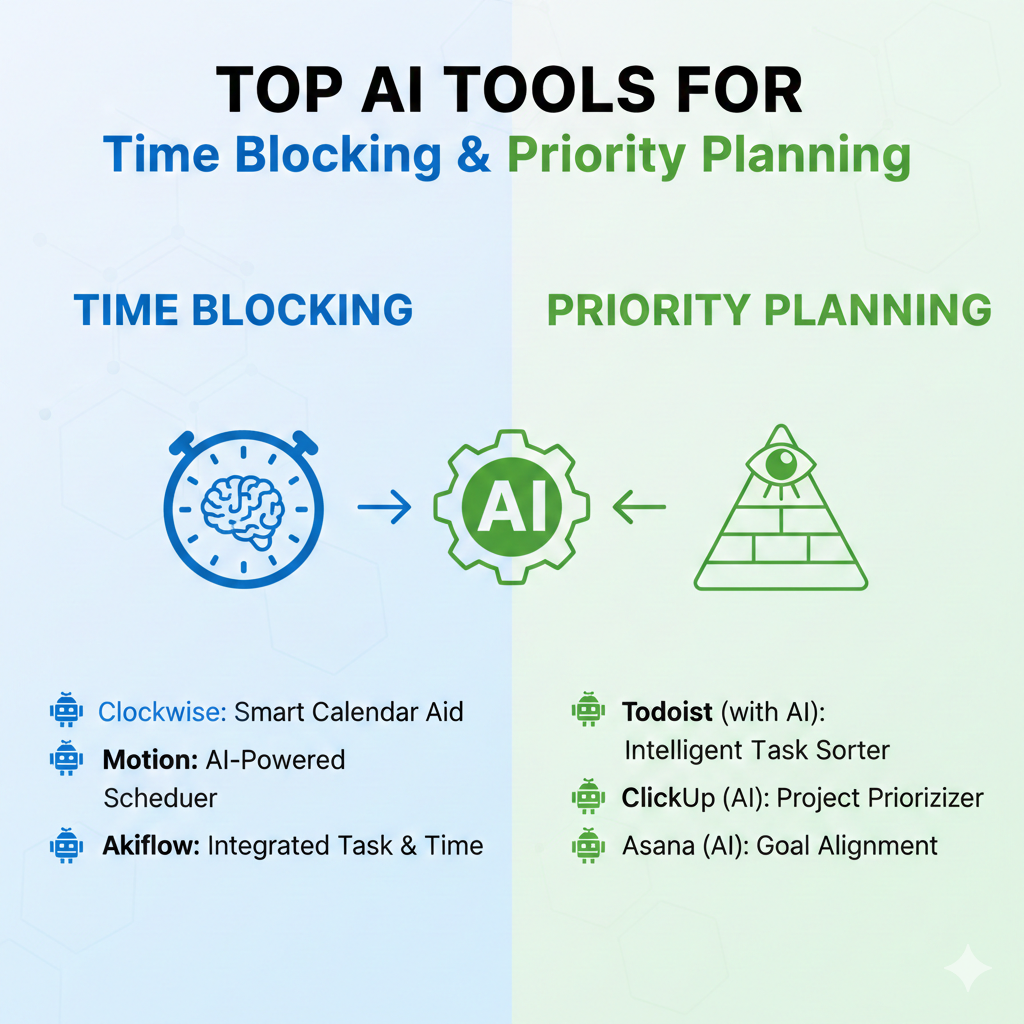
time blocking & priority planning In today’s fast-paced world, managing your time effectively isn’t just a nice-to-have skill—it’s essential for success. Whether you’re a busy professional, entrepreneur, or student, mastering time blocking & priority planning can be the difference between feeling overwhelmed and feeling in control. The good news? Artificial intelligence has revolutionized how we approach productivity, offering sophisticated tools that make time blocking & priority planning easier, smarter, and more effective than ever before.
This comprehensive guide explores the top AI-powered tools that can transform how you organize your day, prioritize tasks, and achieve your goals. Let’s dive into the world of intelligent productivity and discover how AI can become your personal time management assistant.
Understanding Time Blocking & Priority Planning in the AI Era
Before we explore the tools, it’s important to understand what makes time blocking & priority planning so powerful. Time blocking is the practice of scheduling specific blocks of time for specific tasks or activities, rather than working from a to-do list. Priority planning involves identifying which tasks matter most and deserve your focused attention.
When combined with AI capabilities, these traditional productivity methods become supercharged. AI can analyze your work patterns, predict how long tasks will take, automatically schedule your day, and even adapt to unexpected changes. The result is a personalized productivity system that learns from your behavior and helps you work smarter, not harder.
1. Motion: The Intelligent Calendar Assistant
Motion stands out as one of the most sophisticated AI tools for time blocking & priority planning available today. This intelligent calendar assistant doesn’t just help you schedule tasks—it actively manages your entire workday.
Key Features:
Motion uses advanced algorithms to automatically schedule your tasks based on their priority, deadlines, and your available time. When you add a task, Motion’s AI analyzes your calendar, identifies optimal time slots, and places the task where it fits best. If your schedule changes—a meeting gets canceled or a new urgent task appears—Motion automatically reorganizes your entire day in seconds.
The tool integrates seamlessly with your existing calendar systems, including Google Calendar and Outlook. It learns your work patterns over time, understanding when you’re most productive for different types of tasks. If you’re a morning person who does best with creative work early in the day, Motion will schedule those tasks accordingly.
Why It Excels at Time Blocking & Priority Planning:
Motion’s AI continuously optimizes your schedule throughout the day. It considers task dependencies, ensuring you complete prerequisite tasks before moving to dependent ones. The priority system is intelligent—you can set priorities, deadlines, and duration estimates, and Motion will juggle everything to ensure the most important work gets done first.
For teams, Motion offers collaborative features that help coordinate schedules across multiple people, making it easier to find meeting times without the endless back-and-forth emails.
Best For: Professionals with complex schedules, project managers, and anyone who struggles with constant schedule changes and competing priorities.
2. Reclaim.ai: Defending Your Time with AI
Reclaim.ai takes a unique approach to time blocking & priority planning by focusing on protecting your most valuable resource: focused work time. This AI-powered tool acts as a guardian for your calendar, ensuring you have dedicated blocks for deep work while still accommodating meetings and collaborative activities.
Key Features:
Reclaim’s “Habits” feature is revolutionary for time blocking enthusiasts. You can create recurring time blocks for important activities—like exercise, learning, or focused project work—and Reclaim’s AI will automatically find and defend time for these activities every week. If meetings threaten to encroach on your protected time, Reclaim can automatically move them or suggest alternative slots.
The tool’s smart scheduling adapts to your actual behavior. If you consistently skip your 6 AM workout time block but never miss your 3 PM coffee break, Reclaim learns these patterns and adjusts accordingly.
Reclaim also offers “buffer time” features that automatically add breathing room between meetings, preventing the exhausting back-to-back schedule that leaves you drained. The AI ensures you have time to prepare for meetings, process what was discussed, and transition between different types of work.
Why It Excels at Time Blocking & Priority Planning:
Reclaim’s AI is particularly good at balancing flexibility with structure. It understands that life happens—unexpected meetings pop up, tasks take longer than expected, or personal emergencies arise. Rather than rigidly sticking to a preset schedule, Reclaim fluidly adapts while still ensuring your priorities get attention.
The “Smart 1:1s” feature is excellent for managers, automatically finding optimal times for regular check-ins with team members based on both people’s calendars and preferences. For priority planning, Reclaim integrates with task management tools like Asana, Todoist, and Linear, pulling in your tasks and automatically scheduling time to work on them based on their due dates and priority levels.
Best For: Knowledge workers who need protected deep work time, managers coordinating multiple relationships, and anyone struggling to balance reactive work (like meetings) with proactive work (like projects).
3. Trevor AI: Task Management Meets Intelligent Scheduling
Trevor AI bridges the gap between traditional task management and intelligent time blocking & priority planning. This tool recognizes that having a list of tasks is only half the battle—you need to actually schedule time to complete them.
Key Features:
Trevor’s interface is beautifully simple but powerful. You create tasks in a familiar list format, but here’s where the AI magic happens: Trevor analyzes your tasks, considers their priority and estimated duration, and suggests optimal time blocks in your calendar for completing each one.
The “scheduled” view shows your tasks mapped directly onto your calendar, creating a visual time-blocked schedule. You can drag and drop tasks to different time slots, and Trevor’s AI will warn you if you’re overscheduling yourself or if conflicts arise.
Trevor learns from your completion patterns. If you consistently estimate 30 minutes for email processing but actually take 45, Trevor will start suggesting longer time blocks for similar tasks. This learning capability makes your time blocking & priority planning increasingly accurate over time.
Why It Excels at Time Blocking & Priority Planning:
Trevor excels at helping you be realistic about what you can accomplish in a day. Its AI prevents the common productivity trap of overcommitting by showing you visually how much time you actually have and how long your tasks will take.
The tool also offers “focus sessions” where you can start a timer for a specific task. During these sessions, Trevor tracks how long you actually spend on tasks, building a database of accurate time estimates that informs future planning.
For priority planning, Trevor uses a simple but effective system: you can mark tasks as high, medium, or low priority, and the AI will preferentially schedule high-priority items during your peak productivity hours.
Best For: Visual learners, people new to time blocking, and anyone who tends to overestimate how much they can accomplish in a day.
4. Clockwise: AI-Powered Schedule Optimization
Clockwise approaches time blocking & priority planning from a team-first perspective, using AI to create optimal schedules for entire organizations while protecting individual focus time.
Key Features:
Clockwise’s AI analyzes calendars across your entire team to find the best times for meetings that minimize disruption to everyone’s workflow. It automatically moves flexible meetings to times that preserve focus blocks, creating longer stretches of uninterrupted time for deep work.
The “Focus Time” feature is Clockwise’s answer to time blocking. The AI automatically schedules and protects blocks of uninterrupted time on your calendar, typically clustering meetings together to create longer periods for focused work. You can customize how much focus time you want each day and week, and Clockwise’s AI will defend it against meeting requests.
Clockwise provides analytics showing how you and your team spend time, highlighting patterns like excessive meeting time or fragmented schedules. These insights help inform better time blocking & priority planning decisions at both individual and organizational levels.
Why It Excels at Time Blocking & Priority Planning:
What sets Clockwise apart is its ability to optimize schedules at scale. While other tools focus on individual productivity, Clockwise considers the entire team’s schedule, finding solutions that benefit everyone. It’s particularly powerful in meeting-heavy organizations where coordinating schedules is a constant challenge.
The AI understands meeting flexibility—some meetings must happen at specific times, while others can float. Clockwise prioritizes inflexible commitments while intelligently moving flexible ones to create better schedule structures for everyone.
For priority planning, Clockwise helps ensure that important focused work doesn’t get crowded out by meetings. The analytics also reveal whether you’re spending time on the right things, helping you make strategic decisions about where your time should go.
Best For: Teams and organizations with heavy meeting cultures, managers coordinating across multiple time zones, and companies committed to protecting employee focus time.
5. Sunsama: Daily Planning with AI Assistance
Sunsama combines traditional daily planning rituals with AI-enhanced time blocking & priority planning to create a mindful, intentional approach to productivity.
Key Features:
Sunsama’s guided daily planning process helps you start each day with clarity. The tool prompts you to review your tasks, calendar events, and emails, then helps you plan which tasks you’ll tackle and when. While not as automated as some other tools, Sunsama’s AI assists by suggesting task durations based on historical data and helping you create realistic daily plans.
The time-blocking interface is visual and intuitive. You drag tasks onto your calendar to create time blocks, and Sunsama tracks your actual time spent versus planned time. This data feeds back into the AI’s suggestions, making future planning more accurate.
Sunsama integrates with virtually every productivity tool you already use—Asana, Trello, Todoist, Jira, GitHub, Gmail, and more. It pulls tasks from all these sources into a single daily plan, eliminating the need to jump between multiple apps.
Why It Excels at Time Blocking & Priority Planning:
Sunsama’s strength lies in its human-centered approach to AI-assisted productivity. Rather than fully automating your schedule, it uses AI to augment your planning process, keeping you engaged and intentional about your time.
The daily and weekly review features encourage reflection on what worked and what didn’t, helping you continuously improve your time blocking & priority planning approach. The AI learns from these reviews, providing increasingly relevant suggestions over time.
For priority planning, Sunsama’s “workspace” feature lets you organize tasks by different contexts or projects, making it easy to see what’s most important across different areas of your life and work.
Best For: People who value mindful planning over full automation, those who want to maintain agency over their schedule while benefiting from AI assistance, and users juggling multiple productivity tools.
6. TimeHero: Dynamic Scheduling That Adapts
TimeHero uses AI to create dynamic schedules that automatically adapt to changes, making it exceptional for time blocking & priority planning in unpredictable environments.
Key Features:
TimeHero’s standout feature is its automatic rescheduling capability. When you mark a task as complete early or late, or when new tasks appear, TimeHero’s AI instantly reorganizes your entire schedule to accommodate the change. This dynamic approach ensures your time blocks always reflect current reality rather than becoming outdated the moment something changes.
The tool offers both individual and team planning features. For teams, TimeHero can distribute work across team members based on availability, skills, and workload, automatically creating time-blocked schedules for everyone.
TimeHero’s project planning features include dependency tracking—the AI won’t schedule dependent tasks until prerequisite tasks are completed. This ensures your time blocks are sequenced logically and prevents wasted time on tasks you can’t actually complete yet.
Why It Excels at Time Blocking & Priority Planning:
TimeHero shines in environments where change is constant. While traditional time blocking can feel rigid when disruptions occur, TimeHero’s AI embraces change and adapts seamlessly. You get the benefits of structured time blocking without the frustration of constantly manual rescheduling.
The AI’s understanding of task dependencies makes it particularly valuable for project-based work where tasks must be completed in specific sequences. Your time blocks automatically respect these relationships, creating efficient workflows.
For priority planning, TimeHero’s workload balancing ensures high-priority tasks get scheduled first, with lower-priority items filling in around them. The AI also considers deadlines, ensuring critical work gets completed on time even when schedules shift.
Best For: Project managers, teams with interdependent workflows, and anyone working in dynamic environments where schedules frequently change.
7. Akiflow: Unified Task and Calendar Management
Akiflow combines task management, calendar scheduling, and AI-powered planning into a single interface, streamlining time blocking & priority planning by eliminating the need to switch between apps.
Key Features:
Akiflow’s universal inbox collects tasks from multiple sources—email, Slack, other productivity apps—into one place where you can quickly process and schedule them. The AI helps by suggesting optimal scheduling times based on your calendar availability and work patterns.
The command bar interface allows rapid task creation and scheduling using natural language. Type something like “Write report tomorrow at 2pm for 1 hour” and Akiflow’s AI interprets your intent, creates the task, and blocks the time on your calendar.
Akiflow offers powerful keyboard shortcuts that let you manage your entire day without touching the mouse, making it incredibly fast to adjust time blocks and priorities as your day evolves.
Why It Excels at Time Blocking & Priority Planning:
Akiflow’s integration-first approach means all your tasks and commitments live in one place, giving you a complete picture for effective planning. The AI analyzes this consolidated view to suggest the best times for different types of work.
The tool’s “availability view” shows your free time blocks at a glance, making it easy to schedule new tasks or meetings without accidentally double-booking yourself. This visual approach to time blocking & priority planning helps you make faster, better scheduling decisions.
For priority planning, Akiflow supports multiple priority systems—you can use labels, stars, or custom categorization schemes. The AI learns which types of tasks are consistently prioritized and suggests scheduling them during your peak productivity periods.
Best For: Power users who value speed and efficiency, people using multiple productivity tools who want unified management, and keyboard shortcut enthusiasts.
8. BeeDone: Gamified AI Task Management
BeeDone brings a unique twist to time blocking & priority planning by gamifying productivity with AI that motivates as much as it organizes.
Key Features:
BeeDone’s AI doesn’t just schedule tasks—it turns your productivity into a game. Complete tasks to earn points, unlock achievements, and level up. The AI adjusts difficulty and rewards based on your performance, keeping you motivated without overwhelming you.
The smart task suggestions feature analyzes your goals and current projects to suggest what you should work on next. The AI considers factors like deadlines, task importance, your current energy levels (based on time of day and your patterns), and task momentum to recommend optimal next actions.
BeeDone’s “productivity streaks” feature encourages consistent daily planning and execution. The AI tracks your streaks and sends encouraging notifications to help you maintain momentum.
Why It Excels at Time Blocking & Priority Planning:
BeeDone recognizes that the technical aspects of time blocking aren’t the only challenge—motivation and follow-through matter just as much. Its AI gamification addresses this by making productivity engaging rather than just efficient.
The tool’s AI coach provides personalized suggestions for improving your planning and execution. Unlike static productivity advice, these suggestions evolve based on your actual behavior and challenges, making them increasingly relevant over time.
For priority planning, BeeDone’s AI helps you break large, intimidating projects into smaller, manageable tasks with appropriate time blocks. This prevents procrastination on important but daunting work by making it less overwhelming.
Best For: People who struggle with motivation, those who find traditional productivity tools boring or stressful, and anyone who responds well to achievement systems and gamification.
9. Notion AI: Flexible Planning Meets Artificial Intelligence
While Notion is primarily known as a workspace tool, Notion AI has powerful capabilities for time blocking & priority planning when properly configured.
Key Features:
Notion AI can analyze your notes, projects, and tasks to generate summaries, action items, and suggested schedules. You can create custom databases for task management and time blocking, then use AI to help populate and organize them.
The AI writing assistant can help you clarify goals, break down projects into actionable steps, and estimate time requirements—all crucial components of effective planning. It can also generate meeting agendas, project timelines, and daily schedules based on your inputs.
Notion’s flexibility allows you to create custom time-blocking systems tailored to your exact needs, whether you prefer daily, weekly, or monthly planning. The AI enhances these custom systems with intelligent suggestions and automated organization.
Why It Excels at Time Blocking & Priority Planning:
Notion AI’s strength is its adaptability. Rather than forcing you into a predetermined planning methodology, it supports whatever system works best for you while adding intelligence to streamline the process.
The AI can analyze project notes and automatically extract tasks, deadlines, and priorities, saving significant planning time. It can also suggest task sequences based on project descriptions, helping you create logical time-blocked workflows.
For teams using Notion as a collaborative workspace, the AI helps maintain consistent planning practices across the organization while allowing individual customization.
Best For: People who want highly customized planning systems, teams already using Notion for collaboration, and users who value flexibility over prescriptive methodologies.
10. Mem: AI-First Note-Taking That Informs Planning
Mem takes a radically different approach to supporting time blocking & priority planning—by using AI to organize and surface information from your notes, making planning more informed and effortless.
Key Features:
Mem’s AI automatically organizes your notes without requiring folders, tags, or manual categorization. It understands relationships between different pieces of information and surfaces relevant notes when you need them.
The “Smart Write” feature helps you capture ideas quickly, then uses AI to expand them into full tasks with context. When planning your day, Mem’s AI can suggest tasks based on recent notes, ongoing projects, and recurring themes in your work.
Mem’s AI search goes beyond keyword matching to understand intent. Ask “What do I need to work on this week?” and it analyzes your notes to suggest priorities based on deadlines mentioned, project status updates, and stated goals.
Why It Excels at Time Blocking & Priority Planning:
Mem recognizes that effective planning requires context and memory. Its AI ensures you don’t forget important tasks or projects by surfacing them at the right time. This reduces the cognitive load of tracking everything manually.
The tool’s AI can identify patterns in your notes that reveal priorities you might not consciously recognize. If you’ve mentioned a particular project repeatedly across different contexts, Mem flags it as something that deserves dedicated time blocks.
For knowledge workers whose tasks emerge from meetings, research, and conversations, Mem bridges the gap between capturing information and acting on it, making time blocking & priority planning more connected to actual work.
Best For: Knowledge workers with heavy note-taking needs, people who struggle to extract actionable tasks from information, and those who want AI to help them remember and act on what matters.
Making AI-Powered Time Blocking Work for You
Having the right tools is only part of the equation. Here are strategies for effectively implementing time blocking & priority planning with AI assistance:
Start with Clear Goals: AI tools work best when they understand what you’re trying to accomplish. Take time to set up your priorities, goals, and preferences within your chosen tool. The more context you provide, the better suggestions you’ll receive.
Trust but Verify: AI scheduling suggestions are typically excellent, but they’re not infallible. Regularly review your automated schedules, especially in the first few weeks, to ensure they align with your actual needs and energy levels.
Embrace Flexibility: The beauty of AI-powered time blocking & priority planning is adaptability. Don’t feel locked into rigid schedules. Let the AI help you adjust as circumstances change throughout your day.
Combine Tools Thoughtfully: You don’t need every tool on this list. Most people find success by choosing one or two that align with their workflow and integrating them with their existing productivity ecosystem.
Review and Reflect: Use the analytics and insights these tools provide to understand your actual work patterns. Regular reflection helps you refine your approach and teaches the AI more about your optimal working style.
The Future of Time Blocking & Priority Planning
As AI technology continues evolving, time blocking & priority planning tools are becoming increasingly sophisticated. Future developments likely include:
Deeper Personalization: AI will better understand individual working styles, energy patterns, and cognitive preferences, creating highly customized schedules that adapt to your unique rhythms.
Predictive Capabilities: Advanced AI will predict upcoming busy periods, potential conflicts, and resource constraints before they occur, allowing proactive planning rather than reactive adjustments.
Enhanced Team Coordination: AI will facilitate seamless collaboration by understanding team dynamics, individual working preferences, and project dependencies to create optimal group schedules.
Holistic Life Integration: Future tools will consider work, personal commitments, wellness goals, and life balance holistically, helping you plan time that supports all aspects of your wellbeing.
Conclusion: Your AI-Powered Productivity Journey
The landscape of time blocking & priority planning has been transformed by artificial intelligence. These ten tools represent the cutting edge of productivity technology, offering solutions for virtually every planning style and work environment.
Whether you choose Motion’s fully automated scheduling, Reclaim’s focus time protection, or Notion’s flexible customization, the key is finding a tool that resonates with your workflow and committing to using it consistently. The most sophisticated AI can’t help if you don’t engage with the system.
Remember that time blocking & priority planning isn’t about cramming more work into your day—it’s about ensuring the right work gets your best attention at the right time. These AI tools exist to support that goal, helping you work more intentionally, reduce decision fatigue, and achieve better results with less stress.
Start by selecting one tool from this list that aligns with your current challenges. Give it a fair trial of at least two weeks, allowing the AI time to learn your patterns and yourself time to adapt to new workflows. You’ll likely find that AI-powered time blocking & priority planning not only makes you more productive but also gives you greater peace of mind and control over your time.
Also read this:
Best AI Tools for Digital Detox & Screen-Time Control: Reclaim Your Focus and Well-being
Top AI Tools for Personal Productivity Tracking: Optimize Your Time and Performance
Best AI Tools for Social Media Trend Forecasting: Stay Ahead of Viral Moments