
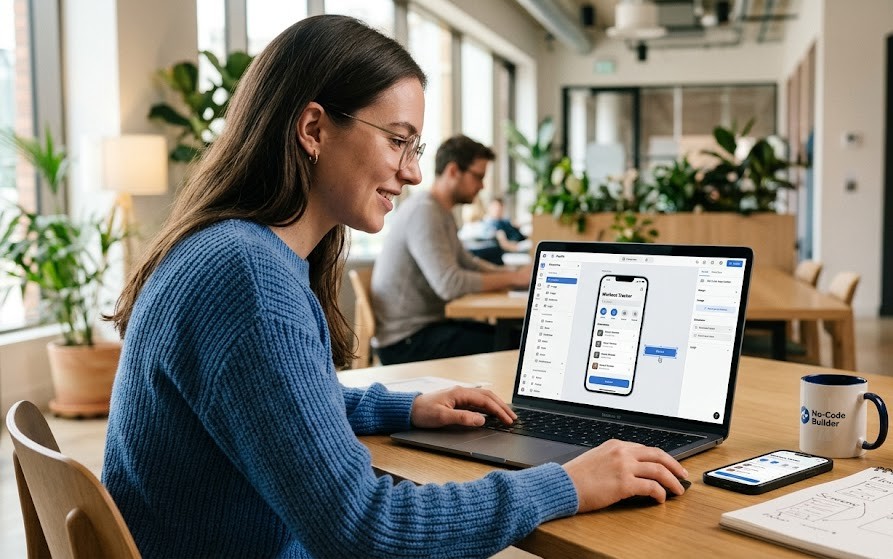
You’ve probably seen the headlines — “Build an app in a day, no coding required.” But with dozens of no-code platforms competing for your attention, how do you know which one actually delivers on that promise? And more importantly, how do you know if no-code development is even the right path for your project?
This guide cuts through the noise. You’ll learn exactly how no code app builders work, compare the top platforms available in 2026, understand what separates a great platform from a frustrating one, and walk away knowing which tool fits your specific goals — whether you’re a startup founder, a business owner, or someone building their very first app.
What Are No Code App Builders and How Do They Work?
No code app builders are software platforms that let users create web and mobile applications using visual interfaces instead of traditional programming languages. Rather than writing thousands of lines of code, you assemble applications using drag-and-drop components, prebuilt workflows, templates, and built-in databases.
Think of it this way: instead of programming a login system from scratch, you drag a Login component onto your page, connect it to your database, and publish. Done.
No-code development works by replacing manual coding with visual design tools, automated workflows, and cloud infrastructure — making app creation accessible to anyone with a good idea and a problem worth solving.
The growth of this space isn’t just a trend. According to Gartner, citizen developers are expected to outnumber professional developers for many internal business applications as low-code and no-code adoption continues growing.
Source: Gartner, 2025.
Traditional Coding vs. No Code App Builders
| Feature | Traditional Development | No Code App Builders |
|---|---|---|
| Programming Required | Yes | No |
| Development Speed | Weeks or Months | Hours or Days |
| Cost | High | Low |
| Maintenance | Complex | Easier |
| Best For | Enterprise Software | MVPs, Business Apps, Internal Tools |
Why Are No Code App Builders Becoming So Popular?
No code app builders are gaining mainstream traction because they make software development faster, cheaper, and accessible to people without a technical background. Businesses no longer need large engineering teams to bring every idea to life.
A startup founder can now launch a working booking application in days instead of spending months building it from scratch. A small business owner can create an internal CRM without hiring a single developer.
The core advantages are hard to ignore:
- Faster product launches
- Lower development costs
- Easier updates and maintenance
- Rapid MVP validation
- Increased innovation across teams
- Greater accessibility for non-technical users
- Reduced dependency on developers
The numbers back this up. According to Microsoft, over 80% of organizations are expected to use low-code or no-code tools in some capacity.
Source: Microsoft Power Platform Report, 2025.
What Is the Difference Between No Code and Low Code Development?
These two terms are often used interchangeably, but they serve different purposes.
No-code development eliminates programming entirely. You build everything through visual tools — no technical knowledge required. Low-code development combines visual builders with optional coding, giving developers more customization while still reducing the overall amount of code they write.
| No Code | Low Code |
|---|---|
| Zero coding | Some coding |
| Beginner friendly | Developer friendly |
| Faster learning curve | Greater customization |
| Great for MVPs | Great for enterprise |
If you never want to touch code, choose no-code. If you anticipate needing custom functionality down the road, low-code gives you more flexibility to grow into.
How Do No Code App Builders Actually Work?
Understanding the mechanics behind no-code platforms helps you use them more effectively and choose the right one for your needs.
Drag-and-Drop Builder
Visual editors let you place buttons, forms, images, input fields, and navigation menus directly onto your canvas. Creating an online booking page, for example, becomes as simple as arranging elements on a screen — no code involved.
Built-in Database
Most platforms include a database that stores your app’s data — customers, products, bookings, inventory, whatever you need. You define the structure, and the platform handles everything else.
cloud database basics
Visual Workflows
Instead of writing programming logic, you create workflows visually. A simple example looks like this:
- Customer submits form
- Email sent automatically
- Database updated
- Notification delivered
These automated sequences handle the logic of your application without a single line of code.
API Integrations
Most no code app builders connect to third-party services out of the box. Common integrations include:
- Stripe (payments)
- Google Sheets
- Airtable
- Zapier
- Slack
- OpenAI
Templates
For beginners especially, templates are a huge time-saver. Most platforms offer ready-made starting points for common app types, including CRMs, booking apps, marketplaces, dashboards, and customer portals — allowing you to launch within hours rather than starting from a blank canvas.
What Types of No Code App Builders Exist?
The no-code space is broad, and different platforms specialize in different use cases. Here’s how the landscape breaks down:
Mobile App Builders — Adalo, Glide, Thunkable
Web App Builders — Bubble, Softr
Internal Tool Builders — AppSheet, Backendless
Marketplace Builders — Bubble, Softr
Automation Platforms — Zapier, Make
business automation strategies
AI-Powered No Code Builders
Modern platforms now incorporate AI in meaningful ways — offering AI chatbot integration, AI-generated interfaces, and intelligent workflow suggestions that make building even faster.
What Are the Best No Code App Builders in 2026?
The best no code app builder for your project depends on its complexity, scalability requirements, budget, and the integrations you need. There’s no single winner — but there’s almost certainly a best fit for your specific situation.
1. Bubble
Best For: Complex SaaS platforms
Bubble is the most powerful no-code web app builder available. It supports complex workflows, custom logic, and highly customized interfaces, making it the platform of choice for startups building full-featured SaaS products.
Pros: Powerful workflows, highly customizable, large and active community
Cons: Steeper learning curve than most alternatives
Pricing: Free plan available; paid plans start from affordable monthly tiers.
Learning Curve: Medium

2. Glide
Best For: Internal business apps
Glide is one of the most beginner-friendly platforms on the market. If you need a business app running quickly and don’t require heavy customization, Glide gets you there fast.
Pros: Extremely beginner friendly, fast deployment
Cons: Limited customization for complex projects
Pricing: Free + Paid
Learning Curve: Easy
3. Adalo
Best For: Mobile applications
Adalo focuses on native mobile app development and offers an excellent UI builder that lets non-technical users design polished, app-store-ready mobile experiences.
Pros: Native mobile publishing, excellent UI builder
Cons: Performance can be limited for large-scale apps
Learning Curve: Easy
4. Softr
Best For: Client portals
Softr pairs beautifully with Airtable and is an excellent choice for building client portals, membership sites, and internal dashboards. Its templates are among the most polished in the space.
Pros: Strong Airtable integration, beautiful templates
Cons: Limited advanced logic
5. FlutterFlow
Best For: Flutter applications
FlutterFlow lets you build highly customized mobile apps and even export the underlying Flutter code — giving you a path out of no-code if you ever need one.
Pros: Exportable Flutter code, high customization ceiling
Cons: More advanced than most no-code tools; some technical familiarity helps
6. Thunkable
Best For: Cross-platform mobile apps
7. AppSheet
Best For: Google Workspace users
8. Bravo Studio
Best For: Designers moving into app development
9. Draftbit
Best For: React Native apps
10. Backendless
Best For: Backend-heavy applications
Can You Build a Professional Mobile App Without Coding?
Yes — and the results can be genuinely impressive. Modern no code app builders support a wide range of functionality that used to require professional development teams:
- Push notifications
- User authentication
- Payment processing
- GPS and location services
- Offline mode
- App Store and Google Play publishing
Many restaurants, service businesses, and startups now launch ordering apps and customer-facing tools using no-code platforms rather than spending $50,000+ on a custom development project.
How Much Do No Code App Builders Cost?
Pricing across the no-code space is generally accessible, especially for getting started. Most platforms offer a free tier for learning and testing, with paid plans that scale as your app grows.
| Platform | Free Plan | Paid Plans |
|---|---|---|
| Bubble | Yes | Starting monthly |
| Glide | Yes | Starting monthly |
| Softr | Yes | Starting monthly |
| Adalo | Yes | Starting monthly |
| FlutterFlow | Yes | Starting monthly |
When comparing plans, don’t just look at the monthly price. Always evaluate:
- Storage limits
- Number of users supported
- API call limits
- Publishing options (web only vs. mobile)
- Automation credits
The cheapest plan isn’t always the best value, especially if you’ll quickly hit limits as your app grows.
What Features Should You Look for in a No Code Platform?
Not all no code app builders are created equal. The best platforms combine ease of use with the tools you’ll need as your project scales. Prioritize platforms that offer:
- Intuitive drag-and-drop editor
- Responsive design for mobile and desktop
- Built-in database support
- Third-party API integrations
- Visual workflow automation
- Ready-made templates
- AI assistance features
- Active community and forums
- Clear documentation
- Mobile app publishing capabilities
Which No Code App Builder Is Best for Startups and MVPs?
Startups have a unique set of needs — they want to move fast, keep costs low, and validate ideas before committing to a full build. No-code platforms are almost perfectly suited to this.
Businesses commonly use no code app builders to create MVPs, customer portals, internal tools, workflow automation systems, and mobile applications in a fraction of the time required for traditional development.
The top choices for startup use cases are:
- Bubble — for complex, scalable SaaS products
- Glide — for quick internal tools and simple apps
- FlutterFlow — for polished mobile app MVPs
Are No Code Apps Scalable for Growing Businesses?
Many modern no-code applications scale well for startups and small-to-medium businesses. Platforms like Bubble, in particular, have hosted apps with tens of thousands of users running reliably.
That said, very large enterprise applications may eventually require custom development to handle the demands of scale. It’s worth planning ahead before you build.
Before committing to a platform for a growing business, consider:
- Projected user growth over 1–3 years
- Database size limits
- API request quotas
- Security and compliance requirements
- Vendor lock-in risks if you need to migrate later
What Are the Most Common Beginner Mistakes?
Most beginners struggle not because the tools are too hard, but because they focus on tools instead of solving real business problems. Picking a platform before defining what you’re building is one of the most common traps.
Other mistakes to avoid:
- Choosing a platform based only on price
- Ignoring scalability until it becomes a crisis
- Poor database planning from the start
- Building overly complicated workflows when simple ones will do
- Skipping user validation before investing in a full build
- Not testing your app thoroughly before launch
A classic example: founders who build out dozens of features before confirming whether customers actually want the core product at all.
Practical Applications of No Code App Builders
No code app builders solve real problems across nearly every industry. The range of what’s possible is broader than most people expect.
Popular projects people are building right now include:
- Startup MVPs
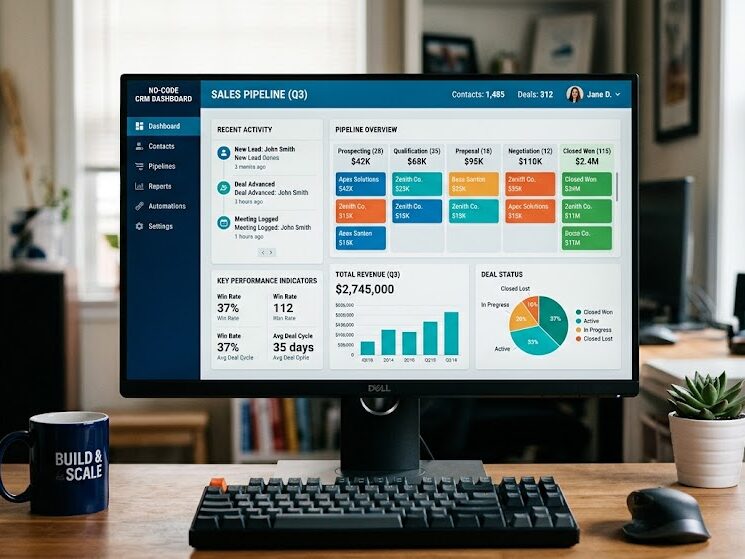
- Customer relationship management (CRM) systems
- Inventory management tools
- Event management platforms
- Customer-facing portals
- Ecommerce applications
- Employee dashboards
- Appointment and booking platforms
How Can You Choose the Right No Code App Builder for Your Project?
The right platform is the one that matches your specific project requirements — not the most popular one or the one with the flashiest marketing. Before committing, ask yourself these questions:
- What is your budget, both now and as the project grows?
- Do you need a web app, mobile app, or both?
- How many users will the app need to support?
- Which third-party tools does it need to integrate with?
- Will you need AI features?
- Is there an active community and good documentation?
Selecting based on your long-term needs almost always produces better results than selecting based on the lowest price point.
What’s Next After Learning No Code Development?
The fastest way to learn is by building something real. Once you understand the basics, follow this path to keep progressing:
- Learn UI design fundamentals to make your apps look professional.
- Validate your app idea before investing too much time building it.
- Build a focused MVP with only the core features.
- Publish your application and gather real user feedback.
- Learn workflow automation to save time and reduce manual work.
- Explore low-code development to expand your technical capabilities.
- Study monetization strategies for your app.
Conclusion
No code app builders have fundamentally changed what’s possible for entrepreneurs, small business owners, students, and creators who don’t have a background in programming. What once required a development team and months of work can now be built and published by a single person in a matter of days.
Whether you’re validating a startup idea, building an internal business tool, or launching your first mobile app, today’s no-code platforms provide the visual builders, automation, and integrations you need to move fast without writing a single line of code.
Start with a free plan. Pick a small, real-world project. Build it, publish it, and learn from the experience. The best no code app builder isn’t the one with the longest feature list — it’s the one that aligns with your goals, budget, and plans for growth.
best SaaS tools for small businesses
FAQs
What is a no-code app builder?
A no-code app builder is a platform that lets you create web and mobile apps using drag-and-drop tools and templates without writing code.
Can a complete beginner use no-code app builders?
Yes. Most no-code platforms are beginner-friendly and provide tutorials, templates, and community support.
What is the best no-code app builder for beginners?
Glide is ideal for beginners, while Bubble is a great choice for users who want more advanced features as they grow.
Are no-code apps professional quality?
Yes. Many businesses use no-code platforms to build professional, production-ready applications.
How much does a no-code app builder cost?
Most platforms offer free plans. Paid plans are affordable and significantly cheaper than traditional app development.
Can no-code apps scale as a business grows?
Yes. Many no-code platforms support growing businesses, though very large enterprise applications may eventually require custom development.
What is the difference between no-code and low-code?
No-code requires no programming knowledge, while low-code allows optional coding for advanced customization.
Which no-code app builder is best for mobile apps?
Adalo, Thunkable, and FlutterFlow are among the best options for building mobile apps without coding.