
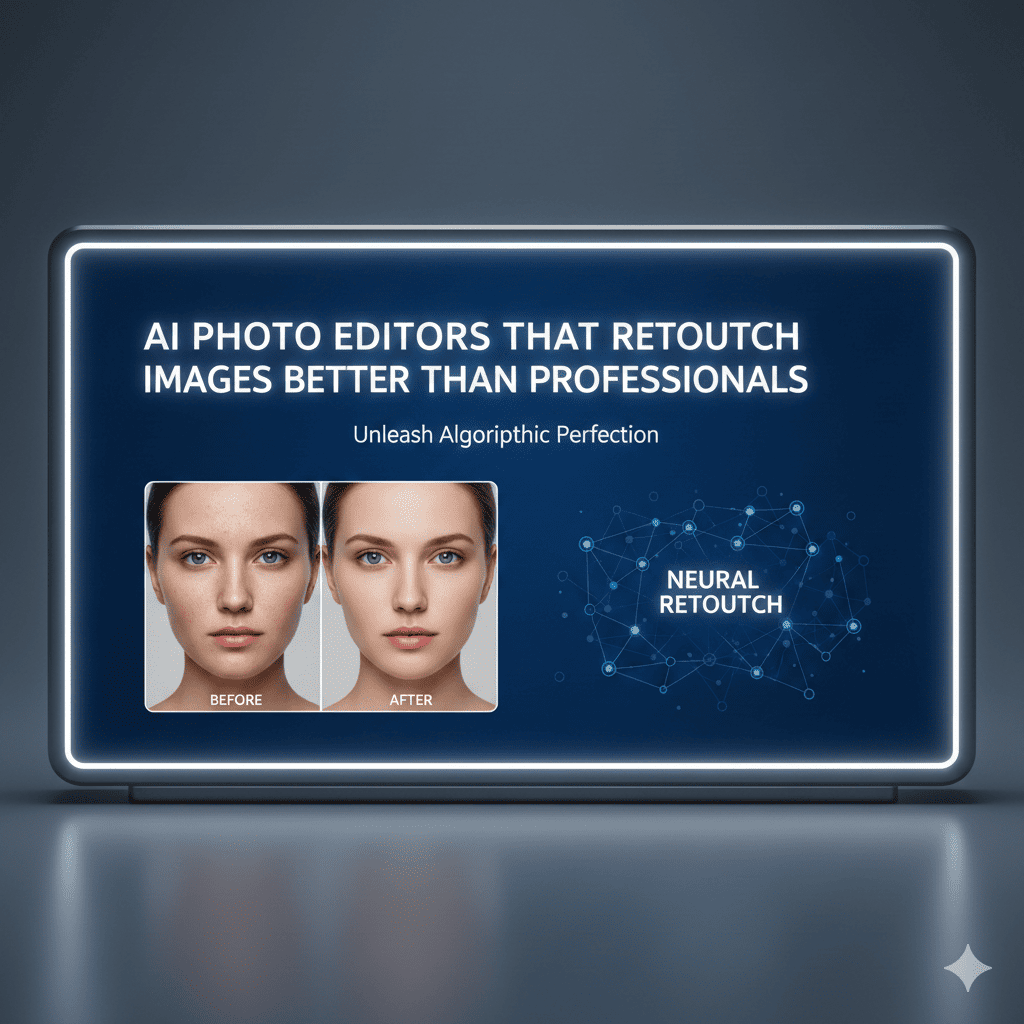
The photography industry is experiencing a revolutionary transformation. What once required years of professional training and expensive software subscriptions can now be accomplished in seconds with AI photo editors. These intelligent tools are democratizing photo retouching, making professional-grade editing accessible to everyone from social media influencers to small business owners.
The power of artificial intelligence in image manipulation has reached a point where many AI photo editors can match or even surpass human capabilities in specific tasks. Skin smoothing, background removal, object deletion, color correction, and countless other editing functions that previously demanded expertise are now automated with remarkable precision.
This comprehensive guide explores the best AI photo editors available today, examining how they work, what makes them exceptional, and why they’re becoming indispensable tools for both amateur photographers and seasoned professionals.
Understanding the AI Photo Editing Revolution
Artificial intelligence has fundamentally changed how we approach photo retouching. Traditional editing required manual adjustments to every element: shadows, highlights, colors, textures, and compositions. Professionals spent hours perfecting single images, using tools like Photoshop that demanded extensive knowledge and artistic skill.
AI photo editors leverage machine learning algorithms trained on millions of images. These systems recognize patterns, understand context, and make intelligent decisions about how to enhance photographs. They can identify faces, distinguish foregrounds from backgrounds, recognize objects, and apply appropriate corrections automatically.
The technology behind these tools continues advancing rapidly. Neural networks can now perform complex tasks like removing unwanted objects seamlessly, changing weather conditions in landscapes, or even altering facial expressions while maintaining photorealistic quality.
1. Portrait Retouching With Artificial Intelligence
Portrait photography represents one of the most demanding areas of photo editing, and AI photo editors excel remarkably in this domain.
Advanced Skin Retouching
Modern AI systems analyze skin texture at the pixel level, identifying blemishes, wrinkles, uneven tones, and imperfections. Unlike crude smoothing filters that create plastic-looking results, intelligent algorithms preserve natural skin texture while removing only unwanted elements.
The technology distinguishes between desirable features like freckles or beauty marks and temporary imperfections like acne or redness. It maintains pore structure and skin character, ensuring portraits look enhanced rather than artificially manipulated.
Eye Enhancement and Correction
Eyes are critical in portrait photography, and AI excels at enhancement. Algorithms can brighten whites, intensify iris colors, add catchlights for sparkle, and even correct red-eye or pet-eye issues automatically. Some systems can slightly enlarge eyes for more dramatic effect while maintaining natural proportions.
Teeth Whitening and Smile Perfection
Dental enhancement has become standardized in AI photo editors. Systems detect teeth automatically and apply whitening that looks natural rather than artificially bright. Advanced tools can even subtly adjust smile shapes or close small gaps without obvious manipulation.
Hair Enhancement and Styling
AI can add volume to hair, smooth flyaways, enhance color vibrancy, or even change hair color entirely. Some systems offer virtual hair styling, allowing users to preview different cuts, colors, or styles before committing to actual changes.
Facial Reshaping and Contouring
Sophisticated AI photo editors offer subtle facial adjustments: slimming faces, defining jawlines, adjusting nose shapes, or enhancing cheekbones. These tools walk a fine line between enhancement and unrealistic alteration, with the best systems maintaining natural facial proportions.
2. Background Manipulation and Scene Enhancement
Background editing historically consumed significant time in professional workflows, but AI has transformed this process entirely.
One-Click Background Removal
Perhaps the most impressive feat of AI photo editors is their ability to separate subjects from backgrounds with pixel-perfect precision. Even challenging elements like hair, transparent objects, or complex edges are handled remarkably well.
This technology employs semantic segmentation, where AI understands image composition and identifies distinct elements. The result is clean cutouts that previously required painstaking manual masking.
Background Replacement and Scene Changes
Once backgrounds are removed, AI photo editors enable complete scene transformations. Users can place subjects against any backdrop, from professional studio backgrounds to exotic locations. Advanced systems ensure proper lighting integration and perspective matching for realistic results.
Background Blur and Depth Effects
Portrait mode effects, which create professional-looking depth of field, are now AI-powered. These systems generate depth maps, understanding which elements should remain sharp and which should blur. The effect mimics expensive camera lenses, making smartphone photos look professionally captured.
Object Removal and Content-Aware Fill
Removing unwanted elements—photobombers, power lines, trash, or any distracting objects—is where AI photo editors truly shine. Content-aware algorithms analyze surrounding pixels and intelligently reconstruct what should logically appear behind removed objects.
This technology has become so sophisticated that it can remove large objects, entire people, or significant scene elements while maintaining perfect continuity in textures, patterns, and lighting.
3. Color Correction and Lighting Enhancement
Professional color grading once required expert knowledge of color theory and extensive experience, but AI photo editors now handle these adjustments intelligently.
Automatic Color Balance
AI systems analyze overall image color composition, identifying color casts from artificial lighting or environmental conditions. They automatically correct these issues, restoring natural color balance or applying creative color grades based on image content and style.
Dynamic Range Enhancement
High dynamic range imaging captures more detail in highlights and shadows than standard photography. AI photo editors simulate HDR effects, recovering detail from overexposed skies or underexposed shadows while maintaining natural-looking results.
Lighting Reconstruction
Some advanced AI tools can relight photographs after capture. They understand three-dimensional scene structure and can simulate different lighting directions, intensities, or qualities. This capability was once impossible without sophisticated 3D rendering.
Sky Replacement and Weather Alteration
Disappointing skies can ruin landscape photographs, but AI photo editors offer realistic sky replacement. Systems automatically select appropriate skies based on scene lighting, adjust foreground lighting to match, and blend everything seamlessly. Some tools can even change weather conditions, adding rain, fog, or snow convincingly.
4. Detail Enhancement and Sharpening
Sharpness and detail are crucial for professional-quality images, and AI approaches these differently than traditional methods.
AI Upscaling and Resolution Enhancement
Perhaps one of the most impressive applications, AI photo editors can increase image resolution while adding realistic detail. Rather than simply interpolating pixels, neural networks trained on millions of images predict what additional detail should exist at higher resolutions.
This technology can transform low-resolution images into print-quality files, recover detail from compressed images, or enhance older photographs to modern standards.
Selective Sharpening
Intelligent sharpening systems analyze image content, applying appropriate sharpening to different elements. They enhance important details like eyes or text while avoiding over-sharpening smooth areas like skin or skies, which would introduce noise and artifacts.
Noise Reduction
Digital noise from high ISO settings or poor lighting conditions degrades image quality. AI photo editors use sophisticated algorithms that distinguish between image detail and noise, removing grain while preserving texture and sharpness—something traditional noise reduction struggles with.
5. Creative Effects and Artistic Transformations
Beyond correction and enhancement, AI photo editors offer creative possibilities that expand artistic expression.
Style Transfer and Artistic Filters
Neural style transfer allows applying the artistic style of famous paintings or specific artistic movements to photographs. Unlike simple filters, these systems understand artistic techniques and apply them convincingly, creating genuinely artistic results.
Photo Animation and Cinemagraphs
Some AI photo editors can animate still photographs, creating subtle movements like flowing water, swaying trees, or drifting clouds. These “living photos” add dynamic interest to static images.
Age Progression and Regression
AI can convincingly show how people might look at different ages, either progressing forward or regressing backward in time. This technology analyzes facial structure and applies age-appropriate changes in skin texture, facial proportions, and features.
Gender Swap and Appearance Alterations
Advanced systems can perform dramatic transformations, showing how subjects might appear with different characteristics. While entertaining, these tools also raise important ethical considerations about manipulation and consent.
6. Specialized Commercial Applications
Professional photographers and businesses are finding AI photo editors increasingly valuable for specific commercial needs.
Product Photography Enhancement
E-commerce requires high-quality product images, and AI streamlines this process. Automated background removal, lighting correction, shadow generation, and reflection creation produce professional product shots efficiently.
Real Estate Photography
Real estate benefits enormously from AI photo editors that can enhance interior lighting, correct perspective distortion, remove unwanted objects, perform virtual staging, or even change time of day to show properties in optimal light.
Fashion and Clothing Retouching
Fashion photography demands extensive retouching: fabric enhancement, color correction, wrinkle removal, and model retouching. AI photo editors handle these tasks quickly, maintaining texture quality while achieving polished results.
Food Photography
Food photography requires specific techniques to make dishes appear appetizing. AI can enhance colors, add steam effects, improve lighting, and ensure food looks fresh and appealing—critical for restaurant marketing and food delivery platforms.
7. Batch Processing and Workflow Efficiency
One of the most significant advantages of AI photo editors is their ability to process multiple images consistently and efficiently.
Consistent Style Application
Wedding photographers, event photographers, or anyone processing large image sets benefit from AI’s ability to apply consistent editing styles across hundreds or thousands of images. What once required hours of manual work happens in minutes.
Smart Organization and Culling
AI can analyze large photo collections, identifying the best shots based on technical quality, facial expressions, composition, and other factors. This accelerates the selection process significantly.
Automated Corrections
AI photo editors can detect and correct common issues automatically across entire batches: straightening horizons, adjusting exposure, fixing white balance, or removing sensor dust spots. This ensures consistent quality while saving enormous time.
8. Mobile AI Photo Editing
Smartphone photography has exploded in popularity, and mobile AI photo editors bring professional capabilities to portable devices.
Computational Photography
Modern smartphones use AI extensively in their native camera apps, combining multiple exposures, enhancing low-light performance, simulating depth of field, and applying real-time enhancements before images are even captured.
Mobile Editing Applications
Dedicated mobile AI photo editors offer surprisingly powerful capabilities. Users can perform complex edits—background removal, object deletion, portrait retouching, or color grading—directly on their phones with results rivaling desktop software.
Social Media Optimization
Mobile AI tools understand platform requirements and can automatically optimize images for Instagram, Facebook, TikTok, or other social networks, ensuring proper dimensions, file sizes, and visual impact.
9. Ethical Considerations and Realistic Expectations
While AI photo editors offer remarkable capabilities, important considerations deserve attention.
The Line Between Enhancement and Deception
As editing becomes easier and more convincing, questions arise about authenticity. When do enhancements cross into deceptive manipulation? Professional contexts, journalism, and personal representation all have different standards that users should consider.
Body Image and Unrealistic Standards
Effortless body modification through AI photo editors contributes to unrealistic beauty standards. The ease of creating “perfect” images can negatively impact self-esteem and body image, particularly among younger users.
Disclosure and Transparency
Many contexts benefit from disclosure about AI manipulation, particularly in commercial, journalistic, or documentary contexts. Understanding when and how to indicate image manipulation maintains trust and authenticity.
Copyright and Ownership
AI-generated or heavily AI-modified images raise questions about authorship, copyright, and ownership. Legal frameworks are still evolving around AI-created content.
Privacy and Consent
Face-swapping, aging effects, and other transformations raise serious consent issues. Using someone’s likeness without permission, even in AI-edited images, has legal and ethical implications.
10. Leading AI Photo Editors Available Today
The market offers numerous AI photo editors, each with distinct strengths and specializations.
Adobe Photoshop with Sensei AI
Adobe has integrated powerful AI features called Sensei throughout Photoshop. Neural filters, content-aware fill, select subject, and sky replacement represent industry-leading implementations. The software combines AI automation with professional manual control.
Luminar AI and Neo
Skylum’s Luminar products focus specifically on AI-driven editing. Templates, one-click enhancements, sky replacement, and portrait tools make professional results accessible. The software emphasizes ease of use without sacrificing quality.
Topaz Labs Suite
Topaz specializes in AI enhancement, offering separate applications for specific tasks. Topaz Sharpen AI, Denoise AI, and Gigapixel AI are considered among the best in their respective categories, using advanced neural networks for exceptional results.
Portrait Pro
Specifically designed for portrait retouching, Portrait Pro offers comprehensive facial enhancement with intuitive controls. It balances automation with customization, allowing users to achieve natural-looking results quickly.
Remove.bg and Similar Services
Background removal services use AI to extract subjects from backgrounds with impressive accuracy. These web-based tools are free or inexpensive, making professional-quality cutouts accessible to everyone.
Facetune and Mobile Applications
Mobile-first applications like Facetune, AirBrush, and others bring sophisticated portrait retouching to smartphones. While simpler than desktop software, they offer impressive capabilities for social media and casual use.
Canva Photo Editor
Canva has integrated AI features into its design platform, offering background removal, photo enhancement, and various effects. Its accessibility and integration with design tools make it popular for marketing and content creation.
11. The Future of AI Photo Editing
The capabilities of AI photo editors continue expanding at an accelerating pace, suggesting an exciting future.
Improved Natural Language Control
Future systems will likely accept natural language instructions: “make the sunset more dramatic” or “remove the people in the background.” AI will interpret these requests and execute appropriate edits automatically.
Real-Time Video Editing
Technologies currently used for still images are being adapted for video. Real-time portrait retouching, background replacement, and effects in video calls and streaming already exist and will become more sophisticated.
Generative Expansion
AI can now generate additional image content beyond original frames, intelligently expanding compositions. This allows format changes, aspect ratio adjustments, or correcting poor composition after capture.
Hyper-Personalization
AI photo editors will learn individual preferences, developing personalized editing styles. Systems will understand how users typically edit and automatically apply those preferences to new images.
Integration with 3D and AR
As augmented reality becomes more prevalent, AI photo editors will increasingly work in three dimensions, allowing placement of 2D images in 3D spaces or manipulation of spatial photographs.
12. Choosing the Right AI Photo Editor
With numerous options available, selecting appropriate AI photo editors depends on specific needs and circumstances.
Consider Your Primary Use Case
Portrait photographers need different tools than landscape photographers or product photographers. Identify your most common editing tasks and prioritize tools that excel in those areas.
Evaluate Ease of Use Versus Control
Some AI photo editors prioritize simplicity with one-click solutions, while others offer extensive manual control alongside AI assistance. Consider your skill level and whether you prefer automation or customization.
Platform Requirements
Determine whether you need desktop software, mobile applications, or web-based tools. Consider your typical workflow and which platform makes most sense for your situation.
Budget Considerations
Options range from free web tools to expensive professional subscriptions. Many AI photo editors offer trial periods—test several options before committing to ensure they meet your needs.
Integration with Existing Workflow
If you already use specific software or services, consider how new tools integrate. Plugins, file format compatibility, and workflow efficiency matter significantly in professional contexts.
Conclusion: Embracing AI While Maintaining Artistry
AI photo editors represent a fundamental shift in image manipulation, making professional-quality results accessible to everyone. These tools handle technical tasks efficiently, freeing photographers to focus on creative vision and artistic expression.
However, technology should complement rather than replace artistic judgment. The best results come from combining AI capabilities with human creativity, understanding when to trust algorithms and when to apply manual refinement.
As AI photo editors continue advancing, they’ll become increasingly sophisticated, capable, and integrated into creative workflows. The photographers and editors who thrive will be those who embrace these tools while maintaining artistic standards, ethical considerations, and authentic expression.
The democratization of professional editing means more people can create compelling visual content, share their stories, and express themselves through photography. AI photo editors aren’t replacing professional retouchers—they’re expanding who can participate in visual storytelling and raising the baseline quality of images across all contexts.
Also read this:
AI Tools That Auto-Create Gaming Thumbnails That Click: Your Complete Guide to Viral Visual Content
Voice AI for Gamers: Realistic Character Voice Effects – Transform Your Gaming Experience
How AI Speeds Up 3D Asset Creation for Developers: The Future of Game and Visual Content Development