
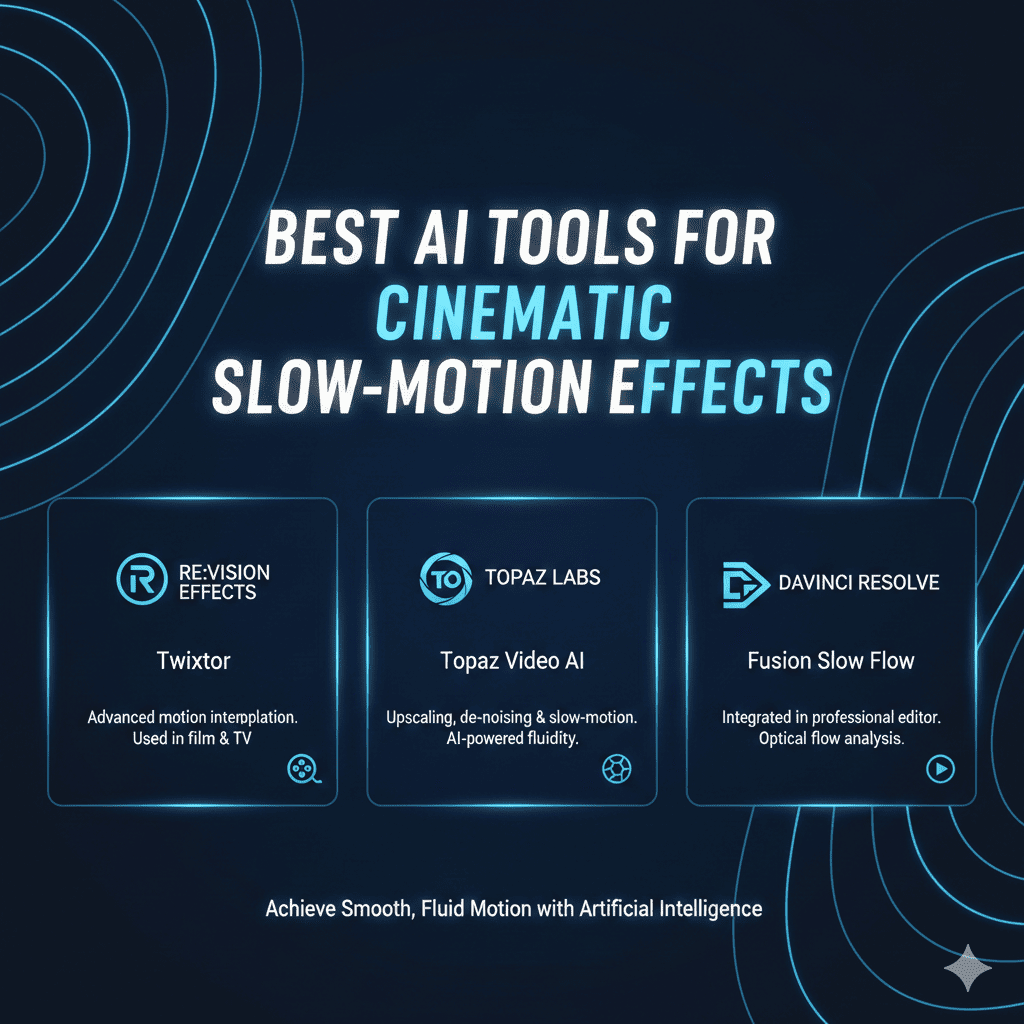
Slow-motion cinematography has captivated audiences for decades, transforming ordinary moments into dramatic, visually stunning sequences that emphasize emotion, action, and detail invisible at normal speed. Traditionally, achieving smooth, professional slow-motion required expensive high-frame-rate cameras shooting at 120fps, 240fps, or even 1000fps—equipment costing tens of thousands of dollars and demanding specialized expertise. The barrier to entry kept cinematic slow-motion largely confined to big-budget productions.
Artificial intelligence has revolutionized this landscape entirely. Modern Cinematic AI Slow-Motion Effects tools analyze footage shot at standard frame rates and intelligently generate the intermediate frames needed for buttery-smooth slow-motion playback. What once required $20,000 cameras can now be achieved with smartphone footage and AI software. Whether you’re creating content for social media, wedding videos, short films, or commercial projects, mastering Cinematic AI Slow-Motion Effects is essential for delivering visually compelling content that stands out.
In this comprehensive guide, we’ll explore the most powerful AI tools transforming slow-motion video creation and provide actionable strategies for achieving professional results that rival footage from high-end cinema cameras.
Why Cinematic AI Slow-Motion Effects Matter
Understanding the technical and creative impact of Cinematic AI Slow-Motion Effects provides essential context for why filmmakers, content creators, and videographers are rapidly adopting these technologies.
Traditional slow-motion physics are straightforward: cameras capture multiple times the standard 24fps or 30fps frame rate, then play back at normal speed, creating the slow-motion effect. A camera shooting 240fps played at 24fps creates 10x slow-motion. The challenge is that high-frame-rate cameras are expensive, generate massive file sizes, and often sacrifice resolution or low-light performance for speed.
AI slow-motion tools solve these limitations by generating entirely new frames between existing ones through a process called frame interpolation. The AI analyzes motion patterns, object trajectories, and scene dynamics to predict what intermediate frames should look like. When done well, AI-generated slow-motion is indistinguishable from camera-captured high-frame-rate footage.
The practical advantages are transformative: create slow-motion effects from any existing footage including archived material, achieve smooth slow-motion from standard smartphones and cameras, retrofit slow-motion into footage after shooting without planning ahead, experiment with varying slow-motion speeds throughout post-production, and eliminate the expense and complexity of high-frame-rate camera systems.
Content creators implementing Cinematic AI Slow-Motion Effects report measurable advantages including 60-80% cost savings compared to high-frame-rate camera investments, ability to add slow-motion to 100% of footage rather than only pre-planned shots, creative flexibility to adjust slow-motion intensity during editing, and professional-quality results from consumer equipment.
Beyond cost and convenience, AI slow-motion democratizes an artistic technique that elevates storytelling. Dramatic reveals become more impactful, emotional moments gain intensity, action sequences increase clarity and excitement, and subtle details emerge that normal-speed playback obscures entirely.
1. Professional Video Editing Software with AI Interpolation
Industry-standard editing platforms have integrated AI frame interpolation, bringing Cinematic AI Slow-Motion Effects directly into professional workflows.
Adobe Premiere Pro with Frame Blend & Optical Flow
Adobe Premiere Pro remains the professional standard for video editing, and its Optical Flow time interpolation delivers sophisticated AI-powered slow-motion. The technology analyzes motion vectors throughout frames and generates new frames maintaining movement coherence and visual quality.
For Cinematic AI Slow-Motion Effects within professional productions, Premiere Pro’s integration means slow-motion becomes another editing tool rather than a separate process. Apply speed changes, adjust intensity dynamically, and preview results in real-time within familiar editing environments.
The Frame Blend option provides faster but lower-quality interpolation suitable for subtle speed changes, while Optical Flow delivers higher quality for dramatic slow-motion. The computational intensity requires powerful hardware but produces results rivaling high-frame-rate cameras.
Premiere Pro’s keyframing capabilities enable variable-speed effects where footage transitions smoothly between normal speed and slow-motion within single clips. This dynamic speed ramping creates particularly cinematic effects highlighting specific moments.
DaVinci Resolve with Optical Flow
DaVinci Resolve combines professional editing with industry-leading color grading and now includes sophisticated AI frame interpolation. The Retime Controls with Optical Flow deliver smooth slow-motion through advanced motion estimation algorithms.
For Cinematic AI Slow-Motion Effects requiring color grading integration, Resolve’s unified workflow enables adjusting slow-motion timing while simultaneously grading color, ensuring aesthetic cohesion throughout post-production processes.
The Speed Warp feature provides intuitive speed manipulation with visual curves showing exactly how speed changes throughout clips. This precision control enables complex speed effects that would be nearly impossible to achieve practically during shooting.
Resolve’s GPU acceleration leverages modern graphics cards for faster processing, making preview and rendering of AI slow-motion significantly more responsive than CPU-only solutions.
Final Cut Pro with Optical Flow
Final Cut Pro’s Optical Flow retiming delivers smooth slow-motion optimized for Apple Silicon processors. The Metal-accelerated processing provides impressive real-time performance on Mac systems, enabling smooth playback of interpolated footage during editing.
For Cinematic AI Slow-Motion Effects on Mac platforms, Final Cut Pro’s optimization delivers the fastest workflow with immediate visual feedback. The magnetic timeline and precision editor make finding exact moments to emphasize with slow-motion intuitive and efficient.
The automatic speed-change smoothing applies easing curves to speed transitions, preventing jarring changes between normal and slow-motion segments. This polished approach creates professional results even for editors new to speed manipulation techniques.
2. AI-Powered Standalone Slow-Motion Software
Dedicated slow-motion applications focus exclusively on frame interpolation, often delivering superior results to general editing software.
Topaz Video AI
Topaz Video AI has become the professional standard for AI-powered video enhancement including exceptional frame interpolation for slow-motion. The software uses sophisticated neural networks trained specifically on video motion, delivering remarkably clean results even with challenging footage.
For Cinematic AI Slow-Motion Effects demanding maximum quality, Topaz Video AI’s Apollo model produces some of the most artifact-free interpolation available. The AI handles complex motion scenarios—multiple moving objects, camera movement, occlusion—with impressive accuracy.
The chronos-fast model enables real-time preview on powerful systems, while chronos-quality delivers maximum fidelity for final rendering. This tiered approach balances workflow speed during experimentation with quality for deliverables.
Topaz Video AI’s deinterlacing, upscaling, and enhancement capabilities complement slow-motion creation, enabling comprehensive video improvement within single applications. Footage can be simultaneously denoised, sharpened, upscaled, and converted to slow-motion.
The standalone nature enables batch processing entire projects overnight, converting all selected clips to slow-motion without occupying editing systems. This parallel workflow keeps editing progressing while slow-motion renders separately.
RIFE (Real-Time Intermediate Flow Estimation)
RIFE represents cutting-edge open-source frame interpolation research, with models publicly available for integration into various applications. The technology delivers exceptional quality frame interpolation with relatively modest computational requirements.
For Cinematic AI Slow-Motion Effects on budget-conscious projects, RIFE’s free availability democratizes access to professional-quality slow-motion. The open-source nature has spawned numerous implementations across different platforms and applications.
The model updates continuously as researchers improve algorithms, with version 4.6 and beyond delivering increasingly sophisticated motion handling. Early RIFE versions struggled with fast motion and complex scenes, but recent iterations rival or exceed commercial solutions.
Various GUI applications package RIFE models into user-friendly interfaces, including Flowframes for Windows, making powerful AI interpolation accessible without command-line expertise.
Flowframes
Flowframes provides user-friendly interface for RIFE and other interpolation models, making advanced Cinematic AI Slow-Motion Effects accessible to non-technical users. The application supports multiple AI models, enabling quality comparisons and selection of optimal algorithms for specific footage.
The batch processing handles multiple video files simultaneously, converting entire folders of footage to slow-motion overnight. This efficiency proves essential when preparing large amounts of content requiring consistent slow-motion treatment.
Flowframes’ output quality settings balance file size against visual fidelity, with guidance helping users understand tradeoffs. The preview capabilities enable quality assessment before committing to full renders.
The regular updates incorporate latest RIFE models and improvements as researchers advance frame interpolation technology. This commitment to cutting-edge implementation keeps Flowframes competitive with commercial alternatives.
3. Mobile Apps for On-the-Go Slow-Motion
Smartphone cameras capture impressive footage, and mobile apps bring Cinematic AI Slow-Motion Effects directly to phones and tablets.
CapCut
CapCut has become the leading mobile video editor with powerful AI features including smooth slow-motion through frame interpolation. The app’s optical flow implementation works surprisingly well on mobile processors, delivering clean results from phone-captured footage.
For Cinematic AI Slow-Motion Effects on mobile workflows, CapCut enables complete video creation—shooting, editing, slow-motion application, and publishing—entirely on smartphones. This portability proves ideal for social media creators working rapidly.
The curve-based speed adjustment provides intuitive control over speed changes throughout clips. Users can create complex speed ramps where footage accelerates and decelerates dynamically, creating highly cinematic effects.
CapCut’s extensive effect library complements slow-motion with transitions, text overlays, and filters. This comprehensive feature set eliminates the need for multiple applications, streamlining mobile video production.
VideoLeap
VideoLeap delivers professional video editing capabilities on iOS with sophisticated slow-motion tools. The keyframe animation system enables precise control over speed changes, creating custom speed curves for dramatic effects.
The reverse video feature combined with slow-motion creates unique visual effects impossible to achieve during shooting. For Cinematic AI Slow-Motion Effects requiring creative manipulation, VideoLeap’s flexibility enables extensive experimentation.
The layer-based editing paradigm mirrors desktop software, making VideoLeap familiar to editors accustomed to professional tools. This approach supports complex projects with multiple video layers, effects, and adjustments.
InShot
InShot combines simplicity with powerful features including frame interpolation for smooth slow-motion. The app’s intuitive interface makes slow-motion application accessible to complete beginners while providing enough control for experienced creators.
For Cinematic AI Slow-Motion Effects prioritizing speed and ease-of-use, InShot’s streamlined workflow enables rapid content creation. The app balances simplicity with quality, producing acceptable results without overwhelming users with technical options.
The music synchronization features help creators time slow-motion moments to musical beats, creating rhythmically satisfying edits that enhance emotional impact. This audio-visual coordination elevates content quality substantially.
4. AI Plugins for Professional Editing Software
Plugin developers deliver specialized Cinematic AI Slow-Motion Effects tools that integrate with professional editing platforms.
Twixtor (RE:Vision Effects)
Twixtor has been the professional standard for retiming and slow-motion for years, continuously evolving with AI enhancements. The plugin delivers extremely sophisticated motion analysis, handling challenging scenarios that defeat simpler interpolation systems.
For Cinematic AI Slow-Motion Effects in professional productions, Twixtor’s quality justifies its cost. The plugin handles complex motion—spinning objects, multiple overlapping subjects, camera motion combined with subject motion—with remarkable accuracy.
The motion vector visualization helps troubleshoot problematic areas, showing exactly how the plugin interprets motion. This transparency enables targeted adjustments rather than trial-and-error refinement.
Twixtor’s integration with After Effects, Premiere Pro, Final Cut Pro, and other platforms makes it versatile across different editing environments. The consistent results across platforms enable standardized workflows regardless of editing software choices.
Kronos (The Foundry)
Kronos delivers high-quality retiming specifically designed for Nuke compositing workflows. The plugin’s sophisticated motion estimation handles challenging VFX scenarios where foreground and background elements move at different speeds.
For Cinematic AI Slow-Motion Effects in visual effects pipelines, Kronos integrates seamlessly with complex compositing workflows. The plugin handles alpha channels, motion blur, and multi-layered scenes maintaining quality throughout compositing stacks.
The motion estimation quality options balance processing time against output quality, enabling iterative workflow during creative development with final quality rendering for deliverables.
Time Factory (Timecode Systems)
Time Factory combines hardware and software for ultimate slow-motion quality from high-frame-rate cameras. While not purely AI, the plugin’s motion interpolation extends practical frame rates even further through intelligent frame generation.
For Cinematic AI Slow-Motion Effects combining hardware high-frame-rate capture with AI enhancement, Time Factory delivers extreme slow-motion impossible through either approach alone. Footage shot at 240fps can be interpolated to effective 960fps or beyond.
5. Online AI Video Processing Services
Cloud-based services provide Cinematic AI Slow-Motion Effects without software installation, accessible from any device with internet connection.
Runway ML
Runway ML delivers AI video tools through web interface including frame interpolation for slow-motion. The platform’s cloud processing eliminates local hardware requirements, making advanced AI accessible regardless of computer specifications.
For Cinematic AI Slow-Motion Effects without powerful local computers, Runway’s cloud infrastructure handles computationally intensive interpolation on professional servers. Users upload footage, specify desired speed, and download processed results.
The collaborative features enable team-based projects where multiple editors work on shared content. The cloud storage maintains version history and enables instant sharing of processed footage.
Runway’s broader AI toolkit includes other video enhancements—background removal, object tracking, rotoscoping—creating comprehensive AI video production environments accessible through browsers.
Kaiber
Kaiber focuses on AI video transformation including frame interpolation among its effects suite. The platform’s artistic approach applies stylistic treatments alongside technical enhancements like slow-motion.
For Cinematic AI Slow-Motion Effects combined with creative styling, Kaiber enables unique visual treatments impossible with traditional tools. Footage can be simultaneously slowed down and artistically transformed.
The audio-reactive features synchronize visual effects including slow-motion changes to music, creating dynamic edits that respond to audio characteristics. This synchronization elevates music video and promotional content.
Kapwing
Kapwing provides accessible online video editing with AI-powered features including slow-motion through frame interpolation. The platform’s simplicity makes professional effects accessible to non-professional creators.
For Cinematic AI Slow-Motion Effects requiring no software expertise, Kapwing’s intuitive interface guides users through slow-motion application with minimal technical knowledge required. The collaborative features support team-based content creation.
6. Specialized Sports and Action Slow-Motion Tools
Sports and action content benefit particularly from slow-motion, and specialized tools optimize for these use cases.
Coach’s Eye
Coach’s Eye delivers video analysis specifically designed for sports coaching with excellent slow-motion playback. While not pure frame interpolation, the smooth playback algorithms make action analysis clear and effective.
For Cinematic AI Slow-Motion Effects in sports content, Coach’s Eye combines slow-motion with analysis tools—drawing tools, side-by-side comparison, measurement capabilities. This comprehensive approach serves athletic training and highlight creation.
The mobile-first design enables pitch-side or court-side capture and immediate slow-motion review, providing instant feedback valuable for coaching and performance improvement.
Hudl Technique
Hudl Technique provides sports video analysis with smooth slow-motion playback and frame-by-frame analysis. The platform optimizes for athletic motion, delivering clear visualization of technique and form.
For Cinematic AI Slow-Motion Effects showcasing athletic performance, Hudl’s tools highlight precise moments with appropriate speed manipulation. The voiceover recording enables narrated analysis synchronized with slow-motion footage.
Action Director (CyberLink)
Action Director specializes in action camera footage editing with powerful slow-motion tools optimized for fast-motion content. The software handles high-frame-rate footage from action cameras while enabling AI interpolation for additional slow-motion from standard frame rates.
For Cinematic AI Slow-Motion Effects in action sports and adventure content, Action Director’s stabilization combined with slow-motion creates polished results from challenging shooting conditions. The software understands the motion patterns common in action footage.
7. AI Enhancement Suites with Slow-Motion Features
Comprehensive video enhancement platforms include slow-motion among broader AI-powered improvement capabilities.
AVCLabs Video Enhancer AI
AVCLabs delivers multi-purpose video enhancement including upscaling, denoising, and frame interpolation for slow-motion. The software’s neural networks analyze footage comprehensively, applying multiple improvements simultaneously.
For Cinematic AI Slow-Motion Effects requiring multiple enhancements, AVCLabs processes footage holistically—upscaling resolution while interpolating frames while reducing noise. This combined approach maximizes final quality efficiently.
The preview comparisons show before/after results, enabling quality assessment before full processing. The side-by-side visualization helps users understand improvements and adjust settings appropriately.
VideoProc Converter
VideoProc Converter includes AI frame interpolation among its extensive video processing capabilities. The software balances quality against speed, delivering relatively fast processing without sacrificing excessive quality.
For Cinematic AI Slow-Motion Effects within broader video conversion workflows, VideoProc handles format conversion, compression, and enhancement alongside slow-motion creation. This comprehensive approach consolidates multiple processing steps.
The GPU acceleration leverages graphics cards for substantially faster processing compared to CPU-only alternatives. The hardware acceleration proves particularly valuable when processing large amounts of footage.
HitPaw Video Enhancer
HitPaw delivers AI video enhancement accessible to non-technical users through extremely simple interfaces. The one-click enhancement applies multiple improvements including frame interpolation for smooth slow-motion.
For Cinematic AI Slow-Motion Effects requiring minimal technical knowledge, HitPaw’s simplicity eliminates the learning curve. Users select footage, choose desired outcome, and let AI handle technical details.
8. Open Source and Developer Tools
Developers and technically-inclined creators benefit from open-source tools and libraries providing maximum customization.
DAIN (Depth-Aware Video Frame Interpolation)
DAIN represents research-level frame interpolation that considers depth information alongside motion, producing exceptionally accurate interpolation especially for scenes with significant depth variation.
For Cinematic AI Slow-Motion Effects requiring cutting-edge quality, DAIN’s depth-aware approach handles complex 3D scenes more accurately than purely motion-based methods. The algorithm understands spatial relationships, reducing artifacts around occlusions and depth discontinuities.
The open-source nature enables integration into custom pipelines and applications. Developers can incorporate DAIN models into specialized workflows tailored to specific production requirements.
CAIN (Channel Attention Is All You Need)
CAIN delivers efficient frame interpolation through attention mechanisms, producing quality results with relatively modest computational requirements. The efficiency enables real-time preview on modern hardware.
For Cinematic AI Slow-Motion Effects requiring responsive preview, CAIN’s speed advantage enables iterative creative development. Directors and editors can experiment with slow-motion placement and intensity with immediate visual feedback.
The model’s effectiveness with lower computational requirements makes it suitable for integration into mobile applications and embedded systems.
FFmpeg with Interpolation Filters
FFmpeg, the universal media processing toolkit, includes interpolation filters enabling slow-motion creation through command-line interfaces. The minterpolate filter provides motion interpolation suitable for slow-motion effects.
For Cinematic AI Slow-Motion Effects in automated pipelines, FFmpeg’s scriptability enables batch processing and integration with larger media processing workflows. The command-line nature suits server-based processing and automated content systems.
9. Specialized Formats and High-Frame-Rate Tools
Some tools specialize in working with existing high-frame-rate footage or specific video formats.
Phantom Cine Viewer
For footage captured with Phantom high-speed cameras, the Cine Viewer provides optimal playback and export with sophisticated interpolation options extending already extreme frame rates even further.
For Cinematic AI Slow-Motion Effects combining practical high-speed capture with AI enhancement, Phantom workflows deliver unparalleled quality. Footage shot at 1000fps can be interpolated to effective 4000fps for scientific analysis or extreme slow-motion effects.
GoPro Quik
GoPro Quik handles footage from GoPro cameras with smooth slow-motion playback optimized for action camera content. The software understands GoPro’s file formats and metadata, extracting maximum quality.
For Cinematic AI Slow-Motion Effects from action cameras, GoPro Quik’s optimization delivers better results than generic tools. The automatic highlight detection identifies exciting moments worthy of slow-motion treatment.
10. Emerging AI Video Platforms
New platforms continuously emerge leveraging latest AI research for increasingly sophisticated Cinematic AI Slow-Motion Effects.
Luma AI
Luma AI focuses on AI-powered video manipulation including frame interpolation for slow-motion. The platform’s research-driven approach incorporates cutting-edge techniques as they emerge from academic research.
For Cinematic AI Slow-Motion Effects seeking bleeding-edge capabilities, Luma’s implementation of latest research delivers quality improvements before they reach mainstream tools. The platform serves as testing ground for emerging techniques.
Pika Labs
Pika Labs delivers generative video AI with frame interpolation among its capabilities. The platform’s creative focus enables slow-motion combined with other generative effects for unique visual results.
For Cinematic AI Slow-Motion Effects with creative experimentation, Pika enables treatments impossible with traditional tools. The generative approach creates genuinely novel visual possibilities.
Morph Studio
Morph Studio provides AI video tools including sophisticated retiming and slow-motion capabilities. The platform’s integration of multiple AI techniques delivers comprehensive video enhancement.
For Cinematic AI Slow-Motion Effects within professional creative workflows, Morph’s quality and reliability meet production standards while maintaining creative flexibility.
Best Practices for Cinematic AI Slow-Motion
Successfully implementing Cinematic AI Slow-Motion Effects requires understanding best practices that maximize quality while avoiding common pitfalls.
Start with best possible source footage. AI interpolation works magic but cannot create information that doesn’t exist. Shoot with adequate lighting, proper exposure, and appropriate shutter speeds. Use the highest quality camera and settings available.
Understand shutter speed principles. The 180-degree shutter rule (shutter speed double frame rate) creates appropriate motion blur for natural-looking interpolated slow-motion. Footage shot with too-fast shutter speeds appears stuttery even after interpolation.
Limit slow-motion multiplication. Converting 30fps to 120fps (4x slow-motion) generally produces better results than 30fps to 240fps (8x). Extreme slow-motion multiplications increase artifact visibility and processing difficulty.
Process in highest quality. Use maximum quality settings even if processing takes longer. Slow-motion often emphasizes artifacts invisible at normal speed, making quality preservation critical.
Preview before committing. Most tools offer preview capabilities—use them to verify results before rendering entire projects. Identify problematic sections requiring different approaches or settings adjustments.
Consider variable speed. The most cinematic slow-motion often varies speed dynamically—accelerating into dramatic moments, holding at peak intensity, then returning to normal speed. This dynamic approach feels more intentional than constant slow-motion.
Combine with stabilization. Camera shake becomes more apparent in slow-motion. Apply stabilization before interpolation to ensure smooth results.
Mind the motion blur. AI generates frames but cannot perfectly recreate motion blur. Footage with appropriate natural motion blur interpolates more convincingly than sharp, blur-free footage.
Use selectively. Overuse dilutes impact. Reserve slow-motion for genuinely important moments where the effect enhances storytelling or reveals details worth emphasizing.
Match to music. In music-driven content, time slow-motion sections to musical phrases, beats, or dramatic moments in audio. This synchronization creates powerful audio-visual connections.
The Future of Cinematic AI Slow-Motion Effects
Cinematic AI Slow-Motion Effects continue evolving as AI research advances. Emerging capabilities include depth-aware interpolation that handles 3D scenes with unprecedented accuracy, motion-blur synthesis that generates appropriate blur for interpolated frames, object-specific interpolation treating different scene elements with specialized algorithms, and real-time preview of interpolated footage during editing without pre-rendering.
The professional cinematography industry increasingly embraces AI slow-motion as complementary to practical high-frame-rate capture rather than replacement. Hybrid workflows shoot important elements at high frame rates while using AI to extend slow-motion further or retrofit slow-motion into supporting footage.
Conclusion
The revolution in Cinematic AI Slow-Motion Effects has democratized a cinematic technique once accessible only to big-budget productions with expensive equipment. The tools explored in this guide enable creators at all levels to produce dramatic, visually stunning slow-motion that enhances storytelling and captivates audiences.
Success with AI slow-motion requires understanding both technical capabilities and creative application. Cinematic AI Slow-Motion Effects deliver greatest impact when applied thoughtfully to moments that benefit from time manipulation—dramatic reveals, emotional peaks, action sequences, and detail emphasis.
The competitive advantages are clear: eliminate equipment barriers to professional slow-motion, retrofit slow-motion into existing footage retroactively, experiment freely with slow-motion placement during editing, achieve consistent quality across all footage regardless of capture methods, and dramatically reduce production costs while maintaining quality.
Also read this:
Top AI Tools for Voice Acting & Dubbing: Transform Audio Production in 2025
Best AI Tools for Trend-Based Clothing Recommendations: Transform Fashion Retail in 2025
Best AI Tools for Virtual Fashion Try-On: Transform Your Shopping Experience in 2025