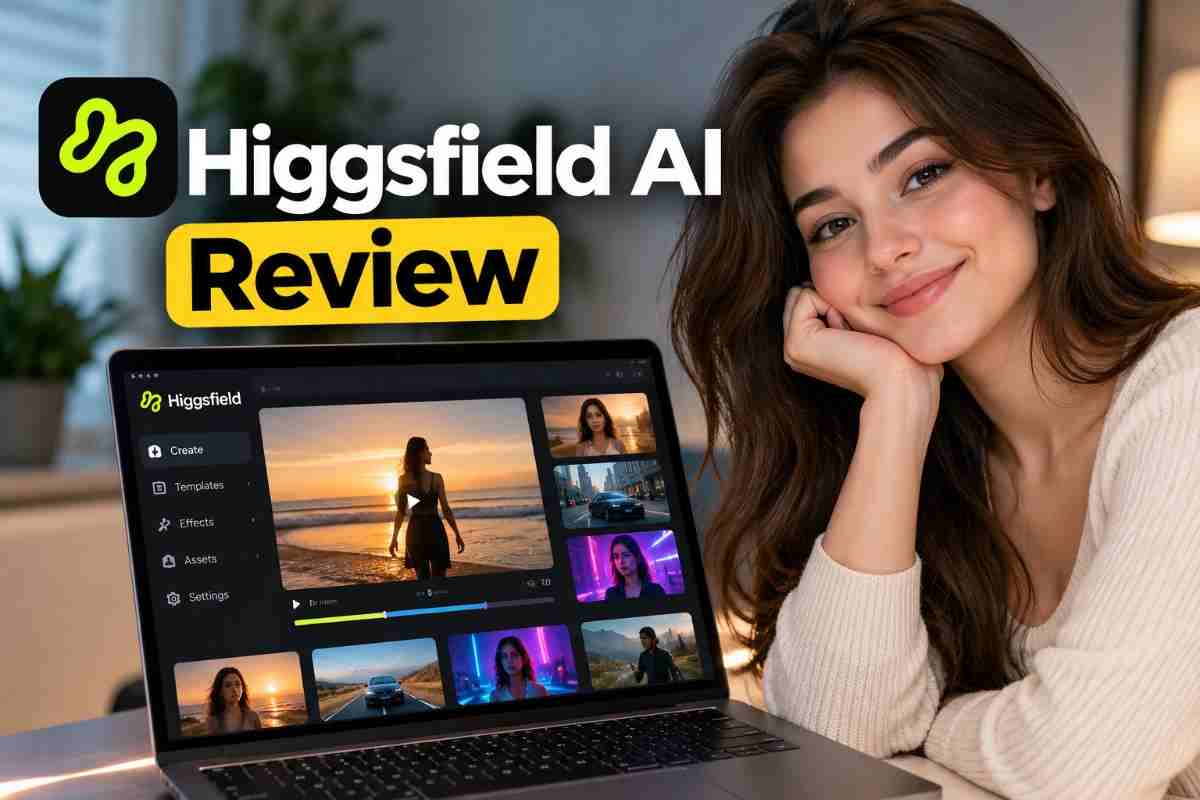
You’ve probably seen AI-generated videos with cinematic camera movements, realistic lighting, and professional-looking product shots. But can an AI video generator deliver consistent results without consuming too much time or money?
In this Higgsfield AI review, we’ll explore its features, pricing considerations, video quality, pros and cons, and alternatives to help you decide whether it’s worth using in 2026.
What Is Higgsfield AI?
Higgsfield AI is an AI-powered creative platform that helps users generate videos, animate images, and create cinematic visual content using text prompts and supported reference images.
It can help social media creators, marketers, filmmakers, and beginners experiment with visual ideas without relying entirely on traditional filming equipment.
For example, a marketer could create a cinematic product advertisement, while a YouTuber could generate visual scenes for a short video.
What Features Does Higgsfield AI Offer?
Higgsfield AI provides several creative workflows, although feature availability may depend on the selected model and subscription plan.
1. AI Video Generation
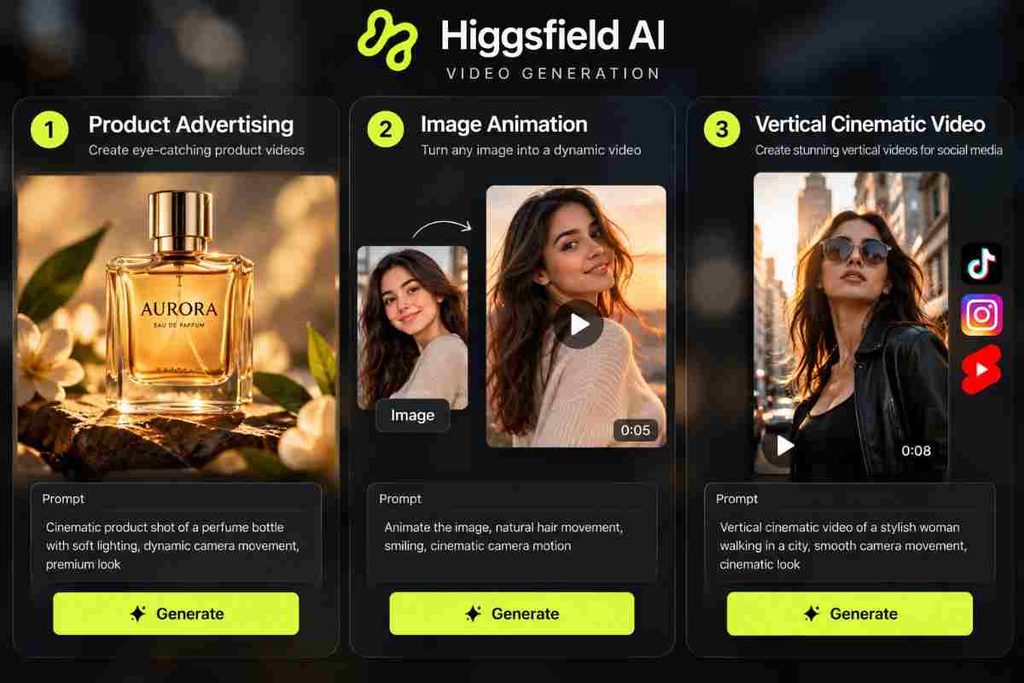
Users can generate videos from text prompts and supported visual inputs. For example, you could describe a luxury watch rotating under dramatic studio lighting and use the resulting clip as an advertising concept.
2. Image-to-Video Animation
Image-to-video tools animate still images by adding movement and camera effects. A landscape photograph, for instance, could become a cinematic scene with moving clouds and a slow camera push-in.
3. Cinematic Camera Movements
Higgsfield offers cinematic camera controls and motion presets designed to help creators experiment with:
- Dolly-in and zoom shots
- Horizontal pans
- Crane movements
- 360-degree camera orbits
These controls can make product reveals and cinematic scenes more dynamic, although perfectly realistic motion is not guaranteed.
4. Cinematic Visual Direction
Cinema Studio provides tools for visual references, camera movement, and simulated optical styles. Creators can experiment with different cinematic looks for advertisements, fictional scenes, and social media videos.
Is Higgsfield AI Worth It in 2026?
Higgsfield AI may be worth considering if you regularly create cinematic visuals and want more control over camera movement. Its value depends on video quality, credit consumption, and the amount of editing required.
| User type | Potential benefit |
|---|---|
| Social media creators | Reels, Shorts, and TikTok videos |
| Marketers | Product advertisements and promotional concepts |
| Filmmakers | Storyboards and experimental scenes |
| Beginners | Exploring AI filmmaking |
If you only create occasional videos, a free-access option or alternative tool may be sufficient. However, creators producing content regularly may benefit more from a workflow that saves time across multiple projects.
How Good Is Higgsfield AI for Video Generation?
Higgsfield AI’s output should be evaluated based on realism, prompt accuracy, camera movement, and subject consistency. Results can vary depending on the model, prompt, and generation settings.
No direct generation tests were performed for this article. The following prompts can help you evaluate the platform yourself.
Test 1: Product Advertisement
Try this prompt:
“Create a cinematic advertisement featuring a premium black wristwatch on a dark reflective surface, dramatic side lighting, realistic metal reflections, slow dolly-in camera movement, shallow depth of field, luxury commercial aesthetic, vertical 9:16 composition.”
Check whether the watch maintains its shape, reflections look realistic, and small details remain consistent.
Test 2: Image-to-Video Animation
Try this prompt with a reference image:
“Animate this image with a gentle camera push-in, subtle environmental movement, consistent lighting, and realistic motion. Preserve the subject’s appearance, proportions, and background.”
Check whether the subject and background remain consistent throughout the clip.
Test 3: Social Media Video
Try this prompt:
“A cinematic sunrise over a mountain landscape, atmospheric mist moving between the peaks, warm golden light, slow aerial camera movement, realistic textures, vertical 9:16 framing, visually engaging opening shot.”
Evaluate motion smoothness, framing, and whether the opening is engaging on a mobile screen.
How Much Does Higgsfield AI Cost?
Higgsfield AI pricing can change, so check the official Higgsfield AI website for current subscription plans and credit allowances.
Credits are usage units spent on supported image and video-generation tasks. According to the platform’s documentation, costs can depend on the selected model, resolution, and duration.
Before subscribing, review these factors:
| Pricing factor | What to check |
|---|---|
| Subscription | Monthly or annual price |
| Credit allowance | Credits included in the plan |
| Model access | Available video-generation models |
| Generation cost | Credits per video |
| Unused credits | Expiration and rollover rules |
| Commercial use | Applicable license conditions |
Does Higgsfield AI Have a Free Plan?
Check the official website for current free-access options and restrictions. Free access and promotional credits may not provide the same features as a paid subscription.
If you plan to generate several videos, estimate your likely monthly credit usage before upgrading. Repeated generations can increase the overall cost of producing usable footage.
What Are the Pros and Cons of Higgsfield AI?
Higgsfield AI offers cinematic controls and flexible visual-generation workflows, but output consistency and generation costs should be considered.
| Pros | Cons |
|---|---|
| Cinematic camera controls | Results can vary |
| Text-to-video workflows | Credits may be consumed during retries |
| Image-to-video animation | Fine details can become inconsistent |
| Multiple creative models | Access depends on the plan |
| Useful for visual concepts | Editing may still be necessary |
The biggest advantage is the ability to experiment with cinematic ideas without organizing a traditional shoot for every concept. However, creators should evaluate the cost of the final usable video rather than the number of clips generated.
What Are the Best Higgsfield AI Alternatives?
Runway and Kling AI are two alternatives worth comparing, depending on your creative requirements.
| Tool | Consider it for | What to compare |
|---|---|---|
| Higgsfield AI | Cinematic direction and camera controls | Motion presets and credits |
| Runway | Video creation and broader creative workflows | Editing tools and generation costs |
| Kling AI | AI-generated video and motion | Movement quality and subject consistency |
Visit the official Runway website to explore its current offerings.
Is Higgsfield AI Better Than Runway or Kling AI?
No single platform is best for every creator. Higgsfield may appeal to users who prioritize cinematic direction, Runway may suit broader creative workflows, and Kling AI is another option for motion-focused video generation.
For a fair comparison, create the same five-second video in each tool using comparable settings. Evaluate visual quality, the number of attempts required, and the total credit cost before choosing a subscription.
How Do You Use Higgsfield AI to Create a Video?
The basic workflow involves selecting a generation mode, writing a prompt, configuring settings, generating the clip, and refining the result.
Beginner-Friendly Higgsfield AI Tutorial
- Choose a project: Decide whether you need a product advertisement or social media clip.
- Select a generation mode: Open the relevant video or image-animation workflow.
- Write a detailed prompt: Describe the subject, lighting, movement, and aspect ratio.
- Add a reference image: Use one if supported and subject consistency matters.
- Check the credit cost: Review the displayed charge before generating.
- Generate and review: Check for visual errors and unnatural movement.
- Refine and export: Adjust the prompt, regenerate if necessary, and edit the final video.
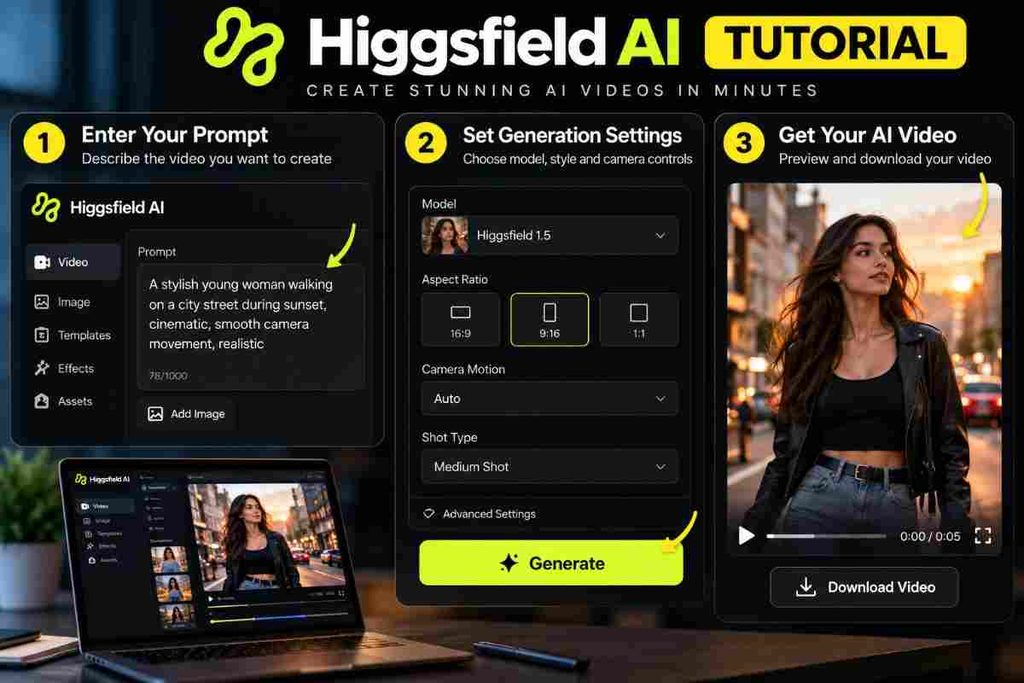
For better results, be specific. Instead of writing “Make a car video,” try “A silver sports car driving along a coastal highway at sunset, low tracking shot, realistic reflections, smooth motion, cinematic lighting, vertical 9:16 framing.”
Detailed prompts provide clearer direction but cannot eliminate generation errors.
Can You Use Higgsfield AI for Commercial Projects?
Commercial use depends on the applicable subscription, license, and terms. Verify the current official conditions before using generated videos in paid advertisements, client projects, or products for sale.
Also consider restrictions involving uploaded reference images, recognizable people, trademarks, and copyrighted material.
What Can You Create With Higgsfield AI?
Depending on the available tools and generation quality, Higgsfield AI can support several creative projects:
- Social media content: Cinematic clips for Reels, Shorts, and TikTok.
- Product advertising: Concepts for watches, fashion, and cosmetics.
- Cinematic storytelling: Atmospheric scenes and establishing shots.
- Marketing campaigns: Promotional concepts and advertisement drafts.
- Concept visualization: Mood pieces and storyboard-style visuals.
For example, a product campaign could include a close-up, a dramatic camera movement, and a final product reveal. These clips may need to be generated separately and assembled in a conventional video editor.
How Should You Get Started With Higgsfield AI?
The best approach is to test Higgsfield AI using a small project that resembles your actual work.
Before subscribing:
- Identify one specific creative goal.
- Review the current subscription and credit requirements.
- Generate a short video and an image animation, if available.
- Record the credits consumed and number of attempts.
- Check consistency, realism, and editing requirements.
- Compare the results with at least one alternative.
Conclusion: Is Higgsfield AI Worth It?
Higgsfield AI is worth considering if you want cinematic visuals, camera controls, and flexible AI video-generation workflows. It can help creators explore advertising concepts, social media content, and cinematic scenes without relying entirely on traditional filming.
However, its value depends on video quality, credit costs, consistency, and editing requirements. Beginners should start with a small trial, while professional creators should test subject continuity and camera control before committing.
Ultimately, compare Higgsfield AI with alternatives such as Runway and Kling AI using a real project. The best platform is the one that consistently produces usable videos at a cost that fits your workflow.
FAQs
What is Higgsfield AI used for?
Higgsfield AI helps users generate videos, animate images, and create cinematic visual content.
Is Higgsfield AI worth it in 2026?
It may be worthwhile for creators who regularly need cinematic AI visuals and can justify the generation costs.
Is Higgsfield AI free?
Check its official website for current free-access options, promotional credits, and restrictions.
How much does Higgsfield AI cost?
Pricing depends on the current subscription, credit allowance, model access, and generation settings.
Can Higgsfield AI create realistic videos?
Yes, it supports cinematic video-generation workflows, but realism and consistency vary by model and prompt.
What are the best Higgsfield AI alternatives?
Runway and Kling AI are alternatives worth comparing for video generation, creative controls, and cost.
Can I use Higgsfield AI videos commercially?
Commercial use depends on the applicable license and subscription terms. Check the official conditions before publishing paid content.
How can I get better results with Higgsfield AI?
Use detailed prompts, suitable reference images, appropriate generation settings, and careful quality checks.
More trendy topics:
Rumpelstiltskin Meme: Meaning, Origin & Why It’s Going Viral in 2026
Coconut Fragrance Trend: The Creamy, Tropical Scent Taking Over 2026
Hotel Lobby AI Trend: What It Is & Why It’s Going Viral in 2026