
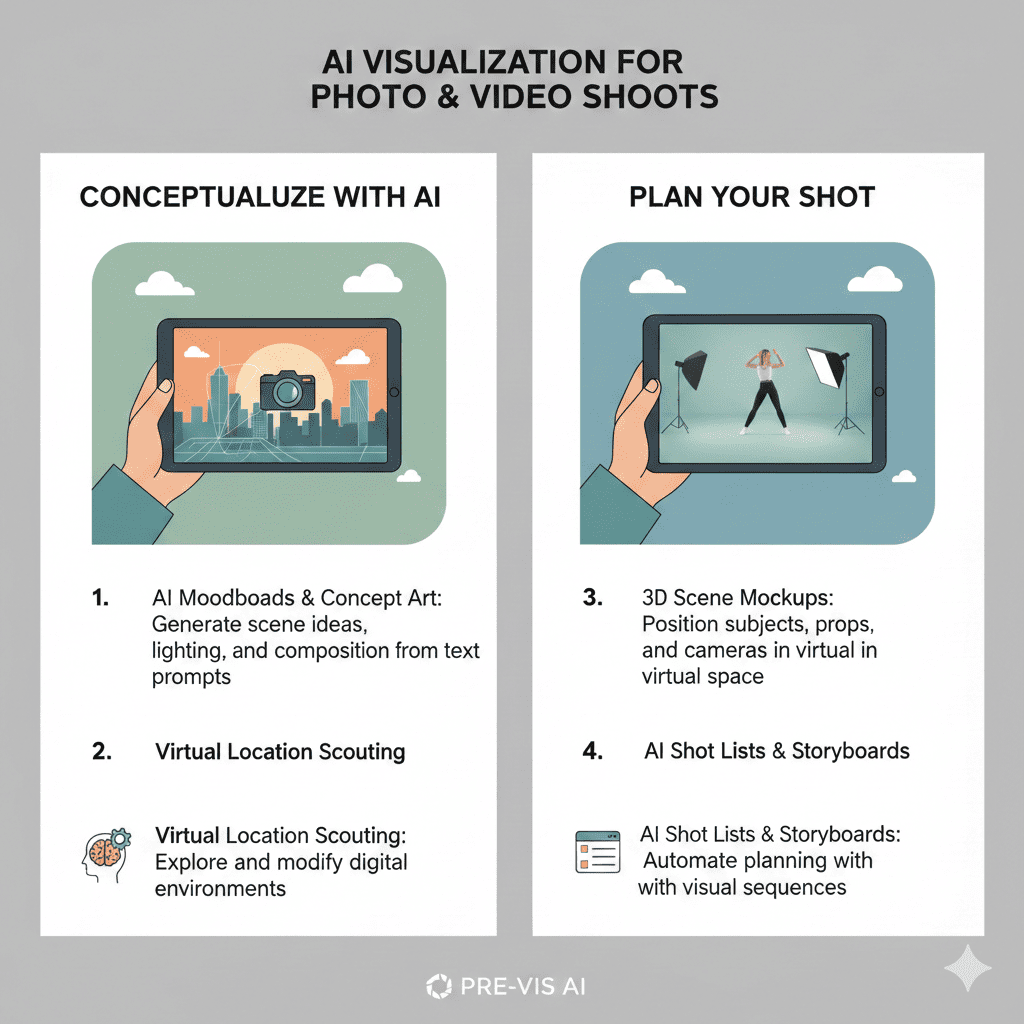
In today’s hyper-competitive world of content creation and photography, simply arriving at a set and “figuring things out” doesn’t work anymore. Creative directors want clarity. Clients want proof. Photographers want efficiency. Models want guidance. And brands want consistency. This is exactly where artificial intelligence steps in—giving artists the power to Visualize Shoots before ever touching a camera.
AI doesn’t just generate images. It generates possibilities—lighting moods, lens simulations, pose ideas, set concepts, fashion combinations, and full environments. What once took days of planning now takes minutes. What once required expensive references can now be produced with a single prompt. Whether you shoot portraits, commercial campaigns, fashion editorials, travel content, or cinematic videos, AI tools can help you predict your results before stepping onto the set.
Below is a deeply detailed, attractive, human-written, SEO-optimized guide on the most powerful AI Tools That Help You Visualize Shoots Before You Take Them, along with a modern creative workflow you can follow.
Why Pre-Visualization Matters More Than Ever
Minimizing Guesswork
Creative work naturally involves uncertainty, but too much uncertainty can ruin a shoot. Without visual planning, you end up adjusting lights too many times, experimenting with angles endlessly, or redoing poses that never feel right. AI reduces this guesswork dramatically by letting you test concepts in advance. You can see the mood. You can see the lighting. You can see the story. And you can refine everything before arriving on set.
Saving Time on Set
Time is money in the photography world. Models get tired. Natural light fades. Clients get impatient. When you’ve already mapped out composition, wardrobe, and lighting through AI, your on-set flow becomes sharp and efficient. You shoot with intention instead of improvising.
Clear Communication With Clients & Teams
Explaining a creative idea verbally often leads to confusion:
“I want something cinematic.”
“I want soft light, but dramatic.”
“I want a vintage feel.”
Everyone interprets these differently.
When you show AI-generated visuals, everything becomes aligned instantly. Clients trust you more; models understand the vibe; makeup artists match the aesthetic; cinematographers know exactly what to shoot.
Saving Production Costs
Location rentals, prop shopping, set design, wardrobe choices, and extra lighting equipment can become costly—especially when the direction is unclear. AI helps you preview what’s worth investing in and avoid unnecessary expenses.
Unlocking More Creative Freedom
Ironically, planning deeply actually leads to more creativity, not less. Once you see the base idea through AI, you’re free to push boundaries, experiment with alternative looks, and explore styles you wouldn’t have considered before. The freedom to Visualize Shoots gives creators confidence to innovate.
How AI Is Changing Shoot Visualization
AI isn’t just a generator—it’s a simulator. Modern AI tools understand lighting, shadows, lenses, body proportions, depth, materials, fashion, environments, and visual storytelling. This means they can produce previews that are shockingly close to real photography.
Lighting Simulations
AI can replicate:
- Golden hour softness
- Harsh mid-day shadows
- Neon night glow
- Studio softboxes
- Backlit silhouettes
- Moody Rembrandt lighting
This helps you determine exactly how your final photos might feel.
Lens & Angle Previews
You can test:
- 24mm wide energy
- 85mm portrait compression
- 35mm cinematic storytelling
- Overhead shots
- Low-angle power shots
AI lets you see how perspective will affect emotion before you shoot.
Scene Composition & Spacing
AI helps you experiment with:
- Leading lines
- Symmetry
- Negative space
- Subject placement
- Foreground vs background depth
You can refine your framing before lifting a camera.
Wardrobe & Makeup Visualization
You can preview:
- Color palettes
- Fabrics
- Accessories
- Hair concepts
- Makeup intensity
This avoids mismatched styling and ensures visual cohesion.
Environment & Location Testing
AI can place your subject in:
- Beaches
- Mountains
- Vintage rooms
- Urban streets
- Neon cyberpunk cities
- Minimal studios
You can decide whether to book a location or simulate it instead.
The Best AI Tools To Visualize Shoots Before You Take Them
Here are the top tools creatives are using worldwide to plan shoots with precision.
Midjourney
Visualize Shoots Midjourney is arguably the most artistic AI tool available today. It produces beautiful, cinematic, editorial-style visuals that look like real photography. If you want to develop creative direction or concept boards, Midjourney is exceptional.
What Makes It Great
- Produces high-end aesthetic concepts
- Perfect for moodboard creation
- Excellent lighting simulation
- Fantastic for fashion, portrait, and editorial previews
How It Helps You Visualize Shoots
- Try multiple posing ideas
- Test clothing colors and textures
- Experiment with lighting setups
- Preview narrative or cinematic moods
Midjourney is especially popular with photographers who want to show clients a “vision board” before the shoot.
Stable Diffusion (with ControlNet)
Stable Diffusion gives you ultimate control, especially when you want AI results that follow your references. ControlNet allows you to upload real poses, outlines, or subject structures.
What Makes It Great
- You can input reference photos
- Perfect for pose-accurate previews
- Customizable environments
- Realistic lighting control
How It Helps You Visualize Shoots
- Recreate exact poses for a model to follow
- Test multiple backgrounds for a single subject
- Simulate outfits and styling
- Preview compositions with precision
Ideal for photographers and filmmakers who need highly specific pre-viz.
Adobe Firefly
Integrated into Photoshop and Lightroom, Firefly blends AI generation with professional editing environments.
What Makes It Great
- Industry-standard quality
- Works seamlessly with photo editing tools
- Produces natural, realistic outputs
How It Helps You Visualize Shoots
- Generative Fill lets you add props or remove distractions
- Preview lighting changes
- Build clean, polished pre-visual boards
- Easily adjust colors and styling concepts
Firefly is perfect for commercial photographers who want polished pre-production visuals.
Runway AI
A leader in video-based AI, Runway is amazing for cinematographers and content creators who need motion previews.
What Makes It Great
- Motion and camera movement previews
- AI-generated scenes
- Video-style simulations
How It Helps You Visualize Shoots
- Test cinematic angles
- Create short motion references
- Preview transitions and camera movements
Ideal for music videos, ads, and cinematic storytelling.
Fotor AI Photo Generator
A simple, beginner-friendly tool with surprisingly high-quality outputs.
What Makes It Great
- Easy to use
- Great for influencers
- Good for quick outfit and location previews
How It Helps You Visualize Shoots
- Preview photoshoot themes
- Experiment with aesthetics
- Test quick composition ideas
It’s perfect for creators who want fast results without complexity.
A Modern Workflow: How to Visualize Shoots Using AI
Now that you know the tools, here’s a smooth, professional workflow you can follow.
Start With a Strong Concept
Before prompting AI, think deeply about:
- The mood
- The message
- The emotion
- The color palette
- The style
A strong concept leads to strong visuals.
Collect Mood References
Visualize Shoots Using Pinterest, Instagram, film stills, or art boards, gather things that match your vision. These references guide your prompts.
Generate Visuals With AI
Use Midjourney, Firefly, Stable Diffusion, or other tools to produce:
- Poses
- Lighting styles
- Camera angles
- Scene concepts
- Styling ideas
This is the heart of Visualize Shoots planning.
Refine & Combine the Best Ideas
Once you generate multiple visuals:
- Filter the strongest ones
- Highlight what works
- Note down what you want to replicate
- Remove anything that distracts from your core theme
Your board starts becoming clearer.
Create a Pre-Shoot Board
Using tools like:
- Canva
- Notion
- Milanote
- Adobe Express
Organize your visual ideas into a clean board that includes:
- Poses to follow
- Wardrobe direction
- Lighting mood
- Set styling
- Camera angles
This board becomes your creative blueprint.
Test Lighting Simulation
AI helps you preview:
- Backlighting
- Soft vs hard shadows
- Colored gels
- Natural daylight variations
This step alone saves hours of experimentation on set.
Plan Angles, Lenses & Composition
Preview how:
- 35mm behaves
- 85mm compresses the background
- 50mm gives natural perspective
- Low angles create drama
- High angles create vulnerability
You’ll feel more prepared and confident.
Finalize Wardrobe and Makeup Directions
Using AI outputs, share styling ideas with:
- The model
- Makeup artist
- Wardrobe stylist
Visual clarity eliminates miscommunication.
Run a Mini Virtual Rehearsal
Study your AI references and imagine:
- Model positions
- Key shots
- Backup frames
- Scene variations
This mental rehearsal boosts execution efficiency.
The Impact of Visualizing Shoots With AI
When you use AI to Visualize Shoots, the impact on your work is massive:
You Shoot Faster
Because you already know what works.
You Shoot Smarter
Because your decisions are guided by pre-visualization.
You Shoot More Creatively
Because AI encourages experimentation without risk.
You Impress Clients
Because your planning looks professional and reliable.
You Create Higher-Quality Work
Because every element is intentional.
Final Thoughts
Visualize Shoots The future of photography and filmmaking belongs to creators who know how to merge creativity with technology. AI isn’t replacing artists—it’s empowering them. When you use AI Tools That Help You Visualize Shoots Before You Take Them, you unlock a new level of precision, imagination, and confidence.
Also read this:
AI Retouching Tools That Make Skin Look Natural, Not Plastic
The Best AI Background Removal Tools Photographers Need in 2025
AI Tools That Turn Ordinary Photos Into Studio-Quality Shots