
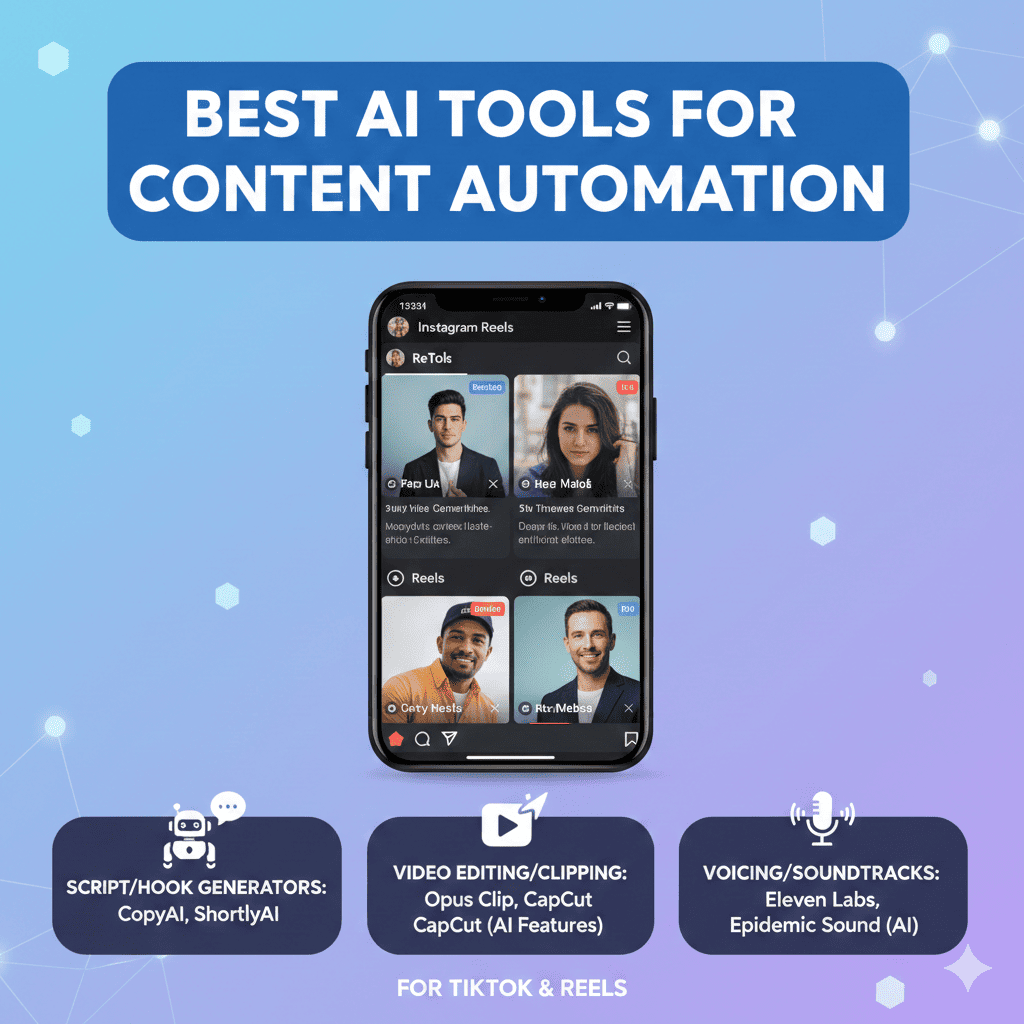
Short-form video content has taken over the digital landscape, with TikTok and Instagram Reels dominating social media consumption. But creating consistent, engaging content for these platforms can be exhausting and time-consuming. Enter TikTok/Reels content automation—a game-changing approach that leverages AI to produce, edit, and optimize videos at scale without sacrificing quality or authenticity.
This comprehensive guide explores the most powerful AI tools for TikTok/Reels content automation that are transforming how creators, brands, and marketers produce short-form video content. Whether you’re a solo creator struggling to maintain a posting schedule or a marketing team managing multiple brand accounts, these tools will help you create viral-worthy content faster than ever before.
Why TikTok/Reels Content Automation Is Essential
Before diving into specific tools, let’s understand why TikTok/Reels content automation has become critical for content success:
- Consistency Requirements: Algorithms favor accounts that post frequently (1-3 times daily)
- Time Efficiency: Reduce video creation time from hours to minutes
- Scalability: Manage multiple accounts without expanding your team
- Creative Burnout Prevention: Automate repetitive tasks while preserving creative energy
- Trend Responsiveness: Jump on viral trends before they fade
- Data-Driven Optimization: AI analyzes what works and replicates success
- Professional Quality: Access editing capabilities previously requiring expensive software
- 24/7 Content Generation: AI doesn’t sleep, allowing continuous content production
1. OpusClip: AI-Powered Long-to-Short Video Conversion
OpusClip leads the TikTok/Reels content automation revolution by transforming long-form content into multiple viral-ready short clips using sophisticated AI analysis that identifies the most engaging moments.
Key Features:
- Intelligent Clip Selection: AI identifies viral-worthy moments automatically
- Auto-Captioning: Generates animated captions with 97%+ accuracy
- Viral Score Prediction: Rates each clip’s potential virality before posting
- Multi-Platform Formatting: Exports in optimal formats for TikTok, Reels, and Shorts
- Brand Templates: Maintains consistent visual branding across all clips
- Hook Identification: Detects strong opening moments that capture attention
Best For:
- Podcasters repurposing episodes into clips
- YouTubers expanding to short-form platforms
- Educators breaking down long lessons
- Brands with existing video content libraries
Workflow Strategy:
Upload your webinar, podcast, or YouTube video, and OpusClip analyzes the entire content, identifying 10-20 potential clips. Each receives a virality score based on hook strength, pacing, and engagement potential. Select your favorites, customize captions and branding, then export directly to your preferred platforms. What once took 8 hours now takes 20 minutes.
2. Kapwing: All-in-One Video Creation Suite
Kapwing has evolved into a comprehensive platform for TikTok/Reels content automation, offering AI-powered editing tools specifically designed for social media content creators who need speed without sacrificing quality.
Key Features:
- AI Video Generator: Creates videos from text prompts or scripts
- Smart Remove Background: Eliminates backgrounds without green screens
- Auto-Resize: Instantly adapts content for different platform requirements
- Collaborative Editing: Teams can edit projects simultaneously
- Template Library: Thousands of trending video templates
- Text-to-Speech: Generates realistic voiceovers in multiple languages
Best For:
- Marketing teams creating branded content
- Small businesses without video production expertise
- Content creators managing multiple platforms
- Remote teams collaborating on video projects
Production Acceleration:
Start with a trending template, replace the placeholder content with your message, use AI to remove your background and place you in dynamic settings, add auto-generated captions, and apply brand colors—all in under 10 minutes. Kapwing’s collaboration features mean multiple team members can work on different videos simultaneously.
3. Descript: AI-Powered Video Editing Through Text
Descript revolutionizes TikTok/Reels content automation by allowing you to edit video as easily as editing a document, plus features like AI voice cloning and automatic filler word removal that streamline content creation dramatically.
Key Features:
- Transcription-Based Editing: Cut video by deleting text in the transcript
- Overdub (Voice Cloning): Create AI voice recordings in your own voice
- Studio Sound: AI removes echo and background noise professionally
- Filler Word Removal: Automatically deletes “ums,” “ahs,” and pauses
- Multi-Track Editing: Supports complex projects with multiple video/audio layers
- Social Media Templates: Pre-configured settings for TikTok and Reels
Best For:
- Creators who prefer text-based workflows
- Interview content requiring heavy editing
- Educators creating talking-head content
- Anyone wanting to clean up speaking mistakes easily
Editing Innovation:
Record yourself speaking about a topic, and Descript transcribes it instantly. Edit by simply deleting awkward sentences, filler words, or mistakes from the text—the video updates automatically. Use Overdub to fix mispronounced words without re-recording. Apply Studio Sound to make smartphone audio sound professional. Export 10 variations optimized for different platforms with one click.
4. Pictory: Text-to-Video Automation
Pictory specializes in TikTok/Reels content automation by transforming written content—articles, blog posts, or scripts—into engaging videos complete with relevant footage, music, and captions without requiring any video editing experience.
Key Features:
- Article-to-Video: Converts blog posts into video content automatically
- Script-to-Video: Creates videos from written scripts
- Stock Library Integration: AI selects relevant footage from millions of clips
- Automatic Voiceovers: Generates natural-sounding narration
- AI Summarization: Condenses long content into key points
- Batch Creation: Produces multiple videos simultaneously
Best For:
- Bloggers repurposing written content
- Affiliate marketers creating product videos
- News outlets adapting articles for social media
- Brands with text-heavy content libraries
Content Multiplication:
Paste a blog post URL into Pictory, and the AI summarizes the key points, selects relevant stock footage, generates voiceover, adds background music, and creates captions—producing a complete video in 5-10 minutes. Create 20-30 videos from your content archive in an afternoon, providing months of TikTok/Reels content.
5. Runway ML: Advanced AI Video Creation
Runway ML brings cutting-edge AI capabilities to TikTok/Reels content automation, offering tools like generative video, motion tracking, and advanced effects previously available only to Hollywood studios.
Key Features:
- Text-to-Video Generation: Creates original video from text descriptions
- Green Screen AI: Removes backgrounds with unprecedented accuracy
- Motion Tracking: Automatically tracks objects for effects application
- Frame Interpolation: Creates smooth slow-motion from regular footage
- Style Transfer: Applies artistic styles to videos in real-time
- Inpainting: Removes unwanted objects from video seamlessly
Best For:
- Creative professionals pushing boundaries
- Brands creating distinctive visual content
- Influencers developing unique visual styles
- Experimental content creators
Creative Possibilities:
Generate surreal B-roll by describing scenes that don’t exist. Remove distracting background elements with AI inpainting. Apply consistent artistic filters across all your content for a signature look. Runway’s advanced tools enable content that stands out in oversaturated feeds.
6. Lumen5: AI Story Builder
Lumen5 streamlines TikTok/Reels content automation by intelligently structuring stories, selecting visual elements, and timing transitions based on proven engagement patterns, making professional video creation accessible to everyone.
Key Features:
- AI Storyboarding: Automatically structures content narratively
- Intelligent Media Selection: Chooses relevant images and videos
- Dynamic Text Animation: Creates engaging text overlays
- Brand Kit Integration: Applies brand colors, fonts, and logos automatically
- Music Library: Curated tracks with licensing included
- Bulk Creation: Generate multiple videos from RSS feeds or content calendars
Best For:
- Marketing teams maintaining consistent brand presence
- Publishers adapting news stories for social media
- E-commerce brands showcasing products
- Content calendars requiring high volume
Systematic Production:
Connect Lumen5 to your blog RSS feed, and it automatically creates video versions of new articles as you publish them. The AI selects compelling imagery, creates engaging text overlays, applies your brand styling, and exports optimized versions for TikTok and Reels—creating a completely automated content pipeline.
7. Vizard.ai: Automatic Video Repurposing
Vizard.ai excels at TikTok/Reels content automation specifically for repurposing existing content, using AI to identify the most shareable moments, add engaging elements, and optimize for social media virality.
Key Features:
- Highlight Detection: Finds the most engaging segments automatically
- Speaker Focus: Keeps speakers centered and properly framed
- Auto-Captioning: Generates trendy, animated subtitles
- Emoji Insertion: Adds relevant emojis to increase engagement
- Clipping Suggestions: Recommends optimal clip lengths and moments
- Batch Processing: Handles multiple long videos simultaneously
Best For:
- Video podcasters creating social clips
- Corporate communications teams distributing key messages
- Event organizers sharing conference highlights
- Interview-based content creators
Repurposing Excellence:
Upload a 60-minute podcast interview, and Vizard analyzes emotional peaks, interesting topics, and audience retention patterns to suggest 15-20 potential clips. The AI automatically reframes for vertical video, adds trendy captions, inserts relevant emojis, and creates attention-grabbing thumbnails for each clip.
8. InVideo AI: Template-Based Automation
InVideo AI democratizes TikTok/Reels content automation through an extensive template library combined with AI customization, allowing anyone to create professional content without editing knowledge.
Key Features:
- 6000+ Templates: Pre-designed templates for every niche and trend
- AI Script Generator: Creates video scripts from brief descriptions
- Voice Cloning: Generates voiceovers that sound like you
- Smart Editing: AI adjusts timing and transitions automatically
- Multi-Language Support: Creates content in 50+ languages
- Direct Publishing: Schedule and post directly to social platforms
Best For:
- Beginners learning video content creation
- Multi-niche creators managing diverse content
- International brands creating localized content
- Agencies managing multiple client accounts
Template Power:
Browse templates by trend (dance challenge, transformation, tutorial, etc.), select one matching your goal, input your content, and InVideo’s AI adapts the template to your brand, generates script variations, adds music, and creates multiple versions for A/B testing—all in minutes.
9. Submagic: Caption and Subtitle Specialist
Submagic focuses specifically on one crucial element of TikTok/Reels content automation: creating attention-grabbing, trendy captions and subtitles that significantly boost engagement and watch time.
Key Features:
- Trendy Caption Styles: Uses current popular caption aesthetics
- Auto-Highlighting: Emphasizes key words for impact
- Emoji Auto-Generation: Adds contextually relevant emojis
- Multi-Language Transcription: Supports 48+ languages
- Custom Branding: Applies brand-specific caption styling
- Engagement Optimization: Analyzes which caption styles perform best
Best For:
- Creators focusing on accessibility
- Content targeting sound-off viewers
- International audiences requiring subtitles
- Brands prioritizing engagement metrics
Caption Mastery:
Submagic doesn’t just transcribe—it styles captions in trending formats, highlights power words in contrasting colors, inserts emojis at optimal moments, and even suggests caption improvements for clarity. Since 85% of social video is watched without sound, professional captions can dramatically increase completion rates.
10. Fliki: Text-to-Video with Realistic AI Voices
Fliki combines text-to-speech and text-to-video capabilities for comprehensive TikTok/Reels content automation, offering some of the most realistic AI voices available plus intelligent visual selection.
Key Features:
- 2000+ AI Voices: Realistic voices in 75+ languages
- Dialect Variations: Regional accents for authentic localization
- Lip Sync AI: Creates talking avatar videos
- Smart B-Roll Selection: Chooses relevant stock footage automatically
- Music Integration: Adds background music that matches mood
- Branded Templates: Consistent visual identity across videos
Best For:
- Faceless content creators
- Educational content with narration
- Product demonstrations and tutorials
- Brands creating multilingual content
Voiceover Revolution:
Fliki’s AI voices sound remarkably human, eliminating the robotic tone that plagued earlier text-to-speech. Create explainer videos, product reviews, or educational content without recording voiceover. The AI matches visual pacing to speech rhythm and selects footage that reinforces your message contextually.
11. Clipchamp: Microsoft’s Video Editor
Clipchamp, now integrated with Microsoft 365, brings professional TikTok/Reels content automation capabilities to the masses with AI features built directly into a familiar, accessible interface.
Key Features:
- AI Auto-Compose: Creates videos from your media automatically
- Background Removal: Green screen effects without actual green screens
- Text-to-Speech: Multiple voice options for narration
- Template Library: Regularly updated trending templates
- Screen Recording: Capture content directly for tutorials
- Microsoft Integration: Seamless connection with OneDrive and Teams
Best For:
- Microsoft 365 users seeking integrated solutions
- Business users creating corporate content
- Teams already using Microsoft ecosystem
- Creators wanting professional tools for free
Ecosystem Advantage:
Store raw footage in OneDrive, collaborate on scripts in Word, edit in Clipchamp with AI assistance, and share previews through Teams—all within one ecosystem. The AI auto-compose feature analyzes your footage and creates a first draft automatically, which you can then customize.
12. Munch: AI-Powered Trend Analyzer
Munch distinguishes itself in TikTok/Reels content automation by focusing not just on creation but on trend analysis, ensuring your content aligns with current viral patterns and platform preferences.
Key Features:
- Trend Analysis: Identifies trending topics, sounds, and formats
- Content Scoring: Predicts virality potential before posting
- Optimal Moment Detection: Finds the most engaging 5-second hooks
- Platform-Specific Optimization: Customizes for TikTok vs. Reels differences
- Hashtag Recommendations: Suggests trending hashtags automatically
- Posting Time Suggestions: Recommends optimal posting schedules
Best For:
- Creators obsessed with going viral
- Brands wanting data-driven content strategies
- Agencies managing influencer campaigns
- Growth hackers focused on algorithmic success
Algorithmic Advantage:
Munch analyzes what’s currently working on TikTok and Reels, suggesting content angles, trending sounds, and visual styles. Upload your content, and Munch recommends how to edit it for maximum algorithmic favorability, including ideal length, caption style, and even which seconds should be your hook.
Building Your TikTok/Reels Content Automation Workflow
Creating an effective TikTok/Reels content automation system requires combining tools strategically:
The Repurposing Workflow:
- Record/Collect: Create long-form content (podcast, YouTube video, webinar)
- Extract: Use OpusClip or Vizard.ai to identify viral moments
- Enhance: Apply Submagic for trendy captions
- Optimize: Run through Munch for virality scoring
- Schedule: Batch schedule across platforms
The Creation Workflow:
- Ideate: Use Munch to identify trending topics
- Script: Generate scripts with InVideo AI or Fliki
- Produce: Create videos using Pictory or Lumen5
- Edit: Refine with Kapwing or Clipchamp
- Polish: Add captions with Submagic
- Publish: Schedule and post
The Brand Workflow:
- Brand Kit: Set up templates in Kapwing and InVideo
- Content Calendar: Plan topics and themes
- Batch Production: Create 30 days of content in one session
- Team Review: Collaborate using Kapwing or Descript
- Automated Posting: Schedule throughout the month
Best Practices for Content Automation Success
1. Maintain Authenticity
TikTok/Reels content automation should enhance your voice, not replace it. AI handles tedious tasks; you provide personality and perspective. Viewers detect and reject purely robotic content.
2. Focus on Hooks
The first 3 seconds determine success. Use AI to test multiple hooks, but ensure they’re genuinely compelling. Tools like Munch and OpusClip excel at identifying strong openings.
3. Caption Everything
With 85% of viewers watching without sound, captions aren’t optional—they’re essential. Tools like Submagic make professional captioning effortless.
4. Batch Your Production
Set aside dedicated time for content creation. Use automation to produce weeks of content in a single session, then schedule posting across the period.
5. Test and Iterate
Post similar content with slight variations to identify what resonates. AI analytics reveal patterns humans might miss.
6. Stay Trend-Aware
Automation shouldn’t mean disconnection. Stay current with platform trends, using tools like Munch to adapt your content to emerging patterns.
7. Preserve Your Unique Style
While templates accelerate production, customize them to reflect your brand voice. Cookie-cutter content gets lost in crowded feeds.
8. Optimize for Each Platform
TikTok and Reels have different algorithmic preferences. Customize content specifically for each rather than cross-posting identical videos.
Common Mistakes to Avoid
Over-Automation
Don’t let AI completely replace human creativity. The most successful accounts blend automation efficiency with authentic human moments.
Ignoring Platform Differences
TikTok and Reels have distinct cultures, audiences, and algorithmic preferences. Content that thrives on one may flop on the other.
Neglecting Engagement
TikTok/Reels content automation handles creation, but you must still engage with comments, duets, and stitches. Algorithms favor interactive accounts.
Template Dependence
While templates accelerate production, over-reliance creates generic content. Customize templates significantly or create original concepts regularly.
Quantity Over Quality
Posting frequently matters, but posting unwatchable content damages your account. Automation enables quantity; you ensure quality.
Missing the Hook
No amount of automation compensates for weak openings. If viewers scroll past your first second, even perfectly edited content won’t perform.
Measuring Your Automation Success
Track these metrics to evaluate your TikTok/Reels content automation effectiveness:
Time Efficiency
- Hours saved per video
- Videos produced per hour
- Content inventory available
Engagement Performance
- Average watch time
- Completion rate
- Engagement rate (likes, comments, shares)
- Follower growth rate
Content Consistency
- Posting frequency achieved
- Days without posting
- Content variety maintained
Quality Maintenance
- Production value improvement
- Audience feedback trends
- Brand consistency scores
ROI Metrics
- Cost per piece of content
- Engagement per dollar spent
- Conversion rates from content
The Future of TikTok/Reels Content Automation
The evolution of TikTok/Reels content automation continues rapidly:
AI-Generated Presenters
Virtual avatars that speak, gesture, and emote realistically will enable faceless creators to produce presenter-style content at scale.
Predictive Content Creation
AI will analyze your performance data and audience preferences to automatically generate content ideas likely to perform well for your specific audience.
Real-Time Trend Adaptation
Future tools will identify emerging trends within hours and automatically generate content capitalizing on them before trends peak.
Personalized Variations
AI will create customized versions of the same content for different audience segments, maximizing relevance for each viewer.
Full Automation Pipelines
Complete workflows from ideation through posting will run with minimal human intervention, requiring only strategic oversight and creative direction.
Getting Started: Your 30-Day Automation Plan
Week 1: Foundation
- Audit current content production process
- Identify biggest time sinks and pain points
- Select 2-3 tools to trial
- Create brand templates and guidelines
Week 2: Learning
- Complete tool tutorials
- Create first automated content pieces
- Compare output to manual process
- Gather team feedback
Week 3: Scaling
- Batch produce 2 weeks of content
- Implement scheduling system
- Monitor performance metrics
- Refine workflow based on results
Week 4: Optimization
- Analyze what worked best
- Adjust tool selection if needed
- Build sustainable long-term workflow
- Train team members on final process
Conclusion: Automation Amplifies Creativity
TikTok/Reels content automation isn’t about replacing creativity—it’s about amplifying it. These AI tools handle the mechanical, time-consuming aspects of video production, freeing you to focus on strategy, storytelling, and authentic connection with your audience.
The creators and brands winning on short-form video platforms aren’t necessarily the most talented filmmakers—they’re the ones who post consistently, adapt quickly to trends, and maintain quality at scale. Automation makes all three possible.
Also read this:
Best AI Tools for Market Research Automation: Transform Data Into Strategic Insights
Best AI Tools for Comic & Manga Creation: Transform Your Creative Vision into Reality
Best AI Tools for Stress Monitoring and Relief: Your Complete Guide to Mental Wellness