
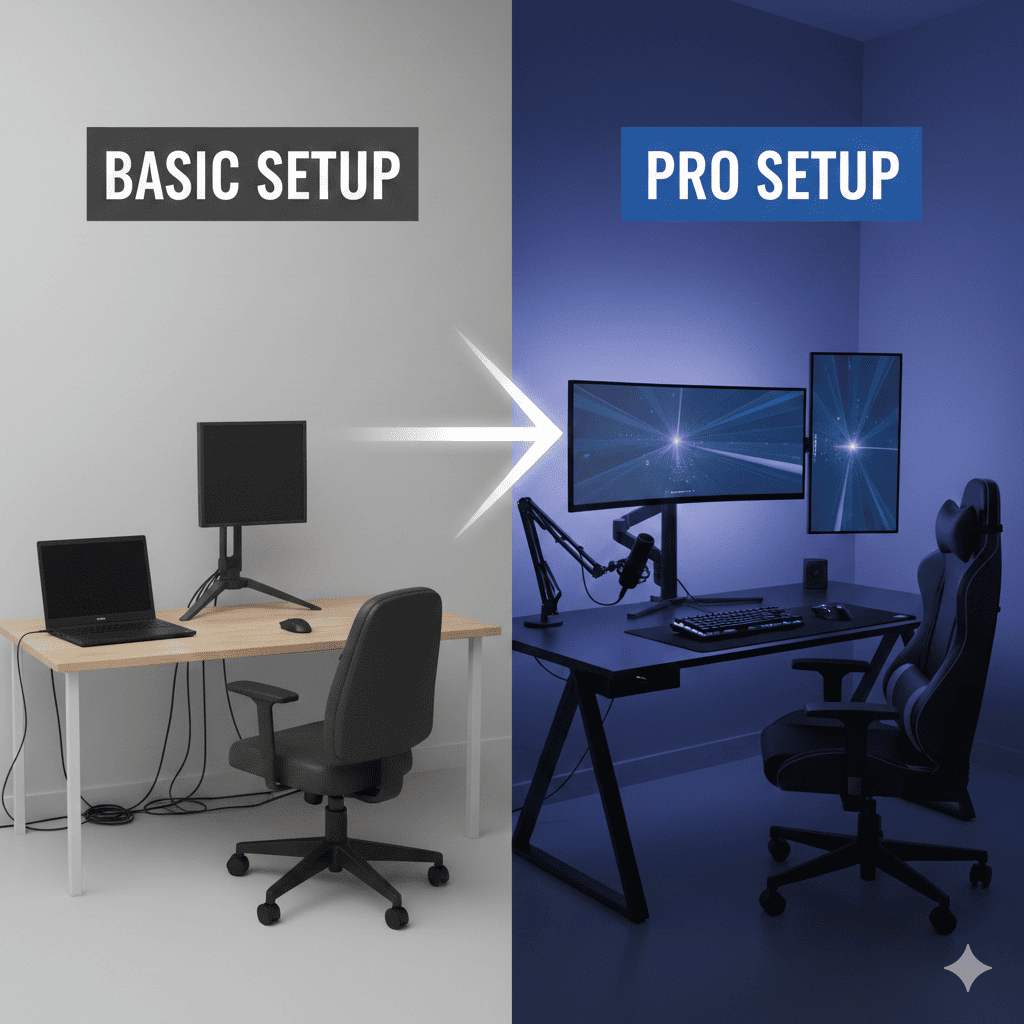
Whether you’re working from home, creating content, gaming, or pursuing creative projects, the difference between a basic setup and a professional one often comes down to strategic Tech Upgrades. You don’t need to spend thousands of dollars at once or replace everything you own. Instead, targeted Tech Upgrades can dramatically improve your productivity, comfort, and output quality. This comprehensive guide explores the most impactful improvements you can make to elevate your workspace from amateur to professional, covering everything from display technology to audio equipment, ergonomic enhancements, and connectivity solutions.
1. Display Technology Upgrades
Your display serves as the primary interface between you and your work. Upgrading your screen setup delivers immediate, tangible benefits that you’ll appreciate every single day.
Multiple Monitor Configuration
Adding a second or third monitor ranks among the most impactful Tech Upgrades for productivity. Research consistently shows that multi-monitor setups increase efficiency by 20 to 30 percent compared to single-screen configurations. The additional screen real estate eliminates constant window switching, allowing you to reference documents while writing, monitor communications while working, or compare data side-by-side.
When implementing multi-monitor setups, consider screen positioning carefully. Your primary monitor should sit directly in front of you at eye level, with secondary displays angled slightly toward your viewing position. Matching monitors create the most seamless experience, but mixing sizes works well when you designate specific purposes for each screen. Many professionals use a large central display for primary work with smaller flanking monitors for communication tools, reference materials, or system monitoring.
High-Resolution Display Investment
Upgrading to 4K or higher resolution displays transforms visual clarity and workspace capacity. Higher pixel density allows you to work with more content visible simultaneously while maintaining readability. For creative professionals working with photography, video, or graphic design, accurate color reproduction becomes critical, making professional-grade monitors with wide color gamuts essential Tech Upgrades.
Modern high-resolution displays offer refresh rates that benefit both creative work and gaming. Adaptive sync technologies eliminate screen tearing, creating smooth visual experiences. Consider panel technology carefully—IPS panels offer superior color accuracy and viewing angles for creative work, while VA panels provide excellent contrast for media consumption, and TN panels deliver the fastest response times for competitive gaming.
Monitor Arms and Mounting Solutions
Professional monitor arms represent surprisingly transformative Tech Upgrades that improve both ergonomics and aesthetics. These articulating mounts free up valuable desk space while enabling precise positioning adjustments. You can easily switch between sitting and standing positions, share your screen with colleagues, or adjust viewing angles throughout the day to maintain optimal posture.
Quality monitor arms support significant weight and offer smooth, stable adjustment mechanisms. Gas-spring systems provide effortless repositioning with one hand, while integrated cable management creates clean, professional appearances. For multi-monitor setups, dedicated dual or triple monitor arms maintain perfect alignment and synchronized movement.
2. Audio Equipment Enhancements
Audio quality dramatically impacts communication effectiveness, content creation, and overall experience quality. Professional audio Tech Upgrades are often overlooked but deliver exceptional value.
Professional Microphone Systems
Replacing built-in laptop microphones or basic headset mics with dedicated microphones transforms audio quality for video calls, content creation, and voice recording. USB condenser microphones offer excellent quality without requiring additional audio interfaces, making them accessible Tech Upgrades for most users.
XLR microphones paired with audio interfaces provide maximum flexibility and quality for serious content creators. Dynamic microphones excel in untreated rooms with background noise, while condenser microphones capture exceptional detail in controlled environments. Proper microphone placement, pop filters, and shock mounts further enhance audio capture quality, creating broadcast-quality sound that immediately distinguishes professional content.
Studio-Quality Headphones and Speakers
Accurate audio monitoring matters whether you’re editing podcasts, producing music, or simply enjoying media. Studio monitor headphones provide flat frequency response that reveals audio details consumer headphones color or mask. Open-back designs offer superior soundstage and natural sound reproduction, while closed-back models provide isolation for noisy environments.
Studio monitor speakers represent significant Tech Upgrades for dedicated workspaces. Active monitors with built-in amplification simplify setup while delivering exceptional sound quality. Proper speaker placement at ear level, forming an equilateral triangle with your listening position, maximizes stereo imaging and frequency response. Acoustic treatment further improves listening environments, though even basic improvements like strategic furniture placement helps control reflections.
Acoustic Treatment Solutions
Room acoustics profoundly impact audio quality for both recording and playback. Acoustic panels absorb reflections that cause muddy sound and echo. Strategic placement at first reflection points, behind speakers, and in corners addresses the most problematic frequencies.
Bass traps control low-frequency buildup in corners, tightening bass response and improving overall clarity. Diffusers scatter sound reflections, creating more natural room acoustics without excessive deadening. While complete acoustic treatment can be expensive, even modest Tech Upgrades in this area yield noticeable improvements. DIY solutions using safe, effective materials provide budget-friendly alternatives to commercial acoustic products.
3. Input Device Improvements
You interact with input devices constantly throughout your workday. Upgrading keyboards and pointing devices improves comfort, speed, and precision.
Mechanical Keyboard Investment
Mechanical keyboards offer distinct advantages over membrane keyboards that become apparent during extended use. Individual mechanical switches provide consistent, satisfying feedback that improves typing accuracy and reduces fatigue. Different switch types cater to various preferences—tactile switches offer noticeable feedback without audible clicks, linear switches provide smooth keystroke travel, and clicky switches deliver both tactile and audible confirmation.
Premium mechanical keyboards include features like hot-swappable switches, allowing experimentation without soldering. Programmable layers enable custom key mappings and macros that streamline workflows. Quality keycaps with durable legends maintain appearance through years of heavy use. These Tech Upgrades transform typing from a mundane task into a genuinely enjoyable experience while potentially increasing typing speed and accuracy.
Precision Pointing Devices
Upgrading to high-DPI mice with quality sensors improves cursor precision and responsiveness. Ergonomic designs reduce strain during extended use, with vertical mice and trackball alternatives addressing specific comfort needs. Programmable buttons enable quick access to frequently used functions, dramatically accelerating workflows for creative applications and productivity software.
For creative professionals, graphic tablets provide natural, pen-based input for digital illustration, photo retouching, and design work. Pressure sensitivity and tilt recognition create intuitive control impossible with mice. Display tablets that combine screen and input surface represent premium Tech Upgrades that eliminate hand-eye coordination challenges of traditional tablets.
Ergonomic Keyboard Alternatives
Split ergonomic keyboards reduce wrist strain by allowing more natural hand positioning. Adjustable tenting and negative tilt options accommodate individual ergonomic needs. While these keyboards require adaptation periods, many users report significant comfort improvements, particularly those experiencing repetitive strain injuries.
Compact layouts that eliminate number pads bring mice closer to centerline, reducing shoulder strain. Conversely, full-size keyboards with dedicated number pads benefit users who frequently input numerical data. Consider your specific use cases when selecting keyboard layouts, as the right choice varies based on workflow requirements.
4. Ergonomic Workspace Enhancements
Comfort and health considerations become increasingly important during extended work sessions. Ergonomic Tech Upgrades prevent injuries and improve focus.
Adjustable Standing Desk Solutions
Alternating between sitting and standing throughout the day reduces sedentary behavior health risks while improving energy and focus. Electric standing desks with memory presets enable effortless position changes, encouraging regular movement. Quality mechanisms provide smooth, stable height adjustment across wide ranges, accommodating users of various heights.
Desktop risers offer budget-friendly alternatives to full desk replacement, converting existing surfaces into adjustable workstations. While less elegant than dedicated standing desks, these solutions deliver the core ergonomic benefits at fraction of the cost. Stability becomes crucial—wobbling surfaces frustrate precise work and feel unprofessional during video calls.
Professional Office Seating
Quality office chairs represent essential Tech Upgrades that protect long-term health. Proper lumbar support maintains natural spine curvature, reducing back pain. Adjustable armrests, seat depth, and height enable personalized fit that accommodates your body dimensions and desk height.
Mesh backs provide cooling airflow during summer months, while padded options offer plush comfort. Recline mechanisms with tension adjustment let you lean back for thinking or phone calls while maintaining support. Premium chairs use durable mechanisms rated for years of heavy use, making them worthwhile investments despite higher initial costs.
Monitor and Laptop Stands
Raising displays to proper eye level prevents neck strain from looking downward at screens. Laptop stands create more ergonomic viewing angles while improving device cooling and freeing desk space. These simple Tech Upgrades deliver outsized ergonomic benefits relative to their cost.
For laptop users, external keyboards and mice become necessary when raising screens to appropriate heights. This combination creates desktop-like ergonomics with portable computers, ideal for hybrid work arrangements. Some stands incorporate docking capabilities, enabling single-cable connections that charge laptops while connecting to peripherals and displays.
5. Lighting and Ambiance Improvements
Proper lighting reduces eye strain, improves video call appearance, and creates more pleasant work environments. Strategic lighting Tech Upgrades transform workspace functionality and atmosphere.
Task Lighting Solutions
Adjustable desk lamps with high color rendering index ratings provide quality illumination that reduces eye strain during detailed work. Dimming capabilities let you adjust brightness for different tasks and times of day. Articulating arms position light precisely where needed without creating screen glare.
LED technology offers energy efficiency and longevity while producing minimal heat. Color temperature matters significantly—cooler temperatures around 5000K promote alertness during work hours, while warmer 3000K lighting creates relaxing evening atmospheres. Some advanced lamps offer adjustable color temperature, adapting to circadian rhythms throughout the day.
Bias Lighting for Displays
LED strips mounted behind monitors reduce eye strain by decreasing perceived brightness contrast between screens and surrounding environments. This subtle lighting creates more comfortable viewing conditions during extended screen time, particularly in dim environments. Color-matched bias lighting that approximates D65 white point enhances perceived image quality and color accuracy.
Smart bias lighting systems adjust automatically based on screen content or time of day. These Tech Upgrades cost relatively little but deliver noticeable comfort improvements, especially for users who work in dark environments or during evening hours.
Video Conferencing Lighting
Ring lights or panel lights dramatically improve video call appearance by providing flattering, even illumination. Proper lighting eliminates unflattering shadows and creates professional appearances that enhance credibility during important meetings. Adjustable brightness and color temperature accommodate different skin tones and environments.
Three-point lighting setups used in professional video production can be simplified for home offices. Key lights provide main illumination, fill lights reduce shadows, and rim lights separate subjects from backgrounds. Even basic implementations of these principles create significantly more polished video appearances than relying on ambient room lighting alone.
6. Connectivity and Expansion Upgrades
Reliable, high-speed connectivity enables modern workflows. Network and expansion Tech Upgrades eliminate frustrating bottlenecks.
Wired Network Infrastructure
Ethernet connections provide superior speed, reliability, and latency compared to wireless networks. Upgrading to gigabit or multi-gigabit network infrastructure future-proofs connectivity while ensuring smooth performance for bandwidth-intensive tasks like video editing, large file transfers, and high-quality video conferencing.
Quality network switches enable wired connections for multiple devices while maintaining full bandwidth to each port. Proper cable management keeps installations neat and professional-looking. For users who can’t run cables through walls, flat ethernet cables that run along baseboards offer compromise solutions that maintain wired connectivity benefits.
Mesh WiFi Systems
When wireless connectivity is necessary, mesh network systems provide superior coverage and reliability compared to single-router setups. Multiple access points work together seamlessly, eliminating dead zones and providing consistent speeds throughout spaces. Automatic band steering and device handoff maintain optimal connections as you move around.
WiFi 6 technology offers significant improvements over previous standards, particularly in environments with many connected devices. Improved efficiency reduces congestion while delivering faster speeds. These Tech Upgrades benefit entire households, improving connectivity for all devices and users simultaneously.
Docking Stations and Hubs
USB-C docking stations consolidate connectivity, enabling single-cable connections that provide power, display output, ethernet, and peripheral connections simultaneously. This simplification makes transitioning between mobile and desktop usage effortless while reducing cable clutter.
Quality docks provide sufficient power delivery to charge even power-hungry laptops while driving multiple high-resolution displays. Multiple USB ports, SD card readers, and audio connections expand laptop capabilities to desktop levels. Thunderbolt docks offer maximum bandwidth and flexibility, supporting the most demanding peripherals and display configurations.
7. Storage and Backup Solutions
Data loss can destroy months or years of work. Professional storage and backup Tech Upgrades protect valuable information while improving performance.
High-Speed SSD Storage
Solid-state drives offer dramatically faster performance than traditional hard drives, reducing boot times, accelerating application launches, and improving overall system responsiveness. NVMe SSDs connected via PCIe provide peak performance for primary system drives, while SATA SSDs offer cost-effective capacity for secondary storage.
External SSDs provide fast, portable storage for moving projects between locations or backing up important files. Rugged models with shock resistance and water protection offer peace of mind for mobile professionals. The speed advantages make these Tech Upgrades particularly valuable for video editors, photographers, and other users working with large files.
Network Attached Storage Systems
NAS devices provide centralized storage accessible from any network-connected device. They enable automatic backups, media streaming, and file sharing across multiple computers. Multi-drive configurations with RAID protection guard against drive failures, ensuring data availability even when hardware fails.
Modern NAS systems run applications directly on the device, providing services like media servers, download managers, and even basic virtualization. While requiring higher initial investment than direct-attached storage, NAS solutions offer professional-grade capabilities that scale with growing storage needs.
Comprehensive Backup Strategies
Following the 3-2-1 backup rule—three copies of data, on two different media types, with one copy offsite—protects against catastrophic loss. Local backups to external drives or NAS provide quick recovery from accidental deletions or drive failures. Cloud backup services protect against site-wide disasters like fires or theft.
Automated backup systems eliminate the human factor from data protection. These Tech Upgrades operate invisibly in the background, continuously protecting your work without requiring conscious effort. While backup systems represent insurance rather than performance improvements, their value becomes apparent only when disaster strikes.
8. Power Management and Protection
Reliable power delivery and protection safeguard expensive equipment while ensuring uninterrupted operation. Power-related Tech Upgrades prevent data loss and hardware damage.
Uninterruptible Power Supply Systems
UPS devices provide battery backup during power outages, allowing graceful system shutdowns that prevent data loss and potential drive corruption. Even brief power interruptions can cause problems without protection. Quality UPS systems also condition power, protecting sensitive electronics from voltage fluctuations and electrical noise.
Capacity requirements depend on connected equipment and desired runtime. Larger UPS systems support more devices or provide extended operation during outages. Line-interactive and pure sine wave output models offer better protection for sensitive equipment compared to basic standby units. Network monitoring capabilities alert you to power issues and battery health concerns.
Surge Protection and Power Conditioning
Quality surge protectors guard equipment against voltage spikes that can damage or destroy electronics. Look for high joule ratings and low clamping voltages for maximum protection. Connected equipment warranties offered by manufacturers provide additional peace of mind, though reading terms carefully reveals actual coverage.
Power conditioning addresses electrical noise and voltage irregularities that affect sensitive equipment performance. Dedicated circuits for critical equipment eliminate interference from other devices on the same circuit. These Tech Upgrades become particularly important in older buildings with less robust electrical systems.
Cable Management Solutions
Professional cable management transforms setup aesthetics while improving functionality. Cable trays, raceways, and sleeves organize connections, preventing tangled masses that collect dust and complicate troubleshooting. Labeled cables accelerate equipment changes and repairs.
Proper cable management improves airflow around equipment, potentially extending component life by reducing heat buildup. It also reduces tripping hazards and prevents accidental disconnections from snagged cables. While purely organizational rather than technological, these improvements contribute significantly to professional setup appearances.
9. Climate Control and Air Quality
Environmental conditions affect both comfort and equipment performance. Climate and air quality Tech Upgrades create better work environments.
Temperature and Humidity Control
Maintaining appropriate temperature ranges improves comfort during long work sessions. Supplemental heating or cooling addresses hot or cold spots that central systems miss. Modern solutions include quiet, energy-efficient options that don’t distract from work.
Humidity control prevents static electricity issues in dry climates while protecting electronics from moisture damage in humid environments. Dehumidifiers prevent condensation that can damage equipment, while humidifiers reduce static discharge risks. Monitoring systems track conditions, alerting you to potentially harmful extremes.
Air Quality Improvements
Quality air purifiers remove dust, allergens, and pollutants that affect health and comfort. HEPA filtration captures small particles while activated carbon filters address odors and volatile organic compounds. Cleaner air reduces respiratory irritation and improves focus during extended work sessions.
Plants provide natural air purification while improving workspace aesthetics. Certain species effectively remove common indoor pollutants. The psychological benefits of greenery in work environments complement air quality improvements, creating more pleasant, productive spaces.
10. Security and Privacy Enhancements
Protecting sensitive information and maintaining privacy during video calls requires specific security-focused Tech Upgrades.
Physical Security Devices
Webcam covers provide simple privacy protection when cameras aren’t in use. Privacy screens limit viewing angles, preventing shoulder surfing in shared or public spaces. Physical cable locks secure laptops and peripherals against theft in offices or when traveling.
Biometric authentication devices offer security beyond passwords. Fingerprint readers and security keys provide convenient two-factor authentication that resists phishing attacks. These Tech Upgrades balance security with usability, protecting accounts without creating friction during daily use.
Network Security Improvements
Hardware firewalls provide network-level protection beyond software solutions. VPN routers encrypt all traffic from your location, protecting data on all devices simultaneously. These solutions become particularly important when handling sensitive client information or proprietary business data.
Network segmentation isolates IoT devices and guest users from computers containing important data. Separate SSIDs for different device categories prevent compromised smart home devices from accessing work computers. Implementing proper network architecture early prevents security headaches as device counts grow.
11. Specialized Workflow Tools
Specific professional disciplines benefit from specialized equipment that accelerates workflows and improves output quality.
Content Creation Equipment
Streamers and video creators benefit from capture cards that enable multi-camera setups, console gameplay capture, and professional production workflows. Green screens enable virtual backgrounds and chromakey effects. Teleprompters help deliver polished presentations without obvious script reading.
Lighting control systems enable precise scene reproduction for consistent content creation. Color-calibrated reference monitors ensure accurate color grading. These specialized Tech Upgrades separate amateur content from professional productions, helping creators build audiences and monetize their work.
Creative Professional Tools
Graphics tablets with pressure sensitivity provide natural drawing and editing experiences. Color calibration hardware ensures accurate color reproduction critical for print and digital design work. High-quality styluses offer precision and palm rejection for digital artists.
3D input devices accelerate modeling workflows. Specialized keyboards with software-specific shortcuts reduce time navigating complex application menus. As skills develop and projects become more ambitious, these professional tools become increasingly valuable investments.
12. Implementation Strategy
Successfully upgrading your setup requires strategic planning rather than random purchases. Thoughtful implementation maximizes value while avoiding unnecessary expenses.
Prioritizing Upgrades
Identify your biggest pain points or limitations before spending money. Address bottlenecks that actively frustrate your work or limit your capabilities. The Tech Upgrades that solve real problems deliver far more value than additions that simply seem appealing.
Consider your specific use cases and workflows. A developer’s priorities differ from a video editor’s, which differ from a writer’s needs. Generic recommendations miss these important distinctions. Invest where improvements align with how you actually spend your time.
Budget Allocation
Set realistic budgets that balance immediate needs with long-term goals. Prioritize foundational upgrades like ergonomic furniture and quality displays before pursuing peripheral enhancements. Some Tech Upgrades deliver immediate, dramatic improvements while others provide incremental refinements.
Watch for sales and refurbished equipment opportunities to stretch budgets further. Previous-generation products often offer excellent value when new models launch. Building your professional setup gradually prevents overwhelming expenses while allowing you to evaluate each upgrade’s impact before proceeding to the next.
Conclusion
Transforming a basic setup into a professional workspace doesn’t require complete replacement of existing equipment. Strategic Tech Upgrades targeting your specific needs and workflows deliver dramatic improvements in productivity, comfort, and output quality. The enhancements described in this guide represent proven investments that professionals across industries rely upon daily.
Start by addressing your most significant limitations—whether that’s ergonomic discomfort, inadequate display space, poor audio quality, or connectivity frustrations. Each improvement compounds with others, creating synergistic benefits that exceed individual component contributions. The Tech Upgrades you implement today will serve you for years, making them worthwhile investments in your professional capabilities and daily comfort.
Also read this:
New AI Apps That Are Designed to Save You Time: The Ultimate Guide to Productivity in 2025
Hidden AI Features You Should Try Right Now: Unlock the Full Power of AI Tools 2025