
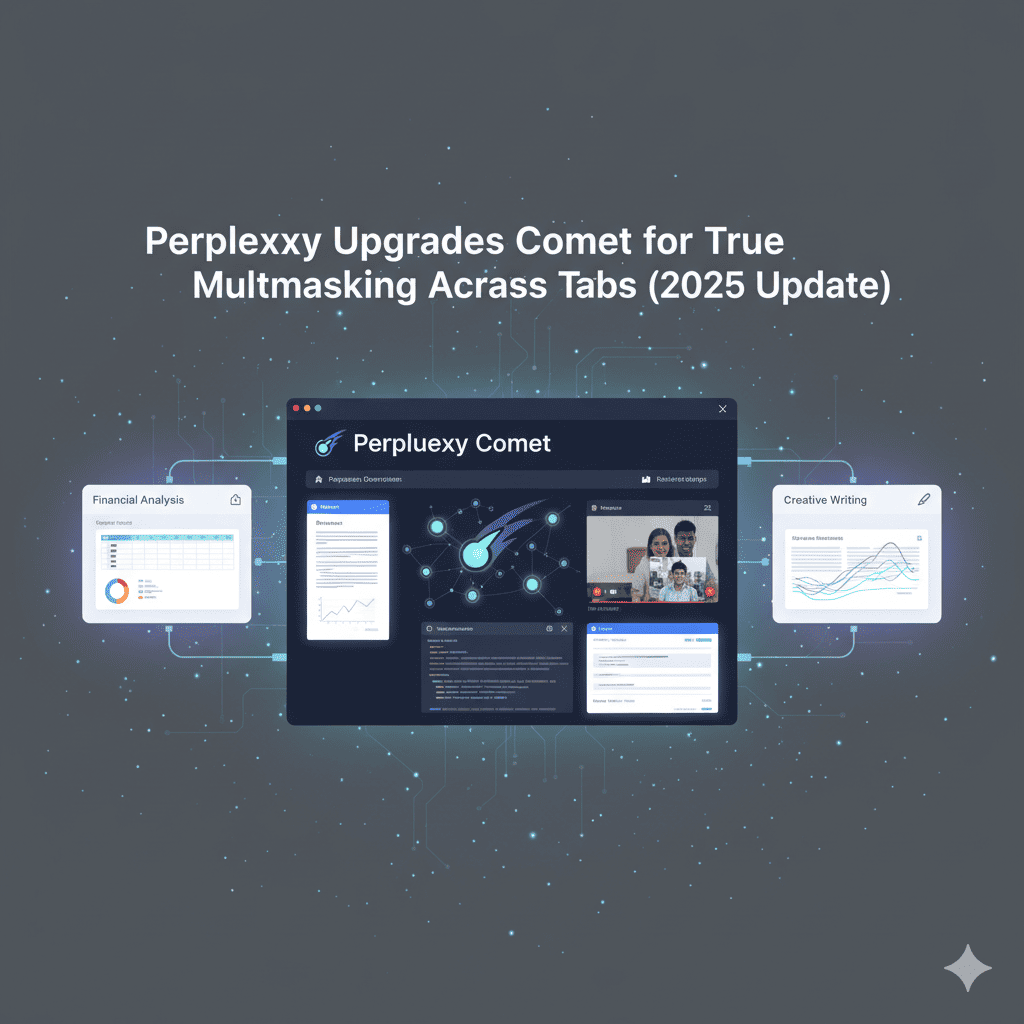
The battle for the AI-powered browser has just escalated dramatically. In November 2025, Perplexity Upgrades Comet with groundbreaking capabilities that transform how we interact with the web. This isn’t just another incremental update—it’s a fundamental reimagining of what browsers can do. With the ability to work simultaneously across multiple tabs, execute complex multi-step workflows, and act as your personal digital assistant, Perplexity Upgrades Comet to become the most sophisticated AI browser assistant available today.
For anyone drowning in browser tabs, juggling research across multiple websites, or spending hours on repetitive online tasks, this update represents a genuine breakthrough. The enhanced Comet Assistant doesn’t just understand what’s on a single page—it orchestrates entire workflows across your browser session, turning chaos into streamlined productivity.
1. The Revolutionary Multi-Tab Intelligence
The standout feature that makes Perplexity Upgrades Comet so transformative is its newly acquired ability to work across multiple browser tabs simultaneously. This isn’t simply about keeping multiple pages open—it’s about intelligent coordination and context awareness across your entire browsing session.
The upgraded assistant can multitask across tabs and apps to complete tasks, mimicking human behavior. Rather than forcing you to manually switch between tabs for research, data entry, and reference checking, Comet now processes all of them concurrently. This represents a fundamental shift from traditional browsing where each tab exists in isolation.
When Perplexity Upgrades Comet with tab-aware capabilities, it gains the ability to maintain context across different websites while coordinating actions between them. The assistant can retain context and coordinate actions across different websites, enabling it to perform tasks that would previously require significant manual effort.
For example, you could instruct Comet to research multiple products, open their respective review pages on different sites, and synthesize a comprehensive summary—a task that traditionally required extensive tab-switching and copy-pasting. The AI understands not just individual pages, but how information flows between them and how to combine insights from multiple sources.
The practical applications are extensive. The assistant can work across several tabs, manage longer workflows, and request explicit user permissions before accessing private areas of the browser. This means Comet can simultaneously extract data from school attendance portals, compare flight prices across multiple airline websites, populate spreadsheets with information gathered from various sources, and conduct comprehensive research by analyzing papers across multiple tabs.
Rather than bouncing back and forth between tabs for research, data entry, and reference, Comet will look at all three for you at once. This parallel processing capability fundamentally changes the efficiency equation for knowledge workers, researchers, and anyone conducting online research.
2. Enhanced Performance Metrics That Matter
When companies announce upgrades, they often rely on vague promises. Not so with this update. Perplexity Upgrades Comet with measurable, significant performance improvements that demonstrate real progress.
Internal tests show a 23% improvement in successful task completion compared to the previous version. This isn’t a marginal gain—it’s a substantial leap forward in reliability and effectiveness. The improvement means that tasks that previously failed or required human intervention now complete successfully more often.
More importantly, the updated Comet is 23% more successful in completing tasks and significantly better at handling long chains of commands that require remembering context and responding to changes. This improvement in handling complex, multi-step instructions is where the real value emerges.
The true significance of how Perplexity Upgrades Comet becomes apparent when examining complex workflows. Comet is much more likely to complete long, branching tasks that require context and follow-through. This capability transforms the assistant from a helpful tool into a genuine productivity multiplier.
Beyond raw completion rates, the update provides Comet with a longer attention span and sharper web awareness. This means the assistant can stick with complicated tasks for extended periods without losing track of objectives or context. When Comet encounters an issue—like a website loading slowly or a button not immediately visible—it can now adapt and continue rather than abandoning the task.
3. User Control and Privacy
With great power comes the need for great responsibility—and user control. One of the most thoughtful aspects of how Perplexity Upgrades Comet is the enhanced permission system that keeps users firmly in control while still offering powerful automation.
Comet also has a better sense of boundaries, with the AI now asking for permission before taking action in your browser. This human-first approach ensures that the assistant never acts autonomously in ways that might surprise or concern users.
The permission system is intelligent and adaptive. Once given, Comet will remember these preferences, so you will not be constantly prompted for approval. This strikes the optimal balance—maintaining user control without creating friction that would undermine the automation benefits.
In an era where data privacy concerns are paramount, the way Perplexity Upgrades Comet handles sensitive information is crucial. The idea behind this ‘human-first’ permission system is to keep users in control while still offering automation benefits.
The assistant will explicitly request approval before accessing private browser areas or sensitive accounts, submitting forms or making purchases, sending emails or messages on your behalf, and making changes to documents or databases. This permission-based architecture means users can confidently delegate tasks without worrying about unintended actions or data exposure.
4. Practical Use Cases That Transform Daily Work
The theoretical capabilities are impressive, but what really matters is how Perplexity Upgrades Comet performs in everyday situations. Let’s explore concrete use cases where the enhanced assistant provides genuine value.
Travel Planning Made Effortless
One of the most compelling demonstrations involves travel planning. Users can give a command like “Search a few major sites and find me the cheapest flight from San Francisco to New York next Monday” and Comet will conduct a comprehensive search.
Comet searches through several websites simultaneously, compares prices and compiles the results in a clear overview. The assistant simultaneously searches multiple airline and travel websites, compares prices across different booking platforms, evaluates different departure times and routes, and presents results in an organized, easy-to-compare format.
This single instruction replaces what would otherwise require opening dozens of tabs, manually comparing prices, tracking different search parameters across sites, and compiling information into a spreadsheet.
Academic Research and Data Analysis
For students and researchers, Perplexity Upgrades Comet offers transformative capabilities. A user could ask it to research multiple products, open their respective review pages, and synthesize a summary—or adapt this pattern to academic papers.
A researcher could instruct Comet to find academic papers on a specific topic, open their PDF links, and summarize their key findings. The assistant would locate relevant papers across academic databases, open the PDFs in separate tabs, extract key methodologies and conclusions from each paper, and synthesize a comparative analysis highlighting important patterns.
In one documented example, a user opened a complicated scientific paper about neural decoding in rodents and asked Comet Assistant to create charts based on the experiments. The assistant parsed the PDF, extracted underlying data, and presented clear charts with annotations explaining their meaning.
Professional Productivity Enhancement
Knowledge workers face constant tab overload. For the average user who opens a browser in the morning, gets distracted by ten unrelated tabs, and ends the day wondering what actually got done, Comet now works like a background assistant that notices the mess and offers to clean it up.
Practical professional applications include email management, calendar coordination, data entry and spreadsheet population, and job search organization. Comet can populate a spreadsheet with data collected from various sites, a task that previously required constant manual switching.
For calendar management, users can ask to find available time slots and schedule meetings, and Comet will scan calendar availability, identify appropriate time slots, create the event, and generate invitation drafts—all without manual intervention.
Family and Personal Management
Comet can extract data from school attendance portals to make sure you’re on top of how often your child has missed class. This represents just one example of how the assistant can help families stay organized across various online platforms and portals.
5. Technical Capabilities Under the Hood
Beyond the flagship multi-tab functionality, Perplexity Upgrades Comet includes numerous technical enhancements that collectively create a superior browsing experience.
The updated Comet Assistant can now better understand and navigate complex websites, enabling it to understand more types of pages and complete web-based actions more accurately. This improved comprehension means Comet can successfully interact with more sophisticated web applications and services.
The new Comet Assistant can now handle longer, multi-step tasks without giving up midway. This persistence is crucial for complex workflows that might encounter obstacles or require iterative refinement.
For Perplexity Max subscribers, Perplexity Upgrades Comet includes an additional capability: background assistants. The New Background Assistants provide a multitasking interface with multiple asynchronous tasks, which enhances productivity because it can be used as a team of AI assistants working in the background.
This means premium users can have multiple tasks running simultaneously without any of them blocking others. You could have one background assistant researching travel options, another organizing emails, and a third compiling data—all working in parallel.
The browser is based on the tried and trusted Chromium platform, with Chrome extensions and bookmarks, making a transition easy to those who use traditional browsers. This Chromium foundation means users can bring their existing extensions, bookmarks, saved passwords, and familiar interface elements.
6. Competitive Landscape
The AI browser space has become intensely competitive in 2025. Understanding how Perplexity Upgrades Comet compares to alternatives is essential for evaluating its market position.
This is released in a highly competitive environment with tech giants, including Google Gemini built in Chrome, the Anthropic AI browser agent, and the Operator of OpenAI, all trying to dominate the new AI-native browser market.
The competition is fierce because browsers represent a strategic chokepoint—they’re the primary interface through which most people access the web. This marks a critical shift in the AI race from passive “answer engines” to active agentic assistants.
The key differentiators include focus on action over answers, user control emphasis, and privacy-first approach. Comet focuses not on autonomy, but on practical benefits and human control, distinguishing it from competitors that may prioritize automation without adequate user oversight.
Perplexity’s move targets browser platforms like Google Chrome, Microsoft Edge, and emerging players like Arc Browser, forcing them to demonstrate their agentic AI is more than a chatbot in a sidebar.
Perhaps the most significant competitive pressure comes from OpenAI’s announced browser plans. Making Comet freely available reflects the urgent need to establish market presence before OpenAI launches its browser.
7. Pricing Revolution
A crucial aspect of the November 2025 update is how Perplexity Upgrades Comet from a premium-only offering to a broadly accessible product.
The browser initially launched exclusively for Max plan subscribers at $200 monthly. This premium positioning limited adoption but allowed Perplexity to refine the product with committed users. During that period, millions joined the waitlist, demonstrating substantial pent-up demand.
Today, Perplexity Upgrades Comet with free access for all users. Free tier users receive the sidecar assistant plus several integrated tools. The free tier is functional enough to provide genuine value while creating opportunities for users to discover where premium features would enhance their experience.
For users wanting enhanced capabilities, Comet users can purchase a standalone $5 monthly subscription to Comet Plus. This affordable premium tier provides access to high-quality content from trusted publishers, priority processing for complex tasks, and enhanced automation capabilities.
Comet Plus subscription provides high-quality content of reliable publishers such as CNN and Washington Post. This content partnership strategy addresses publishing industry concerns about AI undermining journalism business models.
By making Comet free for most things, Perplexity clearly hopes to capture people’s browsing time, not just search queries. This strategy recognizes that browsers are high-frequency, high-engagement products.
After all, if your AI browser is always there, it becomes the default mode. You might stop searching websites or switching tabs; you’ll talk to your side panel instead. This behavioral shift is what Perplexity is betting on.
8. User Experience Design
Beyond raw capabilities, the user experience determines whether people actually adopt and consistently use new technology. Perplexity Upgrades Comet with careful attention to interface design and interaction patterns.
Comet is distinguished by its built-in AI sidebar assistant that keeps running with browsing history to always help users. This persistent sidebar provides continuous access to AI capabilities without disrupting the core browsing experience.
The conversational flow, combined with page-aware context, made tasks smoother than toggling between search, email, calendar, and spreadsheets. Users interact with Comet through natural language rather than learning new interfaces or shortcuts.
Real-world usage provides insights into Comet’s practical usability. A user ordered food, scheduled from emails, and charted data from a scientific paper, feeling like glimpses of how AI browsing can shift from passive viewing to active doing.
However, honesty about limitations is important: Of course, it wasn’t perfect; there was some lag, and a couple of times, I had to further explain myself, but overall, it was a very impressive result.
For power users, you can chain prompts in the sidebar. For example: “Check tomorrow’s weather, then if rain > 70% move my 10 am meeting to Zoom and email participants”. This conditional logic enables sophisticated automation that adapts based on context.
9. Security and Limitations
No technology is without limitations, and understanding Comet’s boundaries is essential for using it effectively and safely. Perplexity Upgrades Comet brings powerful capabilities, but also potential risks that users must navigate.
Because Comet acts across context and apps, you must be thoughtful about what permissions you grant. The assistant’s power derives from its ability to access and act across your browser—but this same capability creates potential security and privacy risks.
To use Comet safely, set “require confirmation” for actions that send things or change external data; log what Comet does, and regularly audit your settings. These precautions help prevent unintended consequences while still benefiting from automation.
Honesty about limitations is refreshing. Complex tasks (e.g., buying something, making reservations) can still fail or make mistakes—yes, I tested one where it booked wrong dates. Users must maintain oversight rather than blindly trusting automation.
The under-reported angle: While most coverage focuses on productivity features, the core challenge is building an AI that can reliably navigate the messy, unstructured web while maintaining user trust.
Perplexity, without a legacy ad-based business model, has an opportunity to build a brand around transparency in data handling. This structural advantage over ad-dependent competitors provides a foundation for differentiation on privacy grounds.
Its ability to deliver reliable performance without becoming a privacy liability will determine whether Comet remains a niche power-user tool or becomes a genuine threat to the browser establishment.
10. Future Implications
Looking beyond immediate features, how Perplexity Upgrades Comet signals broader shifts in how we’ll interact with the web and information in coming years.
This marks a critical shift in the AI race from passive “answer engines” to active agentic assistants. The evolution from finding information to automatically acting on information represents a fundamental change in the human-computer relationship.
The core problem Perplexity is tackling is the cognitive load and inefficiency of modern web research. Users constantly toggle between tabs, losing context and manually piecing together information.
As information overload intensifies, tools that reduce cognitive burden while maintaining control will become increasingly valuable. Comet represents one vision of how AI can serve humans by handling the mechanical aspects of information work while leaving strategic thinking to people.
Perplexity likely hopes Comet will be a new (more successful) Netscape in terms of shifting how people browse online. This ambition reflects a belief that browsers could evolve into primary computing interfaces—essentially operating systems for web-based work and life.
Also read this:
AI Rendering Explained: Faster, Smarter & More Realistic Than Ever
5 Best Fitness Trackers Without Screens – Stay Focused, Stay Fit
AI-Generated Voices That Sound 100% Human — The Ethics Debate