
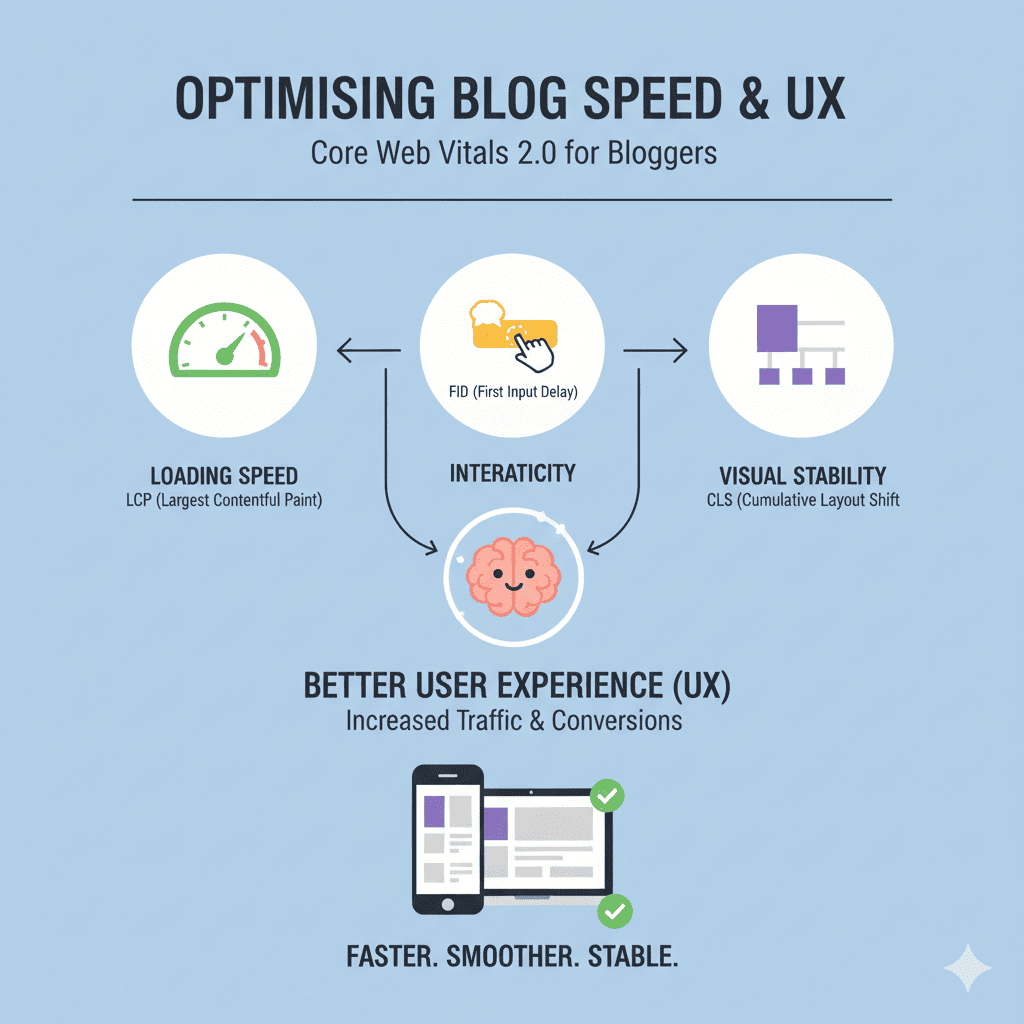
In the fiercely competitive digital landscape of 2025, optimising blog speed & UX has transcended from being a mere technical consideration to becoming an absolute necessity for blogging success. The modern internet user operates with razor-thin patience thresholds—studies consistently demonstrate that a mere one-second delay in page load time can result in a 7% reduction in conversions, while 53% of mobile users will abandon a site that takes longer than three seconds to load.
When we talk about optimising blog speed & UX, we’re addressing the fundamental infrastructure that determines whether your carefully crafted content ever reaches its intended audience. Search engines, particularly Google, have made it abundantly clear through numerous algorithm updates that site speed and user experience are primary ranking factors. Your blog could contain the most insightful, well-researched content in your niche, but if visitors encounter sluggish loading times or janky interactions, they’ll leave before ever reading a single word.
The financial implications of optimising blog speed & UX extend far beyond abstract metrics. For blogs monetized through advertising, affiliate marketing, or product sales, every fraction of a second in loading time directly correlates with revenue. Amazon famously discovered that every 100ms of latency cost them 1% in sales—a lesson that applies equally to bloggers seeking to maximize their earning potential.
01. Understanding the Evolution: Core Web Vitals 2.0
Google’s Core Web Vitals framework represents a watershed moment in how we approach optimising blog speed & UX. These metrics aren’t arbitrary technical measurements—they’re carefully designed indicators that reflect actual user experience. The 2.0 iteration has refined these measurements to provide even more accurate assessments of how real visitors experience your blog.
Largest Contentful Paint (LCP): The Loading Performance Pillar
When discussing optimising blog speed & UX, Largest Contentful Paint stands as perhaps the most intuitive metric. LCP measures the time it takes for the largest visible content element to render on the screen. This could be your featured image, a hero banner, or a large text block—essentially, the moment when users perceive that your page has meaningfully loaded.
The threshold for excellent optimising blog speed & UX performance is an LCP of 2.5 seconds or less. Achieving this requires a multi-faceted approach that addresses every aspect of content delivery. Your images, which often constitute the largest elements on blog pages, must be ruthlessly optimized. This means not just compressing them, but serving them in next-generation formats like WebP or AVIF, which provide superior compression ratios while maintaining visual quality.
Server response time plays an equally critical role in optimising blog speed & UX for LCP. If your hosting infrastructure takes 800 milliseconds just to respond to the initial request, you’re already eating into nearly a third of your LCP budget before any content has even begun rendering. This is why serious bloggers invest in premium hosting solutions—shared hosting environments with hundreds of sites competing for resources simply cannot deliver the performance necessary for modern optimising blog speed & UX standards.
Content Delivery Networks (CDNs) represent another essential component of optimising blog speed & UX for LCP. By distributing your content across geographically dispersed servers, CDNs ensure that visitors access your blog from locations physically closer to them, dramatically reducing latency. A visitor in Sydney accessing a blog hosted in New York might experience 200-300ms of latency simply from the physical distance—a CDN collapses this to negligible levels.
Interaction to Next Paint (INP): Responsiveness Reimagined
The replacement of First Input Delay with Interaction to Next Paint marks a significant evolution in optimising blog speed & UX methodology. While FID only measured the delay before the browser could begin processing an interaction, INP provides a more comprehensive view of responsiveness by measuring the time from interaction to when the next paint occurs.
For effective optimising blog speed & UX, maintaining an INP under 200 milliseconds is crucial. This metric captures the full lifecycle of user interactions—from the moment they click a button, select a menu item, or tap a link, through to when they see the visual feedback confirming their action. Long INP times create a frustrating, laggy experience that makes your blog feel unresponsive and broken.
JavaScript typically bears the primary responsibility for poor INP scores, making JavaScript optimization central to optimising blog speed & UX. Modern blogs often load dozens of scripts—analytics tools, advertising networks, social media widgets, comment systems, and various plugins—each competing for the browser’s main thread. When a user tries to interact with your blog while the browser is busy executing JavaScript, their interaction must wait, creating perceptible lag.
Breaking up long-running JavaScript tasks is fundamental to optimising blog speed & UX for INP. Tasks that take more than 50 milliseconds to execute should be split into smaller chunks, yielding control back to the browser between segments. This allows the browser to process user interactions and remain responsive even while executing necessary JavaScript.
Third-party scripts present particular challenges in optimising blog speed & UX. Every external service you integrate—whether it’s Google Analytics, Facebook Pixel, or an advertising network—introduces additional JavaScript that you don’t control. Loading these scripts asynchronously, deferring non-critical scripts, and ruthlessly evaluating whether each third-party service truly justifies its performance cost become essential practices.
Cumulative Layout Shift (CLS): Visual Stability Matters
Cumulative Layout Shift measures the visual stability of your blog, quantifying how much elements move around unexpectedly during the loading process. We’ve all experienced the frustration of optimising blog speed & UX failures in this area: attempting to click a link only to have an advertisement load and push the content down, causing you to click the ad instead. Or beginning to read an article only to have the text shift downward as images above load.
The threshold for excellent optimising blog speed & UX performance is a CLS score below 0.1. Achieving this requires setting explicit dimensions for every image, video, iframe, and dynamically loaded element on your blog. When the browser knows exactly how much space each element will occupy, it can reserve that space during the initial layout, preventing shifts as content loads.
Font loading represents a subtle but significant factor in optimising blog speed & UX for CLS. When custom web fonts load, they can cause text to reflow if the fallback font has different metrics. Using the CSS font-display property with appropriate values, preloading critical fonts, and matching fallback font metrics to your web fonts all contribute to reducing layout shifts.
Advertisement insertion poses particular challenges for optimising blog speed & UX regarding CLS. Ads that load dynamically without reserved space cause significant layout shifts. Implementing fixed-size ad slots, using skeleton screens that reserve space for upcoming content, and loading ads in a way that doesn’t disrupt the reading experience become essential techniques.
02. Comprehensive Strategies for Optimising Blog Speed & UX
Advanced Image Optimization Techniques
Images typically account for 50-70% of a blog page’s total weight, making image optimization the single most impactful area for optimising blog speed & UX. Modern image optimization extends far beyond simple compression.
Responsive images using the srcset attribute allow browsers to select appropriately sized images based on the visitor’s device and viewport. Instead of serving a 2000-pixel-wide image to mobile users with 375-pixel screens, optimising blog speed & UX means providing multiple image sizes and letting the browser choose the optimal version. This can reduce image payload by 70% or more for mobile visitors.
Lazy loading has become a cornerstone of optimising blog speed & UX. By deferring the loading of off-screen images until users scroll near them, you dramatically reduce initial page weight. Modern browsers support native lazy loading through the loading=”lazy” attribute, making implementation trivial while providing significant performance benefits.
Next-generation image formats like WebP and AVIF provide superior compression compared to traditional JPEG and PNG formats. WebP typically reduces file sizes by 25-35% compared to JPEG at equivalent quality levels, while AVIF can achieve even greater savings. Implementing optimising blog speed & UX through format modernization requires serving these formats to supporting browsers while falling back to traditional formats for older browsers.
Image CDNs represent the pinnacle of optimising blog speed & UX for visual content. Services like Cloudinary, Imgix, or ImageKit automatically optimize images, generate responsive variants, serve modern formats to supporting browsers, and deliver content through global CDN networks—all dynamically based on the requesting device and browser.
Strategic Resource Loading and Prioritization
Every resource your blog loads—stylesheets, scripts, fonts, images—requires time and bandwidth. Optimising blog speed & UX demands strategic thinking about what loads when and why.
Critical CSS extraction and inlining represent powerful techniques for optimising blog speed & UX. By identifying the CSS rules required to render above-the-fold content and inlining them directly in the HTML, you eliminate render-blocking stylesheets for initial paint. The remaining CSS can then load asynchronously without delaying the initial render.
JavaScript bundling and code-splitting enable sophisticated optimising blog speed & UX strategies. Rather than loading a single massive JavaScript file containing all your blog’s functionality, code-splitting allows you to break JavaScript into smaller chunks that load only when needed. Users visiting your homepage don’t need the code for your contact form; those modules can load only on the contact page.
Resource hints—preconnect, prefetch, and preload—provide browsers with advance notice about resources they’ll need, enabling optimising blog speed & UX through anticipatory loading. Preconnecting to third-party domains that will provide resources, prefetching pages users are likely to visit next, and preloading critical resources can shave hundreds of milliseconds off perceived loading times.
Database and Backend Optimization
While frontend optimization receives significant attention in discussions of optimising blog speed & UX, backend performance is equally crucial. For WordPress bloggers, database optimization can dramatically improve performance.
Database queries that retrieve blog posts, comments, and metadata can become sluggish as your blog grows. Optimising blog speed & UX at the database level involves indexing frequently queried fields, removing post revisions and spam comments that bloat tables, and optimizing database table structure.
Object caching stores the results of expensive database queries in memory, allowing subsequent requests to retrieve data nearly instantaneously. Implementing Redis or Memcached for optimising blog speed & UX can reduce database load by 80% or more, dramatically improving response times.
Query optimization represents another dimension of optimising blog speed & UX. Poorly written database queries—those that retrieve unnecessary data, fail to use indexes, or execute N+1 queries—can add seconds to page generation time. Using query monitoring tools to identify slow queries and optimizing them is essential for serious performance.
Hosting Infrastructure Considerations
Your hosting environment fundamentally determines the baseline from which all optimising blog speed & UX efforts proceed. Shared hosting environments, while economical, introduce performance variability as hundreds of sites compete for resources on shared servers.
Managed WordPress hosting providers like Kinsta, WP Engine, or Cloudways specialize in optimising blog speed & UX for WordPress sites. These platforms implement server-level caching, provide built-in CDNs, use premium hardware, and optimize PHP and MySQL configurations specifically for WordPress performance.
HTTP/2 and HTTP/3 protocols provide significant performance benefits over HTTP/1.1, making protocol support a consideration in optimising blog speed & UX. These newer protocols enable multiplexing (loading multiple resources over a single connection), server push, and improved compression—all contributing to faster page loads.
03. Mobile Optimization Strategies for Optimising Blog Speed & UX
With mobile traffic typically exceeding 60% for most blogs, optimising blog speed & UX must prioritize mobile performance. Mobile devices present unique challenges: slower processors, limited memory, variable network conditions, and smaller screens all demand tailored approaches.
Responsive design remains foundational to optimising blog speed & UX for mobile. Your blog must adapt gracefully to screen sizes from 320 pixels wide to 1920 pixels and beyond, providing optimal layouts for each. This means flexible grids, media queries, and mobile-first CSS that establishes the mobile experience as the baseline before enhancing for larger screens.
Touch-optimized interactions elevate optimising blog speed & UX on mobile. Buttons and links need sufficient size (minimum 44×44 pixels) to be easily tappable, with adequate spacing to prevent accidental taps. Implementing swipe gestures where appropriate and ensuring interactive elements respond immediately to touch create a polished mobile experience.
Adaptive loading represents an advanced technique in optimising blog speed & UX for mobile. By detecting network conditions and device capabilities, you can serve appropriately optimized resources. Users on 3G connections receive lower-resolution images and simplified functionality, while those on fast WiFi get the full-featured experience.
Accelerated Mobile Pages (AMP), while controversial in some circles, remains a consideration for optimising blog speed & UX on mobile. AMP enforces strict performance best practices and provides instant loading through Google’s prerendering. However, AMP’s limitations on JavaScript and design flexibility mean it’s not suitable for every blog.
Progressive Web App (PWA) technologies enable sophisticated optimising blog speed & UX capabilities. Service workers can cache content for offline access, provide instant loading on repeat visits, and enable push notifications. The app-like experience PWAs deliver can significantly boost engagement and perceived performance.
04. Caching Strategies: The Foundation of Optimising Blog Speed & UX
Caching represents one of the most powerful tools in optimising blog speed & UX, reducing server load while dramatically improving response times. Effective caching operates at multiple levels, each contributing to overall performance.
Browser Caching
Browser caching stores static resources locally on visitors’ devices, enabling optimising blog speed & UX through elimination of repeat downloads. Setting appropriate cache headers instructs browsers to retain CSS files, JavaScript, images, and fonts for specified durations. A visitor who returns to your blog after a day, week, or month loads instantly because their browser already has all the resources cached.
The key to effective browser caching in optimising blog speed & UX lies in balancing cache duration with update frequency. Static resources that rarely change—your logo, core CSS, fundamental JavaScript—can be cached for a year. Content that updates regularly should have shorter cache durations. Implementing cache-busting through versioned URLs or content hashes ensures browsers fetch updated resources when files change.
Server-Side Caching
Server-side caching stores generated HTML pages, eliminating the need to rebuild pages for every visitor. When optimising blog speed & UX through server caching, the first visitor to a page triggers its generation, but subsequent visitors receive the pre-generated HTML instantly.
For WordPress bloggers, caching plugins like WP Rocket, W3 Total Cache, or WP Super Cache automate optimising blog speed & UX through page caching. These tools generate static HTML versions of your pages, serving them to visitors without invoking PHP or querying the database. The performance improvement can be dramatic—reducing page generation time from 800ms to 50ms or less.
Object caching complements page caching in optimising blog speed & UX by storing database query results in memory. When your blog needs to retrieve recent posts, popular categories, or user data, object caching returns these results from RAM rather than querying the database. For high-traffic blogs, object caching can reduce database load by 80% or more.
CDN Caching
Content Delivery Network caching represents the pinnacle of optimising blog speed & UX for global audiences. CDNs cache your content on servers distributed worldwide, ensuring every visitor accesses your blog from geographically nearby servers. This reduces latency from potentially hundreds of milliseconds to single-digit figures.
Cloudflare, KeyCDN, BunnyCDN, and other CDN providers specialize in optimising blog speed & UX through edge caching. When configured correctly, these services cache not just static assets but entire HTML pages, serving your blog from their global networks. The performance improvement for international visitors can be transformative—turning a sluggish 4-second load into a snappy 1.2-second experience.
05. Plugin and Script Management for Optimising Blog Speed & UX
WordPress bloggers face particular challenges in optimising blog speed & UX due to the platform’s plugin ecosystem. While plugins provide powerful functionality, each one potentially introduces performance overhead through additional HTTP requests, JavaScript execution, database queries, and CSS loading.
Strategic Plugin Selection
Optimising blog speed & UX begins with ruthless evaluation of plugin necessity. Every plugin should justify its existence by providing functionality that’s either impossible to implement otherwise or would require disproportionate development time. Plugins that duplicate functionality, provide features you don’t actually use, or could be replaced with simple code snippets should be removed.
When selecting plugins for your blog, optimising blog speed & UX means evaluating their performance impact before installation. Well-coded plugins load only the resources they need only on pages where they’re needed. Poorly coded plugins load their full JavaScript and CSS on every page regardless of whether their functionality is used.
Conditional Loading
Conditional loading represents an advanced technique in optimising blog speed & UX. Rather than loading every plugin’s resources on every page, you can configure specific plugins to load only where needed. A contact form plugin only needs its resources on the contact page. A gallery plugin only requires its JavaScript on posts containing galleries.
Plugins like Asset CleanUp or Perfmatters enable optimising blog speed & UX through granular control over resource loading. These tools let you disable specific CSS and JavaScript files on specific pages, dramatically reducing unnecessary overhead. The performance gains can be substantial—reducing page weight by 30-50% isn’t uncommon.
Script Optimization
Optimising blog speed & UX demands careful management of JavaScript loading. Scripts can be loaded synchronously (blocking page rendering), asynchronously (loading in parallel without blocking), or deferred (loading in parallel but executing only after HTML parsing completes).
For non-critical scripts, deferring or async loading enables optimising blog speed & UX by preventing render-blocking. Analytics scripts, social media widgets, and advertising code typically don’t need to execute immediately and can load asynchronously. Critical functionality that must execute before user interaction should remain synchronous but should be minimal and highly optimized.
Third-party scripts pose particular challenges in optimising blog speed & UX. Services like Google Analytics, Facebook Pixel, advertising networks, and social sharing widgets introduce code you don’t control. Loading these via Google Tag Manager provides centralized management and can improve performance through a single optimized loader rather than multiple disparate scripts.
06. Content Optimization: The Often-Overlooked Aspect of Optimising Blog Speed & UX
While technical optimization receives significant attention, optimising blog speed & UX also involves how you structure and present content. The most technically perfect blog can still deliver poor user experience if content is poorly organized, difficult to consume, or overwhelming in quantity.
Content Structure and Readability
Optimising blog speed & UX from a content perspective means structuring articles for scanability. Most visitors don’t read blog posts word-for-word—they scan headings, skim paragraphs, and look for specific information. Using descriptive headings, short paragraphs (3-4 sentences maximum), and strategic use of bold text helps readers quickly find relevant information.
Table of contents for longer articles represents excellent optimising blog speed & UX practice. Providing jump links to specific sections allows readers to navigate directly to information they’re seeking rather than scrolling through thousands of words. This improves both user satisfaction and engagement metrics.
White space is your ally in optimising blog speed & UX. Dense blocks of text without breathing room create cognitive overload and increase bounce rates. Generous margins, spacing between paragraphs, and strategic use of visual breaks through images or pull quotes make content more inviting and easier to consume.
Media Integration
Videos and embedded content require special consideration in optimising blog speed & UX. Embedding YouTube videos directly causes their full players to load, adding hundreds of kilobytes. Using facade loading—displaying a thumbnail with a play button and only loading the actual video when clicked—eliminates this overhead while maintaining functionality.
Similarly, social media embeds from Twitter, Instagram, or Facebook can add megabytes to page weight. Optimising blog speed & UX means questioning whether full embeds are necessary or if screenshots with links would suffice. When embeds are essential, lazy loading them until they’re in viewport prevents them from blocking initial page load.
Infographics and data visualizations enhance content but can be massive files. Optimising blog speed & UX requires compressing these images aggressively, considering whether interactive HTML/CSS versions would be lighter and more engaging, and always implementing lazy loading.
Pagination and Infinite Scroll
For blogs with extensive archives or long-form content, optimising blog speed & UX involves strategic pagination. Loading 50 blog posts on your homepage creates massive page weight and overwhelming choice. Pagination that loads 10-15 posts per page balances discoverability with performance.
Infinite scroll can enhance optimising blog speed & UX when implemented correctly. Rather than requiring clicks to load more content, infinite scroll progressively loads additional posts as users scroll. However, implementation must be careful—loading too aggressively creates performance problems, while failing to provide traditional pagination frustrates users wanting specific pages.
07. Monitoring and Measurement: Continuous Optimising Blog Speed & UX
Optimising blog speed & UX is not a one-time project but an ongoing process requiring consistent monitoring and measurement. Performance naturally degrades over time as you add content, integrate new services, and install plugins. Regular auditing identifies performance regressions before they significantly impact user experience.
Essential Performance Testing Tools
Google PageSpeed Insights provides comprehensive analysis for optimising blog speed & UX, measuring Core Web Vitals based on real user data from Chrome users and providing lab data from simulated tests. Both perspectives are valuable—real user data shows actual visitor experience, while lab data provides consistent, reproducible testing conditions.
GTmetrix offers detailed waterfall analysis essential for optimising blog speed & UX. The waterfall chart visualizes every resource loading on your page, showing exactly what loads when, how long each request takes, and where bottlenecks occur. This granular insight is invaluable for identifying specific performance issues.
WebPageTest provides the most comprehensive testing platform for optimising blog speed & UX. You can test from different locations worldwide, using different devices and connection speeds, with advanced features like video capture of the loading process, blocking specific domains, and comparing performance across multiple URLs.
Real User Monitoring
Synthetic testing tools are valuable, but optimising blog speed & UX ultimately depends on real visitor experience. Real User Monitoring (RUM) tools collect performance metrics from actual visitors, providing aggregate data about how your blog performs in the wild across diverse devices, browsers, and network conditions.
Google Search Console’s Core Web Vitals report provides free RUM data for optimising blog speed & UX, showing how real Chrome users experience your blog. The report identifies problematic URLs and provides aggregate metrics across mobile and desktop. This data should inform your optimization priorities.
Setting Performance Budgets
Performance budgets establish clear benchmarks for optimising blog speed & UX. A performance budget might specify: total page weight under 1MB, LCP under 2.0 seconds, INP under 150ms, CLS under 0.05. These quantitative goals prevent performance regression by providing clear criteria for evaluating new features or content.
Automated monitoring can enforce performance budgets in optimising blog speed & UX workflows. Tools like SpeedCurve or Calibre run regular tests and alert you when metrics exceed budgets. This proactive approach catches performance problems immediately rather than discovering them weeks later after user experience has already degraded.
08. Advanced Techniques for Optimising Blog Speed & UX
For bloggers who’ve implemented fundamental optimizations and want to push performance further, advanced techniques in optimising blog speed & UX can provide incremental but meaningful improvements.
Server-Side Rendering and Static Site Generation
Traditional WordPress generates pages dynamically for every request. Static site generators like Gatsby or Next.js enable optimising blog speed & UX by pre-generating all pages as static HTML during build time. Visitors receive pure HTML files with no PHP execution or database queries required—the ultimate in speed.
Headless WordPress combines WordPress’s familiar content management with static generation’s performance benefits. Optimising blog speed & UX through headless architecture means WordPress serves as a content API while a separate frontend, often built with React or Vue, generates blazingly fast static pages.
Edge Computing and Serverless
Edge computing brings computation closer to users, enabling sophisticated optimising blog speed & UX capabilities. Cloudflare Workers, Fastly Compute@Edge, or AWS Lambda@Edge execute code at CDN edge locations, enabling personalization, A/B testing, or dynamic content without the latency of origin server requests.
Serverless functions complement optimising blog speed & UX by offloading heavy computation. Form processing, image optimization, or complex calculations can execute in serverless functions, keeping your blog lightweight while still providing sophisticated functionality.
HTTP/3 and QUIC
The latest protocol evolution, HTTP/3 built on QUIC, provides meaningful benefits for optimising blog speed & UX. By using UDP instead of TCP, QUIC eliminates head-of-line blocking and reduces connection establishment latency. Early adopters report 5-10% improvements in loading time, particularly for mobile users on lossy networks.
Conclusion: The Never-Ending Journey of Optimising Blog Speed & UX
Optimising blog speed & UX represents a continuous commitment rather than a destination. The web platform constantly evolves with new protocols, formats, and best practices. Browser capabilities advance. User expectations rise. What constitutes excellent performance today becomes merely acceptable tomorrow.
The investment in optimising blog speed & UX pays dividends far beyond technical metrics. Faster blogs rank better in search results, retain visitors longer, convert more effectively, and provide superior user experiences that build loyalty and trust. In an increasingly competitive digital landscape, performance becomes a competitive differentiator.
Begin your optimising blog speed & UX journey by measuring current performance, identifying the highest-impact improvements, and systematically implementing optimizations. Focus first on images and hosting—these typically provide the largest gains for the least effort. Progress to caching, script optimization, and advanced techniques as your baseline performance improves.
Remember that optimising blog speed & UX benefits everyone. Faster load times reduce environmental impact through lower energy consumption. Better accessibility emerges from cleaner code and thoughtful design. Users on slower connections or older devices gain access to content that would otherwise be unusable.
The blogs that thrive in 2025 and beyond will be those that recognize optimising blog speed & UX as fundamental to their mission. Your content deserves to be experienced without technical friction. Your visitors deserve pages that load instantly and respond immediately. Optimising blog speed & UX ensures both outcomes while building a sustainable, successful blog for the long term.
Also read this:
Reels Algorithm Explained: How to Go Viral in 2025 (Proven Strategies That Actually Work)
How to Use AI to Write Viral Video Scripts (Free Tools): The Complete 2025 Guide
How to Make Passive Income with AI-Generated Courses: Complete 2025 Blueprint