
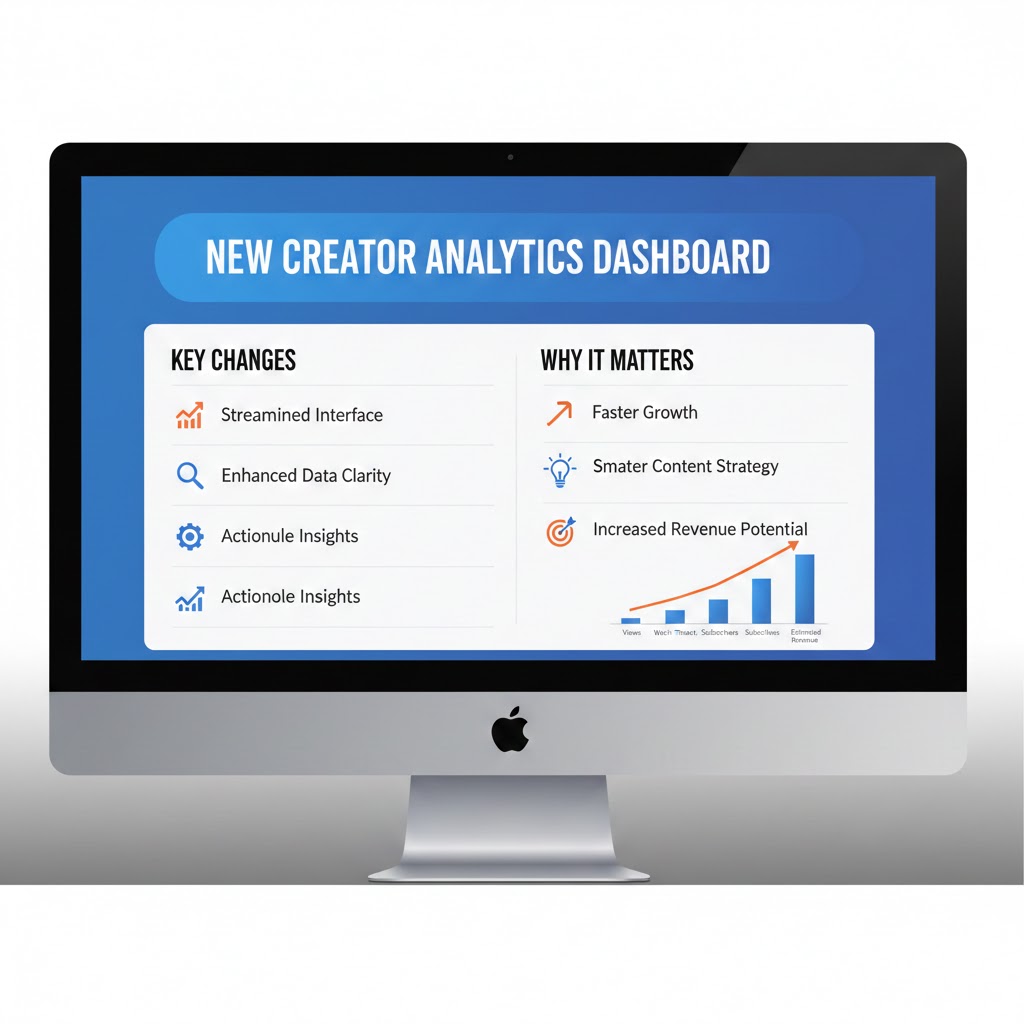
The digital landscape for content creators is constantly evolving, and YouTube has recently rolled out significant updates to its Creator Analytics Dashboard. These changes represent one of the most comprehensive overhauls to the platform’s analytics system in recent years, fundamentally transforming how creators track, analyze, and optimize their content performance.
The New YouTube Creator Analytics Dashboard isn’t just a cosmetic refresh—it’s a complete reimagining of how creators interact with their data. Whether you’re a seasoned YouTuber with millions of subscribers or just starting your content creation journey, understanding these changes is crucial for maintaining and growing your channel’s success.
1. Understanding the Core Changes in the New YouTube Creator Analytics Dashboard
The New YouTube Creator Analytics Dashboard represents a paradigm shift in how YouTube presents data to creators. Gone are the days of navigating through multiple tabs and struggling to find relevant metrics. The updated interface prioritizes user experience while providing deeper insights into audience behavior and content performance.
The Philosophy Behind the Redesign
YouTube’s development team consulted with thousands of creators across different niches and subscriber counts to understand their pain points. The result is a dashboard that balances simplicity for beginners with advanced functionality for experienced creators. The new design acknowledges that not all metrics are equally important and organizes information based on what actually drives channel growth.
First Impressions Matter
When you first log into the New YouTube Creator Analytics Dashboard, you’ll immediately notice the cleaner interface. The homepage now features a customizable overview that highlights your most important metrics at a glance. This means less time scrolling and more time creating content that resonates with your audience.
2. Key Features of the New YouTube Creator Analytics Dashboard
The updated analytics platform introduces several groundbreaking features that give creators unprecedented access to their channel’s performance data.
Real-Time Analytics Enhancement
The real-time analytics section has received a major upgrade. Previously limited to basic view counts and subscriber changes, the new system now tracks engagement metrics in real-time. You can monitor likes, comments, shares, and even watch time as it accumulates, allowing you to gauge immediate audience response to new uploads.
Advanced Audience Insights
Understanding your audience has never been more critical, and the New YouTube Creator Analytics Dashboard delivers comprehensive demographic and behavioral data. The audience tab now includes detailed breakdowns of viewer age ranges, gender distribution, geographic locations, and viewing devices. More importantly, it tracks audience loyalty metrics, showing you how many viewers are returning versus new to your channel.
Content Performance Metrics
The content analysis section has been completely revamped. Each video now has its own detailed performance card that displays thumbnail click-through rates, average view duration, audience retention graphs, and engagement rates. These cards are interactive, allowing you to compare multiple videos side by side to identify patterns in your most successful content.
Traffic Source Analysis
Understanding where your views come from is essential for growth strategy. The new traffic source breakdown is more granular than ever, separating YouTube search, suggested videos, external sources, playlists, and direct traffic into distinct categories. Each category includes subcategories that reveal exactly which search terms, suggested video sources, or external websites are driving traffic to your content.
3. Navigation and User Interface Improvements
The New YouTube Creator Analytics Dashboard prioritizes intuitive navigation, reducing the learning curve for new creators while streamlining workflows for experienced users.
Streamlined Menu Structure
The left-hand navigation menu has been reorganized into logical categories. The main sections now include Overview, Content, Audience, Research, and Revenue. Each section expands to reveal relevant subsections, eliminating the need to click through multiple pages to find specific data points.
Customizable Dashboard Layout
One of the most requested features has finally arrived: dashboard customization. Creators can now arrange their overview page to display the metrics most relevant to their goals. Whether you prioritize subscriber growth, watch time, revenue, or engagement, you can create a personalized view that shows what matters most to your channel.
Mobile Optimization
Recognizing that many creators manage their channels on the go, YouTube has invested heavily in mobile optimization. The New YouTube Creator Analytics Dashboard offers a fully responsive design that adapts to smartphones and tablets without sacrificing functionality. Critical metrics and actions are accessible with fewer taps, making mobile channel management more efficient.
Dark Mode Integration
Following user feedback, the new dashboard includes a native dark mode option that’s easier on the eyes during extended analytics sessions. This feature automatically syncs with your device’s system preferences or can be manually toggled within the dashboard settings.
4. Enhanced Metric Tracking and Reporting
The New YouTube Creator Analytics Dashboard introduces more sophisticated metric tracking capabilities that help creators make data-driven decisions.
Watch Time Analytics Depth
Watch time remains one of the most critical metrics for YouTube’s algorithm, and the new dashboard provides unprecedented detail into this metric. You can now see watch time broken down by traffic source, device type, and audience demographic. This granular data helps identify which audience segments are most engaged with your content and where to focus your growth efforts.
Engagement Rate Calculations
The platform now automatically calculates engagement rates for each video, taking into account likes, comments, shares, and saves relative to total views. This standardized metric makes it easier to compare engagement across videos of different sizes and identify your most engaging content regardless of view count.
Subscriber Growth Attribution
A revolutionary new feature tracks which videos are driving subscriber growth. The New YouTube Creator Analytics Dashboard now shows exactly how many subscribers each video gained or lost, along with the percentage of viewers who subscribed after watching. This data is invaluable for understanding what content resonates enough to convert casual viewers into loyal subscribers.
Revenue Analytics Transparency
For monetized channels, revenue analytics have become more transparent and actionable. The new dashboard breaks down revenue by source, including ad revenue, channel memberships, Super Chat, and merchandise shelf clicks. You can also see revenue per thousand views by video, helping you understand which content types are most profitable.
5. Audience Retention and Behavior Analysis
Understanding viewer behavior is crucial for content optimization, and the New YouTube Creator Analytics Dashboard offers powerful tools for analyzing how audiences interact with your videos.
Interactive Retention Graphs
The audience retention graph has been enhanced with interactive elements that let you click on specific moments to see what was happening in the video at that timestamp. This makes it easier to identify exactly where viewers are dropping off and correlate those moments with specific content elements.
Comparative Retention Analysis
You can now compare retention curves across multiple videos simultaneously. This feature helps identify patterns in successful content—perhaps your tutorial videos consistently maintain higher retention in the middle section, while your vlogs perform better in the opening minutes. These insights inform content structure decisions for future uploads.
Rewatch and Replay Metrics
The new dashboard tracks how often viewers rewatch specific portions of your videos. High replay rates on certain segments indicate particularly valuable or entertaining content that viewers want to experience multiple times. This metric can guide you toward creating more of what your audience finds most valuable.
End Screen Performance
End screen analytics have been separated into their own detailed section. You can now see click-through rates for each end screen element, compare performance across different end screen designs, and understand which suggested videos drive the most traffic back into your content ecosystem.
6. Content Research and Competitive Analysis Tools
The New YouTube Creator Analytics Dashboard includes new research capabilities that help creators stay ahead of trends and understand their competitive landscape.
Trending Topics in Your Niche
The research tab now surfaces trending topics within your content category. By analyzing search patterns and viewer interests across YouTube, the dashboard suggests potential video topics that align with your channel’s focus and have growing search volume. This proactive approach to content ideation helps creators stay relevant and capture emerging interest areas.
Search Term Performance
You can now see exactly which search terms are bringing viewers to your videos and how your videos rank for those terms. The dashboard shows impression counts for each search term, along with click-through rates and average watch time from those searches. This data helps optimize titles, descriptions, and tags for better discoverability.
Content Gap Analysis
A new feature identifies topics that your audience is searching for but that you haven’t covered yet. By analyzing the search behavior of your existing audience, the New YouTube Creator Analytics Dashboard suggests content opportunities that are likely to resonate with your subscriber base.
Benchmark Comparisons
While not revealing specific competitor data, the new dashboard provides anonymized benchmarks that show how your channel performs relative to similar channels in your category and subscriber range. These benchmarks help you understand whether your growth rate, engagement levels, and retention metrics are above or below average for channels like yours.
7. Monetization and Revenue Insights
For creators focused on building sustainable income from their content, the New YouTube Creator Analytics Dashboard offers enhanced revenue tracking and optimization tools.
RPM and CPM Analysis
Revenue per thousand views (RPM) and cost per thousand impressions (CPM) are now displayed with more context. The dashboard shows how these metrics fluctuate over time, vary by content type, and compare to category averages. Understanding these patterns helps creators make informed decisions about content strategy and monetization approaches.
Ad Type Performance
The new analytics break down revenue by ad type, showing how much income comes from skippable versus non-skippable ads, display ads, and overlay ads. This granular view helps you understand which ad formats perform best with your audience and content type.
Membership and Super Chat Analytics
For channels with memberships or Super Chat enabled, the New YouTube Creator Analytics Dashboard provides detailed analytics on these revenue streams. You can see membership growth trends, retention rates, and which content drives the most Super Chat activity. This information is crucial for creators building community-based revenue models.
Demonetization Tracking
The dashboard now includes clearer notifications about videos that have been demonetized or have limited ads. It provides transparency about why monetization was limited and tracks the impact on overall channel revenue, helping creators adjust their content strategy to maintain advertiser-friendly status while preserving creative vision.
8. Mobile and Cross-Platform Analytics
As audiences increasingly consume content across multiple devices, the New YouTube Creator Analytics Dashboard provides comprehensive cross-platform analytics.
Device-Specific Performance
The dashboard breaks down performance metrics by device type, showing how your content performs on mobile phones, tablets, desktop computers, smart TVs, and gaming consoles. This data reveals whether your content is optimized for the devices your audience prefers and helps identify opportunities for device-specific optimization.
Mobile App Versus Mobile Web
Understanding the difference between viewers using the YouTube mobile app versus mobile web browsers can inform technical decisions about your content. The new dashboard distinguishes between these platforms and shows performance differences that might indicate technical issues or optimization opportunities.
Platform-Specific Engagement Patterns
Different platforms often show different engagement patterns. TV viewers might watch longer but interact less, while mobile users might engage more frequently but watch shorter sessions. The New YouTube Creator Analytics Dashboard highlights these platform-specific behaviors, enabling you to tailor content and calls-to-action appropriately.
9. Integration with YouTube Studio Features
The New YouTube Creator Analytics Dashboard is deeply integrated with other YouTube Studio features, creating a seamless workflow for channel management.
Direct Video Editing Access
From within the analytics dashboard, you can now access video editing functions with a single click. If analytics reveal that viewers are dropping off at a specific point, you can jump directly to the video editor to add cards, adjust pacing, or make other modifications without leaving the analytics context.
Comment Management Integration
High engagement videos require active comment management. The new dashboard includes a comment overview that shows which videos are generating the most discussion and flags comments that need creator responses. This integration helps maintain community engagement without constant platform switching.
Playlist Performance Tracking
Playlists are powerful tools for increasing watch time, and the new analytics provide detailed playlist performance metrics. You can see which playlists drive the most traffic, how viewers navigate through playlist content, and where they tend to exit. This information helps optimize playlist structure and content sequencing.
10. Why These Changes Matter for Your Channel Growth
The improvements in the New YouTube Creator Analytics Dashboard have significant implications for how creators approach channel growth and content strategy.
Data-Driven Decision Making
The enhanced analytics enable more sophisticated data-driven decision making. Rather than relying on intuition or anecdotal evidence, creators can base content decisions on concrete performance data. This scientific approach to content creation typically results in more consistent growth and better audience retention.
Competitive Advantage Through Insights
Creators who fully leverage the new dashboard’s capabilities gain a significant competitive advantage. The depth of audience understanding, content performance insights, and traffic source analysis allows for optimization at a level that was previously only available to channels with dedicated analytics teams.
Time Efficiency in Channel Management
The streamlined interface and customizable dashboards reduce the time required for routine analytics review. What previously might have taken thirty minutes of clicking through various tabs can now be accomplished in five minutes of focused review. This efficiency allows creators to spend more time on content creation and community engagement.
Proactive Strategy Development
The research and trending topic features shift analytics from reactive to proactive. Instead of only analyzing past performance, creators can now anticipate audience interests and market their content accordingly. This forward-looking approach is essential in YouTube’s competitive environment where timing and relevance significantly impact video performance.
Enhanced Monetization Opportunities
The detailed revenue analytics help creators optimize their monetization strategies. Understanding which content types generate the most revenue per view allows for strategic content planning that balances passion projects with commercially viable content. This balance is crucial for building sustainable creator businesses.
Adapting Your Strategy to the New YouTube Creator Analytics Dashboard
Successfully leveraging the New YouTube Creator Analytics Dashboard requires more than just understanding its features—it demands strategic adaptation of your content creation and channel management approach.
The first step is conducting a comprehensive audit of your current performance using the new analytics tools. Identify your best-performing content not just by view count but by engagement rate, watch time, and subscriber conversion. Look for patterns in what makes these videos successful—is it the topic, the format, the length, or the presentation style?
Next, establish new key performance indicators based on the expanded metrics available. While views and subscribers remain important, consider tracking metrics like average percentage viewed, engagement rate, and traffic source diversity. These metrics often better predict long-term channel health than vanity metrics alone.
Create a regular analytics review schedule that takes advantage of the dashboard’s customization features. Set up your overview page to display your chosen KPIs prominently, making it easy to spot trends and anomalies during brief daily check-ins. Schedule more detailed weekly or monthly deep dives into specific analytics sections to inform strategic decisions.
Use the content gap analysis and trending topic features to inform your content calendar. Rather than creating content in isolation, let audience behavior and search trends guide your topic selection. This data-driven content planning increases the likelihood that your videos will find immediate audiences upon publication.
Experiment with the new insights to optimize existing content. The enhanced analytics might reveal that older videos are driving substantial search traffic or that certain videos have unusually high rewatch rates. Consider creating updated versions, follow-up content, or playlists around these high-performing pieces to maximize their ongoing value.
Conclusion
The New YouTube Creator Analytics Dashboard represents a significant evolution in how YouTube supports its creator community. By providing deeper insights, more intuitive interfaces, and powerful research tools, YouTube has equipped creators with the resources needed to compete in an increasingly sophisticated digital content landscape.
These changes matter because they democratize access to professional-grade analytics. Features that were once only available through expensive third-party tools or to large channels with analytics teams are now accessible to every creator. This leveling of the playing field means that small channels with smart strategies can compete more effectively against established competitors.
The dashboard’s emphasis on actionable insights over raw data reflects a mature understanding of what creators actually need. It’s not enough to know that a video got a certain number of views—creators need to understand why it succeeded or failed, what audience segments it reached, and how to replicate or improve upon that performance.
As YouTube continues refining and expanding the New YouTube Creator Analytics Dashboard, staying current with its capabilities will become increasingly important for channel growth. The creators who invest time in understanding these tools, experimenting with the insights they provide, and adapting their strategies accordingly will find themselves better positioned to grow their audiences, increase engagement, and build sustainable creator businesses.
Also read this:
Instagram Algorithm Update: Reach Drops for Engagement Bait Content
WhatsApp’s new AI Chat Feature Explained: What You Can Do Inside the App
Instagram Now Ranks Posts by Saves, Not Likes — What Creators Need to Know