
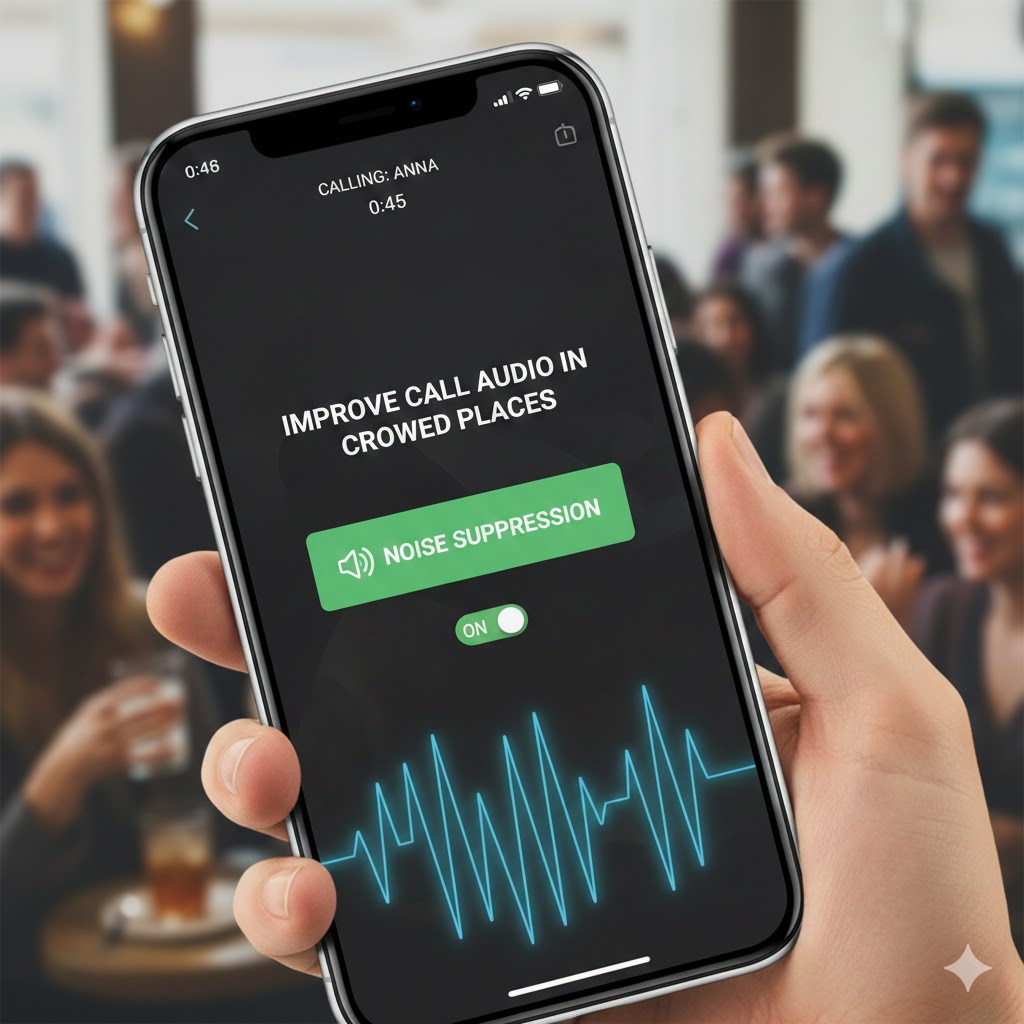
In today’s fast-paced world, making clear phone calls in noisy environments has become increasingly challenging. Whether you’re at a bustling airport, a crowded restaurant, or a busy street corner, background noise can severely impact your call quality. Fortunately, modern smartphones come equipped with advanced features designed to improve call audio in crowded places. This comprehensive guide will walk you through everything you need to know about enhancing your phone call experience in noisy environments.
Understanding the Challenge of Noisy Environments
Before diving into solutions, it’s essential to understand why crowded places affect call quality. When you’re surrounded by multiple sound sources—conversations, traffic, music, or machinery—your phone’s microphone picks up all these sounds indiscriminately. This creates a chaotic audio mix that makes it difficult for the person on the other end to hear your voice clearly.
The human brain is remarkably adept at filtering out background noise and focusing on specific voices, a phenomenon known as the “cocktail party effect.” However, traditional phone microphones lack this sophisticated ability. They capture everything within their range, transmitting a jumbled mess of sounds that leaves your caller struggling to understand you.
Modern smartphones have evolved to address this issue through various technological innovations. These features use advanced algorithms, multiple microphones, and artificial intelligence to isolate your voice from surrounding noise, ensuring crystal-clear communication even in the most challenging acoustic environments.
1. Voice Isolation Technology: The Game-Changer
Voice isolation is arguably the most powerful feature available to improve call audio in crowded places. This cutting-edge technology uses machine learning algorithms to distinguish your voice from background noise, creating a cleaner, more focused audio stream.
How Voice Isolation Works
Voice isolation employs sophisticated signal processing techniques that analyze incoming audio in real-time. The system identifies the unique characteristics of your voice—its frequency range, pitch, and timbre—and prioritizes these elements while suppressing everything else. This process happens instantaneously, ensuring seamless communication without noticeable delays.
Modern voice isolation systems use multiple approaches simultaneously. Beamforming technology directs the microphone’s sensitivity toward your mouth while reducing sensitivity to sounds coming from other directions. Spectral analysis examines the frequency content of sounds, distinguishing speech patterns from environmental noise. Neural networks trained on millions of audio samples can predict which sounds are human speech and which are background interference.
Activating Voice Isolation on Your Device
For iPhone users running iOS 16.4 or later, voice isolation is remarkably easy to activate during calls. Simply open Control Center while on a call by swiping down from the top-right corner of your screen. Tap on “Mic Mode” and select “Voice Isolation” from the available options. The feature works with standard phone calls, FaceTime audio, and various third-party calling applications.
Android users have similar capabilities, though the exact implementation varies by manufacturer. Samsung devices offer “Call Background Noise Cancellation” in the phone app settings. Google Pixel phones include “Clear Calling” functionality that can be enabled through the Phone app settings. Other Android manufacturers provide comparable features, often found under call settings or audio enhancements.
When to Use Voice Isolation
Voice isolation is particularly effective in environments with consistent background noise such as traffic, air conditioning systems, or crowd murmur. It excels at maintaining call clarity in coffee shops, airports, train stations, and busy offices. However, it’s worth noting that in extremely loud environments where noise levels approach or exceed your voice volume, even advanced isolation may struggle.
The feature works best when you maintain consistent distance from your phone’s microphone and speak in your natural voice. Avoid covering the microphone or speaking too softly, as these behaviors can confuse the isolation algorithm and reduce effectiveness.
2. Wide Spectrum Audio Mode: Embracing the Environment
While voice isolation aggressively filters background sounds, wide spectrum mode takes the opposite approach. This feature captures a fuller range of audio frequencies, providing a more natural and immersive calling experience. Though it might seem counterintuitive for crowded places, wide spectrum mode has its place in specific scenarios.
Understanding Wide Spectrum Technology
Wide spectrum audio expands the frequency range captured and transmitted during calls. Traditional phone calls typically limit audio to frequencies between 300 Hz and 3.4 kHz, which is sufficient for understanding speech but lacks richness and detail. Wide spectrum mode extends this range significantly, often capturing frequencies up to 7 kHz or higher.
This expanded frequency response provides several benefits. Higher frequencies carry consonant sounds more clearly, improving speech intelligibility. The broader range also captures ambient acoustic information that helps listeners understand the caller’s environment, creating a more natural and connected experience.
Optimal Use Cases for Wide Spectrum
Wide spectrum mode works best when you want the other person to experience your environment authentically. This might include situations where environmental context is important—calling from a concert, sporting event, or cultural gathering where sharing the atmosphere enhances the conversation. It’s also useful when calling from relatively quiet spaces where background sounds add context without interfering with communication.
Musicians, audio professionals, and content creators often prefer wide spectrum for its superior sound quality and faithful reproduction of acoustic spaces. However, for the primary goal to improve call audio in crowded places, voice isolation typically provides better results for comprehension and clarity.
3. Noise Cancellation: Hardware Meets Software
Noise cancellation technology has revolutionized how we handle calls in challenging acoustic environments. Unlike voice isolation, which primarily focuses on software-based filtering, comprehensive noise cancellation combines hardware design with intelligent software processing.
Dual Microphone Systems
Most modern smartphones incorporate multiple microphones strategically positioned around the device. These microphones work in tandem to create a noise cancellation system that can pinpoint and eliminate unwanted sounds. The primary microphone captures your voice along with environmental noise, while secondary microphones sample only the ambient sound.
By comparing these two audio streams, the phone’s processor can identify which sounds are background noise and subtract them from the primary signal. This differential approach is highly effective at removing consistent noise sources like fans, traffic, or machinery hum.
Advanced Multi-Microphone Arrays
Premium smartphones may include three, four, or even more microphones working together in sophisticated arrays. These systems enable advanced beamforming techniques that create directional sensitivity patterns. The microphone array effectively “listens” in the direction of your mouth while ignoring sounds from other directions.
This spatial filtering provides remarkable noise reduction without degrading voice quality. It’s particularly effective against localized noise sources—a conversation happening nearby, construction noise from one direction, or traffic passing on one side.
Enabling Noise Cancellation Features
Activating noise cancellation varies by device manufacturer. iPhone users benefit from automatic noise cancellation during regular phone calls, with additional control available through the voice isolation feature mentioned earlier. Android devices often include dedicated noise cancellation toggles in sound or call settings.
Samsung Galaxy phones offer “Noise Reduction” in the phone app settings under “Call Settings.” Google Pixel devices integrate noise cancellation into their adaptive sound features. OnePlus, Xiaomi, and other manufacturers provide similar functionality, typically found in advanced calling options or audio settings.
For optimal results, keep your phone’s microphones unobstructed. Phone cases, especially thick or poorly designed ones, can block microphone ports and reduce noise cancellation effectiveness. Regular cleaning of microphone openings also ensures consistent performance.
4. HD Voice and VoLTE: Foundation for Clear Calls
To truly improve call audio in crowded places, you need a solid foundation of high-quality voice transmission. HD Voice technology, typically delivered through Voice over LTE (VoLTE) networks, provides this essential foundation by dramatically improving the basic quality of voice calls.
What Makes HD Voice Different
Traditional voice calls use a narrow audio bandwidth that compresses and limits voice frequencies. HD Voice expands this bandwidth significantly, capturing twice the frequency range of standard calls. This expansion results in noticeably clearer, more natural-sounding conversations with improved intelligibility of consonants and subtle speech nuances.
The enhanced clarity becomes especially valuable in noisy environments. When your voice is transmitted with higher fidelity, it stands out more clearly against background noise, making it easier for the other person to understand you even when conditions aren’t perfect.
VoLTE as the Enabling Technology
VoLTE transmits voice calls as data packets over 4G LTE networks rather than using traditional circuit-switched voice networks. This approach provides several advantages beyond audio quality. Call setup happens faster—typically connecting in less than two seconds compared to six or more seconds with older technology. VoLTE also enables simultaneous voice and high-speed data usage without interruption.
Most importantly for our purposes, VoLTE’s digital transmission supports the advanced audio codecs necessary for HD Voice, noise cancellation, and other audio enhancement features. Without VoLTE, many noise reduction technologies cannot function at their full potential.
Ensuring VoLTE is Activated
Check your phone settings to confirm VoLTE is enabled. iPhone users can find this under Settings > Cellular > Cellular Data Options > Enable LTE, selecting “Voice & Data.” Android users typically find VoLTE settings under Settings > Network & Internet > Mobile Network > Advanced, with an option to enable VoLTE calls.
Both your device and your carrier must support VoLTE for the service to work. Most major carriers worldwide now offer VoLTE, and virtually all smartphones released in recent years include support. If you’re experiencing call quality issues, verifying VoLTE activation should be one of your first troubleshooting steps.
5. Positioning and Technique: Maximizing Feature Effectiveness
Even the most advanced technology to improve call audio in crowded places requires proper technique to reach its full potential. How you hold your phone, where you position yourself, and how you speak all significantly impact call quality.
Optimal Microphone Positioning
Your phone’s microphone location varies by model, but it’s typically located at the bottom edge of the device. When holding the phone to your ear, ensure this microphone area faces your mouth and remains unobstructed. Covering the microphone with your hand, fingers, or phone case dramatically reduces audio quality and defeats advanced noise cancellation.
For speakerphone conversations, position your phone on a stable surface with the microphone facing upward and unobstructed. Maintain a consistent distance of 12 to 18 inches from the device, speaking toward it directly rather than at an angle.
Voice Projection and Clarity
In noisy environments, resist the temptation to shout or raise your voice excessively. Voice isolation and noise cancellation algorithms are calibrated for normal speaking voices. Shouting can actually confuse these systems, causing them to misidentify your voice as background noise or distort the audio signal.
Instead, focus on clear enunciation and slightly slower speech. Pronounce consonants distinctly and maintain consistent volume. This approach gives audio processing algorithms the clean signal they need to work effectively while ensuring your message comes through clearly.
Environmental Positioning Strategies
When possible, position yourself strategically within crowded spaces to minimize noise exposure. Move away from loudspeakers, kitchen areas, or high-traffic zones. Position yourself with your back to major noise sources, placing your body as a physical barrier between the phone and disruptive sounds.
Corners and alcoves often provide better acoustic conditions than open spaces. These areas naturally reduce noise levels and provide surfaces that absorb or deflect sound. Even moving a few feet can make a substantial difference in call quality.
6. Third-Party Communication Apps and Their Built-In Features
Beyond your phone’s native calling capabilities, numerous third-party applications offer advanced features specifically designed to improve call audio in crowded places. These apps often implement proprietary audio processing that can exceed the capabilities of standard phone calls.
WhatsApp and Signal: Encrypted Quality
WhatsApp and Signal both use end-to-end encryption for voice calls while implementing sophisticated audio codecs that adapt to network conditions. These apps employ variable bitrate encoding that prioritizes audio quality when bandwidth allows while maintaining connection stability in challenging network environments.
Both applications include automatic echo cancellation, noise suppression, and adaptive jitter buffering. These features work together to deliver clear audio even when you or your caller experiences network fluctuations or environmental noise.
Zoom and Microsoft Teams: Professional-Grade Audio
Professional communication platforms like Zoom and Microsoft Teams invest heavily in audio quality features. Zoom’s audio processing includes background noise suppression with adjustable intensity levels, allowing you to control how aggressively the app filters environmental sounds.
Microsoft Teams offers AI-powered noise suppression that can eliminate even extreme background noises like barking dogs, typing keyboards, or rustling papers. The system uses machine learning models trained to distinguish speech from thousands of common environmental sounds, providing remarkably effective noise reduction.
Discord and Specialized Gaming Platforms
Gaming-focused communication apps like Discord include advanced noise suppression designed for environments where background sounds from games, keyboards, and other players create complex acoustic challenges. Discord’s Krisp-powered noise cancellation can be adjusted in user settings, offering choices between no suppression, moderate filtering, and maximum noise reduction.
These platforms also provide voice activity detection and push-to-talk options, giving you precise control over when your microphone transmits audio. This level of control proves invaluable in very noisy environments where continuous transmission would create constant background interference.
7. Wired and Wireless Headset Solutions
While this guide focuses primarily on using your phone’s built-in features to improve call audio in crowded places, external accessories deserve mention as powerful complementary solutions. Headsets with dedicated microphones provide inherent advantages for noisy environment communication.
Wired Headset Benefits
Wired headsets with inline microphones position the microphone much closer to your mouth than your phone typically sits. This proximity dramatically improves the voice-to-noise ratio, making it easier for processing algorithms to isolate your speech. Many wired headsets also include basic hardware-based noise cancellation or filtering.
The consistent connection of wired headsets eliminates potential audio quality degradation from wireless interference or compression. For critical calls where clarity is paramount, wired solutions remain highly reliable despite being less convenient than wireless alternatives.
Wireless Earbuds with Active Noise Cancellation
Premium wireless earbuds from manufacturers like Apple, Sony, Bose, and Samsung incorporate active noise cancellation that benefits both incoming and outgoing audio. For incoming audio, ANC blocks environmental noise, allowing you to hear your caller clearly even in loud spaces. For outgoing audio, sophisticated microphone arrays and beamforming technology focus on your voice while suppressing surroundings.
Apple’s AirPods Pro, for example, include an inward-facing microphone that monitors internal sound alongside outward-facing microphones that capture environmental noise. This configuration enables both effective ANC for your listening experience and clear voice pickup for calls.
Choosing the Right Headset for Your Needs
When selecting a headset specifically for call quality in noisy environments, prioritize devices with multiple microphones and explicit noise cancellation features for calls. Read reviews that specifically address call quality rather than just music listening experience, as these represent different performance priorities.
Look for headsets with wind noise reduction if you frequently make calls outdoors. Consider battery life for wireless options, ensuring your device can last through your typical usage patterns. Some headsets also offer companion apps that allow fine-tuning of noise cancellation settings for optimal performance in your specific environments.
8. Software Updates and Feature Availability
The capabilities available to improve call audio in crowded places continue to evolve through software updates. Manufacturers regularly enhance audio processing algorithms, improve noise cancellation effectiveness, and add new features through operating system updates.
Staying Current with Updates
Regularly check for and install operating system updates on your smartphone. These updates often include improvements to audio processing, enhanced codec support, and bug fixes that address call quality issues. Both iOS and Android receive periodic updates that can substantially improve calling performance.
Manufacturers also update firmware for various phone components, including audio processors and radio modules. These updates typically install automatically alongside operating system updates but may occasionally require manual intervention through settings menus.
Carrier Updates and Network Improvements
Your mobile carrier also pushes updates that can affect call quality. Carrier settings updates optimize how your phone connects to cellular networks, potentially improving VoLTE performance and HD Voice availability. These updates usually install automatically but can sometimes be triggered manually through settings.
Network infrastructure improvements by carriers expand VoLTE coverage and improve the quality of wireless connections. As carriers upgrade their towers and equipment, call quality generally improves even without changes to your phone. However, maximizing these benefits requires keeping your device updated with the latest carrier settings.
App Updates for Third-Party Communication
If you rely on third-party calling apps, enable automatic updates or regularly check for new versions. Developers continuously improve their audio algorithms, add features, and optimize performance. Many significant audio quality improvements arrive through app updates rather than operating system changes.
Review app update notes to understand what improvements each version brings. Some updates specifically target audio quality or noise cancellation, while others might introduce new calling features or enhanced codec support.
9. Troubleshooting Common Call Quality Issues
Even with all the right features enabled, you might occasionally experience call quality problems in crowded places. Understanding common issues and their solutions helps you quickly restore clear communication.
Identifying the Problem Source
When call quality suffers, first determine whether the issue affects what you hear, what your caller hears, or both. Ask your caller for feedback about audio quality on their end. If they report problems hearing you, the issue likely involves your microphone, noise cancellation, or outgoing audio processing. If you struggle to hear them, the problem might involve their setup, network conditions, or your speaker/earpiece.
Check your signal strength indicator. Poor cellular reception causes audio dropouts, compression artifacts, and degraded call quality regardless of how effective your noise cancellation features are. If signal strength appears weak, moving to a different location often provides immediate improvement.
Microphone Obstruction and Damage
Physical microphone issues frequently cause call quality problems that technology cannot overcome. Examine your phone’s microphone openings for debris, dust, or damage. Use compressed air or a soft brush to gently clean microphone ports. Avoid inserting sharp objects that might damage delicate components.
Test whether phone cases or screen protectors block microphone access. Remove these accessories temporarily and test call quality. If quality improves dramatically, consider replacing accessories with better-designed alternatives that accommodate all microphone locations.
Software Conflicts and App Issues
Sometimes third-party apps interfere with phone audio processing. Apps requesting microphone access might conflict with call functionality or prevent noise cancellation from working properly. Review which apps have microphone permissions and consider temporarily revoking access from non-essential apps.
If problems persist, restart your phone. This simple step clears temporary software glitches and resets audio processing systems. For persistent issues, consider backing up data and performing a factory reset, though this represents a last resort after other troubleshooting fails.
Network and Carrier Issues
Contact your carrier if problems consistently occur despite good signal strength and proper phone configuration. Carriers can check account provisioning, verify network settings, and troubleshoot from their infrastructure side. They may need to refresh your connection or update network settings on their systems.
10. Advanced Techniques for Extreme Environments
Some situations present extraordinary acoustic challenges that require combining multiple strategies to achieve acceptable call quality. These extreme environments demand creative problem-solving alongside technological solutions.
Layering Multiple Technologies
In exceptionally noisy environments, activate every available audio enhancement simultaneously. Enable voice isolation mode, ensure VoLTE is active, use a headset with noise cancellation, and position yourself strategically. While individual features provide moderate improvement, their combined effect can make the difference between intelligible and impossible communication.
Consider using third-party apps with particularly aggressive noise cancellation when native calling proves inadequate. Apps like Krisp offer standalone noise cancellation that works across different calling platforms, providing an additional layer of audio processing beyond what your phone or calling app provides.
Alternative Communication Methods
When voice calls prove impractical, consider alternative communication modes. Video calls sometimes work better because they provide visual context that helps comprehension despite audio challenges. The ability to see facial expressions and lip movements supplements degraded audio, improving overall communication effectiveness.
Text-based communication through messaging apps eliminates audio quality concerns entirely. While less immediate than voice conversations, texts reliably convey information regardless of environmental noise. Voice-to-text transcription features allow speaking your messages naturally while sending them as text, combining convenience with reliability.
Professional and Specialized Equipment
For individuals who regularly work in extremely noisy environments—industrial settings, construction sites, or event venues—consider investing in professional-grade communication equipment. Industrial-rated headsets with extreme noise cancellation, boom microphones, and rugged construction provide capabilities beyond consumer devices.
Some specialized solutions include throat microphones that detect speech through vibrations rather than airborne sound, eliminating background noise entirely. While extreme, such equipment ensures reliable communication when standard methods fail.
Conclusion: Mastering Clear Communication Anywhere
The ability to improve call audio in crowded places has become essential in our connected world. Modern smartphones provide powerful tools—from voice isolation and noise cancellation to HD Voice and VoLTE—that dramatically enhance calling clarity in challenging environments. By understanding these features, activating them properly, and combining them with smart positioning and technique, you can maintain crystal-clear communication regardless of your surroundings.
Remember that technology alone isn’t always sufficient. The most effective approach combines your phone’s advanced features with conscious awareness of your environment, proper microphone positioning, and clear speaking technique. Regular software updates ensure you benefit from the latest improvements in audio processing and noise reduction algorithms.
Also read this:
Automatically Crop Scanned Documents Using This Mobile Tool
Browser Feature Detects Fake Download Buttons Automatically
Recover Deleted Photos Without Apps Using This Phone Setting: The Complete Recovery Guide