
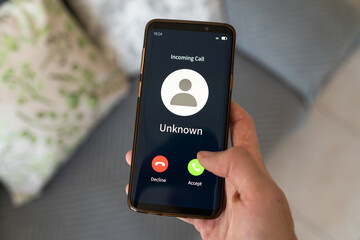
Getting calls from a private number can be frustrating and even worrying. Your phone rings, you check the screen, and instead of a number, you only see “Private,” “Blocked,” or “Unknown Caller.” For many people, that mystery is enough to ignore the call—but what if it’s important? What if it’s spam, or worse, harassment?
The good news is, you don’t have to stay in the dark. With the right steps, you can trace private calls, reveal hidden numbers, and even block unwanted ones for good.
Why Do People Call From Private Numbers?
Before diving into solutions, let’s look at why private numbers exist in the first place. There are both legitimate and suspicious reasons:
- Telemarketers and cold callers often hide their number to avoid being blocked.
- Scammers disguise their identity to trick people.
- Friends or family may want to surprise you or simply value privacy.
- Service providers like banks or surveys sometimes appear as private for technical reasons.
While not every hidden call is bad, it’s better to know who’s trying to reach you.
Proven Ways to Find Out Who Called From a Private Number
1. Use Your Carrier’s Call Return Feature
Most networks allow you to dial a special code, like *69 (North America) or #69, right after receiving a private call. This either reveals the last caller’s number or dials them back.
⚠️ Tip: This works only if you dial immediately after the private call.
2. Contact Your Mobile Service Provider
If the private calls are frequent or harassing, your carrier can step in. They keep records of all incoming calls—even those marked private. You may need to file a request, and in some cases, proof of harassment is required.
3. Use Caller ID Apps to Unmask Numbers
Apps such as TrapCall, Truecaller, and Hiya specialize in revealing blocked or private calls. They reroute the call through their system and display the hidden number on your screen.
- TrapCall is popular in the U.S. for unmasking private numbers.
- Truecaller is widely used internationally and also helps block spam.
4. File a Complaint If It’s Harassment
If you feel unsafe, don’t wait. Report the issue to your service provider or even local authorities. They have tools to track persistent private callers, especially if it involves threats or fraud.
5. Block Private Numbers Entirely
If you don’t want to deal with the mystery at all, both Android and iPhone let you block calls without a visible number.
- On iPhone: Settings → Phone → Silence Unknown Callers.
- On Android: Phone app → Settings → Block numbers → Toggle “Block unknown/private numbers.”
You won’t see who’s calling, but you’ll never be disturbed again.
Tips to Stay Safe From Private Callers
- Don’t share personal info with unknown callers.
- Avoid answering late-night private calls unless you’re expecting one.
- Use call-blocking apps for extra security.
- Educate family members, especially kids and elders, about scam calls.
Final Thoughts
Private numbers don’t have to remain a mystery. Whether it’s a one-time call or repeated harassment, you have multiple options to reveal, block, or report private callers. From simple tricks like dialing *69 to advanced apps like TrapCall, you can take control and stop worrying about hidden calls.
So next time your phone flashes “Private Number”, don’t panic—you have the tools to find out who’s really behind the call.