
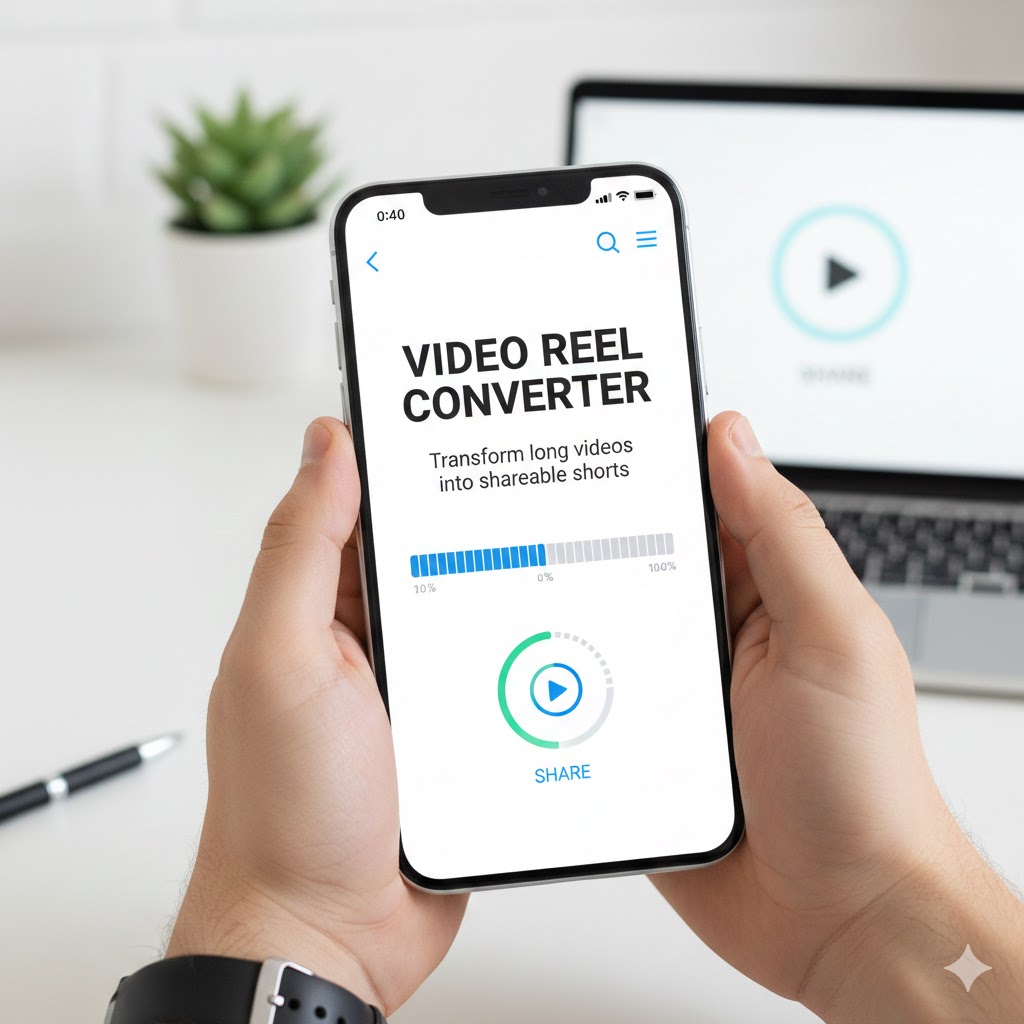
Converts Long Videos Into Share-Ready Reels In today’s fast-paced digital landscape, short-form video content dominates social media platforms. Instagram Reels, TikTok videos, YouTube Shorts, and Facebook Reels have fundamentally changed how audiences consume content, favoring quick, engaging clips over lengthy productions. Yet many content creators struggle with the time-consuming process of extracting the best moments from longer videos and transforming them into platform-optimized shorts.
Enter the revolutionary phone tools that convert long videos into share-ready reels automatically, democratizing professional-level video editing and making it accessible to everyone with a smartphone. These powerful applications leverage artificial intelligence and intuitive design to streamline content creation, allowing you to maximize the value of your existing video content without spending hours hunched over editing software.
This comprehensive guide explores everything you need to know about these transformative tools, from understanding their core capabilities to mastering advanced techniques that will elevate your social media presence and expand your reach exponentially.
1. Understanding the Short-Form Video Revolution
Before diving into the tools themselves, it’s crucial to grasp why short-form video content has become the dominant force in digital marketing and social media engagement.
The Shift in Content Consumption Patterns
Modern audiences have fundamentally different viewing habits compared to just a few years ago. Attention spans have shortened dramatically, with studies suggesting that the average user spends only 1.7 seconds viewing content on mobile devices before deciding whether to continue or scroll past.
This behavioral shift has forced content creators, brands, and marketers to adapt their strategies. Long-form content still has its place, particularly for in-depth tutorials, documentaries, and comprehensive educational material. However, short-form video serves as the gateway that attracts viewers, builds initial interest, and drives traffic to longer content.
The rise of TikTok accelerated this transformation, proving that 15-60 second videos could generate massive engagement and build substantial audiences. Competing platforms quickly adapted, with Instagram launching Reels, YouTube introducing Shorts, and even LinkedIn embracing short-form video content.
Platform-Specific Requirements and Opportunities
Each social media platform has specific technical requirements and best practices for short-form video content:
Instagram Reels support videos up to 90 seconds in length, with optimal engagement typically occurring in the 7-15 second range for discovery content. The platform’s algorithm favors original audio, trending sounds, and content that keeps viewers watching until the end.
YouTube Shorts accommodate videos up to 60 seconds, displayed vertically in a dedicated Shorts feed. The platform particularly rewards content that drives viewers to longer-form videos on your channel, creating a complementary content ecosystem.
TikTok allows videos between 15 seconds and 10 minutes, though the sweet spot for viral potential remains under 60 seconds. The platform’s recommendation algorithm prioritizes watch time percentage, making compelling hooks in the first three seconds absolutely critical.
Converts Long Videos Into Share-Ready Reels Facebook Reels can run up to 60 seconds and benefit from cross-posting with Instagram when both platforms are linked to business accounts. The platform’s diverse user demographics make it ideal for reaching audiences who may not be active on other short-form video platforms.
The Content Repurposing Advantage
Converting long videos into share-ready reels represents one of the most efficient content strategies available to modern creators. A single 30-minute video can potentially yield 10-20 short-form clips, each optimized for different platforms and audiences.
This approach maximizes the return on investment for content creation efforts. Recording one comprehensive video provides raw material for weeks or even months of social media posts, ensuring consistent presence across platforms without requiring constant new production.
Additionally, repurposing allows you to test different angles, hooks, and messaging approaches. By extracting various segments from the same source material, you can identify which topics and presentation styles resonate most strongly with your audience, informing future content creation decisions.
2. How Automated Video Conversion Tools Work
Understanding the technology behind these phone tools helps you use them more effectively and appreciate their capabilities.
Artificial Intelligence and Machine Learning
Modern video conversion tools employ sophisticated AI algorithms that analyze your footage and identify the most engaging segments automatically. These systems evaluate multiple factors simultaneously:
Audio analysis detects speech patterns, music beats, and silence to identify natural cutting points and highlight moments with compelling dialogue or significant audio events. The AI recognizes when speakers make emphatic statements or when music reaches climactic moments.
Visual recognition identifies scene changes, faces, movements, and on-screen text to ensure cuts occur at appropriate moments rather than mid-gesture or mid-word. Advanced systems can even recognize specific objects, locations, or actions that typically drive engagement.
Engagement prediction algorithms assess which segments are most likely to capture and retain viewer attention based on patterns learned from millions of successful short-form videos. These systems continuously improve as they process more content and analyze performance metrics.
Automated Editing Features
Beyond simply cutting videos into shorter segments, these tools apply professional editing techniques automatically:
Dynamic cropping and reframing adjust horizontal video footage to vertical orientations while keeping subjects centered and properly framed. This eliminates the awkward black bars or poor compositions that manual cropping often produces.
Smart transitions create smooth connections between clips, applying appropriate effects that match the content’s tone and pacing. The tools recognize when jump cuts work effectively versus when dissolves or other transitions improve viewer experience.
Auto-captioning transcribes spoken content and generates synchronized captions with customizable styling. This accessibility feature dramatically increases engagement, as most social media video is watched without sound initially.
Music and sound integration allows tools to add trending audio tracks, adjust volume levels, and synchronize cuts with musical beats. Many platforms prioritize content using popular or trending audio, making this feature crucial for discovery.
Template and Style Systems
Most conversion tools include template libraries that apply consistent branding and styling across your content:
Text overlay templates position titles, calls-to-action, and key phrases in visually appealing ways that don’t obstruct important visual elements. Customizable fonts, colors, and animations ensure brand consistency.
Effect presets apply color grading, filters, and visual enhancements that create professional polish with minimal effort. These presets can be saved as custom styles for consistent brand aesthetics.
Intro and outro sequences brand your content, ensuring viewers remember who created the material they’re enjoying. These sequences can include logos, taglines, social media handles, and calls-to-action.
3. Top Phone Tools for Converting Videos Into Reels
The marketplace offers numerous applications with varying capabilities, price points, and user experiences. Here are the most powerful and accessible options.
CapCut: The Comprehensive Free Solution
Converts Long Videos Into Share-Ready Reels CapCut has emerged as the dominant free video editing application, offering professional-grade features without subscription costs. Owned by ByteDance, the same company behind TikTok, CapCut is optimized for creating content that performs well on short-form video platforms.
The Auto Captions feature transcribes speech with impressive accuracy across multiple languages, generating animated captions that significantly boost engagement. Users can customize caption styling to match their brand aesthetic.
Template library provides thousands of pre-made editing sequences where you simply insert your clips. The tool automatically syncs your content to music, applies transitions, and creates polished results in minutes.
AI-powered editing tools include background removal, subject tracking, and smart reframing that maintains proper composition when converting horizontal footage to vertical formats. These features previously required expensive desktop software.
InShot: User-Friendly Precision Editing
InShot balances simplicity with powerful capabilities, making it ideal for creators who want more control than fully automated tools provide while avoiding complex professional software.
Trim and split functions allow precise control over which segments to include, with timeline zooming that enables frame-accurate editing. The intuitive interface makes these precise adjustments accessible even to beginners.
Speed control and freeze effects add creative flair to content, letting you emphasize key moments or create dramatic timing. These effects work seamlessly with the app’s other features.
Pre-made templates for various platforms ensure proper dimensions, duration, and formatting for Instagram Reels, TikTok, YouTube Shorts, and other destinations. This eliminates guesswork about technical specifications.
OpusClip: AI-Powered Long-Form Conversion
OpusClip specializes in analyzing lengthy videos and automatically identifying the most shareable moments, making it particularly valuable for content creators with substantial existing video libraries.
Intelligent scene detection evaluates your entire video and scores different segments based on viral potential. The AI identifies hooks, punchlines, valuable information, and emotional moments that typically drive engagement.
Automatic clip generation produces multiple short videos from single long sources, complete with captions, optimized framing, and platform-specific formatting. You can review and select which clips to publish.
Virality scoring provides predictive analytics about which clips are most likely to perform well, helping you prioritize content distribution efforts. This data-driven approach removes guesswork from content strategy.
Munch: Content Marketing Focused
Munch targets businesses and marketers who need to extract maximum value from video content like webinars, interviews, and presentations.
Keyword extraction identifies the most important topics discussed in your video, helping you create clips focused on specific themes or questions. This feature is invaluable for educational and informational content.
Social media optimization tailors clips for different platforms simultaneously, creating appropriately formatted versions for Instagram, TikTok, YouTube, LinkedIn, and Twitter from a single source video.
Analytics integration tracks performance across platforms, providing insights into which clips generate the most engagement and helping refine your content strategy over time.
Adobe Premiere Rush: Professional Mobile Editing
For creators who need professional capabilities on mobile devices, Adobe Premiere Rush delivers desktop-grade features in a phone-optimized interface.
Multi-track timeline editing allows complex projects with multiple video layers, audio tracks, graphics, and effects. This sophistication enables creative possibilities beyond simpler applications.
Cloud synchronization ensures projects seamlessly transfer between mobile devices and desktop computers, letting you begin editing on your phone and finish on a larger screen when detailed work is required.
Creative Cloud integration provides access to Adobe’s vast library of fonts, effects, and assets, plus automatic syncing with other Adobe applications for creators using the complete creative suite.
4. Step-by-Step Guide to Converting Videos Into Reels
Regardless of which tool you choose, following a systematic process ensures optimal results and efficiency.
Preparation and Planning
Before launching into editing, proper preparation streamlines the entire process:
Review your source video completely, noting timestamps of particularly strong moments, quotable statements, visual highlights, and natural transition points. This overview prevents missing valuable content during editing.
Define your goals for the reels you’re creating. Are you prioritizing entertainment, education, inspiration, or promotion? Clear objectives guide your editing decisions and help maintain focus.
Research trending formats and styles on your target platforms to understand what’s currently resonating with audiences. While you shouldn’t blindly copy trends, awareness helps you create relevant content.
Import and Initial Organization
Most tools follow similar import processes:
Select your source video from your phone’s gallery or cloud storage. Some applications allow direct import from platforms like Google Drive or Dropbox, useful for videos recorded on other devices.
Set project parameters including target platform, orientation (vertical, horizontal, or square), and desired final duration. Many tools automatically adjust these settings based on platform selection.
Create duplicates or variations if you plan to produce multiple reels from the same source material. Working with copies prevents accidentally overwriting previous edits.
Automated Segment Identification
Leverage your tool’s AI capabilities to accelerate the editing process:
Activate automatic scene detection or moment identification features. Review the AI’s suggestions, which often identify engaging segments you might have overlooked.
Adjust sensitivity settings if the tool provides too many or too few suggestions. Finding the right balance helps surface genuinely valuable moments without overwhelming you with options.
Preview automated cuts to ensure they occur at appropriate moments without awkward timing or cutting off important content. Most tools allow manual adjustment of automatically detected cut points.
Customization and Enhancement
Raw clips benefit significantly from thoughtful enhancement:
Add captions to make content accessible and increase engagement among viewers watching without sound. Customize caption styling to match your brand while ensuring readability against various backgrounds.
Apply filters or color grading to establish visual consistency and mood. Subtle enhancements often work better than dramatic filters that might limit versatility.
Insert text overlays for titles, key points, calls-to-action, and platform-specific hashtags or handles. Strategic text placement guides viewer attention and reinforces your message.
Audio Optimization
Sound quality dramatically impacts perceived production value:
Remove background noise and normalize audio levels to ensure consistent volume throughout your reel. Viewers quickly abandon content with jarring volume changes or distracting noise.
Add background music when appropriate, ensuring it complements rather than overwhelms speech or important audio. Adjust music volume to sit beneath dialogue while still being present.
Include trending sounds when relevant to your content and platform, as algorithm preferences often boost content using popular audio. However, prioritize authenticity over forced trend participation.
Final Review and Export
Before publishing, thorough review prevents embarrassing mistakes:
Watch your completed reel multiple times, checking for technical issues, unclear messaging, awkward transitions, or anything that might distract from your content.
Preview on the actual device where most viewers will watch—your phone—to ensure text remains readable, subjects stay properly framed, and the overall experience works in real viewing conditions.
Export with optimal settings for your target platform, balancing quality with file size. Most tools include platform-specific export presets that handle technical specifications automatically.
5. Advanced Techniques for Maximum Impact
Once you’ve mastered basic conversion, these advanced strategies will elevate your content above competitors.
Strategic Hook Development
The first three seconds determine whether viewers continue watching or scroll past your content:
Lead with your strongest moment rather than building up gradually. Place the most compelling visual, surprising statement, or provocative question immediately at the start.
Use pattern interrupts—unexpected sounds, movements, or statements—that break the viewer’s scrolling rhythm and capture attention. These interrupts must be relevant to your content rather than clickbait.
Implement text hooks that appear before or alongside video, creating curiosity that compels viewers to keep watching. Questions, bold claims, or promises of valuable information work particularly well.
Pacing and Rhythm Optimization
Maintaining viewer engagement throughout requires careful attention to pacing:
Vary shot lengths and editing rhythm to maintain interest. Too many quick cuts becomes exhausting, while excessive static shots allow attention to wander. Find balanced rhythm appropriate to your content type.
Align cuts with musical beats when using background music, creating subconscious satisfaction that keeps viewers engaged. This synchronization appears professional even when viewers don’t consciously notice it.
Include strategic pauses for emphasis on important points, allowing key information to register before moving forward. These breathing moments prevent overwhelming viewers with constant stimulation.
Multi-Platform Adaptation Strategies
Each platform’s audience and algorithm respond to different approaches:
Create platform-specific versions rather than identical cross-posts. Adjust pacing, captions, hashtags, and even messaging to align with each platform’s culture and expectations.
Optimize for silent viewing on platforms where most consumption occurs without sound, ensuring your message communicates clearly through visuals and captions alone.
Leverage platform-specific features like Instagram’s interactive stickers, TikTok’s duet capabilities, or YouTube’s chapter markers to maximize native functionality.
Call-to-Action Integration
Converts Long Videos Into Share-Ready Reels Convert viewers into engaged audience members through strategic CTAs:
Place calls-to-action at moments of peak engagement rather than automatically at the end. Mid-video CTAs often outperform end-cards that many viewers never reach.
Make actions specific and simple—follow, share, comment a specific word, or visit a link in bio. Clear, singular CTAs perform better than overwhelming viewers with multiple options.
Provide genuine value in exchange for the action you’re requesting. Viewers respond to CTAs when they clearly benefit from complying rather than feeling they’re only serving your interests.
6. Optimizing Workflow and Productivity
Efficiency in content creation allows consistent output without burnout.
Batch Processing Strategies
Group similar tasks together to minimize context-switching and maximize efficiency:
Record multiple long-form videos in single sessions when possible, capitalizing on being “in the zone” with setup, lighting, and mindset already optimized.
Schedule dedicated editing blocks where you process multiple videos consecutively. Staying in editing mode proves more efficient than switching between various tasks throughout the day.
Create templates for recurring content types, establishing consistent workflows that reduce decision-making and accelerate production.
Content Calendar Planning
Strategic planning ensures consistent presence without constant scrambling:
Develop content themes for different days or weeks, providing structure that guides video creation while maintaining variety for audience interest.
Extract and edit reels ahead of publishing schedules, building a buffer that accommodates unexpected disruptions without forcing content gaps.
Track performance metrics to identify optimal posting times, content types, and formats, then schedule future content accordingly for maximum impact.
Tool Mastery and Shortcuts
Invest time learning your chosen tools deeply:
Explore all features beyond basics, as many powerful capabilities hide in menus you might never discover through casual use.
Learn keyboard shortcuts or gesture controls where available, as these dramatically accelerate editing processes once they become habitual.
Join user communities for your chosen tools where experienced creators share techniques, templates, and solutions to common challenges.
7. Measuring Success and Iterating
Data-driven optimization separates growing creators from those who plateau.
Key Performance Indicators
Focus on metrics that actually predict sustainable success:
Completion rate indicates how much of your reel viewers watch, with high completion rates signaling compelling content that algorithms reward with increased distribution.
Engagement rate including likes, comments, shares, and saves demonstrates that your content resonates enough to prompt action beyond passive viewing.
Follower conversion tracks how effectively your reels attract new audience members, indicating whether your content appeals beyond existing followers.
A/B Testing Approaches
Systematic testing reveals what works for your specific audience:
Test different hook styles, comparing question-based, statement-based, and visual-led openings to determine which captures attention most effectively.
Experiment with video lengths, as optimal duration varies by content type, platform, and audience. Track performance across different length categories.
Compare caption styles and placement, testing different text amounts, positions, and animation styles to identify preferences among your viewers.
Performance Analysis Tools
Leverage platform analytics and third-party tools:
Instagram Insights provides detailed metrics about reach, engagement, and audience demographics for Reels, helping identify successful content patterns.
TikTok Analytics reveals trending sounds, optimal posting times, and detailed viewer behavior data that informs strategic decisions.
Third-party platforms like Hootsuite or Later aggregate multi-platform performance, enabling comprehensive analysis without switching between multiple dashboards.
8. Common Mistakes to Avoid
Learning from others’ errors accelerates your path to success.
Over-Automation Pitfalls
While automation accelerates production, excessive reliance creates problems:
Accepting all AI suggestions without critical review often results in awkward cuts, missed context, or selection of mediocre moments over genuinely excellent ones.
Using identical templates for every reel creates monotonous content that audiences tune out. Vary your approaches to maintain freshness and interest.
Neglecting platform-specific optimization by using identical content everywhere limits performance, as each platform’s audience and algorithm respond to different approaches.
Technical Quality Issues
Amateur mistakes undermine otherwise excellent content:
Poor audio quality drives viewers away faster than any other single factor. Invest in basic audio quality through proper recording techniques or post-production noise reduction.
Incorrect aspect ratios or cropping that cuts off subjects frustrates viewers and signals unprofessionalism. Always verify proper framing before finalizing edits.
Unreadable text from poor font choices, insufficient contrast, or inappropriate sizing wastes opportunities to communicate effectively with viewers.
Strategic Content Errors
Misunderstanding content strategy sabotages growth:
Creating reels only from promotional content rather than providing genuine value quickly exhausts audience patience. Follow the 80/20 rule—80% value, 20% promotion.
Chasing every trend without consideration for brand alignment dilutes your identity and confuses audiences about what you represent.
Ignoring audience feedback in comments and engagement patterns means repeatedly producing content that doesn’t resonate instead of adapting to proven preferences.
9. Monetization and Business Applications
Strategic reel creation opens numerous revenue opportunities.
Building an Engaged Audience
Consistent, valuable short-form content grows followings that create monetization possibilities:
Increased visibility from algorithm-friendly reels drives traffic to longer-form content, products, services, or affiliate partnerships you promote.
Establishing authority through educational or entertaining reels positions you for speaking engagements, consulting opportunities, or course sales.
Growing engaged audiences attract brand partnership inquiries from companies seeking to reach your demographic through sponsored content.
Platform Creator Programs
Major platforms compensate creators for high-performing content:
Instagram Reels Bonuses reward creators who meet view thresholds, providing direct payment for viral content that drives platform engagement.
YouTube Shorts Fund distributes monthly payments to creators producing engaging short-form content, with payments correlating to performance metrics.
TikTok Creator Fund pays eligible creators based on video views and engagement, though per-view rates remain relatively modest compared to other revenue streams.
Product and Service Promotion
Reels excel at demonstrating value and driving conversions:
Tutorial snippets showcase product features or service benefits quickly, with clear calls-to-action directing interested viewers to purchase opportunities.
Behind-the-scenes content builds connection and trust, making audiences more receptive to eventual promotional messages.
Client testimonials or case study highlights provide social proof in digestible formats that potential customers readily consume and share.
10. Future Trends in Video Content Creation
Understanding emerging trends positions you to adapt strategically as the landscape evolves.
Artificial Intelligence Advancement
AI capabilities in video editing will continue expanding dramatically:
Automated content ideation may soon suggest specific topics, angles, or formats based on performance analysis and trending topics in your niche.
Voice cloning and translation technologies will enable automatic content localization, expanding reach to global audiences without multiple recording sessions.
Predictive performance modeling could forecast how specific edits, hooks, or formats will perform before publication, allowing optimization before committing to strategies.
Platform Evolution
Social media platforms constantly refine features and algorithms:
Longer short-form video support appears likely as platforms compete, with current duration limits potentially expanding to accommodate changing consumption patterns.
Enhanced e-commerce integration will likely make in-video purchasing more seamless, transforming social media into comprehensive shopping destinations.
Augmented reality effects will become more sophisticated and accessible, enabling immersive experiences that transcend current video capabilities.
Creator Economy Maturation
The business of content creation continues professionalizing:
Specialized tools for niche content types will emerge, offering capabilities optimized for specific industries, topics, or creative approaches beyond general-purpose editors.
Collaborative creation features will facilitate team-based content production, allowing distributed teams to work on projects simultaneously.
Transparent analytics and fair compensation models should improve as platforms compete for creator loyalty and regulatory pressure demands better treatment of content producers.
Conclusion
The tools that convert long videos into share-ready reels have fundamentally democratized professional-quality content creation, placing powerful capabilities in the hands of anyone with a smartphone. These applications don’t just save time—they enable entirely new content strategies that maximize the value of every video you create.
By mastering these tools and implementing the strategies outlined in this guide, you position yourself to thrive in the short-form video landscape that dominates modern digital communication. Whether you’re building a personal brand, growing a business, or simply sharing your passion with the world, these capabilities provide the foundation for reaching and engaging audiences at scales previously accessible only to well-funded media companies.
Also read this:
Browser Feature Skips Cookie Pop-Ups Automatically: Eliminating Web Annoyances
Android Feature Turns Any Website Into an App Instantly: The Complete Guide to Progressive Web Apps
Improve Call Audio in Crowded Places Using This Phone Feature