How to Enable Product Tagging on YouTube & Boost Your Sales

Tag Products on YouTube’s Shopping Feature

If you’ve ever found yourself watching a video and thinking, “That’s a cool product! I wish I could buy it right now,” YouTube’s shopping feature is here to make that happen. Creators and brands can now tag products directly within their videos, letting viewers shop without ever leaving the platform. It’s a win-win for both … Read more
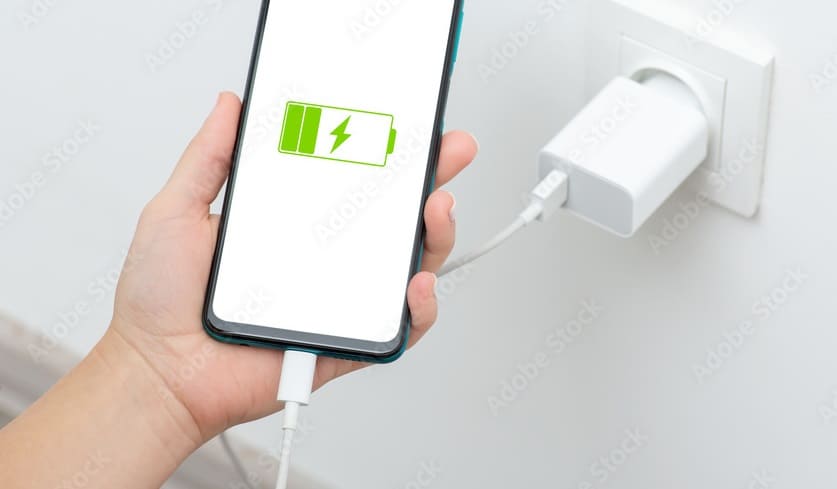

How to Choose the Safest and Fastest Charger for Your Phone

Charger and Phone

In today’s fast-paced world, a slow phone charger can feel like the ultimate frustration. Whether you’re in a rush or just want to avoid that dreaded low battery warning, finding a charger that delivers both speed and safety is essential. But with so many chargers on the market, how do you know which one is … Read more

How to Easily Remap the Co-Pilot Key in Windows 11?

Co-Pilot Key

Windows 11 introduces a lot of new features that help users work more efficiently, and one of those features is the ability to remap keys for easier shortcuts and customizations. While most users are familiar with remapping keyboard keys through the built-in settings, a few might be unfamiliar with the “Co-Pilot” key, which plays an … Read more

How to Use Google Gemini Without Switching Google Assistant

Use Gemini Without Switching to Google Assistant

We’ve all gotten pretty comfortable using Google Assistant to set reminders, play music, or answer quick questions. But what if you need something a little more? Maybe you’re looking for help brainstorming, writing, or even solving more complex problems. Enter Google Gemini—Google’s latest and greatest AI, designed to do just that. Gemini stands out as … Read more

How to Use Gemini Advanced in Google Docs, Gmail and Drive

Use Gemini Advanced

We all know how Google’s apps—Gmail, Drive, and Google Docs—are absolute lifesavers when it comes to staying organized. But what if I told you there’s a new sidekick to help take your productivity up a notch? Enter Gemini Advanced, your new AI-powered assistant from Google that’s designed to make managing your emails, files, and documents … Read more

How to Learn & Speak Multiple Languages for Free with Meta AI

Speak and Learn Multiple Languages for Free with Meta AI

Have you ever dreamed of speaking multiple languages but felt overwhelmed by the cost of lessons or the time commitment? What if you could learn and speak different languages effortlessly, all for free? With Meta AI, that dream is within reach. Meta’s innovative AI technology is here to help you break down language barriers, whether … Read more

How to Share Google Sheets as a Webpage: Step-by-Step Guide

Share Google Sheets as a Webpage

Google Sheets is like a magic tool for organizing data and working together with others. Sometimes, you might want to share your spreadsheet with a wider audience, but without all the hassle of permissions and logins. Luckily, Google Sheets makes it easy to share your work as a simple webpage. Here’s a step-by-step guide to … Read more

How to Take a Screenshot When App Doesn’t Allow (No Root)

Take a Screenshots from Restricted Apps

We’ve all been there—trying to save a crucial piece of information from an app, only to find that the screenshot option is grayed out or completely blocked. It’s frustrating, especially when you need to capture something for later. Luckily, you don’t need to be a tech wizard or root your phone to get around this. … Read more

Blurry Instagram Stories? Here’s How to Fix Them Fast

Blurry Instagram Stories

Have you ever posted an Instagram Story that looked perfect on your phone, only to see it turn into a blurry mess once uploaded? It’s super frustrating, especially when you want to share something special with your followers. Don’t worry, though—there are some easy fixes! Here’s how you can keep your Instagram Stories sharp and … Read more