
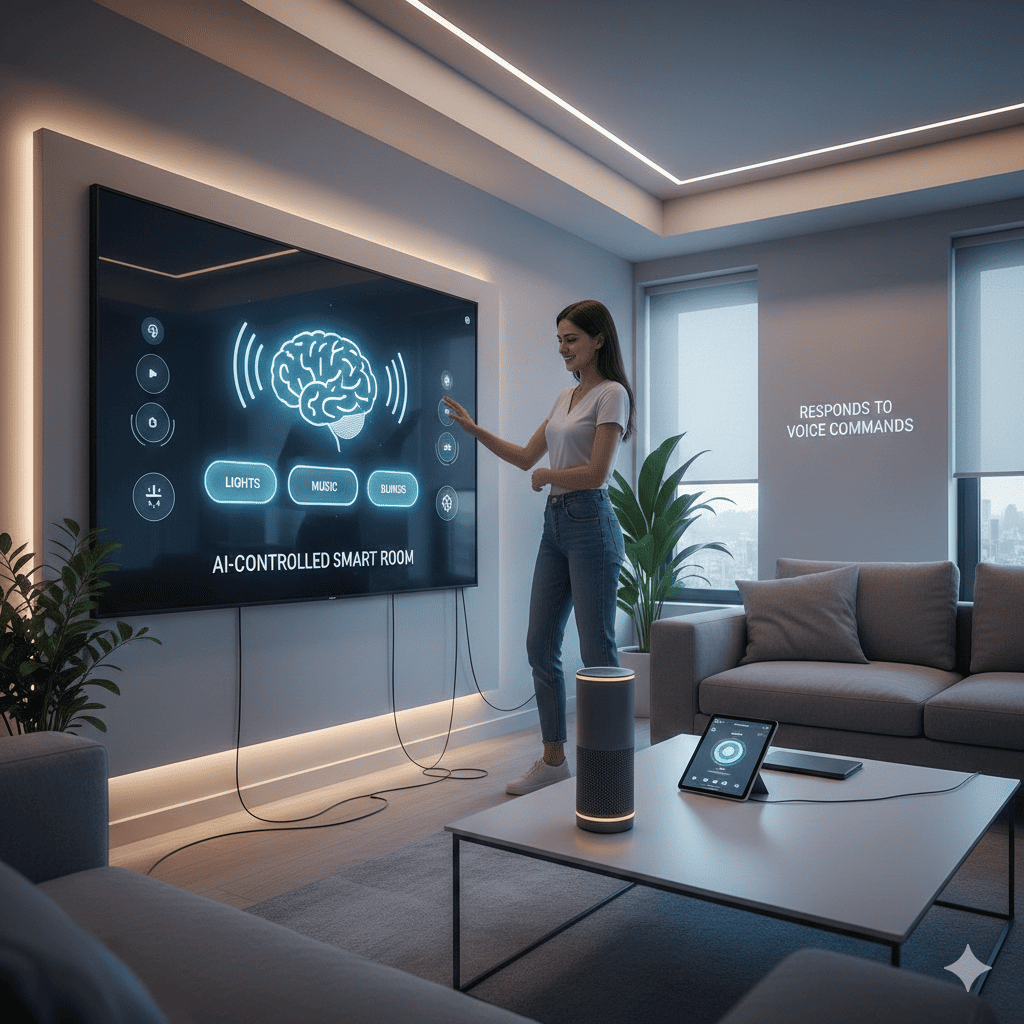
Imagine walking into your bedroom and simply saying “good morning” to have the curtains open automatically, lights adjust to energizing brightness, your favorite playlist begin, and the temperature shift to your ideal setting. This isn’t science fiction or a luxury reserved for tech billionaires. This is the reality I created when I successfully built an AI-controlled smart room that transforms my living space into an intelligent environment responding naturally to voice commands.
The journey from a standard bedroom to a fully automated, voice-responsive sanctuary took three months of planning, learning, building, and refining. What started as curiosity about home automation evolved into a comprehensive project that fundamentally changed how I interact with my personal space. Every element, from lighting and climate to entertainment and security, now responds to conversational voice commands powered by artificial intelligence.
This detailed guide shares my complete experience building this intelligent living space, including component selection, installation procedures, programming challenges, and the incredible difference it makes in daily life. Whether you’re considering a similar project or simply curious about the possibilities of home automation, this journey demonstrates that creating truly intelligent spaces is more accessible than ever before.
1. Defining the Smart Room Vision
Success in any complex project begins with clear objectives and realistic expectations about what’s achievable.
Identifying Pain Points
My existing bedroom setup frustrated me daily with its lack of coordination. Turning off lights required getting out of bed. Adjusting temperature meant walking to the thermostat. Playing music involved unlocking my phone and navigating apps. Each small inconvenience accumulated into significant friction throughout the day.
More fundamentally, my environment remained static regardless of my needs. Morning routines, evening wind-down, focused work sessions, and relaxation time all demanded different environmental configurations, yet manually adjusting multiple devices for each context switch proved tedious enough that I rarely bothered.
I envisioned a room that understood context and anticipated needs. A space where verbal intent translated immediately into environmental changes. Where technology faded into the background, responding naturally without requiring technical interaction. This vision became the foundation for building an AI-controlled smart room from the ground up.
Setting Core Requirements
My requirements list prioritized practical daily improvements over impressive but rarely used features. Voice control needed to work reliably with natural language, not rigid command phrases. The system had to understand “make it darker” as easily as “set lights to 20 percent brightness.”
Integration across all room systems was non-negotiable. Individual smart devices are useful, but true intelligence emerges from coordinated operation. Lighting, climate, audio, window coverings, and security needed to function as a unified system responding to high-level intentions rather than separate devices requiring individual control.
Privacy and local processing were paramount. I wanted voice processing and automation logic running locally rather than sending every command to cloud services. This ensures continued functionality during internet outages while protecting privacy from corporate surveillance.
Budget and Timeline Planning
I established a realistic budget acknowledging that quality components cost money but avoiding unnecessary premium pricing for features I wouldn’t use. My target of two thousand dollars covered all major components while leaving room for unexpected expenses that inevitably arise during complex projects.
The three-month timeline broke down into distinct phases. Month one focused on research, planning, and component acquisition. Month two covered installation and basic integration. Month three addressed programming, refinement, and implementing advanced features. This structure maintained momentum while preventing burnout from attempting too much simultaneously.
2. Selecting the Technology Foundation
Choosing the right technological foundation determines both current capabilities and future expansion potential.
Central Control System Selection
After researching various platforms, I selected Home Assistant as my central control hub. This open-source platform offered unmatched flexibility, extensive device compatibility, and robust local processing capabilities. Unlike proprietary systems limiting me to specific brands or cloud services, Home Assistant integrates virtually any smart device or protocol.
I deployed Home Assistant on a dedicated Raspberry Pi 4 with 4GB RAM, providing sufficient processing power for complex automations while maintaining low power consumption. The Raspberry Pi’s compact size allowed placement within my room rather than requiring a separate server room, improving reliability and reducing network latency.
Voice Assistant Infrastructure
For voice processing, I implemented a hybrid approach combining local and cloud capabilities. Rhasspy provides local wake word detection and speech-to-text conversion, ensuring basic voice control works without internet connectivity. For more sophisticated natural language understanding, I integrated OpenAI’s GPT models, allowing conversational interaction rather than rigid command structures.
Multiple microphone arrays positioned throughout the room ensure reliable voice capture from any location. I chose far-field microphones with beamforming capabilities, providing excellent voice isolation even with background noise from music or conversation. Strategic microphone placement eliminates dead zones where voice commands might fail.
Communication Protocols
My smart room employs multiple communication protocols appropriate for different device types. WiFi connects high-bandwidth devices like streaming systems and cameras. Zigbee handles sensors and smart bulbs, offering reliable low-power mesh networking perfect for battery-powered devices. Z-Wave manages power outlets and switches with excellent reliability and range.
This multi-protocol approach optimizes each device type while avoiding protocol-specific limitations. A USB Zigbee coordinator and Z-Wave USB stick connect to the Raspberry Pi, enabling Home Assistant to communicate across all protocols through a single interface.
Power Infrastructure
Reliable power distribution required upgrading my room’s electrical infrastructure. I installed smart outlets at key locations, providing remote power control for devices lacking native smart capabilities. A dedicated UPS system protects the control hub and networking equipment from power interruptions that could disrupt automations.
Circuit mapping identified which outlets shared circuits, preventing overload when multiple high-power devices operate simultaneously. This analysis proved crucial for designing automations that never exceed safe power limits regardless of commanded device states.
3. Installing Smart Lighting Systems
Lighting forms the most visible and frequently used aspect of the smart room, making proper implementation critical.
Choosing Lighting Components
I selected Zigbee-compatible smart bulbs for their reliability, local control capabilities, and lack of cloud dependencies. My installation included color-changing bulbs in primary fixtures for maximum flexibility and tunable white bulbs in task lighting where color wasn’t beneficial.
LED light strips installed behind furniture and along architectural features provide ambient lighting and visual effects. These addressable RGB strips connect to a Zigbee controller, allowing individual LED control for creating flowing patterns and dynamic scenes.
Smart switches replaced traditional wall switches, providing physical control while reporting state to Home Assistant. This dual approach ensures lighting remains operable through familiar wall switches while enabling voice and automated control.
Installation Process
Installing smart bulbs simply required replacing existing bulbs and pairing them with the Zigbee coordinator through Home Assistant’s integration interface. Each bulb received descriptive names like “bedside lamp left” rather than generic identifiers, making voice commands more intuitive.
LED strip installation demanded more effort. I cleaned mounting surfaces thoroughly, measured precise lengths, and used aluminum channels providing heat dissipation and diffused light output. Careful wire management hid power supplies and controllers, maintaining clean aesthetics.
Switch replacement required basic electrical work. After shutting off circuit breakers, I removed old switches, connected smart switches following wiring diagrams, and verified proper operation before moving to the next switch. Taking photographs before disconnecting wires prevented confusion during reassembly.
Creating Lighting Scenes
Lighting scenes combine multiple lights at specific brightness and color settings into named configurations. My “morning” scene gradually brightens cool white lights simulating sunrise. “Evening” transitions to warm dimmed lighting promoting relaxation. “Focus” provides bright neutral illumination for work tasks.
The real power emerged when I built an AI-controlled smart room with contextual lighting. Rather than manually selecting scenes, the AI interprets requests like “I need to read” or “let’s watch a movie” and applies appropriate lighting automatically. This natural interaction eliminates the mental overhead of remembering scene names or specific commands.
Dynamic Lighting Effects
Beyond static scenes, I programmed dynamic lighting effects responding to various triggers. Gentle pulsing alerts indicate pending calendar events. Color shifts reflect outside weather conditions visible at a glance. Notification lights flash specific colors for different alert types without jarring audio interruptions.
Music synchronization allows lights to pulse and change colors with audio rhythm, creating an immersive entertainment experience. The effect activates through simple commands like “party mode” without requiring additional apps or complicated setup procedures.
4. Implementing Climate Control
Maintaining ideal temperature and air quality significantly impacts comfort and sleep quality, making smart climate control invaluable.
Smart Thermostat Integration
I installed a WiFi-enabled smart thermostat compatible with Home Assistant, providing remote temperature control and scheduling capabilities. The thermostat’s learning features adapt to my preferences over time while permitting manual override when circumstances change.
Multiple temperature sensors throughout the room provide accurate readings beyond the single thermostat location. Home Assistant averages these readings, preventing localized hot or cold spots from triggering unnecessary heating or cooling cycles.
Air Quality Management
Smart air purifiers with WiFi connectivity automatically adjust filtration based on detected air quality. Home Assistant monitors particle counts, volatile organic compounds, and humidity levels, activating purification when measurements exceed healthy thresholds.
Humidity control uses smart outlets controlling humidifiers and dehumidifiers based on measured levels. The system maintains the ideal 40-60 percent humidity range that promotes health and prevents mold growth or excessive dryness.
Window Automation
Motorized window shades dramatically enhance climate and lighting control. These Zigbee-connected shades respond to voice commands, scheduled automations, and environmental conditions. They automatically close during peak sun hours reducing cooling load and open at night to capture cool air when appropriate.
I installed blackout shades for complete light blocking during sleep and light-filtering shades for daytime privacy without total darkness. Voice commands like “movie time” close blackout shades while “gentle wake up” gradually opens them simulating natural sunrise.
Ventilation Optimization
Smart fans circulate air efficiently without constant maximum speed operation. The system adjusts fan speeds based on temperature differentials, increasing circulation when temperature varies significantly between areas and reducing speed when uniform.
Window opening sensors integrate with climate control, preventing heating or cooling operation when windows are open. This automation saves energy while protecting HVAC equipment from unnecessary strain caused by conditioning outside air.
5. Integrating Entertainment Systems
Entertainment integration transforms isolated devices into a coordinated system responding to natural commands.
Audio System Setup
Networked audio receivers and speakers throughout the room connect via both WiFi and physical cables depending on location and bandwidth requirements. Home Assistant integrates with streaming services including Spotify, providing voice-controlled music playback without opening apps.
Multi-room audio synchronization allows music to follow me between rooms or play simultaneously throughout my home. Voice commands specify single-room playback or coordinated multi-room operation naturally through phrases like “play this everywhere” or “just in the bedroom.”
Television and Streaming Control
Smart TV integration enables voice control of power, input selection, volume, and content playback. Infrared blasters control devices lacking native smart capabilities, ensuring comprehensive system control regardless of equipment age.
Streaming device integration connects Roku, Apple TV, and gaming consoles to the voice control system. Commands like “watch Netflix” automatically power on necessary devices, switch inputs, and launch applications without juggling multiple remotes.
Unified Remote Control
Physical universal remotes provide backup control when voice commands aren’t convenient. These remotes integrate with Home Assistant through WiFi or Zigbee, reporting button presses that trigger the same automations as voice commands.
The ability to control everything through voice, physical remotes, mobile app, or automated triggers ensures I’m never locked into a single interaction method. This flexibility accommodates different situations and personal preferences throughout the day.
6. Programming AI Voice Control
Voice control represents the most visible innovation when you’ve built an AI-controlled smart room, making implementation quality critical to daily satisfaction.
Natural Language Processing
Rather than programming specific command phrases, I leveraged GPT models for intent recognition. Users speak naturally, and the AI interprets meaning rather than matching keywords. This allows “I’m cold,” “raise the temperature,” and “make it warmer” to trigger the same action despite completely different wording.
The AI maintains conversation context, enabling follow-up commands referencing previous statements. Saying “make it warmer” followed by “actually, that’s too much” causes the system to reduce the temperature incrementally rather than requiring absolute values.
Creating Voice Personas
I developed distinct voice personalities for different contexts. The default assistant speaks professionally and concisely. “Storytelling mode” adopts a warmer, more conversational tone for entertainment. “Minimal mode” provides only essential confirmations without elaboration.
Voice selection happens automatically based on time of day and activity, or manually through commands. This personalization makes interactions feel more natural and appropriate to the situation rather than robotic and repetitive.
Custom Wake Words
Generic wake words like “Alexa” or “Hey Google” feel impersonal and trigger unintended devices in homes with multiple smart assistants. I trained custom wake words specific to my smart room, using my choice of phrase that’s unique and meaningful to me.
The wake word system uses local processing, ensuring privacy and eliminating latency from cloud round-trips. Detection operates continuously on low-power hardware, activating full voice processing only when the wake word is spoken.
Voice Confirmation Strategies
Balancing informative confirmations with avoiding verbose responses required careful tuning. The system acknowledges commands briefly, confirming understanding without unnecessary chatter. Critical actions receive explicit confirmation while routine commands execute silently or with minimal audio feedback.
Visual confirmation through LED indicators supplements voice feedback, providing status information without requiring audio attention. This multimodal approach ensures users receive feedback through their preferred sensory channel.
7. Developing Intelligent Automations
Automation transforms individual smart devices into a genuinely intelligent environment anticipating needs rather than merely responding to commands.
Time-Based Routines
My morning routine begins thirty minutes before my alarm, gradually increasing bedroom temperature from night setting to comfortable waking temperature. Lights slowly brighten simulating sunrise. Ten minutes before the alarm, gentle music begins playing at low volume.
Evening routines reverse this process, dimming lights and lowering temperature as bedtime approaches. The system learns from my actual sleep patterns, adjusting timing based on when I typically fall asleep rather than fixed schedules.
Context-Aware Automation
Presence detection through phone location and motion sensors determines whether I’m home, adjusting behavior accordingly. When away, the system maintains minimum climate control, reduces lighting to security levels, and activates monitoring features.
Activity recognition through device usage patterns infers current activities. Television operation suggests entertainment mode. Computer usage indicates work focus requiring different environmental settings. The room adapts continuously without explicit mode selection.
Conditional Logic
Complex conditional automations respond to combinations of factors rather than single triggers. The system only activates outdoor lighting when motion is detected, it’s dark outside, and I’m home. This prevents wasteful operation during daytime or when unnecessary.
Weather integration adjusts behaviors based on current conditions. On hot sunny days, shades close proactively preventing heat gain. Rainy days trigger cozier lighting presets. Seasonal adjustments maintain comfort as weather patterns shift.
Learning and Adaptation
Machine learning algorithms analyze my behavioral patterns, identifying trends and preferences that inform automation decisions. The system learns that I prefer cooler temperatures while sleeping but warmer upon waking. It discovers my preferred music genres for different times of day.
This learning happens passively through usage observation rather than requiring explicit training or configuration. Over time, automations become increasingly personalized and effective without ongoing manual adjustment.
8. Ensuring Security and Privacy
Security protections are essential when building an AI-controlled smart room connected to networks and containing sensitive data.
Network Segmentation
I configured my home network with VLANs separating smart home devices from personal computers and phones. This network segmentation prevents compromised smart devices from accessing sensitive data on other network segments.
The smart home VLAN has restricted internet access, permitting only necessary connections for functionality like weather data or streaming services. Unnecessary outbound connections are blocked by firewall rules, reducing exposure to external threats.
Authentication and Encryption
All communication between devices and the control hub uses encryption preventing eavesdropping or tampering. Home Assistant enforces strong passwords and supports two-factor authentication for remote access.
Local voice processing eliminates transmitting audio recordings to cloud services unless explicitly needed for advanced processing. Even then, audio data is encrypted in transit and not stored permanently on external servers.
Camera and Microphone Controls
Physical switches provide hardware-level control of cameras and microphones when privacy is required. These kill switches physically disconnect power, providing certainty that recording is impossible regardless of software state.
LED indicators illuminate whenever cameras or microphones are active, providing visible confirmation of recording status. This transparency ensures I’m always aware of system activity and potential privacy implications.
Update Management
Regular security updates protect against emerging vulnerabilities. I configured automatic security updates for the operating system while manually reviewing feature updates that might introduce compatibility issues.
A backup and restore procedure enables quick recovery from failed updates or security incidents. Weekly backups copy system configuration to external storage, allowing complete restoration if needed.
9. Troubleshooting Common Challenges
Every complex project encounters obstacles; learning to overcome them separates successful implementations from abandoned experiments.
Connectivity Issues
Early deployment revealed WiFi dead zones where devices frequently disconnected. I resolved this by installing mesh WiFi access points providing comprehensive coverage throughout the room and eliminating connection dropouts.
Zigbee and Z-Wave mesh networks required careful device placement ensuring sufficient interconnections for reliable communication. Strategic placement of powered devices strengthened the mesh, improving reliability for battery-powered sensors at network edges.
Voice Recognition Accuracy
Initial voice recognition accuracy disappointed with frequent misinterpretations and failed commands. Acoustic treatment reduced echo and reverberation that confused speech recognition. Microphone positioning adjustments improved voice capture quality.
Training custom language models with my voice samples and common room-specific vocabulary significantly improved accuracy. The system now reliably understands commands even in challenging acoustic conditions with background noise.
Automation Conflicts
Some automations conflicted when triggered simultaneously, producing unexpected results. I implemented priority systems and mutual exclusions preventing conflicting automations from operating concurrently.
Debugging tools logging automation triggers and resulting actions helped identify problematic interactions. This visibility into system operation proved invaluable for understanding complex behaviors emerging from multiple interacting rules.
Performance Optimization
As automation complexity grew, the Raspberry Pi occasionally struggled with processing demands. I optimized automation rules eliminating unnecessary complexity and computationally expensive operations where simpler approaches sufficed.
Database maintenance including regular cleanup of historical data prevented storage exhaustion while maintaining recent history for debugging and analysis. These optimizations restored smooth performance even with hundreds of active automations.
10. Living with an AI-Controlled Room
The true measure of success isn’t technical sophistication but how the system improves daily life over months of actual use.
Daily Quality of Life Improvements
Morning routines now begin pleasantly rather than jarring alarm clocks and fumbling for light switches in darkness. The gradual environmental changes promote natural waking, improving mood and energy throughout the day.
Evening wind-down happens naturally as the room gradually transitions to sleep-friendly settings. This environmental cueing helps establish consistent sleep schedules, dramatically improving sleep quality compared to my previous irregular patterns.
Energy Efficiency Gains
Intelligent climate control reduced heating and cooling costs by approximately 30 percent compared to my previous manual thermostat usage. The system optimizes operation based on occupancy, time of day, and weather forecasts rather than maintaining constant settings regardless of circumstances.
Automated lighting control eliminated the waste from lights left on in empty rooms. Smart power outlets prevent phantom power consumption from devices in standby mode, cutting electricity usage for entertainment and computer equipment.
Unexpected Benefits
Friends visiting the room inevitably express amazement at the natural voice interaction and environmental responsiveness. Demonstrating the capabilities often inspires them to consider their own automation projects, spreading awareness of what’s possible with modern technology.
The project developed skills across numerous domains including networking, programming, electronics, and AI integration. These capabilities transfer to professional work and future projects, making the investment in learning as valuable as the functional system itself.
Maintenance Requirements
Monthly maintenance includes reviewing automation performance, updating software, and cleaning sensors maintaining measurement accuracy. This investment of a few hours monthly ensures continued reliable operation and identifies emerging issues before they cause problems.
The modular architecture allows incremental upgrades and replacements without redesigning the entire system. When new technologies emerge or components fail, I can update individual subsystems while others continue operating normally.
Future Enhancement Plans
Future plans include expanding voice control to additional rooms creating a cohesive smart home experience. Biometric sensing could enable automatic environmental adjustment based on measured stress levels or sleep quality indicators.
Advanced machine learning might predict needs before I consciously recognize them, preparing the environment proactively rather than reactively. When I first built an AI-controlled smart room, these capabilities seemed futuristic, but rapid AI advancement makes them increasingly feasible.
Conclusion
Building an intelligent living space transforms abstract concepts of home automation into tangible daily improvements. The journey from conception to completion taught valuable lessons about technology integration, problem-solving, and the importance of human-centered design in technical projects.
The success of building an AI-controlled smart room depends less on expensive components than thoughtful design prioritizing actual needs over impressive features. The most sophisticated automation provides no value if it solves problems you don’t have or introduces more complexity than it eliminates.
Voice control fundamentally changes interaction paradigms, making advanced functionality accessible through natural conversation rather than technical interfaces. This accessibility democratizes smart home technology, removing barriers that previously limited adoption to technical enthusiasts willing to master complex systems.
The project demonstrates that sophisticated home automation remains achievable for motivated individuals willing to invest time learning new skills. The components and platforms have never been more accessible, and online communities provide invaluable support throughout the building process.
Living in an environment that responds intelligently to your needs creates a profound shift in how you relate to your space. Rather than adapting yourself to fixed environmental conditions, the environment adapts to you. This subtle but significant change reduces daily friction and mental overhead, freeing attention for activities that matter.
For anyone considering a similar project, my strongest advice is to start small and expand incrementally. Begin with a single room and basic automations. As you gain experience and confidence, gradually add complexity and capability. This approach maintains motivation through early successes while preventing overwhelming complexity that leads to abandoned projects.
The smart room continues evolving as I identify new opportunities for automation and enhancement. This ongoing refinement process proves as rewarding as the initial build, demonstrating that building an AI-controlled smart room isn’t a destination but a journey of continuous improvement and discovery.
The future of living spaces lies in intelligent environments that understand and anticipate occupant needs rather than requiring constant manual adjustment. Creating such spaces is no longer exclusive to corporate research labs or luxury developments but accessible to anyone with curiosity and commitment to learning. The tools exist today to transform ordinary rooms into extraordinary intelligent environments that improve life in meaningful, lasting ways.
Also read this:
How I Built an AI-Controlled Smart Desk That Works on Voice Commands
Building a ChatGPT-Powered Smart Speaker From Scratch (Full Demo)