
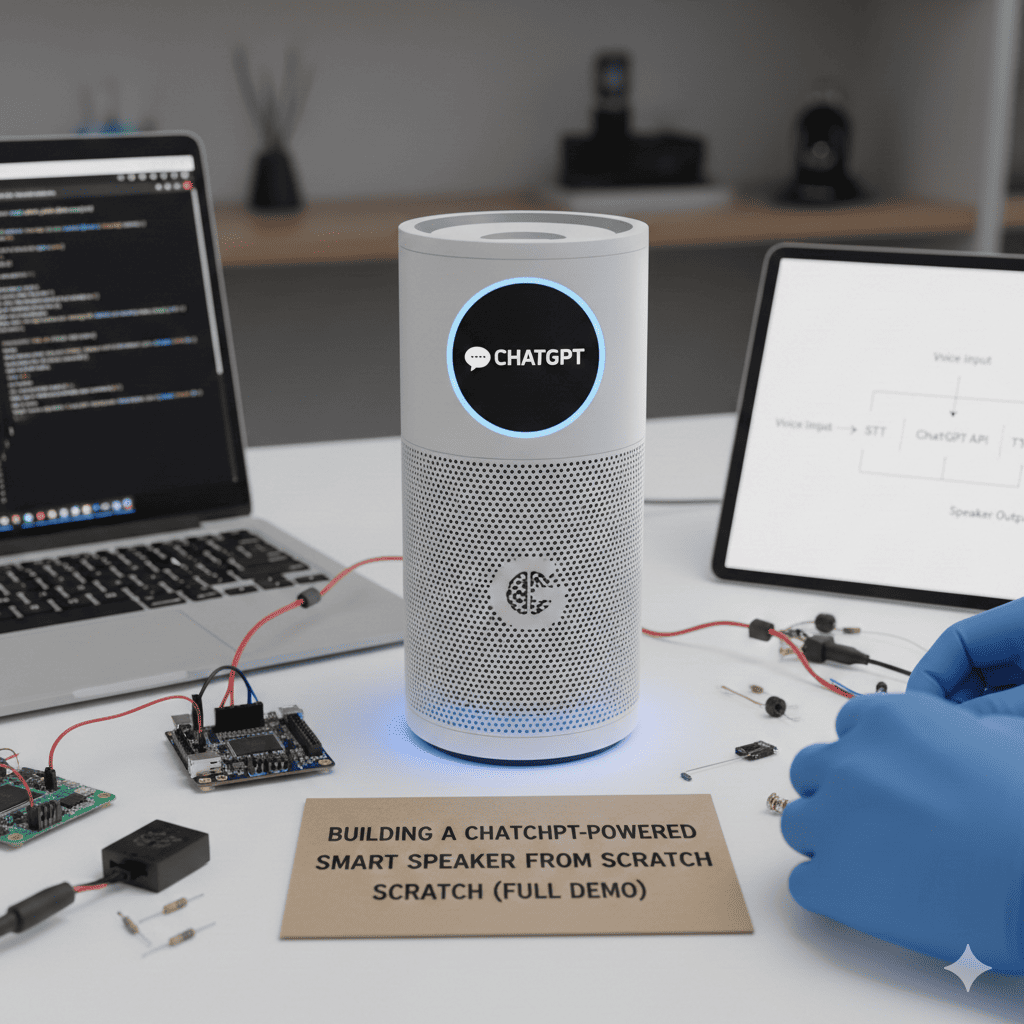
Building a ChatGPT-powered smart speaker The era of voice-activated artificial intelligence has transformed how we interact with technology. While commercial smart speakers dominate the market, there’s something uniquely satisfying about creating your own intelligent voice assistant from the ground up. In this comprehensive guide, we’ll walk through the complete process of Building a ChatGPT-powered smart speaker that responds to your voice commands with the intelligence of OpenAI’s most advanced language model.
This project combines hardware assembly, software development, and API integration to create a device that can understand natural language, process complex queries, and respond with human-like conversation. Whether you’re a hobbyist, developer, or AI enthusiast, this guide will provide you with everything you need to construct your own AI-powered voice assistant.
1. Understanding the Core Components
Before diving into the construction process, it’s essential to understand the fundamental building blocks that make building a ChatGPT-powered smart speaker possible.
Hardware Requirements
The physical components form the foundation of your smart speaker system. You’ll need a microcontroller or single-board computer capable of processing audio input and managing API calls. The Raspberry Pi 4 stands out as the optimal choice due to its processing power, extensive GPIO pins, and strong community support. Alternatively, you could use a Raspberry Pi Zero W for a more compact build, though with some performance trade-offs.
Audio capture requires a quality USB microphone or a dedicated microphone module. The quality of your microphone directly impacts speech recognition accuracy, so investing in a decent unit pays dividends. For audio output, you can choose between USB speakers, a 3.5mm jack connection, or a Bluetooth speaker for wireless convenience.
Power supply considerations are crucial for stable operation. The Raspberry Pi 4 requires a 5V 3A power adapter, while other components may have different requirements. Don’t forget the microSD card for storage, with a minimum of 16GB recommended, though 32GB provides comfortable headroom for your operating system and applications.
Software Architecture
The software stack for your smart speaker involves multiple layers working in harmony. At the foundation sits the operating system, typically Raspberry Pi OS (formerly Raspbian), which provides the environment for all other software components.
Speech recognition converts your spoken words into text that can be processed by ChatGPT. Several options exist for this critical function. You can leverage cloud-based services like Google Speech-to-Text or implement offline solutions such as Vosk or PocketSphinx for privacy-conscious implementations.
The ChatGPT integration layer handles communication with OpenAI’s API, managing authentication, request formatting, and response parsing. This component transforms text input into intelligent conversational responses.
Text-to-speech synthesis converts ChatGPT’s text responses back into spoken audio. Popular options include Google Text-to-Speech, Amazon Polly, or offline alternatives like pyttsx3 and espeak for local processing.
API and Connectivity
Network connectivity is non-negotiable for building a ChatGPT-powered smart speaker that relies on cloud services. Your device needs stable internet access via WiFi or Ethernet. Additionally, you’ll need active API credentials for OpenAI’s ChatGPT service, obtained through their developer platform.
Understanding rate limits, pricing tiers, and best practices for API usage ensures your smart speaker operates efficiently without unexpected costs or service interruptions.
2. Setting Up the Hardware
The physical assembly of your smart speaker requires attention to detail and proper component integration.
Assembling the Raspberry Pi
Start by preparing your Raspberry Pi. Insert the microSD card loaded with Raspberry Pi OS into the card slot. Connect your USB microphone to one of the USB ports, ensuring a secure connection. If using USB speakers, connect them to another USB port or use the 3.5mm audio jack for wired speakers.
Power management deserves special consideration. Use the official Raspberry Pi power supply or a quality third-party alternative that meets the voltage and amperage requirements. Inadequate power can cause system instability and unpredictable behavior.
For improved aesthetics and protection, consider housing your components in a case. Numerous 3D-printable designs are available online, or you can purchase commercial Raspberry Pi cases that accommodate additional components.
Audio Configuration
Proper audio setup is critical for reliable operation. Access your Raspberry Pi either through direct connection with a monitor and keyboard or via SSH from another computer. Open the terminal and configure the audio settings using the raspi-config utility.
Test your microphone by recording a short audio clip using the arecord command. Playback the recording with aplay to verify that your microphone captures clear audio. Adjust the microphone gain if the recording is too quiet or distorted.
For speaker output, test audio playback using sample sound files or online resources. Adjust the volume levels through the alsamixer interface to achieve comfortable listening levels without distortion.
Network Configuration
Building a ChatGPT-powered smart speaker Connect your Raspberry Pi to your WiFi network through the GUI interface or by editing the wpa_supplicant configuration file directly. Verify internet connectivity by attempting to ping external servers or browsing a simple website.
Configure your device to use a static IP address if you plan to access it regularly via SSH. This prevents the IP address from changing and simplifies remote access to your smart speaker system.
3. Installing Required Software
The software installation process transforms your hardware into a functional smart speaker platform.
Operating System Setup
If you haven’t already, flash Raspberry Pi OS to your microSD card using the Raspberry Pi Imager tool. Boot your Raspberry Pi and complete the initial setup wizard, configuring language, timezone, and network settings.
Update your system packages to ensure you have the latest software versions and security patches. Run the update commands through the terminal, which may take several minutes depending on your internet connection speed.
Python Environment
Python serves as the primary programming language for this project due to its extensive libraries and ease of use. Install Python 3 if it’s not already present on your system, along with pip for package management.
Create a virtual environment for your smart speaker project to isolate dependencies and prevent conflicts with system-wide packages. Activate the virtual environment before installing project-specific libraries.
Essential Libraries
Install the OpenAI Python library to facilitate ChatGPT API interactions. This official library simplifies authentication, request formatting, and response handling. Additionally, install speech recognition libraries appropriate for your chosen approach, whether cloud-based or offline.
For text-to-speech functionality, install gTTS for Google Text-to-Speech integration or pyttsx3 for offline synthesis. Audio processing libraries such as PyAudio enable recording and playback functionality within your Python scripts.
Install additional utility libraries for configuration management, logging, and error handling. These supporting libraries make your code more robust and maintainable.
4. Developing the Core Application
The software development phase brings your smart speaker to life with intelligent conversation capabilities.
Speech Recognition Implementation
Begin by creating the speech recognition module that captures audio input and converts it to text. Implement a function that listens for voice input, detecting when speech begins and ends. This typically involves monitoring audio levels and using silence detection to determine when the user has finished speaking.
For cloud-based recognition, send the audio data to your chosen speech-to-text service and retrieve the transcribed text. Implement error handling to manage network failures, API errors, and unclear audio that can’t be transcribed accurately.
Offline speech recognition requires loading language models and configuring the recognition engine. While this approach provides privacy benefits and eliminates API costs, it generally offers lower accuracy compared to cloud services.
ChatGPT Integration
Create a module dedicated to ChatGPT communication. Store your OpenAI API key securely, preferably using environment variables or a configuration file that’s excluded from version control. Never hardcode API keys directly in your source code.
Implement a function that sends user text to the ChatGPT API and receives the response. Configure conversation parameters such as temperature for response creativity, maximum token length, and system prompts that define ChatGPT’s behavior and personality.
Consider implementing conversation memory by maintaining a history of previous exchanges. This allows ChatGPT to understand context and provide more coherent responses across multiple interactions. However, be mindful of token limits when including conversation history.
Text-to-Speech Synthesis
Develop the speech synthesis module that converts ChatGPT’s text responses into audible speech. If using cloud-based services, send the response text to the TTS API and retrieve the audio file. For offline solutions, generate speech using the installed TTS engine.
Implement audio playback functionality that streams or plays the generated speech through your connected speakers. Handle various audio formats and ensure smooth playback without glitches or interruptions.
Wake Word Detection
Professional smart speakers activate upon hearing a specific wake word like “Alexa” or “Hey Google.” Implementing similar functionality for Building a ChatGPT-powered smart speaker significantly enhances user experience.
You can implement wake word detection using libraries like Porcupine or Snowboy for offline processing. These systems continuously monitor audio input for specific trigger phrases while consuming minimal resources.
Configure your wake word to be distinct and unlikely to trigger accidentally during normal conversation. Test extensively to balance sensitivity between detecting intentional wake words and ignoring false positives.
5. Creating the User Interface
While primarily voice-controlled, visual feedback enhances usability and provides status information.
LED Status Indicators
Integrate LED lights to communicate device status through color and patterns. A blue light might indicate listening mode, green for processing, and red for errors. Connect LEDs to GPIO pins on your Raspberry Pi and control them through your Python code.
Implement breathing or pulsing effects during processing to indicate that the system is working on a response. These visual cues reduce user uncertainty and improve the perceived responsiveness of your device.
Physical Buttons
Add tactile controls for common functions such as manual activation, volume adjustment, and muting the microphone. Physical buttons provide accessibility benefits and offer control when voice commands aren’t practical.
Wire push buttons to GPIO pins and implement debouncing in software to prevent false triggers from mechanical bounce. Assign logical functions to each button and consider implementing long-press actions for additional functionality.
Optional Display Integration
For advanced implementations, connect a small OLED or LCD display to show text responses, system status, or conversation history. Displays add a visual dimension to your smart speaker and can show information that’s difficult to convey through audio alone.
Configure the display through I2C or SPI interfaces depending on your chosen hardware. Implement scrolling text for long responses and create informative status screens that enhance user understanding.
6. Implementing Advanced Features
Elevate your smart speaker beyond basic conversation with powerful additional capabilities.
Home Automation Integration
Transform your device into a smart home controller by integrating with popular home automation platforms. Building a ChatGPT-powered smart speaker with home control capabilities creates a centralized voice interface for your connected devices.
Integrate with Home Assistant, OpenHAB, or similar platforms through their APIs. This allows voice commands like “turn off the living room lights” or “set the thermostat to 72 degrees” to control real devices in your home.
Implement entity recognition in your code to identify device names and actions within user commands. Pass these structured commands to your home automation system for execution, then provide verbal confirmation of the action taken.
Music Playback
Add music streaming capabilities by integrating with services like Spotify through their APIs. Implement voice commands for playing songs, artists, or playlists, adjusting volume, and controlling playback.
For local music playback, implement a media player that can browse and play audio files stored on your device or network storage. Support common commands like play, pause, skip, and shuffle to provide familiar music control functionality.
Calendar and Reminder Management
Connect to calendar services like Google Calendar to enable scheduling and reminder features. Users can add events, check their schedule, and receive audio notifications for upcoming appointments.
Implement a reminder system that stores scheduled alerts and delivers them at the appropriate time through voice announcements. This requires background task scheduling and careful time management in your code.
Information Queries
Leverage ChatGPT’s extensive knowledge base for information queries ranging from weather forecasts to historical facts. Enhance this functionality by integrating specialized APIs for specific data types like real-time weather, news headlines, or stock prices.
Implement query routing logic that determines when to use external APIs versus relying solely on ChatGPT. For example, weather queries should fetch current data from a weather API rather than relying on ChatGPT’s potentially outdated training data.
Multi-Language Support
Expand your smart speaker’s reach by implementing multi-language capabilities. Many speech recognition and text-to-speech services support numerous languages, allowing users to interact in their preferred language.
Configure language selection either through voice commands or a configuration setting. Ensure that all components including speech recognition, ChatGPT prompts, and speech synthesis operate in the selected language for a consistent experience.
7. Optimizing Performance
Fine-tuning your smart speaker ensures responsive, reliable operation.
Response Time Optimization
Minimize latency between user input and audio response to create a natural conversational experience. Profile your code to identify bottlenecks in speech recognition, API calls, and speech synthesis.
Implement asynchronous processing where possible to parallelize tasks that don’t depend on each other. For example, begin synthesizing speech for the first portion of a response while ChatGPT continues generating the remainder.
Cache frequently used responses or data to reduce API calls and improve response times for common queries. However, balance caching with the need for current information to avoid providing outdated responses.
Resource Management
Monitor CPU usage, memory consumption, and network bandwidth to ensure your Raspberry Pi operates within its capabilities. Implement logging to track resource usage patterns and identify opportunities for optimization.
For systems running continuously, implement graceful restart mechanisms that clear memory leaks and refresh connections without requiring manual intervention. Schedule automatic updates during low-usage periods to maintain system security and functionality.
Error Handling and Recovery
Robust error handling distinguishes a hobby project from a reliable daily-use device. Implement comprehensive exception handling throughout your code to catch and manage errors gracefully.
When speech recognition fails, provide helpful audio feedback prompting the user to repeat their request. If API calls fail due to network issues, queue the request for retry rather than simply failing silently.
Implement watchdog functionality that monitors core processes and restarts them if they become unresponsive. This automatic recovery prevents complete system failures from temporary issues.
8. Security and Privacy Considerations
Protecting user data and securing your device are paramount responsibilities.
API Key Security
Never expose your OpenAI API key in publicly accessible code repositories or system logs. Use environment variables or encrypted configuration files to store sensitive credentials securely.
Implement rate limiting and usage monitoring to detect unusual patterns that might indicate unauthorized API key usage. OpenAI provides usage dashboards that help track your API consumption and costs.
Audio Data Privacy
Building a ChatGPT-powered smart speaker Consider the privacy implications of recording and transmitting audio data. Implement local processing where feasible to minimize data sent to external services. For cloud-based services, review their data retention policies and ensure compliance with your privacy requirements.
Provide clear indicators when the microphone is active and implement a hardware mute button that physically disconnects the microphone for complete privacy assurance. Transparency about data handling builds user trust.
Network Security
Secure your Raspberry Pi by disabling unnecessary services, changing default passwords, and keeping software updated. Configure your firewall to allow only required network connections.
If accessing your device remotely, use secure protocols like SSH with key-based authentication rather than password-only access. Consider implementing VPN access for additional security when managing your device outside your home network.
Update Management
Establish a regular maintenance schedule for updating system software, Python libraries, and dependencies. Security patches often address critical vulnerabilities that could compromise your device.
Implement automatic security updates where possible, while testing major upgrades in a development environment before applying them to your production smart speaker. This balanced approach maintains security without risking system stability.
9. Testing and Debugging
Thorough testing ensures your smart speaker operates reliably under various conditions.
Functional Testing
Develop a comprehensive test suite covering all voice commands and features. Test speech recognition accuracy with different speakers, accents, and audio conditions. Document any commands that consistently fail and investigate the root causes.
Verify ChatGPT integration by testing various query types including factual questions, creative requests, and conversational exchanges. Ensure responses are appropriate, accurate, and delivered in a reasonable timeframe.
Test text-to-speech quality across different response types and lengths. Verify that generated speech is clear, properly paced, and maintains consistent volume levels.
Stress Testing
Evaluate system performance under continuous operation and rapid successive commands. Monitor resource usage during extended sessions to identify memory leaks or performance degradation.
Test network failure scenarios by temporarily disconnecting internet access and verifying that your system handles the situation gracefully. Ensure appropriate error messages guide users when services are unavailable.
User Acceptance Testing
Gather feedback from multiple users with varying technical backgrounds and voice characteristics. Real-world usage often reveals issues that controlled testing overlooks.
Document common user confusion points and refine your system’s responses or voice prompts to address these issues. Iterative improvement based on actual usage creates a more intuitive and satisfying experience.
10. Deployment and Maintenance
Transitioning from development to daily use requires final preparations and ongoing maintenance.
System Hardening
Remove development tools and debugging code from your production system to reduce attack surfaces and improve performance. Configure your smart speaker to start automatically on boot using systemd services or similar mechanisms.
Document your system configuration, including hardware connections, software versions, and custom settings. This documentation proves invaluable when troubleshooting issues or replicating your setup.
Backup Strategy
Implement regular backups of your system configuration and custom code. Create disk images of your microSD card after achieving stable operation, allowing quick recovery from catastrophic failures.
Store backups securely, including off-site copies to protect against physical damage to your device. Test your backup restoration process periodically to ensure backups are functional when needed.
Monitoring and Logging
Configure comprehensive logging to track system operation, errors, and usage patterns. Implement log rotation to prevent storage exhaustion while maintaining historical data for troubleshooting.
Set up monitoring alerts for critical errors or unusual behavior. Email notifications or mobile push alerts enable prompt response to issues before they significantly impact functionality.
Continuous Improvement
Building a ChatGPT-powered smart speaker is an iterative process with opportunities for ongoing enhancement. Monitor OpenAI’s API updates and new features that could enhance your device’s capabilities.
Engage with online communities of makers and developers working on similar projects. Sharing knowledge and experiences accelerates learning and sparks ideas for new features and improvements.
Track user feedback and feature requests to guide development priorities. Focus enhancements on functionality that provides the most value to regular users rather than pursuing technically interesting but rarely used features.
Conclusion
Successfully building a ChatGPT-powered smart speaker from scratch represents a significant achievement combining hardware assembly, software development, and AI integration. The device you’ve created demonstrates the accessibility of artificial intelligence technology and the power of combining multiple technologies into a cohesive system.
Beyond the functional smart speaker itself, this project develops valuable skills in embedded systems, API integration, audio processing, and user interface design. These competencies transfer to numerous other projects and professional applications.
Your custom smart speaker offers distinct advantages over commercial alternatives including complete control over privacy, unlimited customization potential, and the satisfaction of using technology you truly understand. As ChatGPT and related AI technologies continue evolving, your device can evolve with them, incorporating new capabilities and improvements.
The foundation you’ve built provides a platform for experimentation and learning. Consider expanding functionality with computer vision for facial recognition, implementing emotion detection in voice input, or creating custom personalities through system prompt engineering.
The journey of building a ChatGPT-powered smart speaker doesn’t end with the first working prototype. It begins there, opening doors to endless possibilities for customization, enhancement, and integration with other systems. Your creation serves as both a practical daily tool and a testament to the democratization of advanced AI technology.
Whether you use your smart speaker to control your home, answer questions, play music, or simply enjoy conversations with an AI assistant, you’ve created something uniquely yours. This combination of cutting-edge artificial intelligence with hands-on hardware construction represents the best of modern maker culture and technological innovation.
Share your creation with the maker community, contribute your improvements back to open-source projects, and inspire others to embark on their own journey of building a ChatGPT-powered smart speaker. The future of personal AI assistants is being written by enthusiasts and developers like you who refuse to simply consume technology but instead choose to create it.
Also read this:
Why Mindset Matters More Than Methods When Earning Online