
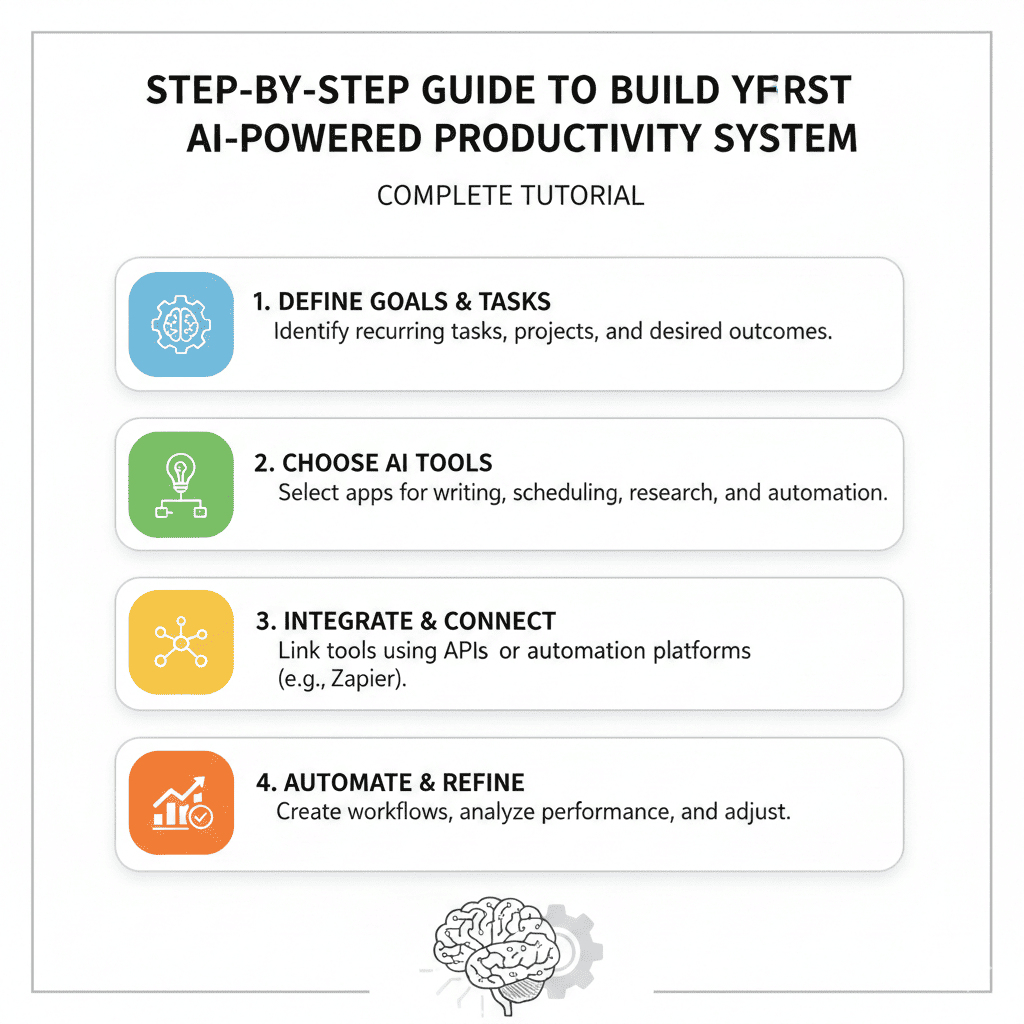
The modern workplace demands more from us than ever before. Between managing emails, scheduling meetings, tracking projects, and staying on top of deadlines, productivity can feel like an impossible goal. But what if you could harness artificial intelligence to transform how you work? When you Build Your First AI-Powered Productivity System, you’re not just adopting new tools—you’re fundamentally reshaping how you approach your daily workflow.
This comprehensive guide will walk you through every step of creating an intelligent productivity system that learns from your habits, automates repetitive tasks, and keeps you focused on what truly matters. Whether you’re a busy professional, entrepreneur, or student, this tutorial will help you leverage AI to reclaim hours of your day.
Understanding the Foundation: What Makes an AI-Powered Productivity System Different
Before diving into implementation, it’s crucial to understand what sets an AI-powered system apart from traditional productivity methods. Traditional systems rely on manual input, rigid structures, and your constant attention. AI-powered systems, however, adapt to your behavior, predict your needs, and automate decision-making processes.
The key difference lies in three core capabilities. First, intelligent automation handles repetitive tasks without your intervention. Second, predictive analysis learns from your patterns to suggest optimal workflows. Third, contextual awareness understands the relationship between different tasks and priorities to make smart recommendations.
When you Build Your First AI-Powered Productivity System, you’re creating a digital assistant that evolves with you. It doesn’t just store information—it processes, prioritizes, and presents it exactly when you need it.
1. Defining Your Productivity Goals and Pain Points
The foundation of any successful system starts with clarity about what you’re trying to achieve. Many people skip this step and jump straight into tools, only to find themselves overwhelmed with technology that doesn’t address their real challenges.
Identify your biggest time drains. Spend three days tracking how you actually spend your time. You might discover that 30% of your day goes to email management, 20% to meeting scheduling, and another 15% to searching for information across different platforms. These insights will guide which AI tools to prioritize.
Define measurable success metrics. Vague goals like “be more productive” won’t help you evaluate your system’s effectiveness. Instead, set specific targets: reduce email processing time by 50%, eliminate scheduling back-and-forth completely, or decrease time spent on administrative tasks by 10 hours per week.
Map your current workflow. Document every step of how you handle recurring tasks. For instance, when a project request comes in, do you manually create task lists, assign deadlines, set reminders, and update stakeholders? Each of these steps is an opportunity for AI automation.
Prioritize quick wins versus long-term transformations. Some productivity improvements deliver immediate results, while others require more setup time. Balance both in your implementation strategy.
2. Selecting Your Core AI Tools and Platforms
The AI productivity landscape offers hundreds of tools, but you don’t need them all. When you Build Your First AI-Powered Productivity System, focus on creating a connected ecosystem of 4-6 core tools that work together seamlessly.
Choose an AI-powered task management system. Modern task managers like Motion, Reclaim AI, or Trevor AI use machine learning to automatically schedule your tasks based on priority, estimated duration, and available time slots. Unlike traditional to-do lists, these systems adjust your schedule in real-time when meetings run long or urgent tasks appear.
Implement an intelligent email assistant. Tools like Superhuman, Shortwave, or SaneBox use AI to categorize emails, surface important messages, and even draft responses based on your writing style. Some can automatically unsubscribe you from newsletters, schedule emails for optimal send times, and remind you about follow-ups.
Select a smart meeting coordinator. Platforms like Clockwise or Calendly AI eliminate the endless back-and-forth of scheduling. They analyze everyone’s calendars, identify optimal meeting times, and can even automatically reschedule meetings when conflicts arise.
Adopt an AI note-taking and knowledge management tool. Applications like Notion AI, Mem, or Reflect use natural language processing to help you capture, organize, and retrieve information. These tools can summarize long documents, extract action items from meeting notes, and surface relevant information based on what you’re currently working on.
Integrate an AI writing assistant. Whether it’s Grammarly, Jasper, or Claude, having an AI writing companion helps you draft emails, reports, and documents faster. These tools go beyond spell-check to suggest tone adjustments, restructure arguments, and even generate first drafts from bullet points.
Connect everything with automation tools. Zapier or Make (formerly Integromat) serve as the glue between your AI tools. They allow data to flow automatically between platforms without manual copying and pasting.
3. Building Your Information Architecture
A productivity system is only as good as its organizational structure. Poor organization leads to wasted time searching for information and duplicated effort across platforms.
Create a centralized knowledge hub. Designate one platform as your single source of truth. This could be Notion, Obsidian, or Roam Research. Every project, resource, and piece of important information should have a home here.
Implement the PARA method adapted for AI. The PARA system (Projects, Areas, Resources, Archives) provides an intuitive framework that AI tools can work with effectively. Create clear naming conventions and folder structures that both you and AI systems can navigate.
Design smart templates for recurring workflows. If you regularly run similar projects, create templates that include standard tasks, timelines, and checklists. AI tools can then automatically populate these templates and adjust them based on project-specific requirements.
Establish clear capture mechanisms. Information comes at you from everywhere—emails, messages, conversations, articles. Set up systems where AI automatically captures and categorizes this information. For example, forward emails to your task manager, use voice-to-text for quick ideas, or clip web articles to your knowledge base with automatic tagging.
Build in smart retrieval systems. The best information is useless if you can’t find it. AI-powered search that understands context and intent is crucial. Tools with semantic search capabilities can find relevant information even when you don’t remember exact keywords.
4. Implementing Intelligent Task Management
Moving beyond simple to-do lists to intelligent task orchestration represents the heart of an AI-powered system. This is where you’ll see the most dramatic improvements in how much you accomplish.
Automate task creation from multiple sources. When you Build Your First AI-Powered Productivity System, set up rules where tasks automatically generate from emails, meeting notes, or form submissions. For instance, any email flagged as important could automatically create a task with the email content as context.
Use AI for intelligent prioritization. Modern AI can analyze factors like deadlines, task dependencies, energy levels throughout your day, and even weather patterns to recommend what you should work on next. Tools like Motion continuously reprioritize your task list based on changing circumstances.
Implement time-blocking with smart scheduling. AI schedulers analyze your calendar patterns to identify your most productive hours. They automatically protect deep work time, batch similar tasks together, and suggest optimal times for different types of work.
Set up smart reminders and notifications. Instead of static reminders, use AI that learns when you’re most likely to complete certain tasks and adjusts notification timing accordingly. Some tools can detect when you’re in focus mode and hold non-urgent notifications.
Create automatic task delegation and assignment. For team environments, AI can suggest who should handle specific tasks based on workload, expertise, and availability. Some platforms even draft the delegation message for you.
Build in progress tracking and reporting. AI can automatically generate progress reports, identify bottlenecks, and forecast completion dates based on your velocity. This removes the administrative burden of status updates.
5. Automating Your Communication Workflows
Email and messaging consume enormous amounts of time. AI can dramatically reduce this burden while improving response quality and speed.
Implement smart email filtering and categorization. AI learns which emails require immediate attention, which can wait, and which are informational only. Tools like SaneBox move less important emails out of your inbox automatically, surfacing them at designated review times.
Use AI-powered email drafting and responses. Modern AI can analyze incoming emails and suggest contextually appropriate responses. For routine inquiries, you can create response templates that AI customizes based on specific details in each email.
Set up automatic follow-up systems. AI can track conversations requiring follow-up and automatically send reminders or nudge emails when responses haven’t arrived. This ensures nothing falls through the cracks without manual tracking.
Create smart meeting summaries and action items. Tools like Otter.ai or Fireflies.ai transcribe meetings, identify key decisions, and extract action items automatically. These summaries can then flow directly into your task management system.
Implement communication batching. AI can hold non-urgent messages and deliver them during designated communication windows, protecting your focus time. Some tools even draft acknowledgment responses to let senders know you’ll respond during your next communication block.
Build template libraries with AI enhancement. Create templates for common communication scenarios, then let AI personalize them for each recipient. This maintains efficiency without sacrificing personalization.
6. Creating Smart Decision-Making Frameworks
Decision fatigue drains productivity as much as busy work. AI can handle routine decisions and support complex ones with data-driven insights.
Automate low-stakes decisions. Create rules that let AI make routine choices: which meeting invite to accept, whether to attend a particular event, how to categorize new information. You set the criteria once, and AI applies them consistently.
Build decision trees for common scenarios. Document your decision-making process for recurring situations. AI can then walk through these frameworks, gathering necessary information and recommending actions.
Implement data collection for informed decisions. AI can automatically gather relevant data when you face a decision. For example, before a client meeting, it might compile recent communications, project status, and outstanding action items.
Use predictive analytics for planning. AI can analyze your historical data to forecast how long projects will take, when you’re likely to miss deadlines, and where resource constraints might emerge. This allows proactive rather than reactive management.
Create feedback loops for continuous improvement. Track decision outcomes and let AI learn what works. Over time, the system becomes increasingly accurate in its recommendations.
7. Designing Your AI-Powered Weekly and Daily Routines
Consistent routines amplify the benefits of AI automation. When you Build Your First AI-Powered Productivity System, integrating it into daily rhythms ensures sustained productivity gains.
Create an intelligent morning startup routine. Configure your system to prepare a personalized daily briefing: priority tasks for the day, relevant calendar items, overnight developments requiring attention, and a focus area recommendation. Some tools can even adjust this briefing based on your sleep data or morning energy levels.
Implement smart time blocking for different work modes. AI can automatically create protected blocks for deep work, batch administrative tasks, and schedule breaks based on your optimal productivity patterns. As you Build Your First AI-Powered Productivity System, it learns when you do your best creative work versus when you’re better suited for meetings.
Set up automatic end-of-day reviews. AI can compile what you accomplished, what’s rolling over to tomorrow, and prep tomorrow’s priorities. This takes five minutes instead of thirty and ensures nothing gets lost.
Design weekly planning sessions with AI support. Every week, review upcoming commitments, major projects, and goals. AI can highlight potential conflicts, suggest time allocations, and identify weeks where you’re overcommitted before they become problems.
Build in reflection and adjustment periods. Monthly, review your productivity metrics, identify patterns, and refine your system. AI analytics can show you which types of tasks consistently take longer than estimated or which meeting types drain your energy.
8. Integrating AI Learning and Continuous Improvement
The most powerful aspect of an AI-powered system is its ability to get better over time without requiring constant manual optimization.
Enable machine learning features across your tools. Most AI productivity platforms improve their recommendations as they gather more data about your behavior. Make sure these learning features are activated and that you’re providing feedback through the interfaces.
Create feedback mechanisms. When AI makes a good suggestion, indicate approval. When it misses the mark, provide correction. This training improves the system’s accuracy exponentially over time.
Track and analyze your productivity metrics. Use the data your AI system collects to understand your true productivity patterns. You might discover you’re most creative between 10 AM and noon, or that meetings after 3 PM consistently run long and disrupt evening plans.
Experiment with system adjustments. Try different configurations for a few weeks and measure results. Perhaps batching email twice daily works better than three times, or maybe you need longer focus blocks on certain days.
Stay current with AI capability updates. The AI productivity space evolves rapidly. Quarterly, research new features in your existing tools and evaluate whether emerging tools might better serve your needs.
9. Troubleshooting Common Challenges and Obstacles
Even the best AI systems encounter problems. Knowing how to address these ensures your productivity doesn’t falter when issues arise.
Handling AI over-automation. Sometimes AI systems become too aggressive, filing away important emails or scheduling over personal time. The solution is calibrating your preferences more precisely and setting hard boundaries AI cannot cross.
Managing tool overwhelm. Starting with too many AI tools simultaneously creates more confusion than productivity. If you feel overwhelmed, pare back to 2-3 core tools and master them before adding others.
Dealing with integration failures. When tools don’t communicate properly, information gets trapped in silos. Use dedicated automation platforms as middleware, and don’t hesitate to contact support—integration issues are usually fixable.
Addressing privacy and security concerns. AI systems process sensitive information. Use tools with strong encryption, review permissions carefully, and consider keeping highly confidential information in systems with more restricted access.
Overcoming the initial time investment. Setting up an AI productivity system requires upfront time. Block 10-15 hours over two weeks for initial setup, then 1-2 hours monthly for optimization. The return on this investment is substantial.
Preventing dependence and maintaining skills. While AI handles much, you should still understand your workflows. Periodically perform tasks manually to maintain awareness of the underlying processes.
10. Measuring Success and Optimizing Performance
You’ve invested significant time and effort to Build Your First AI-Powered Productivity System. Now ensure it delivers the results you need through systematic measurement and refinement.
Establish baseline productivity metrics. Before implementing AI, measure current performance: hours spent on email weekly, number of tasks completed daily, time to find information, meeting preparation time. These baselines let you quantify improvements.
Track time savings across categories. Most AI tools provide analytics showing how much time they’ve saved. Compile this data monthly to understand which components deliver the most value.
Monitor qualitative improvements. Numbers don’t capture everything. Are you feeling less stressed? Do you have more time for strategic thinking? Is your work-life balance improving? These subjective measures matter as much as quantitative ones.
Calculate your return on investment. Factor in tool costs, setup time, and ongoing maintenance against time savings and productivity gains. Most well-implemented AI productivity systems pay for themselves within 2-3 months.
Identify remaining pain points. Even after implementation, some friction points persist. These become your next optimization targets. Perhaps AI handles email well but meeting preparation still takes too long—that’s your next focus area.
Adjust and refine continuously. Treat your productivity system as a living framework. As your role evolves, your work changes, or new tools emerge, adapt accordingly. Schedule quarterly system reviews to ensure everything still serves your needs.
Moving Forward: Your AI-Powered Productivity Journey
When you Build Your First AI-Powered Productivity System, you’re making an investment that pays dividends for years. The initial setup requires dedication, but the ongoing benefits—reclaimed time, reduced stress, and enhanced focus—transform how you work and live.
Start small, focusing on your biggest pain point first. Perhaps that’s email management or scheduling. Implement one AI solution thoroughly, let it stabilize, then add the next component. Within three months, you’ll have a robust system that feels natural and indispensable.
Remember that AI is a tool that amplifies your capabilities, not a replacement for judgment and creativity. The goal isn’t to automate everything but to eliminate friction and free your mind for work that truly requires your unique human insight.
The future of work isn’t about working harder or longer—it’s about working smarter with AI as your productivity partner. Your journey to Build Your First AI-Powered Productivity System starts today, and the transformation it brings will redefine what you thought possible in your professional and personal life.
Take the first step now. Choose one area of your workflow that causes the most frustration, select an AI tool designed to address it, and commit to two weeks of implementation. You’ll be amazed at how quickly AI becomes your most valuable productivity ally, and before long, you’ll wonder how you ever managed without it.
Also read this:
How AI Replaces Repetitive Office Tasks and Saves 10+ Hours Every Week
10 Best AI Automation Workflows for Students, Professionals & Small Businesses
How to Automate Your Entire Workday Using AI Tools (Beginner Guide, No Coding Needed)