
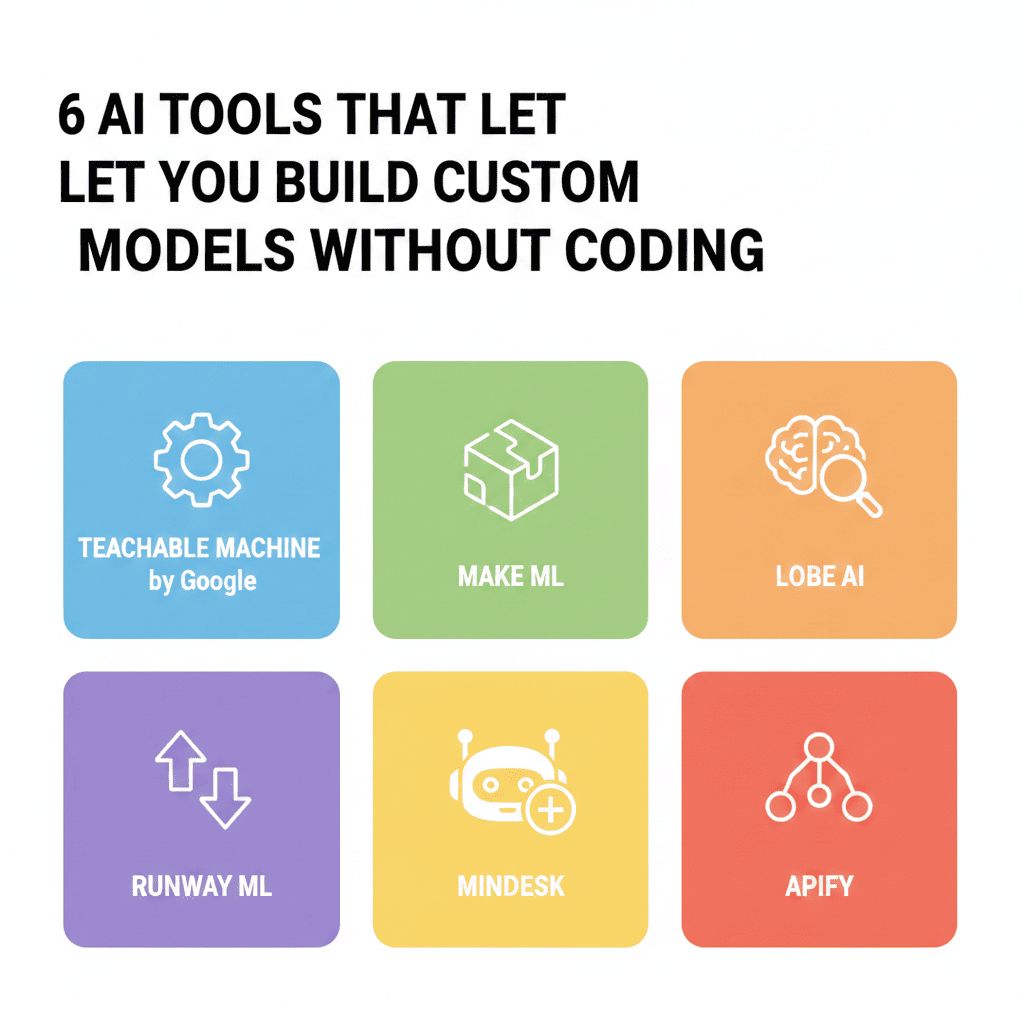
build custom models without coding The artificial intelligence revolution has reached a turning point where you no longer need a computer science degree or years of programming experience to harness its power. The ability to build custom models without coding has transformed from an impossible dream into an accessible reality, democratizing AI development for entrepreneurs, business analysts, marketers, researchers, and creative professionals worldwide.
Traditional AI development required deep knowledge of programming languages like Python, understanding of complex mathematical concepts, and familiarity with specialized frameworks like TensorFlow or PyTorch. This technical barrier kept AI innovation locked within the domain of elite data scientists and software engineers. Today, no-code and low-code platforms have shattered these barriers, enabling anyone with domain expertise and creative vision to build custom models without coding a single line of programming language.
This comprehensive guide explores six powerful platforms that empower you to create sophisticated AI models through intuitive visual interfaces, drag-and-drop functionality, and guided workflows. Whether you’re looking to automate business processes, create predictive analytics systems, develop computer vision applications, or build natural language processing tools, these platforms provide the infrastructure and accessibility you need to build custom models without coding expertise.
1. Google AutoML: Enterprise-Grade AI Model Creation Made Simple
Google AutoML represents one of the most comprehensive platforms available for those seeking to build custom models without coding while maintaining enterprise-level capabilities. Backed by Google’s extensive machine learning research and cloud infrastructure, AutoML transforms complex model development into an intuitive, guided process accessible to business users.
AutoML Vision for Image Recognition
AutoML Vision enables you to create custom image classification and object detection models without writing any code. The platform guides you through uploading training images, labeling them according to your categories, and automatically handling all the complex neural network architecture decisions behind the scenes.
The system employs neural architecture search technology that automatically experiments with thousands of potential model configurations to identify the optimal structure for your specific dataset. This automated optimization process typically requires months of expert experimentation, but AutoML Vision completes it in hours, allowing you to build custom models without coding or advanced machine learning knowledge.
Use cases range from manufacturing quality control systems that detect product defects to retail applications that recognize inventory items, medical imaging tools that identify abnormalities, and security systems that recognize authorized personnel. The platform handles model training, validation, and deployment through simple web interfaces.
AutoML Natural Language for Text Analysis
AutoML Natural Language empowers you to create custom text classification, entity extraction, and sentiment analysis models tailored to your industry’s specific terminology and requirements. Standard pre-trained models often struggle with specialized vocabulary, industry jargon, or domain-specific contexts, but custom models address these limitations precisely.
You simply upload text documents with appropriate labels, and the platform handles feature engineering, model architecture selection, hyperparameter tuning, and training optimization automatically. This allows marketing teams to build custom models without coding that analyze customer feedback, legal departments to classify contract types, or research teams to categorize academic papers according to specialized taxonomies.
The platform’s transfer learning capabilities mean your custom models benefit from Google’s pre-trained language understanding while specializing in your specific use case. This combination delivers professional-grade results with remarkably small training datasets compared to building models from scratch.
AutoML Tables for Structured Data Predictions
AutoML Tables addresses the most common business AI use case: making predictions from structured tabular data. Whether predicting customer churn, forecasting sales, estimating fraud risk, or optimizing pricing strategies, AutoML Tables enables business analysts to build custom models without coding that rival data scientist-created solutions.
The platform automatically handles feature preprocessing, missing value imputation, categorical encoding, feature selection, model selection, and ensemble creation. You upload your CSV files, specify which column you want to predict, and AutoML Tables does the rest, testing multiple algorithm types and combining the best performers into powerful ensemble models.
Integration with Google Cloud Platform means your custom models can easily connect to existing business systems, data warehouses, and analytics pipelines, enabling seamless deployment of AI-powered predictions into operational workflows.
2. Microsoft Azure Machine Learning Designer: Visual ML Workflows for Everyone
Microsoft Azure Machine Learning Designer provides a comprehensive drag-and-drop interface that enables both technical and non-technical users to build custom models without coding through visual workflow design. The platform combines accessibility with professional-grade capabilities, making it suitable for everything from learning projects to production enterprise systems.
Visual Pipeline Creation
build custom models without coding The Designer’s canvas-based interface allows you to construct complete machine learning pipelines by dragging components onto a workspace and connecting them visually. Each component represents a specific operation—data import, preprocessing, feature engineering, model training, or evaluation—and connections define how data flows through your pipeline.
This visual approach makes the machine learning process transparent and understandable. You can literally see how raw data transforms through each processing stage until it produces final predictions. This transparency helps you build custom models without coding while still understanding the logic and methodology underlying your AI system.
Pre-built components handle common operations like handling missing values, normalizing numerical features, encoding categorical variables, splitting data into training and testing sets, and applying various machine learning algorithms. Simply configure component parameters through dropdown menus and input fields rather than writing configuration code.
Extensive Algorithm Library
Azure ML Designer provides access to dozens of machine learning algorithms spanning classification, regression, clustering, anomaly detection, and recommendation systems. Each algorithm includes guided parameter configuration with explanations of what each setting controls and how it affects model behavior.
The platform enables you to easily experiment with different algorithms for your specific problem. Create parallel branches in your pipeline to train multiple model types simultaneously, then compare their performance metrics to identify which approach works best for your data. This experimentation process, which traditionally required extensive coding to implement properly, becomes point-and-click simple when you build custom models without coding in Designer.
Ensemble methods allow combining multiple models to achieve better performance than any single model alone. Designer includes components for bagging, boosting, and stacking approaches, enabling sophisticated ensemble strategies without programming complexity.
Seamless Azure Integration
Models created in Designer integrate naturally with the broader Azure ecosystem. Deploy trained models as web services with automatic REST API generation, enabling any application to request predictions by sending data to an endpoint. This deployment process, which traditionally requires significant DevOps expertise, becomes largely automated when you build custom models without coding in Azure.
Connection to Azure Data Lake, SQL databases, Cosmos DB, and other Azure data services means your models can work with enterprise data wherever it lives. Scheduled pipeline execution enables regular model retraining as new data arrives, ensuring predictions remain accurate over time without manual intervention.
3. Obviously AI: Predictive Analytics in Minutes, Not Months
Obviously AI lives up to its name by making predictive analytics obviously simple. The platform focuses specifically on enabling business users to build custom models without coding for common prediction use cases like forecasting sales, predicting customer churn, estimating lead conversion probability, and analyzing survey responses.
Natural Language Model Building
Obviously AI’s most distinctive feature is its natural language interface. You literally describe what you want to predict in plain English—”predict whether customers will churn based on their usage patterns and support tickets”—and the platform interprets your intent, identifies relevant columns in your dataset, and builds appropriate models automatically.
This conversational approach eliminates the conceptual gap between business objectives and technical implementation. You think in terms of business outcomes rather than algorithm selection or feature engineering, yet still build custom models without coding that deliver sophisticated predictive capabilities.
The system asks clarifying questions when needed, guiding you through decisions about which data to include, how to handle special cases, and what success metrics matter most for your specific use case. This guided dialogue ensures even first-time users make appropriate choices throughout the model building process.
One-Click Insights and Explanations
Obviously AI automatically generates comprehensive reports explaining what your model discovered, which factors most influence predictions, and how confident you should be in various scenarios. These explanations use plain language and intuitive visualizations rather than technical jargon, making model insights accessible to stakeholders regardless of their technical background.
Feature importance analysis reveals which variables in your dataset most strongly influence outcomes. This information often provides valuable business insights beyond the predictions themselves—understanding that customers who contact support three or more times are significantly more likely to churn might prompt process improvements to address issues earlier.
The platform enables you to build custom models without coding and immediately understand and act on their insights, closing the loop between data analysis and business decision-making without requiring data scientist intermediaries.
Scenario Testing and What-If Analysis
Obviously AI includes powerful scenario testing capabilities that let you explore how predictions change under different conditions. Adjust input values and immediately see updated predictions, enabling sophisticated what-if analysis without building custom simulation tools.
This capability is particularly valuable for strategic planning. Model different pricing strategies and see predicted impact on sales, test how various marketing approaches might affect conversion rates, or explore how operational changes could influence customer satisfaction. These explorations help you build custom models without coding that don’t just predict the future but help you shape it.
4. DataRobot: Automated Machine Learning at Scale
DataRobot pioneered the automated machine learning category and remains one of the most powerful platforms for those seeking to build custom models without coding while maintaining data science rigor. The platform automates the entire model development lifecycle from data preparation through deployment and monitoring.
Comprehensive Automated Model Testing
DataRobot’s core strength is its exhaustive automated model testing. When you upload a dataset and specify your prediction target, the platform automatically tries dozens of different algorithms, feature engineering approaches, and preprocessing techniques. Each combination is trained, validated, and evaluated, with results ranked by predictive accuracy.
This parallel experimentation approach mirrors how expert data science teams work, but completes in hours what might take teams weeks. The platform tests regression models, tree-based methods, neural networks, support vector machines, and numerous other approaches, identifying which techniques work best for your specific data characteristics.
You can build custom models without coding while benefiting from the same rigorous methodology used by top data science teams. DataRobot doesn’t just find one acceptable model—it provides a leaderboard of top performers, allowing you to choose based on accuracy, speed, interpretability, or other criteria relevant to your deployment context.
Advanced Feature Engineering
DataRobot automatically applies sophisticated feature engineering techniques that transform raw data into formats more suitable for machine learning. This includes creating interaction terms between variables, extracting date components from timestamps, encoding categorical variables using multiple strategies, and generating aggregate statistics for grouped data.
These transformations often make the difference between mediocre and excellent model performance, but they require both domain expertise and technical skill to implement manually. DataRobot’s automated approach enables you to build custom models without coding these transformations while still benefiting from their performance improvements.
The platform’s feature discovery capabilities can identify non-obvious relationships in your data—patterns that might escape even experienced analysts’ attention. This automated insight generation ensures your custom models leverage every predictive signal available in your datasets.
Production Deployment and Monitoring
DataRobot extends beyond model creation to handle deployment and ongoing monitoring. Models can be deployed as REST APIs, exported to various formats for integration into applications, or embedded directly into business intelligence tools. This end-to-end capability means you can build custom models without coding and operationalize them without requiring separate deployment engineering.
Monitoring dashboards track prediction accuracy over time, alerting you when model performance degrades and suggesting when retraining becomes necessary. This proactive monitoring prevents the silent model decay that often undermines AI initiatives, ensuring your deployed models continue delivering value.
5. CreateML: Apple’s Native Solution for iOS and Mac Applications
CreateML, Apple’s machine learning framework, enables developers and non-developers alike to build custom models without coding specifically optimized for Apple devices. The platform integrates seamlessly with Xcode and emphasizes creating small, efficient models that run directly on iPhones, iPads, and Macs without requiring cloud connectivity.
Image Classification Made Simple
CreateML’s image classification capabilities allow you to create custom vision models by simply dragging folders of categorized images into the application. The system automatically handles data augmentation, applies transfer learning from Apple’s pre-trained models, and generates a compact Core ML model ready for integration into iOS or macOS applications.
The training process typically completes in minutes on modern Mac hardware, even for models with dozens of categories and thousands of training images. This rapid iteration enables experimentation and refinement without the lengthy training cycles associated with cloud-based platforms.
You can build custom models without coding that recognize custom objects, classify documents, identify products, or perform any visual categorization task relevant to your application. The resulting models run entirely on-device, providing instant predictions without network latency or privacy concerns associated with cloud processing.
Sound Classification for Audio Intelligence
CreateML extends beyond visual intelligence to enable custom audio classification models. Create systems that recognize specific spoken words, identify environmental sounds, detect acoustic events, or classify music genres—all through simple training interfaces that require no programming expertise.
The platform handles audio preprocessing, feature extraction, and model optimization automatically. You provide labeled audio samples, and CreateML builds efficient classifiers that can process audio in real-time on Apple devices. This capability enables you to build custom models without coding for voice-controlled applications, accessibility tools, security systems, or creative audio applications.
Activity and Motion Recognition
CreateML’s activity classification capabilities enable creating models that recognize physical activities and motion patterns from device sensor data. Build custom fitness tracking applications, gesture recognition systems, or context-aware tools that respond intelligently to how users move and interact with their devices.
The platform automatically processes accelerometer and gyroscope data, extracting relevant features and training models that can classify movements in real-time. This specialized capability, which traditionally required signal processing expertise and custom algorithm development, becomes accessible when you build custom models without coding in CreateML.
6. Teachable Machine: Google’s Free Tool for AI Education and Prototyping
Teachable Machine represents the most accessible entry point for anyone wanting to build custom models without coding. This free, web-based tool from Google enables creating image, sound, and pose classification models entirely through browser interfaces, with no installation, accounts, or technical prerequisites required.
Instant Image Classification
Teachable Machine’s image classification interface couldn’t be simpler. Create classes representing what you want to recognize, capture training images directly from your webcam or upload existing photos, and click train. Within seconds, you have a working model you can test in real-time using your camera.
This immediate feedback loop makes learning AI concepts intuitive and engaging. You can literally see how adding more training examples improves accuracy, observe how lighting conditions affect recognition, and understand the importance of dataset diversity through direct experimentation. These insights help you build custom models without coding while developing genuine understanding of machine learning principles.
Export trained models in multiple formats suitable for web applications, mobile apps, or integration with other tools. This flexibility means prototypes created in Teachable Machine can evolve into production applications with proper development support.
Sound and Audio Recognition
Teachable Machine’s audio classification capabilities enable creating models that recognize speech, environmental sounds, or musical elements. The browser-based training interface lets you record training samples directly or upload audio files, with real-time testing showing how your model responds to different sounds.
Create voice command systems, sound-activated triggers, accessibility tools, or musical interaction applications without audio processing expertise. The ability to build custom models without coding extends to sophisticated audio intelligence that responds to your specific acoustic environment and recognition needs.
Pose Detection and Movement Recognition
The pose classification feature analyzes body positions and movements captured through webcam video. Train models to recognize specific poses, gestures, or exercise forms, enabling interactive installations, fitness applications, accessibility tools, or creative expressions that respond to human movement.
This capability democratizes an area of AI that traditionally required computer vision expertise and substantial computing resources. Now anyone can build custom models without coding that understand human pose and movement, opening creative possibilities for artists, educators, therapists, and designers.
Educational Value and Community
build custom models without coding Beyond its practical applications, Teachable Machine serves crucial educational purposes. The intuitive interface and immediate results help students, educators, and curious learners understand AI concepts through hands-on experimentation. Numerous educational resources, tutorials, and community projects provide inspiration and learning pathways.
The platform’s simplicity removes intimidation from AI learning, encouraging experimentation and creative exploration. Many users who begin with Teachable Machine eventually progress to more advanced platforms, but the foundational understanding gained through building custom models without coding in this accessible environment proves invaluable throughout their AI journey.
7. Key Considerations When Building Custom Models Without Coding
Successfully leveraging no-code AI platforms requires understanding both their capabilities and limitations. These considerations help ensure your custom models deliver reliable, valuable results regardless of which platform you choose.
Data Quality Determines Model Quality
The most sophisticated no-code platform cannot compensate for poor quality training data. Your custom models will only be as good as the data you provide. This means investing time in data collection, cleaning, labeling, and validation before beginning model training.
Ensure your training data accurately represents the situations where you’ll apply predictions. If you want to recognize products in retail environments, train with images captured in actual retail lighting conditions rather than controlled studio shots. If you’re predicting customer behavior, ensure training data spans different customer segments, seasons, and market conditions.
When you build custom models without coding, the platform handles technical complexities, but you remain responsible for ensuring data relevance, accuracy, and representativeness. Garbage in, garbage out applies regardless of how sophisticated the automation becomes.
Understanding Model Limitations and Scope
No-code platforms excel at specific, well-defined tasks but have inherent limitations. They typically work best for supervised learning problems where you have labeled training data and clear prediction objectives. More exotic AI applications like reinforcement learning, generative models, or multi-stage reasoning systems may exceed what current no-code platforms handle well.
Be realistic about what you can achieve when you build custom models without coding. These platforms democratize access to powerful AI capabilities but don’t eliminate the need for problem-solving skills, domain expertise, and critical thinking about whether AI is appropriate for your specific challenge.
Balancing Automation with Understanding
While these platforms enable creating models without technical expertise, completely ignoring underlying concepts can lead to misapplication and misinterpretation. Invest time in understanding basic machine learning principles—concepts like overfitting, validation, feature importance, and confidence thresholds—even if you never write code.
This foundational knowledge helps you make better decisions throughout the model building process, interpret results more accurately, and communicate effectively with technical stakeholders. The goal isn’t becoming a data scientist but developing enough literacy to build custom models without coding responsibly and effectively.
Planning for Deployment and Maintenance
Creating a model represents only part of the AI application lifecycle. Consider early how you’ll deploy models into production environments, integrate them with existing systems, and maintain them over time. Model performance typically degrades as real-world conditions drift from training data, requiring monitoring and periodic retraining.
Some platforms provide comprehensive deployment and monitoring features, while others focus purely on model creation, requiring you to handle operational aspects separately. Understand these differences when selecting platforms, ensuring your choice aligns with your deployment capabilities and requirements for building custom models without coding that deliver sustained value.
8. Real-World Success Stories: Custom Models in Action
Understanding how organizations across industries successfully build custom models without coding provides inspiration and practical insights into what’s possible with these accessible platforms.
Retail Inventory Management Revolution
A regional grocery chain used Google AutoML Vision to create custom product recognition models that transformed their inventory management process. Traditional barcode scanning required perfectly aligned product positioning and often failed with damaged or obscured labels. The custom vision model recognized products from any angle, even when partially obscured or damaged.
Store employees could simply photograph shelves with smartphones, with the AI model automatically identifying products, detecting out-of-stock situations, and recognizing pricing errors. This capability, created by operations managers with no coding experience, reduced inventory auditing time by 70 percent while improving accuracy significantly.
Healthcare Appointment Prediction System
A dental practice network used Obviously AI to build custom models without coding that predicted which patients were likely to miss appointments. The model analyzed historical appointment data, patient demographics, weather patterns, and scheduling details to assign no-show probability scores to each appointment.
Based on these predictions, the practice implemented targeted reminder strategies, adjusting communication frequency and channels based on individual risk scores. This data-driven approach reduced missed appointments by 35 percent, significantly improving practice efficiency and patient care continuity without requiring dedicated data science resources.
Manufacturing Quality Control Automation
An electronics manufacturer implemented CreateML-powered vision inspection on their assembly line iPads. Production workers trained custom models to recognize various product defects by photographing examples of acceptable and defective components. The resulting models provided instant feedback during assembly, catching quality issues before they progressed downstream.
This accessible approach to building custom models without coding enabled the manufacturing team to rapidly adapt quality control as products evolved, creating new inspection models within hours rather than waiting weeks for traditional vision system programming. Defect detection rates improved by 40 percent while reducing the need for specialized programming support.
9. Choosing the Right Platform for Your Needs
With multiple excellent platforms available to build custom models without coding, selecting the optimal solution for your specific requirements requires evaluating several factors beyond just ease of use.
Evaluating Your Use Case Requirements
build custom models without coding Different platforms excel at different tasks. Google AutoML offers the broadest capability range and best performance for complex problems but requires more learning investment. Teachable Machine provides the fastest path to simple prototypes but limited deployment options. Obviously AI specializes in business prediction problems with exceptional user experience but narrower scope than comprehensive platforms.
Match platform strengths to your priority use cases. If you primarily need image recognition for mobile applications, CreateML’s Apple ecosystem integration and on-device performance provide compelling advantages. If you’re analyzing structured business data for predictions, Obviously AI or DataRobot offer purpose-built experiences that streamline common workflows.
Considering Integration and Ecosystem
How custom models integrate with your existing technology stack significantly impacts their practical value. Models that require complex integration projects or incompatible deployment formats create friction that undermines AI initiatives regardless of their predictive accuracy.
Azure ML Designer provides natural integration for organizations already using Microsoft technologies. Google AutoML works seamlessly within Google Cloud Platform. CreateML optimizes for Apple device deployment. When you build custom models without coding, ensure the resulting models can actually deploy where you need them without extensive additional engineering.
Assessing Cost and Scalability
Pricing models vary dramatically across platforms. Some charge based on training time, others on prediction volume, and some offer free tiers with paid upgrades. Project both initial development costs and ongoing operational expenses to avoid surprises as your AI applications scale.
Consider whether pricing aligns with your expected usage patterns. High-volume prediction scenarios make per-prediction pricing potentially expensive, while infrequent training with occasional predictions suits different pricing models. Understanding these economics ensures you can sustainably build custom models without coding within your budget constraints.
Conclusion: Democratizing AI Through Accessible Model Building
The ability to build custom models without coding represents one of the most significant democratizing forces in technology today. Artificial intelligence, once locked behind walls of technical complexity, now extends its transformative power to anyone with domain expertise and creative vision.
These six platforms—Google AutoML, Azure ML Designer, Obviously AI, DataRobot, CreateML, and Teachable Machine—each contribute unique strengths to this democratization movement. Together, they ensure that regardless of your technical background, industry, use case, or budget, you can access sophisticated AI capabilities to solve problems, create value, and innovate.
The future belongs to organizations and individuals who combine domain expertise with AI capabilities. You don’t need to become a data scientist or software engineer—you need to understand your problems deeply, think creatively about solutions, and leverage accessible tools to build custom models without coding that address real challenges.
build custom models without coding Start small, experiment freely, and gradually expand your AI capabilities as you gain confidence and understanding. The platforms discussed here provide safe environments for learning, with immediate feedback that accelerates understanding. Early successes build momentum for more ambitious projects, creating positive cycles of AI adoption and innovation.
The technical barriers that once limited AI development have fallen. The question is no longer whether you can build custom models without coding but rather what problems you’ll solve and what opportunities you’ll unlock with these newly accessible capabilities. The tools are ready, the possibilities are limitless, and the future is yours to create.
Also read this:
AI Tools That Convert Boring Data Into Storytelling Visuals
AI Tools Read Human Emotions Through Text 2025
AI Tools That Reverse-Engineer Viral Posts to Predict Your Next Hit