
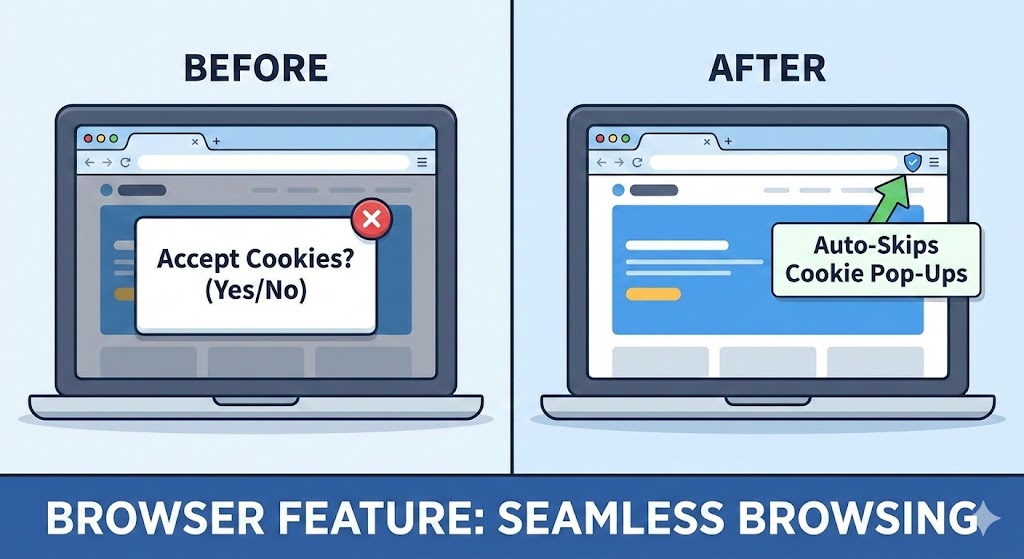
Browser Feature Skips Cookie Pop-Ups automatically If you’ve spent any time browsing the internet over the past few years, you’ve undoubtedly encountered the relentless barrage of cookie consent banners that plague virtually every website you visit. These intrusive pop-ups have become one of the most frustrating aspects of modern web browsing, interrupting your flow, obscuring content, and forcing you to make decisions about data privacy before you can access the information you’re seeking.
Fortunately, browser developers have recognized this universal pain point and created innovative solutions that automatically handle cookie pop-ups on your behalf. This comprehensive guide explores everything you need to know about these revolutionary browser features, from understanding how they work to implementing them effectively across your digital life.
1. Understanding the Cookie Pop-Up Problem
Before diving into solutions, it’s essential to understand why cookie banners exist and why they’ve become such a pervasive nuisance across the internet.
The Legal Origins of Cookie Consent
The explosion of cookie consent banners stems primarily from data protection regulations implemented across various jurisdictions. The European Union’s General Data Protection Regulation (GDPR) and similar privacy laws worldwide require websites to obtain explicit consent before collecting user data through cookies and tracking technologies.
While these regulations serve the noble purpose of protecting consumer privacy, their implementation has created significant user experience challenges. Websites must now present consent options prominently, leading to the ubiquitous pop-ups that dominate the modern web browsing experience.
Why Cookie Banners Are So Frustrating
The annoyance factor of cookie pop-ups extends beyond mere inconvenience:
- They obscure content immediately upon page load
- Many designs make rejection deliberately difficult
- Inconsistent interfaces require constant decision-making
- Mobile implementations often consume entire screens
- Some banners reappear despite previous selections
Research indicates that users spend an estimated 10-15 seconds per cookie banner, which accumulates to hours of wasted time annually for regular internet users.
The Dark Pattern Problem
Many websites employ what privacy advocates call “dark patterns”—design choices that manipulate users into accepting all cookies rather than making informed choices. Common tactics include:
- Making “Accept All” buttons prominent while hiding rejection options
- Requiring multiple clicks to refuse tracking cookies
- Using confusing language that obscures actual data collection practices
- Implementing designs that pressure users toward consent
These manipulative practices have intensified calls for automated solutions that protect user privacy without requiring constant manual intervention.
2. How Automatic Cookie Pop-Up Blockers Work
Modern browser features that skip cookie pop-ups employ sophisticated technologies to identify, evaluate, and respond to consent banners without user intervention.
Detection and Recognition Systems
Automatic cookie blockers utilize multiple detection methods to identify consent banners:
Pattern recognition algorithms analyze page elements to distinguish cookie banners from legitimate content. These systems examine factors like positioning, size, z-index layering, and typical consent banner language patterns.
Database-driven approaches maintain extensive lists of known cookie consent frameworks and their identifying characteristics. When browsers encounter these known patterns, they can immediately apply appropriate handling rules.
Machine learning models continuously improve detection accuracy by analyzing billions of web pages and consent implementations, adapting to new banner designs and evolving website practices.
Decision-Making Logic
Once a cookie banner is detected, the browser must decide how to respond based on your preferences and privacy priorities:
Conservative approaches reject all non-essential cookies by default, maximizing privacy protection but potentially limiting website functionality.
Balanced strategies accept only necessary cookies required for basic website operation while rejecting tracking and advertising cookies.
Customizable options allow users to specify preferences for different cookie categories, with the browser applying these preferences automatically across all websites.
Technical Implementation
The actual blocking mechanism operates through multiple technical approaches:
- DOM manipulation to remove banner elements from the page
- Automatic form submission with appropriate consent choices
- Cookie setting to record preferences before banners appear
- JavaScript injection to intercept and handle consent frameworks
These technical methods work in concert to create seamless browsing experiences where cookie banners never interrupt your workflow.
3. Native Browser Solutions
Major browser developers have integrated cookie management features directly into their products, offering built-in protection without requiring third-party extensions.
Google Chrome’s Privacy Controls
Chrome has evolved its privacy features significantly, though its approach differs from more aggressive competitors due to Google’s advertising business model.
The Privacy Sandbox initiative aims to balance user privacy with advertiser needs by developing new technologies that reduce tracking while maintaining targeted advertising capabilities. While not explicitly blocking cookie pop-ups, these features reduce the need for intrusive consent mechanisms.
Enhanced Safe Browsing provides warnings about potentially harmful sites and automatically blocks certain types of invasive tracking, though it doesn’t specifically target cookie consent banners in most implementations.
Mozilla Firefox’s Enhanced Tracking Protection
Firefox has established itself as the privacy-focused browser choice with robust built-in protections:
Enhanced Tracking Protection blocks many tracking cookies by default, often preventing the need for consent banners altogether. The feature operates in multiple modes—Standard, Strict, and Custom—allowing users to balance privacy and functionality.
Total Cookie Protection isolates cookies per website, preventing cross-site tracking while maintaining website functionality. This innovative approach addresses privacy concerns at a fundamental level rather than merely hiding consent banners.
Safari’s Intelligent Tracking Prevention
Apple’s Safari browser implements sophisticated tracking prevention that operates largely behind the scenes:
Intelligent Tracking Prevention uses machine learning to identify and block cross-site trackers automatically. This proactive approach often eliminates the need for consent banners on many websites, as the tracking technologies they would enable are already blocked.
Privacy Report provides transparency into blocked trackers and helps users understand the protection Safari provides across their browsing sessions.
Microsoft Edge’s Privacy Features
Browser Feature Skips Cookie Pop-Ups automatically Edge combines Chromium’s foundation with Microsoft’s privacy-focused enhancements:
Tracking Prevention offers three levels of protection—Basic, Balanced, and Strict—with the Balanced setting providing effective protection against most tracking while maintaining broad website compatibility.
InPrivate browsing mode enhances privacy further by automatically rejecting non-essential cookies and preventing data persistence between sessions.
Brave Browser’s Aggressive Approach
Brave takes the most aggressive stance among mainstream browsers regarding privacy and advertising:
Built-in ad and tracker blocking operates by default, eliminating many cookies before consent banners can appear. Brave’s approach prioritizes user privacy over website preferences, sometimes causing compatibility issues but providing maximum protection.
Cookie consent handling automatically selects the most privacy-preserving options when encountering consent banners, effectively skipping the manual decision-making process.
4. Browser Extensions for Advanced Cookie Management
While native browser features provide baseline protection, specialized extensions offer more comprehensive and customizable cookie pop-up blocking.
Consent-O-Matic: Open Source Automation
This community-driven extension automatically answers cookie consent banners based on your privacy preferences:
Consent-O-Matic uses crowdsourced rulesets to identify and interact with consent management platforms across thousands of websites. The open-source nature ensures transparency and allows community contributions to improve coverage.
Configuration options let you specify exactly which cookie categories to accept or reject, with the extension applying these preferences consistently across all compatible websites.
Regular updates ensure compatibility with new consent frameworks as they emerge, maintaining effective blocking even as websites change their implementations.
I Don’t Care About Cookies: Simplicity Focused
One of the most popular cookie banner blockers, this extension prioritizes user experience over granular control:
Automatic banner removal happens instantly as pages load, creating seamless browsing without intrusive interruptions. The extension handles consent by typically accepting cookies but hiding the banners, prioritizing user experience over maximum privacy.
Extensive website compatibility results from years of development and community reporting, with support for tens of thousands of websites worldwide.
Custom filter lists allow advanced users to modify behavior for specific sites or add support for websites not yet in the main database.
Cookie AutoDelete: Comprehensive Management
This powerful extension focuses on automated cookie cleanup rather than banner blocking:
Automatic deletion removes cookies when tabs close or after specified time periods, limiting persistent tracking while maintaining session functionality. This approach addresses privacy concerns at their source rather than merely hiding consent requests.
Whitelist functionality preserves cookies for trusted websites where you want to remain logged in or maintain preferences between visits.
Detailed logging provides transparency into exactly which cookies are being created and deleted, helping privacy-conscious users understand their digital footprint.
Privacy Badger: Intelligent Learning
Developed by the Electronic Frontier Foundation, Privacy Badger takes a unique algorithmic approach:
Automatic tracker detection learns which domains are tracking you across multiple websites, blocking them without requiring predefined filter lists. This adaptive approach catches new trackers automatically without waiting for manual updates.
Cookie consent handling operates as a side effect of blocking tracking domains, often eliminating the need for consent banners by preventing the tracking they would authorize.
Minimal user intervention required makes Privacy Badger accessible to less technical users who want strong privacy protection without complex configuration.
5. Configuring and Optimizing Cookie Blocking
Effective cookie pop-up blocking requires proper configuration and periodic optimization to balance privacy, functionality, and user experience.
Initial Setup Best Practices
When implementing cookie blocking solutions, start with these foundational steps:
Begin with moderate settings rather than maximum privacy restrictions. Overly aggressive blocking can break website functionality in frustrating ways, leading many users to disable protections entirely.
Test your configuration on frequently visited websites to ensure they function correctly with your chosen settings. Common issues include login failures, broken shopping carts, and missing content elements.
Document any websites that require exceptions so you can efficiently troubleshoot issues that arise later. Maintaining a personal whitelist prevents repeatedly encountering the same problems.
Balancing Privacy and Functionality
Finding the right balance between protection and usability is crucial for sustainable cookie management:
Essential cookies enable core website functionality like shopping carts, login persistence, and user preferences. Blocking these cookies typically degrades user experience significantly without providing meaningful privacy benefits.
Analytics cookies provide website owners with aggregate usage data but generally don’t enable invasive tracking. Many privacy-conscious users accept these cookies as a reasonable compromise.
Advertising and tracking cookies represent the primary privacy concern for most users. Blocking these categories provides substantial privacy benefits with minimal functionality impact on most websites.
Creating Website Exceptions
Some websites legitimately require cookies for proper operation:
Financial services sites often need cookies for security features and session management. Creating exceptions for banking, investment, and payment websites ensures smooth transactions.
Work-related platforms may require specific cookie configurations to function correctly. Whitelisting professional tools prevents work disruptions while maintaining privacy protection elsewhere.
Trusted content sources where you maintain accounts benefit from cookie persistence, eliminating repetitive logins while preserving your browsing experience.
Monitoring and Maintenance
Cookie blocking configurations require periodic review and adjustment:
Review blocked elements monthly to ensure your settings remain appropriate as websites evolve and your browsing habits change.
Update extensions and browser settings regularly to maintain compatibility with new consent frameworks and website implementations.
Adjust strictness levels based on your experience—if you encounter frequent compatibility issues, consider relaxing some restrictions.
6. Privacy Implications and Considerations
While blocking cookie pop-ups improves user experience, understanding the privacy implications ensures you make informed decisions about your digital security.
What Gets Protected
Effective cookie management provides several important privacy benefits:
Cross-site tracking prevention stops advertisers from building comprehensive profiles of your browsing behavior across multiple websites. This limitation significantly reduces targeted advertising effectiveness and data broker value.
Fingerprinting reduction occurs when aggressive cookie blocking forces websites to rely on fewer identification techniques, though determined trackers can still employ alternative methods.
Data minimization limits the information websites collect about you, reducing exposure in potential data breaches and limiting unauthorized third-party data sales.
What Remains Vulnerable
Even with robust cookie blocking, some privacy challenges persist:
Browser fingerprinting can identify users through unique combinations of browser characteristics, screen resolution, installed fonts, and other factors. Cookie blocking alone doesn’t address this tracking method.
First-party tracking by websites you visit directly remains largely unaffected by cookie controls. Website owners can still collect substantial data about your behavior on their own properties.
Device-level tracking through mobile advertising identifiers operates independently of browser cookies, requiring separate privacy controls at the operating system level.
Legal and Ethical Considerations
Automated cookie rejection raises interesting legal and ethical questions:
Websites fund free content through advertising revenue dependent on tracking capabilities. Widespread cookie rejection could fundamentally change the economics of free internet content.
Consent automation may conflict with the spirit of privacy regulations that emphasize informed user choice rather than blanket automated decisions.
Publisher perspectives suggest that privacy protection should balance user rights with sustainable business models for content creators.
7. Troubleshooting Common Issues
Even well-configured cookie blocking solutions occasionally cause problems requiring troubleshooting and adjustment.
Websites Not Loading Properly
When websites malfunction with cookie blocking enabled:
Temporarily disable your cookie blocker to determine whether it’s causing the issue. If the site works without blocking, you’ve identified the culprit.
Check browser console errors for specific information about which resources are being blocked. This technical detail helps identify necessary exceptions.
Add specific cookie exceptions rather than disabling protection entirely. Most extensions allow granular control over which domains can set cookies.
Persistent Login Problems
Authentication issues are among the most common cookie blocking complications:
Whitelist authentication domains separately from main website domains, as many sites use separate servers for login management.
Allow session cookies while blocking persistent tracking cookies, maintaining security while enabling login functionality.
Check whether third-party cookie blocking interferes with single sign-on systems that rely on cookies across multiple domains.
Shopping Cart and Checkout Failures
E-commerce functionality heavily depends on cookies for cart management:
Temporarily allow all cookies on shopping sites during checkout processes, then re-enable blocking after completing transactions.
Create permanent exceptions for frequently used online stores where you regularly make purchases.
Consider using separate browser profiles for shopping, with relaxed cookie restrictions in your shopping profile while maintaining strict protection for general browsing.
Video and Media Playback Issues
Streaming content often requires cookies for playback authorization and quality adjustment:
Whitelist content delivery network domains that serve video and audio content, as these typically aren’t involved in invasive tracking.
Allow cookies for legitimate streaming services where you maintain subscriptions, as these platforms need cookies for account management and playback.
Check whether your ad blocker rather than cookie blocker is causing media issues, as the two features can interact in complex ways.
8. Advanced Techniques for Power Users
Technical users can implement sophisticated cookie management strategies that go beyond basic browser features and extensions.
Custom Filter List Creation
Create personalized blocking rules tailored to your specific browsing patterns:
Regular expression patterns allow matching entire categories of cookie domains based on naming conventions. This approach can block thousands of trackers with single rules.
Whitelist your most important sites comprehensively to ensure zero functionality disruption for critical services while maintaining aggressive blocking elsewhere.
Share custom filter lists with communities of like-minded privacy advocates, contributing to collective privacy protection efforts.
Browser Profile Strategies
Browser Feature Skips Cookie Pop-Ups automatically Leverage multiple browser profiles to segregate different browsing activities:
Create dedicated profiles for work, personal browsing, shopping, and high-privacy activities, each with appropriate cookie settings for its purpose.
Use container tabs in Firefox to isolate websites within a single browser session, preventing cookie sharing between unrelated sites.
Maintain a completely separate browser for sensitive activities requiring maximum privacy protection, such as financial management or medical research.
Network-Level Blocking
Implement cookie blocking at the network level for comprehensive protection:
Pi-hole and similar DNS-based blockers can prevent cookie banner code from loading entirely, providing protection across all devices on your network.
VPN-based solutions offer privacy protection that extends beyond cookie blocking to include comprehensive traffic encryption and IP masking.
Router-level configurations apply blocking rules to every device connecting through your home network without requiring individual device configuration.
Script and Automation Tools
Technical users can develop custom solutions for specific needs:
Browser automation frameworks like Selenium can be configured to automatically handle cookie banners in testing and development environments.
Custom userscripts through Tampermonkey or Greasemonkey enable highly specific cookie handling logic for individual websites.
API-based solutions can manage cookies programmatically for users who access websites through custom applications rather than standard browsers.
9. The Future of Cookie Consent and Privacy
The landscape of online privacy and cookie management continues evolving rapidly, with significant changes on the horizon.
Emerging Technologies
New approaches to privacy protection promise to reduce cookie consent complexity:
Privacy-preserving advertising technologies aim to enable targeted advertising without invasive individual tracking. Approaches like Google’s Topics API and Apple’s Private Click Measurement represent this emerging paradigm.
Blockchain-based consent management could provide portable privacy preferences that follow users across websites, eliminating repetitive consent requests.
Federated learning enables personalization without centralized data collection, potentially reducing the need for tracking cookies entirely.
Regulatory Evolution
Privacy regulations continue developing and expanding globally:
Stricter enforcement of existing regulations may force websites to improve cookie banner implementations, making them less manipulative and more user-friendly.
Global privacy frameworks could standardize cookie consent approaches across jurisdictions, reducing the current fragmentation and inconsistency.
Consumer privacy rights expansion may grant users more control over data collected about them, complementing technical cookie blocking measures.
Industry Responses
Major internet companies are adapting to changing privacy expectations:
Cookie-less tracking alternatives are being developed and deployed, raising questions about whether eliminating cookies will genuinely improve privacy.
First-party data strategies prioritize collecting information directly from users rather than through third-party cookies, potentially creating more transparent data relationships.
Advertising industry transformation toward contextual targeting and privacy-respecting approaches could reduce dependence on invasive tracking technologies.
10. Making the Right Choice for Your Needs
With numerous cookie blocking options available, selecting the right approach for your specific situation ensures optimal results.
Assessing Your Privacy Priorities
Different users have different privacy requirements:
Maximum privacy advocates should use Brave browser or Firefox with strict settings plus comprehensive extensions, accepting some website compatibility challenges.
Balanced users seeking privacy without major functionality compromises work well with Chrome or Edge using moderate extensions like I Don’t Care About Cookies.
Convenience-focused users might prefer browsers with strong native protections that work without configuration, accepting slightly reduced privacy for seamless experiences.
Evaluating Technical Comfort
Your technical expertise influences which solutions will work best:
Non-technical users benefit from browsers with strong default protections and minimal required configuration, avoiding complex extension setups.
Moderately technical users can effectively deploy popular extensions and adjust basic settings to achieve good privacy-functionality balance.
Power users can implement sophisticated multi-layered approaches combining native browser features, extensions, network-level blocking, and custom scripts.
Considering Device and Platform Factors
Your devices and platforms impact available options:
Desktop browsers offer the most comprehensive cookie blocking options with full extension support and extensive configuration possibilities.
Mobile browsers provide more limited extension support, making native browser privacy features particularly important on smartphones and tablets.
Cross-platform consistency becomes crucial for users accessing the web from multiple devices, suggesting cloud-synced browser settings or consistent extension choices.
Conclusion
Browser Feature Skips Cookie Pop-Ups automatically The browser feature that skips cookie pop-ups automatically represents a significant advancement in making the internet more user-friendly while respecting privacy concerns. Whether you choose native browser protections, specialized extensions, or sophisticated custom solutions, eliminating the constant interruption of cookie consent banners dramatically improves your browsing experience.
As privacy regulations continue evolving and technology advances, the methods for managing cookies will undoubtedly change. However, the fundamental principle remains constant: users deserve control over their data without sacrificing usability. By implementing the strategies and tools outlined in this guide, you can reclaim your browsing experience from intrusive pop-ups while maintaining meaningful privacy protection.
Also read this:
Android Feature Turns Any Website Into an App Instantly: The Complete Guide to Progressive Web Apps
Improve Call Audio in Crowded Places Using This Phone Feature