
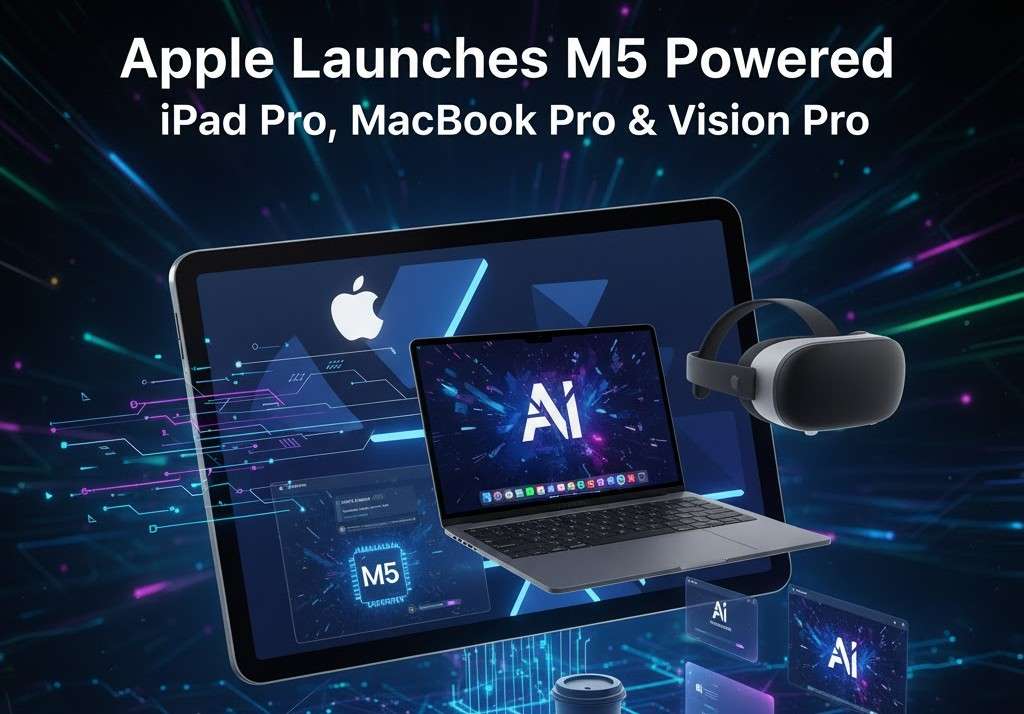
Apple has unveiled a major refresh across three of its flagship devices: the new iPad Pro (11-inch and 13-inch), the 14-inch MacBook Pro, and the Apple Vision Pro — each built on the new M5 system-on-chip. According to Apple’s official announcement, the upgrade isn’t just incremental: it’s a leap forward in platform performance, AI capability, display and form-factor advancements, and user experience across iPadOS, macOS and visionOS.
In this guide we’ll unpack what each device brings to the table, explore the architecture of the M5 chip and why it matters, examine how Apple positions these devices for different types of users, and reflect on what this means for the broader Apple ecosystem.
What’s new: Quick overview
Let’s start with a snapshot of what Apple announced:
- The new iPad Pro (11-inch and 13-inch) now ships with the M5 chip, and features a next-generation GPU with a Neural Accelerator in each core, improved CPU, enhanced Neural Engine, higher memory bandwidth, a new wireless networking chip (N1) and modem (C1X), and a stunning Ultra Retina XDR display with tandem OLED.
- The 14-inch MacBook Pro powered by M5 offers up to 3.5× faster AI performance compared to its previous generation, up to 6× faster compared to the 13-inch MacBook Pro with M1, graphics performance up to 1.6× faster than the prior generation and up to 2.7× faster than the 13-inch MacBook Pro with M1. It also introduces faster SSD storage (up to 2× faster than the previous generation) and can deliver up to 24 hours of battery life.
- The Apple Vision Pro now powered by M5 delivers improved display rendering, faster AI-powered workflows, extended battery life, and a new comfort-enhancing Dual Knit Band for the headset. It also runs visionOS 26 and supports a large library of spatial apps, thousands of games, and 3D movies.
- All three devices are now available for purchase at Apple Store locations, online via Apple.com, and in the Apple Store app.
With that in mind, let’s dig deeper.
The M5 Chip: Why It’s Important
At the heart of this product update is the M5 chip, which Apple describes as “incredibly powerful.”
Architecture improvements
- The new iPad Pro with M5 features a “next-generation GPU with a Neural Accelerator in each core,” a faster CPU, enhanced Neural Engine, and higher unified memory bandwidth.
- For the MacBook Pro, the M5 delivers faster CPU and Neural Engine, higher memory bandwidth, and the system is optimized for tasks like launching apps, running large language models (LLMs) on-device, and handling media workflows (e.g., RAW import, large video exports).
- For Vision Pro, M5 enables improved display rendering and faster AI-powered workflows, meaning the spatial computing experience is elevated.
Performance gains
- The iPad Pro with M5 is claimed to deliver up to 3.5× the AI performance compared to the previous generation iPad Pro, and up to 5.6× faster compared to the iPad Pro with M1.
- The 14-inch MacBook Pro with M5 offers up to 3.5× faster AI performance compared to the prior generation, and up to 6× faster compared to the 13-inch MacBook Pro with M1. Graphics performance is up to 1.6× faster vs previous gen and up to 2.7× faster vs M1 13-inch.
- Storage for the MacBook-Pro variant is up to 2× faster SSD performance than the previous generation.
These are substantial leaps — especially in a world where AI-capable computing is increasingly central. On-device AI inference (for example, running large language models locally, image/video processing, real-time tasks) is a key focus.
Unified memory bandwidth & system integration
Apple emphasises higher unified memory bandwidth for both iPad and Mac, which means the CPU, GPU, Neural Engine and other system components can more efficiently access the shared memory pool. This is especially crucial when handling high-resolution video, large datasets, ML/AI tasks, large assets (e.g., in 3D, AR/VR). The tighter system integration (Apple controlling chip, software, hardware) means optimized performance and power efficiency.
What it means for users
- For creators: Faster rendering, faster export, smoother editing, smoother performance when working with large files or complex workflows.
- For AI/ML: On-device AI inference becomes more viable, enabling smarter features, local processing (privacy, responsiveness) and more advanced “intelligence” baked into apps.
- For everyday use: We should see snappier performance, better multitasking, longer battery life (especially in Mac), and devices that feel “future-proofed” for next-gen tasks.
Device by Device: What’s New and Who It’s For
iPad Pro (11-inch & 13-inch)
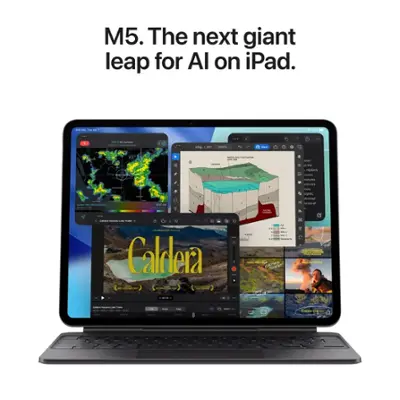

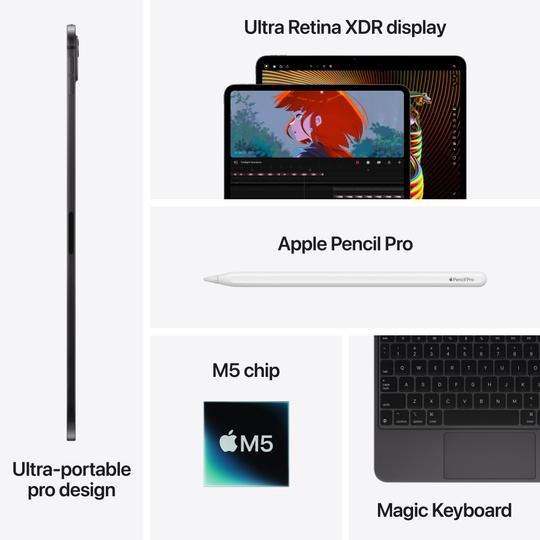
Here are the key features of the new iPad Pro with M5, and why they matter.
Key features
- Ships in 11-inch and 13-inch sizes.
- M5 chip: next-gen GPU + Neural Accelerator in each core, faster CPU, enhanced Neural Engine, higher memory bandwidth.
- Up to 3.5× AI performance vs previous generation, and up to 5.6× faster than iPad Pro with M1.
- Wireless improvements: includes Apple-designed N1 wireless networking chip and C1X cellular modem (for cellular models) for the first time in iPad Pro.
- Display: Ultra Retina XDR display with tandem OLED technology (state-of-the-art) brings high contrast, high brightness, deep blacks — premium for creative work, media consumption, AR/VR.
- Accessories: Compatible with Magic Keyboard and Apple Pencil Pro, enhancing versatility (e.g., laptop-style use, note-taking, drawing, design).
Why this matters
- Ultra-portable yet powerful: The iPad Pro has always been Apple’s “pro” tablet, but with M5 its computing capability is much closer to what one might expect from a Mac. That opens up workflows that were previously either only feasible on Mac or required compromise on iPad.
- Creatives & professionals: For those doing photo/video editing, digital art, 3D design, the tandem-OLED display + M5’s performance means the iPad Pro becomes a more viable “workhorse” device.
- AI on the go: With 3.5× AI improvement, features like on-device ML, real-time processing, even more advanced apps (e.g., generative tools, professional-grade apps) become better suited for the iPad.
- Wireless/Connectivity leap: The addition of N1 and C1X means faster and more efficient wireless networking, which is important for cloud collaboration, streaming, remote workflows.
- Accessory ecosystem: The compatibility with Magic Keyboard and Apple Pencil Pro means identity as a hybrid device — both tablet and laptop-style device for creative/users who prefer flexibility.
Who should consider it
- Visual creators (designers, illustrators, video editors) who want portability without major compromises.
- Professionals needing a high-performance tablet for multitasking, editing, creative apps, and perhaps paired with keyboards or pens.
- Users who want future-proof investment in Apple’s ecosystem, with on-device AI capabilities and high end hardware.
- Students or professionals who want a lightweight but powerful device for research, creation and consumption.
14-inch MacBook Pro

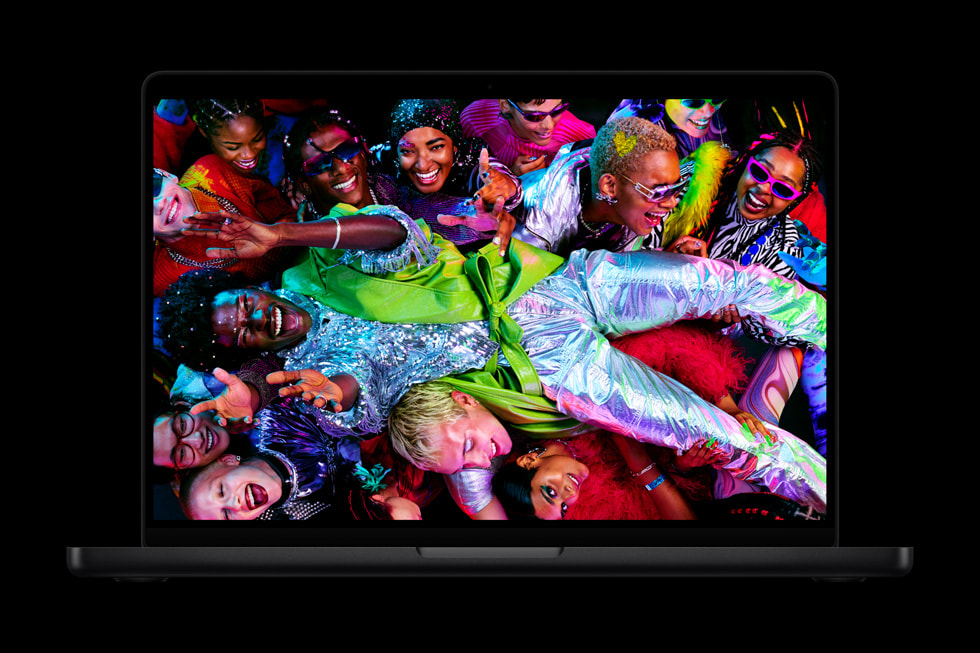
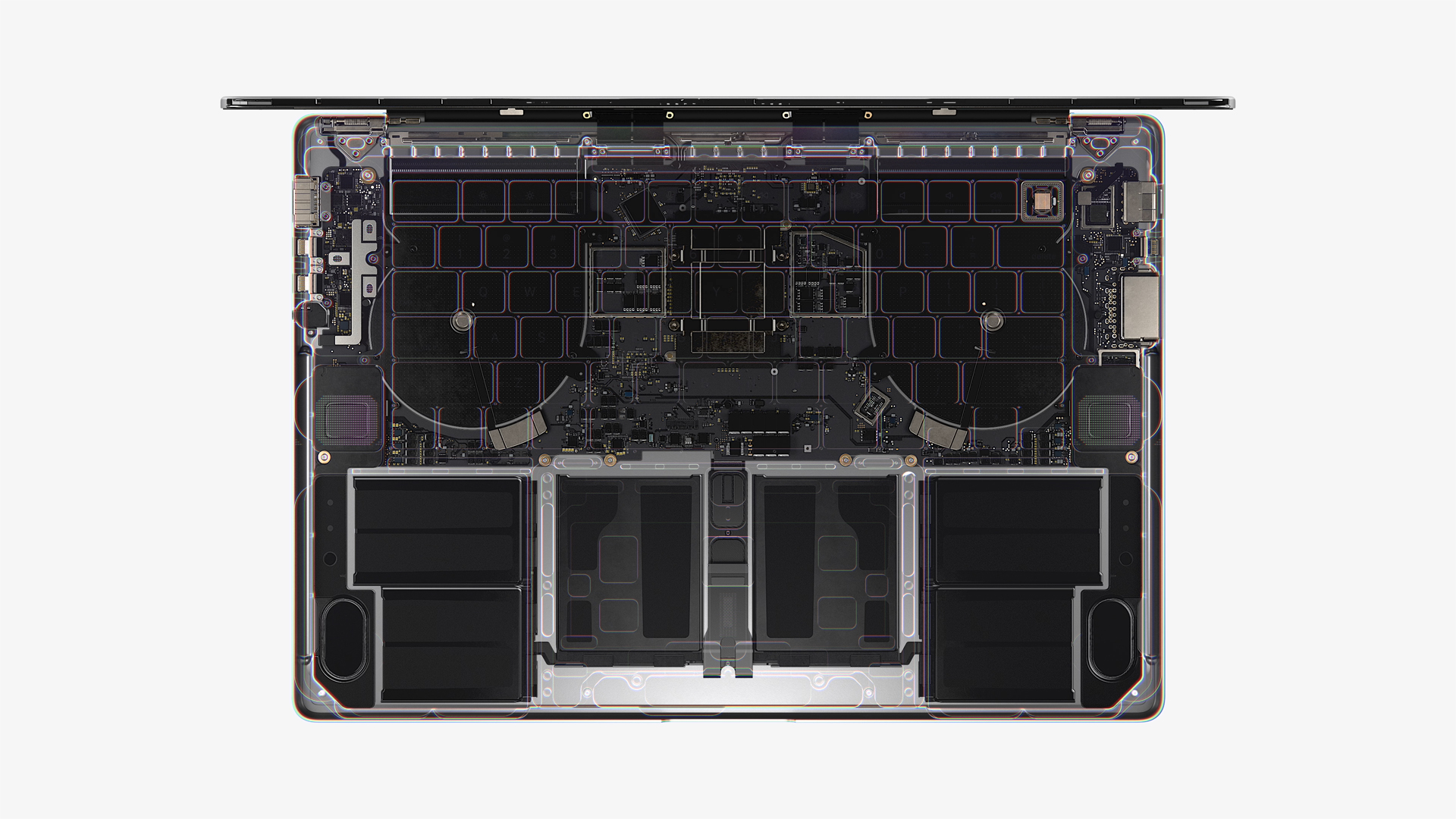
Next up: the refreshed 14-inch MacBook Pro powered by M5. This model continues Apple’s pro-laptop tradition but brings significant upgrades.
Key features
- M5 chip delivering major performance boosts: up to 3.5× faster AI performance vs previous generation, up to 6× faster than the 13-inch MacBook Pro with M1. Graphics up to 1.6× faster than prior gen, up to 2.7× vs M1 13-inch.
- Faster SSD storage: up to 2× faster than the prior generation for tasks such as importing RAW files or exporting large videos.
- Up to 24 hours of battery life (as claimed by Apple).
- Display: Liquid Retina XDR display with optional nano-texture.
- Camera: 12MP Center Stage camera for better video-calling / conferencing.
- Sound: Six-speaker sound system.
- Ports: Apple emphasises a “wide array of ports” – continuing the MacBook Pro tradition of docking convenience, external monitors, peripherals.
- Software: Runs macOS Tahoe (the latest version) and supports Apple Intelligence capabilities.
Why this matters
- Professional-grade performance: With these performance jumps, this model is suitable for demanding workflows — video production, software development, machine-learning modeling, heavy multitasking, complex simulations.
- AI specifically targeted: Apple’s mention of huge boost to AI workloads suggests they are positioning the MacBook Pro as a platform for on-device AI/ML, not just typical productivity.
- Longevity & investment: With higher storage speeds, advanced display, next-gen chip, this is a machine meant to last for years in a professional environment.
- Portability meets power: The 14-inch format gives a balance between portability and screen real-estate; professionals who travel, work remotely or in various locations may appreciate the size and battery life.
- Ecosystem continuity: For users already in Apple’s ecosystem, this continues the trend of integration — hardware + OS + platform intelligence.
Who should consider it
- Professionals in video editing, motion graphics, 3D rendering, software development, data science/AI who need a portable but powerful machine.
- Users upgrading from older MacBooks (especially M1/M2 era) who want significant performance uplift.
- Creatives & hybrid workers who demand both laptop portability and workstation-level capability.
- Power users looking ahead to future demands (AI, high-res media workflows, large codebases).
Apple Vision Pro
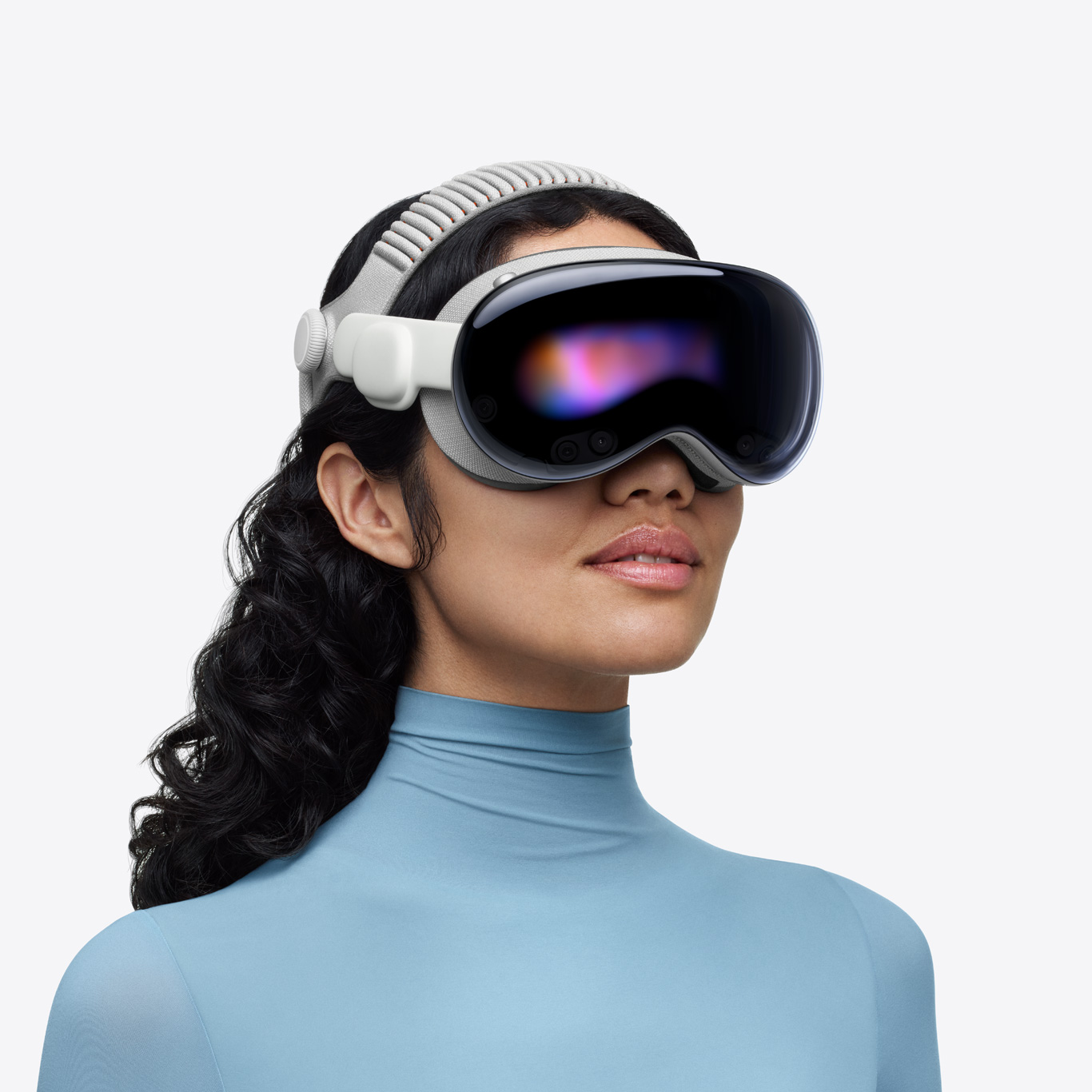
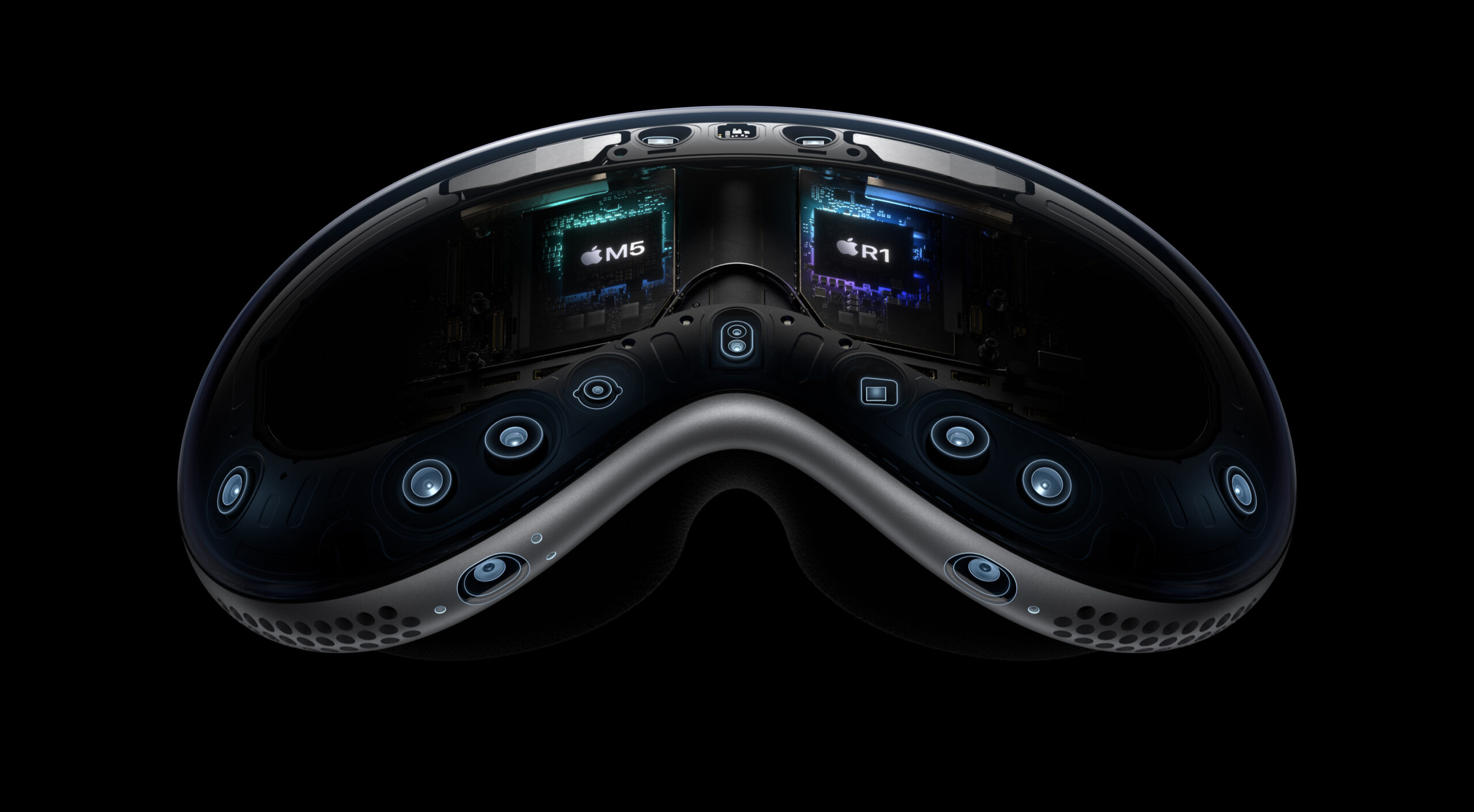
Last but by no means least: the Apple Vision Pro, now powered by M5. This represents Apple’s continued push into spatial computing, mixed reality, and immersive experiences.
Key features
- M5 chip: improved display rendering, faster AI-powered workflows, extended battery life (compared to previous Vision Pro version).
- New accessory: Dual Knit Band — described as “soft, cushioned,” featuring upper and lower straps 3D-knitted as a single piece to create a dual-rib structure for cushioning, breathability and stretch.
- Software: visionOS 26 unlocks more spatial experiences.
- Content ecosystem: More than a million apps and thousands of games on the App Store; hundreds of 3D movies on Apple TV app; new films and series in Apple Immersive.
- Distribution / availability: Apple emphasises demonstrations in Apple Stores where the Dual Knit Band and the spatial computing experience can be tried.
Why this matters
- Spatial computing takes shape: The Vision Pro isn’t just a VR/AR headset — with the M5 chip and spatial OS, Apple is elevating the experience toward seamless immersive computing, not just a novelty.
- Performance & comfort: Improved rendering and AI workflows mean smoother experiences (less lag, better visuals), which are crucial for immersive devices. The Dual Knit Band improves wearability — a typical barrier for extended headset use is discomfort.
- Content ecosystem: With a million+ apps, thousands of games, hundreds of 3D movies, the Vision Pro is positioned as a serious device for consumption, creation, entertainment and productivity in spatial form.
- New workflows: From remote collaboration in immersive spaces, spatial productivity (large virtual screens), to creative and entertainment applications, this is a device for the next computing interface.
- Ecosystem integration: Working with Apple’s services, content ecosystem and hardware/software integration positions the Vision Pro as a high-end device in Apple’s lineup rather than an accessory.
Who should consider it
- Early adopters of spatial computing, AR/VR/Metaverse enthusiasts who want premium hardware and deep integration with Apple’s ecosystem.
- Creatives exploring immersive content — XR design, 3D modelling, immersive storytelling, spatial entertainment.
- Professionals interested in new forms of productivity: large virtual displays, remote collaboration, immersive meetings, spatial workflows.
- Existing Apple device users looking to extend their ecosystem into spatial computing and immersive experiences.
- Entertainment-centric users who value high-end audiovisual immersion and want access to new 3D/immersive content.
Buying & Availability – What to Know
Apple’s announcement outlines ways to shop and some of the purchasing details.
- The devices are available today at Apple Store locations, on Apple.com and in the Apple Store app.
- Configure-to-order options are available (particularly for MacBook Pro) so customers can select chip, memory, storage, etc.
- For the Vision Pro there are demos at Apple Store locations (where available) so customers can experience the Dual Knit Band and spatial computing features.
- Apple Trade In options: you can trade in your current device for credit toward a new Mac or iPad.
- Additional perks: Apple Card users get 3 % Daily Cash back and can choose Apple Card Monthly Installments with 0 % APR.
- For the Vision Pro specifically, the article notes that the device is not eligible for trade-in.
From a buyer’s point of view: if you’re in the market, you can go in-store (if available) to experience the devices, or purchase online. If you have older hardware, trade-in may help offset cost (except for Vision Pro). Customization is available, so matching the configuration to your workflow is key.
Ecosystem & Software: iPadOS 26, macOS Tahoe, visionOS 26
An important part of these updates is the software side which complements the hardware improvements.
iPadOS 26
For the new iPad Pro, Apple mentions iPadOS 26 as the software platform that “brings unprecedented capabilities for users looking to do even more on iPad.”
While the announcement doesn’t deep-dive into all the features of iPadOS 26, pairing that with the M5 hardware means users should expect:
- More advanced multitasking and windowing capabilities
- Deeper creative tool integration leveraging the Neural Engine / GPU
- Better support for external displays / docks
- Improved AI features on-device (e.g., image and video processing, generative features, handwriting and drawing enhancements)
- Seamless integration with Magic Keyboard and Apple Pencil Pro
macOS Tahoe
The 14-inch MacBook Pro ships with macOS Tahoe and is enhanced by Apple Intelligence capabilities. (Apple)
macOS Tahoe is likely to bring:
- Deeper AI integration (suggested by the performance claims)
- Enhanced workflows for pro users (media, dev, AI/ML)
- Better power efficiency (helping deliver up to 24 hours battery)
- Advanced connectivity and peripheral support
- Improved creative and productivity workflows
visionOS 26
The Vision Pro runs visionOS 26, enabling sharper spatial experiences.
Expect:
- More immersive spatial apps and experiences
- Enhanced hand/eye gesture control and spatial interactions
- Improved graphics, rendering and user interface responsiveness (thanks to M5)
- Better content discovery and playback for 3D movies/games/immersive series
- Tighter integration with Apple ecosystem (content, services, iCloud, etc.)
In each case, hardware and software are deeply integrated, which is a hallmark of Apple’s product strategy.
Why This Upgrade Matters — The Broader Picture
This announcement by Apple is significant for several reasons:
1. The AI era is here, on-device
The heavy emphasis on “AI performance” in both the iPad and MacBook updates signals that Apple is making on-device AI a mainstream feature, not just a niche. With up to 3.5× or even 6× boosts in AI workloads, Apple is acknowledging that tasks like ML inference, large-language models, image/video generation or editing, real-time data workflows are becoming standard for users.
For users this means less reliance on cloud processing, potentially lower latency, better privacy (data stays on-device), and power-efficient performance.
2. Convergence of device roles
With the iPad Pro showing performance approaching “laptop-class” levels and the MacBook Pro continuing its pro tradition but with thinner form-factor and longer battery, Apple is formalising the convergence between mobile, tablet and laptop computing. The lines continue to blur. For many users perhaps one device could suffice for multiple roles (e.g., iPad Pro as laptop-replacement).
3. Spatial computing going mainstream
With Vision Pro sporting the M5 chip and improved comfort (Dual Knit Band), Apple is signalling a push for spatial computing to move beyond experimental to mainstream. Immersive experiences, spatial productivity, entertainment and creation are being built into Apple’s core roadmap. This device update places Apple more firmly into the XR (extended reality) space, not merely as a player but as a brand-leader.
4. Investing for the future
From a consumer perspective, this launch signifies that Apple’s “pro” devices are being future-proofed for the next several years. Faster chips, improved storage, upgraded displays, AI capabilities — all add up to devices that can remain viable longer. Especially for professionals, creators and power users, hardware longevity is an investment factor.
5. Ecosystem reinforcement
Apple’s integration of hardware + software (M5 chip + OS updates + accessories + Apple services) reinforces the ecosystem lock-in advantage. This means that users already in Apple’s world (iPhone, Apple Watch, iPad, Mac, Apple TV, Apple Arcade, etc.) will find these devices integrate seamlessly, offering a strong value proposition for staying within the ecosystem.
Considerations & What to Think About Before You Buy
While there’s a lot to like in these updates, here are some key considerations:
Match the configuration to your workflow
Especially for the MacBook Pro, since the article mentions configure-to-order options. If you’re doing heavy workflows (video editing, software dev, AI/ML), you’ll want maximum memory, storage and possibly external monitor support. The performance jumps are real, but you’ll only see full benefit if you configure the device appropriately.
Battery and usage patterns
Apple claims up to 24 hours of battery life for the 14-inch MacBook Pro. Real-world usage will vary depending on tasks (which Apple notes). (Apple) If you’re using heavy AI/ML tasks, external monitors or USB-C docks, battery may deplete more quickly. For the iPad Pro, though Apple doesn’t specify hours in this announcement, expecting premium battery performance is reasonable, but usage will vary (e.g., with high-resolution editing, gaming, AR).
Accessories and ecosystem cost
For the iPad Pro, accessories like Magic Keyboard and Apple Pencil Pro are optional but often necessary for full creative/productivity workflows — factor in the cost. For Vision Pro, spatial computing may require new accessories (e.g., Dual Knit Band is new) and perhaps new workflows or content purchases.
Content and app ecosystem readiness
For Vision Pro, spatial apps and immersive content are still emerging; while Apple states “more than a million apps” and “thousands of games” and “hundreds of 3D movies,” the maturity of workflows, user adoption and developer ecosystem will evolve. If you’re buying for a niche use-case, verify that the apps you need are available and optimized.
Cost vs benefit
Given the high end nature of these devices, the price will be commensurate (though Apple’s article did not list pricing). For many users, slightly older hardware (e.g., M1/M2) may suffice depending on their needs. The performance leap is clear, but you should evaluate if it aligns with your use case.
Future-proofing vs immediate needs
If you buy in now, you’re investing for several years. But if your current device still meets your needs, you may decide to wait or skip this generation. On the other hand, if your workflow is already constrained by your current hardware, upgrading now may provide meaningful productivity gains.
Use-Case Scenarios: Which Device and Why
Here are typical scenarios which show how each device could fit different users or workflows.
Scenario 1: A freelance video editor
- You’re editing 4K/6K footage on the go, perhaps working from a café or travelling. You’ve been using a 16-inch MacBook or older device and want better portability.
Recommendation: The 14-inch MacBook Pro with M5 is ideal: pro-level performance, fast SSD (2× faster), up to 24 hours battery, high-quality display for colour work. You can pick the memory/storage you need to handle large video files, exports and timeline performance.
Scenario 2: A digital artist/illustrator
- You draw, paint, design on the go; you travel between studios and need a device that can serve as sketchpad, canvas, and also handle rendering or 3D modelling from time to time.
Recommendation: The 13-inch iPad Pro with M5 is a great fit: M5 performance, tandem-OLED Ultra Retina XDR display, Apple Pencil Pro support, superb portability. With Magic Keyboard you can pivot into a more traditional workflow when needed. The connectivity improvements (N1, C1X) help for cloud/remote workflows.
Scenario 3: A spatial computing early adopter / architect / immersive content creator
- You are working with 3D models, virtual walkthroughs, spatial design, or want to consume immersive media/games; you value being at the frontier of computing interfaces.
Recommendation: The Apple Vision Pro with M5 is where you should look: enhanced performance, comfort with Dual Knit Band, vast app/game library, immersive display rendering. This device enables you to engage with spatial computing now and build for what’s next.
Scenario 4: A knowledge-worker / student / hybrid worker
- You do heavy reading, writing, coding, multitasking, switching between devices, collaborate via video conference, perhaps use creative tools occasionally. You want a device that is portable, efficient and will last you several years.
Recommendation: Depending on budget and usage, either the iPad Pro with Magic Keyboard (if you value portability and flexibility) or the 14-inch MacBook Pro (if you need full laptop-class workflows, ports, and pro apps). Both benefit from M5 performance and will put you ahead in terms of future capability.
The Competitive Landscape: How Apple Holds Up
Apple’s move with M5 and these new devices positions it strongly in the computing ecosystem.
Against Windows laptops and tablets
Many Windows OEMs have released ultra-thin laptops, high-refresh OLED displays, and larger AI-capable chips (e.g., Intel Core Ultra, AMD Ryzen AI). However, Apple’s vertical integration (chip + OS + hardware) gives advantages in power efficiency, software optimisation and ecosystem cohesion. The performance jumps Apple quotes (up to 6× faster AI on MacBook) suggest Apple is not merely keeping pace but aiming to lead. The iPad Pro becoming more capable further blurs the device category boundaries.
Against Android / other tablets
High-end Android tablets exist, but none have the same level of system integration, accessory ecosystem or “pro” feature set (especially in graphics, AI and display) that Apple offers. The combination of tandem OLED, professional accessories (Pencil Pro, Magic Keyboard), and the M5 chip help reinforce Apple’s leadership in the premium tablet category.
In spatial computing
While there are several VR/AR headsets (Meta Quest line, others), Apple’s offering distinguishes itself via the integration with the Apple ecosystem, high-end display/rendering, spatial OS, and premium design. With the new Performance of M5 and comfort improvements (Dual Knit Band), Apple appears to be attempting to shift spatial computing into a more mainstream category.
For creators & professionals
In the professional/pro-consumer space (video editors, 3D artists, developers, AI/ML researchers), Apple has been steadily improving its Mac line (M1 → M2 → M3 → now M5). The performance claims and hardware updates show that Apple intends to keep the MacBook Pro competitive not just for general productivity, but for heavy workflows. With up to 24 hours battery life and faster storage, Apple addresses long-standing professional needs.
Final Thoughts: Is It Time to Upgrade?
If you’re considering an upgrade, here’s how I’d summarise the decision:
- Yes, upgrade now if: you feel your current device is holding you back (slow exports, laggy workflows, limited AI/ML capability), you want to future-proof for the next 3-5 years, or you’re entering workflows (e.g., spatial computing, immersive content, heavy creative work) where performance is essential.
- Maybe wait if: your current device still meets your needs and the improvements (though significant) don’t yet unlock new workflows for you — especially given the cost of these premium devices. Also, if you’re curious about what’s coming in the next generation but don’t need it yet, you might wait for M6 era or next refresh.
- Choose based on your workflow: Match the device to what you do. If you need ultra-portable creative power, go iPad Pro. If you need laptop-class pro power, go MacBook Pro. If you’re excited by spatial computing and immersive experiences, go Vision Pro.
The announcement of the M5-powered lineup is not just incremental — it signals Apple’s commitment to the next phase of computing: performance, AI, spatial experiences, seamless device versatility. For Apple-ecosystem users, this is a compelling upgrade path. For professionals and creators, this is a serious hardware refresh. For watchers of the computing industry, this shows Apple doubling down on integration, performance and the future of what “personal computing” means.
Summary
In summary: Apple has shipped a significant refresh across three major device categories — iPad Pro, 14-inch MacBook Pro and Apple Vision Pro — all powered by the new M5 chip. The performance boosts, display and accessory upgrades, and ecosystem integration make these devices stand out. Whether you’re a creative, a professional, a developer, a spatial computing enthusiast or someone who simply wants a future-proof device, Apple’s new lineup deserves serious consideration.
If you’re interested, I’d be happy to compare detailed specs (e.g., memory, storage, pricing), global availability (especially in India/Nagpur region), and how these stack up against similarly-priced alternatives. Would you like me to do that?
Also Read: