
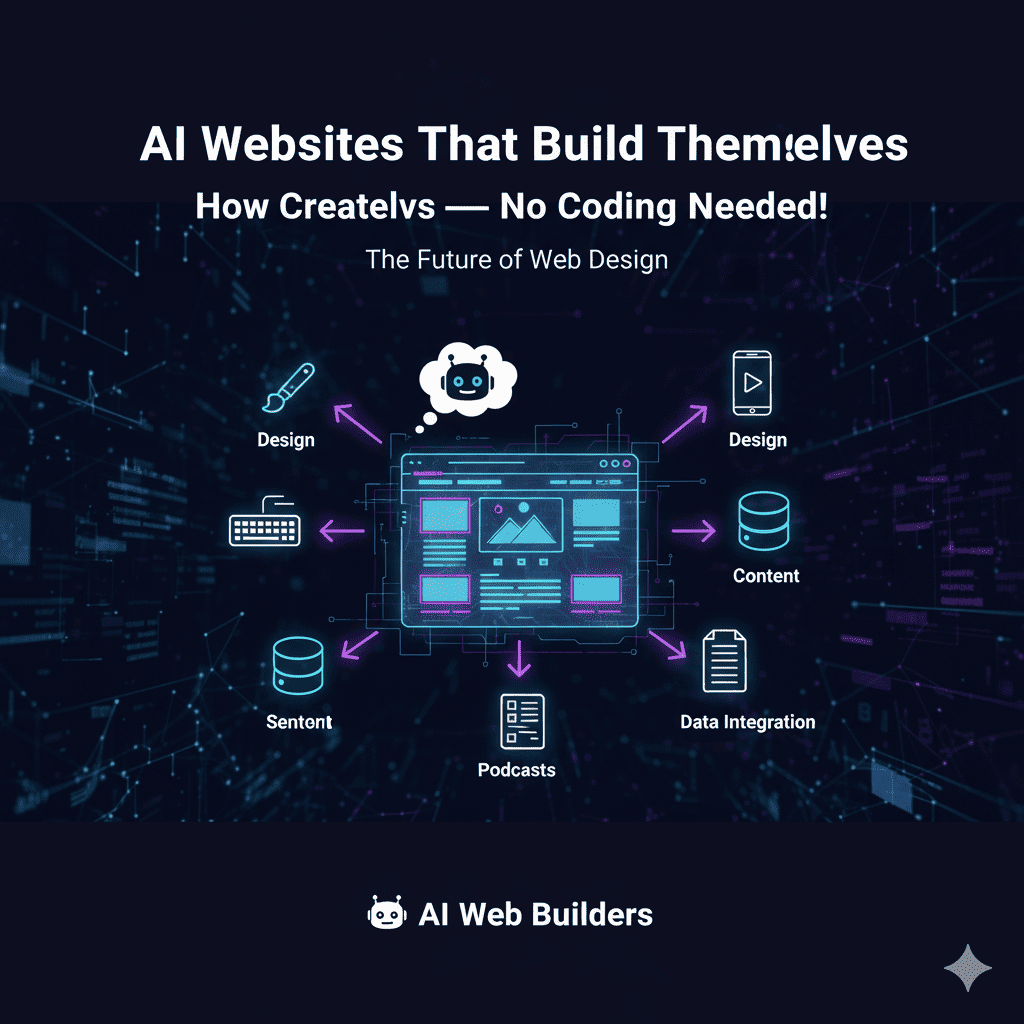
Remember when building a website required hiring a developer, learning HTML, or spending weeks wrestling with complicated website builders? Those days are officially over. In 2025, AI websites are revolutionizing how entrepreneurs, creators, and businesses establish their online presence—no coding skills required.
What Are AI Websites, Really?
AI websites are online platforms built entirely or primarily by artificial intelligence. You simply describe what you need, answer a few questions about your business, and the AI generates a fully functional, professionally designed website in minutes. Not a template. Not a rough draft. A complete, ready-to-launch website.
The technology has evolved beyond basic templates and drag-and-drop builders. Modern AI websites understand context, design principles, your industry standards, and user experience best practices. They create unique layouts, write compelling copy, select appropriate images, and even optimize for search engines—all automatically.
Why AI Websites Are Taking Over in 2025
1. Speed That Defies Logic
Traditional website development timeline:
- Hiring a developer: 2-4 weeks to find, negotiate, and start
- Design mockups: 1-2 weeks of revisions
- Development: 3-6 weeks of coding
- Content creation: 2-3 weeks of writing and editing
- Testing and launch: 1-2 weeks of debugging
Total: 2-4 months (and $3,000-$15,000)
AI websites timeline:
- Input your requirements: 5-10 minutes
- AI generates complete site: 2-5 minutes
- Review and customize: 30-60 minutes
- Launch: Immediate
Total: Under 2 hours (and $10-$50/month)
The math isn’t even close.
2. Professional Quality Without Professional Costs
AI websites deliver enterprise-level design that used to cost thousands:
- Modern, responsive layouts that look stunning on any device
- Professional typography with perfect font pairings
- Color schemes based on color theory and psychology
- High-quality imagery integrated seamlessly
- Intuitive navigation designed for user experience
- Mobile-first design that actually works on smartphones
- Accessibility features built-in from day one
3. Copy That Actually Converts
Here’s what sets AI websites apart from template builders: they don’t just create layouts—they write persuasive content tailored to your business:
- Headlines that grab attention and communicate value
- About sections that tell your story compellingly
- Service descriptions that highlight benefits over features
- Calls-to-action strategically placed for maximum conversion
- SEO-optimized content with proper keyword integration
- Tone matching your brand personality (professional, casual, friendly, authoritative)
4. Built-In Intelligence and Optimization
AI websites come with smart features that traditional sites require plugins and technical knowledge:
- Auto SEO optimization: Meta tags, descriptions, schema markup
- Performance optimization: Fast loading times without manual tweaking
- Security features: SSL certificates, security headers, protection
- Analytics integration: Track visitor behavior from day one
- Conversion optimization: Forms, buttons, and layouts tested for results
- A/B testing suggestions: AI recommends what to test and improve
5. Continuous Improvement and Updates
Unlike static websites that become outdated, AI websites can evolve:
- Content updates: Ask AI to refresh your homepage copy
- Design trends: Request modern design element updates
- New pages: Add services, blog posts, landing pages instantly
- Performance tweaks: AI suggests and implements improvements
- Seasonal changes: Update promotions, offers, and messaging easily
Types of AI Websites You Can Build
Business and Professional Services
AI websites excel at creating professional service sites:
- Law firms: Professional, trustworthy design with service pages
- Consulting agencies: Authority-building layouts with case studies
- Accounting firms: Clean, organized presentation of services
- Medical practices: Patient-friendly design with appointment booking
- Real estate agents: Property showcases with search functionality
- Marketing agencies: Portfolio-focused sites that demonstrate expertise
Features included: Contact forms, service pages, team bios, testimonials, booking systems.
E-commerce and Online Stores
AI websites create complete shopping experiences:
- Product catalogs: Organized, searchable, filterable displays
- Shopping carts: Secure checkout with multiple payment options
- Product descriptions: AI-written copy that sells
- Inventory management: Track stock automatically
- Customer accounts: Login, order history, wishlists
- Mobile commerce: Perfect shopping experience on phones
Real example: A jewelry maker launched her AI website with 50 products in under an hour. The AI wrote all product descriptions, organized categories, and set up payment processing.
Portfolio and Creative Showcases
Designers, photographers, and artists use AI websites for stunning portfolios:
- Gallery layouts: Multiple styles (grid, masonry, slideshow)
- Project case studies: Detailed breakdowns of your work
- Client testimonials: Social proof integrated beautifully
- Contact forms: Lead capture for new opportunities
- Blog integration: Share thoughts and attract organic traffic
- Social media feeds: Live updates from Instagram, Behance
Blog and Content Platforms
Content creators and thought leaders leverage AI websites for:
- Blog architecture: Categories, tags, search functionality
- Newsletter signups: Email list building from day one
- Content recommendations: Related posts suggested automatically
- Author bios: Professional presentation of credentials
- Social sharing: One-click sharing to all platforms
- Comment systems: Community engagement features
Restaurant and Local Business Sites
Local businesses use AI websites to attract customers:
- Menu displays: Beautiful, easy-to-update menus
- Location and hours: Maps, directions, real-time open/closed status
- Online ordering: Integrated ordering systems
- Reservation systems: Table booking with confirmations
- Photo galleries: Mouthwatering imagery of food, ambiance
- Reviews display: Showcase your best customer feedback
Landing Pages and Sales Funnels
Marketers and entrepreneurs build conversion-focused AI websites:
- Single-page designs: Laser-focused on one goal
- Lead magnets: Download forms for ebooks, guides, courses
- Video integration: Product demos, testimonials, explainers
- Countdown timers: Create urgency for limited offers
- Multi-step forms: Increase conversions with progressive disclosure
- Thank you pages: Post-conversion engagement and next steps
Top AI Website Builders in 2025
1. Wix AI (ADI – Artificial Design Intelligence)
Best for: Small businesses and entrepreneurs who want maximum customization after initial build.
Features:
- Answers 7-8 questions about your business
- Generates complete site in 2-3 minutes
- Provides 3-4 design variations to choose from
- Full editor access for manual adjustments
- App marketplace for additional functionality
- Strong e-commerce capabilities
Pricing: $16-$45/month
Standout feature: Huge app ecosystem allows unlimited expansion.
2. 10Web AI Builder
Best for: WordPress lovers who want AI speed with WordPress flexibility.
Features:
- Creates WordPress sites using AI
- Actual WordPress backend (not proprietary)
- AI content writer included
- Automated hosting and optimization
- PageSpeed optimization built-in
- Access to all WordPress plugins
Pricing: $10-$60/month
Standout feature: Real WordPress means ultimate flexibility and no platform lock-in.
3. Durable AI
Best for: Service businesses that need a site up TODAY.
Features:
- Fastest generation (30 seconds to complete site)
- Industry-specific templates in AI output
- Built-in CRM and invoicing
- AI copywriter for ongoing content
- Appointment booking system
- Analytics dashboard
Pricing: $15-$25/month
Standout feature: Complete business software suite included, not just website.
4. Framer AI
Best for: Designers and agencies wanting cutting-edge, animation-rich sites.
Features:
- Generates from text descriptions
- Advanced animations and interactions
- Pixel-perfect responsive design
- Real-time collaboration
- CMS for blogs and dynamic content
- Developer-friendly code export
Pricing: $5-$30/month
Standout feature: Most visually stunning AI websites with smooth animations.
5. Hostinger Website Builder AI
Best for: Budget-conscious users wanting professional results.
Features:
- AI generates from business description
- AI writer creates all page content
- AI logo maker included
- Heatmap analytics for optimization
- E-commerce functionality
- Email marketing built-in
Pricing: $2.99-$9.99/month
Standout feature: Unbeatable price with premium features included.
6. Squarespace Blueprint AI
Best for: Creatives wanting beautiful, design-forward AI websites.
Features:
- Style questionnaire for personalized design
- Industry-leading templates as foundation
- Professional stock photo library
- Advanced blogging platform
- Strong e-commerce tools
- Email campaigns included
Pricing: $16-$49/month
Standout feature: Best-in-class design aesthetics and template quality.
7. TeleportHQ
Best for: Developers and agencies needing to generate code, not just sites.
Features:
- AI generates from simple descriptions
- Exports clean HTML, CSS, React code
- Collaborative design environment
- Version control integration
- Custom component library
- API for automated site generation
Pricing: Free-$49/month
Standout feature: Get actual code you can customize and host anywhere.
How to Build Your AI Website: Step-by-Step
Step 1: Choose Your AI Builder
Consider these factors:
- Budget: Free options exist, premium features start at $3/month
- Purpose: E-commerce? Portfolio? Business site? Blog?
- Technical comfort: Want to customize or prefer hands-off?
- Long-term needs: Will you outgrow the platform?
- Integration requirements: Need specific tools or payment processors?
Pro tip: Most platforms offer free trials. Test 2-3 before committing.
Step 2: Gather Your Business Information
Before starting, prepare:
- Business name and tagline
- What you do (2-3 sentence description)
- Target audience (who you serve)
- Key services or products (3-5 main offerings)
- Contact information (email, phone, address)
- Social media handles
- Logo (if you have one—AI can create if not)
- Brand colors (if established)
- Sample content or existing website (for reference)
Time investment: 15-20 minutes of preparation saves frustration later.
Step 3: Answer the AI’s Questions
Most AI website builders ask:
- What industry are you in? (Helps select appropriate templates and content)
- What’s your website’s primary goal? (Sell products, generate leads, showcase work, share content)
- What pages do you need? (Home, About, Services, Contact, etc.)
- What style do you prefer? (Modern, classic, minimalist, bold, elegant)
- What colors represent your brand? (Or let AI suggest based on industry)
- Do you have content? (Or should AI write everything?)
Be specific: The more detail you provide, the better the AI understands your needs.
Step 4: Review the AI-Generated Site
The AI will present your complete AI website. Evaluate:
- Overall design: Does it match your brand personality?
- Content accuracy: Is the copy relevant and well-written?
- Page structure: Are all necessary pages included?
- Navigation: Is it intuitive and logical?
- Images: Are photos appropriate and high-quality?
- Call-to-actions: Are they clear and compelling?
- Mobile view: Does it look great on phones?
Don’t expect perfection: AI gets you 80-90% there. You’ll refine the rest.
Step 5: Customize and Refine
Make the AI website uniquely yours:
- Replace AI images with your actual photos
- Edit copy to add personal voice and specific details
- Adjust colors to match exact brand guidelines
- Rearrange sections for better flow
- Add your logo and brand assets
- Insert real testimonials and reviews
- Update contact information thoroughly
- Connect social media accounts
- Set up forms and lead capture
Time investment: 30 minutes to 3 hours depending on customization depth.
Step 6: Optimize for Performance
Enhance your AI website for better results:
- SEO basics: Title tags, meta descriptions, alt text for images
- Page speed: Compress large images, minimize unnecessary elements
- Mobile testing: Check every page on actual smartphones
- Form testing: Submit test leads to ensure they work
- Link checking: Verify all internal and external links function
- Cross-browser testing: Check Chrome, Safari, Firefox, Edge
- Analytics setup: Install Google Analytics or similar tracking
Pro tip: Most AI websites handle technical SEO automatically, but double-check.
Step 7: Launch and Promote
Time to go live:
- Connect custom domain (yourwebsite.com)
- Set up business email (contact@yourwebsite.com)
- Submit to search engines (Google Search Console)
- Create social profiles linking to your new site
- Email your network announcing your launch
- Update email signatures with website link
- Add to business listings (Google Business Profile, Yelp, etc.)
First 48 hours: Most AI websites get indexed by Google within 2 days of launch.
Advanced Tips for AI Websites
1. Use AI Content Iteration
Don’t settle for first draft AI copy:
- Request rewrites: “Make this more professional” or “Add more emotion”
- Test variations: Generate 3-4 versions, pick the best elements
- Provide examples: Show AI the tone you want matched
- Edit strategically: Combine AI efficiency with your expertise
Result: Copy that sounds like you wrote it, in a fraction of the time.
2. Leverage AI-Generated Images
Some AI website builders include AI image generation:
- Custom illustrations: Create unique graphics for your brand
- Product mockups: Visualize services or digital products
- Hero images: Generate eye-catching homepage visuals
- Background patterns: Create subtle, brand-aligned textures
Advantage: Completely unique imagery no one else has.
3. Implement Continuous Optimization
Use AI for ongoing improvement:
- Regular content updates: Refresh homepage every quarter
- Seasonal messaging: Update for holidays, events, promotions
- A/B testing: Let AI suggest what to test for better conversions
- Performance monitoring: AI identifies slow pages and fixes them
- Competitor analysis: Some AI tools scan competitors and suggest improvements
Mindset shift: Your website becomes a living asset, not a static brochure.
4. Expand Strategically
Start simple, add complexity over time:
- Phase 1: Basic site (Home, About, Services, Contact)
- Phase 2: Add blog for SEO and thought leadership
- Phase 3: Implement e-commerce or booking system
- Phase 4: Create member areas or gated content
- Phase 5: Build automated funnels and sequences
AI websites make expansion easy—add pages in minutes, not weeks.
5. Integrate Smart Automations
Connect your AI website to automation tools:
- Email marketing: New contact form submission triggers welcome sequence
- CRM updates: Leads automatically added to sales pipeline
- Social posting: New blog posts auto-share to social media
- Chatbots: AI assistants answer common questions 24/7
- Appointment reminders: Automated texts/emails reduce no-shows
Power combination: AI website + automation = business that runs itself.
Common Mistakes to Avoid with AI Websites
1. Accepting Everything AI Generates
AI is impressive but not perfect. Common issues:
- Generic content: Add specific details, numbers, unique insights
- Stock photo overload: Replace with real photos when possible
- Missing personality: Inject your unique voice and perspective
- Cookie-cutter layout: Customize to stand out from others using same builder
Fix: Treat AI output as a strong first draft, not the final product.
2. Neglecting Mobile Experience
60% of web traffic is mobile, yet many people only check desktop:
- Test on real devices: Not just browser preview modes
- Check tap targets: Buttons big enough for fingers?
- Review text size: Readable without zooming?
- Test forms: Easy to fill out on small screens?
- Monitor load speed: Fast enough on 4G connections?
Reality check: Most of your visitors will see mobile version first.
3. Skipping SEO Basics
AI websites handle technical SEO, but you need to optimize content:
- Write unique meta descriptions: Don’t rely only on AI defaults
- Use descriptive alt text: Helps visually impaired users and SEO
- Create valuable content: Thin, generic pages don’t rank
- Build internal links: Connect related pages strategically
- Target specific keywords: Research what people actually search
Truth: AI website ≠ automatic Google rankings. Content quality still matters.
4. Ignoring Analytics
You can’t improve what you don’t measure:
- Set up tracking: Google Analytics, platform analytics, heatmaps
- Monitor key metrics: Traffic sources, bounce rate, conversions
- Identify top pages: Double down on what works
- Find problem areas: Fix pages where visitors leave quickly
- Track goals: Measure form submissions, purchases, signups
Action plan: Review analytics monthly, make data-driven improvements.
5. Over-Complicating the Design
Just because you CAN add features doesn’t mean you SHOULD:
- Avoid clutter: White space improves comprehension and focus
- Limit fonts: 2-3 maximum for professional appearance
- Resist feature bloat: Every element should serve a purpose
- Maintain consistency: Same style across all pages
- Prioritize speed: Fancy animations aren’t worth slow load times
Design principle: Simple, clean, functional beats complex and impressive.
The Future of AI Websites
The technology continues evolving rapidly. Emerging trends:
Conversational Website Building
Instead of forms and questions, have natural conversations:
You: “I need a website for my dog training business in Austin, Texas.”
AI: “Great! I’ll create a professional, friendly site highlighting your training methods, customer success stories, and booking system. Should we include a blog for dog care tips?”
You: “Yes, and add a section for puppy training specifically.”
AI: “Done. Your site is ready with separate pages for puppy training and adult dog training, plus a blog setup. Want to see it?”
Predictive Optimization
AI websites that automatically improve themselves:
- A/B testing: AI tests variations and implements winners
- Content updates: Refreshes copy based on performance data
- Layout adjustments: Rearranges elements for better conversion
- Personalization: Shows different content to different visitors
- Seasonal adaptation: Automatically updates for holidays, events
Voice-Activated Building
Create and edit AI websites by speaking:
“Add a new service page for corporate wellness programs with a pricing table showing three tiers ranging from $500 to $2000 per month.”
The AI understands and implements immediately.
Industry-Specific Intelligence
AI websites that understand your specific industry deeply:
- Restaurant sites: Know to include menus, reservations, dietary filters
- Law firms: Understand client confidentiality, case result disclaimers
- Medical practices: Comply with HIPAA, include patient portals
- Real estate: Create IDX integration, virtual tour embedding
- E-commerce: Implement abandoned cart recovery, upsells, reviews
Multi-Platform Presence
One AI input creates:
- Website: Full responsive site
- Mobile app: Native iOS and Android apps
- Social profiles: Optimized bios and content
- Google Business: Complete listing with posts
- Email templates: Branded email designs
All synchronized and consistent automatically.
Real Success Stories with AI Websites
The Solo Consultant Who Landed Fortune 500 Clients
Sarah, a leadership consultant, built her AI website on a Sunday afternoon. The AI-generated content positioned her as an authority, and the professional design gave her instant credibility. Within 3 weeks, she booked her first $50K consulting contract with a Fortune 500 company—they found her through Google and were impressed by her “professional web presence.”
Her secret: She spent 2 hours customizing the AI copy with specific case study details and outcomes. The AI handled design and structure; she added the credibility-building specifics.
The Local Bakery That Doubled Online Orders
Marcus owned a neighborhood bakery but had no website. He built an AI website with online ordering in under 2 hours. The AI wrote enticing descriptions of his pastries, organized a beautiful menu layout, and set up order processing. Online orders went from zero to 40% of his business within 6 months.
His secret: He replaced AI stock photos with mouthwatering images of his actual pastries. The AI provided the infrastructure; he added the visual appeal.
The Photographer Who Booked Out Her Calendar
Elena tried building a portfolio site three times over five years, always getting stuck on design decisions. An AI website built her entire portfolio, organized her work into categories, wrote compelling case studies, and created contact forms. She went from sporadic bookings to fully booked within her ideal client base in 4 months.
Her secret: She let AI handle structure and copy, then added detailed behind-the-scenes stories to each project. The AI provided the framework; she added the storytelling.
Is an AI Website Right for You?
Consider AI websites if you:
- Need a professional online presence quickly: Hours, not months
- Have limited budget: $10-50/month vs. $3,000-15,000 upfront
- Lack technical skills: Zero coding knowledge required
- Want to focus on business: Not web development
- Need to test ideas fast: Launch and validate before major investment
- Manage multiple projects: Build sites quickly for various ventures
- Require regular updates: Easy editing without technical help
AI websites might not be ideal if you:
- Need extremely custom functionality: Complex databases, unique features
- Require extensive third-party integrations: Unusual software connections
- Want complete design control: Every pixel exactly your way
- Have highly specific compliance needs: Regulated industries with unique requirements
- Prefer traditional development: Comfortable with code and frameworks
For 90% of businesses, AI websites provide everything needed at a fraction of traditional costs and time.
The Bottom Line on AI Websites
We’re living in an era where the barrier to professional online presence has effectively disappeared. AI websites democratize web development, giving small businesses, solopreneurs, and creators the same digital advantages previously available only to well-funded companies.
The technology isn’t perfect, but it’s remarkably good—and improving monthly. More importantly, AI websites free you to focus on what actually matters: running your business, serving customers, and growing your impact.
The question isn’t whether AI websites are good enough. The question is: what will you do with all the time and money you save by not building a website the old way?
Also read this:
Voice Cloning in 2025: How Creators Use AI Voices to Scale Their Content Empire
AI Shorts: How Creators Make Reels in Minutes Using Bots (The Complete Guide)
How to Create a Full YouTube Channel Using Only AI Tools (Zero to Monetization Guide)