
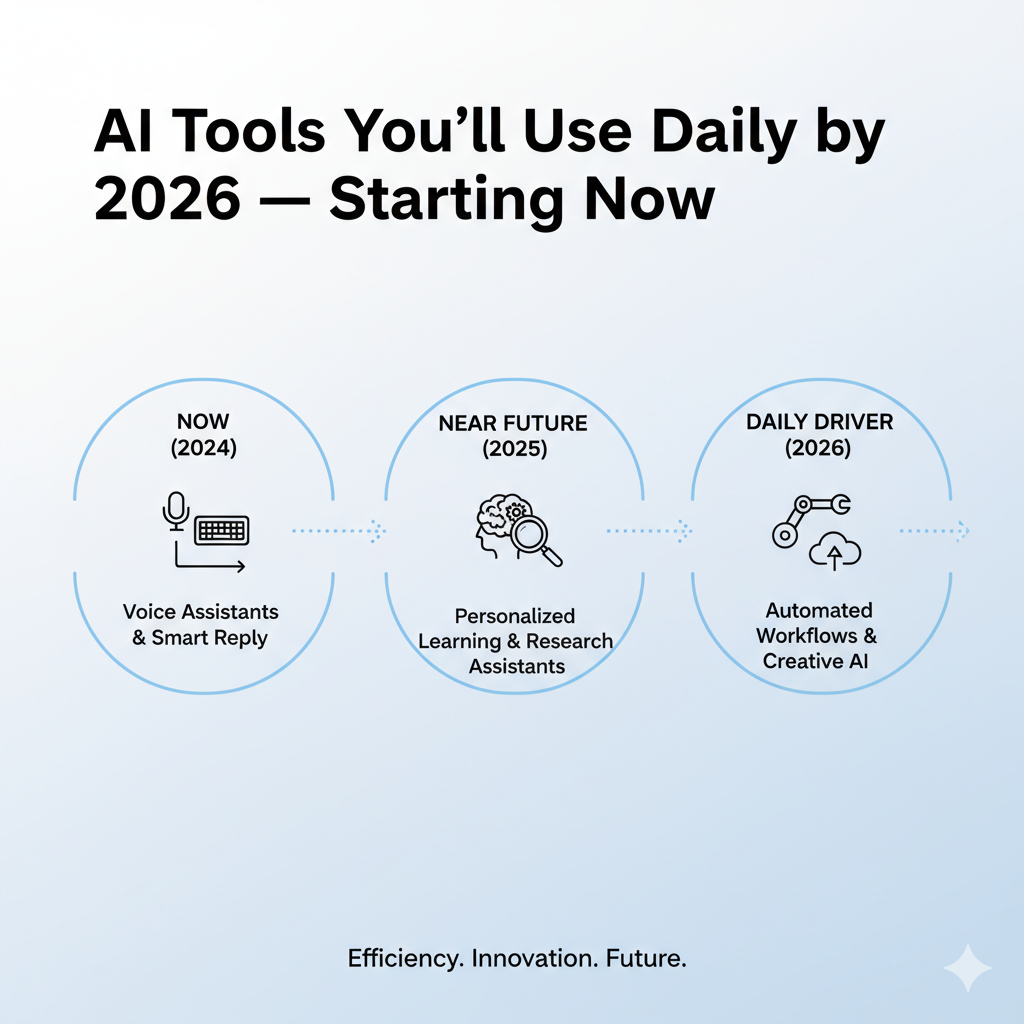
The future isn’t coming—it’s already here. While you’re reading this, artificial intelligence is quietly revolutionizing how millions of people work, create, and live their daily lives. By 2026, the AI tools you’ll use daily will be as essential as your smartphone, email, or web browser. The question isn’t whether you’ll adopt these tools, but whether you’ll be ahead of the curve or scrambling to catch up.
This comprehensive guide reveals the AI tools you’ll use daily starting right now, transforming everything from how you write emails to how you manage your entire workday. Whether you’re a professional, entrepreneur, student, or simply someone who wants to work smarter, this is your roadmap to the AI-powered future that’s already unfolding.
1. AI Writing Assistants: Your New Communication Partner
The first category of AI tools you’ll use daily has already changed how billions of people communicate. AI writing assistants have evolved far beyond simple grammar checkers into sophisticated partners that understand context, tone, and intent.
Why Writing Tools Lead the AI Revolution
Writing is the most universal professional skill. Whether you’re crafting emails, reports, social media posts, or documentation, you’re constantly translating thoughts into written words. AI writing tools eliminate the friction in this process, making everyone a more effective communicator.
ChatGPT and Claude have become household names, but their daily applications extend far beyond casual conversation. Professionals use them to draft and refine emails that strike the perfect tone, generate first drafts of reports in minutes instead of hours, brainstorm ideas and overcome creative blocks, translate complex technical concepts into accessible language, and create multiple variations of messaging for A/B testing.
Grammarly and its AI-powered competitors have evolved from error-catchers to style coaches. The latest versions suggest sentence restructuring for clarity and impact, adjust tone based on your audience and goals, flag potentially problematic language before you send, and learn your writing style to adapt suggestions accordingly.
Notion AI and similar integrated tools represent the future—AI embedded directly into the platforms you already use. Instead of switching between applications, you generate, edit, and refine content without leaving your workspace.
Practical Daily Applications
By 2026, these AI tools you’ll use daily will be seamlessly integrated into every text field. Imagine your morning email management where AI drafts responses to routine emails overnight. You wake up, review suggested replies, make minor edits, and send—inbox zero in 15 minutes instead of an hour.
For meeting preparation, feed your AI the agenda and relevant documents. It generates talking points, anticipated questions, and suggested responses tailored to each participant. Need 10 social media posts for the week? Your AI generates variations based on your brand voice, recent news in your industry, and engagement patterns from previous posts.
Getting Started Today
Don’t wait until 2026. Choose one primary writing assistant and use it consistently for two weeks. Set up browser extensions that integrate AI into Gmail, LinkedIn, and other platforms. Create prompt templates for your most common writing tasks and track time saved to quantify the impact.
2. AI Productivity and Task Management Tools
The second wave of AI tools you’ll use daily focuses on the meta-work—organizing, prioritizing, and managing the endless stream of tasks, meetings, and commitments that define modern professional life.
The Productivity Crisis AI Solves
Studies show professionals spend 40% of their workday on coordination, scheduling, and task management rather than actual productive work. AI productivity tools reclaim this lost time by automating the organizational overhead.
Motion, Reclaim, and similar AI schedulers revolutionize calendar management. These aren’t just scheduling assistants—they’re intelligent time protectors that automatically schedule tasks based on priority, energy levels, and deadline proximity. They defend focus time by creating buffer zones around deep work sessions, reschedule automatically when urgent meetings appear, and learn your work rhythms to schedule demanding tasks during your peak performance hours.
Todoist, ClickUp, and other project management platforms with AI have transformed from glorified to-do lists into intelligent work companions. Modern AI features include automatic task breakdown where you input “Launch product” and AI generates 30+ subtasks with realistic timelines, priority scoring based on deadlines and dependencies, and smart suggestions for task delegation based on team members’ skills.
AI meeting assistants like Otter.ai, Fireflies, and Fathom attend meetings for you virtually, capturing not just transcripts but actionable insights. They generate meeting summaries with key decisions and action items, identify who committed to what and automatically create follow-up tasks, and track discussion topics flagging when important issues go unresolved.
The 2026 Productivity Workflow
Picture your daily routine with these AI tools you’ll use daily fully integrated. At 5:30 AM, your AI reviews overnight emails, calendar changes, and messages. It updates your schedule, moves non-urgent tasks to protect morning focus time, and prepares a priority-ranked agenda based on actual deadlines and your energy patterns.
By 9:00 AM, you open your computer to find three “urgent” emails already handled by AI with responses awaiting your approval, your calendar optimized with strategic gaps for deep work, and a realistic task list with the top three priorities clearly highlighted.
Implementation Strategy
Transform your productivity by starting with calendar optimization—this provides immediate, measurable time savings. Add AI note-taking to three meetings per week to experience the value before full commitment. Test one AI task manager for a month, comparing time spent on task management before and after.
3. AI Research and Information Processing Tools
Among the AI tools you’ll use daily, research and information processing tools might offer the highest return on investment for knowledge workers. These tools transform information overload into accessible, actionable insights.
Conquering Information Overload
The average professional encounters 100+ pieces of information daily—emails, articles, reports, messages, videos. Processing this flood consumes hours and creates anxiety about missing crucial details. AI research tools act as intelligent filters and synthesizers.
Perplexity AI, You.com, and AI-powered search engines represent search’s next evolution. Unlike traditional search that returns links, these tools provide direct answers with cited sources rather than forcing you to visit dozens of websites. They understand complex, multi-part questions that would require multiple traditional searches, follow up on previous queries building context across an entire research session, and generate comprehensive reports on topics by synthesizing information from hundreds of sources.
Elicit, Semantic Scholar, and academic AI tools democratize research that previously required advanced degrees. They analyze research papers and extract key findings in plain language, identify relevant studies across disciplines that traditional searches miss, and generate literature reviews on topics in hours instead of weeks.
Instapaper, Pocket, and AI reading apps with summarization features help you process saved articles by generating 3-sentence summaries before you decide to read fully, extracting key quotes and statistics for reference, and automatically categorizing saved content by topic.
Real-World Research Workflows
By 2026, these AI tools you’ll use daily will transform how you stay informed. Professionals start their day with an AI-generated briefing on industry news, competitor activities, and regulatory changes relevant to their role. Your AI has read hundreds of sources overnight and presents only what matters to your specific responsibilities.
Students complete research papers in hours that once took days. Your AI locates relevant sources, extracts key arguments, identifies gaps in the literature, and even suggests angles for original contribution.
Maximizing Research AI Today
Replace one Google search daily with an AI-powered research tool to build the habit. Use AI summarization for all saved articles before deciding which to read fully. Create a research brief template that your AI fills out for recurring research needs and document time saved.
4. AI Design and Creative Tools
The creative revolution enabled by AI tools you’ll use daily has demolished barriers that kept design, video, and visual creation restricted to specialists with expensive software and years of training.
Democratizing Visual Creation
Every professional now needs basic design skills for presentations, social media, reports, and marketing materials. AI creative tools make everyone a capable designer without formal training.
Canva with AI, Adobe Firefly, and design platforms have integrated AI that generates complete designs from text descriptions like “modern tech conference poster with blue theme,” suggests layouts optimized for specific platforms and purposes, automatically resizes designs for dozens of formats while maintaining visual integrity, and creates brand-consistent color palettes.
Midjourney, DALL-E, Stable Diffusion, and image generation tools create custom visuals for any purpose. They produce unique images for blog posts and marketing without stock photo clichés, generate concept art and mockups for product development, and create consistent character or product images across multiple scenarios.
Runway ML, Descript, and video editing AI make professional video accessible by removing filler words and pauses from recordings automatically, generating b-roll footage and visual elements to accompany narration, and editing videos by editing text transcripts—delete words to delete corresponding footage.
ElevenLabs, Descript, and voice AI tools revolutionize audio content by cloning your voice for creating audio content without recording studios, translating content into multiple languages while maintaining your vocal characteristics, and generating professional voiceovers for videos from text scripts.
Daily Creative Applications by 2026
Imagine how these AI tools you’ll use daily integrate into routine workflows. Marketing professionals generate 50 social media graphics variations in 10 minutes, test which resonate, then create full campaigns around winning concepts—all before lunch.
Educators transform lecture notes into engaging video lessons with AI-generated visuals, animated explanations, and professional narration without ever appearing on camera. Small business owners create complete brand identities—logos, color schemes, business cards, social media templates—in an afternoon without hiring designers.
Starting Your Creative AI Journey
Choose one design task you dread and use AI to complete it—experience the time savings firsthand. Create brand asset templates using AI, then customize them for specific uses. Replace one stock photo per project with AI-generated custom images and experiment with video AI for a low-stakes internal project.
5. AI Communication and Meeting Tools
Perhaps the most immediately impactful AI tools you’ll use daily are those that enhance how we communicate and collaborate with colleagues, clients, and teams.
Transforming How We Connect
Communication consumes more professional time than any other activity. AI tools that save even 15 minutes daily compound into massive productivity gains over weeks and months.
Slack AI, Microsoft Teams AI, and communication platform features now include automatic thread summarization when you’ve missed conversations, smart notifications that distinguish urgent from routine messages, suggested responses based on conversation context, and translation enabling real-time multilingual team collaboration.
Zoom AI Companion, Google Meet AI, and video conferencing tools transform meetings by generating summaries with timestamps linking to relevant discussion moments, providing live captions and translations for global teams, creating shareable clips of important moments for those who couldn’t attend, and tracking meeting participation patterns to ensure all voices are heard.
Superhuman, Shortwave, and AI-powered email clients reimagine the inbox by automatically categorizing emails by urgency and importance, drafting responses based on email content and your typical reply patterns, scheduling emails to send at optimal times for recipient engagement, and reminding you about important emails that haven’t received responses.
The 2026 Communication Landscape
These AI tools you’ll use daily will fundamentally change professional interaction. Asynchronous becomes the default as AI meeting summaries and video message transcripts mean fewer meetings requiring everyone’s simultaneous presence. Language barriers disappear with real-time translation in Slack, email, and video calls making global collaboration seamless.
Context becomes automatic where every interaction includes relevant history, previous decisions, and related conversations without manual searching. Meeting follow-up is automatic with action items, decisions, and next steps captured, assigned, and tracked without post-meeting busywork.
Implementing Communication AI Now
Add AI note-taking to every meeting for one week and compare productivity before and after. Enable AI features in your primary communication platform—most are included in existing subscriptions. Use AI email drafting for all routine responses for three days to experience the time savings.
6. AI Data Analysis and Decision Support Tools
For professionals who work with data, spreadsheets, or business intelligence, these AI tools you’ll use daily transform analysis from specialized skill to universal capability.
Making Data Accessible to Everyone
Data-driven decision making shouldn’t require advanced degrees in statistics. AI analysis tools let anyone extract insights from complex datasets.
ChatGPT with Code Interpreter, Claude with analysis features, and AI data tools enable natural language queries of datasets like “What were our top-selling products last quarter?”, automatic visualization selection based on data characteristics and analysis goals, identification of trends and patterns invisible to manual review, and predictive modeling without statistical expertise.
Excel and Google Sheets AI features bring intelligence to familiar tools through formula generation from natural language descriptions like “Calculate monthly growth rate,” data cleaning that identifies and fixes errors automatically, automated chart creation selecting the most appropriate visualization, and smart suggestions for analysis based on data structure.
Tableau, Power BI, and business intelligence platforms with AI deliver insights to decision-makers with automated dashboard creation highlighting important metrics, natural language explanations of data changes like “Sales decreased 15% due to supply chain disruptions,” and predictive analytics forecasting future trends based on historical patterns.
Data-Driven Workflows in 2026
By 2026, these AI tools you’ll use daily will embed analytics into every business process. Sales professionals will have AI analyzing customer interaction data, identifying leads most likely to convert, and suggesting optimal timing and messaging for outreach—all updated in real-time as new data arrives.
Marketers see campaign performance analysis happening automatically with AI highlighting what’s working, what’s failing, and why—complete with recommended optimizations for each channel. Financial professionals benefit from expense patterns, budget variances, and forecast models updating continuously with AI flagging unusual transactions.
Beginning Your Data AI Journey
Take one recurring analysis you currently do manually and teach AI to replicate it. Ask AI to explain three existing reports or dashboards in plain language. Use natural language queries instead of complex formulas for one week of spreadsheet work.
7. AI Learning and Skill Development Tools
Among the most transformative AI tools you’ll use daily are those that personalize education and skill development, making continuous learning finally sustainable alongside busy professional lives.
The Personalized Learning Revolution
Traditional learning—courses, books, tutorials—proceeds at a fixed pace assuming uniform backgrounds. AI learning tools adapt to your specific knowledge level, goals, and learning style.
Khan Academy’s Khanmigo, Duolingo Max, and educational platforms with AI tutors provide personalized explanations that adjust complexity based on your demonstrated understanding, practice problems calibrated to challenge without overwhelming, alternative explanations when initial approaches don’t click, and immediate feedback with detailed reasoning.
Coursera, LinkedIn Learning, and professional development platforms with AI optimize skill building by recommending learning paths based on your career goals and current skills, adjusting course difficulty and pacing based on quiz performance, connecting concepts across different courses you’ve taken, and identifying skill gaps between your profile and desired positions.
Programming AI assistants like GitHub Copilot, Cursor, and Replit AI teach coding through doing. They suggest code completions explaining the logic behind recommendations, debug errors with explanations of what went wrong and why, translate pseudocode or plain language into working programs, and answer programming questions in context of your specific project.
Continuous Learning in 2026
These AI tools you’ll use daily will make skill development integral to work rather than separate from it. Just-in-time learning means when you encounter an unfamiliar concept at work, your AI provides a customized 5-minute explanation perfectly calibrated to your background and context, then creates practice exercises ensuring retention.
Skill gap monitoring means your AI tracks skills required for your role versus those you’ve demonstrated, proactively suggesting micro-learning sessions to address gaps before they impact performance.
Implementing Learning AI Today
Identify one skill you’ve wanted to learn and commit to 15 minutes daily with an AI tutor. Use AI to fill knowledge gaps in real-time rather than saving questions for later. Replace passive learning like watching tutorials with active practice guided by AI feedback.
8. AI Personal Management and Life Organization Tools
The AI tools you’ll use daily extend beyond professional applications into personal life, managing everything from health to finances to daily routines.
Bringing Order to Chaos
Modern life involves juggling dozens of responsibilities—appointments, medications, bills, fitness, relationships, hobbies. AI personal management tools prevent things from falling through cracks.
AI calendar assistants like Reclaim, Motion, and Clockwise optimize personal time by scheduling workouts, hobbies, and personal tasks alongside professional commitments, protecting work-life boundaries by creating buffers between work and personal time, and suggesting optimal times for errands based on location and traffic.
Financial AI tools like Copilot, Monarch, and Cleo bring clarity to money by categorizing transactions and identifying spending patterns automatically, predicting upcoming expenses based on historical patterns, suggesting budget optimizations specific to your goals, and alerting you to unusual charges or potential fraud in real-time.
Health and fitness AI like MyFitnessPal, Noom, and Freeletics personalize wellness by creating workout plans adapting to your progress and preferences, analyzing meal photos to track nutrition without manual logging, and adjusting recommendations based on energy levels, stress, and sleep quality.
Integrated Personal AI by 2026
These AI tools you’ll use daily will function as comprehensive life operating systems. Morning routines become optimized where your AI wakes you at the optimal sleep cycle point, adjusts breakfast suggestions based on upcoming day demands, routes you around traffic to appointments, and briefs you on the day’s priorities.
Health monitoring integrates with wearable data combining with calendar patterns, nutrition tracking, and mood logs. AI identifies relationships between behaviors and wellbeing, suggesting interventions before problems escalate. Financial autopilot means bill payments, savings transfers, and investment contributions happen automatically with AI optimizing based on cash flow patterns.
Personal AI Implementation Strategy
Start with the biggest pain point in your personal organization—time management, finances, or health. Give AI access to relevant data for one week and review insights before taking action. Automate one recurring personal task completely like bill payment or appointment scheduling.
9. AI Security and Privacy Tools
As AI becomes ubiquitous, these AI tools you’ll use daily protect your digital security and privacy in an increasingly complex threat landscape.
Security in the AI Age
Cybersecurity threats evolve faster than human defenders can adapt. AI security tools provide protection that scales and adapts in real-time.
Password managers with AI like 1Password, Dashlane, and Bitwarden enhance security by generating and storing unhackable unique passwords for every service, monitoring for data breaches affecting your accounts automatically, analyzing security practices across all accounts identifying vulnerabilities, and alerting you to weak, reused, or compromised passwords requiring updates.
AI antivirus and malware protection like CrowdStrike, Malwarebytes, and Norton AI defend proactively by identifying novel threats before they’re widely known based on behavioral patterns, analyzing suspicious files and links in real-time before they execute, and quarantining potential threats automatically without interrupting workflow.
Privacy-focused browsers and AI tools protect personal information by blocking tracking scripts and cookies automatically while preserving site functionality, alerting you when sites request excessive permissions or data, and analyzing privacy policies highlighting concerning clauses.
Security Landscape in 2026
These AI tools you’ll use daily will provide comprehensive protection through proactive threat prevention where AI monitors all digital activity identifying suspicious patterns before they become breaches. Automated incident response means when security events occur, AI contains threats, notifies relevant parties, and implements remediation steps faster than any human team.
Privacy becomes default where every digital interaction involves AI analysis of privacy implications with automatic protection of sensitive information and warnings about risky behaviors.
Securing Your Digital Life Now
Adopt an AI password manager immediately—this single change dramatically improves security. Enable AI antivirus with behavioral detection, not just signature-based protection. Use AI privacy analysis for three services you currently use and review findings.
10. The Integration Playbook: Making AI Part of Your Daily Routine
Understanding individual AI tools you’ll use daily is valuable, but the real transformation comes from integrating them into cohesive workflows that compound benefits.
Building Your AI Stack
The most effective approach isn’t adopting every AI tool simultaneously but strategically building an integrated ecosystem that addresses your specific needs and workflows.
Assessment Phase (Week 1): Track your time for one week noting repetitive, frustrating, or time-consuming tasks. Identify the three activities consuming the most time with lowest satisfaction. Research which AI tools specifically address these pain points and select 2-3 tools for initial implementation.
Pilot Phase (Weeks 2-5): Implement one tool at a time with full commitment for two weeks each. Use tools daily even when it feels slower than old methods—the learning curve is temporary. Document time saved, frustrations eliminated, and quality improvements while identifying integration opportunities between tools.
Integration Phase (Weeks 6-12): Connect tools through APIs, shared data, or manual workflows. Establish routines where AI tools feed each other like meeting notes becoming tasks or research becoming content. Create templates and shortcuts for frequent AI interactions and train colleagues on tools affecting collaborative work.
Optimization Phase (Month 4+): Replace tools that haven’t delivered value with alternatives. Deepen usage of successful tools exploring advanced features. Identify next pain points to address with additional AI tools while continuously tracking ROI ensuring tools justify their costs.
Overcoming Common Obstacles
Most people fail to adopt AI tools you’ll use daily not because the tools don’t work but because they don’t successfully navigate the transition period.
“I don’t have time to learn new tools” — The paradox is that not learning costs more time long-term. Commit to 30 minutes daily for two weeks. That 7-hour investment returns hundreds of hours over the next year.
“AI tools are expensive” — Many powerful AI tools offer free tiers or cost less than one lunch weekly. Calculate time saved at your hourly rate—most tools pay for themselves within days.
“I’m worried about privacy and data security” — Legitimate concern, but address it through informed choices rather than avoidance. Use tools with strong privacy policies and leverage privacy-focused AI alternatives.
“AI makes mistakes” — True, but so do humans. The key is appropriate oversight—review AI outputs, verify critical information, and treat AI as assistants requiring supervision, not autonomous decision-makers.
The 2026 Vision: Your AI-Enhanced Life
By fully embracing AI tools you’ll use daily, your 2026 routine looks radically different from today. Your AI wakes you at optimal sleep cycle timing, briefs you on the day ahead while you prepare, and routes you around traffic to your first commitment.
You arrive at work to find overnight emails processed, meeting agendas prepared, and your calendar optimized with protected focus time. Deep work sessions happen while AI handles routine communications and researches supporting information. Client meetings include AI providing real-time context and generating comprehensive notes.
Creative projects that once took hours now take minutes using AI-generated graphics, data visualizations, and written content. You stay informed about team progress through AI-generated summaries rather than reading dozens of conversations.
Conclusion: Your AI Journey Starts Now
The revelation that AI tools you’ll use daily by 2026 are available today represents more than just technological advancement—it’s a democratization of capabilities that were previously restricted to large organizations with massive resources and specialized teams.
Every tool discussed in this guide exists right now. You don’t need to wait for some future breakthrough or perfect moment to begin your AI journey. The question isn’t whether these tools will become part of your daily life—they will. The question is whether you’ll be an early adopter who shapes how these tools evolve or a late follower struggling to catch up.
Start today. Choose one category where you feel the most pain—writing, productivity, research, creativity, communication, data analysis, learning, personal management, or security. Select one tool in that category. Commit to using it daily for two weeks. Track the results. Then expand.
The AI tools you’ll use daily aren’t replacing human intelligence, creativity, or judgment. They’re removing the friction, tedium, and cognitive overhead that prevents you from operating at your highest level. They’re giving you back time to think strategically, create meaningfully, and connect authentically.
Also read this:
The Viral AI Avatar Trend: How People Are Redesigning Themselves
ColorOS 16 AI Face Brightening: The Feature Everyone Is Talking About