
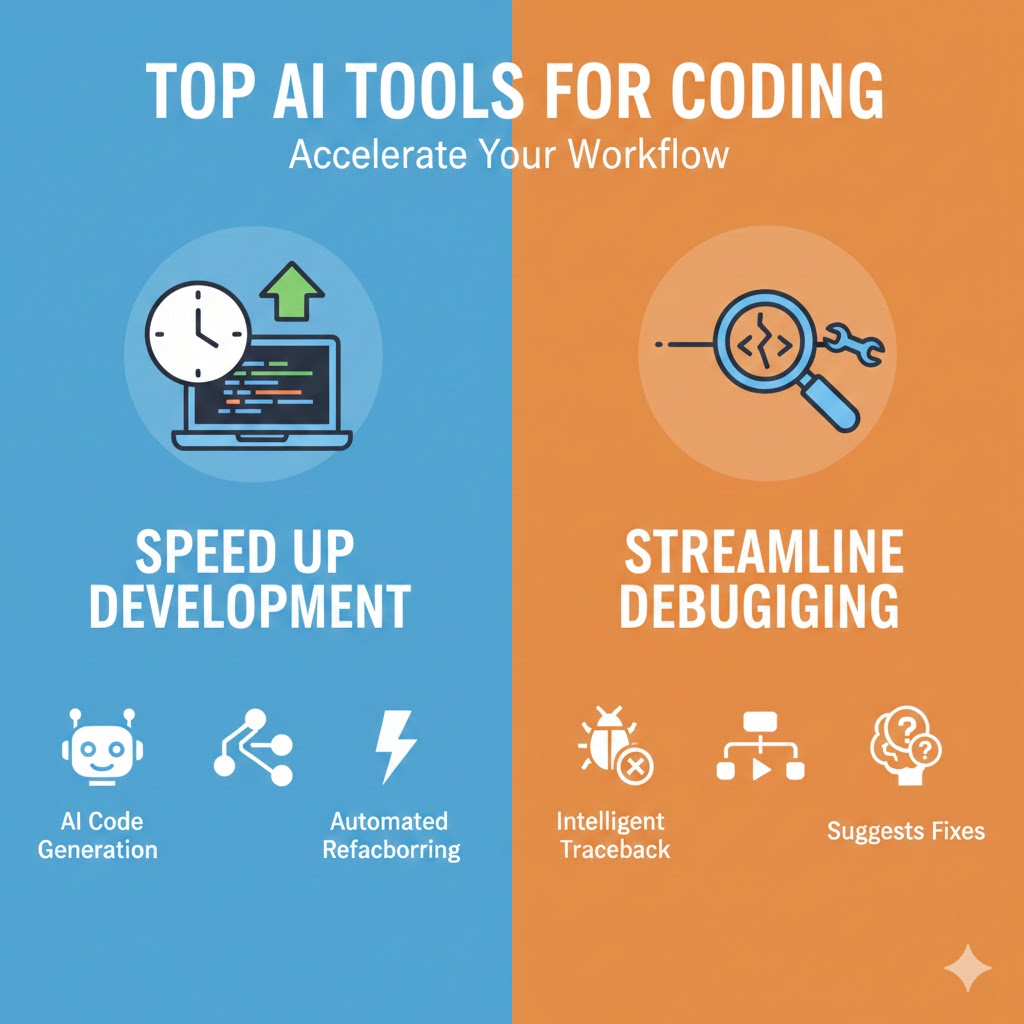
The software development landscape has undergone a remarkable transformation with the integration of artificial intelligence. AI tools for coding have evolved from simple code completion features to sophisticated assistants that can understand context, generate entire functions, debug complex issues, and even refactor legacy codebases. These tools are no longer optional luxuries but essential components of modern development workflows, dramatically reducing the time developers spend on routine tasks while improving code quality and consistency.
Whether you’re a seasoned developer looking to optimize your workflow or a newcomer trying to accelerate your learning curve, understanding which AI tools for coding best fit your needs can make the difference between struggling with mundane tasks and focusing on creative problem-solving. This comprehensive guide explores the most powerful AI coding assistants available today, examining their unique capabilities, strengths, and ideal use cases.
1. GitHub Copilot: The Industry Standard for AI-Assisted Development
GitHub Copilot has established itself as the benchmark against which all other AI tools for coding are measured. Developed through a collaboration between GitHub and OpenAI, this tool leverages advanced language models trained on billions of lines of public code to provide contextually relevant suggestions as you type.
Key Features and Capabilities
Contextual Code Completion: Copilot analyzes your current file, open tabs, and project structure to generate suggestions that align with your coding patterns and project requirements. Unlike traditional autocomplete tools that simply match keywords, Copilot understands the semantic meaning of your code and can generate entire functions, classes, or modules based on natural language comments or partial implementations.
Multi-Language Support: The tool supports dozens of programming languages including Python, JavaScript, TypeScript, Ruby, Go, C++, and C#. It demonstrates particularly strong performance in popular languages with extensive training data, though it maintains reasonable competency across its entire language portfolio.
IDE Integration: Copilot integrates seamlessly with Visual Studio Code, Visual Studio, JetBrains IDEs, and Neovim. The integration feels native to each environment, respecting existing keyboard shortcuts and workflows while adding powerful AI capabilities that enhance rather than disrupt the development experience.
Advanced Features
Copilot Chat: This conversational interface allows developers to ask questions about their code, request explanations of complex algorithms, or get suggestions for refactoring. The chat interface understands the context of your entire project and can reference specific files, functions, or code blocks in its responses.
Code Explanation and Documentation: Copilot can automatically generate documentation strings, explain unfamiliar code patterns, and provide insights into how specific functions or classes work within your codebase. This feature proves invaluable when working with legacy code or collaborating with teams using unfamiliar patterns.
Test Generation: The tool can automatically generate unit tests based on your implementation code, suggesting test cases that cover both expected behavior and edge cases. This capability significantly reduces the time spent on test-driven development while improving test coverage.
Pricing and Availability
GitHub offers Copilot through individual and business subscriptions, with special free access for verified students and maintainers of popular open-source projects. The business tier includes additional features like license management, policy controls, and enhanced privacy protections.
2. Cursor: The AI-First Code Editor
Cursor represents a different approach to AI tools for coding by building artificial intelligence directly into the foundation of the code editor itself. Rather than adding AI as a plugin to existing editors, Cursor reimagines what a development environment looks like when designed from the ground up with AI assistance as a core principle.
Core Capabilities
Codebase-Aware AI: Cursor’s most distinctive feature is its ability to understand and reason about your entire codebase. When you ask questions or request changes, the AI analyzes not just the current file but the relationships between different components, dependencies, and architectural patterns throughout your project.
Inline Editing with AI: Developers can select code blocks and use natural language instructions to modify, refactor, or optimize them. The AI understands the intention behind your request and generates modifications that maintain consistency with surrounding code while implementing the requested changes.
Composer Mode: This feature enables developers to work on multiple files simultaneously through natural language instructions. You can describe high-level changes that span multiple components, and Cursor will identify the relevant files, propose modifications, and implement changes across your entire codebase.
Development Workflow Integration
Command-Based Interaction: Cursor uses a command palette approach where developers can quickly invoke AI assistance through keyboard shortcuts. This design philosophy keeps developers in flow state by minimizing context switching and allowing AI interactions without leaving the editor.
Privacy Controls: The tool offers options for local model execution or cloud-based processing, giving developers control over how their code is processed. This flexibility addresses security concerns for teams working with sensitive or proprietary codebases.
Version Control Integration: Cursor integrates deeply with Git, allowing the AI to understand version history, suggest commit messages, and even help resolve merge conflicts by understanding the intent behind conflicting changes.
Ideal Use Cases
Cursor excels in scenarios requiring significant refactoring, architectural changes, or when working with large unfamiliar codebases. The tool’s ability to understand project-wide context makes it particularly valuable for maintaining complex applications or onboarding to new projects.
3. Amazon CodeWhisperer: Enterprise-Grade AI Assistance
Amazon CodeWhisperer brings the cloud computing giant’s expertise in machine learning to the coding assistance space. As one of the prominent AI tools for coding designed specifically for professional development teams, CodeWhisperer emphasizes security, compliance, and integration with AWS services.
Security-Focused Features
Security Scanning: CodeWhisperer includes built-in security scanning capabilities that identify vulnerabilities, exposed credentials, and insecure coding patterns. The tool scans both the code you write and the suggestions it generates, ensuring that AI assistance doesn’t introduce security weaknesses into your codebase.
Reference Tracking: When CodeWhisperer generates code similar to training data from public repositories, it provides attribution and license information. This transparency helps developers avoid unintentional license violations and maintain compliance with open-source licensing requirements.
Responsible AI Filters: The tool implements filters to prevent generation of biased, offensive, or problematic code. These safeguards protect both developers and organizations from potential reputational or legal risks associated with AI-generated content.
AWS Integration
Service-Specific Optimization: CodeWhisperer demonstrates exceptional performance when working with AWS services, generating accurate and idiomatic code for Lambda functions, DynamoDB operations, S3 interactions, and other AWS APIs. The tool understands AWS best practices and can suggest optimal patterns for cloud-native development.
Infrastructure as Code Support: The assistant provides intelligent suggestions for CloudFormation templates, Terraform configurations, and AWS CDK code, helping developers define and manage cloud infrastructure more efficiently.
Development Environment Support
CodeWhisperer integrates with popular IDEs including Visual Studio Code, IntelliJ IDEA, PyCharm, and AWS Cloud9. The tool also supports JupyterLab, making it valuable for data scientists and machine learning engineers working with Python notebooks.
Enterprise Features
Organizations can deploy CodeWhisperer with customized models trained on internal codebases, creating AI assistants that understand company-specific patterns, frameworks, and best practices. This customization capability makes CodeWhisperer particularly valuable for large enterprises with established coding standards and proprietary frameworks.
4. Tabnine: Privacy-Focused Code Completion
Tabnine distinguishes itself among AI tools for coding through its unwavering commitment to privacy and its flexible deployment options. For organizations with strict data governance requirements or developers concerned about code privacy, Tabnine offers powerful AI assistance without compromising confidentiality.
Privacy Architecture
On-Premises Deployment: Tabnine can run entirely on your local machine or within your organization’s infrastructure, ensuring that code never leaves your control. This deployment model addresses concerns about intellectual property protection and compliance with data residency requirements.
No Code Retention: Unlike some competitors, Tabnine explicitly commits to never storing or retaining your code for model training purposes. This policy provides peace of mind for developers working on proprietary or sensitive projects.
Team Learning Without Code Sharing: Organizations can train custom models based on their internal codebases without sharing actual code with Tabnine’s servers. The training process uses techniques that extract patterns and style without retaining the underlying source code.
Technical Capabilities
Deep Learning Models: Tabnine employs sophisticated neural networks trained specifically for code completion tasks. The models understand not just syntax but also semantic relationships between different parts of your code, enabling more accurate and contextually appropriate suggestions.
Whole-Line and Full-Function Completion: Beyond simple token completion, Tabnine can suggest entire lines or complete function implementations based on context. The tool analyzes function signatures, variable names, and surrounding code to generate comprehensive suggestions.
Natural Language to Code: Developers can write comments describing desired functionality, and Tabnine will generate implementation code that matches the description. This feature bridges the gap between specification and implementation, reducing the time spent translating requirements into code.
Language and Framework Support
Tabnine supports over 30 programming languages and integrates with more than 15 development environments. The tool demonstrates strong performance across mainstream languages like JavaScript, Python, Java, and C++, while also providing reasonable support for specialized languages and domain-specific frameworks.
5. Replit Ghostwriter: Collaborative Development with AI
Replit’s Ghostwriter brings AI tools for coding into the browser-based development environment, creating a unique platform where AI assistance, collaborative coding, and instant deployment converge. This integration makes Ghostwriter particularly valuable for educational settings, rapid prototyping, and distributed teams.
Integrated Development Features
Complete Chat: Ghostwriter’s conversational interface allows developers to ask questions, request code modifications, or seek explanations without leaving the development environment. The AI maintains context throughout conversations, enabling iterative refinement of solutions.
Generate and Transform: Developers can highlight code sections and use natural language to request transformations, refactoring, or improvements. The AI understands common refactoring patterns and can modernize legacy code, improve performance, or enhance readability.
Debug Assistance: When code execution fails, Ghostwriter can analyze error messages, examine the problematic code, and suggest fixes. The tool goes beyond simple syntax error correction to understand logical issues and suggest meaningful solutions.
Collaborative Aspects
Real-Time Multiplayer Coding: Multiple developers can work on the same codebase simultaneously with AI assistance available to all participants. This collaborative model enables pair programming with AI support, making it valuable for mentoring, code reviews, and team problem-solving sessions.
Instant Deployment: Replit’s platform allows immediate deployment of applications, enabling rapid iteration between development, AI-assisted improvement, and live testing. This tight feedback loop accelerates development cycles and makes experimentation more practical.
Educational Applications
Ghostwriter excels in learning environments where students benefit from instant feedback and explanations. The tool can scaffold learning by providing hints rather than complete solutions, gradually building understanding while preventing students from becoming stuck on frustrating issues.
6. Codeium: Free Alternative with Premium Features
Codeium has emerged as a compelling option among AI tools for coding by offering enterprise-grade capabilities at no cost for individual developers. This approach democratizes access to advanced AI assistance while providing monetization paths through team and enterprise features.
Free Tier Capabilities
Unlimited Suggestions: Unlike some competitors that throttle usage on free tiers, Codeium provides unlimited AI-powered code completions for individual developers. This generosity enables hobbyists, students, and independent developers to access powerful tools regardless of budget constraints.
Multi-Language Support: The free tier includes support for over 70 programming languages, covering everything from mainstream languages to niche domain-specific tools. This comprehensive language support ensures developers can receive assistance regardless of their technology stack.
IDE Integration: Codeium integrates with more than 40 development environments, including all major IDEs and many specialized editors. This broad compatibility ensures developers can use their preferred tools without sacrificing AI assistance.
Advanced Features
Autocomplete and Search: Beyond standard completion, Codeium offers semantic code search that helps developers find similar patterns, reusable components, or examples within their codebase. This search capability accelerates development by surfacing relevant existing code that can be adapted or referenced.
Chat Interface: The conversational AI can answer questions about codebases, explain complex algorithms, generate documentation, and provide architectural suggestions. The chat understands project context and can reference specific files or functions in its responses.
Command Generation: Developers can describe desired functionality in natural language, and Codeium will generate the corresponding code. This feature proves particularly valuable when working with unfamiliar APIs or implementing standard patterns in new contexts.
Team and Enterprise Options
Organizations can upgrade to paid tiers that include features like usage analytics, centralized administration, custom model training, and enhanced privacy controls. These enterprise features make Codeium scalable from individual use to large development organizations.
7. JetBrains AI Assistant: Integrated IDE Intelligence
JetBrains AI Assistant brings AI tools for coding directly into the company’s popular suite of development environments, including IntelliJ IDEA, PyCharm, WebStorm, and others. This tight integration ensures AI assistance feels native to the development experience rather than bolted on as an afterthought.
Context-Aware Features
Smart Code Completion: The AI Assistant understands the sophisticated code analysis capabilities built into JetBrains IDEs, leveraging type information, dependency graphs, and project structure to generate highly accurate suggestions. This deep integration produces suggestions that respect design patterns and architectural decisions evident in the codebase.
Refactoring Support: Developers can use natural language to describe refactoring goals, and the AI Assistant will suggest or implement appropriate transformations. The tool understands common refactoring patterns and can safely modify code while preserving behavior and maintaining test compatibility.
Commit Message Generation: Based on code changes staged for commit, the AI generates descriptive commit messages that explain what changed and why. This feature saves time while improving version control hygiene by ensuring commits are properly documented.
Development Workflow Enhancement
Test Generation: The AI Assistant can generate unit tests, integration tests, and test data based on implementation code. It understands testing frameworks and conventions, producing tests that integrate seamlessly with existing test suites.
Documentation Creation: From function signatures and implementation logic, the tool generates comprehensive documentation that explains parameters, return values, side effects, and usage examples. This capability helps maintain code documentation without interrupting development flow.
Code Explanation: When encountering unfamiliar code, developers can request explanations from the AI Assistant. The tool analyzes the code’s purpose, explains the algorithms employed, and describes how the code fits into the broader application architecture.
Language-Specific Optimizations
Different JetBrains IDEs include language-specific optimizations that enhance AI assistance for particular ecosystems. PyCharm’s AI understands Python idioms and scientific computing libraries, while IntelliJ’s AI excels with Java frameworks and Android development patterns.
8. Sourcegraph Cody: Enterprise Code Intelligence
Cody by Sourcegraph positions itself as an enterprise-focused solution among AI tools for coding, emphasizing code search, understanding, and navigation across large codebases. The tool integrates with Sourcegraph’s code search platform, enabling AI assistance informed by comprehensive codebase knowledge.
Code Search Integration
Universal Code Search: Cody leverages Sourcegraph’s ability to search across multiple repositories, languages, and code hosts. This capability enables the AI to understand how code patterns are used throughout an organization’s entire codebase, generating suggestions consistent with existing practices.
Dependency Understanding: The tool analyzes dependency relationships and can explain how different components interact. This understanding proves valuable when making changes that affect multiple services or when debugging issues that span system boundaries.
Historical Context: By accessing version control history through Sourcegraph, Cody can understand how code has evolved over time, why certain decisions were made, and what trade-offs were considered. This historical perspective informs better suggestions and helps prevent regressing on past improvements.
Enterprise Features
Cross-Repository Intelligence: Organizations with microservices architectures or multiple related projects benefit from Cody’s ability to understand relationships between repositories. The AI can suggest consistent patterns across services and identify opportunities for code reuse or consolidation.
Custom Context Specification: Developers can explicitly define which codebases, repositories, or code snippets should inform AI suggestions for specific tasks. This control ensures relevant context without overwhelming the model with unnecessary information.
Security and Compliance: Cody includes enterprise-grade security features, audit logging, and compliance controls that meet the requirements of regulated industries. The tool can operate within air-gapped environments or behind corporate firewalls without compromising functionality.
Collaborative Development
Team Knowledge Sharing: Cody helps disseminate institutional knowledge by surfacing relevant examples, patterns, and documentation from across the organization. New team members can leverage this collective expertise to quickly understand codebases and adopt team conventions.
9. Mintlify: AI-Powered Documentation Generation
While most AI tools for coding focus on writing and debugging code, Mintlify addresses the often-neglected task of creating and maintaining documentation. This specialized tool uses AI to generate comprehensive, readable documentation from codebases, bridging the gap between implementation and explanation.
Documentation Features
Automated Docstring Generation: Mintlify analyzes function signatures, implementation logic, and usage patterns to generate descriptive docstrings that explain purpose, parameters, return values, and potential side effects. The tool produces documentation that adheres to language-specific conventions and documentation standards.
README Creation: For projects lacking comprehensive README files, Mintlify can generate introductory documentation that explains what the project does, how to install it, basic usage examples, and contribution guidelines. This capability accelerates open-source project setup and improves discoverability.
API Documentation: The tool automatically generates API reference documentation from code, including endpoint descriptions, parameter specifications, response formats, and usage examples. This automation ensures documentation stays synchronized with implementation as APIs evolve.
Integration and Deployment
IDE Extensions: Mintlify provides plugins for popular development environments, enabling developers to generate documentation inline while writing code. This integration reduces context switching and makes documentation creation feel like a natural part of the development process rather than a separate chore.
Documentation Sites: The platform can generate complete documentation websites with navigation, search, and version management. These sites provide professional-quality documentation without requiring developers to learn static site generators or content management systems.
Version Control Integration: Mintlify integrates with Git repositories to automatically update documentation when code changes. This automation prevents documentation drift and ensures readers always access information reflecting the current codebase state.
Use Cases
Mintlify proves particularly valuable for open-source projects seeking to improve adoption through better documentation, API-first companies needing to maintain developer resources, and teams struggling to keep internal documentation current as codebases evolve.
10. OpenAI Codex and ChatGPT: Versatile AI Programming Assistants
While not purpose-built development tools, OpenAI’s models serve as powerful AI tools for coding through natural language interfaces that can understand programming challenges, generate solutions, and explain complex concepts. These models offer flexibility that specialized coding tools sometimes lack.
Capabilities
Multi-Language Code Generation: The models can generate code in virtually any programming language, including obscure or domain-specific languages that specialized tools may not support. This versatility makes them valuable when working with unusual technology stacks or legacy systems.
Algorithm Design and Optimization: Beyond generating boilerplate code, these models can design algorithms, suggest data structures, and analyze computational complexity. They serve as thought partners for solving algorithmic challenges and optimizing performance-critical code.
Code Review and Analysis: Developers can paste code and request reviews, security analyses, or suggestions for improvement. The models identify potential bugs, security vulnerabilities, code smells, and opportunities for refactoring while explaining their reasoning.
Interactive Problem-Solving
Iterative Refinement: The conversational interface enables developers to iteratively refine solutions through follow-up questions and clarifications. This back-and-forth dialogue helps narrow in on optimal solutions while understanding trade-offs and alternatives.
Educational Explanations: The models excel at explaining programming concepts, walking through complex algorithms step-by-step, and providing examples that illustrate abstract ideas. This educational capability accelerates learning and helps developers master new technologies or paradigms.
Debugging Assistance: When confronted with error messages or unexpected behavior, developers can describe the problem and receive targeted debugging suggestions. The models can analyze stack traces, suggest potential causes, and recommend investigation strategies.
Limitations and Considerations
These general-purpose models lack the deep IDE integration and codebase awareness of specialized coding tools. They work best for standalone tasks, learning, and problem-solving rather than ongoing development within large projects. Developers should verify generated code thoroughly since these models occasionally produce plausible-looking but incorrect solutions.
Choosing the Right AI Tools for Coding: Key Considerations
Selecting among the many available AI tools for coding requires evaluating your specific needs, constraints, and development context. Different tools excel in different scenarios, and the optimal choice depends on multiple factors beyond raw capability.
Development Environment Compatibility
Your existing IDE and workflow should heavily influence tool selection. If you’re deeply invested in JetBrains IDEs, their native AI Assistant provides unmatched integration. Visual Studio Code users have numerous options, while developers using less common editors may find their choices more limited.
Privacy and Security Requirements
Organizations handling sensitive code, proprietary algorithms, or personal data need tools with robust privacy guarantees. Options like Tabnine’s on-premises deployment or AWS CodeWhisperer’s enterprise features address these concerns, while general-purpose cloud-based tools may not meet strict compliance requirements.
Language and Framework Support
Different tools demonstrate varying proficiency across programming languages and frameworks. Evaluate tools based on the languages you primarily use, considering not just whether they support your stack but how well they perform with it. Specialized tools sometimes outperform general-purpose alternatives for specific languages.
Team Collaboration Needs
If you work in distributed teams or collaborative environments, tools like Replit Ghostwriter with multiplayer capabilities or Sourcegraph Cody with cross-repository intelligence may provide unique value. Solo developers might prioritize different features over collaboration capabilities.
Budget Considerations
While many AI tools for coding offer free tiers, feature limitations, usage caps, and privacy trade-offs often accompany free access. Evaluate whether paid subscriptions provide sufficient value through enhanced capabilities, better privacy, or improved performance to justify their cost.
Conclusion: The Future of AI-Assisted Development
The landscape of AI tools for coding continues evolving rapidly, with each new release bringing enhanced capabilities, better integration, and more sophisticated understanding of development workflows. These tools have transcended their origins as glorified autocomplete features to become genuine collaborators in the software development process.
The most successful developers will be those who learn to effectively leverage these tools while maintaining the judgment, creativity, and deep understanding that remain uniquely human. AI tools for coding excel at accelerating routine tasks, suggesting patterns, and providing starting points, but they complement rather than replace developer expertise.
As these technologies mature, we can expect even tighter integration with development environments, better understanding of project context and architectural patterns, and more sophisticated assistance with high-level design decisions. The tools will likely become more personalized, adapting to individual coding styles and team conventions while learning from project-specific patterns.
Also read this:
Top AI Tools list to Use in 2025 Across Marketing, Coding, and Automation
Latest Generative AI Tools News: New Launches and Updates You Must Know
Build an App-Free Productivity System Using AI Commands (Step-by-Step)