
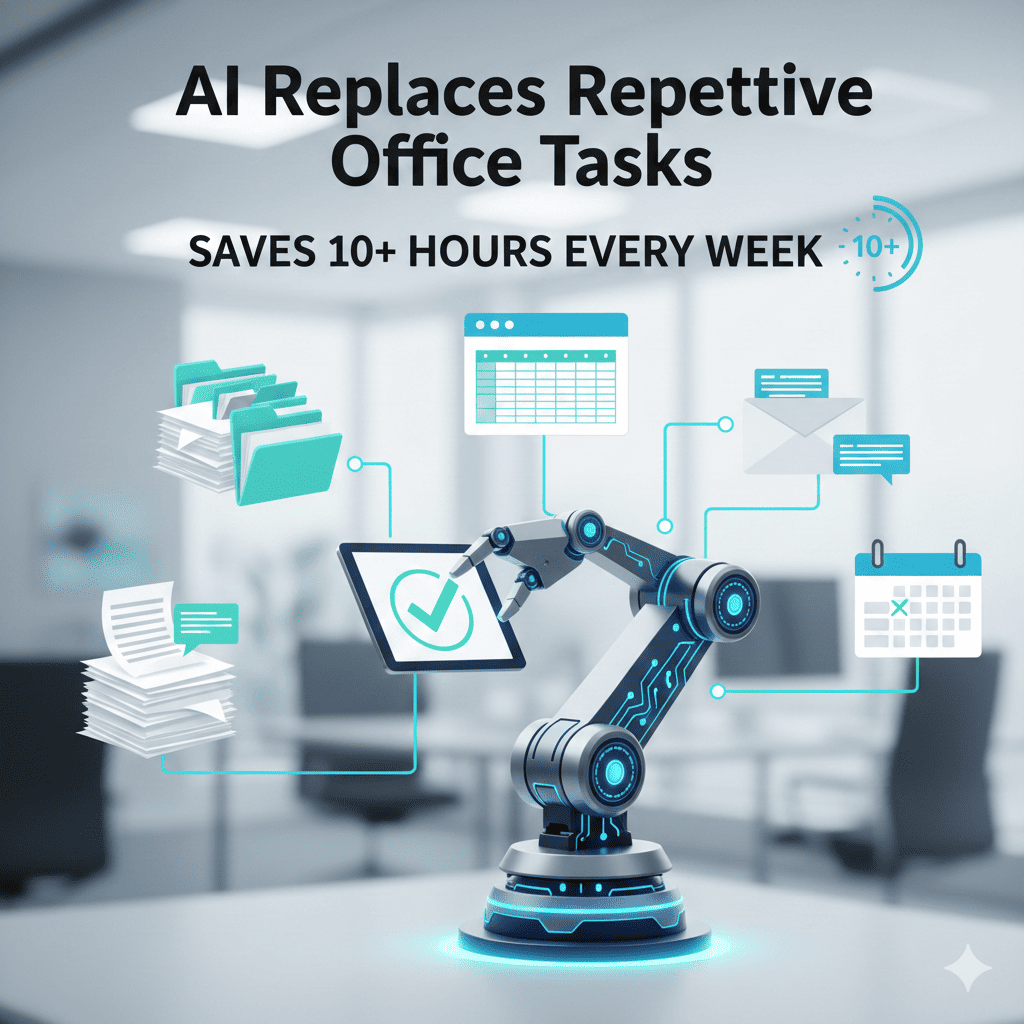
AI replaces repetitive office tasks The modern office environment is plagued by repetitive tasks that consume valuable time, drain mental energy, and prevent professionals from focusing on strategic work that drives real business value. From data entry and email management to scheduling and report generation, these mundane activities fill our workdays yet contribute little to innovation or growth. The solution lies in understanding how AI replaces repetitive office tasks, transforming workplace productivity and reclaiming hours that were previously lost to monotonous activities.
This comprehensive guide explores the revolutionary ways AI replaces repetitive office tasks across various business functions, providing concrete examples, implementation strategies, and measurable time savings that professionals and organizations can achieve. Whether you’re an individual contributor drowning in administrative work or a business leader seeking operational efficiency, understanding these AI-powered solutions will fundamentally change how you approach daily work.
The promise is substantial: by strategically implementing AI tools, the average office worker can recover 10 to 15 hours weekly—time that can be redirected toward creative problem-solving, relationship building, strategic planning, and high-impact projects that actually move careers and businesses forward.
1. Data Entry and Database Management Automation
Data entry represents one of the most time-consuming and error-prone activities in office environments. The way AI replaces repetitive office tasks in this domain has transformed operations across industries, eliminating hours of manual keyboard work while improving accuracy rates dramatically.
Intelligent Document Processing:
Modern AI systems utilize optical character recognition combined with natural language processing to extract information from various document types automatically. Whether processing invoices, contracts, receipts, forms, or handwritten notes, AI reads the content, identifies relevant fields, and populates databases without human intervention. The technology handles multiple formats simultaneously—PDFs, scanned images, emails, and digital documents—routing extracted data to appropriate systems based on content analysis.
Real-Time Data Validation:
As information flows into databases, AI performs validation checks against established rules and patterns. The system identifies duplicates, flags inconsistencies, verifies formatting standards, and cross-references entries against existing records. When anomalies appear, intelligent alerts notify relevant personnel while preventing corrupted data from contaminating databases. This proactive quality control maintains data integrity far more reliably than manual review processes.
Integration Across Platforms:
AI-powered data management connects disparate systems, automatically synchronizing information across CRM platforms, accounting software, inventory management systems, and custom databases. When data changes in one location, updates propagate automatically throughout the entire ecosystem, eliminating manual re-entry across multiple platforms.
Measurable Time Savings:
AI replaces repetitive office tasks Organizations implementing comprehensive data automation report employees saving between 8 to 12 hours weekly on data entry tasks. Accuracy improvements reduce time spent correcting errors by an additional 2 to 3 hours per person, while downstream benefits include faster decision-making based on reliable, current information.
Implementation Approach:
Start by identifying the highest-volume data entry tasks in your organization. Select AI tools that integrate with your existing software ecosystem. Begin with a single document type or data source, refining the system before expanding scope. Train the AI on your specific document formats and data requirements, providing feedback to improve accuracy over time.
2. Email Management and Communication Automation
Email consumes an extraordinary amount of office time, with professionals spending an average of 2.5 hours daily managing their inboxes. The way AI replaces repetitive office tasks in email management has created dramatic productivity improvements for individuals and teams.
Intelligent Inbox Organization:
AI algorithms analyze incoming messages, automatically categorizing emails by urgency, sender importance, project relevance, and required action. Priority scoring ensures critical communications surface immediately while routine messages organize into appropriate folders without cluttering primary inboxes. The system learns from your behavior patterns, continuously refining its understanding of what matters most to you specifically.
Automated Response Generation:
For common inquiries and routine communications, AI drafts appropriate responses based on message content and historical response patterns. The system handles acknowledgments, basic information requests, meeting confirmations, and other standard communications without requiring your direct involvement. More complex messages receive draft responses for your review and personalization, significantly reducing composition time.
Meeting Scheduling Automation:
AI eliminates the tedious back-and-forth of finding mutually acceptable meeting times. When someone requests a meeting, the system analyzes participant calendars, identifies optimal times considering preferences and time zones, and sends invitations automatically. Rescheduling requests trigger automatic coordination, updating all participants without your intervention.
Follow-Up Management:
The system tracks conversations requiring follow-up, automatically sending reminder emails when responses are overdue. Promised deliverables receive tracking with automated status requests sent at appropriate intervals. This ensures nothing falls through the cracks while removing the mental burden of remembering numerous ongoing commitments.
Time Recovery Statistics:
Professionals using comprehensive email automation report saving 6 to 10 hours weekly on email-related activities. Response times improve, customer satisfaction increases, and the mental load of inbox management diminishes substantially.
Strategic Implementation:
Begin with email filtering and categorization, allowing the system to learn your patterns over several weeks. Gradually introduce automated responses for your most common email types, starting with simple acknowledgments before progressing to more complex communications. Integrate calendar systems for meeting automation last, after establishing confidence in the AI’s understanding of your priorities.
3. Report Generation and Business Intelligence Automation
Creating reports consumes significant time across all business functions—sales reports, financial statements, performance dashboards, project updates, and analytical summaries. How AI replaces repetitive office tasks in reporting has revolutionized business intelligence, delivering insights faster and more comprehensively than manual processes ever could.
Automated Data Aggregation:
AI systems connect to multiple data sources simultaneously, pulling information from databases, spreadsheets, CRM systems, financial platforms, and operational tools. The technology handles data cleaning, reconciliation, and normalization automatically, preparing information for analysis without manual spreadsheet manipulation. Updates occur in real-time or on defined schedules, ensuring reports reflect current conditions rather than outdated snapshots.
Intelligent Analysis and Visualization:
Beyond simply compiling data, AI identifies trends, anomalies, and patterns that might escape human notice. Statistical analysis runs automatically, highlighting significant changes, comparing performance against benchmarks, and flagging items requiring attention. Visualization tools generate charts, graphs, and dashboards tailored to specific audiences, presenting complex information in digestible formats.
Natural Language Report Writing:
Modern AI transforms raw data into narrative reports with contextual explanation. The system describes what the numbers mean, why changes occurred based on known factors, and what implications exist for business strategy. These written reports maintain professional tone and structure, requiring minimal editing before distribution to stakeholders.
Customized Distribution:
Automated systems deliver reports to appropriate recipients based on role, department, or interest area. Distribution timing optimizes for recipient availability and decision-making schedules. Sensitive information includes appropriate access controls, ensuring confidentiality while maintaining transparency for authorized personnel.
Productivity Gains:
Teams implementing automated reporting solutions typically save 5 to 8 hours weekly per person previously spent compiling and formatting reports. Decision-making accelerates as insights become available immediately rather than waiting for manual report preparation. Analysis depth improves as AI examines data more comprehensively than time-constrained humans can manage.
Deployment Strategy:
Identify your organization’s most frequently generated reports and begin automation with those offering the highest time savings potential. Ensure data sources are properly integrated and accessible to your AI reporting tools. Create templates defining the information, visualizations, and narrative elements each report type should contain. Establish review processes ensuring output quality before reducing human oversight.
4. Scheduling and Calendar Management Automation
Coordinating schedules across multiple participants, managing appointment bookings, and optimizing time allocation represent significant productivity drains. The manner in which AI replaces repetitive office tasks related to scheduling has eliminated countless hours of coordination effort.
Multi-Party Meeting Coordination:
AI scheduling assistants analyze calendar availability across all meeting participants, considering time zones, working hours preferences, meeting duration requirements, and buffer time between appointments. The system proposes optimal meeting times or autonomously schedules based on established parameters. When conflicts arise, intelligent rescheduling finds alternative times and notifies participants automatically.
Appointment Booking Automation:
For businesses managing client appointments, AI-powered booking systems allow customers to schedule directly based on real-time availability. The technology considers service type, required resources, practitioner availability, and customer preferences, preventing double-bookings while maximizing schedule utilization. Automated reminders reduce no-shows while rescheduling requests process without staff involvement.
Calendar Optimization:
Beyond simply filling available time slots, AI analyzes how you work most effectively. The system identifies patterns in your productivity, energy levels, and focus capacity, suggesting schedule structures that maximize performance. Deep work blocks protect time for concentration-requiring tasks, meetings cluster to preserve uninterrupted work periods, and administrative tasks schedule during naturally lower-energy times.
Travel Time Integration:
When appointments require physical travel, AI factors transit time into scheduling decisions. The system accounts for traffic patterns, distance between locations, and necessary preparation or decompression time, preventing unrealistic back-to-back scheduling across different locations.
Time Reclaimed:
Professionals report saving 3 to 5 hours weekly through scheduling automation, with additional benefits including reduced schedule stress, fewer conflicts requiring resolution, and improved time utilization patterns that enhance overall productivity.
Implementation Roadmap:
Start with personal calendar optimization, allowing AI to analyze your patterns and suggest improvements. Progress to automated meeting scheduling for recurring or routine meetings before implementing comprehensive multi-party coordination. Integrate booking systems last, after establishing confidence in the technology’s reliability.
5. Customer Service and Support Automation
Customer inquiries and support requests generate substantial repetitive work for many organizations. How AI replaces repetitive office tasks in customer service has transformed support operations, delivering faster responses while reducing staff workload dramatically.
Intelligent Chatbot Systems:
Modern AI chatbots handle customer conversations with human-like understanding and responsiveness. Natural language processing enables comprehension of questions phrased in countless ways, while extensive knowledge bases provide accurate answers to common inquiries. The technology manages multiple conversations simultaneously across various channels—website chat, messaging apps, email, and social media—providing consistent support regardless of contact method.
Automated Ticket Management:
When customers submit support requests, AI categorizes issues by type, urgency, and complexity. Routing algorithms direct tickets to appropriate team members based on expertise, current workload, and customer priority. Simple issues receive automated resolution with standard procedures applied consistently. Complex problems escalate to human agents with comprehensive context, eliminating the need for customers to repeat information.
Knowledge Base Maintenance:
AI analyzes support interactions, identifying frequently asked questions that lack adequate documentation. The system suggests knowledge base additions and updates, ensuring self-service resources remain current and comprehensive. This continuous improvement reduces future support volume as customers find answers independently.
Sentiment Analysis and Escalation:
Emotional tone analysis detects frustrated or angry customers, prioritizing these interactions for human attention before situations deteriorate. Positive interactions receive acknowledgment, strengthening customer relationships, while neutral inquiries receive efficient resolution through automation.
Efficiency Improvements:
Organizations implementing comprehensive support automation handle 60 to 80 percent of inquiries without human involvement, saving support teams 10 to 15 hours weekly per agent. Response times decrease from hours to seconds, customer satisfaction improves despite reduced human touch, and support costs decline substantially while service quality increases.
Adoption Pathway:
Begin by implementing chatbots for your most common, straightforward inquiries. Build a comprehensive knowledge base covering standard questions and procedures. Develop clear escalation pathways ensuring complex issues reach human agents efficiently. Monitor conversations continuously, identifying areas where automation struggles and requires refinement.
6. Social Media Management and Content Scheduling
Maintaining consistent social media presence across multiple platforms demands significant time and creative energy. The way AI replaces repetitive office tasks in social media management has enabled even small teams to maintain professional, engaging presences across numerous channels.
Content Creation Assistance:
AI analyzes trending topics, audience interests, and engagement patterns, suggesting content ideas aligned with your brand and objectives. The technology drafts initial posts, adapting tone and format to match each platform’s requirements and your established voice. Visual content recommendations identify relevant images, graphics, or videos that enhance message impact.
Optimal Scheduling:
Rather than posting randomly or at arbitrary times, AI determines when your specific audience is most active and receptive on each platform. Automated scheduling ensures content publishes at these optimal times across multiple channels simultaneously, maximizing reach and engagement without requiring you to be online constantly.
Engagement Monitoring and Response:
AI tracks comments, mentions, messages, and brand references across all social platforms, consolidating everything into a unified dashboard. Sentiment analysis identifies positive feedback requiring acknowledgment, neutral inquiries needing responses, and negative comments demanding immediate attention. Simple, repetitive inquiries receive automated responses while complex situations alert human team members.
Performance Analytics:
Comprehensive tracking measures engagement rates, reach, conversions, and other key metrics across all content and platforms. AI identifies patterns in what resonates with your audience, providing actionable recommendations for improving future content. Competitor analysis reveals successful strategies within your industry, informing your approach.
Time Liberation:
Social media management automation saves 4 to 7 hours weekly for typical business accounts, with larger presences experiencing even greater time savings. Consistency improves as scheduled content maintains regular posting cadence regardless of team availability, while engagement rates often increase through optimized timing and data-driven content strategies.
Implementation Process:
Start by automating content scheduling for a single platform, establishing comfort with the technology before expanding scope. Gradually introduce engagement monitoring and automated responses for your most common inquiry types. Implement performance analytics last, using insights to continuously refine your social media strategy.
7. Expense Management and Financial Administration
Financial administrative tasks—expense tracking, invoice processing, receipt management, and budget monitoring—consume significant time while offering little inherent satisfaction. How AI replaces repetitive office tasks in financial administration has streamlined operations while improving accuracy and compliance.
Automated Expense Capture:
AI-powered systems connect to credit cards, bank accounts, and payment platforms, automatically importing transaction data. Mobile apps allow instant receipt capture through smartphone cameras, with OCR technology extracting relevant details—merchant, amount, date, category, and tax information. The system matches receipts to transactions automatically, maintaining complete documentation for every expense.
Intelligent Categorization:
Machine learning algorithms categorize expenses based on merchant information, transaction descriptions, and historical patterns. Custom rules accommodate your specific business categories and policies. The technology identifies potentially personal expenses in business accounts, flagging them for review rather than automatically processing as business costs.
Invoice Processing Automation:
When invoices arrive via email or through vendor portals, AI extracts key information—vendor details, invoice numbers, amounts, due dates, and line items. The system matches invoices against purchase orders and receiving records, identifying discrepancies requiring attention. Approved invoices route for payment automatically according to your payment schedule and cash flow management strategy.
Budget Tracking and Alerts:
Real-time monitoring compares actual spending against budgeted amounts across all categories. AI sends alerts when spending approaches or exceeds budgets, enabling proactive management rather than reactive crisis response. Forecasting tools predict future expenses based on historical patterns and known upcoming commitments.
Time Savings Achievement:
Financial automation saves finance teams 6 to 10 hours weekly on routine processing tasks. Month-end closing accelerates as information is already organized and reconciled. Tax preparation simplifies dramatically with comprehensive, categorized records maintained throughout the year.
Deployment Approach:
Begin with expense capture and categorization for a single expense type or department. Refine rules and categories based on initial results before expanding to comprehensive expense management. Introduce invoice processing automation next, followed by budget tracking and forecasting capabilities once confidence in data accuracy is established.
8. Document Management and Filing Automation
Finding documents, maintaining version control, organizing files logically, and ensuring proper permissions consume surprising amounts of time in office environments. The manner in which AI replaces repetitive office tasks related to document management has transformed information organization and retrieval.
Intelligent Document Organization:
AI analyzes document content, automatically applying appropriate tags, categories, and metadata. The system recognizes document types—contracts, proposals, reports, presentations, correspondence—organizing files into logical folder structures without manual sorting. Related documents link automatically, creating comprehensive project or client records without manual file management.
Advanced Search Capabilities:
Rather than relying on remembered file names or folder locations, AI-powered search finds documents based on content, context, or conceptual queries. Search for “proposal for ABC Company last quarter” and receive relevant documents even if those exact words don’t appear in file names. The technology understands synonyms, related concepts, and contextual relationships between documents.
Version Control Automation:
The system tracks document versions automatically, maintaining clear histories of changes, authors, and timestamps. Users always access the most current version while retaining ability to review or restore previous iterations. Simultaneous editing by multiple users includes conflict resolution, merging changes intelligently when possible and flagging conflicts requiring manual resolution.
Permission Management:
AI applies appropriate access permissions based on document sensitivity, project involvement, and role-based policies. As team members join or leave projects, permissions adjust automatically without manual intervention. Audit trails track who accessed which documents when, supporting compliance requirements and security monitoring.
Productivity Enhancement:
AI replaces repetitive office tasks Document management automation saves 2 to 4 hours weekly per person searching for files, managing versions, and organizing information. Improved findability means less time recreating documents that exist but cannot be located, while better organization reduces duplicated effort.
Implementation Strategy:
Begin by implementing AI-powered search across your existing document repositories, delivering immediate productivity benefits without requiring reorganization. Introduce automatic tagging and categorization gradually, starting with a single document type or department. Implement version control for documents that change frequently or involve multiple collaborators before expanding to comprehensive document management.
9. Meeting Documentation and Action Item Tracking
Meetings generate decisions, action items, and important context that often gets lost without proper documentation. How AI replaces repetitive office tasks in meeting management ensures productive discussions translate into effective execution.
Automated Transcription and Note-Taking:
AI transcription services capture meeting discussions in real-time with impressive accuracy. Speaker identification distinguishes who said what, creating clear attribution for ideas and commitments. The technology filters casual conversation from substantive content, focusing documentation on decisions, action items, questions, and key discussion points rather than transcribing every word.
Intelligent Summarization:
Beyond mere transcription, AI generates concise meeting summaries highlighting the most important information. The system identifies decisions made, next steps established, questions requiring follow-up, and important context shared. These summaries provide quick reference for participants and comprehensive updates for stakeholders who couldn’t attend.
Action Item Extraction and Assignment:
The technology automatically identifies action items discussed during meetings, extracting task descriptions, assigned owners, and due dates from conversation. These items flow directly into project management systems or to-do lists, eliminating manual transfer. Participants receive clear summaries of their commitments without having to take personal notes during discussions.
Integration with Productivity Systems:
Meeting outcomes connect automatically with relevant projects, customer records, or strategic initiatives. Calendar systems receive follow-up meeting scheduling based on discussion outcomes. Document repositories link relevant materials referenced during conversations, creating comprehensive meeting records.
Time Recovery:
Meeting automation saves 3 to 5 hours weekly across meeting preparation, documentation, and follow-up activities. More importantly, it improves meeting effectiveness by ensuring discussions translate into action rather than evaporating after participants disperse.
Adoption Process:
Start with transcription for your most important meetings, reviewing accuracy and identifying any technical issues. Introduce automated action item extraction once transcription quality proves reliable. Implement integration with project management and calendar systems last, after establishing workflows for handling extracted information.
10. Workflow Approval and Process Automation
Many office tasks involve routing documents or requests through multi-step approval processes. The way AI replaces repetitive office tasks in workflow management has eliminated bottlenecks while ensuring appropriate oversight and compliance.
Intelligent Routing:
When employees submit requests—expense approvals, purchase orders, time-off requests, contract reviews—AI determines the appropriate approval chain based on request type, amount, department policies, and organizational hierarchy. Routing adjusts dynamically; large purchases automatically escalate to senior management while routine requests flow through standard channels.
Automated Approvals:
For requests meeting predefined criteria—amounts below certain thresholds, standard categories, or routine operations—AI can grant automatic approval without human intervention. This accelerates processes while ensuring policies are applied consistently. Exceptions or unusual requests always route to human decision-makers for appropriate scrutiny.
Progress Tracking and Escalation:
The system monitors approval workflows, identifying requests that stall at particular stages. Automated reminders prompt approvers to review pending items, preventing unnecessary delays. Requests exceeding normal processing times escalate automatically, ensuring nothing languishes indefinitely in approval queues.
Audit Trail Maintenance:
Comprehensive logging captures every step in approval processes—who reviewed, when decisions were made, what criteria were applied, and any comments or conditions attached to approvals. This documentation supports compliance requirements, provides transparency, and enables process improvement analysis.
Efficiency Gains:
Workflow automation reduces approval processing time by 60 to 80 percent for routine requests. Employees spend less time chasing approvals or navigating complex processes, saving 2 to 4 hours weekly. Approvers handle higher volumes more efficiently as straightforward items process automatically while their attention focuses on complex decisions requiring human judgment.
Implementation Approach:
Map existing approval workflows, documenting current steps, timelines, and pain points. Identify processes with high volume and clear rules as initial automation candidates. Implement routing and tracking first, maintaining human approval for all requests initially. Introduce automated approvals gradually for lowest-risk, most routine requests before expanding scope.
Measuring the Impact: Quantifying Time Savings
Understanding how AI replaces repetitive office tasks theoretically provides limited value without measuring actual impact in your environment. Proper measurement validates investment, identifies areas needing refinement, and builds organizational support for expanding AI adoption.
Baseline Establishment:
AI replaces repetitive office tasks Before implementing automation, measure current time allocation across various task categories. Time-tracking for one to two weeks provides realistic baselines showing where hours actually go rather than where you think they go. Survey team members about their most time-consuming repetitive tasks and estimate weekly hours consumed by each activity.
Post-Implementation Tracking:
After automation deployment, measure the same activities to quantify changes. Track not only time saved but also quality improvements, error reductions, and speed increases. Monitor employee satisfaction and engagement, as eliminating tedious tasks often improves morale and job satisfaction beyond mere time savings.
Calculating ROI:
Multiply hours saved by employee hourly costs to determine direct financial value. Include indirect benefits such as faster customer response times, improved data accuracy, reduced error correction costs, and enhanced decision-making speed. Compare total benefits against implementation costs and ongoing subscription fees to calculate return on investment.
Continuous Improvement:
Regular measurement identifies automation performing below expectations, revealing opportunities for refinement. Track technology improvements from AI vendors, assessing whether upgrades could deliver additional value. Monitor new automation possibilities as AI capabilities expand, continuously seeking opportunities to further reduce repetitive work.
Overcoming Implementation Challenges
While the benefits of how AI replaces repetitive office tasks are substantial, implementation challenges can derail initiatives without proper planning and change management.
Technical Integration:
Legacy systems may lack APIs enabling smooth AI integration. Address this through middleware solutions connecting old and new technologies, phased modernization replacing problematic systems gradually, or manual data bridges where complete integration proves impractical. Engage IT professionals early in planning to identify and address technical obstacles before they cause project delays.
Change Resistance:
Employees accustomed to existing processes may resist automation, fearing job loss or skeptical about technology reliability. Overcome resistance through transparent communication about automation objectives, comprehensive training ensuring comfortable technology use, early involvement of key stakeholders in planning decisions, and celebrating successes to build confidence in automation benefits.
Data Quality Issues:
AI effectiveness depends on quality input data. Poor data quality produces unreliable automation outcomes. Address this through data cleaning initiatives before automation implementation, ongoing data governance ensuring continued quality, clear ownership assigning responsibility for data accuracy, and validation rules preventing bad data from entering systems.
Skill Gaps:
Teams may lack expertise needed for successful AI implementation and management. Bridge gaps through targeted training programs, hiring specialists for critical capabilities, partnering with consultants for initial deployment, and vendor support relationships providing ongoing assistance.
The Future: What Comes Next
Current capabilities showing how AI replaces repetitive office tasks represent merely the beginning of workplace transformation. Understanding emerging trends helps organizations prepare for continued evolution.
Increasing Sophistication:
AI will handle progressively complex tasks currently requiring human judgment. Decision support systems will evolve from providing information to making recommendations to autonomously executing decisions within defined parameters. The boundary between “repetitive tasks” and “knowledge work” will blur as AI capabilities expand.
Hyper-Personalization:
Rather than generic automation, AI will adapt to individual working styles, preferences, and responsibilities. Your AI assistant will function differently than your colleague’s, optimized for your specific needs and context. This personalization will maximize individual productivity while respecting diverse working approaches.
Proactive Assistance:
Current AI largely responds to requests or follows predefined rules. Future systems will anticipate needs, identifying opportunities and problems before humans recognize them. Proactive AI might suggest schedule adjustments to accommodate emerging priorities, flag potential issues in projects before they become critical, or recommend new approaches based on successful patterns it observes.
Broader Accessibility:
As costs decline and interfaces improve, sophisticated AI automation will become accessible to smaller organizations and individual professionals. The competitive advantage currently enjoyed by early adopters will democratize, making AI-powered productivity the baseline expectation rather than a differentiator.
Conclusion
The evidence is overwhelming: understanding how AI replaces repetitive office tasks and implementing appropriate automation delivers dramatic productivity improvements, typically saving 10 to 15 hours weekly per person. From data entry and email management to reporting and approval workflows, AI excels at handling routine, predictable tasks that consume valuable time while offering limited intellectual satisfaction.
The transformation extends beyond mere time savings. Eliminating repetitive work reduces errors, accelerates decision-making, improves customer experiences, enhances employee satisfaction, and frees human potential for creative problem-solving and strategic thinking that drives real business value. Organizations embracing this shift gain competitive advantages through operational efficiency and empowered workforces focused on high-impact activities.
Success requires thoughtful implementation: assessing current workflows to identify automation opportunities, selecting appropriate technologies aligned with your needs and systems, managing change to ensure smooth adoption, measuring results to validate benefits and guide refinement, and maintaining balance between automation efficiency and human judgment.
The question is no longer whether AI replaces repetitive office tasks but rather how quickly your organization will harness these capabilities and how effectively you’ll redeploy liberated time toward activities that genuinely matter. The technology exists, proven results abound across industries, and implementation paths are increasingly clear. The only remaining variable is your willingness to embrace transformation and commit to the focused effort required for successful automation adoption.
Those who act decisively will reclaim thousands of hours annually—time redirected toward innovation, relationship building, strategic planning, and professional development that propels careers and organizations forward. The choice is yours: continue drowning in repetitive tasks or leverage AI to transform how you work, what you accomplish, and the value you create.
Also read this:
10 Best AI Automation Workflows for Students, Professionals & Small Businesses
How to Automate Your Entire Workday Using AI Tools (Beginner Guide, No Coding Needed)