
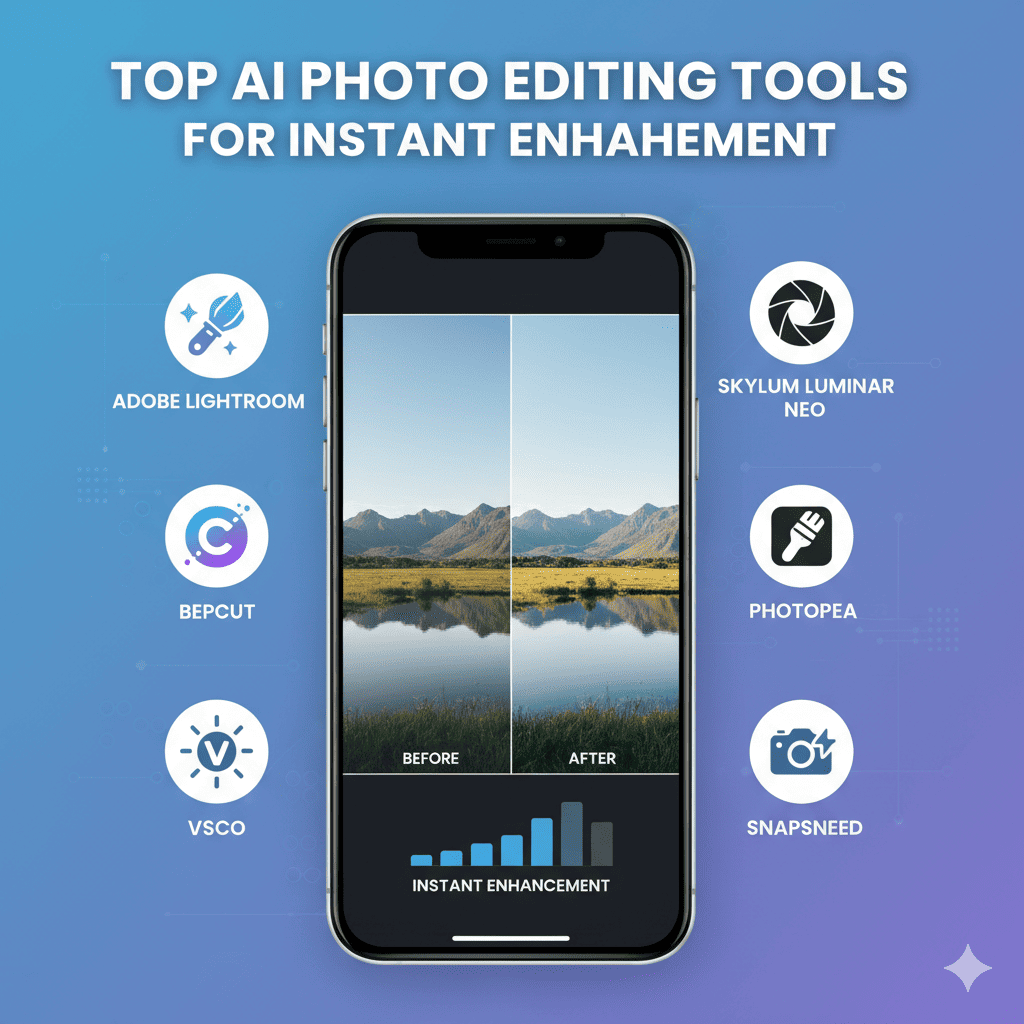
The digital photography landscape has undergone a remarkable transformation with the introduction of artificial intelligence. Professional-quality photo editing, once reserved for experts wielding complex software like Photoshop, is now accessible to everyone through AI photo editing tools. These revolutionary platforms leverage machine learning algorithms to automate tedious editing tasks, enhance image quality instantly, and unlock creative possibilities that were unimaginable just a few years ago.
Whether you’re a professional photographer managing hundreds of client photos, a social media influencer crafting the perfect aesthetic, or simply someone who wants their memories to look their absolute best, AI photo editing tools offer unprecedented speed and quality. This comprehensive guide explores the most powerful solutions available today, helping you discover which tools will transform your photography workflow and elevate your images to professional standards in mere seconds.
Why AI Is Revolutionizing Photo Editing
Traditional photo editing requires technical knowledge of exposure, color theory, composition, and complex software interfaces. A single portrait might require adjustments to lighting, skin tones, background elements, and dozens of other variables—a process that can take 15-30 minutes per image for skilled editors.
AI photo editing tools have completely disrupted this paradigm. Modern algorithms trained on millions of professionally edited images can now analyze your photos and apply sophisticated enhancements automatically. These tools understand context—recognizing faces, landscapes, architecture, and objects—then applying appropriate adjustments to each element. The result is professional-quality editing in seconds instead of minutes, with results that often match or exceed manual editing by experienced professionals.
The democratization of photo editing through AI means that stunning visual content is no longer limited to those with years of training or expensive software subscriptions. From removing unwanted objects to transforming day into night, AI photo editing tools are redefining what’s possible for creators at every skill level.
1. Adobe Photoshop AI Features: Industry-Leading Innovation
Adobe Photoshop remains the gold standard for professional photo editing, and the company has aggressively integrated cutting-edge AI photo editing tools into its flagship application. These AI-powered features complement Photoshop’s traditional capabilities, offering unprecedented efficiency for professional workflows.
Generative Fill: Revolutionary Content Creation
Photoshop’s Generative Fill represents one of the most transformative AI photo editing tools ever introduced. This feature allows you to select any area of an image and either remove content, extend backgrounds, or add completely new elements using text prompts.
Want to remove a distracting tourist from your vacation photo? Select them and click generate—the AI seamlessly fills the area with contextually appropriate content, matching lighting, perspective, and texture perfectly. Need to extend your image to create a wider composition? Generative Fill can extrapolate your scene, maintaining artistic consistency.
The technology works both ways: you can add objects that weren’t there originally. Type “golden retriever” and the AI generates a realistic dog that matches your photo’s lighting and perspective. This opens creative possibilities previously requiring hours of manual compositing work.
Neural Filters: One-Click Complex Adjustments
Adobe’s Neural Filters provide AI-powered solutions for challenging editing tasks. The Sky Replacement filter intelligently identifies sky regions and swaps them with new options, automatically adjusting foreground lighting to match the new atmosphere. The results look remarkably natural, with the AI understanding how changing the sky should affect reflected light throughout the scene.
The Skin Smoothing filter analyzes portraits and applies selective smoothing that preserves important details like eyelashes and hair while reducing blemishes and smoothing skin texture. Unlike traditional smoothing that can create an artificial plastic appearance, this AI maintains natural skin texture while enhancing appearance.
Object Selection and Masking Intelligence
Photoshop’s AI-powered selection tools have transformed one of photo editing’s most tedious tasks. The Object Selection Tool uses AI to identify distinct objects within images with single-click accuracy. Selecting a person against a complex background—traditionally requiring careful manual masking—now happens instantly with edge-perfect precision.
The Select Subject feature goes further, automatically identifying the main subject of any photo regardless of complexity. This technology understands depth, focus, and composition, making intelligent decisions about what constitutes the primary subject.
Integration and Professional Workflow
For professional photographers and designers, Photoshop’s AI photo editing tools integrate seamlessly with existing workflows. The software supports RAW files from all major camera manufacturers, offers non-destructive editing, and provides complete manual control when AI suggestions need refinement.
Adobe’s subscription model includes regular updates that continuously add new AI capabilities, ensuring subscribers always have access to the latest innovations. Integration with other Creative Cloud applications like Lightroom creates a comprehensive ecosystem for managing and editing large photo libraries.
2. Luminar Neo: AI-Powered All-in-One Photo Editor
Luminar Neo positions itself as a complete AI photo editing tools solution, designed specifically around artificial intelligence rather than traditional editing paradigms. This approach makes sophisticated editing accessible while maintaining professional-quality results.
AI Sky Enhancement and Replacement
Luminar Neo’s Sky AI doesn’t just replace skies—it enhances existing ones with remarkable intelligence. The feature analyzes your sky’s current conditions and can add clouds, adjust color, increase drama, or create sunset effects that blend naturally with your image.
When replacing skies entirely, the AI automatically adjusts reflections in water, glass, and other reflective surfaces. It modifies foreground lighting to match the new sky’s color temperature and direction, creating cohesive images that don’t reveal their artificial enhancement.
Portrait AI: Comprehensive Face Enhancement
The Portrait AI suite offers sophisticated facial enhancement that goes far beyond simple smoothing. The technology identifies faces automatically and applies targeted improvements: skin smoothing with texture preservation, under-eye bag reduction, teeth whitening, and even subtle facial contouring.
Body AI extends these capabilities to full-body portraits, allowing proportional adjustments that help subjects look their best. These tools maintain natural appearance—a crucial distinction from aggressive editing that creates unrealistic results.
Structure AI: Intelligent Detail Enhancement
Luminar Neo’s Structure AI brings out details in specific areas without affecting the entire image. The algorithm identifies edges, textures, and important details, selectively enhancing them while avoiding common artifacts like halos or over-sharpening.
This targeted approach produces images with incredible depth and clarity, particularly valuable for landscape and architectural photography where texture and detail are paramount.
Layer-Based Editing with AI Assistance
Unlike some simplified AI photo editing tools, Luminar Neo supports sophisticated layer-based editing for complete creative control. AI-powered masking automatically generates accurate selections, while AI suggestions help users apply appropriate adjustments even if they lack technical editing knowledge.
The software’s Templates feature offers AI-guided editing workflows, analyzing your image and suggesting appropriate enhancement combinations. This educational approach helps users understand editing principles while benefiting from AI automation.
3. Topaz Labs Suite: Specialized AI Enhancement Tools
Topaz Labs offers a suite of specialized AI photo editing tools that excel at specific enhancement tasks. Rather than creating one monolithic application, Topaz developed focused solutions for upscaling, noise reduction, sharpening, and more—each powered by sophisticated AI algorithms.
Topaz Photo AI: All-in-One Enhancement
Topaz Photo AI serves as the company’s flagship unified solution, combining multiple AI models for comprehensive image improvement. The software automatically analyzes images and applies appropriate combinations of sharpening, noise reduction, and upscaling.
The autopilot mode requires zero user input—simply load your image and let the AI determine optimal enhancements. For advanced users, manual controls allow precise adjustment of each AI model’s intensity and behavior.
Gigapixel AI: Revolutionary Image Upscaling
Gigapixel AI represents one of the most impressive AI photo editing tools for resolution enhancement. Traditional upscaling methods simply interpolate pixels, resulting in blurry enlarged images. Gigapixel AI actually reconstructs detail, analyzing image content and generating appropriate texture and edge information.
The results are remarkable—you can enlarge images by 600% while maintaining or even improving apparent sharpness. This technology rescues low-resolution photos, enables large-format printing from smaller files, and helps photographers crop more aggressively without quality loss.
DeNoise AI: Intelligent Noise Reduction
Low-light photography inevitably introduces digital noise that degrades image quality. Traditional noise reduction removes noise by blurring the image, sacrificing sharpness for smoothness. DeNoise AI uses machine learning to distinguish between actual image detail and noise artifacts, selectively removing noise while preserving—even enhancing—true details.
The software handles extreme noise levels from high-ISO photography, making previously unusable images publishable. For astrophotography, event photography, and other low-light scenarios, DeNoise AI is transformative.
Sharpen AI: Context-Aware Sharpening
Sharpen AI addresses multiple sharpness challenges: camera shake blur, focus issues, and motion blur. The AI analyzes blur patterns and applies corrective sharpening that recovers detail rather than simply increasing edge contrast.
For images with multiple blur sources—say, a photo with both camera shake and subject motion—Sharpen AI can identify and address each independently, producing results impossible with traditional sharpening tools.
4. Canva Magic Edit: AI Editing for Everyone
Canva has democratized graphic design, and their Magic Edit feature brings powerful AI photo editing tools to the platform’s massive user base. While less sophisticated than professional solutions, Magic Edit offers remarkable capability for users seeking quick, impressive results.
Background Removal and Replacement
Magic Edit’s background removal feature uses AI to separate subjects from backgrounds with impressive accuracy. This functionality, once requiring expensive software and expertise, happens with a single click in Canva.
After removal, you can place subjects on solid colors, gradients, or new photographic backgrounds. The AI automatically adjusts edge feathering and color spill correction, creating convincing composites without manual masking work.
Magic Eraser: Simple Object Removal
Similar to Photoshop’s Generative Fill but more accessible, Magic Eraser removes unwanted objects by intelligently filling selected areas. Paint over distractions—power lines, photobombers, blemishes—and the AI reconstructs what should be there.
While not always perfect for complex scenarios, Magic Eraser handles common removal tasks admirably, making it valuable for social media content creators who need quick fixes without learning professional editing software.
Photo Expansion and Uncrop
Canva’s photo expansion feature extends images beyond their original boundaries—useful when you need different aspect ratios for various social media platforms. The AI generates contextually appropriate content that extends your scene naturally.
This tool solves a common problem: you shot in landscape orientation but need portrait format for Instagram Stories. Rather than cropping and losing important elements, photo expansion creates additional content that matches your original image’s style.
Integration with Design Workflow
What makes Canva’s AI photo editing tools particularly powerful is their integration within a complete design ecosystem. Edit your photo, add text, incorporate graphic elements, and create finished social media posts, presentations, or marketing materials—all within one platform.
For small business owners, social media managers, and content creators who need efficiency over perfection, this unified workflow eliminates the complexity of multiple specialized tools.
5. Perfectly Clear by EyeQ: Automated Professional Enhancement
Perfectly Clear focuses on automatic photo correction, using AI photo editing tools to replicate how professional photographers would manually enhance images. The software’s strength lies in requiring zero user input while producing consistently excellent results.
Adaptive Correction Technology
Perfectly Clear analyzes multiple aspects of each image simultaneously: exposure, contrast, color balance, saturation, sharpness, and noise. The AI doesn’t apply generic adjustments—it understands scene context and adapts corrections accordingly.
Beach scenes receive different treatment than forest photography. Portraits get skin-appropriate color correction that differs from landscape adjustments. This contextual intelligence produces natural-looking enhancements that respect each image’s unique characteristics.
Batch Processing for High Volume
Professional photographers shooting events, real estate, or commercial assignments often capture hundreds of images requiring consistent editing. Perfectly Clear excels at batch processing, applying intelligent enhancements to entire photo sets while maintaining artistic consistency.
The software processes images remarkably quickly—often handling hundreds of photos faster than a human could manually adjust dozens. For professionals billing by the project rather than the hour, this efficiency directly impacts profitability.
Platform Integration
Perfectly Clear integrates with major photography platforms including Adobe Lightroom, Capture One, and Photoshop. This plugin architecture allows photographers to incorporate AI enhancement into existing workflows without abandoning familiar tools.
Mobile apps bring the same AI photo editing tools to smartphones, enabling on-location enhancement and instant client previews. The consistency between desktop and mobile ensures your editing style remains unified across devices.
6. Pixlr AI Tools: Free Browser-Based Editing
Pixlr offers sophisticated AI photo editing tools through a web browser, eliminating software installation while providing impressive capabilities. This accessibility makes professional-quality editing available to anyone with internet access.
AI Cutout: Precise Background Removal
Pixlr’s AI Cutout tool rivals desktop applications for background removal accuracy. The algorithm identifies subjects automatically, creating clean selections even with challenging details like hair, fur, or transparent objects.
The web-based implementation means you can perform this complex task from any device—desktop, tablet, or even smartphone—without downloads or installations. For remote workers or travelers, this flexibility is invaluable.
AI Image Generator: Text-to-Image Creation
While not strictly photo editing, Pixlr’s AI image generator creates custom images from text descriptions. This capability supplements photo editing by generating backgrounds, textures, or complementary elements for composites.
The integration means you can photograph a product, remove its background, place it on an AI-generated scene, and apply final enhancements—all within one browser-based platform.
One-Click Enhance and Auto Adjust
Pixlr’s Auto Adjust feature analyzes images and applies comprehensive corrections instantly. The AI handles exposure, color balance, contrast, and saturation in one operation, providing excellent results for everyday photography.
For users intimidated by manual editing, this one-click solution delivers professional-looking images without requiring technical knowledge. Advanced users can still access manual controls for fine-tuning AI suggestions.
Free Tier Accessibility
Pixlr’s free tier includes many AI photo editing tools, making sophisticated enhancement accessible to students, hobbyists, and budget-conscious creators. While premium features require subscription, the free capabilities exceed many paid alternatives from just a few years ago.
7. Remove.bg: Specialized Background Removal
Remove.bg represents the focused approach to AI photo editing tools—doing one thing exceptionally well. This platform specializes exclusively in background removal, and its singular focus yields impressive results.
Instant Background Removal
Upload an image to Remove.bg and within seconds receive a perfectly cut-out subject with transparent background. The AI handles complex edges—hair, fur, fine details—with remarkable accuracy, often matching or exceeding manual masking by experienced editors.
The tool works particularly well with people portraits and products, having been trained extensively on these image types. For e-commerce photography requiring hundreds of product images on white backgrounds, Remove.bg processes entire catalogs in minutes.
API Integration for Automation
Remove.bg offers API access, allowing developers to integrate automatic background removal into custom applications, websites, or workflows. This capability enables automation at scale—automatically processing product photos as they’re uploaded, or creating transparent profile pictures for user accounts.
E-commerce platforms, photography studios, and app developers have integrated Remove.bg to eliminate manual background removal entirely, saving countless hours on repetitive tasks.
Quality Tiers and Processing Options
The platform offers multiple output quality levels, balancing processing speed with edge precision. High-resolution outputs maintain every detail for professional use, while faster processing serves web applications where extreme precision isn’t necessary.
Remove.bg also provides editing tools to refine results, allowing you to restore mistakenly removed areas or further eliminate missed background elements. This hybrid approach—AI automation with manual refinement capability—combines efficiency with control.
8. Fotor GoArt: AI Style Transfer and Artistic Effects
Fotor’s GoArt feature represents a creative category of AI photo editing tools that transform photos into artwork styled after famous artists or artistic movements. While less about enhancement and more about transformation, these tools unlock unique creative possibilities.
Neural Style Transfer Technology
GoArt uses neural style transfer algorithms that analyze artistic styles and apply them to your photographs. The AI doesn’t simply overlay filters—it reinterprets your image’s content using the visual language of the chosen style.
Transform portraits into Renaissance paintings, landscapes into Impressionist canvases, or architectural photos into cubist compositions. The results maintain your original composition while adopting authentic artistic characteristics.
Practical Applications Beyond Novelty
While style transfer might seem purely artistic, it has practical applications: creating unique social media content that stands out, generating artwork for home decor from personal photos, or developing distinctive visual branding for businesses and influencers.
The technology also offers solutions for copyright concerns—transforming reference photos into derivative artwork that’s legally distinct from the original while maintaining compositional elements.
Combination with Traditional Editing
Fotor integrates style transfer with conventional AI photo editing tools, allowing you to enhance images before artistic transformation or apply subtle finishing touches afterward. This comprehensive approach supports complex creative workflows within a single platform.
9. PhotoDirector: Consumer-Friendly AI Enhancement Suite
CyberLink’s PhotoDirector brings professional AI photo editing tools to enthusiast and semi-professional photographers through an approachable interface that balances automation with creative control.
AI-Powered Animation and Effects
PhotoDirector includes unique AI features like animating specific image elements—creating moving clouds, flowing water, or falling snow while keeping the rest of your image static. These “cinemagraph” effects create eye-catching content for social media.
The Sky Replacement tool offers extensive sky libraries with automatic scene lighting adjustment. The AI understands how different sky conditions affect overall image atmosphere, modifying foreground elements accordingly.
Object and Person Removal
PhotoDirector’s content-aware removal tools intelligently eliminate unwanted elements while reconstructing appropriate background content. The AI analyzes surrounding areas and generates seamless fills that match texture, lighting, and perspective.
For portrait photographers, the people removal feature specifically targets bystanders and background figures, making it easier to isolate subjects in crowded environments—valuable for street photography and event coverage.
AI Face and Body Tools
Comprehensive portrait enhancement tools include face swap technology, beauty adjustments, and body shaping capabilities. While some features raise ethical considerations about authentic representation, they offer options for creative projects or meeting specific client requests.
The software maintains natural appearance better than many mobile apps, avoiding the artificial “smoothed” look that often reveals heavy editing.
Performance and Price Value
PhotoDirector delivers impressive performance on consumer hardware, making sophisticated AI photo editing tools accessible without expensive computer upgrades. The subscription model includes regular updates with new AI features, providing excellent value compared to purchasing traditional photo editing software outright.
10. ON1 Photo RAW: Non-Subscription AI Editing
ON1 Photo RAW offers a perpetual license alternative to subscription-based AI photo editing tools, appealing to photographers who prefer one-time purchases over recurring fees. The software includes sophisticated AI capabilities within a traditional ownership model.
AI Quick Mask and Selection
ON1’s AI-powered masking creates accurate selections with minimal user input. The technology identifies subjects, skies, and distinct image regions automatically, generating masks that would require extensive manual work in traditional editing software.
These intelligent masks enable localized adjustments—brightening just the subject while darkening the background, or adjusting sky color without affecting the landscape. The precision of AI-generated masks ensures natural-looking results without visible transition edges.
NoNoise AI: Advanced Noise Reduction
ON1’s NoNoise AI rivals specialized tools for noise reduction quality. The algorithm distinguishes between image detail and digital noise, preserving sharpness while eliminating grain—even from extreme high-ISO photography.
The technology handles both luminance and color noise, with separate controls for each. This granular control allows photographers to maintain slight film-like grain for artistic purposes while removing distracting color noise artifacts.
AI Match: Color Harmony Across Images
AI Match analyzes one image’s color palette and applies it to others, creating cohesive color grading across photo series. This feature is invaluable for maintaining consistent aesthetic across blog posts, social media feeds, or portfolio presentations.
The technology goes beyond simple color overlay—it intelligently adapts the reference image’s color characteristics to match the target image’s content, ensuring natural results rather than forced color grading.
Perpetual License Advantage
For photographers concerned about subscription costs or preferring to own software outright, ON1’s licensing model offers long-term value. While updates require additional purchase, you retain full functionality of your purchased version indefinitely—unlike subscriptions that cease functioning when payments stop.
Choosing the Right AI Photo Editing Tools for Your Needs
With such diverse AI photo editing tools available, selecting appropriate solutions requires understanding your specific requirements, skill level, and creative goals.
For Professional Photographers: Power and Flexibility
Professionals benefit from comprehensive solutions like Adobe Photoshop with AI features or Luminar Neo. These platforms offer both powerful automation and manual control, supporting the varied requirements of client work across multiple photography genres.
Consider tools that integrate with existing workflows—Lightroom catalog management, color-managed output, and RAW file support. Professional AI photo editing tools should accelerate workflow without compromising creative vision or output quality.
For Social Media Creators: Speed and Shareability
Content creators prioritizing volume and speed over absolute perfection benefit from streamlined solutions like Canva or Pixlr. These platforms offer quick enhancement, built-in design tools, and optimized outputs for various social platforms.
Look for features that create platform-specific aspect ratios, generate multiple variations quickly, and offer templates that maintain brand consistency across content.
For E-commerce and Product Photography: Consistency and Scale
Product photographers benefit from specialized tools like Remove.bg for background elimination and Perfectly Clear for consistent enhancement across large image sets. The ability to process hundreds of images with uniform quality is paramount.
API access and automation capabilities become crucial for integrating photo enhancement directly into product management systems, eliminating manual processing entirely.
For Enthusiasts: Learning and Experimentation
Hobbyist photographers can explore sophisticated editing through accessible tools like PhotoDirector or Fotor. These platforms introduce AI-powered professional techniques without overwhelming complexity, supporting skill development while providing immediate results.
Free tiers and trial periods allow experimentation before commitment, helping users discover which AI photo editing tools align with their emerging style and interests.
Maximizing Results with AI Photo Editing Tools
Simply acquiring AI photo editing tools doesn’t guarantee great results—strategic usage maximizes their potential while maintaining authentic, professional-looking images.
Start with Quality Originals
AI enhances existing image quality but can’t create detail that doesn’t exist. Shoot with proper exposure, focus, and composition fundamentals. Well-captured originals allow AI photo editing tools to refine and enhance rather than attempting miraculous recovery of poor source material.
Understanding basic photography principles—rule of thirds, lighting direction, depth of field—ensures your AI-enhanced images have strong foundational composition that technology elevates rather than rescues.
Use AI as a Starting Point
Treat AI suggestions as excellent foundations rather than finished products. Most sophisticated AI photo editing tools provide manual adjustment options for refining automated enhancements. This hybrid approach combines AI efficiency with your creative vision.
Spend time understanding what AI adjustments actually do—how does the algorithm enhance shadows, what defines its color balancing? This knowledge allows you to guide AI toward your desired aesthetic rather than accepting whatever the algorithm suggests.
Maintain Natural Appearance
One hallmark of amateur editing is obvious over-processing. AI tools can be aggressive—particularly beauty features and enhancement filters. Subtle application usually yields better results than maximum intensity adjustments.
Professional photographers often apply AI enhancements at reduced opacity, blending automated adjustments with original images to maintain authentic appearance while benefiting from AI improvements.
Consider Ethical Implications
AI editing tools enable dramatic alterations—changing body proportions, altering facial features, removing evidence of age. Consider the ethical implications of these modifications, particularly for commercial work or public sharing.
Transparency about significant alterations maintains trust with audiences increasingly aware of AI manipulation. Some platforms now require disclosure of AI-generated or heavily AI-altered content.
The Future of AI Photo Editing Tools
Current AI photo editing tools represent remarkable achievements, but the technology continues evolving rapidly. Understanding emerging capabilities helps photographers prepare for the next generation of editing power.
Real-Time AI Enhancement
Future cameras will integrate AI photo editing tools directly into imaging pipelines, applying sophisticated enhancements in real-time as you shoot. This computational photography approach will eliminate post-processing for many applications, delivering publication-ready images straight from camera.
Smartphone manufacturers already implement real-time AI processing—future professional cameras will offer similar capabilities with enhanced control and quality.
Semantic Understanding and Instruction
Next-generation AI photo editing tools will understand natural language instructions: “Make this photo look like it was taken during golden hour” or “Create a moody, cinematic atmosphere.” The AI will interpret intent and apply appropriate multi-faceted adjustments automatically.
This instruction-based editing will make sophisticated enhancement accessible to users with zero technical knowledge while offering professionals unprecedented speed for executing creative visions.
Collaborative AI and Learning
Future AI will learn your editing style, automatically applying adjustments consistent with your aesthetic preferences. The technology will analyze your editing history and replicate your decision-making process, creating personalized automation that matches your unique vision.
This personalized AI will accelerate consistent editing across large projects while maintaining your distinctive artistic voice.
Conclusion: Embracing AI While Maintaining Artistic Vision
The proliferation of powerful AI photo editing tools has fundamentally democratized professional-quality image enhancement. Capabilities once requiring years of training and expensive software are now accessible to anyone with smartphone and internet connection.
However, the ultimate value of AI photo editing tools lies not in replacing human creativity but augmenting it. These technologies handle technical execution, freeing photographers and creators to focus on artistic vision, composition, and storytelling—the elements that truly distinguish exceptional imagery.
Whether you’re editing product photos for an e-commerce business, enhancing vacation memories, or managing professional client work, appropriate AI photo editing tools can dramatically reduce time investment while improving final quality. The key is matching tool capabilities to your specific needs and learning to guide AI toward your creative goals rather than accepting algorithmic defaults.
Start by experimenting with free or trial versions of various platforms. Discover which interfaces feel intuitive, which automated adjustments align with your aesthetic preferences, and which features genuinely accelerate your workflow. The best AI photo editing tools are those you’ll actually use consistently, not those with the most impressive feature lists.
Also read this:
Top AI Podcast Editing Tools for Faster Production in 2025