
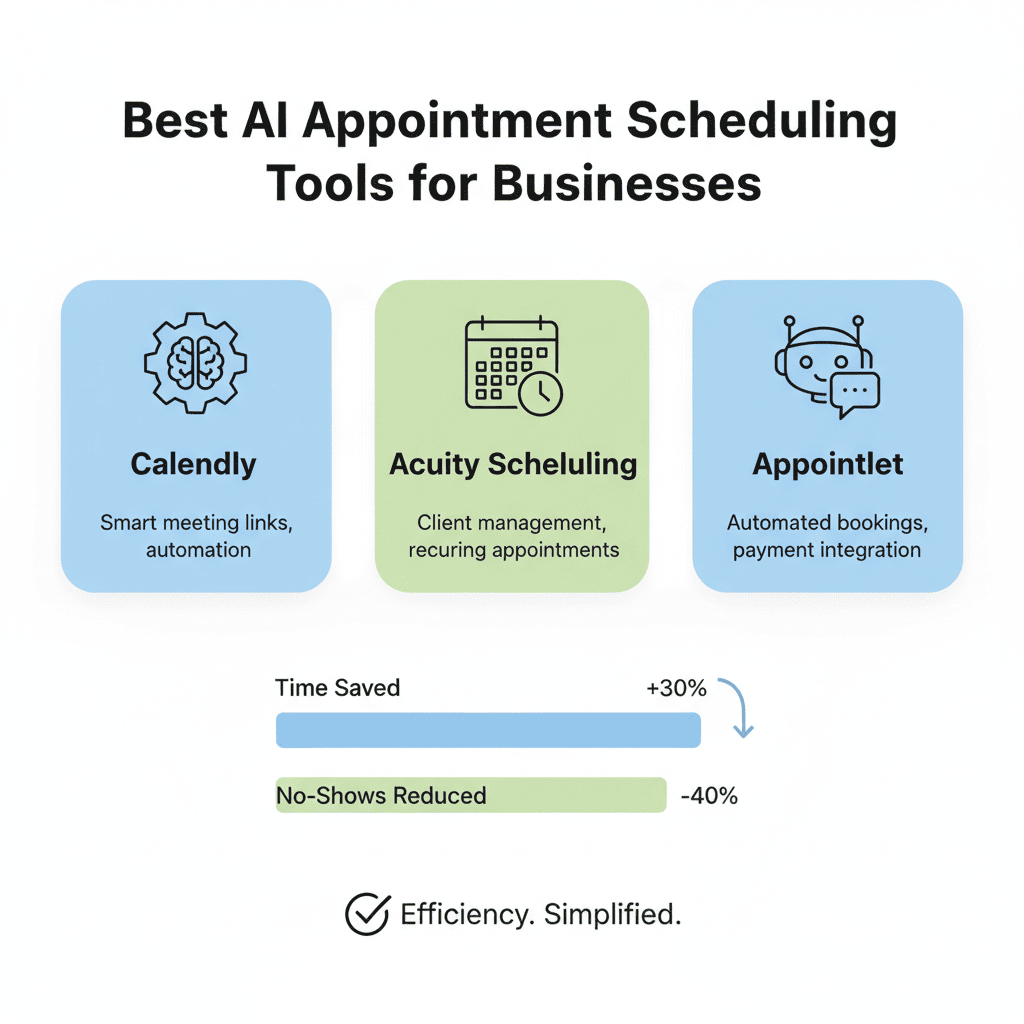
Managing appointments manually is a time-consuming challenge that many businesses face today. From dealing with scheduling conflicts to handling last-minute cancellations, the administrative burden can be overwhelming. This is where AI Appointment Scheduling Tools come into play, revolutionizing how businesses manage their calendars and interact with clients.
In this comprehensive guide, we’ll explore the best AI Appointment Scheduling Tools available for businesses, their key features, benefits, and how to choose the right one for your organization. Whether you’re a solo entrepreneur, a healthcare provider, or managing a large enterprise, these intelligent scheduling solutions can transform your booking process and boost productivity.
Why Your Business Needs AI Appointment Scheduling Tools
The traditional approach to appointment scheduling involves endless phone calls, email chains, and manual calendar updates. This outdated method leads to double bookings, missed appointments, and frustrated clients. AI Appointment Scheduling Tools eliminate these pain points by automating the entire process, allowing businesses to focus on what matters most—serving their clients.
These intelligent systems work 24/7, handling bookings even when your office is closed. They integrate seamlessly with your existing calendar systems, send automated reminders to reduce no-shows, and can even reschedule appointments based on cancellations or changes. The result is a streamlined process that saves time, reduces errors, and improves customer satisfaction.
1. Key Features to Look for in AI Appointment Scheduling Tools
When evaluating AI Appointment Scheduling Tools for your business, certain features stand out as essential for maximizing efficiency and user experience.
Intelligent Calendar Integration
The best scheduling tools sync effortlessly with popular calendar platforms like Google Calendar, Outlook, and Apple Calendar. This ensures that your availability is always accurate and prevents double bookings across different platforms. Real-time synchronization means any changes made in one calendar automatically reflect in all others.
Automated Reminders and Notifications
No-shows can cost businesses significant revenue and wasted time. Top-tier AI Appointment Scheduling Tools send automated email and SMS reminders to clients before their appointments. These systems can send multiple reminders at strategic intervals—perhaps 24 hours before, then again 2 hours before the scheduled time—dramatically reducing no-show rates.
Smart Scheduling Algorithms
Advanced AI algorithms analyze your booking patterns, client preferences, and availability to suggest optimal meeting times. These systems learn from past interactions and can automatically propose alternative times when conflicts arise, making the rescheduling process seamless for both parties.
Multi-Channel Booking Options
Modern clients expect flexibility in how they book appointments. Leading scheduling tools allow bookings through your website, social media pages, email signatures, and even text messages. This omnichannel approach meets customers where they are and removes barriers to booking.
Customization and Branding
Your scheduling interface should reflect your brand identity. Look for tools that allow you to customize booking pages with your logo, colors, and brand messaging. This creates a cohesive experience that reinforces your professional image.
Payment Processing Integration
For businesses that require deposits or full payment at booking, integrated payment processing is crucial. The ability to collect payments through platforms like Stripe, PayPal, or Square within the scheduling flow reduces friction and secures commitments from clients.
2. Top AI Appointment Scheduling Tools for Small Businesses
Small businesses need scheduling solutions that are powerful yet affordable and easy to implement. Here are the leading options that deliver exceptional value without breaking the bank.
Calendly
Calendly has become synonymous with simplified scheduling. Its AI-powered features automatically detect your availability across connected calendars and present only open time slots to clients. The tool excels at eliminating the back-and-forth typically associated with finding mutually convenient meeting times.
The platform offers customizable meeting types, from one-on-one consultations to group sessions and round-robin scheduling for teams. Calendly’s routing forms ask pre-qualifying questions to direct clients to the right team member or service type automatically. Integration with Zoom, Google Meet, and Microsoft Teams means video conferencing links are automatically generated and included in invitations.
For small businesses, Calendly’s free tier provides essential features, while paid plans unlock advanced capabilities like automated workflows, payment collection, and detailed analytics. The user-friendly interface requires minimal training, making it ideal for entrepreneurs and small teams looking to professionalize their scheduling process quickly.
Acuity Scheduling
Acuity Scheduling, now owned by Squarespace, offers robust features tailored for service-based businesses. Its AI capabilities shine in managing complex scheduling scenarios, including class bookings, equipment reservations, and multi-staff coordination.
The platform’s intelligent intake forms gather essential client information before appointments, saving time during actual meetings. Acuity’s scheduling logic can handle intricate business rules—such as buffer times between appointments, staff-specific availability, and service-dependent durations. This flexibility makes it particularly valuable for salons, fitness studios, medical practices, and consulting firms.
Acuity’s integration with payment processors enables businesses to require deposits or full payment at booking, reducing no-shows significantly. The system also supports gift certificates and packages, adding revenue-generating options. Mobile apps for both clients and businesses ensure scheduling flexibility from any device.
Setmore
Setmore distinguishes itself with a completely free tier that includes unlimited appointments and integrations with major platforms. This makes it an attractive option for startups and budget-conscious small businesses. Despite being free, Setmore doesn’t skimp on features, offering online booking pages, automated reminders, and calendar synchronization.
The tool’s AI assists with suggesting booking times based on client behavior patterns and business availability. Setmore’s booking page can be embedded directly into your website or shared via custom URLs, making it easy for clients to schedule appointments without navigating away from your site.
Paid upgrades unlock additional capabilities like video conferencing through Teleport (Setmore’s built-in solution), Instagram booking integration, and advanced customization options. The platform’s simplicity makes it particularly suitable for solopreneurs and businesses just beginning to digitize their scheduling process.
3. Enterprise-Grade AI Appointment Scheduling Solutions
Large organizations require scheduling tools that can handle complex hierarchies, multiple locations, and thousands of appointments while maintaining security and compliance standards.
Microsoft Bookings
For enterprises already invested in the Microsoft ecosystem, Microsoft Bookings offers seamless integration with Office 365 and Microsoft Teams. This AI Appointment Scheduling Tool leverages Microsoft’s advanced AI to provide intelligent scheduling suggestions based on organizational patterns and individual work habits.
Bookings supports complex organizational structures with department-specific scheduling, multi-location management, and granular permission controls. The system integrates with Microsoft’s business intelligence tools, providing insights into booking trends, staff utilization, and revenue attribution. For enterprises concerned with data security, Bookings maintains compliance with enterprise-grade security standards and data governance policies.
The platform’s strength lies in its deep integration with other Microsoft services. Appointments automatically sync with Outlook calendars, Teams meetings are generated automatically, and customer data integrates with Dynamics 365 for comprehensive CRM functionality. This interconnected ecosystem reduces data silos and improves operational efficiency across large organizations.
Salesforce Scheduler
Salesforce Scheduler brings enterprise-level appointment management directly into the world’s leading CRM platform. This integration means scheduling data flows seamlessly alongside customer information, sales pipelines, and service cases, providing a holistic view of customer interactions.
The AI capabilities within Salesforce Scheduler analyze customer history, preferences, and previous appointment data to suggest optimal meeting times and appropriate team members. For field service organizations, the tool optimizes technician scheduling based on location, skills, availability, and customer priority, maximizing efficiency and minimizing travel time.
Large enterprises benefit from Salesforce Scheduler’s ability to handle complex resource allocation, from equipment and room reservations to multi-participant coordination. The platform’s reporting capabilities provide executives with visibility into appointment metrics across departments, locations, and service lines, enabling data-driven decision-making at scale.
ServiceNow Appointment Booking
ServiceNow’s appointment scheduling module integrates with its broader IT service management and workflow automation platform, making it ideal for enterprises managing internal and external appointments across multiple departments.
The AI engine within ServiceNow analyzes historical data to predict appointment durations more accurately, optimizes resource allocation based on real-time availability, and can even predict and prevent scheduling conflicts before they occur. For large organizations managing complex service delivery, this predictive capability significantly improves operational efficiency.
ServiceNow’s strength lies in its ability to automate entire workflows surrounding appointments—from initial booking and confirmation to post-appointment follow-up and feedback collection. The platform scales effortlessly to support thousands of daily appointments across global operations while maintaining consistent service standards.
4. Industry-Specific AI Appointment Scheduling Tools
Different industries have unique scheduling requirements, and specialized AI Appointment Scheduling Tools address these specific needs with tailored features and workflows.
Healthcare: Kareo and SimplePractice
Healthcare providers face stringent compliance requirements, insurance verification needs, and complex scheduling scenarios involving multiple providers and treatment rooms. Kareo and SimplePractice are purpose-built for medical practices, offering HIPAA-compliant scheduling alongside practice management features.
These platforms use AI to optimize appointment types based on diagnosis codes, suggest appropriate appointment durations based on procedure types, and even predict no-show likelihood based on patient history. Automated insurance verification ensures patients are eligible before appointments, reducing administrative burden and claim denials.
The integration with electronic health records (EHR) means patient information flows seamlessly from scheduling to clinical documentation to billing, eliminating duplicate data entry and reducing errors. Telehealth capabilities have become essential, and these platforms offer secure video conferencing that meets healthcare privacy standards.
Beauty and Wellness: Vagaro and Fresha
Salons, spas, and wellness centers require scheduling tools that handle class bookings, resource management, and retail integration. Vagaro and Fresha excel in these areas, offering AI-powered features that maximize appointment density while ensuring proper service time allocation.
These platforms use intelligent algorithms to suggest optimal appointment spacing based on service types, minimize gaps in schedules, and automatically rebalance bookings when cancellations occur. The systems learn from booking patterns to identify peak times and can recommend dynamic pricing strategies to optimize revenue.
Built-in marketing tools help beauty businesses reduce empty appointment slots by automatically sending promotions to clients who haven’t booked recently or suggesting services based on purchase history. Point-of-sale integration means retail sales, service bookings, and inventory management flow through a single platform.
Education and Tutoring: TutorCruncher and Appointlet
Educational institutions and tutoring businesses need scheduling systems that handle recurring appointments, group sessions, and complex matching between students and instructors. TutorCruncher specializes in this niche, offering AI that matches students with appropriate tutors based on subject expertise, learning styles, and availability.
The platform manages parent communications, tracks lesson completion, and integrates with payment systems to handle subscriptions and lesson packages. For tutoring centers managing multiple instructors and locations, the AI optimizes scheduling to maximize instructor utilization while accommodating student preferences and availability.
Appointlet serves a broader education market, offering features like webinar scheduling, office hours management, and group consultation bookings. Its integration with learning management systems (LMS) like Canvas and Blackboard makes it particularly suitable for academic institutions.
5. Benefits of Implementing AI Appointment Scheduling Tools
The advantages of adopting AI Appointment Scheduling Tools extend far beyond simply automating calendar management. These systems deliver measurable improvements across multiple business metrics.
Dramatic Time Savings
Studies show that businesses implementing automated scheduling save an average of 5-10 hours per week on appointment management tasks. For a small business owner, this represents reclaimed time that can be invested in revenue-generating activities, strategic planning, or personal development. For larger organizations, these time savings multiply across team members, resulting in significant productivity gains.
The elimination of phone tag alone justifies the investment for many businesses. Instead of playing endless rounds of “when works for you,” clients can view real-time availability and book immediately. This self-service approach frees staff to focus on higher-value interactions rather than administrative coordination.
Reduced No-Show Rates
No-shows cost businesses billions annually in lost revenue and wasted resources. AI Appointment Scheduling Tools attack this problem from multiple angles. Automated reminders sent via email and SMS have been shown to reduce no-shows by up to 30%. Some advanced systems use predictive analytics to identify clients at higher risk of missing appointments and send targeted reminders or require confirmation.
The ease of rescheduling through automated systems also contributes to lower no-show rates. When clients can quickly reschedule through a link rather than calling during business hours, they’re more likely to move appointments rather than simply not showing up.
Enhanced Customer Experience
Modern consumers expect digital convenience. According to recent surveys, over 70% of customers prefer to book appointments online rather than calling. AI Appointment Scheduling Tools meet this expectation, providing 24/7 booking capability that fits into clients’ schedules rather than being constrained by business hours.
The professionalism conveyed by automated confirmations, reminders, and follow-ups enhances brand perception. Clients appreciate the efficiency and respect for their time that these systems demonstrate. For businesses competing on service quality, superior scheduling experiences can become a meaningful differentiator.
Data-Driven Insights
Modern scheduling platforms generate valuable analytics about business operations. Metrics like popular time slots, peak booking days, service popularity, and client retention rates inform strategic decisions about staffing, hours of operation, and service offerings.
Advanced AI systems identify patterns that humans might miss. For example, they might detect that appointments booked on specific days have higher cancellation rates, or that certain services consistently run over their allotted time. These insights enable continuous optimization of scheduling parameters and business operations.
Improved Resource Utilization
For businesses managing multiple staff members, treatment rooms, equipment, or other resources, AI scheduling optimizes allocation to maximize utilization. The system ensures that high-demand resources are scheduled efficiently while preventing overbooking or conflicts.
This optimization extends to staff scheduling. AI can balance workload across team members, ensure adequate coverage during peak times, and identify underutilized capacity. For service businesses where labor is the primary cost, these efficiency gains directly impact profitability.
6. How to Choose the Right AI Appointment Scheduling Tool
With dozens of options available, selecting the right AI Appointment Scheduling Tool for your business requires careful evaluation of your specific needs and priorities.
Assess Your Business Requirements
Begin by documenting your scheduling complexity. Do you need to manage multiple service types with different durations? Are you scheduling individual appointments, group sessions, or both? Do you have multiple locations or staff members? Understanding these fundamentals guides you toward appropriate solutions.
Consider integration requirements carefully. Your scheduling tool should connect with your existing technology stack—calendar systems, video conferencing platforms, payment processors, CRM systems, and marketing tools. Poor integration leads to data silos and manual workarounds that undermine efficiency gains.
Evaluate User Experience
The best scheduling system is one that both your team and your clients will actually use. Test the booking experience from the client perspective—is it intuitive, mobile-friendly, and quick? Complex booking processes create friction that reduces conversion rates.
Similarly, evaluate the administrative interface. Will your team find it easy to manage appointments, make changes, and access information? Systems requiring extensive training or featuring cluttered interfaces often face adoption challenges.
Consider Scalability
Your business won’t remain static, so choose a solution that can grow with you. Can the platform handle increased appointment volume without performance degradation? Does the pricing structure remain reasonable as you scale? Can you add team members, locations, or features as needed?
Some businesses outgrow their initial scheduling tools and face the disruptive task of migrating to new platforms. Starting with a solution that offers room for growth, even if you don’t need all features immediately, can save headaches later.
Review Pricing Models
AI Appointment Scheduling Tools employ various pricing structures—per-user monthly fees, per-appointment charges, flat rates, or freemium models. Calculate the total cost of ownership based on your expected usage, not just the advertised base price.
Consider what’s included at each pricing tier and what features require premium plans. Some vendors gate essential capabilities like automated reminders or payment processing behind expensive upgrades. Understand the complete cost picture before committing.
Test Customer Support
When technical issues arise or you need guidance on advanced features, responsive customer support becomes crucial. Evaluate the support options available—email, phone, chat, knowledge base, community forums. Check response times and the quality of documentation provided.
Reading reviews from current users provides insights into the vendor’s support quality and responsiveness. Companies that invest in customer success tend to deliver better long-term value than those treating support as an afterthought.
7. Implementation Best Practices for AI Appointment Scheduling Tools
Successfully deploying AI Appointment Scheduling Tools requires more than simply signing up for a service. Following proven implementation practices ensures smooth adoption and maximum return on investment.
Plan Your Transition Carefully
Rushing implementation leads to confusion and resistance. Create a transition plan that includes timeline, responsibilities, training requirements, and communication strategies. If you’re moving from another system, plan data migration carefully to preserve appointment history and client information.
Consider running parallel systems briefly during the transition to ensure nothing falls through the cracks. This approach provides a safety net while your team becomes comfortable with the new platform.
Configure Settings Thoughtfully
Take time to optimize your scheduling parameters before going live. Set appropriate buffer times between appointments, define working hours accurately, establish cancellation policies, and customize confirmation and reminder messages to reflect your brand voice.
Many businesses under-utilize their scheduling tools by accepting default settings. Investing time in proper configuration ensures the system works optimally for your specific workflow from day one.
Train Your Team Thoroughly
Even user-friendly scheduling tools require training to unlock their full potential. Ensure team members understand how to manage appointments, handle exceptions, access reports, and troubleshoot common issues. Create simple reference guides for quick consultation.
Designate a scheduling champion within your organization—someone who becomes the expert and can assist colleagues with questions. This peer support model often proves more effective than relying solely on vendor documentation.
Communicate Changes to Clients
Inform your client base about the new booking system and its benefits. Emphasize convenience factors like 24/7 booking availability and automated reminders. Provide clear instructions for first-time users, and offer assistance for those who prefer traditional booking methods during the transition period.
Consider phasing the rollout, perhaps starting with new clients while maintaining familiar booking methods for established clients initially. This gradual approach eases the transition and allows you to refine processes before full deployment.
Monitor and Optimize
After implementation, actively monitor system performance and user adoption. Track metrics like booking conversion rates, no-show percentages, and average time spent on scheduling tasks. Solicit feedback from both staff and clients about their experience.
Use insights gained to refine your settings, adjust messaging, or provide additional training. Continuous improvement ensures your AI Appointment Scheduling Tool delivers increasing value over time rather than becoming just another underutilized software subscription.
8. Future Trends in AI Appointment Scheduling
The evolution of AI Appointment Scheduling Tools continues to accelerate, with emerging technologies promising even more sophisticated capabilities in the coming years.
Conversational AI and Voice Booking
Natural language processing advancements enable scheduling through conversational interfaces. Clients can book appointments by simply stating their preferences in plain language—”I need a haircut next Tuesday afternoon”—and the AI handles the complexity of finding appropriate slots, confirming details, and completing the booking.
Voice-activated scheduling through smart speakers and virtual assistants represents the next frontier. Imagine clients booking appointments through Alexa, Google Assistant, or Siri as easily as checking the weather. Several scheduling platforms are already developing these capabilities.
Predictive Scheduling Intelligence
Advanced machine learning models analyze vast datasets to predict optimal scheduling patterns. These systems anticipate demand fluctuations based on seasonality, weather, local events, and historical trends, enabling businesses to adjust staffing and availability proactively.
Predictive AI also identifies clients likely to cancel or miss appointments based on behavioral patterns, enabling preemptive interventions. Some systems can even suggest optimal appointment types or services to offer specific clients based on their history and preferences.
Hyper-Personalization
Future AI Appointment Scheduling Tools will deliver increasingly personalized experiences. The system might remember that a client prefers morning appointments, always books with a specific team member, or needs extra time for services. These preferences automatically influence available options and recommendations.
Marketing integration enables scheduling systems to coordinate with email campaigns and promotional efforts. When a client receives a promotional offer, the scheduling interface can prioritize those services and time slots that align with the campaign.
Blockchain for Scheduling
Some forward-thinking platforms are exploring blockchain technology for appointment verification and dispute resolution. Immutable records of bookings, modifications, and cancellations provide transparency and reduce conflicts over whether appointments were properly scheduled or canceled within policy guidelines.
Smart contracts could automate payment processing, refunds, and penalty assessments based on pre-agreed terms, reducing administrative overhead and disputes.
Conclusion
AI Appointment Scheduling Tools have evolved from simple calendar replacements into sophisticated business management platforms that deliver measurable improvements in efficiency, customer satisfaction, and revenue. For businesses still relying on manual scheduling methods, the competitive disadvantage grows daily as more organizations embrace these technologies.
The right scheduling tool depends on your specific industry, business size, technical requirements, and budget. Whether you’re a solo practitioner seeking to professionalize your booking process or an enterprise managing complex, multi-location scheduling, viable solutions exist across the spectrum.
The investment in AI Appointment Scheduling Tools pays dividends through time savings, reduced no-shows, improved customer experiences, and operational insights that inform strategic decisions. As these systems continue evolving with more advanced AI capabilities, early adopters position themselves to maximize benefits while competitors struggle with outdated processes.
Also read this:
Top AI Tools for Medical Documentation Automation in 2025