
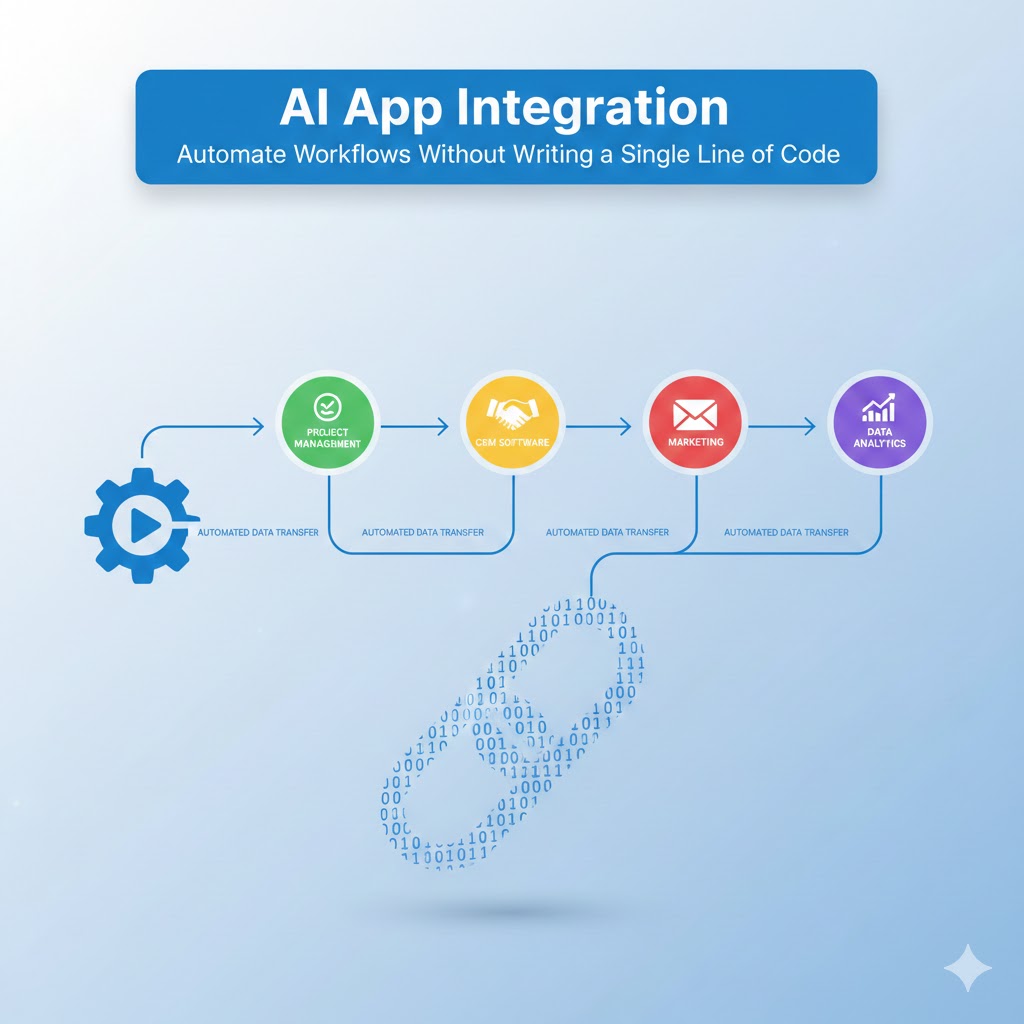
AI App Integration In today’s fast-paced digital landscape, businesses are constantly seeking ways to streamline operations, reduce manual tasks, and boost productivity. The solution? AI App Integration. This revolutionary approach allows organizations to connect their favorite tools and applications seamlessly, creating automated workflows that save time, reduce errors, and enhance efficiency—all without requiring technical expertise or coding knowledge.
1. Understanding AI App Integration and Its Revolutionary Impact
AI App Integration represents a fundamental shift in how businesses approach workflow automation. At its core, it’s the process of connecting different software applications and services to work together harmoniously, powered by artificial intelligence that makes these connections smarter, more intuitive, and increasingly autonomous.
What Makes AI App Integration Different
Traditional integration methods required developers to write custom code, understand APIs, and maintain complex systems. AI App Integration changes this paradigm completely by introducing intelligent, user-friendly platforms that handle the technical complexity behind the scenes.
These modern integration platforms use artificial intelligence to:
- Understand natural language commands and translate them into automated workflows
- Learn from user behavior and suggest optimization opportunities
- Adapt to changing data patterns and adjust workflows accordingly
- Predict potential errors before they occur and implement preventive measures
- Automatically map data fields between different applications
The Business Case for No-Code Automation
Organizations implementing AI App Integration solutions report remarkable improvements across multiple metrics. Companies experience significant time savings, with employees reclaiming hours previously spent on repetitive tasks. The reduction in human error leads to improved data accuracy and consistency across systems. Perhaps most importantly, teams can focus on strategic initiatives rather than mundane operational tasks.
The democratization of automation through no-code solutions means that marketing teams can automate their campaign workflows, sales departments can streamline their lead management processes, and customer service teams can create sophisticated support ticket routing systems—all without involving IT departments in every step.
2. Key Components of Successful AI App Integration
Building effective automated workflows requires understanding the fundamental building blocks that make AI App Integration work seamlessly across your technology stack.
Integration Platforms and Tools
The market offers numerous no-code integration platforms, each with unique strengths. These platforms serve as the foundation for your automation strategy, providing the infrastructure to connect applications and manage data flow between them.
Modern integration platforms feature visual workflow builders that allow users to create complex automations through drag-and-drop interfaces. These tools include pre-built connectors for thousands of popular applications, from customer relationship management systems to marketing automation platforms, project management tools to accounting software.
Triggers and Actions
Every automated workflow in AI App Integration follows a simple logic structure: when something happens in one application (the trigger), something else should happen in another application (the action). This trigger-action paradigm forms the backbone of all automation workflows.
Triggers can be time-based, such as daily reports or weekly summaries, event-based like new customer registrations or form submissions, or condition-based when specific criteria are met. Actions range from simple tasks like sending notifications to complex multi-step processes involving data transformation and conditional logic.
Data Mapping and Transformation
One of the most powerful aspects of AI App Integration is its ability to intelligently handle data as it moves between applications. AI-powered platforms can automatically detect data types, suggest field mappings, and transform information to match the requirements of different systems.
This includes formatting dates and times to match different regional standards, converting currencies based on current exchange rates, splitting or combining data fields as needed, and enriching data with additional information from external sources.
3. Popular Use Cases for AI App Integration
Understanding practical applications helps organizations identify opportunities for automation within their own operations. AI App Integration solves real business challenges across virtually every department and industry.
Sales and Customer Relationship Management
Sales teams benefit enormously from automated workflows that eliminate data entry and ensure no lead falls through the cracks. When a prospect fills out a website form, AI App Integration can automatically create a contact record in your CRM, assign it to the appropriate sales representative based on territory or product interest, send a personalized welcome email, schedule follow-up reminders, and notify the sales team through their preferred communication channel.
Advanced implementations can score leads based on engagement data, update deal stages automatically based on customer actions, generate quotes and proposals using information from multiple systems, and synchronize meeting notes and activities across platforms.
Marketing Automation
Marketing departments leverage AI App Integration to create sophisticated, multi-channel campaigns without technical resources. Automated workflows can segment audiences based on behavior and demographics, trigger email sequences based on user actions, update contact lists across multiple platforms simultaneously, and track campaign performance in real-time dashboards.
Social media management becomes streamlined through integration, with content automatically published across platforms, engagement metrics aggregated in central locations, and responses routed to appropriate team members.
Customer Support and Service
Support teams use AI App Integration to deliver faster, more consistent customer service. Automated workflows can route incoming tickets based on urgency and expertise, pull customer history from multiple systems into a unified view, escalate unresolved issues automatically, and send satisfaction surveys after ticket closure.
Integration with knowledge bases allows support agents to access relevant articles instantly, while connections to communication platforms ensure customers receive updates through their preferred channels.
Human Resources and Employee Onboarding
HR departments automate time-consuming administrative tasks through AI App Integration, creating seamless onboarding experiences for new employees. Workflows can automatically provision user accounts across all company systems, send welcome packages and orientation materials, schedule training sessions and meetings, and create tasks for IT and facilities teams.
Employee offboarding becomes equally efficient, with automated workflows ensuring all accounts are deactivated, equipment is recovered, and exit interviews are scheduled.
4. Choosing the Right AI App Integration Platform
Selecting the appropriate platform is crucial for successful automation. The right choice depends on your specific needs, existing technology stack, and growth plans. AI App Integration platforms vary significantly in capabilities, pricing, and user experience.
Evaluation Criteria
When assessing integration platforms, consider the breadth and depth of their application connectors. Does the platform support all the tools your organization currently uses? Are connectors for emerging technologies being added regularly?
The user interface and experience matter tremendously for no-code solutions. Platforms should offer intuitive workflow builders that don’t require training manuals, clear documentation and tutorials, and helpful error messages that guide users toward solutions.
Scalability considerations include the platform’s ability to handle increasing workflow volumes, support for complex, multi-step automations, and performance under high data loads.
Popular Platform Categories
AI App Integration platforms generally fall into several categories. General-purpose integration platforms offer connections to thousands of applications and serve organizations of all sizes. These platforms excel at creating workflows between popular business applications.
Specialized integration platforms focus on specific industries or use cases, such as e-commerce automation or healthcare data integration. These platforms offer deeper functionality within their niche but may have limited connectors outside their specialty.
Enterprise integration platforms provide advanced features like dedicated infrastructure, enhanced security controls, and service level agreements, making them suitable for large organizations with complex requirements.
5. Building Your First Automated Workflow
Creating your initial automation with AI App Integration is straightforward when you follow a systematic approach. This section walks you through the process from concept to implementation.
Planning Your Automation
Begin by identifying a repetitive task that consumes significant time. Good candidates for automation are processes that follow consistent rules, involve multiple applications, require data to move between systems, and currently depend on manual intervention.
Document the current process by listing every step, noting which applications are involved, identifying decision points and conditional logic, and recognizing potential failure points or exceptions.
Designing the Workflow
Most AI App Integration platforms provide visual workflow builders where you select your trigger application and event, add actions for each step of your process, configure data mapping between applications, and set conditions for different scenarios.
Start simple with your first workflow. Automate a straightforward process before tackling complex multi-step automations. This approach allows you to learn the platform while delivering immediate value.
Testing and Deployment
Before activating your workflow, thorough testing is essential. Create test data in your trigger application to initiate the workflow, verify that each action executes correctly, check that data appears accurately in destination systems, and test edge cases and error scenarios.
Many platforms offer testing environments where you can run workflows without affecting production data. Use these environments to validate your automation before going live.
Monitoring and Optimization
Once deployed, AI App Integration workflows require ongoing monitoring to ensure they continue performing as expected. Review execution logs regularly to identify failures, analyze workflow performance metrics, gather feedback from users affected by the automation, and look for opportunities to expand or improve the workflow.
Modern platforms provide dashboards showing workflow execution statistics, error rates, and performance trends, making it easy to maintain healthy automations.
6. Advanced AI App Integration Strategies
As you become comfortable with basic automations, AI App Integration offers sophisticated capabilities that can transform entire business processes.
Multi-Step Workflows
Complex business processes often require workflows that span multiple applications and include branching logic. These advanced automations might process incoming data through multiple transformations, route information differently based on conditions, aggregate data from several sources, and trigger parallel processes simultaneously.
For example, a sophisticated order processing workflow might receive an order notification, check inventory across multiple warehouses, calculate shipping costs based on customer location, create invoices in accounting systems, send confirmations through email and SMS, and update reporting dashboards—all automatically.
Conditional Logic and Branching
AI App Integration platforms support conditional logic that makes workflows intelligent and adaptive. You can create if-then-else scenarios that route data differently based on values, implement complex business rules without coding, handle exceptions and edge cases gracefully, and personalize automated communications based on recipient attributes.
This capability transforms simple automations into sophisticated business processes that replicate human decision-making at scale.
Error Handling and Recovery
Robust workflows include mechanisms for dealing with failures and exceptions. Professional AI App Integration implementations incorporate retry logic for temporary failures, notification systems for persistent errors, fallback processes when primary systems are unavailable, and logging systems that capture detailed error information.
These features ensure that your automations are reliable and that problems are identified and resolved quickly.
Integration Ecosystems
The most powerful implementations of AI App Integration create ecosystems where multiple workflows interconnect, forming comprehensive automation strategies. Data flows seamlessly across your entire technology stack, with each system serving its specialized purpose while contributing to larger business objectives.
This ecosystem approach eliminates data silos, ensures information consistency, and creates truly integrated business operations.
7. Security and Compliance Considerations
Implementing AI App Integration requires careful attention to security and regulatory compliance, especially when automating workflows that handle sensitive data.
Data Security Best Practices
Protect your automated workflows by using secure authentication methods like OAuth rather than storing passwords, implementing the principle of least privilege by granting minimal necessary permissions, regularly reviewing and revoking unused access, and encrypting sensitive data in transit and at rest.
Reputable AI App Integration platforms invest heavily in security infrastructure, but organizations remain responsible for configuring their workflows securely.
Compliance Requirements
Different industries face various regulatory requirements that affect automation strategies. Healthcare organizations must ensure HIPAA compliance when automating patient data workflows. Financial services firms must meet regulatory standards for data handling and reporting. Retail businesses must protect customer payment information according to PCI DSS standards.
AI App Integration platforms serving regulated industries often provide compliance certifications and features that help organizations meet their obligations. Review these capabilities carefully during platform selection.
Audit Trails and Logging
Maintaining comprehensive logs of automated activities is crucial for security, troubleshooting, and compliance. Effective logging captures when workflows execute, what data was processed, which systems were accessed, and any errors or exceptions that occurred.
These audit trails prove invaluable when investigating issues, demonstrating compliance during audits, or understanding the impact of automated processes on business operations.
8. Measuring the Impact of AI App Integration
Quantifying the value delivered by AI App Integration helps justify investment and identify opportunities for expansion.
Key Performance Indicators
AI App Integration Track metrics that demonstrate the impact of automation on your organization. Time savings can be measured by calculating hours previously spent on manual tasks, reduced processing time for key workflows, and faster response times to customer requests or internal needs.
Quality improvements manifest through reduced error rates in data entry and processing, improved consistency in business processes, and enhanced customer satisfaction scores.
Financial metrics include direct cost savings from reduced manual labor, increased revenue from faster sales cycles, and avoided costs from improved compliance and reduced errors.
Return on Investment Calculation
Calculate ROI for AI App Integration initiatives by quantifying both costs and benefits. Costs include platform subscription fees, time invested in building and testing workflows, and ongoing maintenance and optimization efforts.
Benefits encompass time savings valued at employee hourly rates, cost avoidance from error reduction, revenue increases from improved processes, and intangible benefits like improved employee satisfaction and reduced frustration.
Most organizations implementing comprehensive AI App Integration strategies report positive ROI within months of deployment, with benefits compounding as more processes become automated.
Conclusion
AI App Integration has revolutionized how organizations approach workflow automation, making sophisticated integrations accessible to non-technical users across every department. By eliminating the need for coding expertise, these platforms democratize automation, allowing anyone to streamline processes, connect applications, and boost productivity.
The journey toward comprehensive automation begins with understanding your processes, identifying opportunities for improvement, and selecting the right platform for your needs. Start with simple workflows that deliver immediate value, then gradually expand your automation strategy as you develop expertise and confidence.
Also read this:
AI Video Editing Workflows: Transform Raw Footage Automatically
Creating Viral Video Atmosphere Using Prompt-Based AI Sound Effects: A Complete Guide
AI Video Editing: Automatically Matching Sound Effects to Scenes – The Future of Content Creation