
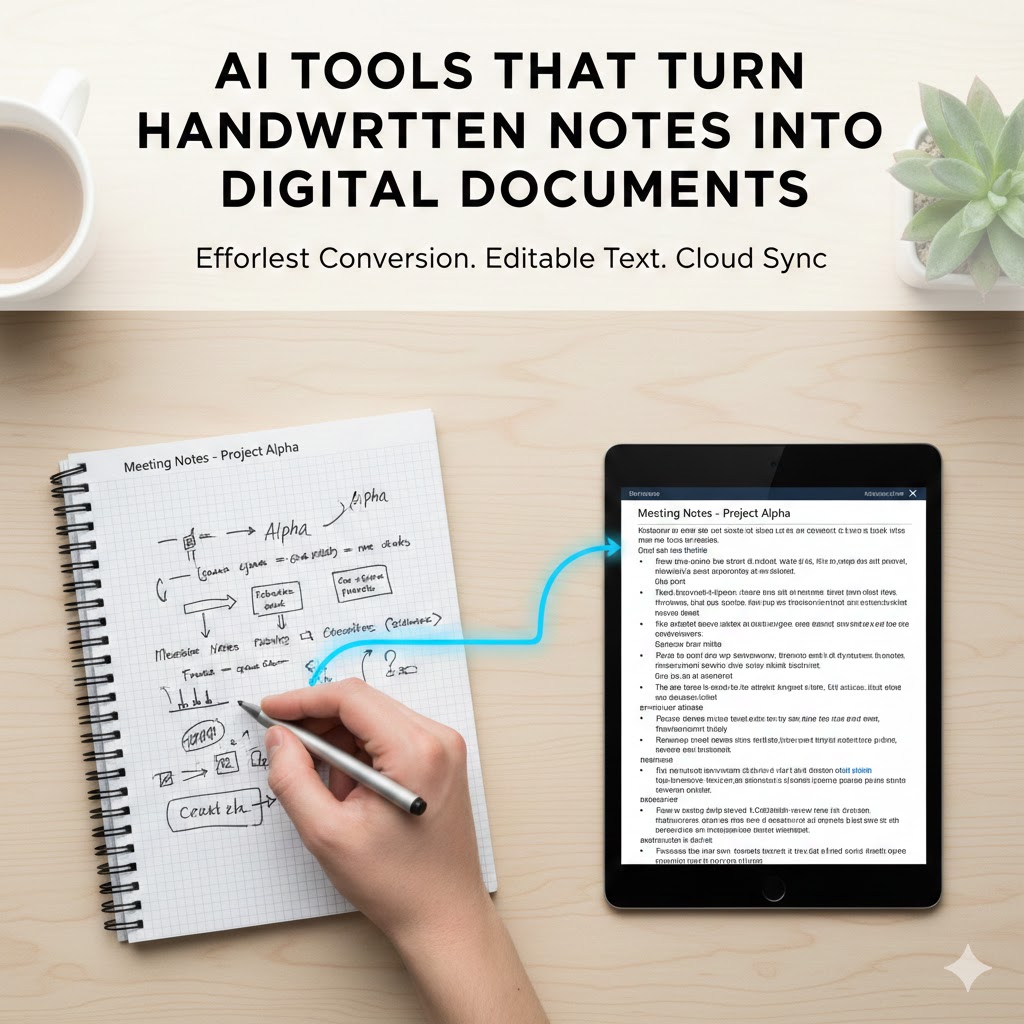
The tactile experience of writing by hand remains deeply ingrained in how many people process information, brainstorm ideas, and capture thoughts. Students scribble notes during lectures, professionals sketch diagrams in meetings, creative minds fill journals with concepts, and researchers annotate printed documents with handwritten observations. Despite living in a digital age, handwriting persists because it offers cognitive benefits and creative freedom that typing sometimes cannot match.
However, handwritten content creates significant challenges in our interconnected digital world. Physical notes are difficult to search, easily lost, impossible to share remotely, and cannot be seamlessly integrated into digital workflows. The gap between analog creation and digital utility has long frustrated those who prefer handwriting but need their content digitized for practical use.
This is precisely where artificial intelligence delivers transformative value. Modern AI tools turn handwritten notes into digital documents with remarkable accuracy, bridging the analog-digital divide. These systems employ sophisticated computer vision and machine learning algorithms that recognize individual letterforms, understand context, preserve formatting, and convert pen-on-paper into editable, searchable, shareable digital text. The technology has matured from experimental curiosity to reliable everyday tool, fundamentally changing how people can work with handwritten content.
1. Understanding Handwriting Recognition Technology
Before exploring specific tools, understanding the technology that enables AI to turn handwritten notes into digital documents provides insight into both capabilities and limitations of these systems.
The Evolution of OCR and Handwriting Recognition
Optical Character Recognition has existed for decades, initially focused on printed text with standardized fonts. These early systems used template matching, comparing scanned characters against stored templates to identify letters. This approach worked reasonably well for typed documents but failed completely with handwriting’s infinite variations.
Modern handwriting recognition represents a quantum leap forward, powered by deep learning neural networks trained on millions of handwriting samples. Rather than matching templates, these systems learn the fundamental patterns and structures that define letters, understanding that an “a” written by different people in various styles still represents the same character.
The breakthrough came with convolutional neural networks that can identify features at multiple scales, recognizing both the overall shape of words and the fine details of individual strokes. Recurrent neural networks added the ability to understand sequential patterns, recognizing that certain letter combinations are more likely than others, using context to disambiguate ambiguous characters.
How AI Processes Handwritten Text
When you photograph or scan handwritten notes, the AI system performs multiple sophisticated operations in rapid succession. First comes image preprocessing, where the system adjusts brightness and contrast, removes noise and artifacts, corrects for perspective distortion when photos are taken at angles, and separates text from background.
Next, the AI performs segmentation, identifying where text exists on the page, separating individual lines of writing, and in some cases, distinguishing between different handwriting styles if multiple people contributed to the same page. This segmentation is remarkably complex, as handwritten text often features inconsistent spacing, overlapping lines, and annotations that interrupt main content flow.
The core recognition phase analyzes each character using neural networks trained to recognize patterns across diverse handwriting styles. The system doesn’t just look at individual letters in isolation but considers surrounding context, using language models to determine which interpretation makes most sense. For instance, an ambiguous character might be recognized as “d” or “cl” based on whether the surrounding letters form a valid word.
Finally, the system performs post-processing, applying spell-checking and grammar rules to catch unlikely errors, formatting the output appropriately, and maintaining the structural elements like bullet points, indentation, or underlines that provide meaning beyond the raw text.
Key Technologies Behind the Scenes
Deep learning models form the foundation of modern systems that turn handwritten notes into digital documents. These neural networks contain millions of parameters tuned through exposure to vast datasets of handwritten samples paired with their correct transcriptions.
Computer vision algorithms handle the visual processing required to isolate text from complex backgrounds, manage varying lighting conditions, and correct for the geometric distortions introduced by photography or imperfect scanning.
Natural language processing provides the contextual understanding that dramatically improves accuracy. By knowing which word sequences are linguistically probable, the system can resolve ambiguous characters that might otherwise be impossible to identify definitively.
Transfer learning allows these systems to perform well even with limited training data for specific handwriting styles or languages. Models pre-trained on massive datasets can be fine-tuned for specific users or use cases with relatively small amounts of additional training.
2. Leading AI Tools for Digitizing Handwritten Notes
The market now offers numerous sophisticated applications that turn handwritten notes into digital documents, each with distinct strengths, features, and ideal use cases.
Microsoft OneNote with Ink to Text
Microsoft OneNote has long been a popular digital note-taking application, and its handwriting recognition capabilities have evolved significantly. The platform allows users to write directly on tablets with styluses, then convert that handwriting to typed text with a simple command.
OneNote’s integration with the broader Microsoft ecosystem provides significant advantages. Converted text automatically becomes searchable across your entire OneNote library. It syncs seamlessly with other Microsoft 365 applications, appearing in Word documents, Excel spreadsheets, or PowerPoint presentations as needed. The system handles multiple languages effectively and can process both cursive and print handwriting styles.
The tool particularly excels for users who create handwritten notes directly on digital devices rather than paper. For tablet users who enjoy handwriting’s cognitive benefits but need digital flexibility, OneNote offers an ideal middle ground. The real-time recognition allows users to switch fluidly between handwritten input and typed text within the same document.
Google Lens and Google Keep
Google’s approach to helping users turn handwritten notes into digital documents leverages the ubiquity of smartphones. Google Lens, accessible through the main Google app or Google Photos, can photograph handwritten notes and extract text with impressive accuracy.
The integration with Google Keep is particularly powerful for note-takers. After capturing handwritten notes with Google Lens, the extracted text can be saved directly to Keep, where it becomes fully searchable alongside typed notes. This creates a unified note-taking system that accommodates both writing styles.
Google’s machine learning models benefit from training on enormous datasets, giving the system strong performance across diverse handwriting styles and languages. The tool works well with casual handwriting, though extremely messy scripts or heavily stylized writing may challenge its accuracy.
The mobile-first approach makes this solution ideal for students who need to quickly digitize lecture notes, professionals capturing whiteboard content after meetings, or anyone who wants to preserve handwritten content without dedicated scanning hardware.
Adobe Scan with Adobe Acrobat
Adobe has leveraged its document processing expertise to create powerful handwriting recognition within its scanning and PDF management applications. Adobe Scan turns smartphones into portable scanners, capturing handwritten notes and applying OCR to make the content searchable and editable.
The technology shines when dealing with mixed content documents containing both printed and handwritten text, such as filled forms, annotated reports, or signed contracts. Adobe’s algorithms excel at preserving document structure and formatting while extracting text from handwritten portions.
Integration with Adobe Acrobat Pro provides additional capabilities for users who need professional-grade document management. Converted handwritten text can be edited directly within PDFs, maintaining the document’s visual integrity while making content fully functional.
This solution particularly suits professionals dealing with business documents, legal materials, or formal content where document presentation matters alongside text extraction accuracy.
Notability and GoodNotes
These iOS-focused applications cater specifically to iPad users who handwrite notes with Apple Pencil. Both turn handwritten notes into digital documents through sophisticated recognition engines optimized for Apple’s hardware and stylus input.
Notability offers real-time handwriting conversion, allowing users to write naturally and watch as their script transforms into typed text. The application supports shape recognition, converting rough sketches of circles, squares, or arrows into clean geometric forms. This combination of text and diagram recognition makes it powerful for technical notes, mathematical equations, or visual thinking.
GoodNotes provides similar core functionality with additional emphasis on document organization and annotation. Users can import PDFs and add handwritten notes, which can later be converted to text for searching or editing. The application maintains original handwriting alongside converted text, allowing users to keep both versions.
These applications excel for students, especially in STEM fields where mixing text, equations, and diagrams is essential. The deep integration with Apple’s ecosystem provides smooth workflows for users already invested in that environment.
MyScript Nebo and Calculator
MyScript has specialized in handwriting recognition for years, and their Nebo application represents some of the most advanced technology available for converting handwritten content. The system can turn handwritten notes into digital documents while preserving complex formatting, including bullet points, numbered lists, headings, and text emphasis.
Remarkably, Nebo handles mathematical equations and chemical formulas, recognizing specialized notation that defeats most general-purpose OCR systems. Students and professionals in scientific fields benefit enormously from this capability, as mathematical content typically requires tedious manual typing to digitize.
MyScript Calculator takes a different approach, allowing users to handwrite mathematical equations that are instantly recognized, solved, and displayed with proper formatting. This demonstrates the technology’s sophistication in understanding not just letterforms but mathematical syntax and relationships.
These specialized tools suit users whose work involves significant mathematical or scientific notation, though they also perform excellently with standard text recognition.
Apple Notes with Scribble
Apple’s native Notes application includes handwriting recognition through the Scribble feature on iPad. While perhaps less full-featured than dedicated third-party applications, the deep integration with iOS and the zero-additional-cost make it attractive for Apple users.
Scribble allows handwriting in any text field across the system, with automatic conversion to typed text. Within Notes specifically, users can search handwritten content without explicit conversion, as Apple’s AI indexes handwriting for searchability even while maintaining the original pen strokes.
This approach offers flexibility, letting users decide whether to keep handwriting in its original form or convert it to text. The system works across multiple languages and handles both cursive and print reasonably well.
Evernote with Handwriting Recognition
Evernote has long offered handwriting search capabilities, making handwritten notes discoverable without explicit conversion to text. Recent enhancements have added actual text extraction, allowing users to turn handwritten notes into digital documents that can be edited and reformatted.
Evernote’s strength lies in its comprehensive note organization system. Once handwritten content is digitized, it becomes part of a powerful information management platform with tagging, linking, and cross-referencing capabilities that help users build personal knowledge bases.
The application works across platforms, syncing between phones, tablets, and computers. Users can capture handwritten notes via photo on mobile devices, with processing happening in the cloud to extract text that becomes searchable across all devices.
3. Practical Applications Across Different Fields
The ability to turn handwritten notes into digital documents delivers value across virtually every domain where writing remains relevant. Different fields leverage this technology in unique ways tailored to their specific workflows and requirements.
Education and Academic Research
Students face constant pressure to process information quickly while retaining it effectively. Research consistently shows that handwriting notes improves comprehension and retention compared to typing, as the physical act of writing engages more cognitive processes. However, handwritten notes create organizational challenges and make studying less efficient.
AI tools resolve this tension. Students can handwrite notes to maximize learning during lectures, then digitize them afterward for organization, searchability, and study aids. The digital versions can be annotated further, reorganized, combined with other resources, or shared with classmates.
Graduate students and researchers benefit when reviewing literature, annotating printed papers with handwritten observations and insights. Converting these annotations to digital form allows integrating them into literature review documents, research databases, or thesis drafts without tedious retyping.
Teachers and professors can provide handwritten feedback on student work, knowing it can be digitized for record-keeping or for students who prefer digital files. This preserves the personal touch and speed of handwritten comments while maintaining accessibility.
Business and Professional Settings
Meeting notes captured by hand often contain crucial information that needs distribution to teams. Rather than manually typing meeting minutes, professionals can photograph their handwritten notes and convert them to digital documents for email distribution or integration into project management systems.
Brainstorming sessions frequently happen on whiteboards or paper, where the freedom to sketch and write without digital constraints encourages creative thinking. At the session’s end, these valuable ideas can be photographed and converted to digital format, ensuring nothing is lost and making follow-up actionable.
Field workers, inspectors, and technicians often work in environments where typing is impractical. They can handwrite observations, measurements, or findings, later converting them to digital reports without office reentry of data. This streamlines workflows and reduces transcription errors.
Sales professionals taking notes during client meetings can quickly digitize key points to update CRM systems, ensuring timely follow-up without the administrative burden of transcription.
Healthcare and Medical Documentation
Healthcare providers often prefer handwriting patient notes during consultations, as typing creates barriers to eye contact and rapport-building. However, Electronic Health Records systems require digital input, creating friction.
AI tools that turn handwritten notes into digital documents allow clinicians to write naturally during patient interactions, then quickly digitize notes for EHR integration. This preserves the human element of healthcare while meeting documentation requirements.
Medical researchers annotating case studies, journal articles, or research protocols can convert handwritten margin notes and observations into digital text for inclusion in research databases or publications.
Prescription and form completion, traditionally handwritten, can be digitized to reduce errors from illegible handwriting, a long-standing patient safety concern in healthcare.
Creative and Journaling Applications
Writers and creatives often prefer handwriting for ideation, as the physical act can unlock different thinking patterns than typing. Novelists might handwrite character sketches or plot outlines, poets draft verses by hand, and screenwriters outline scenes on paper.
Converting these creative handwritten works to digital formats allows editing, reorganization, and eventual publication without losing the creative benefits of analog writing. The ability to shift between handwriting for initial creation and digital for refinement offers the best of both worlds.
Personal journaling has seen resurgence as people recognize its mental health benefits. While many prefer handwriting’s intimacy, digital versions offer searchability and backup. Converting handwritten journal entries allows preserving both the original artifacts and creating searchable digital archives.
Legal and Compliance Documentation
Legal professionals frequently work with handwritten documents, from client notes to annotated contracts to signed agreements. Converting handwritten content to searchable digital text supports case management, document review, and compliance requirements.
Contracts or forms with handwritten sections can be digitized, making the entire document searchable while preserving the original signatures and handwritten elements in the visual document.
Legal research often involves annotating cases or statutes by hand. Converting these annotations to digital text allows incorporating insights into legal memoranda or briefs efficiently.
4. Factors Affecting Recognition Accuracy
While modern AI systems that turn handwritten notes into digital documents achieve impressive accuracy, multiple factors influence performance. Understanding these helps users optimize their results.
Handwriting Quality and Style
Legibility fundamentally determines recognition success. Clear, well-formed letters that follow conventional letterforms are recognized with near-perfect accuracy. Messy, rushed, or highly stylized handwriting challenges even sophisticated AI systems.
Consistency matters significantly. Handwriting that maintains uniform letter sizes, spacing, and baseline alignment is easier for algorithms to process. Wildly varying letter heights, inconsistent slant, or irregular spacing reduces accuracy.
Cursive versus print represents another variable. Many modern systems handle both, but print handwriting generally yields higher accuracy because discrete letters are easier to segment and recognize individually. Cursive requires understanding letter connections and flow, adding complexity.
Individual quirks present challenges. If someone forms letters unusually or merges characters in personal shorthand, the AI may struggle. Systems learn from typical handwriting patterns, so significant deviations from norms reduce recognition rates.
Image Quality and Capture Conditions
When photographing handwritten notes for digitization, image quality dramatically affects results. High-resolution images with clear focus provide the detail AI needs for accurate character recognition. Blurry, low-resolution captures lose fine details that distinguish similar letters.
Lighting significantly impacts recognition. Even, bright lighting without harsh shadows or glare produces optimal results. Photos taken in dim conditions or with strong directional lighting that creates shadows across text reduce accuracy.
Perspective and angle matter when photographing notes. Images captured straight-on, parallel to the page, work best. Angled shots introduce distortion that complicates recognition, though many modern systems include perspective correction that partially compensates.
Background clutter or page condition affects processing. Clean white paper provides ideal contrast with pen or pencil marks. Yellowed paper, busy backgrounds, or stains and marks on pages can confuse recognition algorithms.
Language and Context Considerations
The AI’s training data determines which languages it handles effectively. Systems trained primarily on English may struggle with other languages, especially those using non-Latin scripts. Fortunately, leading tools now support dozens of languages with varying accuracy levels.
Technical vocabulary and specialized terminology pose challenges. Medical terms, scientific nomenclature, or industry-specific jargon may not appear in training datasets, leading to recognition errors. Some advanced systems allow users to add custom dictionaries to improve accuracy in specialized domains.
Context utilization varies between systems. More sophisticated AI leverages contextual understanding, using surrounding words to disambiguate unclear characters. Less advanced tools process characters more independently, missing opportunities to catch errors through contextual validation.
Mixed content creates complexity. Pages combining text, mathematical equations, chemical formulas, diagrams, and annotations in multiple languages challenge recognition systems. Tools must identify what type of content they’re processing to apply appropriate recognition models.
Hardware and Software Limitations
Processing power affects how sophisticated the recognition algorithms can be. Mobile apps running on phones must balance accuracy against speed and battery consumption. Cloud-based processing can employ more powerful models but requires internet connectivity and introduces privacy considerations.
Stylus and tablet quality matter for direct digital handwriting. Apple Pencil on iPad provides precision that cheap styluses cannot match, giving handwriting recognition systems better input to work with. High-quality digitizers capture subtle pressure variations and detailed stroke patterns that aid recognition.
Software update cycles mean recognition accuracy improves over time as developers refine algorithms and retrain models on larger datasets. Using outdated versions of applications may miss significant accuracy improvements.
5. Best Practices for Optimal Results
Users can dramatically improve the accuracy with which AI systems turn handwritten notes into digital documents by following established best practices developed through extensive testing and user experience.
Writing Technique Optimization
Write deliberately rather than rushing, even if this slightly slows note-taking. The time saved by avoiding correction of recognition errors exceeds the minor slowdown from more careful writing. Focus on forming letters clearly and maintaining consistent size and spacing.
Use lined paper or guidelines whenever possible. Lines help maintain consistent letter height and baseline alignment, both of which significantly improve recognition accuracy. Many digital note-taking apps provide lined templates specifically for this reason.
Maintain adequate spacing between words and lines. Crowded text makes segmentation difficult, as algorithms struggle to determine where one word ends and another begins. Generous spacing eliminates ambiguity.
Choose appropriate writing instruments. Fine-tip pens provide clearer character definition than thick markers. Dark ink on white paper maximizes contrast. Avoid light-colored inks or pencils that may not photograph well.
Capture and Scanning Guidelines
When photographing handwritten notes, ensure adequate lighting without glare or shadows. Natural daylight from windows works well, as does even overhead lighting. Avoid harsh directional lighting that creates shadows across the page.
Position the camera directly above the page, parallel to its surface. Most smartphone camera apps include grid overlays that help align shots properly. Take time to frame the shot well rather than rushing and getting angled captures.
Use the highest resolution your device offers without introducing artificial sharpening or filters. Raw, high-resolution captures provide maximum detail for recognition algorithms. Many apps allow adjusting camera settings specifically for document capture.
If using a flatbed scanner rather than camera, ensure the glass is clean and place pages flat without wrinkles or folds. Scan at 300 DPI or higher for optimal results.
Workflow Integration Strategies
Develop consistent routines for digitizing handwritten notes. For students, this might mean photographing lecture notes each evening for processing. Professionals might digitize meeting notes immediately after sessions while context is fresh.
Review and correct converted text promptly while you remember what you wrote. AI recognition isn’t perfect, and catching errors while memory is fresh is easier than deciphering corrections weeks later.
Organize digital documents systematically using folders, tags, or notebooks based on projects, topics, or dates. The searchability that digitization provides only delivers full value when documents are well-organized.
Consider hybrid approaches where some content remains handwritten while other portions are converted. You might keep handwritten originals archived while working primarily with digital versions, preserving both formats.
Tool Selection and Customization
Choose tools aligned with your specific needs and workflows. Students might prioritize different features than professionals or creative writers. Test multiple options before committing, as user experience varies significantly.
Explore customization options many tools provide. Some allow training on your specific handwriting to improve accuracy. Others let you add custom dictionaries for specialized vocabulary. Adjusting settings for your use case enhances results.
Keep applications updated to benefit from ongoing algorithmic improvements. Recognition accuracy in leading tools improves steadily as companies refine their models and incorporate user feedback.
Consider privacy implications when choosing between on-device and cloud-based processing. On-device recognition keeps your notes completely private but may offer lower accuracy. Cloud processing provides better results but transmits your content to external servers.
6. Privacy and Security Considerations
As with any technology that processes personal or professional content, systems that turn handwritten notes into digital documents raise important privacy and security questions users should carefully consider.
Data Transmission and Storage
Cloud-based recognition services transmit your handwritten notes to remote servers for processing. While this enables more sophisticated algorithms and cross-device syncing, it means your potentially sensitive content leaves your device. Understanding where your data goes and who can access it is essential.
Most reputable services encrypt data during transmission using standard HTTPS protocols. However, encryption in transit doesn’t address what happens to your data once it reaches company servers. Review privacy policies to understand data retention, whether content is used for model training, and under what circumstances data might be shared.
On-device processing keeps your notes entirely local, eliminating transmission privacy concerns. Apple’s approach with on-device handwriting recognition in Notes provides strong privacy but may sacrifice some accuracy compared to cloud-based alternatives with more computational resources.
Some applications offer hybrid approaches, performing initial processing locally and only transmitting to the cloud for complex recognition tasks or syncing. This balances privacy with functionality.
Content Sensitivity and Compliance
Healthcare providers must ensure handwriting recognition tools comply with HIPAA regulations if processing patient information. Not all consumer apps meet these requirements, so medical professionals need enterprise-grade solutions with appropriate compliance certifications.
Legal professionals working with privileged client information should verify that tools meet attorney-client privilege protection requirements and bar association guidelines for technology use.
Business users handling confidential corporate information, trade secrets, or competitive intelligence should use enterprise solutions with appropriate security controls rather than consumer applications that may not provide adequate protection.
Students and academics working with unpublished research should consider whether sharing content with recognition services could compromise intellectual property or violate publisher policies regarding pre-publication confidentiality.
Access Control and Sharing
Digital documents created from handwritten notes often become more widely shareable than their physical predecessors. While this is frequently beneficial, it also creates risks of unintended disclosure. Implement appropriate access controls on digitized content.
Many note-taking applications include sharing features that make collaboration easy but can also lead to accidental exposure of sensitive information. Review sharing settings and default permissions to ensure content isn’t more accessible than intended.
Cloud syncing provides convenience but means your notes exist in multiple locations, each representing a potential security vulnerability. Understand what happens if devices are lost or stolen, whether remote wipe capabilities exist, and how to revoke access if needed.
Backup strategies should balance data loss prevention against security risks. Encrypted backups provide protection while maintaining availability. Ensure backup destinations have appropriate access controls.
7. The Future of Handwriting Digitization
The technology that enables AI to turn handwritten notes into digital documents continues evolving rapidly, with emerging capabilities that will further bridge the analog-digital divide.
Real-Time Recognition Advances
Current systems typically process handwriting after completion, converting finished notes to digital text. Future technology will increasingly enable real-time recognition as you write, instantly transforming pen strokes into typed text without perceptible delay.
This real-time capability will feel magical, allowing the natural experience of handwriting while simultaneously creating searchable, editable digital documents. Smart pens and advanced tablets will capture writing with such precision that recognition becomes essentially perfect.
Gesture recognition will expand beyond simple shapes to understand complex diagrams, flowcharts, and visual relationships. Systems will recognize not just what you write but how different elements relate spatially and semantically.
Multimodal Understanding
Future systems will process not just handwriting but the complete context of notes, including drawings, diagrams, mathematical equations, chemical formulas, musical notation, and more. Rather than separate tools for different content types, unified systems will understand everything on a page.
Audio integration will allow correlating handwritten notes with recorded lectures or meetings, creating rich multimedia documents where you can click on notes to hear what was being said when you wrote them. This multimodal approach provides context that pure text cannot capture.
Video analysis will enable digitizing content from recorded whiteboard sessions or over-the-shoulder videos of someone writing, opening new possibilities for educational content creation and collaborative work.
Personalized Learning and Adaptation
AI systems will increasingly adapt to individual users’ handwriting styles, becoming more accurate over time through continuous learning. Rather than generic models trained on population-wide data, personalized models will understand your specific letter formations and quirks.
These systems will learn your vocabulary, recognizing specialized terms and technical jargon you use frequently. They’ll understand your abbreviations and shorthand, expanding them appropriately in digitized versions.
Context awareness will deepen, with systems understanding your projects, topics of interest, and typical content. Recognition will leverage this contextual knowledge to resolve ambiguities and catch errors that wouldn’t be apparent from text alone.
Enhanced Collaboration Features
Future tools will support true collaborative handwriting, where multiple people can add handwritten content to shared documents with each person’s contributions automatically attributed and digitized. This will combine handwriting’s spontaneity with digital collaboration’s power.
Translation capabilities will allow handwritten notes in one language to be automatically converted to digital text in another language, breaking down language barriers in international collaboration.
Version control for handwritten content will track changes over time, showing how handwritten diagrams or notes evolved, similar to what track changes provides for typed documents.
Augmented Reality Integration
AR glasses and heads-up displays will enable projecting digital versions of handwritten notes into your field of view, searchable and interactive while the physical notes remain visible. You’ll be able to interact with handwritten content through gestures and voice commands.
Physical notebooks will become hybrid analog-digital objects, with AR overlays providing digital enhancements to handwritten pages. Imagine writing in a physical notebook while an AR display simultaneously shows the digitized, searchable version alongside relevant information pulled from other sources.
These emerging capabilities will make the distinction between handwritten and digital increasingly meaningless, creating unified experiences that capture handwriting’s best qualities while providing all the advantages of digital content.
Conclusion
The technology that allows AI to turn handwritten notes into digital documents represents a remarkable achievement in artificial intelligence, computer vision, and human-computer interaction. What once seemed impossible—understanding the infinite variations of human handwriting with machine accuracy—has become routine through deep learning and sophisticated algorithms.
This capability transforms how people work, learn, and create. Students can leverage handwriting’s cognitive benefits while maintaining digital organization. Professionals can capture ideas freely by hand without sacrificing digital workflow integration. Healthcare providers can maintain human connection while meeting documentation requirements. Creative workers can write naturally during ideation then seamlessly transition to digital refinement.
The leading tools available today—from Microsoft OneNote to Google Lens, Adobe Scan to Apple Notes, specialized applications like GoodNotes and MyScript—offer varying approaches suited to different needs and workflows. These systems achieve impressive accuracy when provided with clear handwriting and good image quality, though challenges remain with messy scripts, poor lighting, or highly specialized content.
Success requires understanding both the technology’s capabilities and its limitations. Following best practices for writing clarity, image capture, and tool selection dramatically improves results. Considering privacy implications and choosing appropriate tools for sensitive content protects against security risks.
The future promises even more seamless integration between handwriting and digital content. Real-time recognition, multimodal understanding, personalized adaptation, and augmented reality integration will continue erasing boundaries between analog and digital worlds. The goal isn’t replacing handwriting but enhancing it, preserving what makes writing by hand valuable while eliminating its traditional limitations.
For anyone who values handwriting but lives in a digital world, AI tools that turn handwritten notes into digital documents offer the best of both worlds. They respect how humans naturally process information through writing while providing the searchability, shareability, and organizational capabilities essential in modern work and life. As these technologies continue improving, the question will shift from whether to digitize handwritten content to simply assuming that anything written can be instantly, accurately, and securely available in whatever form serves your needs best.
Also read this:
AI Review Detection: How Shopping Websites Fight Fake Reviews
How AI Automatically Summarizes Long Documents Into Key Insights
Smart Grocery Lists Using AI: Shop Faster With Personalized Suggestions