
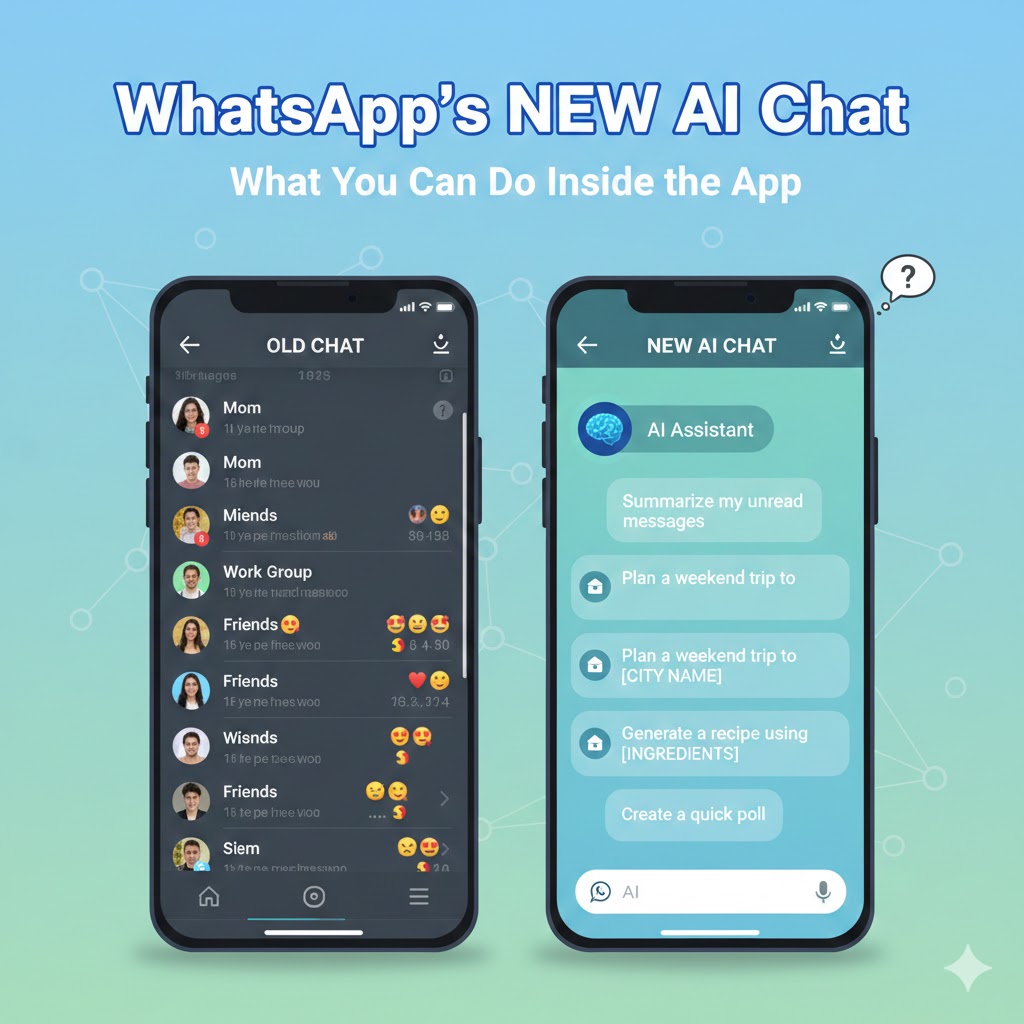
WhatsApp’s new AI chat feature The messaging landscape has transformed dramatically with the introduction of artificial intelligence capabilities directly into our most-used communication platforms. WhatsApp’s new AI chat feature represents a groundbreaking development that brings sophisticated AI assistance into the hands of billions of users worldwide. This comprehensive integration changes how we interact with technology, access information, and manage daily tasks without leaving the familiar interface of WhatsApp.
Understanding WhatsApp’s New AI Chat Feature
WhatsApp’s new AI chat feature leverages advanced language models to provide conversational AI assistance directly within the messaging app. Unlike traditional chatbots that offer limited, scripted responses, this feature utilizes cutting-edge artificial intelligence capable of understanding context, generating creative content, answering complex questions, and assisting with a wide range of tasks. The integration feels native to WhatsApp, appearing as a regular chat contact that users can message anytime.
The implementation reflects Meta’s broader strategy of embedding AI capabilities across its platform ecosystem. By bringing AI functionality to WhatsApp, Meta makes advanced technology accessible to users who might not otherwise explore standalone AI applications. This democratization of AI technology has profound implications for how people work, learn, communicate, and solve problems in their daily lives.
What makes WhatsApp’s new AI chat feature particularly significant is its accessibility and ease of use. Users don’t need to download additional applications, create new accounts, or learn complex interfaces. The AI assistant exists within the familiar WhatsApp environment, accessible through simple text-based conversations. This seamless integration removes barriers to AI adoption, making powerful technology available to users regardless of technical expertise.
1. Getting Started With the AI Chat Feature
Accessing the AI Assistant
Activating WhatsApp’s new AI chat feature involves a straightforward process designed for maximum accessibility. Users typically find the AI assistant listed in their contacts or can access it through WhatsApp’s settings menu under a dedicated AI or assistant section. The exact access method may vary depending on regional rollout schedules and account types, but Meta has prioritized intuitive discovery.
Once activated, the AI appears as a regular WhatsApp contact, complete with a profile picture indicating its AI nature. Users can start conversations exactly as they would with human contacts, eliminating any learning curve associated with new interfaces. This design philosophy reflects WhatsApp’s commitment to maintaining simplicity while introducing powerful new capabilities.
- Direct Access: Finding the AI contact in your chat list
- Settings Navigation: Locating AI features through WhatsApp settings
- Search Function: Using WhatsApp’s search to find the AI assistant
- Quick Actions: Accessing AI through suggested actions or shortcuts
Initial Setup and Preferences
WhatsApp’s new AI chat feature includes customization options that allow users to tailor the experience to their preferences and needs. Initial setup may involve selecting preferred languages, choosing content filtering levels, enabling or disabling specific features, and understanding privacy settings. These preferences ensure the AI assistant aligns with individual requirements and comfort levels.
The setup process emphasizes transparency about data handling and AI capabilities. WhatsApp provides clear information about what data the AI can access, how conversations are processed, and what privacy protections are in place. This transparency builds trust and helps users make informed decisions about how they engage with the AI feature.
- Language Selection: Choosing preferred languages for AI interactions
- Privacy Controls: Setting boundaries on data access and usage
- Feature Toggles: Enabling or disabling specific AI capabilities
- Content Preferences: Customizing response styles and content types
Understanding Limitations and Capabilities
While WhatsApp’s new AI chat feature offers impressive functionality, understanding its limitations prevents frustration and misuse. The AI cannot access your personal WhatsApp messages or conversations with other contacts without explicit permission. It cannot make phone calls, send messages to other users on your behalf without confirmation, or access external accounts unless properly integrated and authorized.
The AI assistant excels at information retrieval, content generation, problem-solving assistance, language translation, and task organization. However, it has knowledge cutoff dates beyond which information may be outdated, cannot access real-time information unless specifically enabled, and should not be relied upon for critical decisions without verification from authoritative sources.
- Information Accuracy: Understanding knowledge limitations and cutoff dates
- Privacy Boundaries: What the AI can and cannot access
- Functional Scope: Capabilities and restrictions of the assistant
- Verification Needs: When to double-check AI-provided information
2. Core Functionalities of WhatsApp’s AI Chat Feature
Conversational Question Answering
The primary function of WhatsApp’s new AI chat feature involves sophisticated question-answering capabilities. Users can ask virtually anything, from simple factual queries to complex conceptual questions requiring detailed explanations. The AI processes natural language input, understands context from conversation history, and provides comprehensive, well-structured responses.
This functionality transforms WhatsApp into a personal knowledge assistant available 24/7. Whether you need quick facts, detailed explanations, historical information, scientific concepts, or practical advice, the AI responds conversationally with relevant information. The system handles follow-up questions naturally, maintaining context throughout extended conversations.
- Factual Queries: Quick answers to straightforward questions
- Detailed Explanations: Comprehensive breakdowns of complex topics
- Contextual Understanding: Maintaining conversation flow and reference
- Multi-turn Conversations: Building on previous exchanges naturally
Content Creation and Writing Assistance
WhatsApp’s new AI chat feature excels at helping users create various types of written content. From drafting professional emails to composing social media posts, writing creative stories to generating business proposals, the AI serves as a versatile writing partner. Users can request specific tones, styles, or formats, and the AI adapts accordingly.
This capability proves particularly valuable for users who struggle with writing or need to communicate in languages they’re less comfortable with. The AI can help structure thoughts, suggest phrasing improvements, expand on brief ideas, or condense lengthy text into concise summaries. These writing assistance features level the communication playing field for diverse user populations.
- Email Drafting: Creating professional correspondence
- Social Media Content: Generating engaging posts and captions
- Creative Writing: Developing stories, poems, or imaginative content
- Business Documents: Drafting proposals, reports, or presentations
Language Translation and Communication
One of the most practical applications of WhatsApp’s new AI chat feature involves real-time language translation. Users can translate text between numerous languages, helping overcome communication barriers in our increasingly connected world. The AI handles not just literal translation but contextual meaning, idioms, and cultural nuances that simple translation tools often miss.
This functionality extends beyond single-sentence translations. Users can translate entire conversations, documents, or lengthy passages while maintaining coherent meaning and appropriate tone. For businesses operating internationally or individuals with multilingual contacts, this feature eliminates significant communication friction.
- Text Translation: Converting messages between languages
- Conversational Context: Maintaining meaning in extended dialogues
- Cultural Adaptation: Adjusting expressions for cultural appropriateness
- Multiple Languages: Support for numerous language pairs
Problem Solving and Analytical Support
WhatsApp’s new AI chat feature functions as a problem-solving partner across various domains. Whether tackling mathematical calculations, logical puzzles, coding challenges, or strategic planning, the AI provides structured analytical support. It can break down complex problems into manageable steps, suggest solution approaches, and explain reasoning processes.
This analytical capability extends to data interpretation, decision-making frameworks, and scenario analysis. Users can discuss options, explore consequences, and think through challenges conversationally. The AI doesn’t make decisions for users but provides frameworks and considerations that facilitate better decision-making.
- Mathematical Assistance: Solving calculations and explaining concepts
- Logical Analysis: Working through reasoning challenges
- Strategic Planning: Developing approaches to complex situations
- Decision Support: Analyzing options and considerations
3. Practical Applications in Daily Life
Personal Productivity and Organization
WhatsApp’s new AI chat feature transforms personal productivity by serving as an always-available organizational assistant. Users can brainstorm ideas, create to-do lists, set reminders through conversation, plan schedules, and organize thoughts without switching between multiple applications. The conversational interface makes task management feel natural rather than burdensome.
The AI helps users break large projects into manageable steps, prioritize tasks based on urgency and importance, develop time management strategies, and maintain focus on goals. This organizational support proves particularly valuable for users who struggle with traditional productivity tools or prefer conversational interfaces over structured applications.
- Task Management: Creating and organizing to-do lists
- Project Planning: Breaking down complex projects into steps
- Time Management: Developing schedules and routines
- Goal Setting: Defining and tracking personal objectives
Learning and Educational Support
Students and lifelong learners benefit tremendously from WhatsApp’s new AI chat feature as an educational resource. The AI explains complex concepts in accessible language, provides examples to illustrate abstract ideas, answers homework questions with educational guidance rather than just answers, and offers study strategies tailored to individual learning styles.
This educational support extends across all subjects and skill levels. Whether learning a new language, understanding scientific principles, exploring historical events, or developing technical skills, users have access to patient, personalized instruction. The AI adapts explanations based on user comprehension, offering simpler or more detailed explanations as needed.
- Concept Explanation: Breaking down difficult ideas into understandable parts
- Study Assistance: Helping with homework and test preparation
- Skill Development: Guidance for learning new capabilities
- Research Support: Finding and understanding information
Creative Inspiration and Development
For creative professionals and hobbyists, WhatsApp’s new AI chat feature serves as a brainstorming partner and creative catalyst. The AI generates ideas for writing projects, suggests approaches to artistic challenges, provides feedback on creative concepts, and helps overcome creative blocks through conversational exploration.
This creative support maintains a collaborative rather than prescriptive tone. The AI offers suggestions and possibilities while encouraging users to develop their unique creative visions. Whether writing fiction, planning content, designing projects, or exploring artistic concepts, users have an always-available creative sounding board.
- Idea Generation: Brainstorming creative concepts and approaches
- Creative Feedback: Discussing and refining creative ideas
- Writer’s Block Solutions: Overcoming creative obstacles
- Project Development: Planning and structuring creative works
Business and Professional Support
Professionals leverage WhatsApp’s new AI chat feature for various work-related tasks. The AI assists with drafting professional communications, preparing for meetings or presentations, analyzing business scenarios, generating marketing ideas, and providing industry insights. This professional support increases efficiency and quality of work output.
Small business owners particularly benefit from having AI assistance without enterprise-level tool investments. The AI can help with customer communication templates, social media strategy, basic business planning, and operational problem-solving. This accessibility democratizes business intelligence previously available only to larger organizations.
- Professional Communication: Drafting emails and messages
- Meeting Preparation: Creating agendas and talking points
- Marketing Support: Generating campaign ideas and content
- Business Analysis: Exploring strategic options and scenarios
4. Privacy and Security Considerations
Data Handling and Encryption
Understanding how WhatsApp’s new AI chat feature handles user data is crucial for informed usage. WhatsApp maintains its commitment to end-to-end encryption for regular conversations, though AI interactions may involve different processing requirements. Meta provides transparency documentation explaining what data the AI accesses, how long information is retained, and what privacy protections are implemented.
Users should understand that AI conversations may be processed differently than person-to-person chats. While WhatsApp cannot read your encrypted messages with friends and family, AI interactions may require server-side processing to generate responses. Meta’s privacy policies detail these distinctions, allowing users to make informed decisions about what they share with the AI.
- Encryption Standards: How AI conversations are protected
- Data Retention: How long AI conversation data is stored
- Processing Requirements: Where and how AI responses are generated
- Privacy Policies: Understanding terms of service and data usage
User Control and Consent
WhatsApp’s new AI chat feature includes robust controls allowing users to manage their AI interactions. Users can delete AI conversation history, opt out of data collection for AI improvement, limit what information the AI can access, and adjust privacy settings at any time. These controls ensure users maintain agency over their data and experience.
The consent framework emphasizes informed choice. WhatsApp explains what users are agreeing to when using AI features, provides clear options for limiting data sharing, and makes it easy to adjust preferences as needs or comfort levels change. This user-centric approach builds trust and encourages responsible AI adoption.
- Conversation Deletion: Removing AI chat history
- Data Collection Opt-outs: Limiting information gathering
- Permission Management: Controlling AI access to information
- Preference Updates: Adjusting settings over time
Security Best Practices
Using WhatsApp’s new AI chat feature safely requires following security best practices. Users should avoid sharing sensitive personal information like passwords, financial account details, or confidential business information unless absolutely necessary and understanding how it will be processed. The AI assistant is powerful but should be treated with the same caution as any digital tool.
Security-conscious users should regularly review their AI conversation history, understand what information they’ve shared, verify important AI-provided information from authoritative sources, and maintain awareness of potential AI limitations or errors. These practices minimize risks while maximizing benefits.
- Information Sensitivity: Being cautious with personal data
- Regular Reviews: Checking conversation history periodically
- Verification Practices: Confirming critical information
- Risk Awareness: Understanding potential vulnerabilities
5. Advanced Features and Capabilities
Voice Message Integration
WhatsApp’s new AI chat feature extends beyond text to include voice message capabilities in some implementations. Users can send voice messages to the AI, which transcribes and responds appropriately. This voice integration makes the AI more accessible for users who prefer speaking to typing or need hands-free assistance while multitasking.
The voice functionality handles various accents, languages, and speaking styles with increasing accuracy. Users can have natural spoken conversations with the AI, making the technology feel more intuitive and human-like. This multimodal interaction represents the future of AI assistance.
- Voice Input: Speaking messages instead of typing
- Transcription Accuracy: Converting speech to text effectively
- Natural Conversation: Speaking naturally with the AI
- Hands-Free Operation: Using AI while doing other tasks
Image Analysis and Visual Assistance
Advanced implementations of WhatsApp’s new AI chat feature include image analysis capabilities. Users can share photos with the AI and receive information about image contents, identify objects or landmarks, extract text from images, or get explanations about visual concepts. This visual intelligence adds another dimension to AI assistance.
Image-related features prove particularly useful for education, shopping assistance, travel planning, and accessibility. Users with visual impairments can describe images to them, travelers can identify landmarks or translate foreign text in photos, and shoppers can find similar products or get information about items they photograph.
- Object Recognition: Identifying items in photographs
- Text Extraction: Reading text from images (OCR)
- Visual Search: Finding information about photographed items
- Accessibility Support: Describing images for users with visual impairments
Multi-Step Task Assistance
WhatsApp’s new AI chat feature can guide users through complex multi-step processes. Whether following a recipe, completing technical procedures, assembling furniture, or learning new skills, the AI provides step-by-step guidance. Users can ask questions at any point, request clarifications, or get alternative approaches if they encounter difficulties.
This guided assistance transforms the AI into a patient instructor available for any task. The conversational format allows users to progress at their own pace, return to previous steps, or adapt instructions to their specific circumstances. This flexibility makes complex tasks more accessible to everyone.
- Step-by-Step Guidance: Walking through procedures sequentially
- Clarification Support: Answering questions during processes
- Adaptive Instructions: Adjusting guidance based on progress
- Process Completion: Helping users finish tasks successfully
Integration With Other WhatsApp Features
The power of WhatsApp’s new AI chat feature increases when integrated with other WhatsApp capabilities. The AI can help format messages, suggest responses to contacts, draft group announcements, organize shared content, and enhance various WhatsApp functionalities. These integrations create a cohesive, intelligent messaging experience.
Future developments may include deeper integration with WhatsApp Business features, status updates, group management, and media sharing. As the AI becomes more sophisticated, it could proactively suggest helpful actions, remind users of important messages, or assist with relationship management across their WhatsApp network.
- Message Formatting: Helping create well-structured communications
- Response Suggestions: Drafting replies to contacts
- Group Management: Assisting with group communications
- Content Organization: Helping manage shared media and information
6. Comparing WhatsApp AI to Other AI Assistants
Unique Advantages of In-App AI
WhatsApp’s new AI chat feature offers distinct advantages over standalone AI applications. The integration within an app billions use daily eliminates adoption barriers and learning curves. Users don’t need to remember to open separate AI apps or manage multiple accounts. The AI exists where users already spend significant time, making assistance immediately accessible during conversations.
The familiar WhatsApp interface reduces intimidation factor for users new to AI technology. Rather than navigating complex AI platforms, users simply send messages as they would to friends. This accessibility democratizes AI technology, bringing sophisticated capabilities to users who might never explore dedicated AI applications.
- Zero Learning Curve: Using familiar interface and interaction patterns
- Always Available: Accessible where users already spend time
- Reduced Friction: No app switching or separate account management
- Natural Integration: Feels like part of existing communication workflow
Limitations Compared to Specialized Tools
While powerful, WhatsApp’s new AI chat feature faces limitations compared to specialized AI platforms. Dedicated AI applications often provide more advanced features, longer conversation memory, specialized domain expertise, or integration with broader tool ecosystems. WhatsApp’s AI prioritizes accessibility and ease of use over comprehensive functionality.
Users seeking specialized AI capabilities for professional work, advanced creative projects, or technical applications may still prefer dedicated platforms. However, for everyday assistance, quick questions, and general-purpose AI interaction, WhatsApp’s integration offers unmatched convenience. The ideal approach often involves using WhatsApp AI for routine needs while turning to specialized tools for advanced requirements.
- Feature Depth: Less specialized than dedicated platforms
- Conversation Length: Potentially shorter memory than standalone tools
- Integration Ecosystem: Limited connections to external services
- Professional Features: Fewer advanced capabilities than business-focused tools
Cross-Platform Considerations
WhatsApp’s new AI chat feature availability varies across devices and regions. Users should understand platform-specific implementations, feature availability differences, synchronization across devices, and regional rollout schedules. These variations affect user experience and feature access.
The AI experience may differ between Android and iOS implementations, with some features appearing first on one platform. Desktop WhatsApp users may have different AI capabilities than mobile users. Understanding these platform considerations helps set appropriate expectations and optimize usage across devices.
- Platform Availability: Which devices support AI features
- Feature Parity: Differences between mobile and desktop
- Synchronization: How AI conversations sync across devices
- Regional Rollout: Geographic availability variations
7. Future Developments and Possibilities
Predicted Feature Enhancements
The evolution of WhatsApp’s new AI chat feature will likely include increasingly sophisticated capabilities. Future developments may involve enhanced personalization based on user preferences and history, proactive assistance that anticipates needs before users ask, deeper integration with WhatsApp Business for customer service automation, and expansion into new content types and interaction modes.
Meta’s AI development roadmap suggests continuous improvement in natural language understanding, emotional intelligence in responses, multi-modal capabilities combining text, voice, and visual inputs, and greater contextual awareness across conversations. These advancements will make the AI assistant increasingly helpful and intuitive.
- Personalization: Learning individual user preferences and patterns
- Proactive Assistance: Offering help before being asked
- Business Integration: Enhanced customer service capabilities
- Multi-modal Intelligence: Seamless handling of different content types
Potential Impact on Communication Patterns
WhatsApp’s new AI chat feature may fundamentally alter how people use messaging platforms. As users become accustomed to AI assistance within conversations, expectations for immediate information access, writing assistance, and problem-solving support will increase. This shift could transform WhatsApp from purely communication tool to comprehensive personal assistant platform.
The social implications of integrated AI assistants merit consideration. Will people prefer AI-assisted communication over unmediated conversation? How will AI availability affect research skills, writing abilities, or critical thinking? These questions become increasingly relevant as AI integrates more deeply into daily communication tools.
- Usage Patterns: How AI availability changes messaging behavior
- Skill Development: Impact on writing and research abilities
- Social Dynamics: Effects on human-to-human communication
- Dependency Concerns: Balancing AI assistance with independent capability
Ethical Considerations and Responsible Use
As WhatsApp’s new AI chat feature becomes ubiquitous, ethical considerations around AI use demand attention. Users should think critically about when AI assistance is appropriate, maintain skills that AI might otherwise atrophy, verify important AI-generated information, and use AI to augment rather than replace human judgment and creativity.
Responsible AI use involves understanding limitations, acknowledging when AI assistance is used, respecting intellectual property in AI-generated content, and maintaining critical thinking despite convenient AI answers. These practices ensure AI serves as helpful tool rather than problematic crutch.
- Appropriate Use Cases: When AI assistance makes sense
- Skill Maintenance: Preserving abilities despite AI availability
- Attribution Practices: Acknowledging AI contribution when relevant
- Critical Thinking: Maintaining judgment and verification habits
Conclusion: Embracing AI-Enhanced Communication
WhatsApp’s new AI chat feature represents a pivotal moment in mainstream AI adoption. By embedding sophisticated artificial intelligence within the world’s most popular messaging platform, Meta has made advanced technology accessible to billions of users regardless of technical expertise. This democratization of AI capabilities will profoundly impact how people work, learn, communicate, and solve problems.
The success of WhatsApp’s new AI chat feature depends on thoughtful, responsible usage that maximizes benefits while minimizing risks. Users who understand the feature’s capabilities and limitations, protect their privacy appropriately, and maintain critical thinking alongside AI assistance will gain tremendous value. The AI serves as powerful tool enhancing human capability rather than replacing human judgment.
As artificial intelligence continues evolving, integration into familiar platforms like WhatsApp will drive mainstream adoption more effectively than standalone applications. WhatsApp’s new AI chat feature demonstrates how technology can be powerful yet accessible, sophisticated yet simple to use. This approach to AI deployment will likely define the next era of human-technology interaction, making advanced capabilities available to everyone, everywhere, within the tools they already use daily.
The future of communication involves collaboration between human intelligence and artificial assistance. By understanding and responsibly using WhatsApp’s new AI chat feature, users position themselves at the forefront of this transformation, gaining competitive advantages in work, enhanced capabilities in learning, and improved efficiency in daily life. The AI revolution isn’t coming; it’s already here, accessible through a simple WhatsApp conversation.
Also read this:
Instagram Now Ranks Posts by Saves, Not Likes — What Creators Need to Know
New Google Core Update: Major Impact on Small Websites in 2025
Designing AI Adoption Plans for Companies: A Profitable AI Service Model