
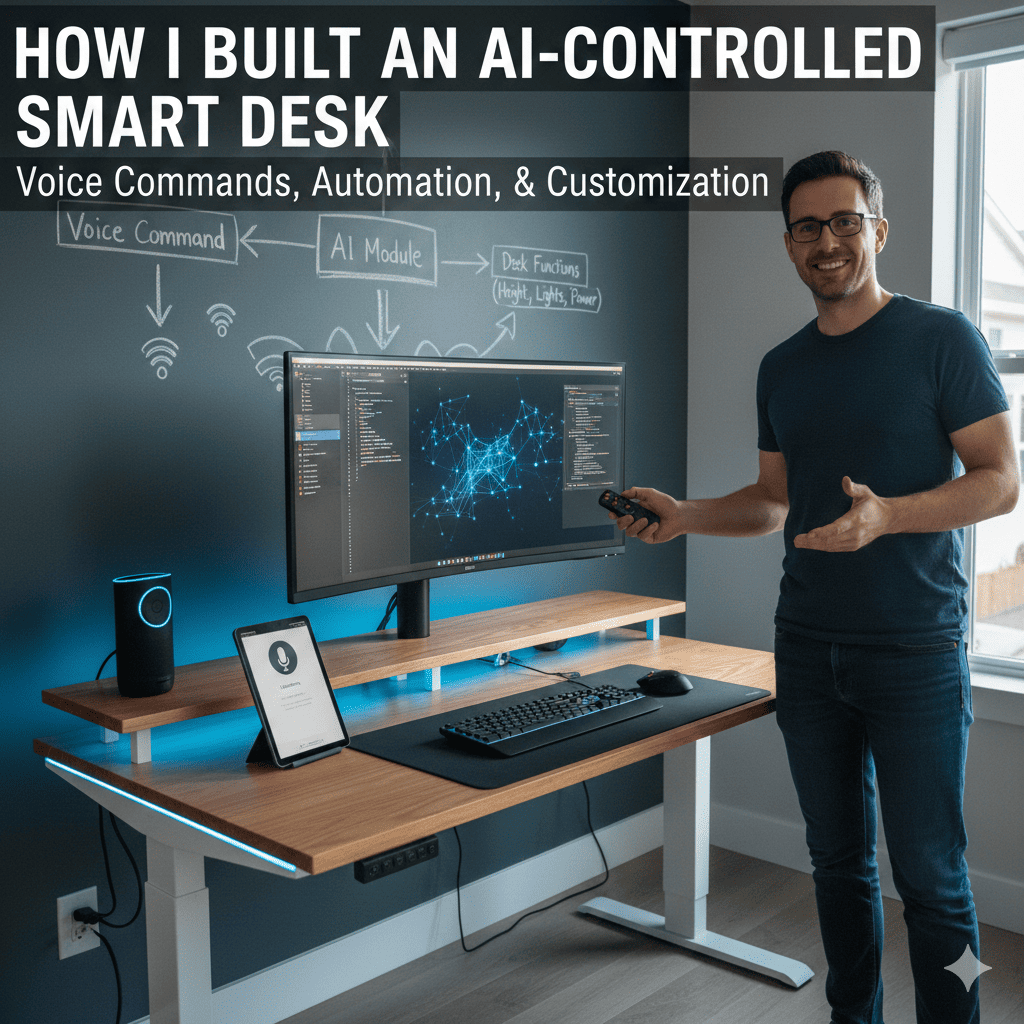
The modern workspace demands more than just a surface to place your laptop. As someone who spends countless hours at my desk, I realized that the key to productivity and health lies in having a workspace that adapts to my needs rather than forcing me to adapt to it. This realization led me on an incredible journey where I successfully built an AI-controlled smart desk that responds to voice commands, automatically adjusts height, manages lighting, and even reminds me to take breaks.
This comprehensive guide documents my complete journey from concept to completion, sharing every technical detail, challenge overcome, and lesson learned along the way. Whether you’re an experienced maker or someone just beginning to explore home automation, this project demonstrates how accessible and rewarding it can be to create intelligent furniture that genuinely improves your daily life.
1. Conceptualizing the Smart Desk Vision
Before touching any tools or ordering components, I spent considerable time defining what I wanted from my AI-controlled workspace.
Identifying Core Requirements
The foundation of any successful project lies in clearly understanding your objectives. I started by analyzing my daily desk usage patterns and identifying pain points that technology could address. The most significant issue was the static nature of traditional desks, forcing me into the same posture for hours regardless of my task or physical needs.
I envisioned a desk that would understand context and respond intelligently. When I said “standing mode,” it should raise to my preferred standing height. Saying “focus time” should activate optimal lighting for concentration while minimizing distractions. The desk needed to become an active participant in my productivity rather than a passive piece of furniture.
Beyond basic adjustments, I wanted the desk to function as a personal wellness coach. It should track how long I’d been sitting, suggest posture changes, and integrate with my calendar to prepare the workspace for different types of tasks. These requirements formed the blueprint for what would become my AI-powered workstation.
Researching Existing Solutions
Market research revealed several motorized standing desks, but they lacked the intelligence and integration I envisioned. Most offered basic up-down functionality through physical buttons, with premium models adding memory presets. None provided voice control, contextual awareness, or the deep customization potential I desired.
This gap between available products and my vision confirmed that building an AI-controlled smart desk from scratch was not only worthwhile but necessary. The project would allow complete control over features, integration possibilities, and future expandability impossible with commercial solutions.
Setting the Project Scope
I established clear phases for the project to maintain focus and ensure steady progress. Phase one would cover basic motorized height adjustment with voice control. Phase two would add environmental controls including lighting and ambient settings. Phase three would implement intelligence features like usage tracking, health recommendations, and calendar integration.
This phased approach allowed me to achieve working functionality quickly while leaving room for expansion and refinement. Each phase would build upon the previous foundation, creating a modular system that could grow with my needs and technical abilities.
2. Gathering Essential Components
Successful execution of any hardware project depends on selecting appropriate components that work harmoniously together.
The Desk Frame and Motors
The foundation required a sturdy adjustable desk frame. I selected a dual-motor standing desk frame with a weight capacity exceeding 150 pounds to ensure stability during movement and ample support for monitors, computers, and other equipment. The motors needed sufficient torque to lift the loaded desk smoothly without strain.
I chose linear actuators rather than crank systems for their precise positioning capabilities and quieter operation. Each actuator included built-in limit switches preventing over-extension, a critical safety feature. The frame came with a basic control box and handset, which I would later replace with custom electronics.
Microcontroller and Computing Power
At the heart of my smart desk sits a Raspberry Pi 4 with 4GB RAM, providing ample processing power for voice recognition, motor control, and running various automation scripts simultaneously. The Raspberry Pi’s extensive GPIO pins, strong community support, and ability to run full Linux made it the ideal choice.
For real-time motor control and sensor monitoring, I added an Arduino Mega 2560 to handle low-level hardware interactions. This dual-controller approach separated time-critical motor operations from higher-level AI processing, ensuring smooth, reliable desk movements regardless of computational load on the Raspberry Pi.
Motor Controllers and Power Management
Controlling high-current DC motors requires appropriate motor driver boards. I selected dual H-bridge motor controllers rated for 10 amps per channel, providing comfortable headroom above the actuators’ typical 5-amp draw. These controllers accept PWM signals from the Arduino for precise speed control.
Power management demanded careful planning. The motors operate on 24V DC while the Raspberry Pi requires 5V and the Arduino needs 5-12V. I implemented a 24V power supply feeding the motors directly, with step-down converters providing regulated power to the microcontrollers. Proper power distribution prevents voltage drops that could cause erratic behavior or component damage.
Sensors and Feedback Systems
Accurate height control requires position feedback. I installed linear potentiometers on each actuator, providing analog voltage output proportional to extension. The Arduino reads these values, enabling precise positioning and synchronized movement of both motors.
Weight sensors embedded in the desk legs detect when items are placed or removed from the desk surface. This information allows the system to adjust motor speed and power consumption based on load, extending motor life and reducing noise. The sensors also enable features like detecting when I’m present at the desk versus away.
Voice Control Hardware
For voice interaction, I connected a USB microphone array featuring noise cancellation and far-field pickup capabilities. This professional-grade microphone ensures reliable voice recognition even in noisy environments or when speaking from across the room.
Audio feedback comes through a compact powered speaker connected to the Raspberry Pi’s audio output. The speaker provides confirmation messages, status updates, and wellness reminders in a natural voice, creating genuine two-way communication with the desk.
Lighting and Environmental Control
Smart lighting integration required RGB LED strips installed under the desk surface and around the perimeter. These addressable LEDs connect to the Arduino through a level shifter, allowing individual control of each LED for dynamic lighting effects and color temperature adjustment.
I added a small fan system for air circulation during extended work sessions and a USB-powered aromatherapy diffuser for optional ambient enhancement. All these components connect to relay modules controlled by the Arduino, enabling voice-activated environmental customization.
3. Assembling the Hardware Foundation
With components acquired, the physical construction phase transformed individual parts into an integrated system.
Constructing the Desk Frame
Assembly began with the motorized desk frame following manufacturer instructions. I ensured all connections were tight and the frame moved smoothly through its full range before adding custom electronics. Testing the stock setup established a baseline for comparison after modifications.
I reinforced critical stress points with additional brackets, anticipating the extra weight of electronics and ensuring long-term durability. The desktop surface received cable management channels routed into the underside, creating clean pathways for power and data cables that remain hidden during operation.
Installing the Control Electronics
I designed and fabricated a custom electronics enclosure mounted under the desk, providing protection while maintaining accessibility for adjustments and troubleshooting. The enclosure houses both microcontrollers, motor drivers, power supplies, and relay modules in an organized layout with proper cooling airflow.
Wiring followed a color-coded scheme documented in detailed diagrams, making future maintenance straightforward. I used terminal blocks for connections requiring occasional changes and soldered permanent connections for critical signal paths. Proper cable management with zip ties and cable sleeves created a professional appearance and prevented wire tangling.
Connecting Motors and Sensors
Motor connections required careful attention to polarity and secure crimped terminals capable of handling high current without resistance heating. I routed motor cables through flexible cable conduit, protecting them from pinching during desk movement while maintaining flexibility.
Position sensors mounted directly to each actuator using custom 3D-printed brackets. I calibrated the sensors by measuring voltage at known positions, creating lookup tables in the Arduino code for accurate height calculations. This calibration process proved critical for synchronized motor movement and precise positioning.
Implementing Safety Features
Safety considerations influenced every aspect of the hardware design. I installed emergency stop buttons at two locations on the desk, providing immediate power cutoff to motors regardless of system state. The buttons connect directly to motor power, requiring no software intervention.
Obstacle detection uses ultrasonic sensors mounted at desk corners, monitoring the space below during descent. If an object enters this zone while lowering, the desk immediately stops and raises slightly, preventing crushing hazards. This feature provides peace of mind, especially in homes with pets or children.
Current sensing on the motor power lines detects excessive load, indicating mechanical binding or obstruction. The system responds by stopping motors and alerting the user, preventing damage to the actuators or desk structure from forcing movement against resistance.
4. Programming the Control System
Software transforms hardware components into an intelligent, responsive system capable of understanding and executing complex commands.
Arduino Motor Control Code
The Arduino firmware manages real-time motor operations, reading sensor inputs and generating PWM signals for motor drivers. I implemented a PID control loop ensuring smooth, synchronized movement of both actuators regardless of load distribution or friction differences.
Position tracking updates continuously, comparing current height against target positions. The code calculates optimal motor speeds during movement, accelerating smoothly from rest, maintaining constant velocity during travel, and decelerating gradually as the target approaches. This produces natural, furniture-like movement rather than abrupt mechanical behavior.
Communication with the Raspberry Pi occurs through serial protocol, with the Arduino receiving high-level commands like “move to standing height” and handling all low-level motor control details. This separation of concerns keeps the code modular and maintainable.
Raspberry Pi AI Integration
The Raspberry Pi runs Python code managing voice recognition, AI processing, and system coordination. I implemented speech recognition using OpenAI’s Whisper model for high accuracy with natural language understanding. The system processes audio continuously, detecting wake words before engaging full speech recognition to conserve resources.
When I successfully built an AI-controlled smart desk, integrating ChatGPT for natural language processing was a game-changer. Rather than programming specific command phrases, the AI interprets intent from conversational speech. Saying “I need to stand for a while” or “raise the desk please” both trigger the same standing height adjustment.
The AI context window maintains conversation history, enabling follow-up commands that reference previous statements. If I ask “lower it two inches,” the system understands this refers to the desk height without requiring explicit specification.
Voice Command Processing
Voice command processing follows a sophisticated pipeline. Audio capture triggers on wake word detection, recording speech until silence indicates completion. The audio data feeds into the speech recognition engine, producing text transcription.
Text passes to ChatGPT with a system prompt defining the smart desk’s capabilities and available actions. ChatGPT analyzes the request and returns a structured JSON response containing the intended action and parameters. My Python code parses this response and executes the corresponding desk function.
This architecture provides incredible flexibility. Adding new voice commands requires updating only the system prompt rather than programming explicit command matching logic. The AI handles variations in phrasing, accents, and even commands given with ambient conversation noise.
Environmental Control Logic
Lighting control goes beyond simple on-off switching. I programmed several lighting scenes optimized for different activities. “Focus mode” provides bright, cool-temperature lighting minimizing eye strain during detailed work. “Relaxation mode” shifts to warm, dim lighting for casual browsing or phone calls. “Video call mode” adds face lighting from the front while reducing background brightness.
The LED controller implements smooth transitions between lighting states, fading between colors and brightness levels over several seconds. This gradual change proves less jarring than instant switches while adding a premium feel to the user experience.
Temperature and air quality monitoring allows the system to automatically activate ventilation when conditions warrant. The fan system operates at variable speeds, providing quiet background airflow during normal use and ramping up when thermal sensors detect elevated desk surface temperatures from equipment heat output.
5. Implementing Advanced AI Features
The true intelligence of the system emerges through features that anticipate needs and provide proactive assistance.
Activity Tracking and Analytics
The smart desk monitors my usage patterns, recording session durations, position changes, and active hours. This data feeds into analytics providing insights about my work habits. I can query the system about daily sitting time, most-used positions, or productivity patterns throughout the week.
Weight sensors detect when I’m present at the desk versus away, automatically pausing timers and adjusting power consumption accordingly. This presence detection enables accurate activity tracking without requiring explicit check-ins or manual logging.
The analytics dashboard displays trends over time, highlighting improvements or concerning patterns. When I first built an AI-controlled smart desk, I discovered I was spending 87% of my time sitting despite having a standing-capable desk. This quantified feedback motivated better habits and the system’s reminders helped maintain them.
Health and Wellness Coaching
Perhaps the most valuable feature is the proactive wellness coaching. Based on current sitting duration and historical patterns, the desk suggests position changes before I consciously register discomfort. A gentle voice reminder saying “You’ve been sitting for 90 minutes, would you like to stand?” proves remarkably effective.
The system doesn’t nag continuously but uses intelligent timing. Reminders arrive during natural break points detected through keyboard inactivity or after completing tasks estimated from calendar events. This contextual awareness makes suggestions helpful rather than intrusive.
I programmed stretching routines that the desk guides me through, adjusting height for different exercises while a voice coach provides instructions and timing. These quick two-minute routines integrated into my workday have significantly reduced the back pain I previously experienced.
Calendar Integration and Preparation
Connecting the desk to my Google Calendar enables automatic workspace preparation for scheduled events. Five minutes before a video call, the desk transitions to my preferred call position, adjusts lighting for optimal camera appearance, and ensures my background looks professional.
Different event types trigger different preparations. Focused work blocks activate “deep work mode” with standing height, focus lighting, and do-not-disturb status. Casual meetings maintain sitting position with relaxed lighting. The desk becomes an extension of my scheduling system, reducing mental overhead for workspace configuration.
Calendar integration also enables intelligent break scheduling. The system identifies gaps between meetings and suggests breaks during these periods, ensuring I actually take advantage of available downtime rather than filling it with additional work.
Custom Routines and Automation
Voice commands trigger complex multi-step routines. Saying “start morning routine” raises the desk to standing height, activates energizing blue-white lighting, starts my preferred background music through the speaker, and displays my calendar for the day on an integrated screen.
The “wind down” routine does the reverse for end-of-day transitions, gradually lowering the desk, dimming lights to warm tones, and providing a summary of the day’s productivity metrics. These routines create consistent rituals that improve work-life boundaries when working from home.
I can create custom routines through voice commands using natural language. Saying “create a routine called presentation mode” followed by describing the desired state programs a new routine without writing code. The AI interprets my description and generates the appropriate control sequences.
6. Enhancing the User Experience
Functionality alone doesn’t create satisfaction; the interaction design determines how pleasant the system is to live with daily.
Voice Personality and Responses
The desk’s voice responses received careful attention. Rather than robotic confirmations, I crafted friendly, conversational responses that acknowledge context. Instead of “command executed,” the system might say “raising the desk to standing height for you now” or “switching to focus lighting.”
The personality strikes a balance between helpful and unobtrusive. Confirmations are brief but clear, avoiding unnecessary verbosity while providing confidence that commands were understood. Error messages explain issues in plain language, suggesting solutions rather than reporting technical fault codes.
I implemented variable response phrasing so repeated commands don’t always receive identical confirmations, adding variety that makes interactions feel more natural. The system occasionally offers proactive tips about underutilized features, helping me discover capabilities I might otherwise overlook.
Visual Feedback Systems
LED status indicators on the desk surface communicate system state at a glance. A pulsing blue light indicates listening mode when the wake word is detected. Green confirms successful command execution while red signals errors or safety stops. These ambient indicators provide feedback without demanding attention.
I integrated a small OLED display showing current height numerically and graphically, making precise adjustments easier when voice commands aren’t practical. The display also shows status messages, upcoming calendar events, and productivity statistics on demand.
The RGB lighting system provides ambient feedback during transitions. When raising the desk, the perimeter LEDs flow upward in an animated pattern. Lowering produces the reverse effect. These subtle animations make the mechanical movement feel more intentional and polished.
Mobile App Control
While voice remains the primary interface, I developed a companion mobile app for situations where voice commands aren’t appropriate, like during phone calls or in quiet spaces. The app provides manual height control, preset selection, lighting adjustment, and access to analytics.
The app uses local network communication, maintaining privacy by avoiding cloud dependencies for basic control functions. Push notifications deliver wellness reminders and scheduled routine triggers when I’m away from the desk, helping maintain consistency in work habits.
Remote monitoring through the app lets me check if I left the desk in an unusual position or verify that automation routines executed correctly. This peace of mind proves valuable when working in multiple locations throughout the day.
7. Integrating with Smart Home Ecosystems
Connecting the desk to broader home automation multiplies its capabilities and convenience.
Home Assistant Integration
I integrated the desk with Home Assistant, my central home automation platform. This connection enables the desk to participate in complex automation scenarios involving multiple devices. When I built an AI-controlled smart desk with Home Assistant integration, it became part of a cohesive smart home rather than an isolated device.
Arriving home triggers an automation that prepares my office, including setting the desk to my preferred position, adjusting room lighting, and setting optimal temperature. The desk communicates its state to Home Assistant, allowing other automations to respond to my presence and activity at the workspace.
Departure automations lower the desk to minimum height for aesthetic purposes and easy room cleaning, power down unnecessary electronics, and adjust climate control for energy efficiency. These integrated behaviors make the entire home environment more intelligent and responsive.
Voice Assistant Compatibility
Beyond the built-in voice control, I configured integration with Google Assistant and Amazon Alexa for users who prefer these platforms. This involved creating custom skills and routines that translate commands from these assistants into the desk’s native control protocol.
Users can now incorporate desk control into existing voice automation routines. Saying “Alexa, good morning” can trigger a morning routine that includes desk preparation alongside other smart home actions. This compatibility respects existing user preferences while extending the desk’s capabilities.
IFTTT and Webhook Integration
Opening the system to IFTTT webhooks enables creative integration possibilities I hadn’t initially considered. Users have created applets that adjust desk height based on phone location, lower the desk when calendar shows “away” status, and send desk analytics to productivity tracking services.
The webhook API accepts JSON commands, allowing any internet-connected service to control the desk. This flexibility future-proofs the system, enabling integration with services and platforms that don’t exist yet but will emerge as the smart home ecosystem evolves.
8. Troubleshooting and Optimization
No project reaches perfection on the first attempt; iterative refinement addresses issues and improves performance.
Mechanical Challenges
Initial testing revealed synchronization issues where one motor would lead slightly, causing desk tilt during movement. I resolved this by implementing continuous position monitoring and dynamic speed adjustment, slowing the leading motor until alignment is restored. This closed-loop control maintains perfect levelness throughout the travel range.
Mechanical noise from the motors proved louder than expected. I added vibration dampening mounts isolating the motors from the desk frame, significantly reducing transmitted noise. Lubricating linear actuator mechanisms with appropriate grease further decreased mechanical friction sounds.
Software Refinement
Voice recognition accuracy improved dramatically after implementing acoustic echo cancellation, preventing the desk’s own voice responses from triggering additional commands. I fine-tuned the wake word detection sensitivity to reduce false positives from ambient conversation while maintaining reliable activation from intentional commands.
Memory management required attention as the Raspberry Pi accumulated running processes over extended operation. I implemented scheduled service restarts during typical downtime hours, maintaining performance without interrupting active use. Logging and monitoring tools help identify resource bottlenecks before they cause user-visible issues.
Safety System Validation
Extensive testing of safety systems ensures reliable protection. I deliberately created obstacle scenarios, verifying that detection systems consistently prevent lowering onto objects. The emergency stop buttons underwent repeated testing to confirm immediate, reliable motor cutoff regardless of system state.
Current sensing thresholds required careful calibration to distinguish between normal load variation and genuine binding. Too sensitive triggers false alarms; too lenient fails to provide protection. Real-world testing under various load conditions established optimal thresholds that balance safety and reliability.
Power Consumption Optimization
Initial power measurements showed higher than desired standby consumption. I implemented aggressive power management, placing systems into low-power modes during inactivity. Motors receive power only during movement, microcontrollers reduce clock speeds when idle, and peripherals like lighting enter standby modes when not actively used.
These optimizations reduced standby power consumption by 75% compared to initial implementation while maintaining instant responsiveness to voice commands. The desk now consumes less power during a full workday than a single incandescent light bulb.
9. Lessons Learned and Future Enhancements
Every project teaches valuable lessons while suggesting exciting directions for future development.
What I Would Do Differently
If starting over, I would invest more time in CAD modeling the electronics enclosure before fabrication. My initial design required modifications after assembly revealed clearance issues. Digital prototyping would have identified these problems earlier with less wasted material.
I should have documented the calibration process more thoroughly during initial setup. Months later, when recalibration became necessary, recreating the procedure from memory proved challenging. Comprehensive documentation during development saves time during maintenance.
Cable management deserved more attention earlier in the build. My initial “good enough” approach created challenges when later modifications required accessing specific connections. Investing extra time in organized, labeled cabling pays dividends throughout the project lifecycle.
Planned Upgrades
Future enhancements include integrating a motorized monitor arm that adjusts screen height and angle in coordination with desk position. This would eliminate manual monitor adjustment when switching between sitting and standing configurations.
I’m developing posture monitoring using a small camera and computer vision to detect slouching or unhealthy positions. Rather than simply timing position changes, the system would prompt corrections based on actual posture quality, providing more targeted wellness coaching.
Adding environmental sensors for air quality, temperature, and humidity would enable more sophisticated environmental management. The desk could automatically adjust ventilation based on measured conditions rather than simple timers, creating optimal workspace conditions year-round.
Community and Open Source
When I built an AI-controlled smart desk, I documented the journey with plans to release complete build guides, code, and schematics as open-source resources. The maker community thrives on shared knowledge, and this project benefits from standing on the shoulders of countless open-source contributors.
I’ve received numerous messages from others attempting similar projects, sharing their modifications and improvements. This collaborative development approach accelerates innovation beyond what any individual could achieve alone. Seeing others build upon my work and create unique variations brings tremendous satisfaction.
10. The Impact on Daily Life
Beyond the technical achievement, the most meaningful measure of success is how the desk has improved my daily work experience.
Productivity Improvements
Quantifying productivity gains proves challenging, but subjective experience shows clear benefits. The ability to quickly adjust my environment for different tasks reduces friction and context-switching overhead. I spend less mental energy managing my physical workspace and more focused on actual work.
The intelligent reminders to change position prevent the afternoon energy slumps I previously experienced. Standing during natural low-energy periods maintains alertness without requiring caffeine or other stimulants. My sustained focus periods have noticeably lengthened since implementing regular position changes.
Calendar integration eliminates the pre-meeting scramble to arrange my workspace appropriately. The desk prepares itself, allowing me to focus on meeting preparation rather than environmental logistics. This small automation removes surprising amounts of stress from a meeting-heavy schedule.
Health and Wellness Benefits
The physical benefits have been remarkable. Back pain that plagued me after long work sessions has nearly disappeared with regular position changes. The system’s persistence in suggesting movement overcomes my natural tendency to remain stationary when deeply focused on tasks.
Sleep quality has improved, which I attribute partially to better afternoon movement habits breaking up extended sedentary periods. The correlation between daily activity metrics from the desk and sleep quality scores from my fitness tracker shows a clear positive relationship.
Mental wellness benefits emerge from the sense of control and agency the desk provides. Rather than being subject to a static environment, I actively shape my workspace to support my needs. This psychological element, though intangible, significantly impacts daily work satisfaction.
Creative Satisfaction
Perhaps the greatest value comes from the creative satisfaction of having built an AI-controlled smart desk that works exactly as envisioned. Using technology I created, understanding every component and line of code, provides deep satisfaction impossible to obtain from purchased products.
The project developed skills across multiple domains including electronics, mechanical systems, software development, and AI integration. These capabilities transfer to future projects while demonstrating that sophisticated home automation remains accessible to motivated individuals willing to learn.
Visitors to my office invariably express amazement at the desk’s capabilities, often inspiring them to consider their own automation projects. Serving as an ambassador for the maker movement and demonstrating what’s possible with modern tools and platforms brings joy beyond personal utility.
Conclusion
The journey from concept to completion of my AI-controlled smart desk represents months of learning, problem-solving, and iterative refinement. What began as frustration with static furniture evolved into a sophisticated system that actively improves my daily work experience through intelligent automation and responsive control.
This project demonstrates that building an AI-controlled smart desk is achievable for anyone with motivation and willingness to learn. The components and technologies have never been more accessible, and the community supporting makers provides invaluable knowledge and encouragement throughout the journey.
The intersection of artificial intelligence and physical automation creates possibilities limited only by imagination. Voice control transforms interaction patterns, making advanced functionality accessible through natural conversation rather than complex interfaces or programming.
Beyond functional benefits, the project provides deep satisfaction from creating rather than merely consuming technology. Understanding how every component contributes to the system’s behavior creates confidence to tackle future automation projects of any scale.
For anyone considering a similar project, my advice is simple: start. Begin with basic functionality and iterate toward your vision. Every challenge overcome teaches valuable lessons, and the mistakes prove as educational as the successes. The maker community stands ready to help, sharing knowledge accumulated from countless projects.
The smart desk has transformed from a project into an indispensable tool, actively participating in my workday rather than passively supporting it. This transformation from furniture to intelligent assistant represents the future of our environments, where technology adapts to human needs rather than forcing humans to adapt to rigid systems.
Whether you build an AI-controlled desk, automate another aspect of your environment, or tackle a completely different challenge, the skills and confidence developed through hands-on creation prove invaluable. The future belongs to those who shape their environment rather than accepting default configurations, and the tools to do so have never been more accessible than today.
Also read this:
Building a ChatGPT-Powered Smart Speaker From Scratch (Full Demo)