
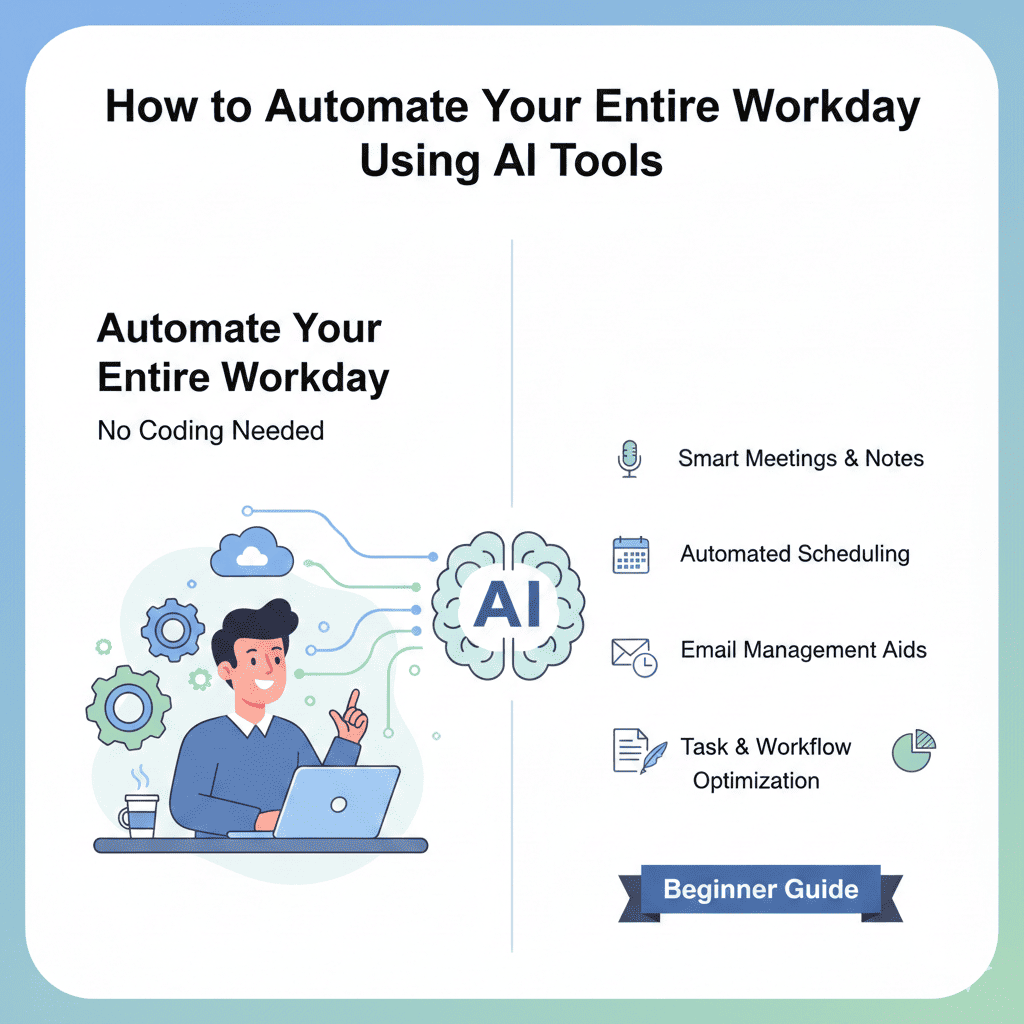
Automate Your Entire Workday Using AI In today’s fast-paced digital world, professionals spend countless hours on repetitive tasks that drain productivity and creativity. What if you could reclaim those hours? The good news is that you can automate your entire workday using AI without writing a single line of code. This comprehensive guide will walk you through practical AI tools and strategies that transform how you work, regardless of your technical background.
Why You Should Automate Your Entire Workday Using AI
Before diving into the how-to, let’s understand why automation matters. The average knowledge worker spends approximately 40% of their time on repetitive administrative tasks. These include scheduling meetings, responding to routine emails, data entry, and file organization. When you automate your entire workday using AI, you’re not just saving time—you’re redirecting your energy toward strategic thinking, creative problem-solving, and high-value activities that actually move the needle in your career.
AI automation has evolved dramatically. Modern tools are intuitive, affordable, and designed for non-technical users. You don’t need programming knowledge or expensive consultants. What you need is the right approach and the willingness to embrace change.
1. Automating Email Management and Communication
Email remains one of the biggest time drains in any professional’s day. The constant influx of messages, the pressure to respond quickly, and the challenge of maintaining inbox zero can feel overwhelming.
Smart Email Filtering and Prioritization
Tools like SaneBox and Superhuman use AI to learn your email patterns and automatically categorize incoming messages. These platforms identify which emails require immediate attention and which can wait. The AI analyzes sender importance, subject lines, and your historical behavior to create custom filtering rules without manual setup.
When you automate your entire workday using AI for email management, these tools can automatically move newsletters to a reading folder, defer non-urgent messages, and surface time-sensitive communications. The result is a cleaner inbox and reduced decision fatigue.
AI-Powered Email Drafting
Tools like Grammarly GO, Jasper, and the built-in AI features in platforms like Gmail and Outlook can draft email responses based on brief prompts. Simply provide the key points you want to communicate, and the AI generates professional, contextually appropriate messages.
For repetitive email scenarios—customer inquiries, meeting confirmations, status updates—you can create templates that AI personalizes for each recipient. This maintains the human touch while dramatically reducing composition time.
Automated Follow-Up Systems
Automate Your Entire Workday Using AI AI tools like Boomerang and FollowUpThen can automatically remind you about emails that haven’t received responses. More advanced platforms like Salesforce Einstein can analyze communication patterns and suggest optimal follow-up timing, increasing response rates while reducing the mental burden of tracking conversations.
2. Automating Meeting Scheduling and Calendar Management
Meetings consume substantial portions of the workday, and the back-and-forth of scheduling amplifies this time waste. AI scheduling assistants eliminate this friction entirely.
AI Scheduling Assistants
Platforms like Calendly, Clara, and Microsoft’s Copilot for Microsoft 365 handle scheduling autonomously. When someone requests a meeting, these tools access your calendar, identify available slots based on your preferences, and allow the other party to book directly—or the AI handles the entire negotiation via email.
The more sophisticated tools learn your scheduling preferences. If you prefer meetings in the afternoon or need buffer time between appointments, the AI enforces these rules automatically. To automate your entire workday using AI effectively, proper calendar management is foundational.
Meeting Preparation and Note-Taking
AI tools like Otter.ai, Fireflies.ai, and Microsoft Teams’ built-in transcription join your virtual meetings, record conversations, transcribe discussions in real-time, and generate searchable notes. These platforms identify action items, key decisions, and important quotes without manual note-taking.
Advanced features include automatic CRM updates, task creation in project management tools, and summary email distribution to participants. You’re freed from frantically scribbling notes and can focus entirely on the conversation.
Automated Meeting Summaries
Tools like Sembly and tldv create comprehensive meeting summaries with timestamps, key topics, and action items. These summaries can be automatically shared with relevant stakeholders, ensuring everyone stays informed without attending every meeting.
3. Automating Document Creation and Editing
Document work—reports, presentations, proposals, and contracts—represents another significant time investment. AI dramatically accelerates these processes.
AI Writing Assistants
Platforms like ChatGPT, Claude, Notion AI, and Copy.ai generate first drafts of various document types. Provide the AI with your objectives, key points, and tone preferences, and it produces structured content you can refine.
These tools excel at transforming bullet points into full paragraphs, expanding brief outlines into comprehensive sections, and maintaining consistent voice throughout lengthy documents. When you automate your entire workday using AI for writing tasks, you eliminate blank-page syndrome and significantly reduce drafting time.
Automated Editing and Proofreading
Automate Your Entire Workday Using AI Beyond basic spell-checking, AI editors like Grammarly, ProWritingAid, and Hemingway App analyze clarity, tone, engagement, and style. They identify passive voice, suggest stronger word choices, flag readability issues, and ensure consistency in formatting and terminology.
For professional documents requiring precision, these tools catch errors humans commonly miss during self-editing, improving document quality while reducing review cycles.
Template and Format Automation
Tools like PandaDoc, Proposify, and Templafy maintain brand-compliant document libraries with AI-powered auto-population. When creating proposals or reports, the AI pulls relevant data from your CRM, previous projects, and databases to populate templates automatically.
This ensures consistency across your organization while eliminating manual data entry and formatting adjustments.
4. Automating Data Entry and Management
Data entry is perhaps the most tedious aspect of knowledge work. Fortunately, it’s also highly automatable.
AI-Powered Data Extraction
Tools like Rossum, Nanonets, and Google Cloud Document AI use optical character recognition and machine learning to extract information from invoices, receipts, forms, and documents. The AI identifies relevant fields, categorizes information, and inputs data directly into your systems.
This technology handles even handwritten documents and complex layouts, learning to improve accuracy over time without programming.
Automated Form Processing
When you automate your entire workday using AI for form handling, tools like Typeform with AI features, Jotform’s conditional logic, and Microsoft Forms with Power Automate can route submissions, extract key information, trigger follow-up actions, and update databases—all without manual intervention.
Smart Spreadsheet Automation
AI-enhanced spreadsheet tools like Google Sheets with Duet AI and Microsoft Excel with Copilot can analyze data patterns, suggest formulas, create visualizations, and identify anomalies. They can automatically clean data, fill missing values, and generate reports based on natural language requests.
Instead of manually building complex formulas, you simply describe what you want to calculate or analyze, and the AI handles the technical implementation.
5. Automating Social Media and Content Marketing
For professionals managing brand presence or personal marketing, social media demands constant attention. AI tools make this manageable.
Content Scheduling and Posting
Platforms like Buffer, Hootsuite with AI features, and Later use machine learning to identify optimal posting times based on audience engagement patterns. They automatically queue content across multiple platforms and adjust timing based on performance data.
Automate Your Entire Workday Using AI More advanced systems like Lately.ai can transform long-form content into multiple social posts, automatically extracting key quotes and generating platform-appropriate captions.
AI Content Generation
Tools like Copy.ai, Jasper, and ChatGPT create social media captions, blog post ideas, and content variations tailored to different platforms. Provide a topic or key message, and the AI generates multiple options with appropriate hashtags and calls-to-action.
This capability is particularly valuable when you automate your entire workday using AI because content creation often happens in creative bursts, but posting requires consistent daily activity.
Engagement Monitoring and Response
AI-powered social listening tools like Sprout Social and Brandwatch monitor mentions, comments, and messages across platforms. They can flag priority interactions requiring personal response while auto-responding to common questions using intelligent chatbots.
These systems learn from your response patterns, gradually handling more inquiries independently while maintaining brand voice consistency.
6. Automating Customer Service and Support
Customer interactions, whether internal or external, can consume enormous bandwidth. AI provides scalable solutions.
Intelligent Chatbots
Modern AI chatbots like Intercom’s Fin, Drift, and ChatGPT-powered custom bots handle routine customer inquiries 24/7. They answer FAQs, troubleshoot common issues, process simple requests, and escalate complex situations to humans.
These bots continuously learn from interactions, expanding their capability over time. Implementation typically requires no coding—just uploading your knowledge base and configuring conversation flows through visual interfaces.
Automated Ticket Routing
AI systems analyze incoming support requests, categorize them by type and urgency, and route them to the appropriate team members. Tools like Zendesk with AI and Freshdesk’s Freddy AI consider factors like agent expertise, current workload, and customer history.
This ensures faster resolution times and more efficient resource allocation without manual triage.
Sentiment Analysis
AI tools monitor customer communications and flag interactions with negative sentiment for immediate attention. This allows you to proactively address dissatisfaction before it escalates, improving customer retention and satisfaction.
7. Automating Project Management and Task Organization
Keeping projects on track requires constant monitoring, updating, and communication. AI project management tools reduce this overhead substantially.
AI Task Prioritization
Tools like Motion, Asana with AI features, and ClickUp’s AI assistant analyze your task list, deadlines, dependencies, and workload to suggest optimal daily priorities. They automatically reschedule tasks when priorities shift or deadlines change.
When you automate your entire workday using AI for task management, you gain clarity about what truly matters each day rather than drowning in endless to-do lists.
Automated Progress Tracking
AI-enhanced project management platforms can automatically update task status based on connected activities. When a document is completed in Google Drive, the related task updates in your project tool. When code is pushed to a repository, development tasks advance automatically.
Predictive Project Analytics
Automate Your Entire Workday Using AI Advanced tools use historical data to predict project risks, identify potential bottlenecks, and forecast completion dates. They alert project managers to issues before they become critical, enabling proactive intervention.
8. Automating Research and Information Gathering
Research consumes significant time for most professionals. AI dramatically accelerates information discovery and synthesis.
AI Research Assistants
Tools like Elicit, Consensus, and Perplexity AI can scan academic papers, articles, and documents to answer research questions. They provide sourced summaries, identify contradictions in findings, and synthesize information across multiple sources.
Rather than reading dozens of articles, you receive distilled insights with references for deeper exploration.
News and Content Aggregation
AI-powered news aggregators like Feedly with Leo AI learn your interests and automatically curate relevant articles, filtering out noise. They can summarize lengthy articles, identify trending topics in your field, and alert you to important developments.
This ensures you stay informed without drowning in information overload.
Competitive Intelligence
Tools like Crayon and Klue use AI to monitor competitor websites, social media, and news mentions, automatically compiling intelligence reports. They identify product launches, pricing changes, marketing campaigns, and strategic shifts without manual monitoring.
9. Automating Financial Tasks and Expense Management
Financial administration—expense tracking, invoicing, and budgeting—is particularly suited to automation.
Automated Expense Tracking
Apps like Expensify and Divvy use AI to photograph receipts, extract relevant information, categorize expenses, and submit reports. They can match expenses to credit card transactions, enforce company policies, and integrate with accounting software.
When you automate your entire workday using AI for expenses, you eliminate hours of manual reconciliation and reduce reimbursement delays.
AI-Powered Invoicing
Tools like QuickBooks with AI features and FreshBooks automate invoice creation, payment reminders, and late payment follow-ups. They analyze payment patterns and suggest optimal invoicing schedules to improve cash flow.
Budget Monitoring
AI financial tools analyze spending patterns, predict future expenses, and alert you when you’re approaching budget limits. They identify cost-saving opportunities and anomalous transactions that might indicate errors or fraud.
10. Automating Personal Productivity and Workflow Integration
The ultimate goal is connecting all these tools into cohesive automated workflows.
No-Code Automation Platforms
Automate Your Entire Workday Using AI Services like Zapier, Make (formerly Integromat), and Microsoft Power Automate connect different applications without coding. You create “workflows” that trigger actions across platforms based on specific events.
For example, when you receive an email with an attachment, the automation saves it to cloud storage, creates a task in your project manager, and sends a Slack notification—all automatically.
These platforms offer thousands of pre-built integrations and templates. To automate your entire workday using AI, workflow automation is the glue connecting individual tools into a unified system.
AI Workflow Suggestions
Modern automation platforms use AI to analyze how you work and suggest beneficial automations. They identify repetitive patterns in your activities and recommend workflows that could save time.
Voice-Activated Task Management
AI assistants like Siri, Google Assistant, and Alexa integrated with productivity tools allow voice-based task creation, calendar management, and information retrieval. You can capture ideas, set reminders, and initiate workflows while commuting or during other activities.
Getting Started: Your AI Automation Implementation Plan
Implementing AI automation doesn’t require a complete overhaul overnight. Here’s a practical approach:
Start with Your Biggest Pain Points
Identify the three most time-consuming or frustrating aspects of your workday. These are your automation priorities. Common starting points include email management, meeting scheduling, and document creation.
Choose One Tool Per Category
Avoid overwhelming yourself with too many new tools simultaneously. Select one email automation tool, one scheduling assistant, and one AI writing tool. Master these before expanding.
Set Realistic Expectations
AI tools are powerful but not perfect. They require initial setup time and occasional refinement. View them as assistants that handle routine tasks while you focus on complex work requiring human judgment.
Measure Your Results
Track time saved weekly. Document which tasks you’ve eliminated or reduced. This data justifies continued investment and helps identify additional automation opportunities.
Gradually Expand Your Automation
Once comfortable with initial tools, identify the next time-consuming areas and apply appropriate AI solutions. Over months, you’ll build a comprehensive automated workflow ecosystem.
Common Concerns and How to Address Them
Data Security and Privacy
Choose reputable tools with strong security credentials, compliance certifications, and clear privacy policies. Many enterprise-grade AI tools offer data encryption, access controls, and compliance with regulations like GDPR and HIPAA.
Job Security Fears
AI automation eliminates tasks, not jobs. It frees you for higher-value work that machines cannot replicate—strategic thinking, relationship building, creativity, and complex problem-solving. Professionals who embrace automation become more valuable by focusing on uniquely human capabilities.
Learning Curve Challenges
Most modern AI tools prioritize user-friendliness. Many offer tutorials, templates, and customer support. Dedicate a few hours to learning each new tool—the time investment pays dividends quickly.
Cost Considerations
Many AI automation tools offer free tiers sufficient for individual professionals. Paid plans typically cost less than $30 monthly per tool. Calculate the value of time saved—if a tool saves five hours monthly at your hourly rate, it’s probably worth the investment.
The Future of Work is Automated
The professionals who thrive in coming years won’t be those who resist automation but those who strategically implement it. When you automate your entire workday using AI, you’re not removing the human element from work—you’re amplifying your uniquely human capabilities by eliminating the mundane tasks that prevent you from operating at your highest level.
Starting small, focusing on clear pain points, and gradually expanding your automation ecosystem will transform how you work. The technology exists today, requires no coding skills, and is more affordable than ever. The only question is whether you’ll harness it to reclaim your time, reduce stress, and focus on work that truly matters.
Also read this:
Avoid Tourist Scams While Traveling Abroad: Essential Safety Rules Every Traveler Must Know