
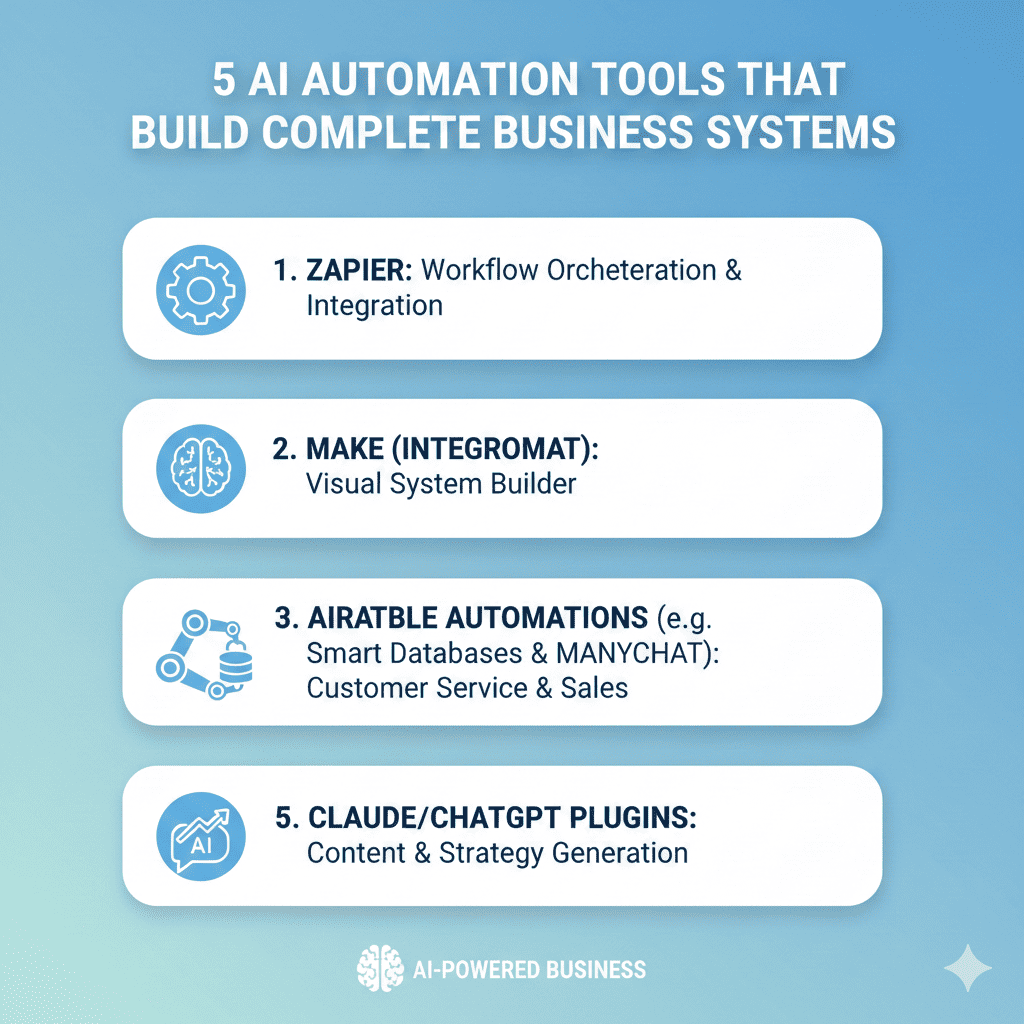
build complete business systems The landscape of business operations has undergone a seismic transformation. Where companies once required teams of developers, system integrators, and consultants to create operational infrastructure, artificial intelligence now enables entrepreneurs and business leaders to build complete business systems with unprecedented speed and sophistication. This revolution isn’t just about automating individual tasks—it’s about orchestrating entire workflows, connecting disparate tools, and creating intelligent systems that adapt and optimize themselves.
Modern AI automation platforms have evolved far beyond simple task schedulers or basic workflow tools. Today’s solutions leverage machine learning, natural language processing, and intelligent decision-making to build complete business systems that handle everything from customer acquisition and onboarding to fulfillment, support, and retention. These platforms don’t just execute predefined sequences—they understand context, make intelligent choices, and continuously improve performance based on outcomes.
For small businesses, this democratization of system-building capability levels the playing field against larger competitors who previously held advantages in technical resources and infrastructure investment. For enterprises, these tools accelerate digital transformation initiatives that might otherwise consume years and millions of dollars. Regardless of your organization’s size or technical sophistication, the ability to build complete business systems using AI automation tools represents a fundamental competitive advantage in today’s fast-paced business environment.
This comprehensive guide examines five powerful platforms that enable you to design, deploy, and optimize comprehensive business systems without extensive technical expertise or massive budgets. Each platform brings unique strengths, serving different business needs and operational contexts, but all share the common goal of making sophisticated business automation accessible to everyone.
1. Make.com: Visual Automation for Complex Multi-Step Workflows
Make.com, formerly known as Integromat, stands as one of the most powerful visual automation platforms available for those seeking to build complete business systems through intuitive drag-and-drop interfaces. The platform’s strength lies in its ability to connect hundreds of applications, services, and data sources into sophisticated workflows that handle complex business logic without requiring programming expertise.
Visual Scenario Builder with Advanced Logic
Make.com’s scenario builder presents automation workflows as visual diagrams where each module represents an action, trigger, or decision point. This visual representation makes complex business logic comprehensible at a glance, enabling both technical and non-technical team members to understand, modify, and optimize automated systems.
The platform supports advanced conditional logic, iterations, error handling, and multi-path workflows that branch based on data values or system states. You can create scenarios that check inventory levels before processing orders, route customer inquiries based on sentiment analysis, or trigger different fulfillment workflows based on product categories and customer locations. These sophisticated decision trees enable you to build complete business systems that respond intelligently to varying conditions and requirements.
Data transformation capabilities allow manipulating, formatting, and restructuring information as it flows between applications. Convert date formats, extract specific fields from complex data structures, perform mathematical calculations, or aggregate information from multiple sources—all through visual configuration rather than writing transformation code.
Extensive Integration Ecosystem
Make.com connects to over 1,500 applications and services, spanning CRM systems, email platforms, payment processors, project management tools, databases, communication channels, and industry-specific software. This comprehensive integration ecosystem ensures that virtually any business tool your organization uses can participate in automated workflows.
Beyond pre-built integrations, Make.com provides HTTP modules that enable connecting to any web service with an API, including custom internal systems or specialized industry applications. This universal connectivity ensures you can build complete business systems that incorporate every tool in your technology stack, eliminating data silos and manual handoffs between platforms.
build complete business systems The platform’s webhook capabilities enable external systems to trigger automations, creating reactive systems that respond instantly to events occurring anywhere in your business environment. Customer purchases, form submissions, support ticket updates, or inventory changes can automatically initiate appropriate workflow sequences without polling or delays.
Scheduling and Intelligent Execution
Make.com’s sophisticated scheduling capabilities enable creating business systems that operate continuously without manual intervention. Execute scenarios at specific times, at regular intervals, or in response to triggers from connected applications. This flexible scheduling allows you to build complete business systems that handle time-sensitive operations like daily report generation, periodic data synchronization, or scheduled customer communications.
The platform’s execution history provides detailed logs of every scenario run, showing exactly what data flowed through each module, which paths were taken in conditional branches, and where any errors occurred. This visibility proves invaluable for troubleshooting, optimization, and ensuring compliance in regulated industries where audit trails are essential.
Error handling options enable creating resilient systems that gracefully manage failures. Configure automatic retries for temporary issues, route errors to notification channels for human intervention, or implement fallback workflows that activate when primary processes encounter problems. These capabilities ensure the business systems you build remain operational even when individual components experience difficulties.
2. Zapier: The Gateway to Business Process Automation
Zapier pioneered the no-code automation category and remains the most accessible platform for businesses beginning their journey to build complete business systems through intelligent automation. While often perceived as a simple connector tool, Zapier’s advanced features enable creating surprisingly sophisticated multi-step workflows that orchestrate complex business processes.
Multi-Step Zaps for Sequential Workflows
Zapier’s multi-step Zaps enable creating workflows that execute sequential actions across multiple applications. A single customer purchase might trigger a Zap that creates a CRM record, sends a welcome email, adds the customer to a marketing segment, creates a fulfillment ticket, notifies the sales team, and updates inventory tracking—all automatically, within seconds, without human intervention.
Each step in a Zap can access data from previous steps, enabling cumulative workflows where later actions depend on results from earlier operations. This data flow capability allows you to build complete business systems where information gathered in one application informs decisions and actions in subsequent systems.
The platform’s delay functionality enables building workflows with timed sequences. Send immediate order confirmations, followed by shipping notifications 24 hours later, then customer satisfaction surveys five days after delivery—all from a single automated workflow that manages the entire customer communication timeline.
Paths for Conditional Business Logic
Zapier’s Paths feature introduces conditional branching that enables Zaps to make intelligent decisions based on data values. Route high-value leads to sales teams while directing standard inquiries to automated nurture sequences. Process domestic and international orders through different fulfillment workflows. Escalate negative customer feedback immediately while logging positive reviews for marketing use.
This conditional logic transforms simple automation into genuine business intelligence, enabling you to build complete business systems that respond appropriately to varying circumstances. The platform evaluates conditions you specify and directs workflow execution down appropriate paths, ensuring each situation receives optimal handling.
Filters provide additional control by preventing Zap execution unless specific conditions are met. Only process orders above certain amounts, only send notifications for priority support tickets, or only create tasks for leads matching ideal customer profiles. These filtering capabilities ensure automated systems focus resources on situations that warrant attention.
Built-In AI Features for Smart Automation
Zapier has integrated artificial intelligence features directly into its platform, enabling even more sophisticated automation without requiring external AI services. The Formatter tool includes text manipulation, number operations, and date/time conversions that handle common data transformation needs.
The platform’s AI-powered apps enable incorporating capabilities like sentiment analysis, text classification, language translation, and data extraction into automated workflows. Analyze customer feedback sentiment before routing to appropriate teams, classify support tickets by topic for specialized handling, or extract key information from unstructured text for structured database storage. These AI capabilities enable you to build complete business systems with genuine intelligence rather than just mechanical task execution.
3. n8n: Self-Hosted Automation with Maximum Flexibility
build complete business systems n8n represents a unique approach to business automation, offering an open-source platform that you can host yourself while maintaining the visual, no-code workflow building experience. For organizations with specific security requirements, integration needs, or customization demands, n8n enables the ability to build complete business systems with complete control over data, execution, and extensibility.
Open Source Flexibility and Customization
n8n’s open-source nature means you have access to the complete source code, enabling unlimited customization to meet specific business requirements. Modify existing integrations, create custom nodes for proprietary systems, or extend the platform’s core functionality to address unique operational needs that commercial platforms might not accommodate.
This flexibility proves particularly valuable for organizations in regulated industries where data sovereignty, compliance requirements, or security policies prevent using cloud-based automation platforms. Self-hosting n8n ensures that sensitive business data never leaves your infrastructure while still enabling you to build complete business systems with modern automation capabilities.
The active open-source community contributes integrations, templates, and extensions that expand n8n’s capabilities continuously. If a specific integration you need doesn’t exist, you can build it yourself or commission development, maintaining complete control over your automation infrastructure’s evolution.
Advanced Workflow Capabilities
n8n provides sophisticated workflow capabilities that rival or exceed commercial alternatives. Create workflows with complex branching logic, parallel execution paths, loops, and nested sub-workflows. The platform supports both polling and webhook triggers, enabling reactive systems that respond instantly to events across your technology stack.
Code nodes allow incorporating JavaScript directly into workflows when visual configuration reaches its limits. This hybrid approach means you can build complete business systems using primarily no-code techniques while having the flexibility to add custom logic for specialized requirements without abandoning the platform.
The workflow execution model supports both immediate execution and queued processing, enabling systems that handle high volumes without overwhelming target applications or infrastructure. This scalability ensures that automation systems you build today can grow alongside your business without requiring platform migration.
Self-Hosted or Cloud Deployment Options
While n8n began as a self-hosted solution, the company now offers cloud hosting for organizations wanting the platform’s power without infrastructure management responsibilities. This dual approach lets you choose the deployment model that best fits your technical capabilities, security requirements, and operational preferences when you build complete business systems.
Self-hosting provides maximum control, customization potential, and cost efficiency for high-volume automation scenarios. Cloud hosting delivers faster deployment, automatic updates, and simplified management. Some organizations use both, keeping sensitive workflows self-hosted while leveraging cloud hosting for less critical automations.
4. Bardeen: Browser-Based Automation with AI Assistance
Bardeen takes a distinctly different approach to business automation, operating entirely within your web browser and leveraging AI to help you build complete business systems that integrate seamlessly with web applications you use daily. Rather than connecting applications through APIs in the cloud, Bardeen automates actions directly within browser tabs, enabling unique automation possibilities.
Browser Automation for Web-Based Workflows
Bardeen excels at automating repetitive tasks within web applications—extracting data from websites, filling forms, clicking buttons, navigating pages, and transferring information between browser-based tools. These capabilities enable automating workflows that traditional API-based platforms cannot address, particularly for applications without public APIs or legacy systems with only web interfaces.
The platform can scrape data from websites, extracting structured information from pages and transferring it to spreadsheets, databases, or other applications. Gather competitor pricing information, monitor job posting sites, collect research data from online sources, or aggregate information from multiple web-based systems. These web automation capabilities enable you to build complete business systems that incorporate data from any accessible web source.
Form filling automation accelerates data entry across multiple systems. Automatically populate CRM records from information gathered in one tool, submit expense reports using data extracted from receipts, or create project entries across multiple platforms using information from a central source. This cross-application data transfer eliminates tedious manual reentry and associated errors.
AI-Powered Automation Suggestions
Bardeen incorporates artificial intelligence that observes your work patterns and suggests automation opportunities. As you perform repetitive sequences of actions, the AI identifies patterns and proposes creating automated workflows that replicate those sequences. This proactive approach to automation discovery helps you identify opportunities to build complete business systems that you might not recognize independently.
The Magic Box feature allows describing desired automations in natural language. Type what you want to accomplish—”find company information for leads in my spreadsheet and add it to CRM”—and Bardeen’s AI constructs appropriate workflows automatically. This conversational approach to automation creation dramatically lowers the learning curve for building sophisticated business systems.
AI-powered data extraction can interpret and structure information from unstructured sources. Extract contact details from email signatures, pull key information from documents, or identify relevant data points from meeting notes. These intelligent extraction capabilities ensure that information trapped in unstructured formats can feed into structured business systems.
Integration with Popular Business Tools
While Bardeen’s strength lies in browser automation, it also integrates with popular business applications like Google Sheets, Notion, Airtable, Slack, and numerous other platforms. This combination of browser-based and API-based capabilities enables creating hybrid workflows that leverage both approaches when you build complete business systems.
The platform’s playbooks can be triggered manually, scheduled, or activated by specific events. Create libraries of automation playbooks that team members can execute on-demand for common tasks, reducing training requirements and ensuring consistent execution of important workflows.
5. Workato: Enterprise-Grade Integration and Automation Platform
Workato serves the enterprise market with a comprehensive platform designed to build complete business systems at scale across complex organizational environments. The platform combines powerful automation capabilities with enterprise features like governance, security, collaboration, and lifecycle management that large organizations require.
Recipe-Based Automation with Business Logic
Workato uses “recipes” as its automation unit—workflows that connect applications, transform data, and execute business logic. The platform’s recipe builder provides visual workflow design with sophisticated capabilities for handling complex scenarios common in enterprise environments.
Conditional logic, iterations, error handling, and parallel processing enable creating recipes that handle real-world business complexity. Process bulk operations efficiently, manage exceptions gracefully, and ensure data consistency across integrated systems. These capabilities allow you to build complete business systems that operate reliably even in demanding enterprise contexts.
The platform’s formula capabilities enable complex data transformations without writing code. Manipulate strings, perform calculations, parse dates, format addresses, or restructure JSON data using formulas that combine simplicity with power. These transformation capabilities ensure that data flows seamlessly between systems despite formatting differences.
Extensive Enterprise Application Connectivity
Workato provides pre-built connectors to hundreds of enterprise applications spanning ERP systems, marketing automation platforms, HR systems, finance tools, customer service applications, and industry-specific solutions. These connectors understand application-specific nuances, data structures, and authentication requirements, ensuring reliable integration with minimal configuration.
Beyond individual application connectors, Workato offers packaged integration solutions for common enterprise scenarios. Connect Salesforce to NetSuite for quote-to-cash automation, integrate Workday with your HRIS for employee lifecycle management, or link ServiceNow with your entire IT toolstack for comprehensive service management. These pre-built solutions accelerate the timeline for building complete business systems by providing tested, optimized integration patterns.
The platform’s universal connector framework enables integrating with any application that provides an API, including custom internal systems. This flexibility ensures that proprietary or specialized applications can participate in automated workflows alongside commercial software.
Enterprise Governance and Security
Workato includes comprehensive governance features essential for enterprise deployment. Role-based access control, approval workflows, change management, versioning, and audit logging ensure that automation infrastructure remains secure, compliant, and manageable as it scales across the organization.
The platform supports connecting to on-premises systems through secure agents, enabling integration of legacy applications and databases that aren’t cloud-accessible. This hybrid connectivity ensures that modernization initiatives can build complete business systems that bridge old and new technology without requiring wholesale replacement of existing infrastructure.
Team collaboration features enable multiple developers or citizen integrators to work together on automation projects. Shared workspaces, reusable components, and standardized patterns ensure consistency across the organization while enabling distributed development that scales with growing automation demands.
AI and Machine Learning Integration
Workato has embraced artificial intelligence, offering connectors to machine learning platforms and AI services that enable incorporating intelligent capabilities into business workflows. Integrate sentiment analysis, predictive models, natural language processing, or computer vision into automated processes, creating systems that don’t just execute predefined sequences but make intelligent decisions based on AI insights.
build complete business systems The platform’s own AI features include intelligent data mapping that automatically suggests how fields in one system correspond to fields in another, dramatically reducing integration configuration time. This intelligent assistance helps you build complete business systems faster by eliminating tedious manual mapping tasks.
6. Key Strategies for Building Effective Business Systems
Successfully leveraging automation platforms to build complete business systems requires strategic thinking beyond just technical configuration. These approaches help ensure your automated systems deliver maximum value and adapt successfully as your business evolves.
Start with Process Mapping Before Automation
The most common mistake in business automation is attempting to automate processes without first understanding them thoroughly. Before opening any automation platform, document current workflows completely, identifying every step, decision point, handoff, and exception case. This mapping exercise often reveals inefficiencies that should be eliminated before automation rather than being automated and perpetuated.
Involve people who actually perform the work in process documentation. Their hands-on knowledge reveals nuances and edge cases that process owners might overlook. This collaborative approach ensures that when you build complete business systems, they address real operational needs rather than idealized versions that don’t match reality.
Look for opportunities to simplify before automating. Can steps be eliminated? Can approvals be streamlined? Can handoffs be reduced? Automation amplifies efficiency gains from process improvement, so optimizing workflows before automating them multiplies your return on automation investment.
Design for Scalability and Growth
Business systems built today must accommodate tomorrow’s growth without requiring complete reconstruction. Design automated workflows with scalability in mind, considering how they’ll perform as volumes increase, as product lines expand, or as geographic reach grows.
Choose automation platforms and architecture patterns that support scaling. Cloud-based platforms typically scale more gracefully than self-hosted solutions. Modular workflow designs where independent processes communicate through standardized interfaces scale better than monolithic workflows where everything is tightly coupled. When you build complete business systems, architectural decisions made early dramatically impact future flexibility.
Build with future integration in mind even if not immediately necessary. Use automation platforms that support extensive connectivity options, maintain clean data structures that facilitate future analysis, and document workflows thoroughly so future modifications don’t require reverse-engineering cryptic configurations.
Implement Robust Error Handling and Monitoring
Automated business systems will encounter errors—network failures, API timeouts, unexpected data formats, or downstream system unavailability. Systems that crash or silently fail when encountering errors create more problems than they solve. Comprehensive error handling ensures graceful degradation and appropriate escalation.
Configure notifications for critical failures so humans can intervene when automation cannot proceed. Route errors to appropriate teams with sufficient context to diagnose and resolve issues quickly. Log errors comprehensively to enable analysis of failure patterns and continuous improvement. These monitoring capabilities ensure that when you build complete business systems, they remain reliable and trustworthy.
Implement redundancy and fallback mechanisms for critical workflows. If a primary integration path fails, can a backup route handle the transaction? If a required service is unavailable, can the system queue operations for later processing? These resilience patterns ensure business continuity even when individual system components experience issues.
Balance Automation with Human Oversight
Not every process should be fully automated. Some decisions require human judgment, particularly those involving significant financial exposure, compliance risk, or customer relationship implications. Design systems that automate routine aspects while routing exceptions or high-stakes decisions to appropriate humans.
Create dashboards and reporting that provide visibility into automated system performance. Track key metrics like processing volumes, success rates, average processing times, and error frequencies. This visibility enables you to build complete business systems that remain transparent and accountable rather than becoming black boxes where important business processes disappear from management awareness.
Establish governance processes for automation changes. Who can modify production workflows? What testing is required before deployment? How are changes documented and communicated? These disciplines prevent well-intentioned modifications from introducing problems that undermine system reliability.
7. Measuring ROI from Business System Automation
Investing time and resources in automation requires demonstrating value through measurable returns. These approaches help quantify the business impact of systems you build and justify continued investment in automation capabilities.
Time Savings and Efficiency Gains
The most direct benefit from automation is reclaiming human time previously spent on manual tasks. Calculate hours saved per week or month by automated workflows, then multiply by loaded labor costs to determine dollar value. This calculation provides baseline ROI that justifies automation investment even before considering quality improvements or strategic benefits.
Track efficiency metrics before and after automation—how long did processes take manually versus automated execution time? How many transactions could be processed before versus after automation? These comparisons quantify operational improvements when you build complete business systems that replace manual workflows.
Consider capacity increases that automation enables. Can the same team now handle more customers, process more orders, or support more products? This expanded capacity often translates directly to revenue growth or delayed need for additional hiring, both representing significant financial value.
Error Reduction and Quality Improvements
Manual processes inevitably involve errors—data entry mistakes, missed steps, inconsistent execution, or delayed handoffs. Quantify error rates before automation through sampling or estimation, then track improvements after automation deployment. The cost of errors often significantly exceeds the obvious correction expenses when you account for customer impact, reputational harm, or compliance risk.
build complete business systems Calculate the value of consistency. Automated systems execute processes identically every time, ensuring quality standards are maintained regardless of workload, time pressures, or staff changes. This consistency is particularly valuable in regulated industries where documentation and repeatability are essential for compliance.
Customer Experience Enhancements
Automation often dramatically improves customer-facing experiences through faster response times, immediate confirmations, proactive communications, and consistent service quality. While these improvements may be harder to quantify directly, they drive measurable outcomes in customer satisfaction scores, retention rates, and lifetime value.
Track metrics like first response time, order processing duration, issue resolution time, and customer effort scores before and after implementing automation. Improvements in these metrics demonstrate how building complete business systems enhances the customer experience in measurable ways.
Survey customers about their experience with automated touchpoints compared to previous manual processes. Net Promoter Scores and satisfaction ratings provide quantifiable evidence of automation’s impact on customer perception and loyalty.
8. Common Pitfalls and How to Avoid Them
Learning from common automation mistakes helps you avoid costly missteps when you build complete business systems. These pitfalls trap organizations across industries and sizes, but awareness and planning prevent them.
Over-Automating Without Strategic Focus
The excitement of automation capabilities sometimes leads to automating everything possible rather than focusing on highest-value opportunities. This scattered approach consumes resources without delivering proportional returns and creates maintenance burdens that offset efficiency gains.
Prioritize automation opportunities using a framework that considers factors like frequency, time consumption, error-proneness, and strategic importance. Focus initially on high-frequency, time-intensive processes with clear business value. This targeted approach ensures early automation wins that build momentum and justify expansion.
Neglecting Change Management
Technical implementation represents only part of successful automation deployment. If people don’t understand, trust, or properly use automated systems, technical perfection matters little. Change management ensures that when you build complete business systems, they’re actually adopted rather than circumvented.
Involve affected team members early in automation planning. Their buy-in and feedback improve system design while building ownership that facilitates adoption. Communicate clearly about what’s being automated, why, and how it affects individual roles. Address concerns transparently rather than dismissing them.
Provide training on how to work with automated systems—how to trigger workflows, what to do when errors occur, how to access reports, and where to provide feedback. This enablement ensures people can effectively collaborate with automation rather than fighting against it.
Building Brittle Systems Without Flexibility
Automation built for current processes often breaks when business requirements evolve. Systems too rigidly configured to existing workflows require extensive reconstruction when products change, new channels emerge, or organizational structures shift. This brittleness creates ongoing maintenance burdens that undermine automation value.
Design workflows with configuration options that enable adjusting behavior without structural changes. Use lookup tables or configuration files that can be updated without modifying core automation logic. Build modular systems where independent components can be modified or replaced without affecting others. These flexibility patterns ensure that when you build complete business systems, they adapt gracefully to inevitable changes.
9. The Future of Business System Automation
Understanding emerging trends in automation technology helps you make strategic decisions about platforms, architectures, and capabilities that will serve your organization long-term as you continue to build complete business systems.
Artificial Intelligence Integration
Current automation platforms are rapidly incorporating AI capabilities that enable systems to handle more complex, judgment-intensive tasks previously requiring human intervention. Natural language processing enables systems that understand unstructured communications and extract meaning. Machine learning enables predictive systems that anticipate needs before they’re explicitly expressed. Computer vision enables processing visual information for verification, compliance, or decision-making.
These AI capabilities transform automation from rigid, rule-based execution into adaptive, intelligent systems that improve through experience. Future platforms will seamlessly blend traditional workflow automation with AI decision-making, creating business systems that handle both routine and novel situations effectively.
Hyperautomation and Orchestration
The concept of hyperautomation involves using multiple automation technologies in concert—process automation, integration, AI, RPA, and business process management—to automate entire value chains end-to-end. This comprehensive approach to building complete business systems breaks down traditional boundaries between departments, systems, and processes.
Future platforms will provide increasingly sophisticated orchestration capabilities that coordinate multiple automation tools, managing dependencies, handling exceptions, and optimizing overall system performance. This orchestration layer enables creating truly comprehensive business systems from best-of-breed components.
Citizen Development and Democratization
Automation platforms continue evolving toward greater accessibility, enabling business users without technical backgrounds to create sophisticated automated systems. This democratization accelerates automation adoption by removing bottlenecks where all requests queue for scarce technical resources.
Organizations will increasingly embrace citizen developer models where business domain experts build complete business systems for their areas while IT provides governance, infrastructure, and specialized support. This distributed development approach scales automation capabilities while ensuring solutions closely match operational realities.
Conclusion: Transforming Business Through Intelligent Automation
The ability to build complete business systems using AI-powered automation platforms represents one of the most significant competitive advantages available to modern organizations. These five platforms—Make.com, Zapier, n8n, Bardeen, and Workato—each provide powerful capabilities for creating sophisticated automated systems without extensive technical expertise or development resources.
The transformation from manual, disconnected processes to intelligent, automated business systems doesn’t happen overnight. It requires strategic thinking, careful planning, iterative development, and continuous optimization. However, organizations that commit to this journey consistently realize dramatic improvements in operational efficiency, customer experience, employee satisfaction, and strategic agility.
Start your automation journey by identifying high-value opportunities where manual processes create bottlenecks, errors, or delays. Use the platform that best aligns with your technical capabilities, integration needs, and operational context to build complete business systems that address these priority areas. Learn from early implementations, refine your approaches, and gradually expand automation across your organization.
Also read this:
6 AI Tools That Let You Build Custom Models Without Coding