
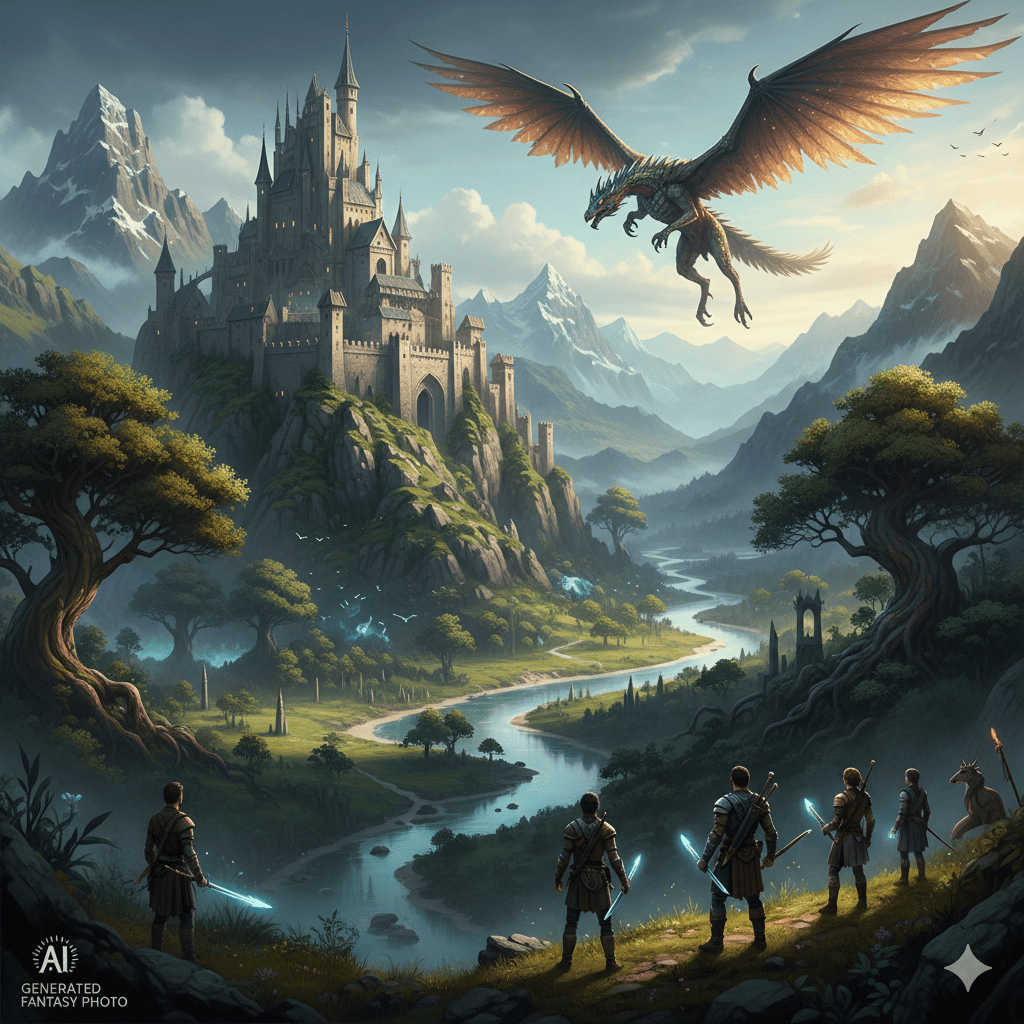
The world of digital art has been revolutionized by artificial intelligence, opening doors to possibilities that were once confined to the realm of professional studios and extensive post-production workflows. Today, creating realistic fantasy photo scenes has become accessible to everyone, from professional photographers to hobbyists exploring their creative vision. This comprehensive guide will walk you through everything you need to know about using AI generators to transform your imaginative concepts into stunning visual realities.
1. Understanding AI-Powered Fantasy Scene Generation
The foundation of creating realistic fantasy photo scenes lies in understanding how AI generators work. These sophisticated tools use machine learning models trained on millions of images to understand composition, lighting, texture, and style. When you input a text prompt or reference image, the AI interprets your vision and generates images that blend photorealistic elements with fantastical concepts.
Modern AI generators can produce scenes that range from subtle magical realism to full-blown epic fantasy worlds. The key to success lies in understanding the capabilities and limitations of these tools, as well as mastering the art of effective prompting.
Key Components of AI Fantasy Generation
- Neural network architecture that processes visual patterns
- Training data consisting of diverse image libraries
- Prompt interpretation systems that translate text to visual concepts
- Style transfer capabilities for artistic consistency
- Resolution enhancement for professional-quality outputs
Popular AI Platforms for Fantasy Creation
- MidJourney for artistic and painterly fantasy aesthetics
- DALL-E 3 for precise prompt interpretation and realistic details
- Stable Diffusion for customizable and open-source flexibility
- Leonardo AI for consistent character generation
- Adobe Firefly for commercial-safe fantasy content
2. Mastering the Art of Prompt Engineering
The secret to creating realistic fantasy photo scenes effectively lies in crafting detailed, specific prompts. Think of prompts as blueprints that guide the AI toward your vision. The more precise and descriptive your input, the closer the output will match your imagination.
Essential Prompt Components
- Subject description with specific details about characters or focal points
- Environmental context including setting, time of day, and weather
- Lighting specifications such as golden hour, dramatic shadows, or magical glow
- Style references mentioning photorealistic, cinematic, or artistic approaches
- Technical parameters including camera angle, depth of field, and composition
- Mood descriptors conveying the emotional tone of the scene
Advanced Prompting Techniques
Start with your main subject and build outward. For example, instead of simply writing “dragon in castle,” expand to “a majestic silver dragon perched atop ancient stone battlements, backlit by a crimson sunset, volumetric fog rolling through gothic archways, photorealistic detail, cinematic composition, 8k quality.” This level of detail guides the AI toward a specific, cohesive vision.
Use weight modifiers to emphasize important elements. Many AI platforms allow you to increase the importance of certain keywords, ensuring that critical aspects of your vision aren’t overlooked in the generation process.
Common Prompting Mistakes to Avoid
- Being too vague or generic in descriptions
- Contradicting elements that confuse the AI
- Overcrowding prompts with too many competing ideas
- Neglecting to specify lighting and atmosphere
- Failing to mention the desired level of realism
3. Achieving Photorealism in Fantasy Elements
One of the most challenging aspects of creating realistic fantasy photo scenes is making impossible elements look believable. The magic happens when fantastical subjects are rendered with such convincing detail that viewers momentarily suspend their disbelief.
Lighting and Shadow Consistency
Realistic lighting makes or breaks fantasy scenes. Ensure that all elements in your scene respond to light sources consistently. If moonlight illuminates your mythical creature, it should cast appropriate shadows and reflect realistically off surfaces. AI generators excel at this when properly prompted with specific lighting directions.
Natural light behaves predictably, and your fantasy elements should follow the same rules. Specify whether you want harsh midday sun, soft overcast light, or dramatic side-lighting. Include details about ambient light, rim lighting, and how light interacts with different materials in your scene.
Texture and Material Accuracy
Pay attention to how different materials are rendered. Dragon scales should have the reflective quality of reptilian skin, magical crystals should refract light appropriately, and ancient stone should show weathering and patina. Request specific texture details in your prompts to achieve this level of realism.
Successful fantasy scenes blend familiar textures with extraordinary subjects. A winged horse becomes believable when its coat has the realistic sheen of actual horse hair, and its wings display the anatomical structure and feather detail found in real birds.
Atmospheric Depth and Perspective
Create depth through atmospheric perspective. Distant elements should appear hazier and less saturated than foreground subjects. This technique, combined with appropriate depth of field, adds tremendous realism to fantasy landscapes and helps viewers understand spatial relationships within impossible worlds.
4. Composition Principles for Fantasy Photography
Strong composition transforms a generated image from interesting to extraordinary. When creating realistic fantasy photo scenes, apply traditional photography principles to fantastical subjects for images that feel professionally crafted.
Rule of Thirds and Golden Ratio
Position your main fantasy elements according to classical composition rules. Place your dragon’s eye or the peak of your magical castle at intersection points of the rule of thirds grid. This creates natural visual balance that feels satisfying to viewers.
The golden ratio appears throughout nature and resonates subconsciously with viewers. AI generators can be prompted to follow these proportions, creating compositions that feel inherently harmonious even when depicting otherworldly scenes.
Leading Lines and Visual Flow
Guide viewers through your scene using natural or architectural lines. A winding path leading to an enchanted forest, the curve of a dragon’s tail directing attention to its face, or the beam of magical energy drawing the eye upward all create dynamic movement within static images.
Foreground, Middleground, and Background
Layer your scenes with distinct depth planes. A flowering branch in the foreground, your fantasy subject in the middleground, and a mystical landscape in the background create rich, engaging compositions that reward closer inspection.
Negative Space and Breathing Room
Don’t overcrowd your fantasy scenes. Strategic use of negative space allows your fantastical elements to breathe and prevents visual overwhelm. A lone figure silhouetted against a vast magical sky can be more powerful than a scene crammed with details.
5. Color Theory for Magical Atmospheres
Color profoundly impacts the mood and believability of fantasy scenes. Understanding color theory helps you craft prompts that generate visually cohesive and emotionally resonant images.
Complementary Color Schemes
Pairing opposite colors on the color wheel creates vibrant, energetic scenes. Blue magical energy against warm orange firelight, or purple twilight skies contrasting with golden enchanted objects produce visually striking results that maintain photographic credibility.
Analogous Harmony
Using colors adjacent on the color wheel creates serene, harmonious fantasy environments. Deep forest scenes with various greens and blues, or sunset fantasy landscapes using oranges, reds, and yellows feel naturally cohesive.
Color Temperature and Mood
Warm colors convey comfort, energy, and drama, while cool colors suggest mystery, tranquility, or melancholy. When creating realistic fantasy photo scenes, specify color temperatures in your prompts to establish the desired emotional atmosphere.
Saturation Control
Photorealistic fantasy often benefits from slightly desaturated colors. Oversaturated images look artificial and cartoon-like. Request “natural color grading” or “muted color palette” in prompts for more believable results, saving high saturation for specific magical elements that should draw attention.
6. Integrating Realistic Character Design
Characters are often the heart of fantasy scenes, and rendering them with believable detail while maintaining fantastical elements requires careful consideration.
Anatomical Accuracy
Even fantasy races and creatures should follow basic anatomical principles unless intentionally stylized. Humanoid characters need proper proportions, realistic muscle structure, and believable joint articulation. Hybrid creatures should blend animal features in ways that suggest functional biology.
Clothing and Costume Details
Authentic-looking costumes ground fantasy characters in believability. Specify fabric types, weathering, and how garments drape and fold. A wizard’s robe should show realistic fabric physics, not float unnaturally. Include details about stitching, embellishments, and how clothing responds to movement or environment.
Expression and Emotion
Realistic facial expressions make fantasy characters relatable. Request specific emotions in prompts, and mention subtle details like eye direction, muscle tension, and micro-expressions that convey authentic human (or non-human) psychology.
Scale and Proportion
Clearly establish the scale of fantasy creatures relative to familiar objects. A dragon perched on a castle tower immediately communicates its massive size. Include human figures or recognizable objects in your prompts to provide scale reference.
7. Environmental Storytelling Through Details
The most compelling fantasy scenes tell stories through environmental details. These elements transform simple fantasy images into rich, narrative-driven photographs.
Weathering and Age
Nothing looks more artificial than pristine, unmarked surfaces in supposedly ancient fantasy settings. Request weathered stone, rusted metal, worn leather, and aged wood. Moss growth, water stains, and patina communicate history and make impossible places feel like they’ve existed for centuries.
Logical World-Building Elements
Consider how your fantasy world functions practically. Castles need drainage systems, magical laboratories need storage for components, and enchanted forests need paths worn by travelers. These utilitarian details add layers of believability.
Interactive Elements
Show how characters interact with their environment. Footprints in magical snow, disturbed dust revealing recent activity, or ripples in mystical water all suggest life and movement beyond the frozen moment captured in your image.
Cultural and Historical Markers
Add architectural styles, decorative motifs, and cultural artifacts that suggest a rich backstory. Even purely invented fantasy cultures benefit from consistent visual languages that imply depth and history.
8. Technical Specifications for Professional Results
To achieve truly professional quality when creating realistic fantasy photo scenes, understanding technical parameters is essential.
Resolution and Aspect Ratios
Generate at the highest resolution your chosen platform allows. For print-quality work, aim for 300 DPI at your intended output size. Different aspect ratios serve different purposes: widescreen cinematic ratios for epic landscapes, portrait orientation for character-focused pieces, and square formats for social media.
Depth of Field Control
Specify whether you want shallow depth of field with blurred backgrounds emphasizing your subject, or deep focus keeping entire fantasy landscapes sharp. Realistic depth of field significantly enhances the photographic quality of AI-generated scenes.
Camera Lens Effects
Reference specific camera equipment in prompts for authentic photographic characteristics. “Shot with 85mm lens” creates natural compression and bokeh, while “wide-angle 24mm perspective” adds dramatic spatial distortion perfect for expansive fantasy landscapes.
Post-Processing Considerations
Even excellent AI generations benefit from refinement. Mention desired post-processing styles in prompts: “cinematic color grading,” “high dynamic range,” or “film grain texture” can be baked into the initial generation, providing better starting points for final adjustments.
9. Iterative Refinement and Variation Generation
Perfecting fantasy scenes rarely happens in a single generation. Developing a systematic approach to refinement improves results dramatically.
Seed Control and Variations
Most AI platforms use seed numbers to generate images. Saving seeds from promising generations allows you to create variations exploring different aspects while maintaining core composition and style. This proves invaluable when you’re close to your ideal vision but need specific adjustments.
Selective Inpainting
Advanced platforms offer inpainting, allowing you to regenerate specific portions of an image while keeping the rest intact. This targeted approach lets you perfect problematic areas without losing successful elements.
Progressive Detail Enhancement
Start with lower-resolution exploratory generations to quickly test concepts, then increase resolution once you’ve established your direction. This workflow saves time and computational resources while allowing creative experimentation.
Comparative Analysis
Generate multiple variations with slightly different prompts, then analyze which elements work best. Combine insights from various attempts to craft refined prompts that incorporate the strongest aspects of each generation.
10. Ethical Considerations and Best Practices
As AI image generation becomes more powerful, responsible use becomes increasingly important, especially when creating realistic fantasy photo scenes that might be mistaken for conventional photography.
Transparency and Attribution
If sharing AI-generated fantasy images publicly, disclose their AI origins. This transparency maintains trust with audiences and sets appropriate expectations. Many platforms now require disclosure for AI-generated content.
Copyright and Licensing Awareness
Understand the licensing terms of your chosen AI platform. Some generators grant full commercial rights, while others restrict usage. If you plan to sell prints, use images commercially, or incorporate generations into client work, ensure your license permits these uses.
Training Data Ethics
Choose platforms that respect artist rights and use ethically sourced training data. The conversation around AI training datasets continues evolving, and supporting responsible companies encourages better industry practices.
Avoiding Harmful Content
Use AI generation capabilities responsibly. Avoid creating content that perpetuates harmful stereotypes, generates misleading information, or could be used deceptively. The power to create realistic fantasy scenes comes with responsibility for how that power is wielded.
Conclusion
The ability to create stunning, photorealistic fantasy scenes through AI generation represents a democratization of visual storytelling previously available only to those with extensive technical skills and resources. By mastering prompt engineering, understanding composition principles, applying color theory thoughtfully, and iterating toward your vision, you can produce fantasy imagery that captivates viewers and brings impossible worlds to life with convincing detail.
The journey of creating realistic fantasy photo scenes combines technical knowledge with artistic vision. As AI tools continue advancing, the gap between imagination and realization shrinks further. Whether you’re crafting scenes for personal projects, professional portfolios, game development, book covers, or pure creative exploration, these techniques provide a foundation for transforming fantasy concepts into photographic reality.
Remember that the most powerful fantasy images balance the impossible with the familiar, grounding extraordinary elements in convincing realism. With practice, experimentation, and attention to the principles outlined in this guide, your AI-generated fantasy scenes will achieve the visual impact and authenticity that make viewers believe, even momentarily, in the impossible worlds you’ve created.
Also read this:
AI Creates Cinematic Portrait Styles: The Future of Automated Cinematic Portrait Photography
Create Viral Aesthetic Photo Styles: How AI Helps You Build Viral Aesthetic Images