
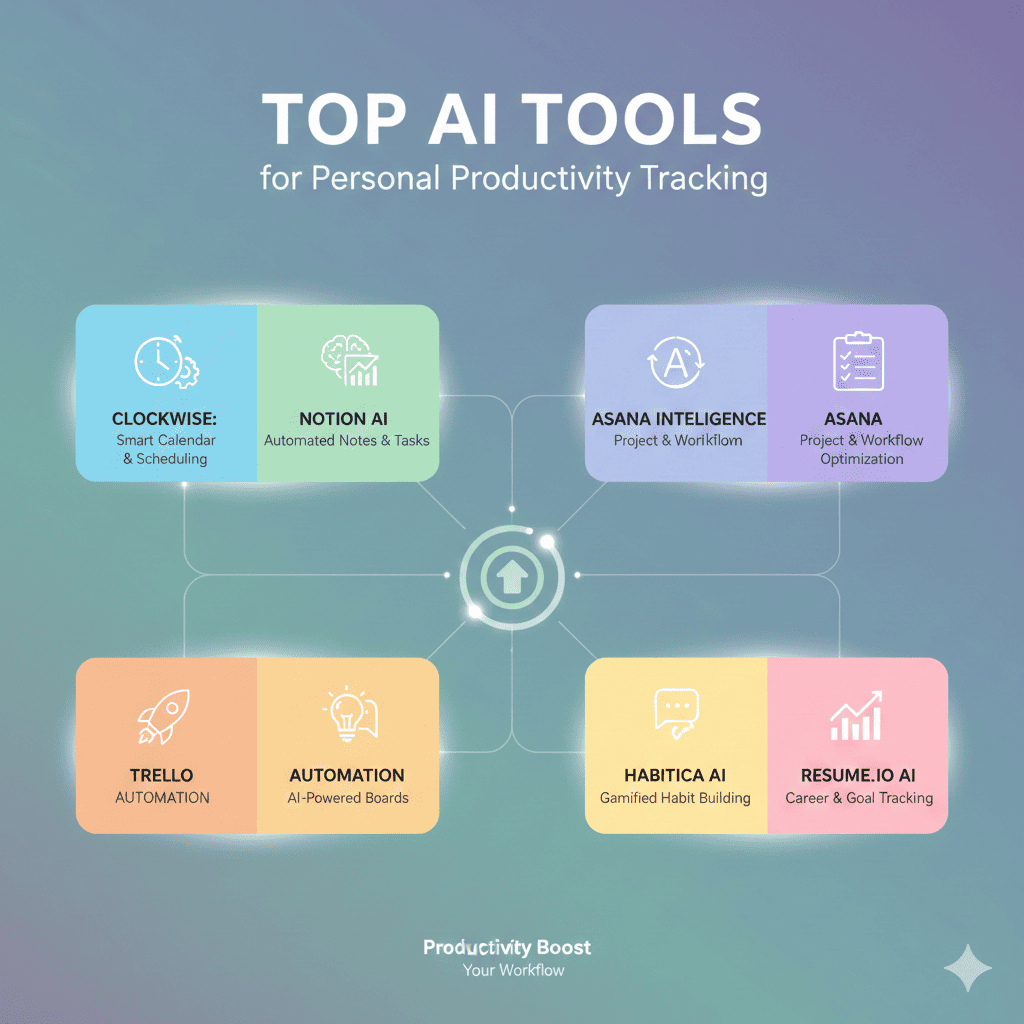
In an era of constant distractions and competing priorities, understanding how you actually spend your time has become essential for achieving meaningful goals. Traditional productivity methods rely on manual logging and subjective estimates, but Personal Productivity Tracking powered by artificial intelligence offers objective, automated insights that reveal exactly where your time goes and how to optimize it.
This comprehensive guide explores the most powerful AI tools revolutionizing Personal Productivity Tracking. These sophisticated platforms automatically monitor your activities, analyze your work patterns, identify inefficiencies, and provide actionable recommendations that help you accomplish more while maintaining better work-life balance.
Why AI-Powered Personal Productivity Tracking Matters
Understanding the significance of Personal Productivity Tracking is crucial in today’s demanding professional landscape. Most people dramatically overestimate their productive time and underestimate how much they’re distracted, creating a false sense of efficiency that prevents meaningful improvement.
Research consistently shows that knowledge workers are genuinely productive for only 2-3 hours during an 8-hour workday, with the remainder consumed by meetings, interruptions, context switching, and low-value activities. Without objective data, you can’t identify these productivity drains or develop strategies to address them.
AI-powered tracking eliminates the burden of manual time logging, which itself consumes productive time and suffers from accuracy problems. Automated systems monitor your activities continuously in the background, creating comprehensive records without requiring conscious effort or attention.
The insights generated by intelligent productivity tracking extend beyond simple time accounting. Advanced AI analyzes your patterns to identify peak performance hours, quantify the cost of distractions, reveal which tasks energize versus drain you, and predict how long similar work will take in the future.
Effective Personal Productivity Tracking creates accountability without requiring external oversight. When you see objective data about how you spend your time, you naturally make better choices. The awareness alone often improves productivity by 20-30% as people consciously eliminate their most wasteful activities.
1. RescueTime: Comprehensive Automatic Time Tracking
RescueTime pioneered automated Personal Productivity Tracking and remains one of the most comprehensive solutions, using AI to monitor all your computer and mobile activities while categorizing them by productivity level.
The platform runs quietly in the background on your devices, automatically tracking which applications and websites you use throughout the day. This passive monitoring requires no manual input, ensuring complete accuracy while eliminating the friction that causes manual time tracking to fail.
RescueTime’s AI categorizes activities into predefined productivity levels from “very productive” to “very distracting” based on general patterns, then allows you to customize these ratings to match your personal work context. What’s productive for a graphic designer differs from a programmer or writer, and the system adapts accordingly.
The platform’s FocusTime feature blocks distracting websites and applications during designated work periods, using your historical data to identify your biggest time wasters. This integration between tracking and intervention helps you act on insights rather than just observing unproductive patterns.
RescueTime provides detailed productivity scores that quantify your daily efficiency, creating a simple metric you can track over time. These scores gamify productivity improvement, motivating consistent effort through visible progress and achievement streaks.
The platform’s weekly email reports summarize your productivity trends, time spent in key categories, and progress toward goals. These regular check-ins create natural reflection points where you can assess whether your time allocation aligns with your priorities.
RescueTime integrates with calendar applications to correlate your schedule with your actual productivity patterns. This analysis reveals whether meetings help or hinder your work, which types of scheduled activities are most valuable, and optimal times for different work types.
2. Toggl Track: AI-Enhanced Manual Time Tracking
Toggl Track combines manual time tracking with AI assistance for Personal Productivity Tracking, offering flexibility for people who want control over what’s tracked while benefiting from intelligent automation and analysis.
The platform’s one-click time tracking makes it effortless to start and stop timers as you switch between tasks. The simple interface removes friction from manual tracking, making it more likely you’ll consistently log your time throughout the day.
Toggl’s AI learns from your tracking patterns to suggest which tasks you’re likely working on based on time of day, applications in use, and recent history. These intelligent suggestions reduce the mental overhead of categorizing activities, making tracking feel nearly automatic.
The platform’s idle detection notices when you’ve stopped actively working and prompts you to either continue the timer or discard the idle time. This feature prevents inflated time entries that would distort your productivity data and misrepresent your actual work hours.
Toggl Track provides detailed reports showing time distribution across projects, clients, and tasks. These visualizations help you understand where your effort goes, whether your time allocation matches your priorities, and how productive you’re being on different types of work.
The platform’s timeline view shows your entire day in visual form, making it easy to spot patterns like frequent task switching, long meetings, or blocks of deep work. This visual representation often reveals insights that numerical reports miss.
Toggl integrates with over 100 popular tools including project management systems, calendars, and communication platforms. These integrations enable automatic time capture based on your activities in other systems, reducing manual tracking burden.
3. Clockify: Free Comprehensive Time Tracking Solution
Clockify brings powerful Personal Productivity Tracking capabilities to everyone through a completely free platform that rivals premium tools in features while using AI to enhance tracking accuracy and insights.
The platform offers unlimited users and projects even in its free tier, making it accessible for individuals, freelancers, and entire teams without budget concerns. This accessibility removes financial barriers to implementing systematic productivity tracking.
Clockify’s automatic tracker runs in the background on your computer, detecting which applications and websites you’re using and allowing you to convert this activity data into tracked time entries. This hybrid approach combines automatic monitoring with manual categorization control.
The platform’s timesheet functionality provides a calendar view where you can see your time allocation across days and weeks. This broader temporal perspective helps you identify weekly patterns, understand capacity constraints, and plan more realistic schedules.
Clockify’s productivity dashboard calculates metrics including billable hours, time distribution, and productivity rates. For freelancers and consultants, these metrics directly translate to revenue insights, while employees gain visibility into their work allocation.
The platform’s detailed reports can be filtered, grouped, and exported in various formats for analysis or sharing. Whether you need to report to clients, managers, or simply review your own patterns, Clockify provides flexible reporting capabilities.
Clockify includes kiosk mode for shared workspaces and GPS tracking for mobile work, making it versatile enough for diverse work environments beyond traditional desk jobs. This flexibility ensures Personal Productivity Tracking works regardless of how and where you work.
4. Timely: AI-Powered Automatic Time Tracking
Timely represents the cutting edge of Personal Productivity Tracking with fully automatic tracking that requires no timers, manual input, or active management while providing comprehensive insights into how you spend every minute.
The platform’s AI creates a precise, private timeline of everything you do on your computer and mobile devices, including documents worked on, applications used, websites visited, emails sent, and meetings attended. This comprehensive capture ensures nothing falls through the cracks.
Timely’s Memory tracker stores all your activity data privately on your device before you decide what to track formally. This approach preserves complete records while giving you control over what gets logged as billable or reportable time, protecting privacy while enabling accuracy.
The platform’s AI suggests time entries based on your activity patterns, learning which combinations of applications and documents correspond to specific projects or clients. These suggestions transform your activity timeline into categorized time entries with minimal manual effort.
Timely provides insights into your productive hours, showing when you do your best work and when you’re most prone to distraction. These chronobiological insights help you schedule demanding tasks during peak performance windows and protect deep work time.
The platform’s project planning features use your historical time data to estimate how long future work will take. This AI-powered forecasting helps you set realistic deadlines, provide accurate quotes, and avoid overcommitting your available capacity.
Timely integrates with major project management and productivity platforms, ensuring your time data flows to wherever you need it. This integration creates a comprehensive productivity ecosystem rather than siloed tracking.
5. Forest: Gamified Focus and Productivity Tracking
Forest takes a unique approach to Personal Productivity Tracking by gamifying focus sessions, using AI to help you stay on task while building visual representations of your productive time that create motivation through achievement.
The platform’s core mechanic involves planting a virtual tree that grows while you stay focused on work and dies if you leave the app to use distracting applications. This simple gamification creates immediate, tangible consequences for distraction that traditional time tracking lacks.
Forest’s AI learns which applications and websites are most distracting for you personally, allowing customized blocking during focus sessions. Unlike generic blocklists, this personalized approach targets your specific weaknesses and temptations.
The platform visualizes your productivity as a growing forest, with each focus session adding a new tree to your collection. This visual progress creates intrinsic motivation and a sense of accomplishment that sustains consistent productivity habits over time.
Forest partners with real tree-planting organizations, allowing you to spend virtual coins earned through focused work to plant actual trees. This real-world impact adds meaningful purpose to productivity efforts beyond personal benefit.
The platform’s statistics and timeline features show your focus patterns over days, weeks, and months. You can see how your consistency improves, identify your most productive days, and understand seasonal or situational factors affecting your focus.
Forest includes team features that allow groups to grow forests together, creating social accountability and shared motivation. This collaborative aspect makes Personal Productivity Tracking more engaging and sustainable for remote teams.
6. Brain.fm: AI-Generated Focus Music for Productivity
Brain.fm approaches Personal Productivity Tracking indirectly by using AI-generated music scientifically designed to enhance focus, tracking your listening patterns to understand when and how you work most effectively.
The platform’s AI creates original music compositions with specific neural patterns that encourage focused mental states. Unlike regular music, these compositions are designed based on neuroscience research to actively improve concentration rather than simply providing background noise.
Brain.fm offers different modes for focus, relaxation, and sleep, using distinct acoustic patterns optimized for each mental state. The system learns which modes you use for different activities, building a profile of your productivity patterns and preferences.
The platform tracks your usage patterns including when you focus, how long your sessions last, and which music styles work best for you. These insights reveal your productive rhythms and help you optimize your schedule around natural performance peaks.
Brain.fm’s effectiveness is validated through published neuroscience research showing measurable improvements in focus and cognitive performance. This scientific foundation distinguishes it from ordinary productivity music or ambient sound applications.
The platform’s mobile and desktop applications ensure consistent access to focus-enhancing audio regardless of where you work. This cross-device availability supports Personal Productivity Tracking in diverse work environments from offices to remote locations.
7. Motion: AI-Powered Calendar and Task Management
Motion revolutionizes Personal Productivity Tracking by combining intelligent task management with automatic calendar optimization, using AI to not just track your time but actively optimize how you allocate it for maximum productivity.
The platform’s AI automatically schedules your tasks based on their priority, deadline, duration estimate, and your available calendar time. This intelligent scheduling removes the mental burden of time blocking and ensures high-priority work gets protected time slots.
Motion continuously reschedules your tasks as new meetings appear, deadlines change, or tasks take longer than expected. This dynamic adaptation means your schedule always reflects current reality rather than becoming obsolete the moment something changes.
The platform tracks how long tasks actually take versus estimates, training its AI to provide increasingly accurate time predictions. This learning loop helps you develop realistic expectations about your capacity and avoid chronically overcommitting.
Motion’s productivity metrics show how much time you allocate to different project categories, whether you’re meeting deadlines consistently, and how much of your calendar remains available for focused work versus consumed by meetings.
The platform’s meeting insights analyze your calendar to quantify meeting load, identify scheduling patterns that fragment your day, and suggest optimization opportunities. This calendar intelligence is crucial because meetings are often the primary productivity killer for knowledge workers.
Motion integrates with major calendar and project management systems, ensuring it works within your existing workflow rather than requiring a complete productivity stack overhaul. This integration reduces adoption friction and increases sustainable usage.
8. Rize: Intelligent Workday Analytics
Rize specializes in comprehensive Personal Productivity Tracking specifically for knowledge workers, using AI to automatically categorize your activities, measure focus time, and provide coaching for improved work habits.
The platform automatically tracks all your computer activities including applications, websites, and documents, using AI to categorize them into meaningful work categories without requiring manual tagging. This automation eliminates the primary barrier to consistent time tracking.
Rize’s focus time tracking identifies periods of uninterrupted, distraction-free work, which research shows is the most valuable time for cognitive work. The platform quantifies how much genuine focus time you achieve daily and tracks trends over time.
The platform’s AI coach provides personalized recommendations based on your patterns, suggesting specific changes like reducing meeting load, protecting focus blocks, or adjusting your work hours to align with your peak performance times.
Rize measures and displays your break patterns, ensuring you’re taking sufficient recovery time to maintain sustainable productivity. The system identifies when you’re working too long without breaks and encourages healthy work rhythms.
The platform’s weekly insights email summarizes your productivity trends, highlights improvements, and suggests specific actions for the coming week. These regular check-ins create accountability and maintain awareness of productivity patterns.
Rize provides privacy-first tracking with all data stored locally and processed on your device. This privacy-by-design approach addresses common concerns about productivity monitoring while still delivering comprehensive insights.
9. Focusmate: Virtual Co-working and Accountability Tracking
Focusmate takes a social approach to Personal Productivity Tracking by pairing you with accountability partners for timed work sessions, using the power of social commitment and observation to dramatically increase focus and task completion.
The platform’s core concept is simple: schedule a 50-minute video work session with a randomly matched partner, declare what you’ll work on, work silently together, and check in at the end. This structure creates powerful accountability that traditional solo tracking lacks.
Focusmate automatically tracks your completed sessions, building a history of productive work blocks that serves as both record and motivation. The visible streak of completed sessions creates gamification that encourages consistency.
The platform’s AI matching system pairs you with partners in similar time zones and, when possible, with compatible work styles or professional backgrounds. These thoughtful pairings increase the quality of accountability relationships.
Focusmate provides statistics on your total focus hours, session completion rate, and consistency over time. These metrics allow you to quantify the productivity impact of social accountability and optimize your usage patterns.
The platform’s community features connect regular users, allowing you to build relationships with repeated partners. These connections transform anonymous accountability into genuine professional relationships that provide ongoing mutual support.
Focusmate integrates with calendar systems, making it easy to schedule sessions as part of your regular daily structure. This integration helps establish co-working as a consistent habit rather than an occasional tactic.
10. Sunsama: Daily Planning with Time Tracking Integration
Sunsama combines intentional daily planning with automatic time tracking for comprehensive Personal Productivity Tracking that connects your intentions with actual time allocation, revealing alignment gaps.
The platform’s daily planning ritual guides you through reviewing your calendar, pulling in tasks from various tools, time-boxing each item, and setting a realistic daily workload. This structured planning prevents overcommitment and creates clear daily objectives.
Sunsama’s time tracking starts automatically when you begin a task and stops when you switch to another. This seamless tracking captures your actual work patterns without requiring manual timer management that creates friction and leads to tracking abandonment.
The platform’s daily shutdown ritual prompts you to review what you accomplished, reflect on incomplete items, and archive your day. This regular reflection creates learning opportunities and helps you continuously improve your planning accuracy.
Sunsama shows the relationship between planned time and actual time for each task, revealing systematic patterns of underestimation or overestimation. This awareness improves your time estimation skills and helps you plan more realistic schedules over time.
The platform integrates with major task management systems, calendars, and communication tools, consolidating scattered work into a single planning interface. This consolidation provides a comprehensive view of commitments and capacity.
Sunsama’s weekly review features show trends in your productivity, task completion rates, and time allocation across different project categories. These longitudinal insights reveal whether you’re maintaining balance or drifting toward imbalanced priorities.
11. ActivityWatch: Open-Source Productivity Tracker
ActivityWatch offers privacy-focused Personal Productivity Tracking through an open-source platform that runs entirely on your devices, ensuring complete data ownership while providing comprehensive automatic time tracking.
The platform monitors all your computer activities including applications, window titles, browser tabs, and active time versus idle time. This comprehensive tracking creates a complete record of how you spend your computer time throughout each day.
ActivityWatch’s privacy-first architecture keeps all data on your local machine with no cloud synchronization unless you explicitly configure it. This approach addresses privacy concerns that prevent many people from adopting productivity tracking.
The platform’s visualization dashboard shows your time distribution across applications, websites, and specific documents or projects. These visualizations make patterns immediately apparent without requiring analysis of raw data.
ActivityWatch is completely free and open-source, meaning no subscription costs and full transparency about how the software works. For technical users, the open-source nature allows customization to specific workflow needs.
The platform includes browser extensions that provide detailed tracking of web activity including specific pages, time on each site, and browsing patterns. This granular web tracking is particularly valuable for knowledge workers who spend significant time in browsers.
ActivityWatch’s export capabilities allow you to extract your data for analysis in other tools or integration with personal productivity dashboards. This data portability ensures you’re never locked into a specific analysis format.
12. Clockwise: AI Calendar Optimization
Clockwise approaches Personal Productivity Tracking by analyzing your calendar patterns and automatically optimizing your schedule to maximize focus time, reduce meeting conflicts, and improve work-life balance.
The platform’s AI identifies scheduling patterns that fragment your day into unusable chunks between meetings, then automatically moves flexible meetings to create longer blocks of uninterrupted time for deep work.
Clockwise tracks how much focus time you protect each week, quantifying one of the most important productivity metrics for knowledge workers. The system shows trends over time and celebrates when you successfully defend your focus time.
The platform’s team scheduling features find optimal meeting times that work for all participants while minimizing disruption to individual focus time. This collective optimization prevents the tragedy of the commons where everyone’s individual scheduling choices destroy shared productivity.
Clockwise provides analytics on your meeting load, showing trends in meeting hours, meeting efficiency scores, and calendar fragmentation. These insights help you identify when meeting culture is undermining productivity.
The platform’s smart calendar features include automatic lunch hold times, travel time blocking, and personal time protection. These small automations reduce scheduling overhead while ensuring your calendar reflects realistic constraints.
Clockwise integrates with major calendar platforms and communication tools, ensuring it works seamlessly within your existing productivity ecosystem. The platform optimizes your schedule automatically without requiring you to learn new interfaces or change work habits.
Implementing Effective Personal Productivity Tracking
Successfully adopting Personal Productivity Tracking requires more than just selecting tools. Strategic implementation and thoughtful habits determine whether tracking becomes a sustainable productivity improvement system or another abandoned resolution.
Start with automatic tracking rather than manual methods to ensure consistency and accuracy. Manual tracking requires discipline and conscious effort that most people can’t sustain, leading to incomplete data that provides limited insight.
Define clear goals for what you want to learn or improve through tracking before analyzing your data. Are you trying to increase focus time, reduce meeting load, better estimate task duration, or achieve better work-life balance? Clear objectives focus your attention on relevant metrics.
Review your productivity data regularly through scheduled weekly reviews rather than constant monitoring. Continuous checking creates anxiety and distraction, while weekly reviews provide sufficient frequency to notice patterns and make adjustments without obsessing.
Focus on trends over time rather than daily variations when evaluating productivity. Single days are highly variable due to meetings, deadlines, and circumstances beyond your control. Weekly and monthly trends reveal meaningful patterns worth addressing.
Use insights to make specific, actionable changes rather than just observing your patterns. The value of Personal Productivity Tracking comes from behavioral change based on data, not from data collection alone.
Combine quantitative tracking data with qualitative reflection about energy levels, satisfaction, and work quality. Numbers tell important stories but don’t capture everything meaningful about productivity and wellbeing.
Privacy and Ethics in Productivity Tracking
Implementing Personal Productivity Tracking raises important questions about privacy, surveillance, and healthy boundaries that deserve thoughtful consideration before adoption.
Distinguish between personal productivity tracking for self-improvement and employer surveillance systems that monitor workers. The former is voluntary, private, and designed to benefit you; the latter raises ethical concerns about autonomy, trust, and power dynamics.
Carefully review privacy policies and data practices for any tracking tool you consider. Understand where your data is stored, who can access it, whether it’s encrypted, and what rights you have to export or delete your information.
Consider local-only tracking tools like ActivityWatch if you have strong privacy concerns. These tools provide comprehensive insights without requiring you to trust third-party services with detailed records of your activities.
Be cautious about gamification and metrics that create unhealthy relationships with work. Productivity tracking should support sustainable, balanced work patterns, not encourage overwork or turn every moment into a optimization opportunity.
Remember that not everything important is measurable, and not everything measurable is important. Deep thinking, relationship building, creative exploration, and recovery time are all crucial for long-term productivity despite being difficult to quantify.
Use tracking as a tool for awareness and improvement, not as a source of guilt or anxiety about imperfect productivity. Everyone has less-productive days, and self-compassion is essential for sustainable high performance.
Conclusion: Transforming Your Productivity Through Intelligent Tracking
The evolution of Personal Productivity Tracking through artificial intelligence has made it possible to gain unprecedented insights into how we spend our time, identify opportunities for improvement, and make evidence-based decisions about our work habits.
Whether you choose RescueTime for comprehensive automatic tracking, Toggl for flexible manual tracking with AI assistance, Motion for intelligent scheduling optimization, or any combination of these powerful platforms, you gain objective visibility into patterns that were previously invisible.
Remember that successful Personal Productivity Tracking is about progress, not perfection. The goal isn’t to optimize every minute or eliminate all unproductive time, but rather to understand your patterns well enough to make intentional choices about time allocation that align with your values and goals.
The most effective approach combines AI-powered automation with human reflection and decision-making. Use these tools to eliminate the burden of manual tracking and surface patterns you wouldn’t notice on your own, but apply your judgment about what changes will genuinely improve your work experience and results.
As you implement Personal Productivity Tracking in your daily routine, focus on building sustainable habits and realistic expectations. Track consistently for several weeks before making major changes, allowing time for patterns to emerge and seasonal variations to normalize.
Also read this:
Best AI Tools for Social Media Trend Forecasting: Stay Ahead of Viral Moments
Top AI Tools for Brand Color & Style Guide Creation: Build a Cohesive Visual Identity
Best AI Tools for Business Name & Logo Generation: Create Your Brand Identity in Minutes