
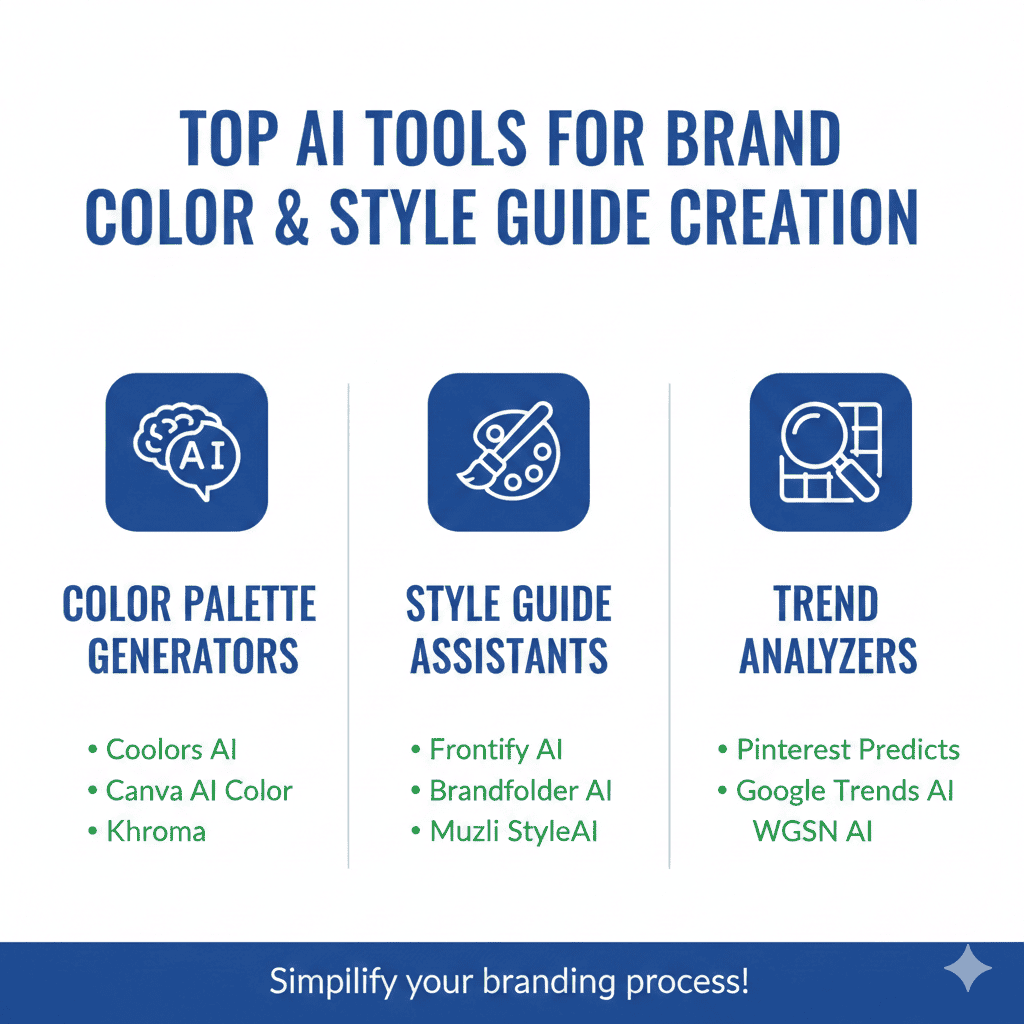
Creating a consistent brand identity requires more than just a logo and a catchy name. The foundation of memorable, professional branding lies in well-defined color palettes, typography systems, and comprehensive style guidelines that ensure consistency across all touchpoints. This is where Brand Color & Style Guide Creation becomes crucial for businesses of all sizes.
In this comprehensive guide, we’ll explore the most powerful AI tools transforming how designers, marketers, and entrepreneurs approach Brand Color & Style Guide Creation. These innovative platforms use artificial intelligence to generate harmonious color schemes, suggest complementary typography, and create complete brand style guides that would traditionally require expensive design agencies and weeks of work.
Why AI-Powered Brand Color & Style Guide Creation Matters
Understanding the importance of Brand Color & Style Guide Creation is essential before exploring specific tools. Your brand’s visual consistency directly impacts customer recognition, trust, and perceived professionalism. Studies show that consistent brand presentation across all platforms increases revenue by up to 23%, yet many businesses struggle with maintaining this consistency.
Traditional brand guide creation required extensive design expertise, deep understanding of color theory, and significant time investment. Design agencies typically charged $10,000 to $50,000 for comprehensive brand identity systems, putting professional branding out of reach for startups and small businesses.
AI has revolutionized this landscape by democratizing access to sophisticated design principles. Modern AI tools analyze millions of successful brands, understand color psychology, and apply design theory automatically. They generate professional-quality color palettes and style guides in minutes rather than weeks, at a fraction of traditional costs.
The psychological impact of color choices cannot be overstated. Colors evoke specific emotions and associations that influence customer perception and purchasing decisions. Blue conveys trust and professionalism, red creates urgency and excitement, green suggests growth and sustainability. AI tools understand these relationships and recommend colors aligned with your brand positioning.
Consistency across digital and print media becomes effortless with AI-generated style guides. These comprehensive documents ensure that whether customers encounter your brand on social media, your website, business cards, or product packaging, they experience the same cohesive visual identity that builds recognition and trust.
1. Coolors: Intelligent Color Palette Generation and Exploration
Coolors has established itself as one of the most popular platforms for Brand Color & Style Guide Creation, offering intuitive AI-powered color palette generation that designers and non-designers alike can leverage effectively.
The platform’s generator creates harmonious five-color palettes instantly, using AI algorithms trained on color theory principles and successful brand designs. You can lock colors you love and regenerate the rest, allowing you to explore countless variations while maintaining elements you’ve already decided on.
Coolors’ AI understands color relationships including complementary, analogous, triadic, and monochromatic schemes. When you input a base color, the system automatically suggests coordinating colors that create visual harmony while providing sufficient contrast for readability and visual interest.
The platform’s accessibility checker is invaluable for ensuring your color combinations meet WCAG standards for contrast ratios. This feature helps you create brand colors that work for all users, including those with visual impairments, which is increasingly important for legal compliance and inclusive design.
Coolors provides extensive export options including PDF documents, CSS code, SVG files, and various image formats. These exports make it easy to share your color palette with developers, designers, and team members, ensuring everyone works from the same color specifications.
The platform’s iOS and Android apps include a unique feature that extracts color palettes from photos using your phone’s camera. This capability is perfect for drawing inspiration from the physical world—a sunset, a piece of art, or a natural landscape—and translating it into your brand identity.
Coolors’ collection feature allows you to save and organize multiple palette variations, making it easy to explore different brand directions before committing. You can share these collections with stakeholders for feedback, streamlining the decision-making process.
2. Khroma: AI That Learns Your Color Preferences
Khroma takes a revolutionary approach to Brand Color & Style Guide Creation by using neural networks to learn your personal color preferences and generate customized palettes that align with your aesthetic sensibility.
The platform’s training process asks you to select 50 colors you’re drawn to from a diverse range of options. This initial training teaches the AI about your preferences regarding hue, saturation, brightness, and color combinations. The more you interact with Khroma, the better it becomes at predicting colors you’ll love.
Khroma’s AI generates infinite color combinations based on your preferences, displaying them in various contexts including typography, gradients, images, and custom palettes. This contextual presentation helps you visualize how colors will actually appear in real-world applications rather than just as abstract swatches.
The platform’s search and filter functionality allows you to find specific types of palettes, whether you need pastels for a wellness brand, bold saturated colors for a tech startup, or earthy tones for a sustainable product line. You can filter by hue, tint, value, and color family to narrow down options.
Khroma provides detailed color information for each palette including hex codes, RGB values, and CSS code. This technical detail ensures accurate color reproduction across all media, from digital screens to printed materials, maintaining brand consistency.
The platform’s save feature creates a personal library of favorite palettes that you can reference and refine over time. This curated collection becomes your brand color toolkit, offering pre-approved options for various applications while maintaining overall visual coherence.
3. Adobe Color: Professional-Grade Color Tools with AI Enhancement
Adobe Color brings enterprise-level capabilities to Brand Color & Style Guide Creation, integrating seamlessly with Creative Cloud applications while offering powerful AI-driven color exploration tools.
The platform’s color wheel interface allows you to create palettes using established color harmony rules including analogous, monochromatic, triadic, complementary, split-complementary, and custom configurations. Adobe’s AI suggests adjustments to improve harmony and accessibility while you work.
Adobe Color’s image extraction feature uses AI to analyze photographs and artwork, identifying dominant colors and generating cohesive palettes. This is particularly valuable for brands building identity around product photography, lifestyle imagery, or existing visual assets.
The platform’s trending palettes showcase what successful designers and brands are currently using, with AI-curated collections organized by industry, mood, and style. This competitive intelligence helps ensure your brand colors feel contemporary while avoiding overly trendy choices that date quickly.
Adobe Color integrates directly with Photoshop, Illustrator, InDesign, and other Creative Cloud applications. Colors saved in Adobe Color automatically sync to your Creative Cloud libraries, making them instantly accessible across all your design projects for seamless brand consistency.
The accessibility tools evaluate your color combinations against WCAG standards, suggesting adjustments to improve contrast ratios while maintaining your aesthetic vision. This built-in compliance checking saves time and ensures your brand meets accessibility requirements.
Adobe Color’s collaborative features allow design teams to share palettes, provide feedback, and maintain version control on brand color decisions. This collaboration capability is essential for larger organizations where multiple stakeholders need input on brand direction.
4. Colormind: Deep Learning Color Scheme Generator
Colormind employs deep learning algorithms for sophisticated Brand Color & Style Guide Creation, using neural networks trained on thousands of successful designs to generate professional-quality palettes.
The AI analyzes color relationships in popular art, successful websites, and professional designs to understand what makes color combinations effective. This extensive training allows Colormind to generate palettes that feel professionally crafted rather than randomly assembled.
Colormind’s unique template visualization shows your generated colors applied to website mockups, allowing you to immediately see how your palette works in context. This preview helps you evaluate whether colors provide sufficient contrast for text, whether call-to-action buttons stand out appropriately, and how the overall composition feels.
The platform’s image upload feature allows you to extract and refine color palettes from existing photos or designs. You can lock specific colors from the image and let the AI generate complementary colors, blending inspiration from visual references with algorithmically generated harmony.
Colormind provides an API that developers can integrate into design tools and applications, enabling automated palette generation within custom workflows. This technical capability makes it valuable for agencies and enterprises building proprietary brand development tools.
The platform continuously updates its neural network with new design data, meaning the palettes it generates reflect current design trends and evolving color preferences. This ongoing learning ensures recommendations remain contemporary and relevant.
5. Huemint: AI Brand Color Palette Generator with Context
Huemint specializes in Brand Color & Style Guide Creation with machine learning models specifically trained to generate colors that work beautifully in brand contexts including websites, graphics, and marketing materials.
The platform’s AI generates not just color values but demonstrates how those colors work together in realistic brand applications. You see your palette applied to website layouts, logo concepts, and marketing graphics simultaneously, providing immediate context for evaluation.
Huemint offers preset styles including Colorful, Pastel, Vibrant, Muted, and more, allowing you to quickly explore different aesthetic directions. Each style represents a distinct approach to color relationships, helping you identify which emotional tone best aligns with your brand positioning.
The platform’s regenerate function allows you to iterate quickly, exploring hundreds of palette variations in minutes. You can lock colors you like and regenerate others, or start completely fresh, making it easy to explore multiple brand directions efficiently.
Huemint provides hex color codes for easy implementation, with one-click copying that streamlines the handoff from brand development to design execution. This simplicity accelerates your workflow from color selection to actual application.
The platform is completely free with no registration required, making professional-quality Brand Color & Style Guide Creation accessible to everyone regardless of budget. This democratization removes financial barriers to professional branding.
6. Canva Color Palette Generator: Integrated Brand Building
Canva’s Color Palette Generator brings comprehensive Brand Color & Style Guide Creation capabilities within its popular design platform, offering seamless integration from color selection to brand application.
The AI-powered palette generator extracts colors from uploaded images, making it easy to build brand colors around product photos, lifestyle imagery, or inspiration from any visual source. The algorithm identifies dominant, accent, and supporting colors automatically.
Canva’s color combinations tool suggests harmonious palettes based on color theory, with explanations of why specific combinations work well together. This educational approach helps users understand design principles while making informed color decisions.
The platform’s Brand Kit feature allows you to save your color palette alongside logos and fonts, creating a complete brand identity system. This saved kit automatically populates templates and designs, ensuring consistent brand application across all materials.
Canva provides thousands of professional templates for every brand need including social media graphics, presentations, marketing materials, and documents. Your saved color palette applies to any template with one click, dramatically accelerating branded content creation.
The collaboration features allow teams to share brand kits, ensuring everyone uses approved colors consistently. Version control and approval workflows help larger organizations maintain brand standards across distributed teams and external partners.
Canva’s color accessibility checker evaluates contrast ratios between your chosen colors, flagging combinations that may be difficult for visually impaired users to distinguish. This built-in compliance support helps create inclusive brands from the start.
7. Palettte: Advanced Color Palette Editing and Refinement
Palettte offers sophisticated tools for Brand Color & Style Guide Creation, focusing on advanced editing capabilities that allow precise refinement of generated palettes.
The platform’s unique spreading interface allows you to adjust the tint, shade, and tone of entire palettes simultaneously. This coordinated adjustment maintains color relationships while shifting the overall mood lighter, darker, more saturated, or more muted.
Palettte’s AI suggestions provide alternative color combinations based on your current palette, helping you explore variations without starting from scratch. These intelligent suggestions maintain your aesthetic direction while introducing subtle shifts that might better serve specific applications.
The platform’s 3D color space visualization shows your palette’s position within the full spectrum of possible colors. This unique view helps you understand color relationships more intuitively and identify opportunities to increase or decrease contrast, adjust harmony, or shift emotional tone.
Palettte provides extensive export options including CSS, SCSS, Swift, and other code formats for easy integration into digital projects. The platform generates not just individual color codes but complete style sheets ready for implementation.
The randomization features allow controlled exploration, generating variations that stay within parameters you define. You can specify hue ranges, saturation limits, and lightness bounds, enabling creative exploration while maintaining brand alignment.
8. Branition Colors: Brand-Specific Color Collections
Branition Colors approaches Brand Color & Style Guide Creation by curating color combinations used by successful brands across industries, providing real-world inspiration validated by market success.
The platform showcases actual color palettes from recognizable brands including tech companies, fashion labels, food brands, and more. This collection demonstrates how successful businesses use color strategically, offering proven approaches you can adapt for your brand.
Branition’s AI-powered recommendations suggest similar palettes based on colors you like, helping you discover brand color combinations you might not have considered. This discovery process exposes you to diverse approaches while maintaining coherence with your preferences.
The platform organizes palettes by industry, making it easy to research color conventions and opportunities for differentiation within your market. You can see what competitors typically use and decide whether to align with category expectations or deliberately stand out.
Branition provides hex codes and color values for easy implementation, with downloadable palette files for various design applications. This practical approach ensures inspiration translates seamlessly into actual brand development.
The platform’s clean, focused interface prioritizes color exploration without overwhelming users with excessive features. This simplicity makes it particularly accessible for non-designers who need professional color guidance without complexity.
9. Material Design Color Tool: Google’s Brand Color System
Google’s Material Design Color Tool brings systematic rigor to Brand Color & Style Guide Creation, applying principles from one of the world’s most influential design systems.
The platform’s primary and secondary color selection process follows Material Design principles, ensuring your brand colors work effectively in digital interfaces. The system automatically generates light and dark variations of each color for comprehensive coverage of UI needs.
Material Design’s AI analyzes your color choices for accessibility, instantly showing which text-on-background combinations meet WCAG standards. This real-time feedback helps you make adjustments before committing to colors that might later require revision.
The preview feature displays your colors in realistic application contexts including app interfaces, demonstrating how your palette performs in actual use cases. This practical visualization helps identify potential issues before implementation.
Material Design provides comprehensive documentation on color usage, offering guidance on when to use primary versus secondary colors, how to implement color hierarchy, and best practices for maintaining consistency. This educational component helps teams apply colors effectively.
The export options include code snippets and design files optimized for Android and web development, streamlining the handoff from brand development to implementation. This technical focus makes Material Design particularly valuable for digital-first brands.
10. Color Hunt: Curated Color Palette Inspiration Platform
Color Hunt offers a community-driven approach to Brand Color & Style Guide Creation, showcasing thousands of color palettes created and curated by designers worldwide.
The platform’s trending palettes reflect current design preferences, helping you understand what color combinations resonate with contemporary audiences. This trend awareness ensures your brand colors feel modern without being so trendy they quickly become dated.
Color Hunt’s collections organize palettes by theme including Vintage, Neon, Pastel, and more, making it easy to explore specific aesthetic directions. These curated collections accelerate the exploration process by presenting pre-filtered options aligned with particular moods or styles.
The platform’s popularity system surfaces the most-liked palettes, providing crowd-sourced validation of color combinations. While popularity shouldn’t be the only consideration, it offers useful data points about which palettes broadly appeal to design-conscious audiences.
Color Hunt allows you to save favorite palettes to personal collections, creating a curated library of options to revisit and refine. This bookmark functionality supports iterative brand development where you explore multiple directions before deciding.
The one-click copy feature for hex codes streamlines the workflow from inspiration to implementation. You can quickly grab colors you like and test them in your actual designs without manual typing or conversion.
11. Muzli Colors: AI-Powered Palette Generator with Design Context
Muzli Colors integrates Brand Color & Style Guide Creation with design inspiration, offering AI-generated palettes alongside curated examples of how colors work in professional design projects.
The platform’s generator creates instant color palettes with a single click, using AI trained on design principles and successful brand implementations. The speed of generation encourages exploration, making it easy to evaluate dozens of directions quickly.
Muzli’s design showcase displays real projects using colors similar to those you’re considering, providing validation and inspiration for how your palette might work in practice. This real-world context helps bridge the gap between abstract color theory and practical application.
The platform’s browser extension surfaces color inspiration while you browse the web, making it easy to capture palettes from websites, products, or images you encounter naturally. This passive inspiration gathering builds a personal library of color ideas over time.
Muzli provides palette variations automatically, showing lighter, darker, and adjusted versions of generated schemes. These variations give you flexibility for different applications while maintaining overall brand coherence.
The integration with InVision’s design ecosystem allows seamless sharing with team members and stakeholders, facilitating collaborative brand development and approval processes.
12. Colorsinspo: Comprehensive Color Resource and Generator
Colorsinspo offers an extensive platform for Brand Color & Style Guide Creation, combining AI palette generation with comprehensive color resources including gradients, solid colors, and pattern inspiration.
The platform’s all-in-one color generator creates complete brand color systems including primary colors, accent colors, and gradient options. This comprehensive approach ensures you have colors for every brand application from solid backgrounds to dynamic transitions.
Colorsinspo’s gradient generator creates smooth color transitions that work beautifully for modern web design, app interfaces, and marketing graphics. These pre-generated gradients use your brand colors as anchors, extending your palette’s application range.
The platform’s pattern section demonstrates how your colors work in textures and repeating designs, useful for packaging, backgrounds, and textile applications. This often-overlooked aspect of brand application receives dedicated attention.
Colorsinspo provides color psychology information, explaining the emotional and psychological associations of different colors. This educational component helps you make informed decisions about which colors align with your brand positioning and target audience.
The platform’s collection feature allows you to organize palettes by project, client, or theme, making it valuable for design professionals managing multiple brands simultaneously. This organization supports efficient workflow across diverse projects.
Creating Comprehensive Style Guides with AI Tools
While color palettes are essential, complete Brand Color & Style Guide Creation requires additional elements including typography, spacing, imagery guidelines, and usage rules. Several strategies help you build comprehensive guides using AI tools.
Start by establishing your color system using the tools above, then expand into typography using AI platforms like Fontjoy or Font Combinations. These tools suggest font pairings that complement your color choices, creating visual harmony across all brand elements.
Document your color specifications comprehensively including hex codes for digital use, CMYK values for print applications, Pantone matches for specific printing needs, and RGB values for various screen displays. This technical completeness ensures accurate color reproduction across all media.
Create usage examples showing correct and incorrect applications of your brand colors. These visual guidelines prevent common mistakes like poor contrast combinations, inappropriate color hierarchies, or contexts where your colors shouldn’t be used.
Develop mood boards that demonstrate your brand’s visual direction beyond just colors, incorporating imagery style, graphic elements, and compositional approaches. AI tools like Dora or Hotpot.ai can help generate brand-aligned imagery that illustrates your aesthetic.
Build templates for common applications including business cards, letterheads, social media graphics, presentation decks, and email signatures. Having pre-designed templates ensures consistent brand application and saves time for everyone using your brand assets.
Best Practices for AI-Generated Brand Colors
Successful Brand Color & Style Guide Creation requires strategic thinking beyond just generating attractive palettes. Understanding and applying best practices ensures your colors effectively support your brand objectives.
Research color psychology specific to your industry and target demographic. While AI tools suggest harmonious combinations, you must ensure colors align with your brand positioning. A law firm needs different color psychology than a children’s toy company.
Test your colors across multiple devices and contexts before finalizing. Colors appear differently on various screens, in different lighting conditions, and when printed versus displayed digitally. What looks perfect on your computer might appear quite different on smartphones or in printed brochures.
Consider accessibility from the beginning rather than as an afterthought. Ensure sufficient contrast between text and backgrounds, avoid color combinations that are difficult for colorblind individuals, and provide alternative ways to convey information beyond color alone.
Limit your primary palette to 2-3 core colors with 2-3 accent colors. Too many colors create visual confusion and dilute brand recognition. A focused palette is easier to apply consistently and more memorable for audiences.
Create both light and dark mode versions of your color system. With dark mode becoming standard on devices and applications, having pre-defined dark-compatible colors ensures your brand translates effectively across all user preference settings.
Plan for evolution and flexibility. Your brand colors should have enough range to accommodate seasonal campaigns, product line variations, and natural brand evolution while maintaining core identity. Build systems, not just single palettes.
Implementing Your AI-Generated Style Guide
Creating your color palette is just the beginning. Successful Brand Color & Style Guide Creation requires effective implementation across your organization and touchpoints.
Document everything in a centralized, accessible style guide that team members, contractors, and partners can reference. This guide should be a living document that evolves as your brand matures but provides clear direction at any given moment.
Create brand asset libraries in design tools like Figma, Adobe Creative Cloud, or Canva that include your approved colors. These shared libraries ensure everyone works from the same source of truth, preventing color drift and inconsistency.
Educate your team about why specific colors were chosen and how to apply them correctly. Understanding the strategic reasoning behind color choices helps team members make appropriate decisions when creating new brand materials.
Establish approval processes for brand applications, especially early in your brand’s life. Having designated brand gatekeepers ensures consistent application while your team builds experience with the new system.
Monitor brand usage across all channels and provide constructive feedback when you notice inconsistencies. Regular brand audits help identify where guidelines need clarification or where additional training would be valuable.
Update your style guide as you discover edge cases or new application contexts. No guide can anticipate every situation, so treating it as a living document that improves through real-world use ensures ongoing relevance.
Conclusion: Transforming Brand Identity with AI-Powered Color Systems
The evolution of Brand Color & Style Guide Creation through artificial intelligence has democratized professional branding, making sophisticated color systems accessible to businesses of all sizes. The tools we’ve explored offer capabilities that rival expensive design agencies, delivering professional results in minutes rather than weeks.
Whether you choose Coolors for intuitive palette generation, Khroma for personalized AI learning, Adobe Color for professional integration, or any of the other excellent platforms available, you have access to powerful tools that apply design theory automatically while allowing creative exploration.
Remember that successful Brand Color & Style Guide Creation extends beyond selecting attractive colors. It requires strategic thinking about your brand positioning, understanding of color psychology, consideration of technical implementation, and commitment to consistent application across all touchpoints.
The best approach combines AI efficiency with human creativity and strategic thinking. Use these tools to explore possibilities and generate professional palettes quickly, but apply your business knowledge and brand understanding to select options that authentically represent your vision and resonate with your target audience.
As you develop your brand’s visual identity, leverage these AI-powered tools to create comprehensive color systems that not only look beautiful but strategically support your business objectives. The right Brand Color & Style Guide Creation approach establishes a foundation for memorable, consistent, and effective brand communication that drives recognition, trust, and business growth.
Also read this:
Best AI Tools for Business Name & Logo Generation: Create Your Brand Identity in Minutes
Top AI Tools for Investor Outreach & Email Automation: Transform Your Fundraising Strategy in 2025
Best AI Tools for Startup Pitch Deck Creation in 2025: A Founder’s Complete Guide