
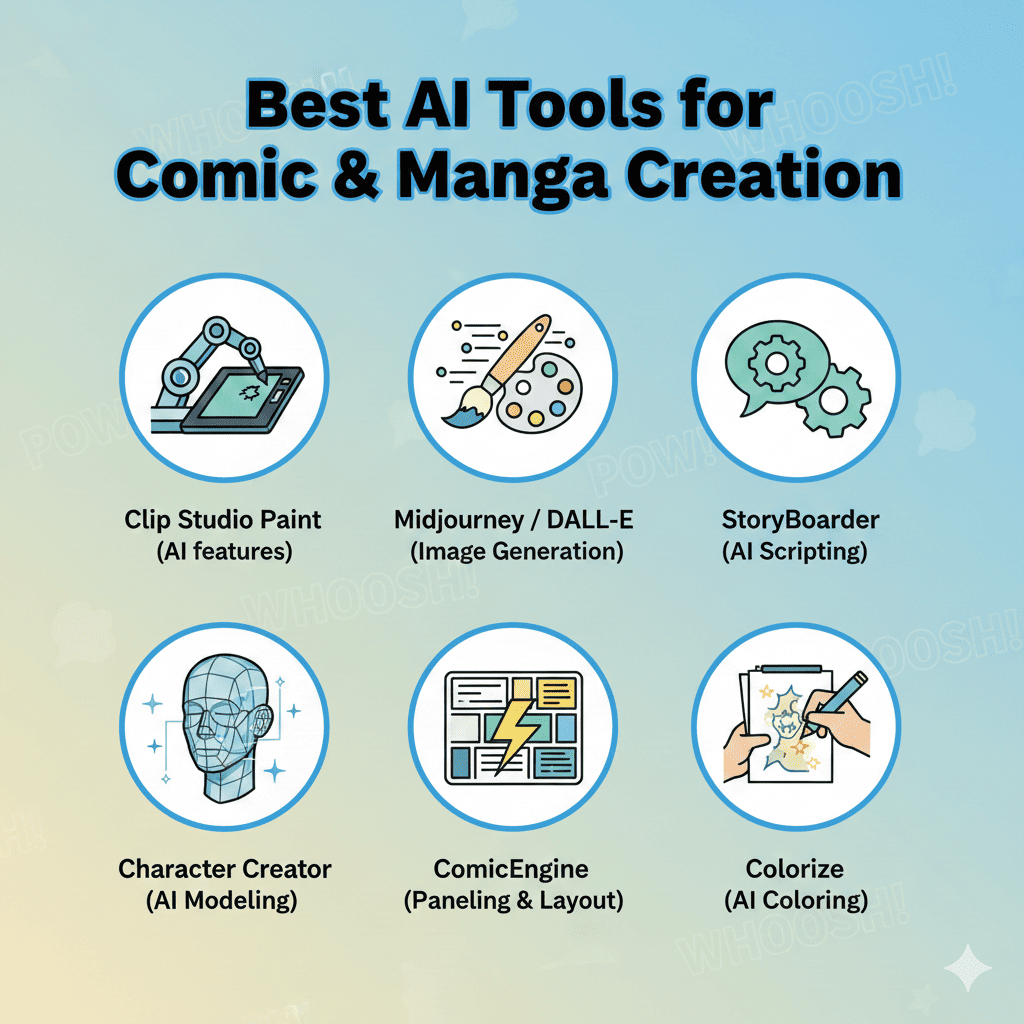
The world of comic and manga creation has been revolutionized by artificial intelligence. Whether you’re a seasoned artist looking to speed up your workflow or a beginner with limited drawing skills, AI tools for comic & manga creation are changing the game. These innovative platforms are democratizing the art form, making it possible for anyone with a story to tell to bring their characters and worlds to life.
In this comprehensive guide, we’ll explore the most powerful AI tools for comic & manga creation that can help you produce professional-quality artwork, generate consistent characters, and streamline your entire creative process.
Why Use AI for Comic and Manga Creation?
Before diving into specific tools, let’s understand why AI tools for comic & manga creation have become essential for modern creators:
- Speed: Generate panels and backgrounds in minutes instead of hours
- Consistency: Maintain character designs across hundreds of panels
- Accessibility: Create professional artwork without years of traditional training
- Experimentation: Try different styles and compositions quickly
- Cost-Effectiveness: Reduce the need for large production teams
- Focus on Storytelling: Spend more time on narrative and less on repetitive tasks
1. MidJourney: Premium Quality Manga Art Generation
MidJourney stands out as one of the most sophisticated AI tools for comic & manga creation, particularly for artists who demand high-quality, detailed artwork. This Discord-based platform has become a favorite among professional comic creators and hobbyists alike.
Key Features:
- Exceptional Detail: Produces highly detailed, publication-quality images
- Style Versatility: Excellent for both Western comics and Japanese manga styles
- Character Consistency: Use image prompts to maintain character designs across panels
- Artistic Control: Advanced parameters let you fine-tune every aspect of your images
- Community Learning: Active Discord community shares prompts and techniques
Best For:
- Professional comic artists seeking premium quality
- Creators working on graphic novels with complex visual narratives
- Artists who want realistic or semi-realistic manga styles
- Those willing to invest time in learning prompt engineering
Tips for Comic Creation:
Use the --cref parameter to maintain character consistency across multiple panels. Start by generating a character reference sheet, then use those images as reference for subsequent panels. Combine multiple aspect ratios like --ar 16:9 for wide establishing shots and --ar 2:3 for portrait-focused panels.
2. Stable Diffusion: Open-Source Powerhouse
Stable Diffusion represents the open-source revolution in AI tools for comic & manga creation. This versatile platform offers unparalleled customization and control, making it ideal for creators who want complete ownership of their workflow.
Key Features:
- Complete Freedom: Run locally on your computer with no usage limits
- Custom Models: Use manga-specific models like “Anything V5” or “AnythingXL”
- ControlNet Integration: Maintain pose consistency and panel composition
- LoRA Support: Fine-tune for specific character styles or artistic approaches
- Cost-Free: No subscription fees after initial setup
Best For:
- Technical users comfortable with software installation
- Creators who need unlimited generation without subscription costs
- Artists requiring maximum control over the AI generation process
- Those wanting to train custom models on their own art style
Popular Extensions for Comics:
Install the ControlNet extension for pose control, Regional Prompter for multi-character scenes, and AnimateDiff for creating dynamic action sequences. The Photopea integration allows seamless editing of generated panels.
3. Leonardo.AI: User-Friendly Comic Creation Platform
Leonardo.AI has emerged as one of the most accessible AI tools for comic & manga creation, offering a perfect balance between power and ease of use. Its intuitive interface makes it ideal for creators who want professional results without a steep learning curve.
Key Features:
- Canvas Mode: Built-in editing tools for refining generated images
- Character Reference: Excellent consistency features for maintaining character designs
- Real-Time Generation: See variations as you type your prompts
- Pre-Made Models: Specialized models for anime, manga, and comic styles
- Fair Free Tier: Generous daily token allocation for experimentation
Best For:
- Beginners new to AI art generation
- Creators who value an intuitive interface
- Artists working on web comics with regular update schedules
- Those who need quick turnaround times
Workflow Optimization:
Start with the “Anime General” or “Manga Style” models for authentic Japanese aesthetics. Use the Image Guidance feature set to high strength (70-80%) when generating sequential panels to maintain visual consistency. The Canvas editor allows you to inpaint specific areas without regenerating entire images.
4. ComicsMaker.ai: Purpose-Built for Sequential Art
ComicsMaker.ai is specifically designed as one of the specialized AI tools for comic & manga creation, focusing exclusively on the unique needs of comic creators. This platform understands the workflow of sequential storytelling.
Key Features:
- Page Layout Tools: Pre-designed panel layouts and comic page templates
- Speech Bubble Integration: Built-in text and dialogue tools
- Story Mode: Generate entire comic pages from text descriptions
- Character Library: Save and reuse character designs across projects
- Direct Export: Download print-ready or web-optimized comic pages
Best For:
- Creators focused specifically on comic production
- Those who want an all-in-one comic creation solution
- Beginners who need guided workflows
- Web comic artists with regular publication schedules
Production Tips:
Create a character bible by generating multiple angles and expressions of your main characters. Save these to your character library for quick access. Use the story mode to quickly prototype entire issues, then refine individual panels as needed.
5. Krita AI Diffusion Plugin: Artist-Friendly Integration
For traditional digital artists, the Krita AI Diffusion Plugin represents one of the most seamless AI tools for comic & manga creation. It brings AI generation directly into a professional drawing application you already know.
Key Features:
- Native Integration: AI generation directly in your drawing software
- Layer-Based Workflow: AI generations appear as standard layers
- Brush Compatibility: Combine AI and hand-drawn elements seamlessly
- Selection-Based Generation: Generate only in selected areas
- Free and Open-Source: No additional costs beyond Stable Diffusion setup
Best For:
- Digital artists already using Krita
- Creators who blend AI and traditional techniques
- Artists who want AI as an assistive tool, not a replacement
- Those with strong digital art fundamentals
Hybrid Technique:
Sketch your panel layouts traditionally, then use AI to generate detailed backgrounds. Hand-draw character line art, then use AI for coloring and shading. This hybrid approach maintains your artistic voice while leveraging AI for time-consuming tasks.
6. NovelAI: Anime and Manga Specialist
NovelAI has become one of the go-to AI tools for comic & manga creation for creators focused on anime and manga aesthetics. Originally a text generation platform, its image generation capabilities are specifically trained on Japanese art styles.
Key Features:
- Danbooru Tags: Uses familiar anime/manga tagging system
- Consistent Anime Aesthetics: Exceptional at producing authentic manga styles
- Character Sheet Generation: Create reference sheets with multiple poses
- NSFW Support: No content restrictions for mature manga creators
- Subscription Model: Monthly access with generous generation limits
Best For:
- Manga creators prioritizing authentic Japanese art styles
- Artists working in shonen, shojo, seinen, or other manga genres
- Creators who understand anime/manga character design conventions
- Those needing consistent anime-style characters
Prompt Mastery:
Master the Danbooru tagging system for precise results. Tags like “1girl, long hair, blue eyes, school uniform” will generate exactly what you need. Use quality tags like “masterpiece, best quality” at the start of every prompt, and negative prompts like “bad anatomy, extra fingers” to avoid common issues.
7. Photoshop Generative Fill: Professional Integration
Adobe’s Generative Fill feature in Photoshop has become an essential tool among AI tools for comic & manga creation for professional artists. It seamlessly integrates AI into a workflow that many comic creators already use.
Key Features:
- Context-Aware Generation: AI understands surrounding image content
- Non-Destructive Workflow: Generations appear on separate layers
- Selection-Based: Generate only what you need
- Professional Integration: Works with existing Photoshop tools
- Cloud-Powered: Leverages Adobe’s Firefly AI engine
Best For:
- Professional comic artists with Adobe subscriptions
- Creators who already use Photoshop in their workflow
- Artists needing quick background generation
- Those requiring professional-grade editing tools
Comic Workflow:
Create panel layouts in Photoshop, then use Generative Fill for backgrounds. Select areas behind characters and prompt for “cyberpunk city street” or “medieval castle interior.” Use the generative expand feature to extend panel compositions when layouts need adjustment.
8. Artbreeder: Character Design and Evolution
Artbreeder offers a unique approach among AI tools for comic & manga creation by focusing on iterative character design through genetic-style mixing of images. It’s perfect for exploring character concepts.
Key Features:
- Gene-Based Mixing: Blend multiple character designs together
- Slider Controls: Adjust specific features like age, emotion, and style
- Collaborative Creation: Mix your designs with community creations
- High-Resolution Output: Generate print-quality character portraits
- Version Tracking: Save and return to previous iterations
Best For:
- Character designers exploring multiple concepts
- Creators developing unique character designs
- Artists who prefer visual iteration over text prompts
- Teams collaborating on character development
Design Process:
Start with a base character that’s close to your vision. Use sliders to adjust facial features, age, and expression. Create variations for different emotional states, ages, or alternate versions. Export your final designs as character reference sheets.
9. Fotor AI Comic Generator: Quick and Simple
Fotor’s AI Comic Generator is one of the most straightforward AI tools for comic & manga creation, designed for users who want results quickly without complex setups or learning curves.
Key Features:
- One-Click Transformation: Convert photos to comic art instantly
- Multiple Styles: Choose from various comic and manga aesthetics
- Web-Based: No installation required
- Batch Processing: Convert multiple images at once
- Social Media Integration: Direct sharing to platforms
Best For:
- Absolute beginners to AI art
- Social media content creators
- Quick comic strip creation
- Photo-to-comic transformations
Use Cases:
Perfect for creating quick comic adaptations of real photos, generating social media comic content, or creating comedic comic versions of selfies and group photos. The speed makes it ideal for regular content creators who need daily outputs.
10. Clip Studio Paint AI: Industry Standard with AI
Clip Studio Paint has integrated AI features into what’s already considered the industry standard for comic and manga creation, making it one of the most complete AI tools for comic & manga creation available.
Key Features:
- Auto Colorization: AI-powered coloring assistance
- 3D Models: Pose reference models with AI enhancement
- Panel Layout Assistant: AI-suggested panel arrangements
- Professional Tools: Complete comic creation toolkit
- Industry Adoption: Used by professional manga artists worldwide
Best For:
- Professional comic and manga artists
- Creators who want a complete production solution
- Artists transitioning from traditional to digital with AI assistance
- Those serious about long-term comic creation
Professional Workflow:
Use the 3D models for pose reference, sketch your characters, then use auto-colorization to speed up the coloring process. The AI assists rather than replaces your artistic skills, making it perfect for artists who want to maintain their style while increasing productivity.
How to Choose the Right AI Tools for Your Comic Creation
With so many AI tools for comic & manga creation available, selecting the right one depends on several factors:
Consider Your Skill Level:
- Beginners: Start with Leonardo.AI or Fotor for user-friendly interfaces
- Intermediate: Explore MidJourney or NovelAI for more control
- Advanced: Dive into Stable Diffusion for maximum customization
Define Your Budget:
- Free Options: Stable Diffusion, Krita AI Plugin, limited tiers of Leonardo.AI
- Affordable Subscriptions: NovelAI ($10-25/month), Leonardo.AI Pro
- Premium Tiers: MidJourney ($10-60/month), Adobe Suite ($54.99/month)
Identify Your Style:
- Manga/Anime: NovelAI, Leonardo.AI with anime models
- Western Comics: MidJourney, Stable Diffusion
- Versatile: Leonardo.AI, Clip Studio Paint
Assess Your Technical Comfort:
- Simple: ComicsMaker.ai, Fotor
- Moderate: Leonardo.AI, MidJourney
- Complex: Stable Diffusion, Krita AI Plugin
Best Practices for Using AI in Comic Creation
1. Maintain Artistic Vision
Don’t let AI dictate your story or style. Use AI tools for comic & manga creation as assistants that execute your vision, not as directors of your creative choices.
2. Create Character Reference Sheets
Generate multiple angles, expressions, and poses of your characters early. Save these as references to maintain consistency throughout your comic or manga.
3. Combine Tools for Best Results
Don’t limit yourself to one platform. Use MidJourney for character designs, Stable Diffusion for backgrounds, and Photoshop for final composition and editing.
4. Develop Your Prompt Skills
Invest time in learning effective prompting. The quality of your outputs directly correlates with your ability to communicate what you want to the AI.
5. Edit and Refine
AI generations are starting points, not finished products. Always refine, edit, and add your personal touch to AI-generated elements.
6. Respect Copyright and Ethics
Understand the legal implications of AI art. If you’re publishing commercially, ensure your chosen tools allow commercial use and that you’re not violating anyone’s copyright.
7. Build a Hybrid Workflow
The best results often come from combining AI generation with traditional skills. Sketch layouts by hand, use AI for backgrounds, hand-draw important character moments, and use AI for coloring.
The Future of AI Tools for Comic & Manga Creation
The landscape of AI tools for comic & manga creation is evolving rapidly. Here’s what to expect in the near future:
Enhanced Character Consistency
Next-generation AI models will offer even better character consistency across panels, reducing the need for complex workflows or multiple reference images.
Real-Time Collaboration
AI tools will increasingly support team collaboration, allowing writers, artists, and colorists to work together seamlessly on AI-assisted projects.
Motion and Animation Integration
The line between static comics and animation is blurring. Future tools will easily convert comic panels into animated sequences, opening new storytelling possibilities.
Voice-to-Comic Generation
Imagine describing your entire comic verbally and having AI generate draft layouts. This technology is on the horizon and will further democratize comic creation.
Personalized Style Training
More accessible custom model training will allow artists to train AI on their unique style, creating a personalized assistant that generates in their signature aesthetic.
Conclusion: Embrace the AI Revolution in Comic Creation
AI tools for comic & manga creation have transformed what’s possible for creators at every level. Whether you’re a professional manga artist looking to speed up production, an aspiring comic creator with limited drawing skills, or a storyteller who has always dreamed of bringing your narratives to visual life, there’s an AI tool designed for your needs.
The key to success with AI tools for comic & manga creation isn’t about replacing human creativity—it’s about amplifying it. These tools handle the technical heavy lifting, freeing you to focus on what matters most: telling compelling stories, developing memorable characters, and crafting visual narratives that resonate with readers.
Start with one tool that matches your skill level and budget. Experiment, learn, and gradually expand your toolkit as you become comfortable. The democratization of comic and manga creation through AI means that the only thing standing between you and your published work is the willingness to begin.
Your story deserves to be told, and with these AI tools for comic & manga creation, you have everything you need to make it happen. The future of comics and manga is here, and it’s more accessible than ever before. What will you create?
Also read this:
Best AI Tools for Stress Monitoring and Relief: Your Complete Guide to Mental Wellness
Top AI Tools for Real-Time Translation & Subtitles: Breaking Language Barriers in 2025
Top AI Architecture Tools for 3D Floor Plans: Transform Your Design Workflow in 2025