
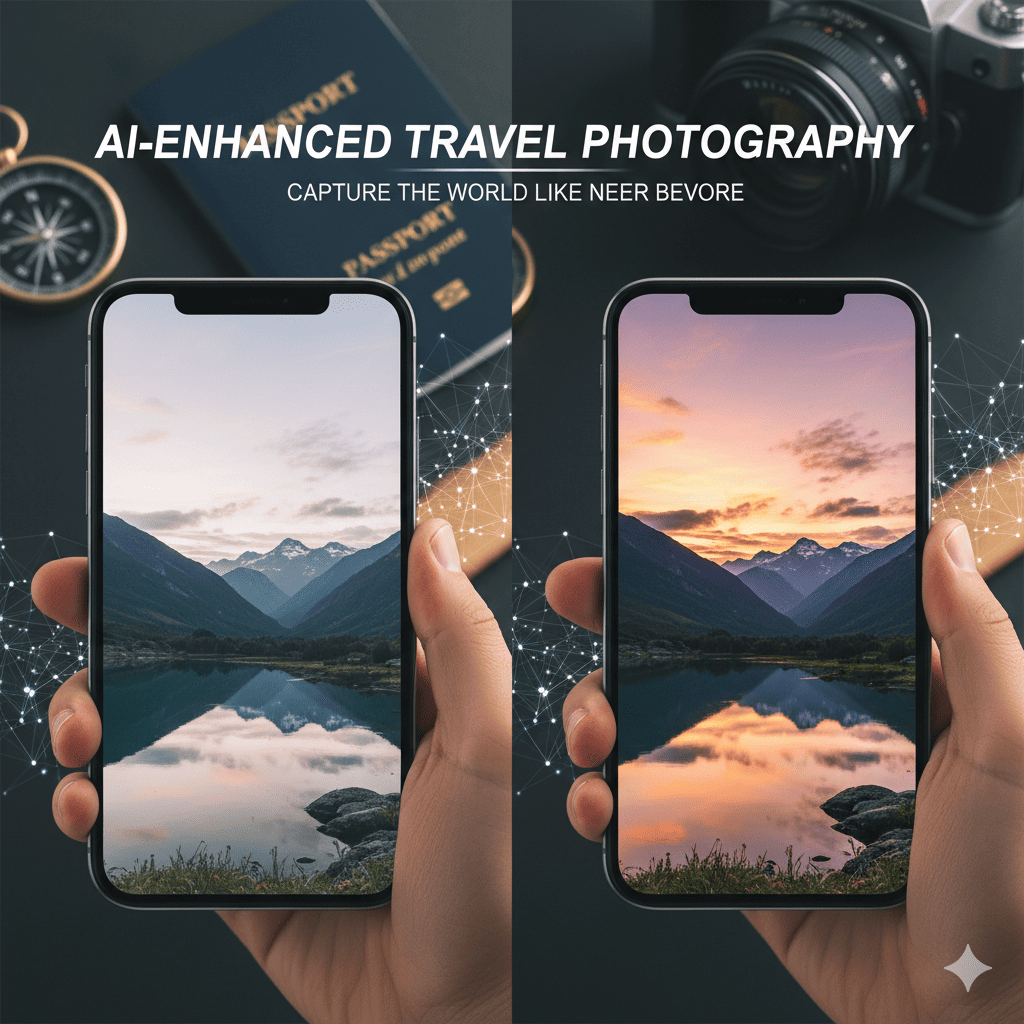
Travel photography has evolved dramatically over the past decade, but nothing has transformed it quite like artificial intelligence. AI-Enhanced Travel Photography is revolutionizing how we capture, edit, and share our adventures, turning ordinary snapshots into extraordinary visual stories. Whether you’re a seasoned photographer or a smartphone enthusiast, AI-Enhanced Travel Photography offers tools and techniques that were once reserved for professionals with years of experience and expensive equipment.
In this comprehensive guide, we’ll explore how AI-Enhanced Travel Photography is changing the game for travelers worldwide, providing you with practical insights, cutting-edge techniques, and expert tips to elevate your travel imagery to professional levels.
1. Understanding AI-Enhanced Travel Photography: The Revolution in Your Pocket
AI-Enhanced Travel Photography leverages machine learning algorithms and computational photography to enhance images in ways that were previously impossible. These intelligent systems can recognize scenes, identify subjects, optimize exposure, and even predict the best settings for your shots—all in real-time.
What Makes AI Different from Traditional Photography?
Traditional photography relies heavily on the photographer’s technical knowledge, experience, and manual adjustments. While these skills remain valuable, AI augments them by:
- Analyzing millions of professional photographs to understand what makes an image compelling
- Processing multiple exposures simultaneously to create perfectly balanced images
- Recognizing specific elements like faces, landscapes, food, and architecture
- Applying context-aware enhancements that respect the scene’s natural characteristics
- Predicting optimal settings based on environmental conditions
The beauty of AI-Enhanced Travel Photography lies in its accessibility. You no longer need to memorize exposure triangles or carry heavy equipment to capture magazine-worthy travel photos.
The Technology Behind the Magic
Modern AI photography tools use neural networks trained on vast datasets of professional images. These networks learn patterns, compositions, lighting scenarios, and artistic styles. When you take a photo, the AI instantly analyzes the scene and applies learned principles to optimize your image.
Computer vision algorithms can identify specific elements in your frame—mountains, beaches, people, buildings, sunsets—and apply specialized processing tailored to each subject. This intelligent processing happens so quickly that it feels seamless, giving you professional results without the professional learning curve.
2. Essential AI Tools and Apps for Travel Photographers
The market is flooded with AI-Enhanced Travel Photography applications, each offering unique features to transform your images. Here’s a curated selection of the most powerful tools that deserve a place in your digital toolkit.
Smartphone AI Camera Apps
Google Pixel Camera leads the pack with computational photography features like Night Sight, which uses AI to capture stunning low-light scenes without flash, and Magic Eraser, which removes unwanted tourists from your perfect shot. The AI understands scene context and adjusts processing accordingly.
Apple ProRAW and Photographic Styles bring professional-grade control to iPhone users. The AI processing maintains natural skin tones while enhancing landscapes, creating a balanced look that respects photographic authenticity.
Adobe Lightroom Mobile combines traditional editing power with AI-powered features like Auto Settings, which analyzes your image and suggests optimal adjustments, and Select Subject, which uses machine learning to create precise masks instantly.
Dedicated AI Editing Software
Luminar AI revolutionizes photo editing by letting you describe what you want rather than manually adjusting sliders. Its AI understands concepts like “dramatic sky,” “golden hour warmth,” or “professional portrait,” and applies appropriate enhancements.
Topaz Labs Suite offers specialized AI tools: Sharpen AI rescues blurry travel photos, Denoise AI removes grain from high-ISO shots, and Gigapixel AI upscales images while adding realistic detail—perfect for printing large-format travel memories.
Skylum’s AI Sky Replacement transforms boring skies into dramatic cloudscapes while automatically adjusting lighting and reflections throughout the entire image to maintain realism.
Real-Time AI Assistance
Adobe Sensei powers intelligent features across Adobe’s Creative Cloud, offering AI-powered selection tools, content-aware fill, and neural filters that can change facial expressions, weather conditions, or even the time of day in your travel photos.
ON1 Photo RAW provides AI-powered masking that instantly identifies skies, subjects, and backgrounds, making complex edits incredibly simple. Its AI Quick Mask feature understands photo context and creates accurate selections in seconds.
3. Capturing Stunning Landscapes with AI Technology
Landscape photography benefits enormously from AI-Enhanced Travel Photography techniques. The technology helps overcome common challenges like harsh lighting, limited dynamic range, and unpredictable weather conditions.
HDR and Exposure Fusion
Modern AI doesn’t just stack multiple exposures—it intelligently blends them while avoiding the artificial, over-processed look that plagued earlier HDR techniques. The AI understands scene context, preserving natural transitions and realistic tonality.
When shooting that mountain vista or coastal sunset, your camera’s AI can capture multiple exposures in rapid succession, then merge them to reveal detail in both bright skies and dark foregrounds. This happens automatically, requiring no technical knowledge or post-processing expertise.
Sky Enhancement and Replacement
AI algorithms can identify dull or overcast skies and enhance them dramatically—or replace them entirely with more dramatic cloudscapes. Advanced systems automatically adjust the entire scene’s lighting and reflections to match the new sky, creating seamlessly realistic results.
This technology proves invaluable when weather doesn’t cooperate with your travel schedule. That overcast day at Machu Picchu? AI can retrospectively add the dramatic sky you wish had been there, complete with appropriate lighting adjustments.
Intelligent Sharpening and Detail Enhancement
Travel landscapes often lose sharpness due to atmospheric haze, especially when shooting distant mountains or architectural landmarks. AI sharpening analyzes image structure and selectively enhances edges and texture while avoiding noise amplification.
Unlike traditional sharpening that treats all image areas equally, AI understands the difference between genuine detail and noise, between important edges and irrelevant artifacts. This intelligent processing reveals hidden detail without creating artificial-looking results.
4. Perfecting Portrait and People Photography While Traveling
AI-Enhanced Travel Photography truly shines when capturing people during your travels. Whether photographing locals, fellow travelers, or self-portraits, AI tools help you create flattering, professional-looking images consistently.
Intelligent Portrait Enhancement
Modern AI portrait tools go far beyond simple skin smoothing. They understand facial structure, lighting, and the aesthetics of professional portraiture. AI can:
- Brighten and define eyes while maintaining natural appearance
- Smooth skin texture without losing important detail or creating a plastic look
- Enhance facial features subtly to create more flattering results
- Adjust lighting to simulate professional portrait lighting setups
- Remove temporary blemishes while preserving natural skin texture
The key advantage is consistency. AI applies these enhancements uniformly across multiple shots, ensuring all your travel portraits maintain a cohesive, professional appearance.
Background Blur and Bokeh Simulation
Portrait mode on smartphones uses AI to identify subjects and artificially blur backgrounds, simulating the shallow depth-of-field effect of professional cameras with large apertures. Advanced algorithms create realistic bokeh (background blur) that was once only possible with expensive lenses.
This technology proves especially valuable in crowded tourist locations. That portrait at a busy market? AI can blur the chaotic background into a pleasing wash of color, making your subject stand out dramatically.
Facial Recognition and Organization
AI-powered photo management tools automatically recognize and tag faces, making it easy to find all photos of specific travel companions. This might seem mundane, but it transforms how you organize and share travel memories.
Advanced systems can even identify emotions and expressions, helping you quickly find the best candid moments from thousands of travel photos.
5. Mastering Low-Light and Night Photography with AI
Low-light photography traditionally requires expensive equipment, technical expertise, and often a tripod. AI-Enhanced Travel Photography democratizes night photography, delivering stunning results from handheld shots in challenging lighting conditions.
AI-Powered Night Modes
Night mode features use AI to combine multiple exposures captured in rapid succession, aligning them despite hand movement and merging them to reveal extraordinary detail in dark scenes. The AI distinguishes between static elements (buildings, landscapes) and moving subjects (people, vehicles), processing each appropriately.
This means you can capture sharp images of illuminated monuments, atmospheric street scenes, and stunning cityscapes at night—all handheld, without blur or excessive noise.
Noise Reduction and Detail Preservation
High ISO settings—necessary for low-light shooting—introduce grain and noise that degrades image quality. AI noise reduction analyzes image structure, distinguishing between genuine detail and random noise patterns.
Traditional noise reduction often sacrifices detail to eliminate grain. AI preserves important texture and edges while aggressively removing noise from smooth areas like skies and walls. The result looks naturally clean rather than over-processed.
Light Trail and Long Exposure Simulation
AI can now simulate long exposure effects without actually using extended shutter speeds. This allows you to create artistic light trail images of traffic or smooth, silky water effects while shooting handheld—effects that traditionally required tripods and specialized filters.
6. Architectural and Urban Photography Enhanced by AI
Travel often involves photographing impressive buildings, monuments, and urban landscapes. AI-Enhanced Travel Photography solves common architectural photography challenges with surprising effectiveness.
Perspective Correction and Distortion Removal
When photographing tall buildings, perspective distortion causes vertical lines to converge, making structures appear to lean backward. AI tools automatically detect and correct this distortion, straightening vertical lines while maintaining natural proportions.
Advanced systems understand architectural geometry and can correct complex perspective issues that would require manual adjustment and professional knowledge to fix properly.
Content-Aware Fill and Object Removal
Unwanted elements—power lines, tourists, trash bins, construction equipment—frequently mar otherwise perfect architectural shots. AI-powered content-aware fill analyzes surrounding image areas and seamlessly removes unwanted objects, filling the space with contextually appropriate detail.
This technology has improved dramatically. Modern AI generates realistic texture, patterns, and structure that blend invisibly with surrounding areas, making removals virtually undetectable.
HDR for Architectural Detail
Interior architectural photography presents extreme lighting challenges—bright windows against dark interiors create exposure conflicts. AI HDR processing captures multiple exposures and merges them intelligently, revealing detail in both highlights and shadows while maintaining natural appearance.
The AI understands architectural context, avoiding the over-processed look while maximizing visible detail throughout the scene.
7. Wildlife and Action Photography Benefits
Capturing wildlife and fast-moving subjects during travel has always been challenging. AI-Enhanced Travel Photography brings professional-level capabilities to these demanding situations.
AI-Powered Autofocus and Subject Tracking
Modern cameras use AI to recognize animals, birds, and even specific features like eyes, maintaining sharp focus on moving subjects with unprecedented accuracy. The AI predicts subject movement and adjusts focus proactively rather than reactively.
This means better success rates when photographing safari animals, street performers, or any moving subjects you encounter while traveling.
Motion Blur Reduction
AI can analyze multiple frames captured in burst mode and combine them to reduce motion blur while preserving sharpness. Some systems can even recover detail from slightly blurred images using algorithms trained on sharp/blurred image pairs.
Continuous Learning and Improvement
AI photography systems improve over time through machine learning. They analyze your shooting patterns, learn from professional images, and continuously refine their processing algorithms. Your camera literally becomes better at photography the longer you use it.
8. AI-Assisted Composition and Creative Guidance
AI-Enhanced Travel Photography isn’t just about post-processing—it provides real-time guidance to help you compose better shots in the moment.
Rule of Thirds and Composition Assistance
AI-enabled cameras can overlay composition guides and even suggest framing improvements while you shoot. Some systems analyze your scene and recommend specific composition adjustments to create more compelling images.
This real-time coaching helps develop your photographic eye while ensuring immediate results.
Scene Recognition and Optimization
Modern AI can identify dozens of scene types—beach, sunset, food, pet, night sky—and automatically optimize camera settings and processing for each. This situational intelligence ensures optimal results across diverse travel situations without requiring manual mode switching.
Creative Style Suggestions
Advanced AI systems can analyze your photo and suggest creative editing styles based on successful professional images. Want your beach photo to look like magazine-quality travel photography? AI can identify and apply appropriate stylistic treatments.
9. Organizing and Managing Your Travel Photo Collection
After an extended trip, you might return with thousands of images. AI-Enhanced Travel Photography tools transform the overwhelming task of organizing and culling photos into a manageable process.
Intelligent Photo Curation
AI-powered photo management applications automatically identify the best shots from similar sequences, considering factors like sharpness, expression, composition, and exposure. This dramatically reduces culling time, helping you quickly identify keepers from a massive collection.
Automatic Tagging and Metadata
AI analyzes image content and automatically adds descriptive tags—landmarks, activities, colors, weather conditions—making photos searchable by content rather than just date or location. Looking for all sunset photos from your trip? AI indexing makes this instantly searchable.
Duplicate and Similar Photo Detection
AI identifies duplicate and nearly identical images, helping you clean up your library efficiently. It recognizes similar compositions and can even group photos taken at the same location across different times or dates.
Smart Albums and Collections
AI can automatically create themed albums based on content analysis—all beach photos, all photos featuring specific people, all architectural shots—without manual sorting. This intelligent organization reveals patterns and themes in your travel photography you might otherwise miss.
10. Ethical Considerations and Authenticity in AI Photography
As AI-Enhanced Travel Photography becomes more powerful, important questions arise about authenticity, representation, and ethical use of these tools.
The Line Between Enhancement and Manipulation
There’s a significant difference between enhancing exposure, removing a distraction, and fundamentally altering reality. When does AI enhancement cross the line into misrepresentation? This question becomes particularly important when documenting travel experiences that others might seek to replicate.
Travel photographers should consider transparency about significant AI alterations, especially when sharing images that represent specific destinations. A dramatically enhanced sunset might create unrealistic expectations for future visitors.
Respecting Cultural and Environmental Authenticity
AI tools that add elements to scenes or significantly alter environments risk misrepresenting destinations and cultures. When photographing people and places during travel, there’s value in maintaining authenticity and respecting the reality of what you encountered.
Consider whether your AI enhancements serve to reveal the experience more clearly or alter it into something it wasn’t. Enhancement that brings the image closer to what you witnessed is different from creating something entirely artificial.
Privacy and Consent in the AI Age
AI’s ability to identify, enhance, and potentially manipulate images of people raises privacy concerns. When photographing locals during travel, consider whether aggressive facial enhancement or background alterations respect subjects’ dignity and consent.
11. Future Trends in AI-Enhanced Travel Photography
AI-Enhanced Travel Photography continues evolving rapidly. Understanding emerging trends helps you prepare for the next wave of photographic innovation.
Real-Time Style Transfer
Emerging AI technology allows applying artistic styles in real-time while shooting. Imagine capturing a street scene that’s instantly rendered in the style of a famous painter, or seeing your travel photos transformed into cinematic film looks before you even press the shutter.
3D Reconstruction from Photos
AI can now analyze multiple 2D photos and reconstruct 3D models of scenes and objects. This technology will allow travelers to capture dimensional representations of destinations, creating immersive memories that go beyond flat images.
Voice-Controlled AI Editing
Natural language processing combined with image AI will allow photographers to edit using verbal descriptions: “Make this sunset more dramatic,” “Remove the people in the background,” “Give this a vintage film look.” The AI interprets your intent and applies appropriate adjustments.
Predictive Photography
Future AI systems will analyze location, time, weather conditions, and historical image data to predict optimal shooting opportunities and suggest when and where to photograph specific subjects for best results.
AI-Generated Travel Photography Elements
Generative AI will enable photographers to add realistic elements to scenes—wilder skies, different weather conditions, additional contextual details—with unprecedented realism, blurring the line between photography and digital art.
12. Practical Workflow: Integrating AI into Your Travel Photography
Successfully implementing AI-Enhanced Travel Photography requires a thoughtful workflow that balances AI automation with creative control.
Pre-Trip Preparation
Research your destination and identify AI apps that match your photographic goals. Download necessary applications, update software, and familiarize yourself with features before departing. Consider storage requirements—AI processing often works best with RAW files, which consume significant space.
During Your Trip: Capture Strategy
Use AI features judiciously while shooting. Enable scene recognition and intelligent auto modes for convenience, but don’t become over-reliant on automation. The best results often come from combining AI assistance with conscious compositional choices.
Shoot in RAW format when possible—this preserves maximum image data for AI post-processing while still allowing you to see AI-processed previews immediately.
Post-Trip Processing Workflow
Begin with AI-powered culling to identify the best images from large collections. Apply batch AI adjustments to handle basic optimization across similar images efficiently. Then invest time in individually enhancing hero images—your best shots deserve careful attention beyond automated processing.
Consider creating multiple versions: a lightly enhanced version that maintains authenticity, and a more dramatically processed version that emphasizes artistic interpretation.
Backup and Organization
Use AI-powered photo management tools to automatically tag, organize, and backup your images. Cloud-based AI services offer the advantage of continuous learning—your photo library becomes more intelligently organized over time.
Conclusion: Embracing the AI Photography Revolution
AI-Enhanced Travel Photography represents more than just new tools—it’s a fundamental shift in how we capture and share our travel experiences. This technology democratizes professional-quality photography, making it accessible to anyone with a smartphone and artistic vision.
The most successful approach to AI-Enhanced Travel Photography balances technological capability with creative intent. Use AI to overcome technical limitations and enhance your vision, but let your unique perspective and experiences guide the creative direction. Technology should serve your artistic goals, not replace them.
As you explore the world with these powerful tools, remember that AI-Enhanced Travel Photography works best when it amplifies your creative voice rather than replacing it. The most memorable travel photographs combine technical excellence with emotional resonance, telling stories that transport viewers to distant places and different moments.
The future of AI-Enhanced Travel Photography promises even more exciting possibilities, but the fundamental goal remains unchanged: capturing the wonder, beauty, and diversity of our world in ways that inspire others to explore, understand, and appreciate the incredible planet we share.
Also read this:
6 Game-Changing AI Trends 2025 — How They’ll Revolutionize Work, Life & Business
5 Creative Ways Gemini Can Help You Master Digital Art with AI: The Ultimate 2025 Guide
Perplexity Upgrades Comet for True Multitasking Across Tabs: The Revolutionary 2025 Update