
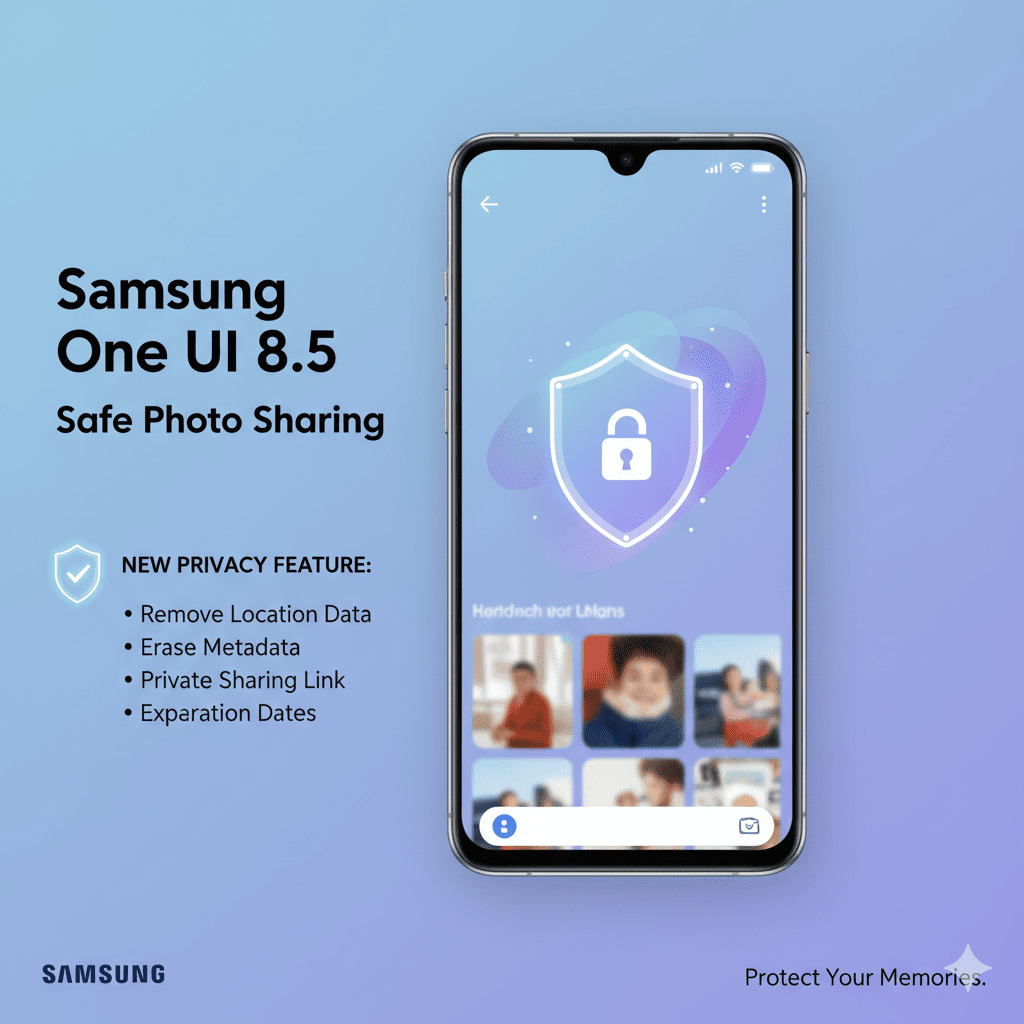
In today’s hyper-connected digital landscape, where a single photo can inadvertently reveal your entire life story, Samsung One UI 8.5 emerges as a game-changer in mobile privacy protection. This isn’t just another incremental software update—Samsung One UI 8.5 represents a fundamental reimagining of how we share photos while maintaining control over our personal information.
Why Samsung One UI 8.5 is Breaking New Ground in Digital Privacy
Every day, millions of people share billions of photos across social media platforms, messaging apps, and email without realizing the hidden treasure trove of personal data embedded within each image. Samsung One UI 8.5 addresses this critical vulnerability head-on with innovative features that put privacy control back where it belongs—in your hands.
The significance of Samsung One UI 8.5 extends beyond mere technical specifications. It represents Samsung’s recognition that modern smartphone users need sophisticated privacy tools that work seamlessly in the background while remaining accessible and transparent when needed.
Understanding the Privacy Crisis That Samsung One UI 8.5 Solves
Before diving into the revolutionary features of Samsung One UI 8.5, it’s crucial to understand the scope of the privacy problem facing smartphone users today.
The Hidden Data in Your Photos
Every photo captured on your smartphone contains metadata—digital information that travels invisibly with your image. This data, formally known as EXIF (Exchangeable Image File Format) information, can include:
- Location Data: Precise GPS coordinates showing exactly where the photo was taken, often accurate within a few meters
- Temporal Information: Date and time stamps that reveal your daily routines and travel patterns
- Device Details: Camera model, lens specifications, and software versions used for device fingerprinting
- Personal Settings: Camera settings, serial numbers, and even the name you’ve given your device
- Edit History: Information about photo editing software used and modifications made
This is precisely why Samsung One UI 8.5 has become essential for anyone concerned about digital privacy and security.
Introducing the Revolutionary Privacy Features of Samsung One UI 8.5
Samsung One UI 8.5 doesn’t just patch privacy holes—it completely reimagines photo sharing with a comprehensive suite of intelligent protection features.
Advanced Automatic Metadata Removal in Samsung One UI 8.5
The cornerstone feature of Samsung One UI 8.5 is its sophisticated automatic metadata removal system. Unlike previous solutions that required manual intervention or third-party apps, Samsung One UI 8.5 integrates privacy protection directly into your device’s sharing workflow.
When you tap the share button on any photo, Samsung One UI 8.5 springs into action with a multi-layered analysis system. The AI-powered engine examines the image metadata, identifies potentially sensitive information, and presents you with clear, actionable options—all within milliseconds.
Key benefits of the automatic metadata removal in Samsung One UI 8.5:
- Instant analysis of all embedded photo data
- One-tap privacy protection across all sharing platforms
- No third-party apps or complicated setups required
- Complete transparency about what data is being removed
- Seamless integration with your existing sharing habits
Intelligent Context-Aware Protection
What sets Samsung One UI 8.5 apart is its contextual intelligence. The system doesn’t apply a one-size-fits-all approach. Instead, Samsung One UI 8.5 learns from your sharing patterns and adapts its recommendations based on:
- Recipient Relationship: Sharing with family members preserves certain metadata, while public sharing triggers maximum protection
- Platform Recognition: The system recognizes different destinations and adjusts privacy settings accordingly
- Content Analysis: Uses on-device AI to identify sensitive content like children, homes, or vehicles
- Historical Patterns: Learns your privacy preferences over time for streamlined protection
Deep Dive: How Samsung One UI 8.5 Protects Your Location Privacy
Location data represents one of the most sensitive pieces of information embedded in photos. Samsung One UI 8.5 addresses this with military-grade location protection features.
GPS Coordinate Scrubbing
Every time you share a photo through Samsung One UI 8.5, the system automatically strips GPS coordinates that could pinpoint your exact location. This protection extends beyond simple deletion—Samsung One UI 8.5 ensures that location data cannot be recovered through forensic analysis.
How GPS scrubbing in Samsung One UI 8.5 works:
- Automatic detection of GPS coordinates in all photos
- Complete removal before sharing to any platform
- Forensic-level deletion preventing data recovery
- Works across all messaging apps and social media platforms
- Optional location preservation for trusted contacts
Neighborhood-Level Generalization Option
Understanding that sometimes location context matters for storytelling, Samsung One UI 8.5 offers a unique compromise: neighborhood-level generalization. Instead of removing location data entirely, you can choose to have Samsung One UI 8.5 replace precise coordinates with general area information like “Brooklyn, New York” without revealing your exact address.
Home Zone Protection
Samsung One UI 8.5 introduces a revolutionary “Home Zone Protection” feature. You can designate specific locations (home, workplace, school) as protected zones. Any photos taken within these zones receive automatic, non-negotiable privacy protection when shared outside your trusted contacts. This feature in Samsung One UI 8.5 has proven invaluable for parents, professionals, and anyone concerned about residential security.
Benefits of Home Zone Protection in Samsung One UI 8.5:
- Designate up to 10 protected locations
- Automatic maximum privacy for photos taken in these zones
- No chance of accidentally revealing home or work addresses
- Perfect for protecting children’s schools and daycare locations
- Cannot be overridden without additional authentication
The Smart Sharing Interface of Samsung One UI 8.5
Beyond backend protection, Samsung One UI 8.5 revolutionizes the user interface for privacy-conscious photo sharing.
Visual Privacy Indicators
When viewing photos in your gallery, Samsung One UI 8.5 displays subtle visual indicators showing which images contain sensitive metadata. A small icon system helps you quickly identify:
- Photos with location data (map pin icon)
- Images with temporal information (clock icon)
- Pictures containing device identifiers (phone icon)
- Photos with comprehensive metadata (info icon)
- Images taken in protected zones (shield icon)
This transparency ensures you’re never caught off guard when sharing content through Samsung One UI 8.5.
Pre-Share Privacy Dashboard
Before any photo leaves your device, Samsung One UI 8.5 presents an elegant pre-share privacy dashboard. This interface provides:
- Data Overview: Clear breakdown of what metadata exists in your photo
- Quick Toggles: One-tap controls to adjust privacy levels instantly
- Recipient Suggestions: Optimal privacy settings based on your sharing destination
- Preview Function: See exactly what metadata will accompany your shared photo
- Historical Reference: View how you’ve shared similar photos in the past
Real-World Applications: How Samsung One UI 8.5 Protects Different User Groups
The privacy features in Samsung One UI 8.5 serve diverse user needs across various scenarios.
Family Safety and Parental Peace of Mind
Parents using Samsung One UI 8.5 gain unprecedented control over child photo safety. When sharing images of children at school events, birthday parties, or daily activities, Samsung One UI 8.5 ensures that:
- School locations remain completely private
- Daily routine patterns can’t be established by bad actors
- Home addresses are never inadvertently shared
- Play date locations and times stay confidential
- Automatic facial recognition alerts for photos containing children
The “Child Photo Protection” mode in Samsung One UI 8.5 can be configured to require additional confirmation before sharing any photo containing faces detected as children, adding an extra layer of mindful sharing.
Why parents trust Samsung One UI 8.5:
- Automatic detection of children in photos
- Extra confirmation required before sharing child photos
- Complete location removal for school and home photos
- Peace of mind when sharing family memories online
- Educational prompts about child photo safety
Professional and Business Use
Business professionals benefit immensely from Samsung One UI 8.5‘s corporate-grade privacy features:
- Client Confidentiality: Share project photos without revealing client locations or meeting times
- Intellectual Property Protection: Device and software metadata stripped automatically
- Event Documentation: Internal sharing with full context, external sharing with privacy protection
- Compliance Support: Helps meet GDPR and other privacy regulations
- Professional Image Management: Control what information clients see in shared photos
Social Media Influencers and Content Creators
Content creators face unique privacy challenges that Samsung One UI 8.5 addresses elegantly:
- Lifestyle Boundary Management: Share aspirational content without broadcasting when you’re away
- Location Flexibility: Post content that appears current while protecting real-time location
- Equipment Privacy: Keep your professional photography gear details private
- Scheduled Posting Support: Manage temporal metadata for scheduled content
- Brand Safety: Ensure no unwanted metadata damages your professional image
Travelers and Adventure Enthusiasts
For those who love sharing their journeys, Samsung One UI 8.5 provides intelligent travel-focused protection:
- Real-Time Location Security: Share vacation photos without revealing that your home is unoccupied
- Itinerary Privacy: Prevent others from tracking your travel patterns
- Accommodation Protection: Keep hotel and lodging information private
- Delayed Location Reveal: Option to share location data only after leaving a place
- Travel Mode: Special profile for maximum privacy during trips
Advanced Features: Customization Options in Samsung One UI 8.5
Samsung One UI 8.5 recognizes that privacy needs are personal and provides extensive customization options.
Trusted Contacts Management
The Trusted Contacts feature in Samsung One UI 8.5 allows you to create tiers of privacy settings based on recipient relationships:
- Inner Circle: Close family and friends who receive photos with full metadata preserved
- Extended Network: Acquaintances who receive moderate protection with some metadata retained
- Public Sharing: Maximum protection for social media posts with all identifying metadata removed
- Custom Groups: Create your own privacy tiers for specific contacts or groups
- Easy Management: Add or remove contacts from trust levels with simple toggles
Platform-Specific Profiles
Samsung One UI 8.5 enables you to create custom privacy profiles for different platforms:
- Social Media Profile: Maximum protection for Instagram, Facebook, Twitter, or TikTok
- Messaging Profile: Moderate protection for WhatsApp, Telegram, or Signal
- Cloud Storage Profile: Customize metadata retention for backup services
- Professional Profile: Business-focused settings balancing collaboration with confidentiality
- Quick Switch: Toggle between profiles instantly based on your current need
Benefits of platform-specific profiles in Samsung One UI 8.5:
- Set it once, forget it—automatic privacy for each platform
- No need to remember different settings for different apps
- Consistent protection across all your sharing activities
- Easy to update as your needs change
- Sync across all your Samsung devices
The Technology Behind Samsung One UI 8.5 Privacy Protection
Understanding the technical sophistication of Samsung One UI 8.5 helps appreciate its effectiveness.
On-Device Processing
All privacy analysis and metadata removal in Samsung One UI 8.5 occurs entirely on your device. This means:
- Zero Cloud Dependency: Photos never uploaded to remote servers for processing
- Instant Processing: Analyzes and protects photos in milliseconds
- Offline Functionality: Privacy features work perfectly without internet connectivity
- Enhanced Security: Eliminates potential interception points and server-side vulnerabilities
- Complete Privacy: Your photos stay on your device throughout the entire process
AI-Powered Content Recognition
The artificial intelligence engine in Samsung One UI 8.5 represents cutting-edge on-device machine learning:
- Face Detection: Identifies human faces and provides enhanced prompts for photos containing people
- Scene Understanding: Recognizes homes, schools, vehicles, and other potentially identifying elements
- Text Recognition: Identifies readable text like addresses, license plates, and documents
- Object Detection: Recognizes valuable items, property markers, and security-sensitive objects
- Context Awareness: Understands photo context to provide relevant privacy recommendations
Why on-device AI in Samsung One UI 8.5 matters:
- Faster processing with no network latency
- Complete privacy—no data sent to cloud servers
- Works anywhere, even without internet connection
- More accurate with personalized learning
- Battery-efficient processing optimized for Samsung devices
Comparing Samsung One UI 8.5 to Previous Versions and Competitors
The evolution to Samsung One UI 8.5 represents a quantum leap in privacy protection compared to earlier versions and competing platforms.
Evolution from Previous Samsung One UI Versions
Earlier versions of Samsung’s interface offered basic privacy controls, but Samsung One UI 8.5 introduces:
- Proactive vs. Reactive Protection: Automatic activation at the point of sharing
- Intelligent Automation: AI-powered recommendations based on context
- Comprehensive Coverage: Protection across all sharing methods and platforms
- User Education: Built-in prompts that build long-term privacy awareness
- Visual Feedback: Clear indicators showing what’s being protected
Samsung One UI 8.5 vs. iOS and Other Android Manufacturers
While Apple’s iOS and other Android manufacturers offer privacy features, Samsung One UI 8.5 distinguishes itself through:
- Granular Control: More detailed customization than iOS’s all-or-nothing approach
- Platform Integration: Deeper integration across Samsung’s ecosystem
- Transparency: Clearer communication about what data exists and what’s being protected
- Flexibility: Better balance between automatic protection and user control
- Advanced AI: More sophisticated content recognition and context awareness
Why users are switching to Samsung One UI 8.5:
- More control over privacy settings than any competitor
- Seamless integration that doesn’t disrupt workflow
- Transparent about what’s happening with your data
- Continuous learning and improvement
- Industry-leading privacy protection that actually works
Setting Up and Optimizing Samsung One UI 8.5 Privacy Features
Getting the most from Samsung One UI 8.5 requires proper configuration and understanding of available options.
Initial Setup Guide for Samsung One UI 8.5
When you first update to Samsung One UI 8.5, follow these steps to maximize your privacy protection:
Step 1: Access Privacy Settings
- Navigate to Settings > Privacy and Security > Photo Sharing Protection
- Review the welcome guide explaining Samsung One UI 8.5 privacy features
- Take the quick privacy assessment to get personalized recommendations
Step 2: Enable Automatic Protection
- Toggle on “Automatic Metadata Removal” to activate core features
- Choose your default privacy level (Maximum, Balanced, or Minimal)
- Enable educational prompts to learn as you use Samsung One UI 8.5
Step 3: Configure Home Zones
- Add your home address as a protected location
- Include workplace, children’s schools, and other sensitive locations
- Set the radius for each protected zone (50m to 500m)
- Choose whether to allow trusted contacts to receive location data from these zones
Step 4: Establish Trusted Contacts
- Review your contact list and identify close family and friends
- Add them to your Inner Circle for less restricted sharing
- Create an Extended Network for acquaintances
- Set default privacy levels for unknown recipients
Step 5: Set Platform Defaults
- Configure automatic privacy settings for Instagram, Facebook, and other social media
- Set messaging app preferences for WhatsApp, Telegram, etc.
- Establish cloud storage settings for backups
- Create a professional profile for work-related sharing
Step 6: Review Visual Indicators
- Learn the privacy icons used throughout Samsung One UI 8.5
- Enable or disable notifications for privacy actions
- Customize the pre-share privacy dashboard layout
- Set up quick access shortcuts for privacy controls
Step 7: Test Sharing
- Send a test photo to yourself to verify metadata removal
- Check the privacy audit log to see what was removed
- Adjust settings based on your preferences
- Share with confidence knowing Samsung One UI 8.5 is protecting you
Advanced Configuration Tips for Samsung One UI 8.5
Power users can optimize Samsung One UI 8.5 with these advanced techniques:
- Create Scenario-Based Profiles: Set up vacation mode, work mode, and family mode for different situations
- Use Scheduling Features: Automatically adjust privacy settings based on time of day or location
- Enable Audit Logging: Review what metadata has been removed from all shared photos
- Integrate with Samsung Knox: Leverage enterprise-grade privacy protection for business use
- Customize AI Sensitivity: Adjust how aggressively the AI identifies sensitive content
- Batch Processing: Apply privacy settings to multiple photos at once
- Backup Privacy Settings: Save your configuration and sync across Samsung devices
Pro tips for maximizing Samsung One UI 8.5:
- Enable biometric authentication for changing privacy settings
- Use the privacy widget for quick access to common controls
- Set up automatic reminders to review privacy settings monthly
- Join the Samsung Privacy Community for tips and updates
- Enable privacy statistics to see how much data you’re protecting
Privacy Education: Understanding What Samsung One UI 8.5 Protects You From
Samsung One UI 8.5 doesn’t just protect your data—it helps you understand why protection matters.
Common Privacy Threats Prevented by Samsung One UI 8.5
- Stalking and Harassment: Removing location data prevents stalkers from tracking your movements
- Burglary and Theft: Vacation photos won’t reveal when your home is empty
- Identity Theft: Device identifiers can’t be used for account takeovers
- Corporate Espionage: Business photos won’t leak sensitive client information
- Child Safety Risks: Predators can’t identify schools or daily routines
- Doxxing: Your personal information stays private even when photos go viral
Real-World Privacy Incidents That Samsung One UI 8.5 Prevents
Samsung One UI 8.5 was designed with real security incidents in mind, protecting users from threats like:
- Journalists whose location metadata revealed confidential source meetings
- Parents whose shared photos exposed their children’s school locations
- Travelers whose vacation posts led to home burglaries
- Professionals whose shared work photos revealed client confidential information
- Social media users whose photo metadata was used to stalk them
Statistics that show why Samsung One UI 8.5 matters:
- 70% of smartphone photos contain location metadata
- 90% of users don’t know their photos include GPS coordinates
- Photo metadata has been used in criminal investigations and stalking cases
- Social media platforms often preserve metadata when photos are downloaded
- Image search engines can index metadata, making it permanently searchable
The Future of Privacy: What Samsung One UI 8.5 Signals for the Industry
Samsung One UI 8.5 isn’t just a product release—it’s a statement about the future direction of mobile privacy.
Industry-Wide Impact of Samsung One UI 8.5
The introduction of comprehensive privacy features in Samsung One UI 8.5 is already influencing the broader smartphone industry:
- Competitors are developing similar features to keep pace with Samsung One UI 8.5
- Privacy is now a major selling point for new smartphones
- Users are more aware of metadata privacy thanks to Samsung One UI 8.5
- Regulatory bodies are taking notice of Samsung’s privacy leadership
- Third-party apps are integrating with Samsung One UI 8.5 privacy features
What’s Next for Samsung One UI 8.5 and Beyond
Samsung continues to innovate beyond Samsung One UI 8.5, with future plans including:
- AI-powered privacy recommendations based on global threat intelligence
- Enhanced biometric authentication for privacy-sensitive actions
- Blockchain-based proof of privacy protection
- Integration with smart home devices for comprehensive digital privacy
- Advanced anonymization for photos shared with researchers or media
The vision behind Samsung One UI 8.5:
- Privacy as a fundamental right, not a premium feature
- User empowerment through education and transparency
- Seamless protection that doesn’t compromise usability
- Continuous innovation to stay ahead of emerging threats
- Industry leadership in setting privacy standards
Common Questions About Samsung One UI 8.5 Privacy Features
Does Samsung One UI 8.5 slow down photo sharing?
No. The privacy analysis in Samsung One UI 8.5 happens in milliseconds using on-device processing. Most users never notice any delay, and the pre-share dashboard appears instantly while you’re already in the sharing flow.
Can I temporarily disable Samsung One UI 8.5 privacy protection?
Yes. Samsung One UI 8.5 offers quick toggles to adjust protection levels on a per-share basis. However, photos shared from protected zones will always receive maximum privacy protection for your safety.
Does Samsung One UI 8.5 work with all photo formats?
Samsung One UI 8.5 supports all standard photo formats including JPEG, PNG, HEIC, RAW, and even some video formats. The system automatically detects and handles metadata in each format appropriately.
Will Samsung One UI 8.5 remove metadata from photos I received from others?
Yes. When you share photos received from others, Samsung One UI 8.5 scans and protects those images just like your own photos, preventing you from accidentally forwarding sensitive metadata.
Can I see what metadata Samsung One UI 8.5 removed from my photos?
Absolutely. Samsung One UI 8.5 includes a privacy audit log that shows exactly what metadata was present in each photo and what was removed before sharing. This transparency helps you understand and trust the protection.
Is Samsung One UI 8.5 available on all Samsung devices?
Samsung One UI 8.5 is currently rolling out to flagship Samsung devices including the Galaxy S series, Galaxy Z Fold and Flip series, and select Galaxy A series devices. Check Samsung’s official website for device compatibility.
Does using Samsung One UI 8.5 privacy features drain my battery?
No. The on-device AI processing in Samsung One UI 8.5 is highly optimized and has minimal impact on battery life. Most users won’t notice any difference in their device’s battery performance.
Can I use Samsung One UI 8.5 with third-party camera apps?
Yes. Samsung One UI 8.5 privacy protection works system-wide, protecting photos regardless of which camera app captured them. The protection activates when you share, not when you capture.
Getting Started with Samsung One UI 8.5 Today
Ready to take control of your photo privacy? Samsung One UI 8.5 makes it easy to start protecting your personal information immediately.
How to Update to Samsung One UI 8.5
For eligible Samsung devices:
- Go to Settings > Software Update
- Tap “Download and Install”
- Follow the on-screen instructions to install Samsung One UI 8.5
- Complete the setup wizard to configure your privacy preferences
- Start sharing photos with confidence
Samsung One UI 8.5 Quick Start Checklist
Once you’ve updated, complete these essential steps:
- ✓ Enable Automatic Metadata Removal in privacy settings
- ✓ Add your home and workplace as protected zones
- ✓ Identify and mark trusted contacts for flexible sharing
- ✓ Configure platform-specific privacy profiles
- ✓ Take the privacy tutorial to learn all features
- ✓ Test share a photo to verify protection is working
- ✓ Enable the privacy widget for quick access
- ✓ Join the Samsung Privacy Community for ongoing tips
Resources for Mastering Samsung One UI 8.5
- Official Samsung Support: Visit support.samsung.com for comprehensive guides
- Samsung Privacy Community: Connect with other Samsung One UI 8.5 users
- Video Tutorials: Watch step-by-step guides on Samsung’s YouTube channel
- Privacy Blog: Read the latest tips and updates about Samsung One UI 8.5
- In-App Help: Access contextual help directly within Samsung One UI 8.5 settings
Why Samsung One UI 8.5 is the Privacy Solution You’ve Been Waiting For
In an age where digital privacy feels increasingly impossible, Samsung One UI 8.5 proves that you don’t have to choose between sharing moments and protecting your personal information.
The core promise of Samsung One UI 8.5:
- Share your life without compromising your safety
- Protect your family with automatic privacy features
- Maintain professional boundaries effortlessly
- Travel and explore without security concerns
- Trust that your personal information stays personal
Samsung One UI 8.5 represents more than just a software update—it’s a commitment to user privacy that sets a new standard for the entire smartphone industry. With intelligent automation, transparent controls, and military-grade protection, Samsung One UI 8.5 empowers you to share confidently while staying safe.
Take Control of Your Privacy Today with Samsung One UI 8.5
Don’t wait another day to protect your personal information. Samsung One UI 8.5 is available now for eligible Samsung devices, offering the most comprehensive photo privacy protection ever created for smartphones.
Update to Samsung One UI 8.5 today and experience the peace of mind that comes from knowing every photo you share is protected by cutting-edge AI, intelligent automation, and Samsung’s industry-leading privacy technology.
Your photos. Your privacy. Your control. That’s the power of Samsung One UI 8.5.
Also read this:
Best AI Websites to Automate Your Entire Workflow in 2025
The Rise of Invisible Brands — Why Logos Don’t Matter Anymore in 2025
10 Profitable AI Side Hustles You Can Start Right Now (Complete 2025 Guide to Making $5K+/Month!)