
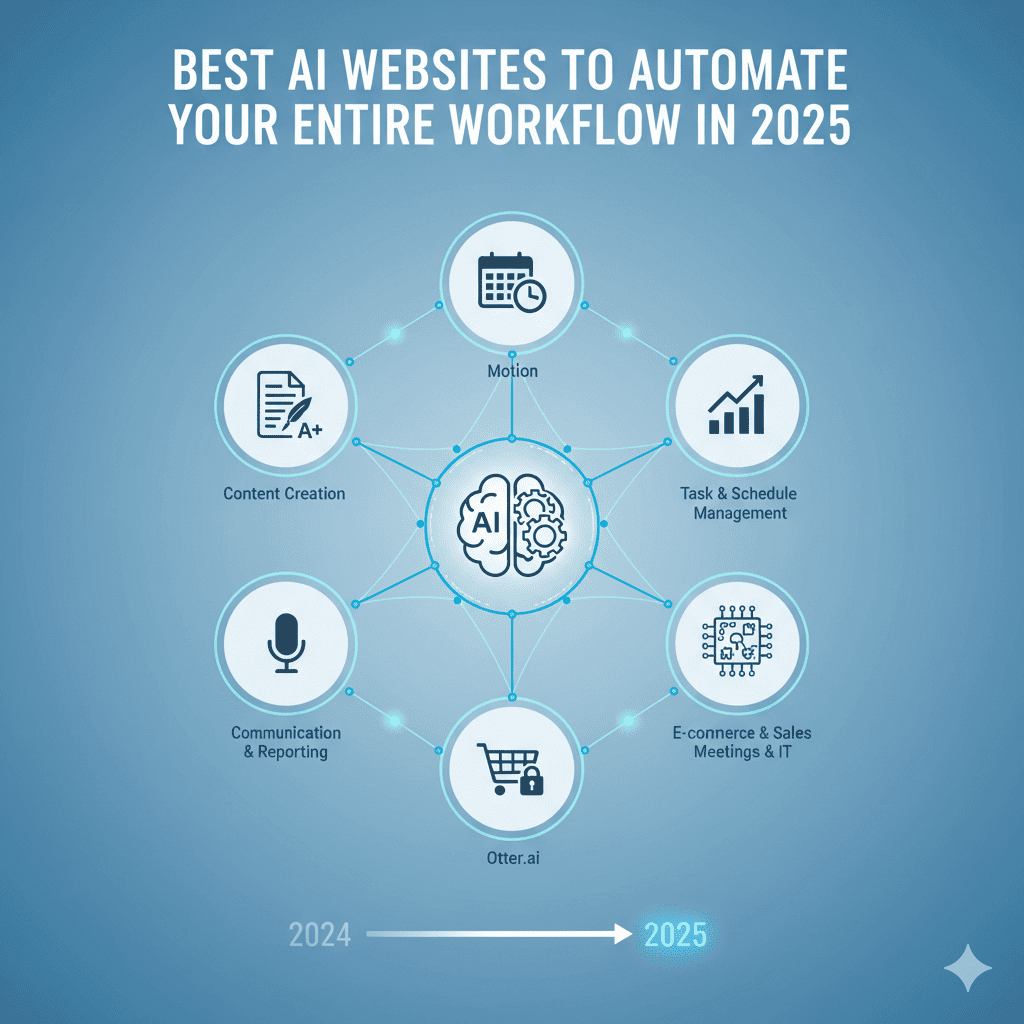
The AI revolution isn’t coming—it’s already here. In 2025, artificial intelligence has evolved from experimental technology to essential business infrastructure. Whether you’re a solopreneur, creative professional, developer, or enterprise team, the right AI websites can transform your workflow from chaotic to streamlined, giving you superpowers you never knew you needed.
This comprehensive guide explores the most powerful AI websites that can automate virtually every aspect of your work, from content creation and design to coding and data analysis. Let’s dive into the tools that are reshaping productivity in 2025.
Why AI Automation Matters in 2025
Before exploring specific tools, understand why integrating AI websites into your workflow is no longer optional:
The Productivity Gap:
- Professionals using AI tools are 40% more productive than those who don’t
- Companies leveraging AI automation see 30-50% cost reductions in operational tasks
- AI-powered workflows free up 15-20 hours per week for strategic work
- Early AI adopters gaining significant competitive advantages across all industries
The Evolution of Work:
- Repetitive tasks increasingly handled by AI, freeing humans for creative thinking
- Cross-functional AI tools eliminating need for multiple specialized software
- Natural language interfaces making complex tasks accessible to everyone
- Real-time collaboration with AI assistants becoming standard practice
The Bottom Line:
- Time saved translates directly to revenue or quality of life improvements
- AI democratizes capabilities previously requiring expensive specialists
- Automation reduces human error and increases consistency
- Scalability becomes possible without proportional resource increases
Now, let’s explore the best AI websites transforming workflows in 2025.
Content Creation & Writing AI Websites
1. Claude.ai (Anthropic)
What It Does:
- Advanced conversational AI for writing, analysis, and problem-solving
- Processes documents up to 200,000 tokens (roughly 150,000 words)
- Creates long-form content, analyzes complex documents, codes, and strategizes
- Exceptional at maintaining context across extended conversations
Best For:
- Long-form content creation and editing
- Research synthesis and document analysis
- Strategic planning and brainstorming
- Complex problem-solving requiring nuanced understanding
Workflow Automation:
- Upload multiple research documents and get comprehensive summaries
- Draft entire blog posts, reports, or whitepapers from bullet points
- Analyze competitor content and suggest improvements
- Generate multiple content variations for A/B testing
Pricing: Free tier available; Pro at $20/month
Pro Tip: Use Claude for projects requiring deep context understanding—it excels at maintaining coherence across very long documents.
2. ChatGPT (OpenAI)
What It Does:
- Versatile AI assistant for writing, coding, analysis, and conversation
- Image generation with DALL-E integration
- Web browsing capability for current information
- Custom GPTs for specialized tasks
Best For:
- Quick content generation across any topic
- Coding assistance and debugging
- Educational explanations and tutoring
- Creative brainstorming and ideation
Workflow Automation:
- Generate email templates for different scenarios
- Create social media content calendars
- Write product descriptions at scale
- Develop standard operating procedures from rough notes
Pricing: Free tier; Plus at $20/month; Team and Enterprise available
Pro Tip: Create custom GPTs for repetitive tasks—build specialized assistants that understand your brand voice and requirements.
3. Jasper.ai
What It Does:
- Enterprise-focused AI writing assistant
- 50+ templates for different content types
- Brand voice customization and style guides
- SEO optimization built-in
- Team collaboration features
Best For:
- Marketing teams needing consistent brand voice
- High-volume content production
- SEO-optimized blog posts and landing pages
- Multi-platform content campaigns
Workflow Automation:
- Generate complete blog posts from keywords
- Create ad copy variations for testing
- Repurpose content across multiple platforms
- Maintain brand consistency across team members
Pricing: Starting at $49/month; Business and Custom plans available
Pro Tip: Set up brand voice profiles for different audiences—B2B vs. B2C, different customer segments, or regional markets.
4. Copy.ai
What It Does:
- AI copywriting focused on marketing and sales
- 90+ templates and tools
- Workflow builder for multi-step processes
- Integration with popular marketing tools
Best For:
- Marketing copy and ad creative
- Sales emails and outreach sequences
- Product descriptions for e-commerce
- Social media content at scale
Workflow Automation:
- Input product features, output complete marketing campaigns
- Generate email sequences from single campaign concepts
- Create social media posts from blog content
- Develop multiple headline variations instantly
Pricing: Free plan available; Pro at $49/month
Pro Tip: Use the workflow builder to create repeatable content generation processes—one input, multiple formatted outputs.
Design & Visual Content AI Websites
5. Midjourney
What It Does:
- Leading AI image generation platform
- Creates highly artistic, stylized images from text descriptions
- Advanced control over composition, style, and aesthetics
- Community features for inspiration and learning
Best For:
- Concept art and illustration
- Marketing visuals and social media graphics
- Product mockups and prototypes
- Creative exploration and mood boards
Workflow Automation:
- Generate unlimited image concepts from brief descriptions
- Create consistent character designs across multiple images
- Develop complete visual campaigns from text briefs
- Produce variations of successful designs instantly
Pricing: Basic $10/month; Standard $30/month; Pro $60/month
Pro Tip: Master the parameter system—quality, stylization, and aspect ratio controls dramatically affect output quality and usefulness.
6. DALL-E 3 (via ChatGPT Plus)
What It Does:
- AI image generation integrated with ChatGPT
- Better text rendering within images
- Conversational interface for refinement
- More precise prompt understanding
Best For:
- Quick visual content generation
- Images with text elements (posters, infographics)
- Iterative design refinement through conversation
- Integrated text and visual workflows
Workflow Automation:
- Generate social media graphics with captions
- Create infographic elements from data
- Develop presentation visuals while writing content
- Produce multiple design variations conversationally
Pricing: Included with ChatGPT Plus ($20/month)
Pro Tip: Use conversational refinement—describe what you want changed rather than starting from scratch with each iteration.
7. Canva Magic Studio
What It Does:
- AI-powered design suite within Canva
- Magic Write for text content
- Magic Eraser for photo editing
- Background Remover and Magic Expand
- Text to Image generation
Best For:
- Non-designers creating professional graphics
- Social media content at scale
- Presentations and marketing materials
- Quick edits and adaptations of existing designs
Workflow Automation:
- Generate entire presentations from prompts
- Create branded templates that auto-populate with AI content
- Remove backgrounds from product photos in bulk
- Adapt single designs to multiple formats automatically
Pricing: Free tier; Pro at $15/month; Teams at $30/user/month
Pro Tip: Combine Magic Write with design templates—generate content and design simultaneously for complete workflow automation.
8. Runway ML
What It Does:
- AI video editing and generation platform
- Text to video creation
- Advanced video editing tools (background removal, motion tracking)
- AI-powered effects and transitions
- Image to video animation
Best For:
- Video content creators and marketers
- Social media video production
- Product demonstrations and explainers
- Creative video experimentation
Workflow Automation:
- Generate video content from text scripts
- Remove backgrounds from videos automatically
- Extend video clips with AI generation
- Create multiple video variations from single source
Pricing: Free tier; Standard $15/month; Pro $35/month; Unlimited $95/month
Pro Tip: Use Gen-2 for creating b-roll footage—describe the scene you need and generate stock-quality video without filming.
Coding & Development AI Websites
9. GitHub Copilot
What It Does:
- AI pair programmer integrated into your IDE
- Real-time code suggestions and completions
- Entire function generation from comments
- Supports dozens of programming languages
- Context-aware based on your entire codebase
Best For:
- Software developers at all levels
- Reducing boilerplate code writing
- Learning new programming languages
- Increasing coding speed and efficiency
Workflow Automation:
- Write function descriptions in comments, get complete implementations
- Generate test cases automatically
- Translate code between languages
- Complete repetitive coding patterns instantly
Pricing: $10/month for individuals; $19/user/month for business
Pro Tip: Write descriptive comments before coding—Copilot uses them to generate more accurate implementations.
10. Replit AI
What It Does:
- AI-powered collaborative coding environment
- Ghostwriter AI for code generation and explanation
- Complete web development environment in browser
- AI debugger and explainer
- Deployment built-in
Best For:
- Rapid prototyping and MVPs
- Learning to code with AI assistance
- Collaborative development projects
- Full-stack web application development
Workflow Automation:
- Describe app functionality, get working prototypes
- Debug errors with AI-powered explanations
- Generate boilerplate for new projects
- Deploy applications with single clicks
Pricing: Free tier; Hacker $7/month; Pro $20/month
Pro Tip: Use natural language to describe features—Replit AI excels at understanding high-level descriptions and implementing them.
11. Cursor
What It Does:
- AI-first code editor (fork of VS Code)
- Natural language code editing
- Codebase-wide understanding and changes
- AI chat integrated directly in editor
- Multi-file editing with AI
Best For:
- Professional developers wanting AI integration
- Large codebase refactoring
- Understanding unfamiliar codebases
- Implementing features across multiple files
Workflow Automation:
- Make codebase-wide changes with single prompts
- Ask questions about how code works
- Generate documentation automatically
- Refactor code with AI understanding context
Pricing: Free tier; Pro $20/month
Pro Tip: Use @ mentions to reference specific files, functions, or docs—gives AI precise context for better suggestions.
Data Analysis & Productivity AI Websites
12. Notion AI
What It Does:
- AI features integrated into Notion workspace
- Content generation, summarization, and editing
- Data analysis and insights from databases
- Meeting notes and action item extraction
- Translation and tone adjustment
Best For:
- Teams using Notion for knowledge management
- Project documentation and wikis
- Meeting notes and task management
- Content planning and creation
Workflow Automation:
- Summarize meeting notes and extract action items
- Generate project plans from brief descriptions
- Create content calendars with AI suggestions
- Translate documentation for global teams
Pricing: $10/month per member (add-on to Notion plans)
Pro Tip: Use AI to maintain documentation—ask it to generate summaries of databases, create overviews of projects, or update wikis automatically.
13. Perplexity AI
What It Does:
- AI-powered search engine with citations
- Combines web search with AI synthesis
- Provides sourced answers to questions
- Follow-up conversations for deeper research
- Collections for organized research
Best For:
- Research and fact-checking
- Competitive analysis
- Market research and trend analysis
- Academic and professional research
Workflow Automation:
- Get comprehensive research summaries with sources
- Track emerging trends in your industry
- Gather competitive intelligence systematically
- Create research collections for projects
Pricing: Free tier; Pro $20/month
Pro Tip: Create Collections for ongoing research topics—Perplexity remembers context and builds knowledge over time.
14. Julius AI
What It Does:
- AI data analyst that interprets your data
- Upload spreadsheets, get insights and visualizations
- Natural language data queries
- Generates charts, graphs, and statistical analysis
- Python code generation for reproducible analysis
Best For:
- Data analysis without coding knowledge
- Business intelligence and reporting
- Statistical analysis and hypothesis testing
- Data visualization creation
Workflow Automation:
- Upload datasets and ask questions in plain English
- Generate visualizations from data descriptions
- Create automated reports from raw data
- Perform complex statistical analyses without expertise
Pricing: Free tier; Pro $20/month
Pro Tip: Ask for multiple visualization types—Julius can show your data in various ways to find the most insightful representation.
15. Beautiful.ai
What It Does:
- AI-powered presentation creation
- Smart templates that auto-adjust design
- Content suggestions and generation
- Team collaboration features
- Brand kit integration
Best For:
- Business presentations and pitch decks
- Sales presentations
- Team reports and updates
- Client-facing materials
Workflow Automation:
- Generate presentation outlines from topics
- Auto-design slides as you add content
- Create multiple presentation versions for audiences
- Update designs instantly with brand changes
Pricing: Pro $12/month; Team $50/month per user
Pro Tip: Start with an outline—Beautiful.ai’s DesignerBot creates complete presentations from structured bullet points.
Marketing & SEO AI Websites
16. Surfer SEO
What It Does:
- AI-powered SEO content optimization
- Content editor with real-time scoring
- Keyword research and clustering
- SERP analyzer
- Content outline generator
Best For:
- SEO-focused content creation
- Content marketing teams
- Agencies managing client SEO
- Bloggers and publishers
Workflow Automation:
- Generate SEO-optimized content outlines automatically
- Get real-time optimization suggestions while writing
- Analyze competitors and identify content gaps
- Create content briefs for writers with AI assistance
Pricing: Essential $89/month; Scale $129/month; Scale AI $219/month
Pro Tip: Use Content Planner to identify keyword clusters—create content strategies covering related topics for topical authority.
17. MarketMuse
What It Does:
- AI content intelligence and strategy platform
- Content gap analysis
- Topic modeling and research
- Content brief creation
- Competitive content analysis
Best For:
- Enterprise content marketing
- Content strategists and SEO professionals
- Editorial teams planning content calendars
- Agencies scaling content production
Workflow Automation:
- Generate comprehensive content briefs from keywords
- Identify content gaps in your site versus competitors
- Prioritize content opportunities by potential impact
- Create content clusters for topical authority
Pricing: Custom pricing based on needs
Pro Tip: Use for content audits—MarketMuse identifies which existing content needs updates versus new content opportunities.
18. AdCreative.ai
What It Does:
- AI-generated ad creatives for digital advertising
- Multiple ad variations from single inputs
- Performance prediction scoring
- Text and visual combination generation
- Brand consistency across campaigns
Best For:
- Digital marketers running paid campaigns
- E-commerce businesses
- Agencies managing multiple client accounts
- Growth teams testing ad variations
Workflow Automation:
- Generate hundreds of ad variations for testing
- Create platform-specific ads (Facebook, Instagram, Google)
- Predict which creatives will perform best
- Maintain brand consistency across all ads
Pricing: Starter $21/month; Professional $141/month; Agency $499/month
Pro Tip: Generate 20+ variations for each campaign—AI prediction scores help prioritize which to test first.
Communication & Customer Service AI Websites
19. Intercom Fin
What It Does:
- AI customer service chatbot
- Instant answers from help documentation
- Natural conversation handling
- Seamless handoff to human agents
- Multi-language support
Best For:
- SaaS companies with customer support needs
- E-commerce customer service
- Reducing support ticket volume
- Providing 24/7 customer assistance
Workflow Automation:
- Answer customer questions automatically from knowledge base
- Route complex issues to appropriate human agents
- Provide instant responses reducing wait times
- Learn from interactions to improve over time
Pricing: Custom based on conversation volume
Pro Tip: Keep knowledge base updated—Fin’s accuracy directly correlates with documentation quality.
20. Fireflies.ai
What It Does:
- AI meeting assistant that records, transcribes, and summarizes
- Automatically joins Zoom, Teams, Google Meet
- Action item extraction
- Searchable meeting database
- Integration with CRM and project management tools
Best For:
- Remote and hybrid teams
- Sales teams tracking client conversations
- Project managers documenting decisions
- Anyone attending multiple meetings daily
Workflow Automation:
- Automatic meeting transcription and summary generation
- Extract and assign action items to team members
- Create searchable archive of all meetings
- Sync notes to CRM and project tools automatically
Pricing: Free tier; Pro $10/month; Business $19/month; Enterprise custom
Pro Tip: Use custom topics to track specific information—sales calls, feature requests, competitor mentions automatically tagged.
Audio & Video AI Websites
21. Descript
What It Does:
- AI-powered video and podcast editing
- Edit video by editing text transcript
- Voice cloning (Overdub) for corrections
- Studio Sound for audio enhancement
- Screen recording with automatic editing
Best For:
- Podcasters and video creators
- Content marketers producing video
- Educators creating course content
- Teams making internal training videos
Workflow Automation:
- Remove filler words (“um,” “uh”) automatically
- Correct mistakes by typing instead of re-recording
- Generate social media clips from long videos
- Create captions and subtitles automatically
Pricing: Free tier; Creator $12/month; Pro $24/month
Pro Tip: Use Overdub sparingly to fix mistakes—clone your voice once and make text-based corrections without re-recording.
22. ElevenLabs
What It Does:
- AI voice generation and cloning
- Text-to-speech with realistic voices
- Voice cloning from audio samples
- Multi-language support
- Projects for organizing voice content
Best For:
- Content creators needing voiceovers
- Audiobook and podcast production
- E-learning and training content
- Accessibility features (text-to-speech)
Workflow Automation:
- Generate voiceovers for videos automatically
- Create audio versions of written content
- Produce multi-language content from single script
- Develop consistent voice branding across content
Pricing: Free tier; Starter $5/month; Creator $22/month; Pro $99/month
Pro Tip: Use Voice Library to browse community voices before cloning your own—find perfect voice for your brand.
23. Opus Clip
What It Does:
- AI video clipper for social media
- Automatically identifies viral-worthy moments
- Adds captions, B-roll, and effects
- Virality score prediction
- Multi-platform formatting
Best For:
- Content repurposing for social media
- Podcasters creating video clips
- Webinar and event content distribution
- Marketing teams maximizing content value
Workflow Automation:
- Upload long video, get multiple short clips automatically
- Generate platform-specific versions (TikTok, Reels, Shorts)
- Add captions and effects without manual editing
- Schedule posting across platforms
Pricing: Free tier; Starter $9/month; Pro $29/month
Pro Tip: Use virality scores to prioritize which clips to post—focus efforts on content AI predicts will perform best.
Specialized Workflow AI Websites
24. Zapier with AI Actions
What It Does:
- Automation platform connecting 6,000+ apps
- AI-powered automation creation
- Natural language automation building
- Pre-built AI action templates
- Custom automation workflows
Best For:
- Connecting multiple tools in workflow
- Automating repetitive cross-platform tasks
- Data synchronization between systems
- Eliminating manual data entry
Workflow Automation:
- Describe automation needs in plain English, get working Zaps
- Auto-summarize and route emails to proper tools
- Generate content and distribute across platforms
- Sync data between CRM, project management, and communication tools
Pricing: Free tier; Starter $29.99/month; Professional $73.50/month
Pro Tip: Combine AI actions with traditional Zaps—use AI for content generation/analysis within larger automation workflows.
25. Make (formerly Integromat)
What It Does:
- Visual automation platform with AI capabilities
- More complex automation than Zapier
- Conditional logic and error handling
- API connection builder
- Scenario templates
Best For:
- Complex multi-step automations
- Data transformation workflows
- Advanced integrations requiring logic
- Power users needing granular control
Workflow Automation:
- Build sophisticated workflows with branching logic
- Transform data between different platform formats
- Create custom integrations with any API
- Handle exceptions and errors automatically
Pricing: Free tier; Core $10.59/month; Pro $18.82/month
Pro Tip: Use routers for conditional automation—different actions based on AI analysis of incoming data.
26. Rows
What It Does:
- Spreadsheet with integrated AI and automation
- AI analyst for data interpretation
- API connections to live data sources
- Sharing and collaboration features
- Automated reporting
Best For:
- Data-driven teams needing real-time dashboards
- Financial modeling and forecasting
- Marketing analytics and reporting
- Operations teams tracking metrics
Workflow Automation:
- Pull live data from APIs directly into spreadsheets
- Ask AI questions about your data in natural language
- Generate reports that update automatically
- Create predictive models without coding
Pricing: Free tier; Plus $8/month; Pro $59/month
Pro Tip: Connect to APIs for live data dashboards—Rows updates automatically unlike traditional spreadsheets.
Email & Productivity AI Websites
27. Superhuman with AI
What It Does:
- AI-enhanced email client
- Email writing assistance and summarization
- Smart categorization and prioritization
- Follow-up reminders and scheduling
- Keyboard shortcuts for speed
Best For:
- Executives and professionals managing high email volume
- Sales professionals with extensive outreach
- Anyone drowning in email
- Teams prioritizing communication efficiency
Workflow Automation:
- AI-generated email responses from brief instructions
- Automatic email categorization and triage
- Summarize long email threads instantly
- Schedule sends for optimal timing
Pricing: $30/month per user
Pro Tip: Use Split Inbox feature with AI sorting—separate emails requiring action from FYI, dramatically reducing inbox overwhelm.
28. Grammarly
What It Does:
- AI writing assistant for clarity and correctness
- Grammar, spelling, and punctuation correction
- Tone detection and suggestions
- Plagiarism detection
- Brand voice guidelines (Business plans)
Best For:
- Anyone writing professionally
- Teams maintaining consistent communication standards
- Non-native English speakers
- Content creators ensuring quality
Workflow Automation:
- Real-time writing improvement across all platforms
- Consistent tone and style enforcement
- Reduce editing time significantly
- Ensure error-free communication automatically
Pricing: Free tier; Premium $12/month; Business $15/month per member
Pro Tip: Set Goals for each piece—Grammarly adjusts suggestions based on audience, formality, and intent.
29. Krisp
What It Does:
- AI-powered noise cancellation for calls
- Background voice removal
- Echo cancellation
- Meeting transcription and notes
- Works with all communication apps
Best For:
- Remote workers in noisy environments
- Sales professionals on frequent calls
- Customer support teams
- Anyone taking meetings from non-ideal locations
Workflow Automation:
- Automatic noise removal on all calls
- Generate meeting transcriptions automatically
- Extract action items from conversations
- Improve communication quality without setup
Pricing: Free tier; Pro $8/month
Pro Tip: Works as system-wide audio filter—benefits all applications automatically without individual app configuration.
How to Build Your AI-Powered Workflow
Having explored the best AI websites available, here’s how to actually implement them:
Step 1: Audit Your Current Workflow
Identify Time-Consuming Tasks:
- Track where you spend time for one week
- Note repetitive tasks you do daily/weekly
- Identify bottlenecks slowing down projects
- List tasks you dislike but must complete
- Calculate time spent on administrative vs. strategic work
Step 2: Map Tasks to AI Solutions
Match Tools to Needs:
- Content creation → Claude, ChatGPT, Jasper
- Design and visuals → Midjourney, Canva, Runway
- Coding and development → GitHub Copilot, Cursor, Replit
- Data analysis → Julius AI, Perplexity, Rows
- Communication → Superhuman, Fireflies, Intercom
- Audio/video → Descript, ElevenLabs, Opus Clip
Step 3: Start Small and Scale
Implementation Strategy:
- Begin with 1-3 tools addressing biggest pain points
- Master each tool before adding more
- Measure time saved and quality improvements
- Gradually expand to additional use cases
- Train team members on successful implementations
Step 4: Create Standard Operating Procedures
Document Your AI Workflows:
- Write step-by-step processes using AI tools
- Create prompt libraries for consistent results
- Share best practices with team members
- Establish quality control checkpoints
- Continuously refine based on results
Step 5: Integrate and Automate
Connect Your Tools:
- Use Zapier or Make to connect AI websites
- Create workflows that pass data between tools
- Eliminate manual data entry between systems
- Build multi-step automations handling entire processes
- Monitor and optimize automation performance
Maximizing ROI from AI Websites
Cost-Benefit Analysis:
Time Savings:
- Average professional saves 15-20 hours/week with AI integration
- At $50/hour value, that’s $750-1,000 weekly savings
- Annual savings: $39,000-52,000 per person
- Most AI websites cost $10-30/month ($120-360 annually)
- ROI: 100-400x return on investment
Quality Improvements:
- Reduced errors in repetitive tasks
- More consistent output quality
- Ability to test more variations/options
- Data-driven decisions replacing guesswork
- Faster iteration and improvement cycles
Scalability Benefits:
- Handle increased workload without hiring
- Expand into new areas without extensive training
- Serve more clients/customers with same resources
- Test new ideas quickly without major resource commitment
Common Mistakes to Avoid
Over-Automation:
- Don’t automate tasks requiring human judgment
- Maintain human oversight on customer-facing content
- Some processes benefit from human touch
- AI assists but shouldn’t replace strategic thinking
Tool Overload:
- More tools don’t automatically equal better results
- Master core tools before adding specialized ones
- Overlap between tools creates confusion and waste
- Consolidate when possible to reduce complexity
Ignoring Data Privacy:
- Review privacy policies before uploading sensitive data
- Understand how AI websites use your information
- Use business/enterprise plans for proprietary content
- Implement data handling policies for team
Set-and-Forget Mentality:
- AI tools require periodic review and optimization
- Prompts and processes need refinement over time
- New features and capabilities released regularly
- Stay informed about updates affecting your workflows
Neglecting Human Development:
- AI should augment, not replace, skill development
- Continue learning and growing professionally
- Use time saved for strategic thinking and creativity
- Maintain skills AI complements rather than replaces
The Future: What’s Coming in AI Automation
Emerging Trends for 2025-2026:
Multimodal AI:
- Tools processing text, images, audio, and video simultaneously
- Single interface handling all content types
- More natural interactions across modalities
- Reduced need for specialized tools
Autonomous Agents:
- AI systems completing multi-step tasks independently
- Goal-based instructions rather than step-by-step prompts
- Self-correcting and adaptive workflows
- Truly hands-off automation for complex processes
Personalized AI:
- Tools learning your specific style and preferences
- Contextual awareness across all your work
- Predictive suggestions based on patterns
- Increasingly accurate with continued use
Enhanced Integration:
- Deeper connections between AI websites
- Native AI features in traditional software
- Cross-platform data sharing and intelligence
- Unified AI experiences across tools
Conclusion: Your AI-Powered Future Starts Now
The AI websites outlined in this guide represent the cutting edge of productivity technology in 2025. From content creation and design to coding and data analysis, AI tools can now handle the majority of repetitive, time-consuming tasks that have traditionally consumed our workdays.
Your Action Plan:
✅ Choose 2-3 AI websites addressing your biggest pain points
✅ Spend one week learning and experimenting with chosen tools
✅ Document successful workflows for consistency and team sharing
✅ Measure time saved and quality improvements quantitatively
✅ Gradually expand your AI toolkit based on proven value
✅ Stay informed about new capabilities and emerging tools
✅ Share knowledge with colleagues and community
The Bottom Line:
The AI websites available today offer unprecedented opportunities to reclaim your time, scale your impact, and focus on work that truly matters. The question isn’t whether to adopt AI automation—it’s how quickly you can implement it before competitors gain insurmountable advantages.
The professionals and businesses that thrive in 2025 and beyond won’t be those who resist AI—they’ll be those who master it first.
Also read this:
The Rise of Invisible Brands — Why Logos Don’t Matter Anymore in 2025
From Resume to Algorithm: How AI Is Now Hiring Humans in 2025