
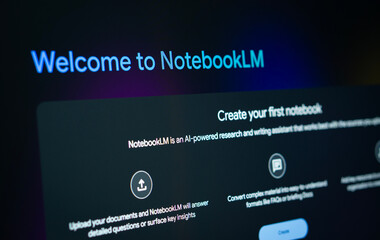
NotebookLM, Google’s AI-powered note-taking and research companion, is quickly evolving into one of the most powerful productivity tools available today. With its ability to summarize documents, answer questions from your sources, and create structured insights, NotebookLM already saves countless hours of work.
But the latest addition—Video Overviews—takes things a step further. Instead of simply reading a summary or scanning through text, you can now watch an AI-generated video explanation of your notes and documents. This makes learning and presenting much more engaging, especially for visual learners.
In this guide, we’ll cover:
- What Video Overviews are and how they work
- Why they’re useful for students, professionals, and content creators
- A step-by-step walkthrough to generate your first Video Overview
- Best practices to get the most out of this feature
Let’s dive in.
What Exactly Are Video Overviews in NotebookLM?
Video Overviews are short, AI-created videos that summarize the content inside your notebooks. They use your uploaded sources (Google Docs, PDFs, text notes, research material, etc.) and automatically create a visual + narrated video recap.
Think of it as your personal “AI tutor” that explains material to you in video form. Instead of scrolling through dozens of pages, you get a digestible, animated video overview in just a few clicks.
This feature is particularly valuable if:
- You learn better through visuals and audio
- You want to share findings with others in an engaging way
- You need to explain something quickly without preparing slides or scripts
Why Should You Use Video Overviews?
Here’s what makes Video Overviews so powerful:
1. Save Time
Manually creating slides, writing scripts, and recording explanations can take hours. Video Overviews cut that down to minutes.
2. Learn Smarter
Research shows that combining text + visuals + narration improves retention. Instead of just reading notes, you can absorb them more effectively through video.
3. Share Easily
Whether you’re a student sharing study notes with classmates, a teacher explaining lessons, or a business professional summarizing reports, Video Overviews make your content instantly shareable.
4. Present With Confidence
Not everyone enjoys speaking on camera or creating polished videos. With NotebookLM, the AI does the heavy lifting, so you always have a professional-looking overview ready.
How to Use Video Overviews in NotebookLM (Step-by-Step)
Here’s how you can generate your own Video Overview:
Step 1: Upload Your Sources
- Open NotebookLM and create a new notebook.
- Upload your documents—Google Docs, PDFs, articles, notes, or research papers.
Step 2: Explore & Organize Content
- Let NotebookLM process your material.
- Use the built-in AI to ask questions, generate summaries, or highlight key insights.
Step 3: Select Video Overview
- In your notebook, find the Video Overview option.
- Choose the section or document you want summarized.
Step 4: Generate the Video
- NotebookLM will create a short, narrated, animated video based on your sources.
- This may include key points, explanations, and visuals generated to match your content.
Step 5: Review and Refine
- Watch the video and check for accuracy.
- If needed, edit your notes or sources, then regenerate a cleaner version.
Step 6: Share Your Overview
- Once finalized, share your Video Overview with classmates, colleagues, or your audience.
- You can use it in presentations, team briefings, study sessions, or online content.
Best Practices for Using Video Overviews
To get the most out of NotebookLM’s Video Overviews, try these tips:
- Keep Sources Clear and Organized – The AI generates better videos when your notes are clean and structured.
- Highlight Key Sections – Mark or summarize important parts before generating a video.
- Use for Teaching & Training – Perfect for quick lessons, onboarding sessions, or explaining processes.
- Pair With Written Summaries – Use NotebookLM’s text overviews alongside videos for deeper understanding.
- Experiment With Different Materials – Try lecture notes, research papers, meeting transcripts, or even book chapters.
Who Can Benefit From Video Overviews?
- 🎓 Students – Create video study guides, summarize lectures, and revise faster.
- 👩🏫 Teachers & Trainers – Deliver quick lessons or recap sessions visually.
- 💼 Professionals – Summarize reports, projects, or research for teams.
- 📹 Content Creators – Repurpose written content into engaging video snippets.
Final Thoughts
Video Overviews in NotebookLM mark a huge step forward in AI-assisted learning and productivity. By turning text-heavy information into engaging videos, Google has made knowledge more accessible, easier to share, and more fun to absorb.
If you haven’t tried it yet, open your notebook in NotebookLM, upload some notes, and test the Video Overview feature. You’ll be amazed at how quickly your dry notes transform into something you can watch, share, and remember.
✨ Pro Tip: Combine Video Overviews with NotebookLM’s Q&A feature to create a full learning experience—text explanations plus video summaries at your fingertips.